

Black Friday is the one time of year when high-performance gaming laptops drop into reach for more buyers. Whether you are upgrading from an aging machine or jumping into PC gaming for the first time, the right deal can get you a lot of laptop for your money. This guide rounds up ten strong options across a wide range of performance tiers, so you can match specs to your needs rather than just grabbing whatever looks discounted.
From budget-friendly entry points to flagship rigs with the latest RTX 50 Series graphics, there is something here for every type of gamer. If you are also building or upgrading a desktop setup, check out the best PC speakers for gaming to complete your rig.
Quick answer
This guide compares 10 picks, with Acer Nitro V 15 Gaming Laptop: i7-13620H, RTX 4050 ranked first. ASUS ROG Strix G16 2025 Gaming Laptop, Intel i7, RTX has the most customer reviews.

With an i7-13620H paired to an RTX 4050 and a 165Hz FHD panel, this rig hits the sweet spot for shoppers wanting smooth competitive gaming without stepping up to a premium tier. The 1TB Gen 4 SSD leaves room for a full game library, and 16GB DDR5 keeps multitasking between matches and streams painless during a Black Friday build-out.
Pros
- 165Hz FHD IPS display keeps fast games smooth
- 16GB DDR5 and 1TB Gen 4 SSD handle multitasking well
- Backlit keyboard with numeric keypad for work and play
- RTX 4050 offers solid 1080p gaming performance
Cons
- 4.7 pounds makes it less ideal for frequent travel
- RTX 4050 is an entry-level dedicated GPU tier
Black Friday is when budget-minded shoppers finally get a shot at a real gaming rig, and the Acer Nitro V fits that hunt well. It pairs a Core i7-13620H with an RTX 4050, enough muscle to run current games at solid settings without chasing flagship money. The 15.6 inch FHD IPS panel runs at 165Hz, so fast-paced titles feel fluid rather than smeared, and 16GB of DDR5 plus a 1TB Gen 4 SSD covers both multitasking and library size without needing a second drive. At 4.7 pounds it is not the lightest laptop around, but it is still reasonable for moving between a desk and a couch. Backlit keys and a numeric keypad round out the everyday usability, useful if this machine also pulls double duty for coursework or spreadsheet work between gaming sessions. For a Black Friday list built around value picks that still perform, this one earns a spot as the sensible mid-tier option rather than the flashiest entry.
Gaming performance on the Nitro V 15 scales well across competitive and modern titles. The RTX 4050 with 6GB VRAM handles esports titles like Valorant, Counter-Strike 2, and League of Legends at maximum settings and 165+ FPS with ease. In demanding AAA games like Cyberpunk 2077, Alan Wake 2, and Indiana Jones, expect 60-80 FPS at high settings with DLSS 3.5 enabled at 1080p.
The 165Hz display paired with the i7-13620H ensures minimal input lag and smooth frame delivery, giving you a competitive edge in fast-paced shooters. The matte screen reduces glare during extended gaming sessions. Wi-Fi 6 and Killer Ethernet keep your connection stable for online play, whether you're at home or gaming on the road.
Processor: Intel Core i7-13620H (10 cores, up to 4.9 GHz)
Graphics: NVIDIA GeForce RTX 4050 (6GB GDDR6) with DLSS 3.5
Memory: 16GB DDR5 (2 slots, upgradeable to 32GB)
Storage: 1TB PCIe Gen 4 SSD
Display: 15.6-inch FHD (1920x1080) IPS, 165Hz, 300 nits, 82.64% screen-to-body ratio
Connectivity: Wi-Fi 6 (802.11ax), Bluetooth 5.2, Killer Ethernet (Gigabit), Thunderbolt 4, 2x USB, HDMI 2.1
Battery: Up to 9 hours estimated runtime
Weight: 4.7 pounds
OS: Windows 11 Home
Warranty: Limited International Warranty
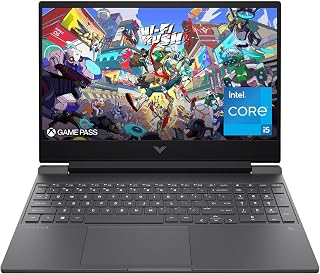
For someone shopping this event on a tighter budget, the i5-12450H and RTX 3050 pairing still delivers a genuine 144Hz gaming experience without overspending. The included fingerprint reader and spill resistant design make it a practical pick for students who need durability alongside entry-level gaming performance in one machine.
Pros
- 144Hz FHD display handles esports titles smoothly
- 16GB RAM and 512GB SSD support solid multitasking
- Spill-resistant keyboard and anti-glare coating add durability
- Fingerprint reader and Wi-Fi 6 for modern convenience
Cons
- Battery life drops noticeably during gaming sessions
- RTX 3050 won't max out demanding AAA titles
If you're hunting Black Friday gaming laptop deals and want the safest entry point into 144Hz gaming, the HP Victus 15.6 earns its spot on this list through sheer value density. The i5-12450H and RTX 3050 combo isn't flashy, but it covers the games most shoppers actually play: Valorant, CS2, Fortnite run at high framerates, and AAA titles like Cyberpunk 2077 hold medium to high settings at 1080p. That makes it a smart pick for anyone comparing deals on a first serious gaming rig rather than a GPU upgrade. The 16GB RAM and 512GB SSD keep multitasking smooth, and the anti-glare coating plus spill-resistant keyboard add practical durability for daily use, not just gaming. At 7 pounds it's not the lightest on this list, but it's built to survive dorm rooms and living rooms alike. For shoppers ranking deals by dollar-per-frame at 1080p, this is the laptop that punches above its category without demanding you understand GPU tiers.
The RTX 3050 6GB graphics card excels at 1080p gaming, comfortably running popular esports titles like Valorant, CS2, and Fortnite at high framerates. Modern AAA games like Cyberpunk 2077 and Starfield play at medium to high settings with 60+ fps, while demanding titles may require lowering settings to maintain smooth 144Hz performance.
The 144Hz display takes full advantage of the GPU capabilities, delivering noticeably smoother motion compared to standard 60Hz screens. This is particularly beneficial for competitive gaming where responsiveness matters. The anti-glare matte finish reduces reflections during long gaming sessions, minimizing eye fatigue.
Processor: Intel Core i5-12450H (4.4GHz)
Graphics: NVIDIA GeForce RTX 3050 6GB GDDR6
Display: 15.6" FHD IPS (1920x1080) 144Hz with anti-glare coating
Memory: 16GB DDR4-3200
Storage: 512GB PCIe SSD
Connectivity: Wi-Fi 6, Bluetooth
Ports: HDMI output, USB Power Delivery
Weight: 7 pounds
OS: Windows 11 Pro
Battery: Limited capacity for gaming use

This configuration suits deal hunters prioritizing GPU power over storage headroom, since the RTX 4050 handles current titles well even though the 512GB SSD and 8GB DDR5 mean fewer installed games at once. The 165Hz FHD display still delivers the fluid motion competitive gamers expect from a Black Friday upgrade.
Pros
- 165Hz IPS display gives smoother motion than standard panels
- RTX 4050 with DLSS 3.5 handles esports titles at high frame rates
- Lightweight at 4.7 pounds for a gaming laptop
- Thunderbolt 4 and Wi-Fi 6 for versatile connectivity
Cons
- 8GB base RAM is entry-level and needs upgrading for heavier use
- 512GB SSD fills quickly with a large game library
For shoppers scanning Black Friday gaming laptop deals with an eye on refresh rate, the Acer Nitro V 15 stands out because it puts a 165Hz IPS panel ahead of raw GPU muscle, a rare choice at this tier. Paired with an RTX 4050 and DLSS 3.5, it pushes Valorant, CS2, and Fortnite to high frame rates, while single-player AAA games settle into a comfortable 60 to 80 FPS at high settings. That mix makes it a strong deal-day target for competitive players who care more about smoothness than ultra settings. The i5-13420H handles streaming or recording alongside gameplay without major slowdown, useful if you're also comparing this to creator-focused laptops. At 4.7 pounds it's noticeably easier to carry than most gaming laptops on this list, and Thunderbolt 4 plus Wi-Fi 6 round out a connectivity set that feels ahead of its price bracket. The tradeoff shoppers should weigh against other deals is the 8GB RAM floor, which may push budget-focused buyers toward considering an upgrade cost.
Processor: Intel Core i5-13420H (up to 4.6 GHz, 8 cores)
Graphics: NVIDIA GeForce RTX 4050 with 6GB GDDR6
Display: 15.6-inch FHD (1920x1080) IPS, 165Hz, 300 nits, Matte finish
Memory: 8GB DDR5 (expandable to 32GB with 2 SODIMM slots)
Storage: 512GB PCIe Gen 4 SSD
Operating System: Windows 11 Home
Connectivity: Wi-Fi 6 (802.11ax), Bluetooth 5.2, Killer Ethernet E2600, 1x Thunderbolt 4, 1x HDMI, 4x USB
Weight: 4.7 pounds
Dimensions: 14.26" x 9.44" x 0.93"
Buy this if refresh rate and portability matter more to you than top-tier graphics power, especially if you're a student splitting time between coursework and gaming. It's a good fit for esports players chasing smoothness over visual fidelity. Skip it if you need ample RAM out of the box or don't want to deal with upgrading components yourself, since 8GB is tight for 2026 gaming.

Buyers chasing a future-proof Black Friday pickup will notice the RTX 5060 GPU with dedicated AI Tops alongside 32GB of DDR5 memory, a rare amount at this tier that handles heavy multitasking and modern AI-assisted creative tools. The 16-inch 180Hz WUXGA display adds sharper detail and smoother motion than typical FHD panels for fast-paced titles.
Pros
- 32GB DDR5 memory well above typical configs at this tier
- 180Hz WUXGA IPS display for smooth fast-paced gaming
- RTX 5060 with AI acceleration for modern workloads
- 1TB Gen 4 SSD offers fast storage with ample space
Cons
- AMD platform may not suit buyers wanting Intel specifically
- Higher memory configuration may be more than casual gamers need
If you are scanning Black Friday laptop deals for something with more headroom than an entry-level rig, the Nitro V 16S AI is worth a look. It steps up to an AMD Ryzen 7 260 paired with an RTX 5060 rated at 572 AI TOPS, giving it more graphical muscle and AI-accelerated features than lower-tier options on this list. The 16 inch WUXGA IPS panel runs at 180Hz, a genuine advantage for competitive or fast-motion gaming where every frame matters. Doubling up to 32GB of DDR5 memory is a standout for this price tier, letting it handle heavier multitasking, streaming setups, or creative work alongside gaming without slowdown. A 1TB Gen 4 SSD keeps load times quick and leaves room for a sizable game library. Backlit keyboard and numeric keypad add practical touches for everyday use beyond gaming. For shoppers comparing several laptops in one Black Friday list, this one stands out on memory and refresh rate specs relative to its peers, making it a strong pick for anyone who wants more than the baseline gaming experience.
Processor: AMD Ryzen 7 260 with up to 38 AI TOPS
Graphics: NVIDIA GeForce RTX 5060 Laptop GPU with 572 AI TOPS, Blackwell architecture, 4th-gen RT Cores, 5th-gen Tensor Cores
Display: 16 inch WUXGA (1920 x 1200) IPS, 180Hz refresh rate, 100% sRGB color coverage
Memory: 32GB DDR5 5600MHz (2 DDR5 slots, maximum 32GB)
Storage: 1TB PCIe Gen 4 SSD (2 M.2 slots, 1 available)
Operating System: Windows 11 Home
Keyboard: Backlit with numeric keypad
Connectivity: Wi-Fi 6
Color: Black
Best for buyers who want a step above entry-level gaming performance, especially those who value the extra RAM for streaming, content creation, or heavy multitasking alongside gaming. The 180Hz WUXGA display also suits players who care about smoothness in competitive titles. Skip it if you specifically want Intel over AMD, or if 32GB of memory is more than your workload needs and you would rather save weight or cost elsewhere.

Shoppers wanting a flagship-feeling deal will appreciate the i7-14650HX and RTX 5060 combo driving a 165Hz 16:10 panel, giving extra vertical screen space for both gaming and productivity. The Tri-Fan Technology cooling setup matters here since sustained high frame rates on demanding titles generate real heat that budget cooling struggles to manage.
Pros
- 165Hz FHD+ display with ROG Nebula Display technology
- Tri-Fan cooling supports sustained gaming performance
- RTX 5060 with 8GB dedicated graphics memory
- Wi-Fi 7 support for future network compatibility
Cons
- 2.65kg weight is heavier than more portable alternatives
- Gaming-forward design may not suit understated preferences
For a Black Friday roundup focused on top gaming laptop picks, the ASUS ROG Strix G16 earns its place through balance rather than any single standout spec. It runs a Core i7 14650HX alongside an RTX 5060 with 8GB of dedicated graphics memory, enough to handle high frame rates in modern titles on the 16 inch FHD+ 165Hz display. Tri-Fan cooling and the ROG Nebula Display technology point to a machine built with sustained gaming sessions in mind, not just short bursts. At 2.65kg it sits in a reasonable middle ground for a 16 inch gaming laptop, portable enough to move around without feeling like a desktop replacement. 16GB of DDR5 and a 1TB Gen 4 SSD cover the multitasking and storage needs of most gamers, while Wi-Fi 7 support means the connectivity hardware is ready for networks that support it. For shoppers weighing several laptops in the same price bracket this Black Friday, the Strix G16 stands out as the pick that leans hardest into dedicated gaming performance and cooling design.
Processor: Intel Core i7 14650HX (16 cores, 2.2 GHz base)
Graphics: NVIDIA GeForce RTX 5060 (8GB GDDR5, DLSS 4)
Display: 16 inch FHD+ (1920x1200) 165Hz IPS LED, 3ms response time
Memory: 16GB DDR5-5600MHz (upgradeable)
Storage: 1TB PCIe Gen 4 SSD (upgradeable)
Connectivity: Wi-Fi 7 (802.11be), USB ports, HDMI output
Audio: Dolby Atmos speakers
Keyboard: Gaming-grade QWERTY with RGB
Battery: 90Wh Lithium-Ion, 2 hours gaming, 50 hours standby
Weight: 2.65kg
Dimensions: 13.94 x 10.55 x 0.9 inches
OS: Windows 11 Home
Warranty: Limited
Well suited to gamers who want strong sustained performance and are willing to accept a heavier, more gaming-focused chassis in exchange for cooling and display quality. The Eclipse Gray finish and RGB light bar also suit buyers who want their laptop to visibly read as a gaming machine. Skip it if you need something lighter for travel or prefer a more understated look for work settings.

Enthusiasts who like tuning performance will value the MUX Switch here, letting the RTX 5060 bypass integrated graphics entirely for a direct frame rate boost. Paired with a Ryzen 7 260 processor on a 16-inch chassis, it appeals to buyers using this Black Friday window to grab hands-on control over their gaming rig's output.
Pros
- 165Hz display pairs well with RTX 5060 for smooth gameplay
- 180 degree hinge adds real versatility for streaming or presenting
- GiMATE AI assistant optimizes performance automatically
- Comfortable Golden Curve keyboard for long sessions
Cons
- No touchscreen for digital art or note-taking
- 4.9 pounds leans toward desktop replacement, not ultra-portable
If you're hunting Black Friday gaming laptop deals and want the best refresh rate and versatility for the money, the GIGABYTE Gaming A16 deserves a spot on your shortlist. It pairs an AMD Ryzen 7 260 with an RTX 5060 and a 165Hz panel, a combo that keeps gameplay smooth while you multitask, stream, or edit. That's exactly the kind of all rounder buyers look for during a big sale, since it covers gaming, schoolwork, and content creation instead of just one lane. The 180 degree hinge and Golden Curve keyboard show real design thought, and Dolby Atmos rounds out the experience nicely. GiMATE's adaptive performance tuning is a nice bonus that other laptops in this price range skip entirely. It's not the lightest 16 inch machine at 4.9 pounds, and there's no touchscreen, but for shoppers comparing top 10 deal lists on specs and value, this one holds its own against pricier rivals.
Processor: AMD Ryzen 7 260 with AI capabilities
Graphics: NVIDIA GeForce RTX 5060 with 8GB GDDR7 VRAM
Display: 16-inch IPS LCD, 1920x1200 resolution, 165Hz refresh rate, matte finish
Memory: System RAM not specified in available data
Storage: 1TB SSD with solid-state interface
Operating System: Windows 11 Home
Weight: 4.9 pounds
Dimensions: 14.11 inches L x 0.9 inches W x 10.33 inches Thick
Connectivity: Wi-Fi 7, Bluetooth 5.0, Gigabit Ethernet, 4 USB ports, HDMI output
Features: MUX Switch, 180-degree hinge, GiMATE AI agent, Golden Curve keyboard, Dolby Atmos audio
Gaming Performance: The RTX 5060 excels at 1440p gaming and handles 1080p gaming at ultra settings with frame rates well above 60fps. At the native 1920x1200 resolution, expect high frame rates in modern AAA titles with medium-to-high settings. NVIDIA DLSS 4 further boosts performance by intelligently upscaling lower-resolution renders, allowing ultra-quality visuals with minimal performance cost.
Multitasking & Streaming: The Ryzen 7 260 has the multi-core muscle to game while streaming to Twitch or YouTube. Its architecture supports simultaneous encoding for recordings without stuttering your in-game performance.
Content Creation: The RTX 5060 and NVIDIA Studio drivers provide hardware acceleration for video editing, 3D rendering, and image generation. GiMATE's AI optimization ensures your workload gets the system resources it needs when it matters most.
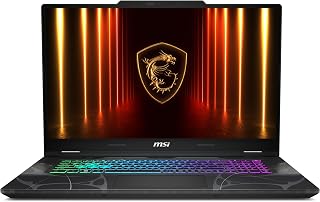
Anyone wanting a bigger screen for immersive Black Friday gaming should look at the 17.3-inch FHD panel here, paired with an RTX 5060 GPU that pushes real frame rates at that larger resolution. Wi-Fi 6E support also helps online play stay responsive, which matters more as screen size and visual scale increase.
Pros
- 17.3-inch 144Hz display offers more screen real estate
- RTX 5060 with DLSS 4 and ray tracing for modern visuals
- 1TB NVMe SSD gives ample room for games and files
- Cooler Boost thermal design keeps performance stable
Cons
- 1080p resolution looks less sharp stretched across 17.3 inches
- RAM and storage are not confirmed to be user-upgradeable
Among Black Friday gaming laptop deals, the MSI Cyborg 17 answers a specific request: more screen for the same footprint of deal-day shopping. Its 17.3-inch 144Hz FHD display gives gameplay and creative work a larger canvas than the 15.6-inch options crowding most deal lists, while the RTX 5060 with DLSS 4 and ray tracing keeps mainstream 1080p gaming smooth and visually sharp. The Core 7-240H processor and 16GB DDR5 RAM handle gaming, video editing, and streaming without stutter, and the 1TB NVMe SSD means you won't be juggling storage the way you might on smaller-drive competitors in this price range. MSI's Cooler Boost thermal design keeps things stable through long sessions, a detail worth noting if you're comparing deals based on sustained performance rather than specs alone. At 5.3 pounds it's heavier than the ultraportable picks on this list, trading some mobility for that bigger screen. If your Black Friday search is specifically for size and immersion over portability, this is the laptop that delivers it.
Buy this if you want the largest screen on this list and value storage headroom for a growing game library, particularly if you also edit video or stream. It works well for students who need one machine for both study and play. Skip it if portability matters, if you want 1440p sharpness on a big screen, or if you need user-upgradeable RAM and storage down the line.

Alienware's build suits gamers and students who want a laptop that pulls double duty, since the RTX 5060 handles demanding titles while the backlit keyboard and numeric keypad support late-night study sessions too. Anti glare coating on the display also helps in bright dorm or living room settings where screen glare is common.
Pros
- RTX 5060 with Blackwell architecture handles AAA games at high settings
- 2560x1600 display at 300 nits looks sharp for gaming and creative work
- Cryo-Chamber cooling keeps thermals in check quietly
- 5.5 pounds is portable for its screen size and build quality
Cons
- RTX 5060 is the entry-level GPU in the RTX 50 series
- Base 16GB RAM leaves little headroom for heavy multitasking
For a Black Friday gaming laptop list, the Alienware 16 Aurora with RTX 5060 stands out as the pick for buyers who want premium build quality alongside real performance. It runs NVIDIA's Blackwell architecture RTX 5060 alongside an Intel Core 7 240H, backed by SSD storage and DDR5 speed that keeps load times and stutter to a minimum. The 2560x1600 display at 300 nits makes games and video look sharp, and the Cryo-Chamber cooling system keeps things quiet under load. At 5.5 pounds, it's genuinely easy to pack for a LAN party or a trip, which matters if you're comparing portability across a top 10 list. The anodized aluminum chassis and backlit keyboard give it a more refined look than the typical aggressive gaming laptop aesthetic. The RTX 5060 is the entry point of the RTX 50 series, so buyers chasing the absolute highest settings on future AAA titles at full resolution may eventually want more headroom, and the base 16GB RAM leaves little room for heavy multitasking without an upgrade.
Processor: Intel Core 7 240H Series 2
Graphics: NVIDIA GeForce RTX 5060 (Blackwell)
Display: 16-inch WQXGA (2560x1600), 300 nits, 16:10 aspect ratio, anti-glare coating
Memory: 16GB DDR5 RAM at 5600 MHz, expandable to 32GB
Storage: SSD (capacity not specified)
Operating System: Windows 11 Home
Connectivity: Wi-Fi 802.11.be, Bluetooth, USB 3.2 Gen 1, USB 3.2 Gen 2, HDMI, Ethernet
Battery: Supported by 180-watt adapter
Weight: 5.5 pounds
Dimensions: 10.45 x 14.05 x 0.89 inches
Audio: 2x 2W speakers with Dolby Audio
Warranty: 1-year onsite service
Color: Blue
Additional Features: Backlit keyboard, numeric keypad, anti-glare display coating
Best for gamers and creators who want premium materials, a sharp high resolution display, and genuine portability at 5.5 pounds. Great pick for anyone comparing deals who values build quality as much as raw specs. Skip it if you need top tier GPU headroom for future AAA titles at max settings, or if you plan on heavy multitasking and rendering without budgeting for a RAM upgrade first.

Shoppers comparing Alienware tiers during this sale will find the RTX 5050 here a reasonable step down for those who don't need the top GPU, still backed by an Intel Core 7 240H processor. The 24 cache size supports smoother multitasking, making it a sensible pick for casual to mid-level gaming needs.
Pros
- NVIDIA GeForce RTX 5050 dedicated graphics for gaming
- Intel Core 7 processor with 24MB cache for solid multitasking
- 16GB memory suited to entertainment and student use
- 16 inch screen size matches the broader Alienware Aurora lineup
Cons
- RTX 5050 offers less graphics headroom than the RTX 5060 variant
- Limited published details on design, display, and cooling for this configuration
Among Black Friday gaming laptop deals aimed at students and entertainment use, the Alienware 16 Aurora with RTX 5050 is worth considering if you want the Alienware design and build without stretching for a higher tier GPU. It runs an Intel Core 7 processor at 1.8 GHz with 24MB cache, paired with 16GB of memory and NVIDIA's GeForce RTX 5050 dedicated graphics. The 16 inch screen size fits the same category as its RTX 5060 sibling, making it a reasonable step down for buyers who don't need the extra graphics horsepower. Windows 11 Home is preinstalled, and the listed uses cover entertainment, gaming, and student work, which suggests it's built for everyday use rather than demanding creative workloads. Since detailed design and thermal information isn't available for this configuration, buyers should treat it as a lighter performance tier of the Alienware 16 Aurora lineup rather than assume identical features to the RTX 5060 model.
Display: 16-inch WQXGA (2560x1600), 120Hz, 300 nits, 16:10 aspect ratio, anti-glare coating
Processor: Intel Core 7 240H Series 2
Graphics: NVIDIA GeForce RTX 5050 (Blackwell architecture)
Memory: 16GB DDR5 RAM at 5600MHz, upgradeable to 32GB (2 SODIMM slots)
Storage: SSD (capacity not specified in data)
Connectivity: Wi-Fi 802.11be, Bluetooth 5.x, USB 3.2 Gen 1, USB 3.2 Gen 2, HDMI, USB Type-C
Audio: 2x2W stereo speakers with Dolby Audio
Design: Anodized aluminum lid, 10.45 x 14.06 x 0.73 inches, 5.5 pounds
OS: Windows 11 Home
Warranty: 1-year onsite service
Included: 180W power adapter, power cord, documentation

Pros
- 16GB DDR4 RAM and 512GB SSD
- 16-inch 1920P FHD display
- WiFi 6, USB 3.2, and USB Type-C
- Numeric keypad in a lightweight design
Cons
- Integrated graphics limit demanding games
- Heavy gaming needs lower settings
Not every Black Friday gaming laptop pick needs to target demanding new releases. The KAIGERR LX16PRO suits shoppers looking for a larger Windows 11 machine that can cover casual gaming while remaining useful for school, work, and daily computing. Its AMD Ryzen processor, 16GB of DDR4 memory, and 512GB SSD give it a more balanced foundation for multitasking than basic budget systems, while integrated Radeon graphics are intended for casual games and video playback. The 16-inch 1920P FHD display provides generous room for games, browser tabs, documents, or streaming, and the numeric keypad adds practical value outside play. WiFi 6, USB 3.2, and USB Type-C support current connectivity needs, while the lightweight design helps a 16-inch model stay portable. For gaming, expectations matter: demanding titles will need lower settings and may involve compromised frame rates. The source also advises closing background apps when gaming, so this is best viewed as a casual-gaming deal pick rather than a high-performance graphics machine.
Processor: AMD Ryzen 7 4300U, 6 cores / 12 threads, up to 4.3 GHz
Graphics: Radeon Integrated UHD Graphics, up to 1200 MHz
RAM: 16GB DDR4
Storage: 512GB M.2 SSD (upgradeable to 2TB max)
Display: 16 inches, 1920x1080 FHD, Thin-bezel design
Battery: 38Wh, rated up to 8 hours
Operating System: Windows 11 Pre-installed
Connectivity: WiFi 6, USB 3.2, USB Type-C, Webcam with privacy slide cover
Design: Lightweight, numeric keypad, Sophisticated Grey color
Warranty: 12 months repair, unlimited technical support
Gaming Laptop Buying Guide for Black Friday
Black Friday creates a lot of noise. Knowing which specs actually matter keeps you from being swayed by a flashy deal on a laptop that does not fit how you play. Here are the four criteria worth focusing on.
GPU Tier: The Single Biggest Factor
The graphics card defines what games you can run and at what settings. The NVIDIA GeForce RTX 3050 in the HP Victus 15.6″ Full HD 144Hz Gaming Laptop handles 1080p gaming reliably, making it a practical entry point. Step up to the RTX 4050 in the Acer Nitro V lineup and you gain DLSS 3.5 support, which meaningfully boosts frame rates in supported titles.
For those who want future-proofing, the RTX 5060 found in the ASUS ROG Strix G16 (2025) Gaming Laptop, the Acer Nitro V 16S AI, the MSI Cyborg 17, and the GIGABYTE Gaming A16 brings NVIDIA Blackwell architecture with DLSS 4 and Multi Frame Generation. That is a meaningful generational leap over the RTX 40 Series.
Display Refresh Rate and Resolution
Refresh rate has a direct impact on how smooth competitive games feel. A 144Hz panel like the one on the HP Victus keeps motion fluid without demanding an enormous GPU. Bump that to 165Hz, as seen on both Acer Nitro V 15 models and the ASUS ROG Strix G16, and fast-paced shooters become noticeably sharper and more responsive.
The Acer Nitro V 16S AI pushes to 180Hz with a WUXGA 1920×1200 resolution and 100% sRGB coverage, which is a standout combination for both gaming and content work. If screen quality matters as much as frame rate, that wider color gamut is worth seeking out. Pairing a great display with capable storage also helps, so consider reading up on the best portable SSD for gaming if you need extra space on the go.
RAM and Storage Configuration
Modern games load faster and stutter less with at least 16GB of RAM and a PCIe Gen 4 SSD. The Acer Nitro V Gaming Laptop with the Core i7 ships with 16GB DDR5 and a 1TB Gen 4 SSD, which is a well-balanced configuration for most players. The Acer Nitro V 16S AI Gaming Laptop doubles that to 32GB DDR5, which is worth considering if you also use your machine for video editing or streaming.
On the budget end, the Acer Nitro V Gaming Laptop with the Core i5 starts at 8GB DDR5 but supports up to 32GB across two slots, so you have room to expand. The KAIGERR Gaming Laptop, Laptop with AMD Ryzen includes 16GB DDR4 and a 512GB SSD out of the box, with support for up to a 2TB SSD upgrade later. For those interested in fast internal storage upgrades, our roundup of the best PCIe 4.0 SSDs is a useful companion read.
Build Quality, Cooling, and Portability
Thermal management separates laptops that sustain peak performance from those that throttle under load. The ASUS ROG Strix G16 (2025) Gaming Laptop uses an end-to-end vapor chamber with tri-fan technology and liquid metal on the chipset, which is among the more sophisticated cooling setups in this group. The Alienware 16 Aurora Gaming Laptop takes a different approach with its Cryo-Chamber airflow structure, channeling cool air directly to core components.
Portability is another angle worth weighing. The msi Cyborg 17 17.3″ FHD 144Hz Gaming Laptop is impressively slim at 0.83 inches and 5.5 lbs for a 17-inch machine. The GIGABYTE Gaming A16 – AMD Ryzen 7 260 GeForce RTX features a 180-degree hinge in a 19.45mm chassis, adding versatility for different use environments. If you value a quiet system, our guide to quiet CPU coolers is a good reference for desktop builds where noise control matters.
Final Thoughts
This Black Friday gaming laptop lineup covers a wide spectrum, and the right pick comes down to how you play and what you prioritize. If you want a capable everyday gaming machine without going all-in on flagship hardware, the HP Victus 15.6″ Full HD 144Hz Gaming Laptop delivers solid RTX 3050 performance with a smooth 144Hz display. For players who want the latest Blackwell architecture and a premium large-screen experience, the Alienware 16 Aurora Gaming Laptop brings RTX 5060 power with refined Alienware build quality and a WQXGA display in one well-engineered package.
Frequently Asked Questions
Are Black Friday gaming laptop deals actually worth it in 2026?
Yes, Black Friday consistently produces genuine discounts on gaming laptops, particularly on models from the previous generation or mid-cycle refreshes. In 2026, you can find strong deals on RTX 40 Series machines as retailers clear inventory for the RTX 50 Series. The key is knowing the regular price of any laptop before assuming a sale is a real saving.
What GPU should I look for in a Black Friday gaming laptop?
For casual to mid-range gaming, an RTX 4050 provides a strong balance of performance and efficiency, with DLSS 3.5 support giving it legs for newer titles. If you want to be set up for the next few years, hunting for an RTX 5060 deal on machines like the ASUS ROG Strix G16 or the Acer Nitro V 16S AI is worth the extra investment. DLSS 4 with Multi Frame Generation is a meaningful upgrade over prior generations.
How much RAM do I need in a gaming laptop?
16GB is the practical minimum for smooth gaming in 2026, and it handles most titles without issue. If you stream, edit video, or run multiple applications alongside your games, 32GB makes a noticeable difference. Many laptops in this list, including the Acer Nitro V 15 models, support memory upgrades, so starting at 16GB and expanding later is a reasonable approach. You can also read our best RAM for 4K gaming guide for context on how memory affects demanding workloads.
Is a 17-inch gaming laptop too big to carry daily?
It depends on the design. Traditional 17-inch laptops can feel bulky, but the MSI Cyborg 17 shows that modern engineering can bring a 17.3-inch machine in at just 5.5 lbs and under an inch thick. If you commute or travel frequently, a 15 or 16-inch model typically offers a better balance of screen size and portability. For those who primarily game at a desk, the larger screen is genuinely rewarding.




Write Your Review
No reviews yet. Be the first to share your experience!