

Your main drive is nearly full, open-world games are taking forever to load, and you are wondering whether dropping in a second SSD will actually make a difference. The short answer is yes, especially if your current drive is stuffed or runs on older SATA technology. A dedicated game drive keeps your OS snappy while your titles load from their own fast storage lane.
This guide is for PC gamers who want to expand storage without sacrificing speed. We evaluated eight drives across NVMe and SATA form factors so you can match the right option to your rig and your gaming habits.
Quick answer
This guide compares 8 picks, with Samsung 970 EVO 1TB NVMe SSD + 2mo Adobe CC - 3500MB/s ranked first. Samsung 870 EVO 1TB SSD: 560MB/s SATA III 2.5" Internal has the most customer reviews.

For readers whose motherboard has a free M.2 slot and wants their second drive to actually feel faster, not just bigger, this NVMe model is the pick. Its NVMe interface delivers a real step up over SATA options, benefiting open-world or fast-streaming games where load speed off the drive matters most.
Pros
- Exceptional sequential speeds of 3500MB/s read and 2500MB/s write outpace most competitors
- Dual-purpose value: premium SSD plus genuine Adobe Creative Cloud membership saves money
- Excellent thermal management prevents throttling during sustained workloads
- Industry-leading 4.9-star rating from over 37,000 verified users reflects real-world reliability
- Compact form factor and lightweight design make it easy to install in any compatible system
Cons
- Performance gains over budget NVMe drives may not justify the price difference for everyday computing
- Adobe subscription benefit requires registration within a limited timeframe to claim
The Samsung 970 EVO is a premium M.2 NVMe SSD designed for power users, gamers, and creative professionals who demand fast, reliable storage. If you're building a high-end gaming PC, upgrading a laptop for video editing, or setting up a workstation for 3D design, this drive delivers the speed and dependability you need to stay productive.
Where the 970 EVO truly shines is performance. Sequential read speeds top out at 3500MB/s and writes hit 2500MB/s, meaning game assets load faster, video files transfer quicker, and large file operations feel snappy. The Phoenix controller and Intelligent TurboWrite technology work together to keep sustained performance strong, even under heavy use. In real-world scenarios, you'll notice faster boot times, quicker application launches, and reduced lag when working with large media files.
Build quality is solid throughout. The drive is compact at just 3.15 inches long and weighs under 2 ounces, making it compatible with virtually any modern PC or laptop. Samsung's Dynamic Thermal Guard actively manages heat to prevent throttling during intense workloads, and the V-NAND technology ensures data integrity and longevity. The included Magician software adds value with easy cloning, performance monitoring, and automatic updates.
The main drawback is price. At $430 for 1TB, this drive costs more than some budget NVMe options that still deliver excellent everyday performance. Casual users and light workloads won't see a meaningful benefit to justify the premium. Additionally, the Adobe Creative Cloud bonus only applies if you register within the specified timeframe.
Overall, the Samsung 970 EVO is a reliable, fast SSD that earns its reputation. The combination of excellent performance, solid build, Samsung's five-year warranty, and included Creative Cloud access make it a smart investment for professionals and enthusiasts who use their systems intensively.
Storage Capacity: 1TB
Interface: NVMe (PCIe M.2 2280)
Form Factor: M.2 (3.15in L x 0.87in W x 0.09in Thickness)
Sequential Read Speed: Up to 3500MB/s
Sequential Write Speed: Up to 2500MB/s
Random Read (4KB, QD32): Up to 500,000 IOPS
Cache Memory: 1GB
Weight: 1.92 ounces
Warranty: 5-year limited (or 600 TBW)
Included Bonus: 2-month Adobe Creative Cloud Photography subscription
Compatibility: Any system accepting M.2 2280 PCIe drives (PCs, laptops, compatible servers)
Who Should Buy This: The 970 EVO is ideal for gamers who want faster load times, video editors working with 4K footage, 3D designers pushing rendering workloads, and PC enthusiasts building high-performance systems. It's also a great choice for anyone with a laptop who does resource-intensive creative work.
Who Might Want to Look Elsewhere: If you primarily browse the web, use productivity apps, or stream media, a budget NVMe drive under $150 will feel just as fast in everyday use. If Adobe Creative Cloud isn't useful to you, the value proposition diminishes slightly.
Installation Tip: The 970 EVO installs directly into an M.2 slot on modern motherboards or laptops. No adapters or tools beyond a gentle hand are needed. If your system is new enough to support NVMe (built after 2015), you likely have compatible slots.
Claim Your Adobe Bonus: Register your drive on Samsung's website shortly after purchase to unlock the two-month Adobe Creative Cloud Photography membership. This subscription typically costs around $10/month, so it's genuine value not to be missed.

Pros
- Significant real-world performance boost, especially on older systems
- Affordable entry-level SSD option from a trusted brand
- Universal compatibility with desktops, laptops, and operating systems
- Straightforward installation process for beginners
- Strong reliability track record with extensive customer validation
Cons
- SATA interface caps performance at 540MB/s, slower than NVMe alternatives
- Not ideal for intensive workloads like video editing or 3D rendering
- Limited cache memory may impact sustained write performance under heavy use
The Crucial BX500 is a 1TB internal SSD designed for everyday computing on laptops and desktops. It's especially valuable for anyone running an older system that's become sluggish over time, as well as budget-conscious buyers seeking a meaningful performance upgrade without the expense of a new computer.
The standout feature is real-world responsiveness. With 540MB/s read speeds and a clean operating system install, users consistently report dramatic improvements in boot times, application loading, and overall system snappiness. The 2.5-inch SATA form factor is straightforward to install, making this an accessible first upgrade for those hesitant about opening their machines.
Build quality is solid. The drive is compact at just 60 grams, designed to fit seamlessly into most laptop and desktop form factors. Crucial backs it with a 3-year limited warranty, reinforcing confidence in long-term reliability. The drive works across Windows, Mac, and Linux platforms without compatibility issues.
The main limitation is the SATA interface, which caps theoretical performance at 550MB/s. For everyday tasks like browsing, office work, gaming, and media consumption, this is more than adequate. However, professionals handling large video files, 3D rendering, or intensive database operations may want to consider faster NVMe SSDs.
The Crucial BX500 delivers excellent value as an entry-level SSD. It's a practical, proven choice for revitalizing aging systems or as an affordable first storage upgrade, backed by thousands of satisfied users and a stellar track record.
This drive is ideal for anyone with a computer over 5 years old experiencing slow performance. If you're researching your first SSD upgrade, the BX500 removes much of the guesswork with a proven, reliable option at a fair price.
Gamers benefit from faster game load times without paying premium prices. Students and professionals doing standard office work, coding, or content consumption will see meaningful improvements in daily responsiveness. Those hesitant about hardware upgrades will appreciate the straightforward installation process and broad compatibility.
Skip this drive if you need cutting-edge performance. Video editors, 3D artists, data analysts, and others with storage-intensive workloads should explore NVMe alternatives for significantly faster sustained performance.
Capacity: 1TB
Form Factor: 2.5-inch
Interface: SATA 6.0 Gb/s
Read Speed: Up to 540MB/s
Dimensions: Standard 2.5-inch form factor
Weight: 0.06 kg (60 grams)
Warranty: 3-year limited warranty
Compatibility: Windows, Mac, Linux
Cache Memory: 1MB (approx.)
Model Number: CT1000BX500SSD1Z

Smaller game libraries or players just adding overflow space for a few extra titles will find the 500GB capacity a sensible fit. Sequential read speeds of 560MB/s mean level loads stay snappy, and since it is built for laptops, Macs, and PCs, it slots into almost any existing gaming rig as a second drive.
Pros
- Simple drop-in option for systems without a spare M.2 slot
- 560MB/s read speed well above mechanical drives
- Samsung-only NAND and DRAM for consistent quality
- Tested broad compatibility across chipsets and NAS systems
Cons
- 500GB fills up fast with a handful of modern game installs
- SATA ceiling means no NVMe-level speed gains
A second SSD for games does not always need to be huge, and the 500GB 870 EVO fits the case where you just want to offload a handful of large titles from an overloaded boot drive. It runs on SATA III, topping out at 560MB/s read and 530MB/s write, which is lower than NVMe but still a major step up from any mechanical drive if that is what you are replacing. Samsung uses its own NAND and DRAM in this drive, and it has been tested across common chipsets, motherboards, and NAS systems, so compatibility with existing desktops and laptops is not a concern. The 2.5 inch SATA form factor is easy to install in systems that lack a spare M.2 slot but do have a free SATA bay. For players who need extra room for two or three modern games rather than a whole library, this smaller capacity keeps the expansion simple and avoids paying for space you will not use.
Storage: 500GB solid-state capacity
Interface: SATA 6.0 Gbps (Serial ATA)
Form Factor: 2.5 inches with 0.27" thickness
Speed: 560MB/s sequential read, 530MB/s sequential write
Memory: MLC V-NAND technology with 512MB DDR4 cache
Endurance: 300 TBW (terabytes written) with 5-year limited warranty
Compatibility: PC, Mac, laptop, NAS, and professional video recording systems
Dimensions: 3.94"L x 2.76"W x 0.27"Th, weighing 3.04 ounces
Model: MZ-77E500B/AM, UPC 887276431987
Good fit if you need a modest, dependable second drive to hold a small rotation of installed games on a desktop or laptop without a free M.2 slot. Also works for anyone replacing an old mechanical drive used for game storage. Skip it if you install many large titles at once or plan to keep a sizable backlog ready to launch, since 500GB fills up quickly with current game sizes.
If your game library has outgrown your main drive, this 1TB SATA model gives you a dedicated bay for installs without touching your boot disk. With sequential read speeds up to 560MB/s, load times beat any spinning hard drive, and MLC V-NAND technology keeps performance consistent as the drive fills up with large modern titles.
Pros
- Reliable secondary storage without touching your main NVMe drive
- Consistent performance from MLC V-NAND and larger buffer
- 600 TBW endurance handles frequent install/uninstall cycles
- Broad compatibility across desktops, laptops, and NAS
Cons
- SATA III speeds trail NVMe M.2 options by 2-3x
- Not the best pick if a free M.2 slot is available instead
A second SSD for games is really about freeing up your primary drive while keeping load times respectable, and the Samsung 870 EVO 1TB fits that role well. Since it is strictly additional storage rather than your boot drive, the SATA III ceiling of 560MB/s read and 530MB/s write barely matters day to day: your game library still launches quickly and transfers between drives feel snappy. The MLC V-NAND technology and larger variable buffer keep performance steady even when you are installing multiple large titles back to back or shuffling files between your primary and secondary storage. Samsung's in-house manufacturing of NAND, DRAM, and firmware means consistent behavior across long-term use, and the 5-year warranty with 600 TBW endurance supports the heavy write cycles that come with constantly installing, deleting, and reinstalling games. Broad compatibility with desktops, laptops, and NAS systems also makes it easy to slot in as a dedicated games drive without compatibility headaches, whether you are expanding an existing SATA bay or adding storage to a build that is already full on NVMe slots.
Storage Capacity: 1TB
Form Factor: 2.5-inch
Interface: SATA III 6Gb/s
Read Speed: Up to 560 MB/s
Write Speed: Up to 530 MB/s
Cache Memory: 1GB
NAND Technology: MLC V-NAND
Endurance: 600 TBW
Warranty: 5-year limited (3-year standard coverage)
Encryption: AES 256-bit, TCG/Opal support
Compatibility: PC, Mac, Laptop
Weight: 3.04 ounces
Dimensions: 3.94" L x 2.76" W x 0.27" Th
Model Number: MZ-77E1T0B/AM
Good for gamers who have filled their main NVMe drive and want a reliable, no-fuss secondary SSD purely for game libraries, especially in systems with limited M.2 slots. Also suits anyone prioritizing proven reliability and endurance over raw speed. Skip it if your motherboard has a free NVMe slot, since a second NVMe drive would load games faster; this is best reserved for setups where SATA is your only remaining option.
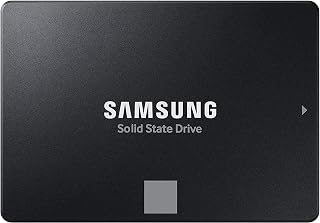
Players with sprawling libraries full of modern AAA installs benefit most from the 2TB capacity here, which avoids the constant uninstall shuffle a smaller second drive forces. Read speeds up to 560MB/s keep load screens short, making this suited to someone treating their second SSD as a long-term game vault.
Pros
- 2TB capacity suits a large installed game library
- 560MB/s read speed is plenty once games are installed
- Confirmed compatible with PS5 and Xbox Series X/S
- High 2,400 TBW endurance for long-term use
Cons
- SATA interface is slower than NVMe for load-time gains
- 2.5 inch form factor needs a bay and cable routing
If your main drive is filling up fast with installed games, the 2TB 870 EVO is a practical way to add real breathing room without touching your primary NVMe setup. SATA III caps throughput at 560MB/s read and 530MB/s write, which is slower than a modern NVMe boot drive but more than enough once games are loaded, since level load times depend more on random access than raw sequential speed. The 2.5 inch form factor drops into any desktop drive bay or laptop SSD slot, and it is confirmed compatible with PS5 and Xbox Series X/S if you also use it for console storage. MLC V-NAND and a 2,400 TBW endurance rating mean it can hold a rotating library of large game installs for years. For a dedicated games-only second drive where cost per terabyte matters more than shaving seconds off load screens, this capacity and interface combination makes sense.
Capacity: 2TB
Form Factor: 2.5 inches
Interface: SATA III (6 Gb/s), backward compatible with SATA 3 Gb/s and 1.5 Gb/s
Read Speed: Up to 560 MB/s
Write Speed: Up to 530 MB/s
Cache: 32MB
Technology: MLC V-NAND
Endurance: Up to 2,400 TBW
Encryption: AES 256-bit (TCG/Opal 2.0, MS eDrive)
Shock Resistance: 1,500G, 0.5ms half sine
Warranty: 3-5 years manufacturer coverage
Weight: 3.04 oz
Dimensions: 3.94"L x 2.76"W x 0.27"Th
Model: MZ-77E2T0B/AM
Buy this if you want a big, affordable second drive to offload your game library and free up space on a faster primary SSD, including on PS5 or Xbox consoles. Laptop and desktop upgraders needing a reliable bulk-storage tier will also benefit. Skip it if you want the second drive itself to deliver NVMe-level load times, or if your system has no free SATA port or 2.5 inch bay to mount it.
Pros
- Fast PCIe 4.0 speeds significantly reduce load times for gaming, creative work, and everyday computing tasks
- Compact form factor and low-profile design solve thermal and space constraints in thin laptops and SFF PCs
- Reliable performance without DRAM cache proves efficient for secondary storage and boot drive applications
- Easy installation with plug-and-play compatibility means minimal setup time for most users
- Strong value proposition balancing performance and capacity at a competitive price point
Cons
- Single-sided design may be too long for certain ultra-thin laptops, requiring compatibility verification before purchase
- No DRAM cache means slightly lower performance than premium drives for sustained workloads
- Not recommended for demanding use cases like PlayStation 5 gaming due to speed limitations
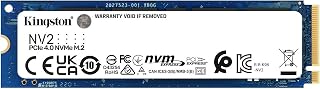
The Kingston NV2 is a solid mid-range NVMe SSD designed for users upgrading their storage with PCIe 4.0 performance at an accessible price point. It works well for gamers, content creators, professionals, and everyday PC builders who want fast, reliable storage without breaking the bank.
This drive impresses with its 3500MB/s read speeds and efficient thermal management. In real-world use, users report snappy boot times, quick file transfers, and smooth application performance. While it lacks DRAM cache like premium competitors, it handles everyday workloads with minimal compromise.
The compact M.2 2280 form factor is a major strength, fitting into thin laptops and small form factor PCs where larger drives won't fit. At just 7 grams and 0.15 inches thick, it barely impacts system design while delivering substantial storage capacity up to 2TB.
The main limitation is compatibility verification, as the 80mm length may exceed clearance in some ultra-thin notebooks. Additionally, sustained high-performance workloads benefit from drives with DRAM cache, so power users may want to consider premium alternatives.
For budget-conscious builders and upgraders seeking a fast, cool-running drive that fits tight spaces, the Kingston NV2 delivers excellent value. Its proven reliability and consistent performance make it a practical choice for expanding storage across laptops, desktops, and compact systems.
Storage Capacity: 500GB (also available in 250GB, 1TB, and 2TB)
Interface: NVMe M.2 2280 form factor
Protocol: PCIe 4.0 Gen 4x4
Read Speed: Up to 3500 MB/s
Write Speed: Up to 2100 MB/s
Dimensions: 22mm x 80mm x 0.15mm (3.15 inches L x 0.87 inches W x 0.15 inches Th)
Weight: 7 grams
Warranty: 3 years limited
Model Number: SNV2S/500G
Compatibility: Backward compatible with PCIe 3.0 systems, compatible with laptops, desktops, and small form factor PCs
Who Should Buy This Drive: Upgrade your PC storage with the Kingston NV2 if you need fast, reliable performance in a compact size. Ideal for laptop users upgrading from slower drives, gamers seeking faster load times, content creators needing responsive storage, and budget-conscious builders looking for PCIe 4.0 value. Its low heat output makes it perfect for thin notebooks.
Before You Buy: Check your device compatibility, especially the M.2 slot length clearance on laptops. This 80mm drive works in most desktops and many modern laptops, but ultra-thin notebooks may have space constraints. Verify that your system supports NVMe and M.2 2280 drives.
Best Use Cases: Primary or secondary storage for Windows boot drives, gaming libraries, large media files, and application installations. Works well as a creative work drive for video and photo editing. Not recommended as the primary drive for PlayStation 5 due to minimum speed requirements.

For gamers adding a second drive purely for extra game storage on a budget, this 1TB SATA SSD delivers up to 540MB/s read speeds, which is plenty for loading installed titles even if it is not the fastest option here. It is a straightforward way to stop juggling uninstalls on a cramped primary drive.
Pros
- Affordable way to expand game storage capacity
- 3D NAND gives consistent, reliable performance
- Fits virtually any desktop or laptop 2.5-inch bay
- 3-year warranty plus data recovery service
Cons
- SATA speed ceiling noticeable versus NVMe M.2 drives
- Not ideal as a secondary drive for heavy video work
If the question is whether you need a second SSD for games, the Crucial BX500 1TB answers it from the budget angle: it is an affordable way to add dedicated game storage without spending NVMe money. Its 3D NAND delivers sequential read speeds up to 540MB/s, enough to keep load times well ahead of any mechanical drive while your primary SSD stays free for the OS and most-used applications. Because it is meant to sit alongside your main drive rather than replace it, the SATA interface limit is less of a compromise here than it would be on a boot drive. The standard 2.5-inch, 7mm enclosure fits virtually any desktop or laptop bay, so adding it as a second drive is straightforward. Crucial backs it with a 3-year limited warranty and a data recovery service, giving some peace of mind for a drive that will be absorbing an ever-growing game library. For anyone whose primary drive is filling up with titles they are not ready to uninstall, this is a low-friction way to expand capacity.
Storage Capacity: 1TB
Interface: SATA 2.5-inch
Form Factor: 2.5-inch 7mm
Sequential Read Speed: Up to 540MB/s
NAND Technology: Micron 3D NAND
Warranty: 3-year limited
Special Features: Data Recovery Service included
Compatibility: Desktops and laptops with 2.5-inch SATA bays
Color: Black
Best for budget-conscious gamers who just need more room for their library and don't need NVMe-level speed for a secondary drive. Also a sensible pick for older systems without M.2 support. Skip it if you want this second drive to also handle demanding tasks like 4K video editing, or if your system has a free NVMe slot where a faster drive would serve game load times better.

Expanding storage across both a desktop and a laptop setup is simple with this 1TB drive, since it is listed compatible with both device types. Intelligent Turbo Write keeps burst performance strong when copying large game installs over from your main drive, making it a solid dedicated games volume.
Pros
- Maxes out SATA speeds for smooth game installs and transfers
- Intelligent Turbo Write keeps large transfers consistent
- Compact, lightweight design fits standard 2.5-inch bays
- Magician 6 software helps monitor and maintain the drive
Cons
- NVMe M.2 drives offer notably faster performance
- 1TB capacity may feel tight for large game libraries
Adding a second SSD for games usually comes down to running out of room, and the Samsung 870 EVO 1TB offers a dependable way to do that without disrupting your main drive. It reaches the SATA interface's maximum 560MB/s read and 530MB/s write speeds, which is plenty for a drive whose job is holding installed titles rather than running the operating system. Intelligent Turbo Write keeps performance steady during sustained transfers, which matters when you are moving large game installs between drives or copying files to free up space elsewhere. At 86 grams and fitting standard 2.5-inch bays, it installs easily alongside an existing boot drive in almost any modern desktop or laptop. The included Magician 6 software adds firmware updates, health monitoring, and optimization tools, useful for keeping a secondary drive running smoothly even if you don't check in on it often. For users who want their primary SSD reserved for the OS and a handful of frequently used apps, this drive is a straightforward way to offload the rest of a growing library.
Suited to desktop and laptop users who want a reliable, well-supported second drive dedicated to game storage without needing cutting-edge speed. The management software is a nice touch for anyone who likes monitoring drive health. Skip it if 1TB won't be enough for your library long term, or if you have an open NVMe slot where a faster drive would better serve load times.
Storage Capacity: 1TB (1000GB)
Form Factor: 2.5 inches
Interface: SATA 6Gb/s (also compatible with SATA 3.0Gb/s and SATA 1.5Gb/s)
Sequential Read Speed: 560 MB/s
Sequential Write Speed: 530 MB/s
Cache Memory: 1GB
Physical Dimensions: 3.94" L x 2.75" W x 0.27" thickness
Weight: 86 grams
Compatible Devices: Desktop computers, laptops, PlayStation 4
Supported Operating Systems: Windows, Mac, Linux
Included Software: Samsung Magician 6
Model Number: MZ-77E1T0B/EU
What to Look for When Adding a Second SSD for Gaming
Interface: NVMe vs. SATA
The interface is the single biggest factor in raw speed. NVMe drives slot into an M.2 connector on your motherboard and use the PCIe bus, delivering sequential reads well above 3,000 MB/s. The SAMSUNG 970 EVO SSD 1TB hits sequential reads up to 3,500 MB/s, which means near-instant asset streaming in demanding open-world titles.
SATA drives use a familiar 2.5-inch form factor and top out around 560 MB/s, which is still dramatically faster than any spinning hard drive. If your motherboard has no spare M.2 slots, a SATA option like the Crucial BX500 1TB 3D NAND SATA 2.5-Inch Internal connects over a standard data cable and gets the job done without any slot conflict.
Capacity: How Much Space Do Games Actually Eat?
Modern AAA titles routinely land between 50 GB and 150 GB each, and the number keeps climbing. A 500 GB drive like the Kingston NV2 500G M.2 2280 NVMe Internal SSD fits a healthy rotation of games without breaking the budget, but it fills up faster than you expect once you add a few open-world games and their DLC.
If you want breathing room, the Samsung SSD 870 EVO SATA III 2.5″ 2TB offers a generous two terabytes on a single 2.5-inch drive, rated for up to 2,400 TBW. That kind of endurance matters when you are constantly installing, uninstalling, and rewriting game files.
Endurance and Warranty Coverage
Games write data constantly: autosaves, shader caches, patch updates. An SSD rated for higher terabytes written will hold up longer under that workload. Both the 870 EVO and the 970 EVO lines carry a five-year limited warranty, which signals confidence from Samsung in the long-term reliability of those drives.
The Crucial BX500 1TB 3D NAND SATA 2.5-Inch Internal backs its Micron 3D NAND with a three-year limited warranty, which is standard for budget-tier SATA drives. It is a reasonable trade-off if capacity-per-dollar is your priority over maximum endurance ratings.
Thermal Management and Sustained Performance
Long gaming sessions push SSDs hard, and drives without adequate thermal design will throttle. The SAMSUNG 970 EVO SSD 1TB includes Samsung’s Dynamic Thermal Guard, which monitors operating temperature and adjusts performance proactively rather than waiting for a thermal ceiling to force a slowdown.
The Kingston NV2 500G M.2 2280 NVMe Internal SSD is engineered for lower power draw and minimal heat output, which is worth noting if your case airflow is limited or you are building a compact small-form-factor system. Cooler operation under load means more consistent read speeds during extended play sessions.
Final Thoughts
If speed is your top priority and your motherboard has a free M.2 slot, the SAMSUNG 970 EVO SSD 1TB delivers NVMe performance with strong thermal protection and a five-year warranty, making it a confident long-term pick for a dedicated game drive. For gamers who need maximum capacity on a SATA connection, the Samsung SSD 870 EVO SATA III 2.5″ 2TB stores a massive library without compromise, backed by industry-leading endurance ratings and broad compatibility with existing systems.
Frequently Asked Questions
Does a second SSD actually improve gaming performance?
It improves load times noticeably, especially when moving from a hard drive or a full, fragmented main SSD. Games installed on a dedicated drive load assets faster because the drive is not competing with OS processes and background apps for bandwidth. You will not see higher frame rates, but the experience of getting into a game and moving between areas feels much more responsive.
Should I get an NVMe or SATA SSD as a second drive for games?
NVMe is faster, but SATA is fast enough for the vast majority of games available in 2026. If your motherboard has an open M.2 slot, NVMe gives you more headroom for future titles built around fast storage. If not, a quality SATA drive like the SAMSUNG 870 EVO SATA SSD 500GB 2.5″ Internal Solid delivers real-world performance that most gamers will not be able to distinguish from NVMe during normal play.
How much SSD storage do I need for gaming in 2026?
At minimum, 1 TB gives you room for a solid rotation of modern titles without constant management. If you play a mix of large open-world games and competitive multiplayer titles, 2 TB lets you keep everything installed and ready without juggling uninstalls. Storage needs have grown significantly over the past few years and that trend is continuing, so sizing up now saves hassle later.
Is it easy to add a second SSD to an existing gaming PC?
For most desktop builds, yes. M.2 NVMe drives slot directly onto the motherboard with a single screw, and 2.5-inch SATA drives connect with a data cable and a power connector from your PSU. Many motherboards in 2026 include two or more M.2 slots specifically for this kind of expansion. Laptops vary more widely, so check your model’s specs before purchasing to confirm whether a secondary slot is available.
Common questions
Does a second SSD actually help keep the OS drive breathing?
Yes, because offloading games to a second drive cuts down on constant read and write activity competing with Windows on the OS drive. A SATA III drive like the Samsung 870 EVO, rated up to 560MB/s read and 530MB/s write, handles a game library fine while the OS drive stays free to manage background tasks, updates, and swap files without bottlenecking the whole system.
What is the best way to approach moving a Steam library to another drive?
The best way is using Steam's own library folder tool rather than manually cutting and pasting files. Add the new drive as a library folder, then right click each installed game and choose Move Install Folder. This preserves save data and avoids reinstalling. A 1TB or 2TB drive like the Samsung 870 EVO gives enough room to migrate several large titles at once.
How do slot and lane limits affect adding a second SSD?
Slot and lane limits matter because motherboards share a limited number of PCIe lanes between the GPU, M.2 slots, and chipset. Adding an NVMe drive in a secondary slot can sometimes drop the GPU to fewer lanes on budget boards. A SATA SSD avoids this entirely since it runs through the SATA controller, making it a safe second drive choice on lane constrained builds.




