

Finding reliable DDR5 memory that fits a tight budget can feel like searching for a needle in a haystack. Whether you’re building a new system or upgrading an aging laptop, the right RAM makes all the difference in how smoothly your machine handles everyday tasks, creative work, and gaming.
This guide covers seven DDR5 memory modules priced under $150, each offering a balance of speed, capacity, and compatibility. We’ll help you understand what matters most when choosing RAM and which option fits your build.
Quick answer
This guide compares 7 picks, with Samsung 8GB DDR5 4800MHz SO-DIMM Laptop RAM ranked first. A-Tech 8GB DDR5 5600MHz SO-DIMM Laptop RAM Memory holds the highest customer rating among them. Samsung 8GB DDR5 5600MHz SO-DIMM Laptop RAM has the most customer reviews.

Pros
- Authentic Samsung OEM component with verified performance specifications
- Fast 4800MHz speed reduces bottlenecks in modern DDR5 systems
- Easy installation as a direct drop-in replacement for compatible laptops
- Lower power consumption at 1.1V extends battery life on portable devices
- Single rank configuration optimizes compatibility across diverse DDR5 motherboards
Cons
- Limited to DDR5-compatible systems; verify your laptop model before purchase
- 8GB capacity may be insufficient for heavy video editing or 3D rendering workloads
- Premium pricing reflects genuine Samsung manufacturing versus third-party alternatives
This Samsung DDR5 8GB SO-DIMM is a genuine OEM memory module designed for laptops, notebooks, and all-in-one systems that support DDR5 technology. It's the right choice for users upgrading aging DDR4 systems or expanding memory in newer DDR5-equipped devices who prioritize reliability and verified performance.
The standout feature is its 4800MHz speed rating, which delivers robust data throughput at 38,400 megabytes per second. Combined with CAS latency of 40 and JEDEC compliance, this module provides responsive multitasking, smoother application switching, and reduced system lag compared to slower memory options. Real-world performance scales with your workload: web browsing and office work see modest gains, while content creation tasks benefit more noticeably.
The build quality reflects Samsung's manufacturing standards, featuring the standard SO-DIMM form factor with 262 pins that fit most modern laptop memory slots. The 1.1V operating voltage is lower than some alternatives, contributing to reduced heat generation and better battery efficiency on portable systems. Installation is straightforward for anyone comfortable opening their laptop chassis.
One consideration: this module targets DDR5 systems specifically, so verify your device supports DDR5 before purchasing. Additionally, 8GB may serve as a supplementary upgrade rather than a primary solution if your workload demands 16GB or more. The price reflects authentic Samsung engineering versus budget alternatives.
Verdict: Solid, reliable memory upgrade for DDR5 laptop owners seeking OEM quality and verified performance. Recommended for those valuing compatibility and manufacturer warranty over aggressive pricing.
Memory Type: DDR5 SDRAM
Capacity: 8GB (Single Module)
Speed: 4800MHz (PC5-38400)
Form Factor: SO-DIMM (262 Pin)
Rank: 1Rx16 (Single Rank)
Voltage: 1.1V
CAS Latency (CL): 40
ECC Type: Non-ECC Unbuffered
Standard: JEDEC DDR5
Data Transfer Rate: 38,400 MB/s
Part Number: M425R1GB4BB0-CQK or equivalent
Warranty: Limited Lifetime
What This Module Works With: Any DDR5-enabled laptop, notebook, or all-in-one (AIO) desktop system from 2023 onwards. DDR5 adoption began with select premium and gaming laptops, so verify your specific model in your system documentation or device manager before ordering.
Installation Note: Most laptops have one or two SO-DIMM slots. This is a single 8GB module. You can install it as a standalone upgrade or pair it with another DDR5 module for 16GB total. Mixing speeds is possible but may default to the slower module's speed.
What This Module Does NOT Work With: DDR4 systems (older laptops), DDR3 systems, and desktop DIMM slots (which use different form factors). Always confirm your system uses DDR5 before purchasing.
Pros
- High-speed DDR5 technology provides noticeable performance improvements in everyday computing
- Straightforward installation process makes upgrading accessible to any user
- Backed by lifetime warranty and responsive customer support team
- Excellent user ratings reflect proven reliability and compatibility
- Affordable price point for DDR5 memory makes future-proofing your device practical
Cons
- Compatibility requires verification with your specific laptop model before purchase
- Single 8GB module may need pairing with existing memory depending on your system
- DDR5 adoption still limited to newer laptop models, not suitable for older devices
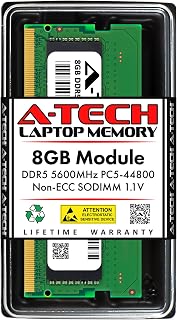
The A-Tech 8GB DDR5 SO-DIMM is a solid memory upgrade solution for modern laptop owners looking to boost performance without complications. This module targets users with newer DDR5-compatible laptops, mini PCs, and all-in-one systems who want faster multitasking, smoother app switching, and improved overall responsiveness.
Performance-wise, the 5600MHz speed delivers noticeable improvements in real-world use. Whether you're managing multiple browser tabs, running productivity software, or engaging in light creative work, the increased memory bandwidth helps eliminate stuttering and lag. The DDR5 standard at 1.1V provides the power efficiency expected from modern memory technology, which can contribute to better battery life on laptops.
Build quality is straightforward and reliable. A-Tech modules undergo rigorous testing before shipping, and the JEDEC standard compliance ensures stability across compatible systems. The 262-pin SO-DIMM form factor is the industry standard for laptops, making installation intuitive. Most users can complete the upgrade in under five minutes with no special tools required.
The main limitation is compatibility. DDR5 SO-DIMM modules only work with recent laptop models, typically from 2023 onward. Before purchasing, you'll need to verify your system supports DDR5 memory. Additionally, if you already have memory installed, confirm whether this module will pair well with your existing setup or if you need to replace it entirely.
Overall, this is a reliable DDR5 memory upgrade backed by excellent warranties and customer support. For compatible systems, it's a practical way to future-proof your device and improve daily performance at a reasonable price point.
Memory Specifications: Capacity: 8GB, Type: DDR5 SO-DIMM, Speed: 5600MHz (PC5-44800), Voltage: 1.1V, Pin Count: 262-pin, ECC: Non-ECC Unbuffered, Standard: JEDEC DDR5
Compatibility: Works with select DDR5 laptops, notebooks, mini PCs, and all-in-one computers. Verify compatibility with your specific model before purchase.
Warranty: Limited Lifetime Warranty with A-Tech technical support included.
When to Buy This Module: Purchase this upgrade if your laptop supports DDR5 memory and you need to boost RAM for multitasking, content creation, or future-proofing your device.
Before You Buy: Check your laptop's manual or manufacturer specifications to confirm DDR5 compatibility. Some DDR4 systems may still dominate, so verification is critical. Consider whether you're adding this to existing memory or replacing a module entirely.
Installation Tips: Power down completely and remove the battery before installation. Align the module with the SO-DIMM slot and press firmly until retention clips snap into place. Performance gains are often immediate in memory-intensive tasks.
Pros
- Fast DDR5 5200MHz speeds eliminate memory bottlenecks during heavy workloads
- Hassle-free installation makes it accessible to users of all technical levels
- Comprehensive Lifetime Warranty backed by responsive customer support
- JEDEC standard compliance ensures wide laptop compatibility across brands
- Tested and built to strict quality standards for dependable performance
Cons
- Single 8GB module may require a second upgrade later for demanding power users
- CL42 latency is standard but not the most aggressive for DDR5 performance seekers
- Limited to laptops and compact systems, not suitable for desktop computers
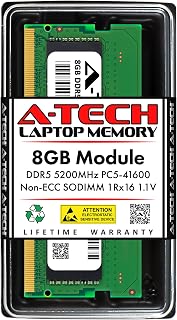
The A-Tech 8GB DDR5 5200MHz SO-DIMM is a purpose-built memory upgrade for laptop and notebook users running modern operating systems and applications. This module targets users experiencing slowdowns from inadequate RAM, offering a straightforward path to better system responsiveness without replacing their entire machine.
Performance-wise, the DDR5 5200MHz speed delivers meaningful improvements in data transfer rates compared to older DDR4 standards, resulting in faster application loading, smoother multitasking, and reduced system lag. The 1Rx16 single-rank configuration provides stable operation across compatible DDR5 laptop platforms, while the JEDEC standard 1.1V specification ensures reliable compatibility without requiring BIOS tweaking.
Installation is genuinely simple. The SO-DIMM form factor slots directly into a laptop's memory slot with minimal effort, making this upgrade accessible to anyone regardless of technical background. A-Tech's quality manufacturing and rigorous testing reduce the risk of compatibility issues or early failures, providing confidence in your upgrade investment.
The CL42 latency sits at the standard middle ground for DDR5 modules rather than aggressive performance tuning, which is appropriate for typical laptop use cases like web browsing, office work, and casual gaming. For users needing maximum gaming or streaming performance, higher-end DDR5 modules exist, though they command higher prices.
Overall, this module represents solid value for laptop owners seeking reliable DDR5 memory expansion. The combination of fast speeds, easy installation, broad compatibility, and manufacturer support make it a dependable choice for boosting your system's capabilities.
Memory Type: DDR5 SDRAM
Capacity: 8GB
Speed: 5200MHz (PC5-41600)
Form Factor: SO-DIMM (262-pin)
Configuration: 1Rx16 Single Rank
Voltage: 1.1V JEDEC Standard
CAS Latency: CL42
Data Rate: 41,600 MB/s
Compatibility: DDR5 Laptops, Notebooks, Mini PCs, All-in-One Systems
Warranty: Limited Lifetime
Model: AT8G1D5S5200NS16N11V
Is this right for you? This module suits you if you own a DDR5-compatible laptop experiencing performance slowdowns or running memory-intensive applications. Check your laptop's specifications first to confirm DDR5 support and available slots.
Installation Tips: Power down your system completely and unplug it before opening the memory compartment. Ground yourself to avoid static discharge, then gently insert the module at a 30-degree angle and press down until the retention clips snap into place. Power on and verify the BIOS recognizes the new capacity.
Compatibility Check: Visit the manufacturer's memory compatibility list or use their online tool to verify this module works with your specific laptop model. Most modern DDR5 systems accept it, but compatibility always warrants confirmation before purchase.
Future Upgrades: A single 8GB module can be paired with additional modules later if needed, up to your system's maximum supported capacity. Check your laptop's manual for total memory ceiling and available slots.
Pros
- Exceptional speed performance and stability across sustained heavy workloads
- Low-profile heatsink design ensures compatibility with most tower coolers and compact cases
- XMP profile enables advertised speeds without manual BIOS tweaking or tuning
- High build quality with premium materials and excellent thermal management
- Great value for high-performance DDR5 memory in current market
Cons
- Single 8GB module limits dual-channel bandwidth, reducing gaming frame rates compared to matched pairs
- Listing specifications can be confusing regarding actual module capacity, requiring careful verification before purchase
- Premium pricing reflects DDR5 market rates, making cost a consideration for budget builds
The Lexar DDR5 6000MHz CL38 8GB RAM is a high-performance memory module designed for gamers, content creators, and AI enthusiasts running Intel 14th Gen or earlier systems, plus AMD AM4 and AM5 platforms. This single-stick configuration works best as an upgrade or test-bench component, though users should verify platform compatibility before purchasing.
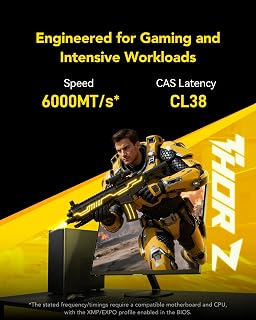
Performance stands out with 6000MT/s speed and CL38 latency that delivers snappy responsiveness during gaming and AI workloads. The XMP 3.0 profile activates instantly in BIOS, immediately unlocking advertised speeds without manual tweaking. Customer testing confirms stable operation under heavy loads with zero errors, validating the engineering quality.
The 39mm aluminum heatsink strikes a clean aesthetic balance with serious thermal control. The sandblasted finish looks premium while actively managing heat under sustained workloads. Broader CPU cooler compatibility means this fits most modern builds without clearance headaches, unlike taller heatspreaders.
One realistic drawback surfaces from reviewers: single-channel operation on DDR5 leaves meaningful performance on the table. Running one 8GB stick instead of a matched pair reduces available bandwidth, potentially impacting frame rates in demanding games and slowing heavy multithreaded tasks. Buyers should plan for dual-module configurations when possible.
The Lexar DDR5 6000MHz delivers solid speed and build quality at current market rates. Ideal for those upgrading existing systems or testing new builds, it performs reliably under pressure. For optimal gaming performance, pair this with a matching second module to unlock full dual-channel potential.
Memory Technology: DDR5
Speed: 6000 MHz (6000MT/s)
Capacity: 8GB
Latency: CL38
Voltage: 1.4V
Form Factor: UDIMM (288-pin)
Heatsink Height: 39mm
Heatsink Material: Aluminum (sandblasted)
Data Transfer Rate: 6000 MHz
Features: On-Die ECC, Onboard PMIC, XMP 3.0 Support, AMD EXPO Support, LED Lighting
Platform Compatibility: Intel 14th Gen and earlier, AMD AM4, AMD AM5
Warranty: Lifetime Limited Warranty
Who Should Buy: Gamers upgrading existing DDR5 systems, content creators needing speed boosts, AI developers testing workloads on compatible platforms, and budget-conscious builders seeking reliable high-speed memory.
Compatibility Essentials: Verify your motherboard supports DDR5 and matches Intel 14th Gen or earlier, AMD AM4, or AM5 chipsets. Intel 15th Gen (Z890/B860) builds require specific compatibility verification before purchase. Check your CPU cooler height clearance against the 39mm heatsink profile.
Performance Tips: Pair this module with a matching second stick to enable dual-channel operation and maximize gaming performance. Enable the XMP 3.0 profile immediately in BIOS for hassle-free 6000MHz speeds. Confirm exact capacity during ordering since listing information can vary.
Alternatives to Consider: If seeking maximum performance, prioritize dual-module kits over single sticks. For budget-focused builds, lower-speed DDR5 options exist but sacrifice responsiveness in modern gaming and AI tasks.

Pros
- Immediate noticeable improvement in multitasking speed and application responsiveness
- Hassle-free installation with exact-match specifications matching laptop requirements
- Lifetime warranty provides long-term peace of mind and customer support
- Compatible with all major laptop manufacturers and OEM memory brands
- Energy-efficient 1.1V design minimizes power draw on portable systems
Cons
- Requires manual verification of system compatibility and maximum supported capacity before purchase
- Limited to single 8GB module, capacity cannot be expanded beyond system maximum
- Premium pricing typical for DDR5 laptop memory versus older DDR4 alternatives
The NEMIX 8GB DDR5-5600 SODIMM is a precision laptop memory upgrade designed for users experiencing slowdowns during multitasking. This module specifically targets portable systems including laptops, notebooks, mini-PCs, and all-in-ones that support DDR5 memory at 5600 MHz specifications.
The standout feature is verified fitment across major manufacturers like Dell, ASUS, Lenovo, and HP. The 262-pin SODIMM form factor with 1.1V specifications and CL46 latency ensures your system recognizes the full capacity without compatibility issues. Real-world performance includes smoother multitasking, faster app switching, and snappier web browsing when running multiple applications simultaneously.
Build quality is professional grade with a lifetime replacement warranty and US-based technical support. The low 1.1V power consumption helps maintain portable system efficiency and battery life compared to standard DDR5 modules. Installation is straightforward for users comfortable with laptop memory upgrades.
The main drawback is the necessity to verify your system specifications before purchase. Laptop memory support varies significantly by model, and exceeding maximum supported capacity or installing incompatible speed ratings will not function properly. Check your system manual or manufacturer specifications for maximum capacity and supported speeds.
This memory module delivers genuine performance improvements for laptop users handling demanding workloads. Recommended for professionals, content creators, and multitaskers tired of system lag, backed by the confidence of a lifetime warranty and proven brand support.
Before purchasing, verify three critical specifications in your laptop manual or system information. First, confirm your system supports DDR5 memory at 5600 MHz, as older laptops may use DDR4 or lower speed ratings. Second, identify the maximum memory capacity your system can address, typically 16GB, 32GB, or higher depending on the model.
Third, count the available memory slots in your laptop to determine if you need a single 8GB module or multiple modules. This 8GB single module is ideal for systems with limited slots or as a first upgrade when dual-slot configurations are not yet full. Compatible systems include most 2022 and newer premium laptops from Dell, ASUS, Lenovo, HP, and other major manufacturers.
Always reference your specific model's documentation before ordering to avoid incompatibility issues. NEMIX provides lifetime support to help verify fit for your particular system configuration.
This DDR5-5600 upgrade delivers noticeable real-world benefits for laptop users transitioning from older memory configurations. Users consistently report elimination of lag when switching between multiple applications, faster web browser responsiveness with numerous tabs open, and smoother performance during creative work like photo editing or video processing.
The CL46 latency and 5600 MHz speed represent optimal balance for DDR5 laptop systems, providing measurable speedups without excessive power consumption penalties. Performance gains are most dramatic when upgrading from DDR4 or slower DDR5 configurations, as multitasking scenarios immediately benefit from increased bandwidth and capacity.
System stability improves alongside performance, as memory bottlenecks that previously forced throttling or temporary freezing are eliminated. Battery life remains efficient thanks to the 1.1V specifications, maintaining portable system performance without excessive drain.

Pros
- High 5600MHz speed boosts overall system responsiveness and application load times
- Easy laptop upgrade, can be installed alongside existing memory for quick capacity expansion
- JEDEC DDR5 standard ensures wide compatibility across laptop models
- Low 1.1V power consumption reduces battery drain and heat generation
- Samsung brand reputation provides confidence in longevity and performance
Cons
- Requires DDR5-compatible laptop; not backward compatible with older DDR4 systems
- Higher price point compared to DDR4 alternatives, though performance gains justify the cost
- Single 8GB module means pairing with existing RAM must match DDR5 specifications for optimal dual-channel performance
The Samsung M425R1GB4BB0-CWM is an 8GB DDR5 SO-DIMM module designed for laptop users seeking significant performance improvements. This memory stick targets content creators, gamers, and power users who need faster data processing and reduced system lag when handling demanding applications.
The standout feature here is the 5600MHz speed, which represents a substantial leap from DDR4. In real-world use, you'll notice snappier application launches, faster file transfers, and smoother multitasking, especially when working with multiple browsers, video editing, or 3D rendering. The JEDEC DDR5 standard ensures compatibility across most modern laptop platforms, making this a future-proof investment.
Build quality reflects Samsung's engineering excellence. The 1Rx16 single-rank configuration and low 1.1V power consumption mean efficient operation with minimal heat generation. Installation is straightforward on compatible systems, and the module works seamlessly whether you're running it solo or pairing it with matching DDR5 memory for dual-channel performance.
The main limitation is compatibility, as DDR5 requires newer laptop models and cannot work in older DDR4 systems. Additionally, at the premium end of the memory price spectrum, this module represents a significant investment compared to DDR4 alternatives, though the performance gains justify the premium for intensive workloads.
This Samsung DDR5 module is a solid choice for anyone upgrading a newer laptop and seeking maximum performance. It delivers reliable, fast memory that handles demanding tasks with ease, making it ideal for professionals and enthusiasts who refuse to settle for slow system performance.
Capacity: 8GB
Technology: DDR5
Speed: 5600MHz, PC5-44800
Form Factor: SO-DIMM, 262-pin
Configuration: 1Rx16 (Single Rank x16)
Voltage: 1.1V (JEDEC standard)
Type: Non-ECC Unbuffered
Part Number: M425R1GB4BB0-CWM
Compatible Devices: DDR5-compatible laptops and notebooks
Who Should Buy This: Laptop owners with DDR5-capable systems looking to boost multitasking performance, content creators working with large files, gamers seeking smoother frame rates, and professionals running memory-intensive software.
Compatibility Check: Verify your laptop supports DDR5 memory before purchasing. Check your system specifications or manufacturer documentation to confirm DDR5 compatibility. This module will not work in DDR4 systems.
Installation Tips: Power down your laptop completely and unplug the battery before installation. Ground yourself to prevent static discharge. Most laptops have accessible memory slots underneath a removable panel. Align the module with the slot and press firmly until both clips engage.
Performance Expectations: You'll see the most dramatic improvements in multitasking scenarios and application launch times. Gaming performance gains depend on whether your graphics and CPU can keep pace with faster memory. Budget users might consider pairing two modules for dual-channel operation to maximize speed benefits.
Pros
- AMD EXPO profile eliminates manual tuning, making high-speed memory accessible to non-overclockers
- Fast DDR5-5600 speeds deliver noticeable improvements in gaming frame rates and workload performance
- Excellent value for an 8GB DDR5 module with proven AM5 compatibility
- Low operating voltage reduces power consumption and component stress
- Single DIMM design allows easy future upgrades to 16GB or 32GB configurations
Cons
- Requires compatible AM5 motherboard and BIOS support for AMD EXPO profile to reach rated speeds
- 8GB capacity may feel limiting for heavy multitasking or content creation workloads without upgrading
- Premium DDR5 pricing remains higher than previous generation DDR4 alternatives
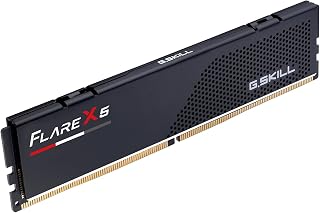
The G.SKILL Flare X5 is a high-performance DDR5 memory module built specifically for AMD's Ryzen 7000 series processors on AM5 motherboards. This 8GB single DIMM is engineered for gamers, content creators, and PC enthusiasts who want fast memory performance without the complexity of manual overclocking. The module's AMD EXPO profile puts DDR5-5600 speeds within easy reach through simple BIOS settings.
The standout feature here is the combination of speed and ease of use. With DDR5-5600 and a tight CL36 latency, this module delivers tangible performance gains in gaming frame rates, compilation times, and creative software responsiveness. The 1.20V operating voltage keeps the module cool and stable, and the JEDEC default profile ensures compatibility even on systems without EXPO support. Real-world users can expect noticeable improvements when paired with compatible Ryzen 7000 processors.
Build quality is solid, with the matte black finish offering a clean aesthetic that blends into modern gaming rigs and workstations. The module's 288-pin design is standard for DDR5 U-DIMMs, and the compact form factor fits easily into crowded motherboards. As a single 8GB stick, it also provides a smart upgrade path for those who want to expand to 16GB or more later without starting over.
The main limitation is platform dependency. This module requires an AM5 motherboard with BIOS support for AMD EXPO to unlock its full potential. Additionally, 8GB alone may feel tight for heavy multitasking, streaming, or 4K video work. Finally, DDR5 pricing remains premium compared to older DDR4 alternatives, though the performance gain justifies the cost for new builds.
The G.SKILL Flare X5 is a smart choice for anyone building or upgrading an AM5 system. It strikes the right balance between performance, compatibility, and user-friendliness. If you own a Ryzen 7000 processor and want fast, dependable memory that just works, this module delivers.
Memory Type: DDR5 U-DIMM, Non-ECC
Capacity: 8GB (single module)
Speed: DDR5-5600 MT/s (requires overclocking)
Latency: CL36-36-36-89
Voltage: 1.20V nominal
Data Transfer Rate: 5600 megabits per second
Pin Count: 288-pin
Form Factor: U-DIMM (desktop)
Model Number: F5-5600J3636C8GH1-FX5
Warranty: Limited Lifetime
Profiles: JEDEC default SPD and AMD EXPO memory overclock profile
Compatible Platforms: AMD X870, X670, B850, B840, B650 chipsets with AM5 socket
Not Compatible With: Intel Core Ultra 100/200 or Intel 800 series chipsets
Who Should Buy This? This module is ideal for Ryzen 7000 series PC builders and upgraders who want fast DDR5 memory with minimal setup hassle. Gamers will see frame rate improvements, while content creators benefit from faster multitasking and rendering. It suits anyone building a new AM5 system or upgrading from DDR4.
Who Should Skip It? If you have an Intel platform, an older AM4 Ryzen system, or limited budget, this isn't the right fit. Intel users should look for DDR5 modules optimized for Intel XMP profiles instead. Budget builders might prefer DDR4 or entry-level DDR5 options.
Important Setup Notes: Enable the AMD EXPO profile in your motherboard BIOS to reach DDR5-5600 speeds. The module will boot at default JEDEC speeds if EXPO isn't available. Always verify your specific motherboard model on the G.SKILL QVL (qualified vendor list) or use their RAM Configurator tool before purchasing. Do not mix this module with other memory kits, as doing so may cause instability.
Capacity Consideration: 8GB is adequate for gaming and everyday multitasking but tight for creative professionals. Plan for a future upgrade to 16GB or 32GB if you do heavy video editing, 3D rendering, or large dataset analysis.
Buying Guide
Form Factor: SODIMM vs UDIMM
Laptops, mini PCs, and all-in-one computers use SODIMM modules with 262 pins, while desktop systems require UDIMM modules with 288 pins. The two formats are not interchangeable, so confirming which type your system accepts is the first step before purchasing.
Most options in this roundup are SODIMM modules designed for portable systems. If you’re building a desktop, verify that the module specifies UDIMM or desktop compatibility. The best Z890 motherboards support DDR5 UDIMM configurations, while laptop builders should focus on SODIMM options like the A-Tech 8GB DDR5 5600MHz PC5-44800 CL46 SODIMM 1.1V.
Speed and Latency Balance
DDR5 speeds range from 4800MHz to 6000MHz in this category, with higher speeds generally improving performance in memory-intensive applications. However, speed alone doesn’t tell the full story. CAS latency (CL) measures the delay before the RAM responds to a command, and lower latency means faster responsiveness.
A 5600MHz module with CL46 latency offers a solid middle ground for most users. The Lexar OC DDR5 RAM 1x8GB 6000MHz CL38 288-Pin UDIMM pushes higher with 6000MHz speeds and tighter CL38 latency, making it a strong choice for gaming builds. For graphics card upgrades and high-refresh gaming, pairing fast RAM with a capable GPU ensures smoother frame pacing.
Platform Compatibility
Not all DDR5 modules work seamlessly across all platforms. Intel systems typically support a broad range of speeds, while AMD platforms benefit from modules with EXPO profiles that optimize timings for Ryzen processors. Desktop builders using AMD should prioritize modules explicitly labeled with EXPO support.
Intel’s 12th through 14th generation processors handle DDR5 without issue, and the best budget motherboards for 270K Plus builds offer excellent DDR5 compatibility. For AMD users, the G.SKILL Flare X5 Series DDR5 RAM (AMD Expo) delivers one-click overclocking and validated compatibility with X670 and B650 chipsets.
Warranty and Brand Reputation
Memory reliability varies significantly between manufacturers. Modules from established brands like Samsung, A-Tech, and G.SKILL typically include lifetime warranties and responsive support, which matters when troubleshooting compatibility issues or hardware failures.
Samsung’s OEM modules, such as the Samsung 8GB DDR5 5600MHz PC5-44800 CL46 SODIMM, power many pre-built systems and offer proven stability. A-Tech backs its modules with lifetime coverage and accessible customer service, making them a safe choice for first-time builders. Reading verified reviews helps confirm real-world performance before committing to a purchase.
Final Thoughts
Choosing DDR5 RAM under $150 comes down to matching the form factor, speed, and platform support to your specific system. For laptop upgrades prioritizing speed and warranty backing, the A-Tech 8GB DDR5 5600MHz SODIMM offers reliable performance and lifetime support. Desktop gamers building with AMD platforms should consider the G.SKILL Flare X5 Series DDR5 RAM for its EXPO optimization and tight latency. Whatever your build, these modules deliver the performance you need without stretching your budget.
Frequently Asked Questions
Can I mix DDR5 RAM from different brands in the same system?
Mixing RAM brands is technically possible but not recommended. Different modules may have varying timings, voltages, and chip architectures that cause instability or prevent the system from booting. For best results, use matched kits from the same manufacturer with identical specifications.
What’s the difference between 1Rx8 and 1Rx16 configurations?
The notation refers to memory rank and chip organization. 1Rx8 uses eight memory chips per module, while 1Rx16 uses sixteen. For most users in 2026, 1Rx16 modules offer slightly better density and power efficiency. Both configurations perform similarly in everyday use, though some motherboards show marginal performance differences under specific workloads.
Do I need a heatsink on DDR5 SODIMM modules?
SODIMM modules for laptops rarely include heatsinks because the compact form factor and laptop chassis provide adequate cooling. Desktop UDIMM modules benefit from heatsinks when running at higher speeds or with overclocking profiles enabled. If you’re concerned about thermals in a compact PC case, prioritize modules with low-profile heatsinks that don’t interfere with CPU coolers.
Will faster DDR5 RAM improve gaming performance?
Faster RAM can improve frame rates in CPU-bound scenarios, particularly at 1080p resolution with high-refresh monitors. The impact varies by game engine and GPU pairing. For example, pairing a capable GPU under $250 with 6000MHz DDR5 may yield 5-10% higher frame rates in competitive titles compared to 4800MHz memory. If you’re GPU-limited, the difference becomes negligible.


Write Your Review
No reviews yet. Be the first to share your experience!