

Running AI workloads locally has shifted from a niche pursuit to a mainstream need. Whether you’re fine-tuning a large language model, running stable diffusion pipelines, or accelerating data science workflows, your GPU is the single most important piece of hardware in your setup. The wrong choice means bottlenecks, out-of-memory errors, and hours of waiting on jobs that should complete in minutes.
This guide covers the best GPU for AI available right now, spanning professional workstation cards with massive VRAM to high-performance consumer options built on the latest Blackwell architecture. Whatever your use case, from hobbyist inference to enterprise-grade compute, there’s a card on this list built for it.
Quick Comparison
Ratings reflect the most recent data pull. Check each listing for current price and availability.
Quick answer
This guide compares 10 picks, with ASRock Intel Arc Pro B70 Creator 32GB Workstation GPU ranked first. ASUS ProArt RTX 5080 16GB GDDR7 Graphics Card holds the highest customer rating among them. GIGABYTE Radeon RX 9070 XT Gaming OC 16GB GDDR6 PCIe has the most customer reviews.

Pros
- Exceptional 32GB memory capacity handles demanding AI models and large datasets locally
- Strong cooling design prevents throttling during continuous rendering or training workloads
- Linux multi-GPU optimization makes it a practical choice for LLM research and deployment
- Robust build quality with professional components ensures durability in demanding environments
- Four DisplayPort 2.1 outputs support expansive multi-monitor workflows
Cons
- Software ecosystem for Intel Arc is still maturing, requiring tuning and setup optimization
- Significant power consumption requires high-capacity PSU and adequate cooling infrastructure
- Cooling fan is noticeable during operation, though acceptable for a professional workstation card
The ASRock Intel Arc Pro B70 Creator is a professional-grade workstation GPU designed for AI researchers, 3D artists, and machine learning engineers who need substantial local compute capacity. Built on Intel's Xe2-HPG architecture with 32GB of GDDR6 memory, this card enables you to work with large language models and complex datasets without relying on cloud resources, preserving data privacy and reducing iteration latency.
Performance stands out through its 256 XMX engines and 2540 MHz engine clock, which accelerate AI inference, rendering simulations, and visualization tasks. The PCIe 5.0 x16 interface ensures maximum bandwidth throughput, while the quad DisplayPort 2.1 outputs support multi-display professional workstations. Multi-GPU configurations under Linux scale efficiently, making this card particularly valuable for organizations deploying multiple units for LLM training or inference clusters.
Thermal design is robust and well-engineered. The blower-style fan, high-efficiency vapor chamber, and Honeywell PTM7950 phase-change material work together to maintain stable thermals during sustained workloads. Customer feedback confirms the cooling is effective, though the fan produces noticeable noise levels typical of professional-grade cooling systems rather than silent consumer cards.
Drawbacks center on software maturity and power requirements. The Intel Arc ecosystem is still evolving, and achieving optimal performance requires careful driver tuning and configuration. Additionally, the card draws significant power, demanding a robust PSU and proper case ventilation. Early adopters should expect a learning curve as the software stack continues to improve.
This card delivers genuine value for professionals seeking 32GB of VRAM in a scalable, Linux-optimized platform. If your workflow demands large local compute capacity and you can invest time in software optimization, the B70 Creator represents a compelling alternative to traditional professional GPU options.
The 32GB memory capacity directly addresses the constraints of local LLM deployment. You can run models like Llama 2 70B, Mistral, and other large language models entirely on-device, eliminating cloud API costs and latency. Multi-GPU configurations allow you to combine cards for even larger model support or parallel inference serving.
The 256 XMX engines accelerate matrix operations fundamental to AI workloads. Combined with Linux optimization for multi-GPU scaling, this card enables efficient distributed training and inference pipelines. Researchers working with custom models or fine-tuning benefit from local compute that matches or exceeds cloud alternatives in throughput per dollar.
This card is best suited for professionals with specific high-compute needs rather than general users. Verify that your workstation supports the physical dimensions (271 x 112 x 39 mm) and has adequate chassis space for a 2-slot GPU. Confirm your PSU can supply the single 12V-2x6-pin power connector plus sufficient overhead for stable operation.
Linux users gain the most value through native multi-GPU driver support and software stack optimization. Windows compatibility exists but benefits from ongoing driver refinement. If you are evaluating this card for production use, allocate time for benchmarking and driver tuning to match your specific workflows before committing to multiple units.

Pros
- 24GB GDDR7 memory with ECC
- 6.6-inch low-profile dual-slot format
- Four Mini DisplayPort 2.1b outputs
- PCIe 5.0 x8 interface
Cons
- Requires a PCIe 5.0-compatible motherboard
- Needs adequate power delivery
AI workstations do not always have room for a full-size accelerator. The NVIDIA RTX PRO 4000 SFF Blackwell addresses that constraint with a 6.6-inch, low-profile, dual-slot design while retaining 24GB of GDDR7 memory with ECC. For an AI GPU shortlist in 2026, that mix matters to developers and organizations that need substantial on-card memory and data-integrity features in compact desktop systems. This is a professional accelerator for AI development, scientific computing, and 3D animation rather than a general consumer graphics card. Blackwell architecture, PCIe 5.0 x8 connectivity, and a 577MHz GPU clock form its platform, while the single-fan design supports its small-form-factor role. Four Mini DisplayPort 2.1b connections support high-resolution displays up to 7680 x 4320, which is useful when the same system handles visualization work. It is a focused choice when workspace density, dependable memory, and professional AI-oriented compute take priority. Confirm that the workstation has a PCIe 5.0-compatible motherboard and adequate power delivery before building around it.
Memory and Architecture: 24GB GDDR7 with ECC support, 1125 MHz memory clock, Blackwell architecture
Performance: 577 MHz GPU clock, PCIe 5.0 x8 interface, ray tracing acceleration, up to 7680x4320 resolution support
Physical Design: 6.6 inches length, 2.7 inches width, low-profile dual-slot format, single cooling fan, 5 pounds weight
Connectivity: 4x Mini DisplayPort 2.1b outputs for multi-monitor setups and professional displays
Warranty and Support: 3-year manufacturer warranty, manufactured by PNY, model RTX PRO 4000 SFF Blackwell
Buy it for a compact professional workstation that supports PCIe 5.0 and needs 24GB of ECC-equipped GDDR7 memory for AI development or scientific computing. It also suits studios combining AI work with rendering, simulation, or ultra-high-resolution displays. Skip it if your system lacks the required motherboard generation or adequate power delivery. It is also a weaker match for buyers who do not value small-form-factor installation, ECC memory, or professional workstation features.
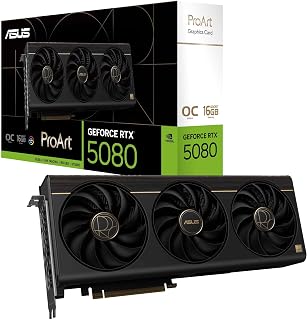
The RTX 5080's 16GB GDDR7 memory and 2730 MHz clock speed combine to handle demanding workloads like large-scale model training and real-time inference on complex architectures. GDDR7's superior bandwidth accelerates gradient calculations and weight updates during backpropagation, directly reducing training time per epoch. The tensor cores in this architecture deliver specialized acceleration for matrix operations central to neural networks, making it suitable for researchers and engineers running production-grade AI pipelines that require consistent high performance across extended training sessions.
Pros
- 1858 AI TOPS with CUDA for professional ML frameworks
- Vapor chamber cooling maintains stability during long training runs
- Integrated USB Type-C simplifies dataset transfer workflows
- Quiet operation suitable for shared workspaces
Cons
- Flagship pricing limits accessibility for hobbyists
- PCIe Gen 4 systems may need BIOS updates
Professional AI work requires stability under sustained load, and the ProArt RTX 5080 is purpose-built for exactly that scenario. The 1858 AI TOPS processing capability combined with NVIDIA's CUDA ecosystem makes this a serious tool for researchers and engineers running PyTorch, TensorFlow, or JAX workflows. Unlike gaming cards that prioritize burst performance, the vapor chamber cooling and phase-change thermal pad maintain consistent clock speeds during hours-long training sessions without thermal throttling. The 16GB GDDR7 memory handles batch processing and model serving tasks efficiently, while the 2730 MHz OC mode provides extra headroom when deadline pressure hits. That integrated USB Type-C port streamlines dataset transfers and peripheral connections without hunting for adapters. The three Axial-tech fans and MaxContact heatsink design keep noise levels professional-office appropriate, even when the GPU sits at 100 percent utilization. Auto-Extreme manufacturing suggests better long-term reliability than budget alternatives, critical when your card runs 24/7 inference workloads. The 2.5-slot footprint fits standard workstation chassis, and DisplayPort 2.1b plus HDMI 2.1b outputs support multi-monitor setups for monitoring training metrics.
GPU: NVIDIA GeForce RTX 5080, Blackwell Architecture
Memory: 16GB GDDR7
Clock Speed: 2700 MHz (Default), 2730 MHz (OC Mode)
AI Performance: 1858 AI TOPS
Interface: PCIe 5.0 x16
Video Outputs: 1x HDMI 2.1b, 1x USB Type-C, 2x DisplayPort 2.1b
Max Resolution: 7680x4320 pixels
Cooling: 3x Axial-tech Fans, Vapor Chamber, Phase-Change GPU Thermal Pad
Form Factor: 2.5-slot, 12" Length x 5" Width
Weight: 3.1 pounds
Power Connectors: PCIe 5.0 compliant
Warranty: 3 Years
Software: GPU Tweak III for performance monitoring and overclocking
AI engineers, machine learning researchers, and data scientists running production inference servers or training medium-to-large models will appreciate the ProArt's professional-grade stability and CUDA acceleration. It excels in environments where thermal consistency and quiet operation matter as much as raw compute. Skip this if you're doing casual AI experimentation on a budget, or if your models demand the 24GB-plus memory found in higher-tier cards. Gamers focused purely on frame rates should consider gaming-oriented alternatives.
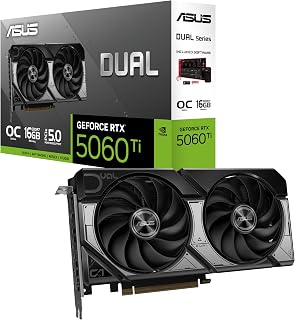
The 16GB GDDR7 memory delivers the headroom needed for fine-tuning medium-sized language models and handling batch inference workloads without running out of VRAM. GDDR7 technology provides faster memory bandwidth than previous generations, accelerating data-intensive operations like embedding lookups and attention mechanisms in transformer architectures. The RTX architecture includes tensor cores optimized for mixed-precision training, allowing AI practitioners to leverage FP16 and INT8 operations for improved throughput on both training and deployment tasks.
Pros
- 16GB GDDR7 handles medium AI models comfortably
- 767 AI TOPS with Blackwell architecture and DLSS 4
- Compact 2.5-slot design fits small workstations
- 0dB mode for silent operation during light inference
Cons
- Limited overclocking headroom due to compact cooling
- Insufficient memory for large-scale model training
AI workloads demand two things: memory bandwidth and tensor processing power, and the RTX 5060 Ti 16GB delivers both in a form factor that fits most builds. The 767 AI TOPS from NVIDIA's Blackwell architecture paired with DLSS 4 support makes this card surprisingly capable for local inference, model fine-tuning, and AI-assisted content generation without stepping up to workstation-class hardware. The 16GB GDDR7 memory is the real differentiator here, providing enough headroom for medium-sized language models and multi-modal AI applications that would choke on 8GB variants. PCIe 5.0 connectivity ensures fast data transfer between system RAM and VRAM during dataset loading. The dual BIOS system lets you prioritize silence during long training runs or switch to performance mode when thermal headroom matters. ASUS's Axial-tech cooling with 0dB technology means the card stays whisper-quiet during lighter inference tasks, then scales up automatically when you push it hard. The 2.5-slot design fits compact workstations where space comes at a premium, and the dual ball bearing fans promise longevity through countless training cycles.
GPU and Memory: NVIDIA GeForce RTX 5060 Ti, 16GB GDDR7, 2632 MHz (OC Mode), 2602 MHz (Default Mode). Supports DLSS 4 and Blackwell architecture for AI-accelerated performance.
Connectivity and Cooling: 3x DisplayPort 2.1b, HDMI 2.1b, PCIe 5.0 x16 interface. Dual Axial-tech fans with dual ball bearings, 2.5-slot compact form factor, 0dB technology for silent idle operation.
Physical and System Requirements: Dimensions 9 inches long by 4.7 inches wide, weighs 0.66 kg. Supports maximum resolution of 7680x4320 pixels. Includes 3-year warranty and SpeedSetup manual. Compatible with standard desktop builds requiring adequate power supply and proper case ventilation.
This card suits hobbyist AI developers, researchers working with mid-sized models, and creators experimenting with generative AI tools who need sufficient VRAM without spending workstation money. It's excellent for running Stable Diffusion, fine-tuning smaller LLMs, or accelerating AI features in creative software. Skip it if you're training large models that demand 24GB or more, or if you need certified drivers for professional AI platforms. Data scientists running enterprise workloads should look at RTX 5080 or higher.

Pros
- Phase-change thermal pad prevents degradation during sustained AI compute
- 16GB GDDR7 handles large model weights and batch sizes
- Military-grade construction ensures reliability for production workloads
- GPU Tweak III enables granular monitoring of training metrics
Cons
- 850W PSU minimum and 348mm length require system verification
- 3.6-slot design limits multi-GPU configurations in standard cases
For AI workloads in 2026, the ASUS TUF Gaming RTX 5080 brings NVIDIA's Blackwell architecture with advanced Tensor Cores and 16GB of GDDR7 memory to handle demanding machine learning tasks. The phase-change GPU thermal pad is critical for AI training and inference, where sustained compute loads run for hours without the thermal degradation seen in traditional paste implementations. GPU Tweak III provides real-time monitoring essential for tracking utilization during long training runs. Military-grade components and protective PCB coating ensure reliability during extended compute sessions that push hardware to its limits. The three Axial-tech fans maintain stable temperatures even when Tensor Cores run continuously at full capacity. Auto-Extreme manufacturing adds confidence for users running production inference servers or research clusters. The 2730 MHz clock speed combined with DLSS 4 support accelerates neural network operations, while the robust power delivery handles the intensive current demands of parallel matrix operations that define modern AI frameworks.
GPU: NVIDIA GeForce RTX 5080
Memory: 16GB GDDR7
Boost Clock: 2730 MHz (OC Mode), 2700 MHz (Default Mode)
Physical Dimensions: 348mm length, 3.6-slot design, 4.3 lbs
Video Outputs: 3x DisplayPort 2.1a, 2x HDMI 2.1b
Power Requirement: Minimum 850W PSU with 16-pin 12V-2x6 (12VHPWR) connector
Manufacturing: Auto-Extreme precision automated manufacturing
Cooling: Three Axial-tech fans, phase-change GPU thermal pad, protective PCB coating
Power Supply: Verify your PSU is rated for 850W minimum and includes the required 16-pin 12V-2x6 (12VHPWR) connector. Standard 6-pin or 8-pin connectors are insufficient for this card.
Physical Clearance: Confirm your case accommodates the 348mm length and can support the 3.6-slot width requirement. Measure internal dimensions and account for storage drives, fans, and other components that may interfere with the card's placement.
System Integration: The card includes a GPU bracket for secure installation. Ensure your motherboard provides adequate PCIe slot access and that your monitor cables support DisplayPort 2.1a or HDMI 2.1b for optimal performance.

The 16GB GDDR6 memory provides sufficient capacity for training smaller models and running inference on mid-sized datasets without constant memory bottlenecks. The 3060 MHz clock speed enables faster processing during iterative training cycles, reducing wait times when experimenting with hyperparameters. PCIe 5.0 support ensures maximum bandwidth for transferring large training datasets from system memory, making this card viable for developers working on computer vision or natural language processing projects that don't require flagship performance.
Pros
- 16GB GDDR6 at competitive pricing for AI experimentation
- ROCm support for PyTorch and TensorFlow continues improving
- WINDFORCE cooling handles sustained compute workloads
- Strong value for mixed AI and creative workflows
Cons
- ROCm ecosystem less mature than CUDA for some frameworks
- Requires 750W PSU minimum for stable operation
AMD's ROCm platform has matured significantly, and the RX 9070 XT offers an alternative to NVIDIA's ecosystem for AI practitioners willing to navigate open-source tools. The 16GB GDDR6 memory provides substantial capacity for training and inference without the premium attached to competitor cards, making this appealing for budget-conscious researchers and students. While AMD lacks the mature software stack of CUDA, ROCm compatibility with PyTorch and TensorFlow continues improving, and this card's 3060 MHz clock speed delivers solid compute performance for supported frameworks. The WINDFORCE cooling with server-grade thermal gel keeps temperatures controlled during extended training sessions, and the PCIe 5.0 interface ensures modern platform compatibility. At 11.34 inches, it fits standard cases without spatial gymnastics. The value proposition becomes compelling if your AI workloads already run on ROCm or if you're developing platform-agnostic code using OpenCL or DirectML. For content creators blending AI features with 3D rendering or video editing, the ample VRAM handles multi-tasking scenarios well. The card proves especially attractive for academic labs or startups where budget constraints are real but computational needs remain serious.
Core Specifications
GPU: AMD Radeon RX 9070 XT
Memory: 16GB GDDR6
Memory Clock: 2600 GHz
GPU Clock: 3060 MHz
Interface: PCIe 5.0 x16
Max Resolution: 7680 x 4320 (8K)
Physical and Connectivity
Dimensions: 11.34 inches (L) x 5.2 inches (W)
Weight: 1.78 kg
Output: DisplayPort
Power Connectors: Dual 8-pin (750W+ PSU recommended)
Cooling: WINDFORCE system with Hawk fans and thermal gel
Warranty and Support
Manufacturer: GIGABYTE
Warranty: 3 years
Model: GV-R9070XTGAMING OC-16GD
Gaming Performance at Common Resolutions
1440p Gaming: 160-220fps on most modern AAA titles at high settings. Excellent for competitive gaming and high-refresh monitors.
4K Gaming: Playable at high settings on most titles, medium settings on demanding new releases. Solid for content creators monitoring in 4K.
Esports Titles: 300+ fps possible on optimized competitive games for ultra-high refresh gameplay.
Real-World Use Cases
Best suited for 1440p gaming at 144+ fps, 4K content creation workflows, professional 3D rendering, and VR gaming. Handles flight simulators like DCS at high settings with 4K head tracking. Eliminates VRAM constraints for media professionals working with large files.
Driver Recommendations
Run DDU (Display Driver Uninstaller) before installation if upgrading from another card. Install latest AMD drivers for maximum stability and performance. Update BIOS if required by your system for PCIe 5.0 compatibility.

Pros
- Enhanced Tensor Cores accelerate transformer and neural network training
- 30000 MHz memory clock eliminates bandwidth constraints for gradient operations
- PCIe 5.0 interface removes data transfer bottlenecks for large datasets
- Three-fan WINDFORCE cooling prevents thermal throttling during extended training
Cons
- Substantial power requirements demand robust PSU with proper connectors
- 4-pound weight and heat output require case planning for multi-GPU setups
The GIGABYTE RTX 5080 Gaming OC targets AI practitioners who need maximum Tensor Core throughput for 2026 workloads. Blackwell architecture delivers enhanced Tensor Cores optimized for the matrix multiplication operations at the heart of transformer models and neural networks. The 16GB GDDR7 capacity running at 30000 MHz memory clock speed ensures bandwidth-intensive operations like gradient updates and attention mechanisms proceed without memory bottlenecks. PCIe 5.0 support eliminates data transfer constraints when loading datasets or shuttling results between system RAM and GPU memory. DLSS 4 technology extends beyond gaming to accelerate AI-driven image processing and video analysis pipelines. The WINDFORCE three-fan cooling system maintains consistent performance during multi-hour training runs where thermal throttling would compromise convergence speed. At 2.73 GHz, the GPU clock provides the raw compute frequency needed for time-sensitive inference applications. The robust construction handles the electrical and thermal stress of running optimization algorithms that demand 100% GPU utilization continuously, while the included VGA holder prevents PCB flex under the card's substantial weight during transport or installation.
GPU Architecture: NVIDIA GeForce RTX 5080 (Blackwell)
Memory: 16GB GDDR7, 256-bit interface
Memory Speed: 30,000 MHz
GPU Clock: 2.73 GHz boost
Interface: PCIe 5.0 x16
Cooling: WINDFORCE triple-fan system
Power Connectors: 1x 12V connector, 2x 6-pin to 3x 8-pin adapter
Display Outputs: DisplayPort, HDMI
Max Resolution: 7680x4320 pixels
Physical Dimensions: 13.46 inches (L) x 5.59 inches (W)
Weight: 4 pounds
Warranty: 3-year manufacturer
Model: GV-N5080GAMING OC-16GD
Best suited for machine learning engineers training neural networks locally, computer vision developers requiring rapid prototyping with large models, and AI startups building inference servers where Tensor Core performance directly impacts product capabilities. Not recommended for users focused solely on traditional ML algorithms that lack GPU acceleration, those with inadequate PSU capacity for the power draw, or anyone working in compact systems unable to fit the 13.46-inch length.

Pros
- 32GB GDDR6 memory
- RDNA 4 architecture with AI accelerators
- Blower cooler for multi-GPU setups
- Four DisplayPort 2.1a outputs for multiple 8K displays
Cons
- Software and driver support need verification
- Two-slot footprint requires workstation planning
Large local memory is the defining reason to consider the ASRock Radeon AI PRO R9700 for an AI workstation in 2026. Its 32GB of GDDR6 gives AI developers and research teams capacity for massive models and compute-intensive projects, while AMD RDNA 4 architecture and AI accelerators make the card expressly aimed at professional AI development. The 2,920MHz boost clock and 256-bit memory bus complete a specification intended for sustained work rather than casual graphics use. It also makes sense where deployment density and lengthy workloads shape the hardware choice. The two-slot design uses a blower cooler, a configuration particularly useful in multi-GPU workstations, render clusters, and server environments where card-to-card cooling can be difficult. Its vapor-chamber heatsink, Honeywell PTM7950 thermal interface material, metal shroud, and die-cast backplate are built around 24/7 operation. Four DisplayPort 2.1a outputs can drive multiple 8K displays, adding flexibility for visualization-heavy setups. Before selecting it, confirm support across the intended AI frameworks and professional software, since driver availability varies by stack.
GPU Architecture: AMD Radeon AI PRO R9700, RDNA 4 with 64 Compute Units
Memory: 32GB GDDR6 on 256-bit bus
Clock Speed: 2920 MHz boost
Ray Tracing: 3rd Generation
AI Accelerators: 2nd Generation dedicated AI accelerators
Cooling: Vapor chamber heatsink with Honeywell PTM7950 thermal interface, single blower design
Power Interface: PCIe 5.0
Display Outputs: Four DisplayPort 2.1a
Form Factor: Standard 2-slot design
Build: Die-cast metal shroud, metal backplate
Brand: ASRock
Buy it for an AI research, visualization, or content-creation workstation that needs 32GB of memory, professional design, and potential multi-GPU deployment. It is especially appropriate for teams running extended compute-heavy projects or operating workstation farms and render clusters. Skip it if your AI framework or professional application does not support the card's driver stack. Buyers with no need for 32GB capacity, four DisplayPort outputs, or its two-slot professional form factor should look elsewhere.
Pros
- Massive 96GB memory pool eliminates swapping and enables local LLM fine-tuning
- 3X Tensor core performance improvement over prior generation cuts training and inference time
- Efficient two-slot form factor compared to oversized competitor designs
- Double-flow-through cooling sustains peak performance under 600W load
- Universal MIG enables secure multi-tenant workload isolation on single GPU
Cons
- Hot air exhaust directs into case interior rather than rear, requiring additional case ventilation planning
- OEM packaging without retail box, and some customer reports of possible refurbished stock warrant careful seller verification
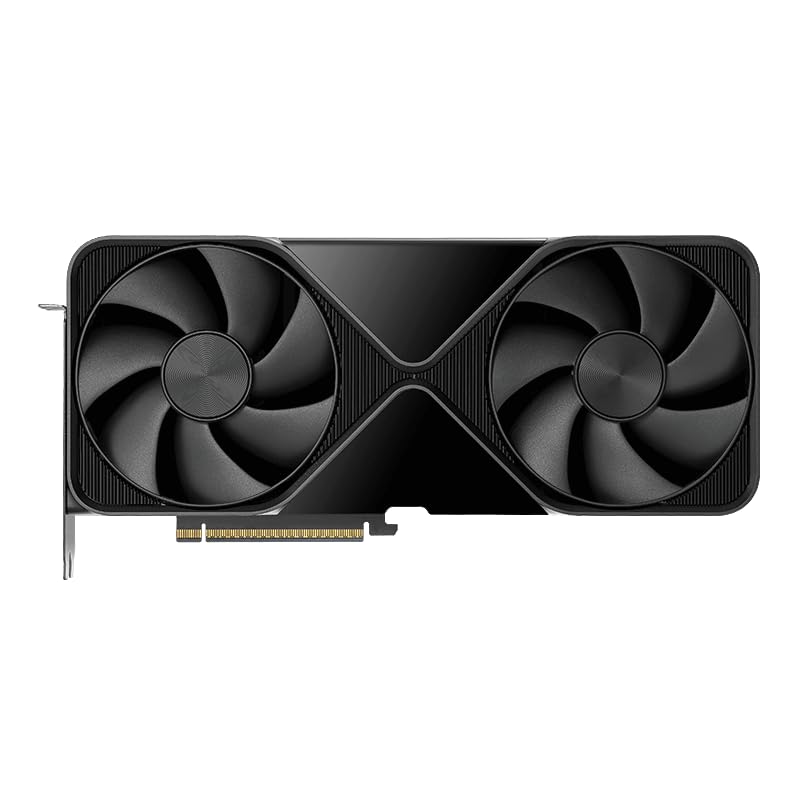
The RTX PRO 6000 Blackwell is a flagship workstation GPU designed for professionals in AI research, visual effects, computational design, and robotics simulation. Its 96GB of GDDR7 memory and 5th-generation Tensor cores make it purpose-built for running large language models, training generative AI systems, and managing massive 3D datasets that would overwhelm consumer-grade GPUs.
Performance is the standout achievement here. The 5th-gen Tensor cores deliver up to 3X the throughput of the previous generation, with added FP4 precision support that accelerates AI workloads while reducing memory footprint. The 4th-gen ray tracing cores double ray-triangle intersection rates, enabling photorealistic renders with RTX Mega Geometry support for scenes with 100X more geometric complexity. PCIe Gen 5 connectivity provides double the bandwidth of Gen 4, critical for data-intensive applications where CPU-to-GPU transfers are a performance bottleneck.
Design choices prioritize integration and efficiency. Unlike the current market trend toward massive, multi-slot GPU designs, the RTX PRO 6000 Blackwell occupies only two slots and draws power through a single 600W connector. The double-flow-through cooling design maintains peak performance under full load, though the side-mounted exhaust directs hot air into the case interior rather than the rear, which requires thoughtful case airflow planning with supplemental fans.
The one legitimate drawback is the OEM packaging and inventory questions. Some customers have flagged concerns about refurbished stock or non-original condition despite the card's legitimate performance. Verify your seller carefully and inspect documentation before purchase.
The RTX PRO 6000 Blackwell is the right choice for professionals who need serious GPU compute and can justify the investment. If you're running 70B+ language models, building production-quality VR environments, or rendering photorealistic architectural visualizations, this GPU delivers the memory and performance to handle demanding workloads without compromise.
Memory and Compute: 96GB GDDR7 ECC memory with 1.8TB per-second bandwidth. 5th-generation Tensor cores with FP4 precision support. 4th-generation ray tracing cores with double the ray-triangle intersection rate.
Connectivity: PCIe Gen 5 interface. DisplayPort 2.1 with support for 8K at 240 Hz or 16K at 60 Hz. Single HDMI output. Universal MIG for workload partitioning and isolation.
Thermal and Power: 600W power consumption. Double-flow-through cooling design. Two-slot form factor. Dimensions 17x10x5 inches, 4 pounds.
Warranty and Support: 3-year manufacturer warranty. OEM packaging. Compatible with Windows operating systems on desktop tower systems.
Artificial Intelligence and Machine Learning: Run and fine-tune large language models locally without relying on cloud services. The 96GB memory and high-bandwidth Tensor cores enable fast training and inference for generative AI applications.
3D Design and Visualization: Build photorealistic renderings with complex geometry, HDR color depth, and multi-monitor precision layouts. Perfect for architectural visualization, visual effects, and product design workflows.
Data Science and Simulation: Process massive datasets and run computationally intensive simulations. The PCIe Gen 5 bandwidth and memory capacity handle data-intensive tasks that would bottleneck lesser GPUs.
Multi-Tenant Workloads: Universal MIG partitioning enables running multiple isolated workloads concurrently, ideal for shared workstations and enterprise environments requiring secure resource separation.

Pros
- 3352 AI TOPS with 32GB GDDR7 for large model inference and training
- Hybrid liquid cooling maintains sub-55C temps under sustained AI workloads
- Dual BIOS for performance vs quiet mode in different AI tasks
- GPU holder bracket prevents sag in long-term workstation use
Cons
- Premium cost reflects enterprise-grade thermal engineering
- Requires adequate PSU headroom and case space for 360mm radiator
The MSI RTX 5090 SUPRIM Liquid brings 3352 AI TOPS and 32GB of GDDR7 memory to local AI workloads, backed by a hybrid cooling solution that keeps temperatures at 40-45C during mixed workloads and under 55C at sustained full load. For AI practitioners running local LLM inference, training small to mid-size models, or chaining together multiple generative AI tasks, the thermal headroom translates directly into sustained performance without throttling. The 512-bit memory bus and 28 Gbps memory speed provide the bandwidth needed for large model weights and batch processing. Dual BIOS lets you switch between performance and quieter operation depending on whether you're running overnight training jobs or interactive inference sessions. The 360mm radiator and three-fan hybrid design ensure the card won't bottleneck even during extended fine-tuning runs or simultaneous inference requests. Four-display output supports multi-monitor setups common in data science and ML engineering environments. The included GPU holder bracket prevents sag in long-term workstation deployments where the card remains under load for days at a time.
This GPU excels at AI-powered creative work. The 3352 AI TOPS and 5th Gen Tensor Cores accelerate upscaling, denoising, background removal, masking, and generative workflows. The 32GB VRAM lets you run larger models with longer context windows simultaneously with other applications, eliminating the context-switching penalty of smaller VRAM designs.
For local LLM inference and on-device AI tools, the combination of massive VRAM and extreme memory throughput (28 Gbps, 512-bit bus) enables running state-of-the-art models privately without cloud dependencies. This card is purpose-built for multi-modal AI work and GPU-accelerated ML experimentation pipelines.
The hybrid air and liquid cooling system is engineered to handle sustained high loads without thermal degradation. The 360mm radiator with integrated STORMFORCE fans removes heat from both the GPU core and VRAM efficiently, enabling strong sustained clocks during extended creative sessions or benchmarking runs.
Owner feedback confirms 40-45C gaming temperatures even with dual encoding active, and maximum heat-soak temperatures of 55C under 100% load. This thermal headroom enables safe overclocking and undervolting, making this card a platform for enthusiasts who want performance optimization beyond stock settings.
GPU Buying Guide for AI Workloads
VRAM Capacity: The Most Critical Spec
VRAM is the single biggest constraint when running AI models locally. A model that doesn’t fit in GPU memory simply won’t run, or it will spill into system RAM and become impractically slow. For serious AI work, 16GB is a reasonable floor, but 32GB opens the door to much larger models without compromise.
Cards like the ASRock Intel Arc Pro B70 Creator 32GB Workstation and the ASRock Radeon AI PRO R9700 Creator 32GB deliver 32GB of GDDR6 on a 256-bit bus, giving you the headroom to work with large models, extended context windows, and complex multi-task pipelines. At the top end, the NVD RTX PRO 6000 Blackwell offers a staggering 96GB of GDDR7 for the most demanding enterprise workloads.
Architecture and AI Accelerators
Raw VRAM alone doesn’t tell the whole story. The underlying architecture determines how efficiently a card handles AI-specific operations like matrix multiplication, attention layers, and tensor computations. NVIDIA’s Blackwell architecture, found across the RTX 50 Series, features 5th Gen Tensor Cores with FP4 precision support, which significantly cuts memory usage while accelerating model processing.
AMD’s RDNA 4 architecture, powering cards like the ASRock Radeon AI PRO R9700, brings 2nd Gen AI Accelerators alongside 64 Compute Units for competitive AI throughput. Intel’s Xe2-HPG architecture, featured in the ASRock Intel Arc Pro B70, uses 256 XMX engines specifically designed to accelerate AI and rendering tasks. Understanding which ecosystem fits your software stack matters as much as the hardware specs themselves.
Form Factor and Thermal Design
AI workloads push GPUs to sustained high utilization for extended periods, which puts enormous strain on cooling systems. A card that throttles under load will deliver inconsistent performance and slower job completion times. Look for vapor chamber designs, phase-change thermal interface materials, and sufficient airflow headroom for your chassis.
Professional blower-style coolers, like those on the ASRock workstation cards, are purpose-built for rack and multi-GPU configurations because they exhaust heat directly out of the case. Consumer open-air designs from ASUS and GIGABYTE, such as the ASUS TUF Gaming GeForce RTX 5080 with its three Axial-tech fans, excel in single-GPU tower builds with good case airflow. For the most extreme sustained loads, the msi GeForce RTX 5090 SUPRIM Liquid SOC Hybrid pairs a 360mm radiator with hybrid air and liquid cooling to manage heat from both the GPU and VRAM simultaneously.
PCIe Generation and System Bandwidth
PCIe 5.0 support is increasingly relevant for AI workflows that move large datasets between CPU memory and GPU memory frequently. The bandwidth doubling over PCIe 4.0 can meaningfully reduce data transfer bottlenecks in pipelines that require constant CPU-GPU communication, such as real-time inference servers or training loops with large batch sizes.
Every card on this list supports PCIe 5.0, so pairing any of them with a modern platform gives you the full benefit. Just verify that your motherboard and CPU also support PCIe 5.0 to avoid the interface falling back to a lower generation, which would limit throughput regardless of the GPU’s capabilities.
Final Thoughts
If you need a balanced workstation card that handles serious AI development without requiring an enterprise budget, the ASRock Radeon AI PRO R9700 Creator 32GB is a compelling choice, combining 32GB of GDDR6, RDNA 4 AI accelerators, and a professional blower cooler built for sustained compute loads. For users who want the absolute ceiling of consumer AI performance with a future-proof Blackwell foundation, the msi GeForce RTX 5090 SUPRIM Liquid SOC Hybrid delivers 3352 AI TOPS, 32GB of GDDR7, and hybrid liquid cooling that keeps it running at full throttle through the longest jobs.
Frequently Asked Questions
How much VRAM do I need for AI in 2026?
For running smaller open-source models and doing inference, 16GB is workable. However, fine-tuning mid-size LLMs or working with multimodal models comfortably requires 24GB or more. If you want to run larger models locally without quantization, 32GB is the practical target, and 96GB cards like the NVD RTX PRO 6000 Blackwell are reserved for enterprise-scale workloads.
Is NVIDIA still the best choice for AI, or should I consider AMD or Intel?
NVIDIA dominates AI software compatibility, particularly through CUDA and cuDNN, which most major AI frameworks target natively. AMD’s ROCm platform has improved significantly and works well with PyTorch, making cards like the ASRock Radeon AI PRO R9700 a legitimate option, especially when you need large VRAM at a lower footprint. Intel’s Arc Pro cards with XMX engines are increasingly supported in OpenVINO and IPEX pipelines, making them viable for specific inference use cases. Your software stack should guide the decision.
Can I use a gaming GPU for AI workloads?
Yes, gaming GPUs are widely used for AI development and inference. Cards like the ASUS Dual GeForce RTX 5060 Ti 16GB GDDR7 OC and the GIGABYTE GeForce RTX 5080 Gaming OC offer strong Tensor Core performance and solid VRAM at consumer-tier positioning. The main trade-offs compared to professional cards are the absence of ECC memory, no multi-GPU NVLink support on most consumer models, and drivers optimized for gaming rather than compute. For most developers and researchers, those trade-offs are perfectly acceptable.
What is the difference between a workstation GPU and a consumer GPU for AI?
Workstation GPUs like the NVIDIA RTX PRO 4000 SFF Blackwell 24GB GDDR7 ECC and the NVD RTX PRO 6000 Blackwell include ECC memory for error correction, certified drivers for professional software, and support for features like Universal MIG partitioning that let you divide a single GPU into isolated instances. Consumer GPUs skip those features to reduce cost, making them excellent for individual developers but less suited to multi-tenant servers or mission-critical compute environments. In 2026, the line between the two continues to blur for pure AI inference use cases.





Write Your Review
No reviews yet. Be the first to share your experience!