

The RTX 5080 represents a significant leap in GPU performance, but pairing it with mismatched components wastes its potential. Whether you’re building for 4K gaming, content creation, or competitive esports at maximum refresh rates, your processor, cooling, and storage need to keep pace with this flagship card.
This guide breaks down eight essential components that form a complete, balanced build around the RTX 5080. Each selection addresses a specific performance requirement, from thermal management to fast asset loading, ensuring you get the most from your investment.
Quick answer
This guide compares 8 picks, with CORSAIR iCUE LINK 3500X RGB Mid-Tower Case ranked first. WD_BLACK SN850X 2TB NVMe SSD with Heatsink, 7,300 MB/s holds the highest customer rating among them.

Reverse connector compatibility routes power and data cables behind the motherboard tray, clearing sightlines to showcase the RTX 5080 and other components through the panoramic tempered glass panels. Three included RX120 RGB fans provide intake airflow that feeds the GPU's cooler with fresh air rather than recirculated heat, and seven expansion slots accommodate the full-width RTX 5080 plus additional capture cards or connectivity expansion that content creators frequently install.
Pros
- Supports up to 10 fans plus liquid cooling radiators, providing thermal headroom for an RTX 5080
- Three pre-installed RX120 RGB fans use a single-cable iCUE LINK connection to the included hub
- Panoramic tempered glass panels with push-pin and magnetic fasteners simplify assembly and maintenance
- Full reverse-connection motherboard compatibility enables a completely cable-free interior view
Cons
- Standard front-connector motherboards require more careful cable routing behind the tray, limiting the clean-build advantage
- PSU cable routing can be tight depending on the power supply's connector configuration
Housing an RTX 5080 properly means choosing a case with the internal volume, airflow, and build quality to support a large, power-hungry GPU alongside the rest of a flagship system. The CORSAIR iCUE LINK 3500X mid-tower covers all of those requirements. The spacious interior accommodates large graphics cards comfortably, and the total fan support of up to 10 fans plus liquid cooling radiators gives thermal headroom appropriate for a high-TDP build. Three RX120 RGB fans come pre-installed and connect through a single cable to the included system hub, sharply reducing cable clutter inside a case where clean routing already matters for airflow around a large card. Panoramic tempered glass panels on the front and side put the build on full display, which suits the kind of premium aesthetic an RTX 5080 system typically calls for. Reverse-connection motherboard support means builds using ASUS BTF or MSI Project Zero boards achieve a completely hidden cable look. Removable dust filters on multiple surfaces help maintain airflow quality over time, and the push-pin, magnetically guided glass panels make maintenance and cable access straightforward.
Physical Dimensions: 19.92" deep x 9.45" wide x 18.11" high, weighing 20.4 pounds
Motherboard Support: ATX, Micro-ATX, Mini-ITX, EATX compatible. Reverse connection validated for ASUS BTF and MSI Project Zero
Cooling and Fans: Supports up to 10 total 120mm fans, multiple radiators up to 360mm. Includes 3 pre-installed CORSAIR iCUE Link RX120 RGB fans
Drive Bays: 7 internal bays, supports 3.5-inch HDDs and 2.5-inch SSDs
Expansion Slots: 7 total PCIe expansion slots
Ports and Connectivity: 2 USB 2.0 ports, iCUE LINK System Hub included
Materials: Tempered glass front and side panels, includes dust filters on bottom, top, and side
Warranty: 2-year manufacturer warranty
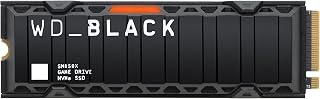
Sequential read speeds of 7,300 MB/s enable DirectStorage GPU decompression that the RTX 5080 accelerates, cutting asset loading stutters in open-world titles where traditional storage creates traversal hitches. The integrated heatsink maintains thermal throttle-free performance during sustained transfers without requiring motherboard heatsink compatibility checks, and 2TB capacity holds a modern game library where individual AAA installations frequently exceed 100GB with high-resolution texture packs installed.
Pros
- Up to 7,300 MB/s read and 6,300 MB/s write speeds keep pace with a high-end GPU workload
- Integrated heatsink prevents thermal throttling during extended sessions
- Compatible with both desktop PC and PS5 expansion bays
- Straightforward M.2 installation with optional SANDISK Dashboard Game Mode 2.0 for Windows
Cons
- SANDISK Dashboard software optimization is only available on Windows, not other platforms
- 2TB capacity may be more than necessary for builders with modest game libraries
A build centered on the RTX 5080 is built for speed, and the storage tier should match that intent. The WD_BLACK SN850X 2TB delivers sequential reads up to 7,300 MB/s and writes up to 6,300 MB/s over NVMe, which means game assets, large textures, and project files load fast enough that the GPU is never waiting on the drive. The 2TB capacity gives ample room for a large game library alongside creative project files, which matters when you are running a workstation-grade GPU for both gaming and production work. The integrated heatsink is a practical inclusion rather than a cosmetic one: it keeps the drive from thermal throttling during back-to-back installations, extended gaming sessions, or 4K video work. The M.2 2280 form factor drops straight into a desktop motherboard slot, and installation takes only a few minutes. Windows users can also access Game Mode 2.0 optimization through the SANDISK Dashboard. Build quality is consistently rated as premium, and the drive carries a strong track record across thousands of verified users.
Storage Capacity: 2TB (2,000 GB)
Form Factor: M.2 2280
Interface: NVMe
Read Speed: 7,300 MB/s (1TB-4TB models)
Write Speed: 6,300 MB/s
Cache Memory: 2GB
Dimensions: 3.15 inches (L) x 0.92 inches (W) x 0.35 inches (Thickness)
Weight: 24g
Special Features: Integrated Heatsink, WD_BLACK Dashboard software (Windows)
Compatibility: PlayStation 5, Desktop PC
Warranty: 5-year limited warranty
Model Number: WDS200T2XHE
Ideal for RTX 5080 builders who want storage that matches the GPU's performance tier, particularly those doing 4K gaming, video editing, or large file work where sustained throughput matters. Also a strong pick for anyone who owns a PS5 and wants a shared high-performance drive. Skip it if 2TB exceeds your storage needs or if you are prioritizing budget savings elsewhere in the build.

The 96MB of 3D V-Cache directly addresses gaming frame time consistency by keeping more game data on-die, reducing memory latency that would otherwise bottleneck the RTX 5080 at high refresh rates. Eight cores at 4.7GHz base provide sufficient threading for modern titles without the thermal density of higher core count chips, making this processor easier to cool while delivering the single-thread performance that GPU-bound scenarios at 1440p and 4K demand.
Pros
- 96MB L3 cache eliminates CPU bottlenecks with RTX 5080
- 5.2GHz boost clocks maintain high frame rates
- 140W TDP keeps thermals manageable with quality cooling
- Socket AM5 simplifies motherboard and memory selection
Cons
- Requires separate CPU cooler purchase
- Limited upgrade value from 7800X3D at 4K resolutions
Pairing an RTX 5080 with a processor that won't bottleneck its capabilities is critical for maximizing gaming performance. The Ryzen 7 9800X3D brings 96MB of L3 cache through 3D V-Cache technology, engineered specifically to maintain high frame rates and consistent frame times in GPU-intensive scenarios. This 8-core, 16-thread chip with 5.2GHz boost clocks ensures your RTX 5080 runs at full potential across AAA titles and competitive esports games. The Socket AM5 platform provides straightforward compatibility with current motherboards and DDR5 memory, simplifying component selection for your build. Real-world performance shows minimal frame drops and superior 1% lows, exactly what matters when you've invested in flagship graphics. The 140-watt TDP stays manageable with quality aftermarket cooling, keeping system thermals in check even during extended gaming sessions. Users report flawless stability across demanding workloads, from marathon gaming to content creation tasks. The Zen 5 architecture delivers both immediate performance and long-term platform support. While you'll need to budget for a separate CPU cooler and existing 7800X3D owners may see diminishing returns at 4K resolutions where GPU limitations dominate, this processor represents the current ceiling for gaming-focused builds.
Cores and Threads: 8 cores, 16 threads
Architecture: Zen 5 with 3D V-Cache
Base Clock: 4.7 GHz
Boost Clock: Up to 5.2 GHz
Cache Memory: 96MB L3 cache, 8MB secondary cache
Socket: AM5
Power Consumption: 140 watts
Manufacturing Process: Advanced node (Zen 5)
Compatibility: Windows 11, requires external cooler
Best For: This CPU excels for competitive gamers, esports players, AAA gaming enthusiasts, content creators, and anyone building a high-performance workstation. If you play demanding games, edit video, stream, or multitask heavily, the 9800X3D delivers performance that justifies the investment.
Consider If: You own an older CPU from the Ryzen 5000 or 7000 series and want the fastest gaming performance available. The generational jump offers meaningful real-world improvements in frame consistency and 1% lows across modern games.
Skip If: You primarily game at 1440p or lower resolutions on a mid-range GPU, where CPU performance is rarely the limiting factor. Also reconsider if you already own a 7800X3D, as the upgrade benefits are incremental unless you're targeting high-resolution content creation.

The 360mm radiator surface area dissipates the thermal output from high-performance CPUs under sustained gaming loads, preventing throttling that would create GPU bottlenecks when the RTX 5080 is fully utilized. Direct motherboard ARGB connection reduces cable clutter compared to separate controllers, and compatibility with both Intel LGA 1851 and AMD AM5 sockets ensures this cooler accommodates current platforms without requiring bracket adapters or additional hardware.
Pros
- Installation is straightforward and quick, even for first-time builders
- Exceptional quiet operation at just 20 dBA makes it perfect for streaming and content creation
- Excellent thermal performance keeps high-end CPUs cool under sustained load
- Direct motherboard connection eliminates the need for an external controller
- Premium build quality and reliable performance backed by customer reviews and CORSAIR's track record
Cons
- ARGB lighting control requires motherboard compatibility or optional iCUE controller purchase
- No display screen on pump head, unlike premium LCD AIO models at higher price points
- Space requirements for 360mm radiator may not fit smaller PC cases
The CORSAIR Nautilus 360 RS is a 360mm all-in-one liquid CPU cooler designed for builders and gamers who prioritize reliability, quiet operation, and straightforward installation over flashy features. It's perfect for users running high-performance CPUs like the i7-12700KF who want effective cooling without the complexity of traditional custom loops or demanding setup processes.
The standout feature is its whisper-quiet 20 dBA pump paired with RS120 ARGB fans that deliver strong cooling performance while maintaining exceptional silence. The convex cold plate with pre-applied thermal paste makes installation nearly foolproof, and the daisy-chained ARGB lighting reduces cable management headaches. Users consistently report excellent thermal performance under load with minimal noise, making this cooler particularly well-suited for streaming, competitive gaming, and content creation where acoustic performance matters.
Build quality is premium throughout, with aluminum and copper construction that feels durable and professional. The included RS120 fans feature CORSAIR's AirGuide technology and Magnetic Dome bearings for reliability and performance. Direct motherboard connection eliminates the need for a separate controller out of the box, though advanced RGB customization through optional iCUE software is available for users who want deeper control.
The main limitation is that ARGB control depends on motherboard compatibility, and some users may feel the lack of a pump display screen is a drawback compared to premium LCD AIOs. Additionally, the 360mm radiator requires adequate case space. However, for the price point, this cooler delivers exceptional value with proven performance and reliability.
The CORSAIR Nautilus 360 RS is a strong choice for any builder seeking dependable, quiet cooling with minimal setup friction. Its combination of thermal performance, ease of installation, and low noise operation makes it an excellent value in the mid-range AIO market.
Installation is remarkably straightforward and takes approximately 15-30 minutes depending on experience level. The pre-applied thermal paste eliminates the guesswork, and the convex cold plate design ensures proper contact with Intel and AMD CPU integrated heat spreaders without requiring additional paste application.
Compatibility spans a wide range of modern platforms: Intel LGA 1851, LGA 1700, and AMD AM5, AM4 sockets. Connection is simplified through a single 4-pin PWM fan header and one 5V ARGB header on your motherboard, with daisy-chaining capability for the three included RS120 fans. Cable lengths are well-designed to accommodate most modern case layouts without excessive excess or tension.
The Nautilus 360 RS excels in thermal performance, consistently keeping high-end CPUs cool even during extended gaming sessions or heavy workloads. The high-flow pump circulates coolant efficiently while maintaining its exceptionally quiet 20 dBA operation. Users report CPU temperatures remaining stable and low even with demanding processors like the i7-12700KF under sustained load.
Acoustic performance is exceptional by AIO standards. The pump runs at whisper-quiet levels, and the RS120 fans generate minimal noise despite providing strong static pressure and airflow. This combination makes the cooler ideal for noise-sensitive builds, streaming setups, and professional environments where acoustic performance is a priority.

The native 12V-2x6 connector eliminates adapter cables for direct RTX 5080 power delivery, while the 850W output provides headroom for transient power spikes that high-end GPUs generate during gaming loads. Cybenetics Gold efficiency reduces heat and operating costs during extended sessions, and the fully modular design simplifies cable management in builds where clean airflow matters for maintaining boost clocks on both the GPU and CPU.
Pros
- Native 12V-2x6 connector built for RTX 5080 power requirements
- 91% efficiency reduces heat and operating costs
- Three PCIe 8-pin connectors eliminate daisy-chaining needs
- Fully modular design improves airflow and cable management
Cons
- Fan noise increases under sustained heavy load
- 850W capacity exceeds minimum requirements for many builds
Building around the RTX 5080 demands a power supply that can handle transient spikes and deliver stable voltage under sustained load. The CORSAIR RM850x provides exactly that foundation with ATX 3.1 compliance and native 12V-2x6 connectivity designed for current-generation flagship GPUs. The 850W capacity gives proper headroom for the 5080's power envelope while maintaining efficiency in the 91% Cybenetics Gold range, which translates to less heat and lower operating costs over the system's lifespan. Fully modular cabling eliminates unnecessary wires, improving airflow around heat-sensitive components like your graphics card and processor. The inclusion of three dedicated PCIe 8-pin connectors ensures clean power distribution without relying on daisy chains. Build quality centers on 105C-rated Japanese capacitors that maintain stability through years of demanding use. Users consistently report elimination of crashes and blue screens after installation, pointing to superior voltage regulation. The embossed cables with integrated combs simplify cable management in modern cases. While the fan becomes audible under maximum sustained load, most builders find the tradeoff acceptable given the overall reliability and electrical performance this unit delivers to power-hungry configurations.
Power Output: 850W
Efficiency Rating: Cybenetics Gold, up to 91%
Form Factor: ATX
Modular Design: Fully Modular
Cooling: 140mm FDB fan with manual and auto modes
Input Voltage: 100-240V AC
Connectors: Native 12V-2x6, (3) PCIe 8-pin, ATX standard
Capacitors: 100% Japanese 105C rated
Warranty: 10 years manufacturer
Dimensions: 2.3 x 3.39 x 5.91 inches
Weight: 3.9 pounds
Model: RM850x (CP-9020270-NA/AM)
RTX 5080 builders who want guaranteed stability and proper wattage headroom should choose this. The native 12V-2x6 connector and ATX 3.1 compliance make it ideal for anyone building with modern flagship components. Skip it if your budget is extremely tight or if you already own a quality 850W unit with appropriate connectors, though the reliability and warranty make this a smart long-term investment for most new builds.
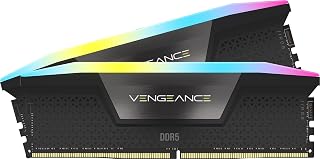
The 6000MHz speed hits the sweet spot for AMD EXPO profiles on Ryzen platforms, delivering bandwidth that prevents memory bottlenecks when the CPU feeds frame data to the RTX 5080 during high-refresh gaming. CL30 primary latency reduces frame time variance in CPU-sensitive scenarios like competitive shooters, and 32GB capacity accommodates background applications like Discord and browser tabs without forcing texture streaming compromises that would underutilize the GPU's 16GB VRAM buffer.
Pros
- 6000MHz CL30 timings hit the DDR5 sweet spot for both AMD EXPO and Intel XMP platforms
- Ten addressable RGB zones per module with 360-degree visibility via CORSAIR iCUE
- Reported stable operation even under sustained overclocking conditions
- Straightforward setup with XMP/EXPO profiles achieving advertised speeds immediately
Cons
- Maximum speeds require a compatible motherboard and CPU; some platforms stabilize lower, around 5200MHz
- Full lighting and monitoring features depend on CORSAIR iCUE software installation
An RTX 5080 build demands memory that can keep pace with a flagship GPU, and the CORSAIR Vengeance RGB DDR5 32GB kit does exactly that. Running at 6000MHz with CL30-36-36-76 timings at 1.40V, this kit sits at the sweet spot that AMD EXPO and Intel XMP platforms both recognize natively, meaning you can hit advertised speeds without manual tuning. The dual 16GB modules give you 32GB total, enough headroom for AAA gaming, 4K content creation, and heavy multitasking running alongside a GPU of this caliber. Tight CL30 primary latency keeps the CPU fed with data quickly, which matters when your graphics card is no longer the bottleneck. Ten individually addressable RGB zones per stick, arranged across a full-length light bar, complement the kind of high-end aesthetic that typically surrounds an RTX 5080 build. Stable operation under sustained loads has been widely reported, and the CORSAIR iCUE software adds real-time frequency and voltage monitoring for builders who want full visibility into their system.
Memory Type: DDR5 SDRAM
Capacity: 32GB (2x16GB modules)
Speed: 6000MHz
Timings: CL30-36-36-76
Voltage: 1.40V
Form Factor: DIMM (288-pin)
Compatibility: AMD EXPO, Intel XMP 3.0
Features: Dynamic Ten-Zone RGB Lighting, Onboard Voltage Regulation, Custom PCB
Warranty: Limited Lifetime
Best suited for builders pairing this kit with a high-end platform, whether AMD or Intel, who want plug-and-play 6000MHz performance without manual tuning. Content creators and gamers running memory-intensive workloads alongside an RTX 5080 will appreciate the headroom. Skip it if your motherboard cannot reliably support DDR5-6000, or if you have no use for RGB lighting and would rather spend less on a plain kit.

The 16GB GDDR7 memory buffer handles 4K texture streaming and ray tracing workloads without the VRAM constraints that limit longevity in AAA titles, while the 2730MHz core clock provides factory overclocking that extracts additional frames without manual tuning. Three DisplayPort outputs support multi-monitor setups for productivity alongside gaming, and the 256-bit memory bus maintains bandwidth for neural rendering features that newer games increasingly rely on.
Pros
- 16GB GDDR7 provides substantial memory for 4K and content work
- Factory overclock to 2730MHz delivers immediate performance gains
- Three DisplayPort outputs enable flexible multi-monitor configurations
- PCI Express 5.0 interface ensures full bandwidth on modern platforms
Cons
- Flagship pricing requires significant budget allocation
- Performance gains over lower tiers diminish at 1080p resolution
The Gigabyte GeForce RTX 5080 Gaming OC sits at the center of this build guide as the flagship GPU driving your gaming and creative performance. With 16GB of GDDR7 memory across a 256-bit bus, this card handles 4K gaming and content creation workloads with substantial headroom. The factory overclock to 2730MHz core clock extracts additional performance out of the box without manual tuning. NVIDIA's RTX 50 series architecture brings updated ray tracing cores and AI acceleration that define current-generation graphics capability. Three DisplayPort outputs plus HDMI give flexibility for multi-monitor setups up to 7680x4320 maximum resolution. The PCI Express 5.0 interface ensures full bandwidth compatibility with modern motherboards, eliminating potential transfer bottlenecks. Gigabyte's cooling solution manages thermals across extended gaming sessions, maintaining performance consistency under load. The Gaming OC designation indicates binned silicon with higher performance potential compared to reference models. This card represents the performance tier that justifies building a complete system around it, from motherboard selection through power supply sizing. Component choices throughout this guide revolve around properly supporting and complementing this GPU's capabilities, ensuring balanced performance across all workloads from competitive gaming to 4K content rendering.
GPU Details: NVIDIA GeForce RTX 5080, GPU Clock 2730 MHz, Memory Clock 28000 MHz
Memory: 16GB GDDR7 with 256-bit memory interface
Connectivity: PCI-E 5.0, 3x DisplayPort, 1x HDMI
Maximum Resolution: 7680x4320 (8K support)
Cooling: WINDFORCE system with dual BIOS (Performance/Silent modes)
Warranty: 4 years (with online registration)
Physical: Model GV-N5080GAMING OC-16GD, approximately 2000g (4.4 lbs)
This GPU is for gamers and creators who want flagship 4K performance and cutting-edge ray tracing without stepping up to the RTX 5090's extreme tier. Choose it if you're building a complete high-end system and want performance that will remain relevant for years. Skip it if you game primarily at 1080p or 1440p where less expensive cards deliver similar frame rates, or if your budget requires balancing GPU cost against other critical components.

PCIe 5.0 x16 lanes provide full bandwidth for the RTX 5080 to eliminate any interface bottleneck during DirectStorage asset streaming, while the M.2 Gen5 slots support the fastest available NVMe drives that reduce game load times to seconds rather than minutes. DDR5-7800 support extracts maximum performance from high-speed memory kits that feed data to both CPU and GPU, and USB 40Gbps front-panel connectivity accommodates external capture devices for content creators building around this GPU.
Pros
- Excellent value for X870 chipset features and future-proof connectivity standards
- Robust power delivery and thermal management designed for demanding gaming workloads
- Comprehensive port selection with 13 USB ports, HDMI, DisplayPort, and M.2 Gen5 slot
- WiFi 7 future-proofs your gaming setup for next-generation wireless performance
- Strong customer ratings (4.4/5) backed by substantial review volume for reliability confidence
Cons
- WiFi 7 routers remain uncommon, limiting immediate advantage of advanced wireless standard
- ATX form factor requires full-size case, not suitable for compact or mini-ITX builds
- Single ethernet port may feel limiting for users requiring multiple wired network connections
The MSI MAG X870 Tomahawk WiFi is a premium ATX motherboard engineered for gamers and content creators building high-performance Ryzen 9000, 8000, or 7000 series systems. This board sits at the intersection of cutting-edge connectivity and practical gaming performance, making it an excellent choice for builders who want future-proof components without breaking the bank.
What sets this board apart is its aggressive feature set for the price point. WiFi 7 connectivity, USB 4.0 with 40Gbps speeds, and PCIe 5.0 support represent the future of high-end computing. The extended heatsink design and enhanced circuit topology ensure that powerful Ryzen CPUs can maintain boost clocks under sustained loads, while the Audio Boost 5 processor delivers the immersive sound quality competitive gamers and content creators expect.
Build quality reflects MSI's reputation in the gaming space. The military-inspired design language translates to robust component selection, solid power delivery architecture, and comprehensive cooling solutions that survive years of demanding use. The 4.4-star rating from over 600 verified buyers underscores real-world reliability and user satisfaction.
The main limitation is timing rather than execution. WiFi 7 is forward-looking but not yet mainstream since compatible routers remain expensive and scarce. The single gigabit ethernet port handles gaming fine but feels restrictive for users managing multiple wired devices. ATX form factor also demands a standard-size case, excluding compact PC builders.
The MAG X870 Tomahawk WiFi delivers exceptional value for high-end gaming and content creation builds. Its combination of future-proof connectivity, strong power delivery, and proven reliability makes it a smart investment for anyone building a flagship Ryzen system today.
Core Specifications: Socket AM5, AMD X870 chipset, ATX form factor (13.4" x 10.9"), 24-pin main power connector, 3-year warranty
Memory Support: 4 DIMM slots, DDR5 support up to 256GB capacity, 7800MHz memory clock speed
Connectivity: WiFi 7, Bluetooth 5.4, 5Gbps Ethernet (1 port), USB 4.0 (40Gbps), 13 total USB ports, 1 HDMI, 1 DisplayPort, 4 SATA 6Gb/s ports, 3 PCIe slots (including PCIe 5.0 M.2)
CPU Compatibility: AMD Ryzen 9000, 8000, and 7000 series desktop processors. Note: Does not support older AM4 generation CPUs
Dimensions: 13.4" length x 10.9" width x 3" height. Verify clearance in your PC case before purchase
Ideal For: High-end gaming PCs, content creation workstations, enthusiasts building new Ryzen 9000/8000 systems, users wanting cutting-edge connectivity and PCIe 5.0 support
Not Ideal For: Budget builds, compact/mini-ITX builds, users upgrading existing AM4 systems, those requiring multiple ethernet connections
Alternative Scenarios: If you need WiFi 6 instead of WiFi 7 and want lower cost, consider base X870 boards from MSI or competitors. If you need more USB ports or additional networking, look at higher-end X870E motherboards despite higher price tags
Setup Considerations: Requires DDR5 RAM (standard for Ryzen 9000/8000), modern power supply with adequate 12V rails for high-end CPUs, and a case that accommodates full ATX motherboards. BIOS updates may be needed for full Ryzen 9000 support at launch
Buying Guide
Processor Performance and Core Count
Your processor must handle game logic, physics calculations, and background tasks without creating frame time spikes. The AMD RYZEN 7 9800X3D 8-Core brings AMD’s Zen 5 architecture with 3D V-Cache technology, delivering massive L3 cache that dramatically reduces memory latency during gaming workloads.
Look for processors with at least 8 cores and 16 threads to maintain smooth performance while streaming or recording. The 9800X3D’s 5.2GHz boost clock and 96MB L3 cache eliminate CPU bottlenecks even at 1440p resolution, where processor performance still matters significantly. Socket AM5 compatibility ensures upgrade paths for future AMD generations without replacing your motherboard.
Cooling Capacity and Thermal Headroom
High-performance processors and GPUs generate substantial heat under sustained loads. A 360mm AIO like the CORSAIR Nautilus 360 RS ARGB Liquid CPU Cooler provides the radiator surface area necessary to dissipate heat efficiently while maintaining low noise levels. Its convex cold plate design maximizes contact with the CPU’s integrated heat spreader for improved thermal transfer.
If you’re considering different cooling solutions for compact builds, verify clearance for radiator mounting and tube routing. The Nautilus RS series connects directly to your motherboard’s PWM and ARGB headers without requiring a separate controller, simplifying cable management behind the motherboard tray.
Storage Speed and Capacity Balance
Modern games frequently exceed 100GB, and asset streaming from storage directly impacts texture pop-in and level load times. The WD_BLACK SN850X 2TB NVMe SSD with Heatsink delivers 7,300MB/s read speeds through PCIe Gen4 interface, cutting initial load times and maintaining performance during extended sessions with its integrated heatsink.
A 2TB capacity provides room for your operating system, creative applications, and 15-20 large games without constant uninstalling. The included heatsink prevents thermal throttling during long file transfers or shader compilation. For users building game libraries, external SSDs offer flexible expansion without opening your case.
Power Supply Headroom and Efficiency
The RTX 5080 can draw significant power during transient load spikes, requiring a PSU with both adequate wattage and stable 12V rail delivery. The CORSAIR RM850x ATX 3.1 PCIe 5.1 Ready Fully provides 850W with native 12V-2×6 connector, eliminating adapter cables that add connection points and potential failure modes.
Cybenetics Gold certification ensures 91% efficiency at typical loads, reducing wasted energy as heat and lowering your electricity costs over the system’s lifetime. Fully modular cabling lets you connect only necessary cables, improving airflow through the case and simplifying builds in cases with limited cable management space.
Memory Bandwidth and Latency
DDR5 memory provides substantially higher bandwidth than DDR4, feeding data to your processor and GPU more efficiently. The CORSAIR Vengeance RGB DDR5 RAM 32GB (2x16GB) operates at 6000MHz with CL30 timings, offering excellent balance between frequency and latency for gaming and creative applications.
AMD EXPO compatibility ensures automatic optimization on Ryzen platforms, while onboard voltage regulation provides more stable overclocking than motherboard-based control. For users evaluating budget memory options or exploring mid-range alternatives, prioritize kits validated for your specific motherboard to avoid compatibility issues.
Case Design and Airflow Architecture
Proper case ventilation prevents hot air recirculation that degrades component performance over time. The CORSAIR iCUE Link 3500X RGB Mid-Tower ATX PC Case accommodates up to ten 120mm fans across front, side, roof, and PSU mounting positions, creating positive pressure that expels heat efficiently while minimizing dust infiltration.
Tempered glass panels showcase your components while removable side and front panels simplify installation and maintenance. Compatibility with reverse-connection motherboards routes cables behind the motherboard tray, eliminating visible wiring that obstructs airflow and clutters the aesthetic. The included iCUE Link RX120 RGB fans and system hub get you started without purchasing separate controllers.
Final Thoughts
Building around the RTX 5080 requires thoughtful component selection that balances performance, thermals, and future expandability. For gamers prioritizing maximum frame rates and minimal latency, the AMD RYZEN 7 9800X3D delivers exceptional gaming performance with its 3D V-Cache technology. If you need a versatile case that showcases your build while maintaining excellent cooling capacity, the CORSAIR iCUE Link 3500X RGB provides panoramic glass panels and mounting flexibility for up to ten fans. Match these components with fast storage, adequate memory, and reliable power delivery to build a system that keeps pace with this flagship GPU for years.
Frequently Asked Questions
What processor works best with the RTX 5080?
Processors with 8 or more cores and high single-thread performance prevent bottlenecks during gaming and creative workloads. The AMD Ryzen 7 9800X3D offers exceptional gaming performance through its 3D V-Cache technology, while Intel’s Core i7 and i9 14th-gen processors provide strong multi-threaded performance for rendering and encoding tasks. Choose based on your primary use case and platform preference.
How much RAM do I need for an RTX 5080 build in 2026?
32GB represents the practical minimum for gaming and light content creation, providing headroom for background applications and browser tabs without swapping to disk. If you regularly work with video editing, 3D rendering, or virtual machines, consider 64GB to avoid memory pressure during intensive workflows. DDR5 memory running at 6000MHz or higher delivers the bandwidth modern platforms need.
Do I need a 360mm AIO cooler or is 240mm sufficient?
A 360mm radiator provides 50% more surface area than 240mm, allowing lower fan speeds for quieter operation while maintaining the same thermal performance. High-performance processors like the 9800X3D benefit from the additional cooling capacity during all-core workloads. If your case selection only supports 240mm mounting, quality air coolers with dual-tower designs offer comparable performance to 240mm AIOs.
What power supply wattage is recommended for RTX 5080 systems?
An 850W PSU provides adequate headroom for the RTX 5080 combined with high-performance processors, allowing for power spikes without triggering overcurrent protection. Look for units with native 12V-2×6 connectors and ATX 3.1 compliance to handle transient loads properly. If you plan to upgrade to higher-tier GPUs in the future or add extensive RGB lighting and multiple storage drives, consider 1000W for additional overhead.





Write Your Review
No reviews yet. Be the first to share your experience!