

Your workday can slow down when a video export competes with a browser full of tabs, a large spreadsheet, cloud synchronization, and an active video call. A suitable desktop processor keeps routine interactions responsive while giving demanding apps enough headroom to finish without disrupting everything else. This guide sorts the best cpu for productivity into clear paths for office users, creators, programmers, and people building one PC for work and games.
Rather than chasing headline clock speeds alone, focus on your heaviest recurring task, motherboard path, memory requirements, and cooling capacity. We reviewed ten desktop processors ranging from efficient six-core options to powerful sixteen-core creator chips. A spacious display also improves day-to-day work, so consider pairing your new build with our 32-inch 4K monitor guide for editing, documents, and large dashboards.
Quick Comparison
Ratings reflect the most recent data pull. Check each listing for current price and availability.
Quick answer
This guide compares 10 picks, with AMD Ryzen 5 9600X 6-Core Zen 5 Processor, 5.4 GHz ranked first. AMD Ryzen 7 7800X3D 8-Core Processor 5nm Socket AM5 has the most customer reviews. Intel Core Ultra 7 265K 20-Core Desktop CPU, 5.5 GHz leads this list on clock speed.

The 6-core, 12-thread configuration handles spreadsheet modeling, document editing, and browser-heavy workflows without thermal strain, thanks to the 65-watt TDP that keeps noise low during long sessions. The 38 MB total cache keeps frequently accessed files and application data close, reducing latency when switching between open projects or compiling reports.
Pros
- 65W power draw keeps operating costs and heat output low
- 5.4 GHz boost delivers snappy responsiveness in everyday applications
- Socket AM5 supports DDR5 and modern platform features
- Unlocked for performance tuning when workloads demand it
Cons
- No stock cooler included, requires separate purchase
- 6 cores limit performance in heavily parallel professional workloads
For productivity workflows that span email, spreadsheets, light photo editing, and occasional creative work, the Ryzen 5 9600X delivers responsive performance without overheating your workspace or spiking your power bill. Its Zen 5 architecture and 6 cores handle everyday multitasking smoothly, from dozens of browser tabs to Microsoft Office marathons. The 5.4 GHz boost clock ensures snappy application launches and quick file processing, while the 65W TDP keeps fan noise low during long work sessions. That efficiency translates to a cooler, quieter desktop environment, which matters when you're on video calls or need to concentrate. Socket AM5 compatibility means you can pair it with fast DDR5 memory for better responsiveness in memory-hungry tasks like virtual machines or large datasets. The unlocked multiplier offers headroom if you need extra speed for rendering or compilation. While heavily threaded workloads like 4K video exports or CAD simulations will expose the limits of 6 cores, most office and creative professionals will find this chip handles their daily workload with ease. You'll need to budget for an aftermarket cooler since none is included, but the low thermal output makes cooling straightforward and affordable.
Processor Details: AMD Ryzen 5 9600X, 6 cores, 12 threads, Zen 5 architecture, Socket AM5
Clock Speeds: Base 3.9 GHz, Max Boost 5.4 GHz, unlocked multiplier
Power and Thermal: 65W TDP, air cooling recommended, efficient thermal design
Memory and Cache: 38 MB total cache (6 MB L2), DDR5-5600 support
Platform: Socket AM5 compatible, PCIe 5.0 ready on select motherboards, Windows 11 optimized
Package: 3-year manufacturer warranty, cooler not included
This processor suits office workers, small business owners, and creative professionals whose workloads center on documents, web applications, and moderate photo or video editing. It's excellent for remote workers building quiet, efficient home office systems or upgrading aging desktops without replacing the entire platform. Skip it if you regularly render 3D scenes, compile large codebases, or run multi-threaded simulations where 8 or more cores would substantially cut wait times. Also pass if you already own a Ryzen 7 or higher, as the upgrade won't justify the cost for productivity tasks.

The 5.3 GHz speed delivers snappy single-thread performance for responsive document editing, web browsing, and email management, while 6 cores ensure smooth multitasking when video calls run alongside spreadsheets and PDFs. The 38 MB total cache reduces stutter when switching between large files or loading browser tabs.
Pros
- 5.3 GHz boost delivers excellent single-threaded responsiveness
- AM5 socket allows future CPU upgrades without motherboard replacement
- 38MB cache improves multitasking performance
- Integrated graphics provide backup display output
Cons
- 6-core limit shows in heavily multithreaded workloads
- BIOS stability varies significantly across motherboard models
Productivity work demands responsive multitasking, and the Ryzen 5 7600X delivers exactly that with 6 cores and 12 threads running up to 5.3 GHz. The clock speed advantage translates directly into snappier application launches, faster compile times, and smooth context switching when juggling multiple browser tabs, communication tools, and office applications simultaneously. The 38MB of cache keeps frequently accessed data close, reducing latency during typical office workflows. Real-world thermal behavior stays reasonable at around 48 degrees idle, meaning the system runs quietly during lighter tasks without aggressive fan ramps. The AM5 socket provides genuine longevity for productivity builds, letting you upgrade to higher core counts later without a platform change. Integrated Radeon graphics serve as a practical fallback if discrete graphics fail, ensuring you can continue working even during hardware issues. For productivity users who prioritize single-threaded responsiveness over maximum parallel throughput, this chip hits the sweet spot between immediate performance and future flexibility on B650 or B850 boards.
Processor Core Details
Cores and Threads: 6 cores, 12 threads
Base Clock Speed: 4.7 GHz
Boost Clock Speed: 5.3 GHz
Cache Configuration: 6 MB L2 cache, 32 MB L3 cache (38 MB total)
Process Technology: 5 nanometer
Platform and Power
Socket: AM5
TDP (Thermal Design Power): 105 watts
Integrated Graphics: Radeon Graphics
Compatible Platforms: Windows, Linux
Part Number: RYZEN 5 7600X (100-100000593WOF)
Physical Specifications
Package Dimensions: 1.57 inches L x 1.57 inches W
Weight: 3.84 ounces
Included: 1 processor unit
Best suited for office professionals, developers working on moderate codebases, and hybrid workers who need reliable everyday performance across productivity suites, web applications, and communication tools. The upgrade path on AM5 makes this ideal for budget-conscious buyers planning incremental system improvements. Skip this if your workflow centers on heavy video rendering, large dataset processing, or virtualization workloads that saturate all available threads, where 8-core or higher chips become essential.
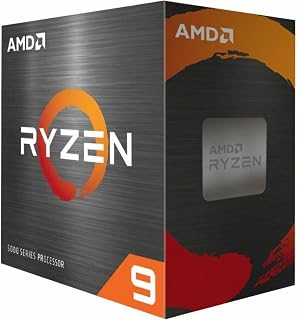
With 16 cores and 32 threads, this chip excels at batch processing, video encoding, and simultaneous virtual machines. The 72 MB total cache allows large datasets and multi-tabbed research workflows to stay resident in memory, cutting down on disk access when compiling code or running simulations across multiple threads.
Pros
- 16 cores and 32 threads accelerate parallel rendering and compilation
- Socket AM4 allows upgrades without replacing motherboard or RAM
- 72 MB cache improves throughput in memory-intensive workloads
- PCIe 4.0 supports fast storage for large project files
Cons
- Requires BIOS update on some AM4 motherboards
- Boost clocks vary with workload type, especially under AVX instructions
When your workday involves compiling code, rendering 3D models, processing video timelines, or running virtual machines in parallel, the Ryzen 9 5900XT provides the core count that transforms waiting into working. Sixteen cores and 32 threads chew through parallel tasks, cutting render and compile times substantially compared to 6- or 8-core alternatives. The Zen 3 architecture remains highly capable for computational work, and the 72 MB cache keeps data flowing efficiently across those cores. Real users report measurable productivity gains in rendering software, simulation tools, and development environments where thread count directly impacts throughput. The 4.8 GHz boost clock maintains strong single-threaded responsiveness for the non-parallel portions of your workflow. What makes this chip particularly practical for productivity users is Socket AM4 compatibility. If you already have DDR4 memory and an AM4 motherboard, you can drop in a massive core upgrade without the platform overhaul required by newer sockets. PCIe 4.0 support ensures fast NVMe storage for large project files. The 105W TDP requires a decent aftermarket cooler, but thermal management remains straightforward with adequate cooling. While the split CCD design doesn't favor gaming, that's irrelevant for productivity-focused systems where parallel throughput is what matters.
This processor targets developers, video editors, 3D artists, and engineers whose work scales with core count. It's ideal for professionals maximizing existing AM4 systems or those who prioritize multi-threaded performance over the latest platform features. Perfect for users who already own compatible DDR4 memory and motherboards and want a cost-effective core upgrade. Skip it if your productivity workload is primarily single-threaded (writing, web development, light photo editing) where fewer, faster cores would serve better. Also pass if you need a new system build, as newer platforms offer better long-term value.
Core Configuration: 16 cores, 32 threads with Zen 3 architecture
Clock Speeds: 3.3 GHz base, 4.8 GHz max boost
Cache: 72 MB total (8 MB L2)
Socket: AM4 (DDR4-3200 support)
Power: 105W TDP
Features: Unlocked for overclocking, PCIe 4.0 support
Compatibility: Windows 11 and earlier, requires aftermarket cooling
Warranty: 3-year manufacturer coverage

Twelve cores and 24 threads deliver parallel horsepower for rendering timelines, compiling large codebases, and running containerized development environments. The 76 MB total cache keeps project dependencies and build artifacts in fast storage, speeding up iterative workflows where the same files are touched repeatedly throughout the day.
Pros
- 24 threads handle parallel compilation and virtualization efficiently
- Stock performance strong without manual overclocking
- Mature AM5 platform simplifies motherboard selection
- Unlocked multiplier offers tuning flexibility for power users
Cons
- Requires quality aftermarket cooling for sustained workloads
- Runs warm at 95°C under full load with stock settings
Productivity workflows involving compilation, data processing, and parallel tasks benefit enormously from the 12-core, 24-thread layout of the Ryzen 9 9900X. Zen 5 architecture improvements translate into compile jobs finishing in minutes instead of hours, while the unlocked multiplier and 5.6 GHz boost headroom handle single-threaded tools without compromise. The 76 MB total cache keeps data close to the cores during complex operations, reducing memory bottlenecks in database work, scientific computing, and development environments. Socket AM5 compatibility with mature BIOS support makes integration straightforward, though 800-series boards need current firmware before installation. The 120-watt envelope requires a capable aftermarket cooler to maintain performance under sustained professional workloads, with thermal output around 95 degrees Celsius typical during extended renders or builds. For professionals running virtual machines, container orchestration, or multi-stage CI/CD pipelines, this processor delivers the thread count and clock speed balance necessary for modern productivity demands without stepping up to HEDT platforms.
Software engineers, data scientists, and technical professionals working with parallel workloads, virtual environments, or compute-intensive development tasks will extract full value from the 24 threads. Creative professionals handling video transcoding, batch image processing, or 3D work alongside other applications benefit from the multitasking headroom. Skip this if your productivity revolves around single-threaded office applications, web browsing, or light document editing where fewer cores at higher clocks make more sense economically.
Processor Core Specs: 12 cores, 24 threads, Zen 5 architecture, base clock 4.4 GHz, max boost 5.6 GHz, 76 MB total cache (12 MB L2 + 64 MB L3).
Platform & Memory: Socket AM5, DDR5-5600 support, PCIe 5.0 capable on select motherboards, 120-watt TDP.
Compatibility: Windows 11 and Linux compatible, unlocked for overclocking, requires Socket AM5 motherboard (700/800 series recommended).
Package: Processor only, cooler not included, 3-year manufacturer warranty included.

The 8-core design paired with 3D V-Cache technology accelerates tasks that rely on fast access to large working sets, such as data analysis in Python notebooks or complex Excel models. Single-threaded performance at 4.2 GHz ensures responsive UI interactions even under heavy background loads like indexing or backup operations.
Pros
- 96 MB L3 cache accelerates repetitive computational tasks
- 8 cores handle multiple professional applications simultaneously
- 89-degree thermal limit allows quieter, more efficient cooling
- Socket AM5 supports DDR5 memory for bandwidth-intensive work
Cons
- Requires Socket AM5 motherboard, increasing platform cost
- Needs adequate cooling and power delivery to reach full potential
Productivity work increasingly demands both fast single-threaded responsiveness and the ability to juggle multiple heavy applications simultaneously. The Ryzen 7 7800X3D addresses both needs with 8 cores, 16 threads, and a massive 96 MB L3 cache built on efficient 5nm architecture. That cache configuration accelerates repetitive tasks like compiling, data processing, and rendering by keeping frequently accessed data immediately available. The 4.2 GHz clock speed ensures applications launch quickly and UI interactions stay fluid even under load. For professionals running virtual machines, Docker containers, or multiple Adobe applications at once, the combination of core count and cache translates to smoother multitasking without the stuttering that undermines focus. The 89-degree Celsius thermal ceiling means this chip runs cooler than many alternatives, reducing fan noise during long work sessions and allowing more modest cooling solutions. Integrated Radeon Graphics provides basic display output for troubleshooting or secondary monitors, though discrete graphics remain necessary for GPU-accelerated professional work. Socket AM5 brings DDR5 support for faster memory bandwidth in data-heavy workflows. The main consideration is platform cost, as AM5 motherboards add to the total system expense. However, for professionals whose time is valuable and whose workflows benefit from responsive, multi-threaded performance, this processor delivers measurable productivity improvements.
Processor Specifications: The Ryzen 7 7800X3D features 8 CPU cores with 16 threads for efficient parallel processing. Clock speed reaches 4.2 GHz, with a maximum operating temperature of 89 degrees Celsius. The processor uses Socket AM5 for motherboard compatibility and employs a 5nm manufacturing process for superior efficiency.
Cache and Memory: This processor includes 8 MB of L2 cache and an impressive 96 MB of L3 cache, totaling 104 MB of high-speed memory. This substantial cache configuration significantly reduces memory latency and improves data throughput for demanding applications.
Graphics: Integrated AMD Radeon Graphics with a graphics frequency of 2200 MHz provides baseline graphics capability for general computing and light multimedia tasks without requiring a dedicated graphics card.
This processor fits software developers, data analysts, financial modelers, and creative professionals who work across multiple demanding applications simultaneously. It's excellent for professionals building new workstations who value both responsiveness and thermal efficiency. Perfect for users whose workflows mix single-threaded tasks (UI work, scripting) with parallel workloads (builds, analysis, rendering). Skip it if your work is purely single-threaded office tasks where a 6-core chip would suffice, or if budget constraints make the required AM5 platform upgrade prohibitive.

Pros
- Excellent multi-core performance ideal for streaming, content creation, and productivity alongside gaming
- Efficient core design runs cooler and quieter than comparable alternatives
- Unlocked multiplier provides extensive overclocking headroom for enthusiasts
- Strong PCIe 5.0 support enables maximum bandwidth for current and future GPUs
- Generous 36MB cache supports demanding workloads without performance degradation
Cons
- No included cooler, requiring separate purchase of compatible LGA 1851 solution
- Premium pricing positions it at the higher end of the mainstream desktop CPU market
- Requires newer Intel 800 Series motherboards, limiting compatibility with older systems
The Intel Core Ultra 7 265K is a high-performance desktop processor designed for gamers, streamers, and content creators who refuse to compromise between speed and efficiency. With 20 cores split between 8 performance cores and 12 efficiency cores, this chip handles demanding workloads while maintaining reasonable power consumption. It's the ideal choice for anyone building a cutting-edge system or upgrading from older-generation processors.
What sets the 265K apart is its intelligent performance hybrid architecture, which automatically allocates tasks to the right core type for optimal execution. Gaming sees smooth frame rates with the P-cores handling the heavy lifting, while background tasks and multithreaded applications benefit from the E-cores running efficiently. The 5.5 GHz unlocked multiplier allows enthusiasts to push performance even further, and the 36MB cache ensures smooth data flow during intensive operations.
Build quality is solid with industry-standard LGA 1851 socket mounting on Intel 800 Series chipsets. The 125W processor base power keeps thermal output manageable, though you'll want a quality aftermarket cooler since none is included. The processor integrates seamlessly with DDR5 memory and PCIe 5.0 graphics cards, giving you a modern platform that won't feel outdated in a few years.
The main drawback is the lack of bundled cooling solution and the requirement for newer motherboards, which increases total system cost. Additionally, the high performance tier means it's overkill for casual users or office work, where mid-range processors offer better value. That said, if you're building a premium gaming or workstation PC, this processor delivers the performance and efficiency you need.
The Intel Core Ultra 7 265K earns strong marks for its balanced approach to performance and power efficiency. The hybrid core design is genuinely innovative, the connectivity options future-proof your investment, and the unlocked multiplier rewards enthusiasts. Highly recommended for anyone serious about PC gaming or professional content creation.
Core Configuration: 20 cores (8 P-cores + 12 E-cores), 20 threads
Clock Speed: Up to 5.5 GHz (unlocked)
Cache Memory: 36MB total
Socket: LGA 1851
TDP: 125W base power
Memory Support: DDR5
PCIe Support: PCIe 5.0 and 4.0
Turbo Technology: Turbo Boost Max 3.0
Platform: Windows 11 compatible
Warranty: 3 years manufacturer
Weight: 2.8 ounces
Includes: Processor only, no thermal solution
Ideal For: PC gamers seeking high refresh rate performance, content creators using multi-threaded software like rendering and video editing, streamers combining gaming with encoding, system builders prioritizing future-proofing, and enthusiasts who enjoy overclocking and system tuning.
Not Ideal For: Budget-conscious buyers, casual office users, older system upgrades requiring backward compatibility, or anyone prioritizing integrated graphics over discrete GPUs.
Best Paired With: Intel 800 Series chipset motherboards, DDR5 memory (6000MHz or higher recommended), RTX 4070 Ti or newer graphics cards, and quality aftermarket CPU coolers with LGA 1851 support.

The 4.7 GHz base clock and 8 MB secondary cache make this chip responsive for single-threaded productivity apps like word processors and email clients, while 8 cores provide headroom for background tasks like antivirus scans or cloud sync. The Socket AM5 platform ensures upgrade flexibility as workload demands grow.
Pros
- 96 MB cache improves responsiveness in cache-sensitive applications
- 16 threads sufficient for creative and development multitasking
- 140-watt design manageable with quality air cooling
- Stable performance across extended professional sessions
Cons
- No included cooler requires separate purchase
- Eight cores may bottleneck heavily parallel workloads
The 9800X3D targets a different productivity segment: professionals who need responsive workstation performance for creative applications alongside development tools. The 96 MB L3 cache with 3D V-Cache technology accelerates workflows involving large datasets, texture streaming in 3D applications, and code compilation with extensive libraries. Eight cores and 16 threads provide enough parallelism for video editing timelines, shader compilation, and virtual machine hosting without the thermal output of higher core-count parts. The 5.2 GHz boost ensures snappy responsiveness in single-threaded design tools and IDEs. At 140 watts, thermal management stays practical with quality air cooling, avoiding the liquid cooling investment heavier processors demand. Socket AM5 compatibility allows straightforward integration into existing builds. The Zen 5 foundation delivers stable operation across extended work sessions, maintaining consistent performance without throttling. For creative professionals and developers who value application responsiveness and efficient multitasking over maximum thread count, this processor balances workflow performance with manageable power characteristics. The stacked cache architecture proves particularly effective in applications with large working sets.
Cores and Threads: 8 cores, 16 threads
Architecture: Zen 5 with 3D V-Cache
Base Clock: 4.7 GHz
Boost Clock: Up to 5.2 GHz
Cache Memory: 96MB L3 cache, 8MB secondary cache
Socket: AM5
Power Consumption: 140 watts
Manufacturing Process: Advanced node (Zen 5)
Compatibility: Windows 11, requires external cooler
Best For: This CPU excels for competitive gamers, esports players, AAA gaming enthusiasts, content creators, and anyone building a high-performance workstation. If you play demanding games, edit video, stream, or multitask heavily, the 9800X3D delivers performance that justifies the investment.
Consider If: You own an older CPU from the Ryzen 5000 or 7000 series and want the fastest gaming performance available. The generational jump offers meaningful real-world improvements in frame consistency and 1% lows across modern games.
Skip If: You primarily game at 1440p or lower resolutions on a mid-range GPU, where CPU performance is rarely the limiting factor. Also reconsider if you already own a 7800X3D, as the upgrade benefits are incremental unless you're targeting high-resolution content creation.
Sixteen cores and 32 threads make short work of massively parallel tasks like 3D rendering, machine learning model training, and batch photo processing. The 80 MB total cache keeps large project files accessible without bottlenecking on memory bandwidth, critical when working with high-resolution assets or multi-gigabyte databases.
Pros
- 32 threads accelerate heavily parallel professional workloads
- Intelligent power scaling from 40W idle to 140W+ under load
- PCIe 5.0 support on compatible boards future-proofs expansion
- Stable operation verified across demanding professional applications
Cons
- Thermal output near 200W requires quality liquid cooling solution
- 170W TDP demands robust power delivery and case ventilation
For productivity users requiring maximum thread throughput, the Ryzen 9 9950X delivers 16 cores and 32 threads within a platform that scales power draw intelligently. Zen 5 efficiency allows the processor to idle at 40 watts during administrative tasks, then ramp to 140+ watts when rendering, compiling large codebases, or processing batch operations. This dynamic range suits professionals alternating between research, communication, and intensive computation throughout the workday. The 5.7 GHz boost maintains responsiveness in single-threaded productivity applications while the core count accelerates parallel operations like 3D rendering, scientific simulation, and multi-target software builds. Socket AM5 with PCIe 5.0 support on compatible X870 boards future-proofs storage and accelerator investments. The unlocked multiplier provides tuning options for users optimizing specific workflow bottlenecks. Verified stability across demanding professional applications reduces concerns about crashes during critical work. The tradeoff comes in thermal density: peaks near 200 watts demand robust liquid cooling and case airflow, making system planning essential. For professionals whose productivity depends on both heavy multithreaded throughput and snappy interactive performance, this processor eliminates the need to choose between them.
Processor: AMD Ryzen 9 9950X
Cores/Threads: 16 cores, 32 threads
Architecture: Zen 5
Base/Boost Clock: 4.3 GHz base, 5.7 GHz max boost
Socket: Socket AM5 (AM5 platform)
TDP: 170 watts
Cache: 80 MB total (16 MB L2)
Memory Support: DDR5-5600
Platform Features: PCIe 5.0 support on select motherboards
Warranty: 3-year manufacturer warranty
Unlocked: Yes, for overclocking
Engineers running simulation workloads, 3D artists managing complex scenes with real-time preview, and developers compiling large monorepos will utilize all 32 threads effectively. Professionals operating multiple resource-intensive applications simultaneously benefit from the core availability and intelligent power scaling. Avoid this if your productivity tasks rarely exceed 8-12 active threads or if system noise and cooling complexity outweigh the performance gains for your specific workflow needs.

Ten cores split between 6 performance and 4 efficiency cores let this chip prioritize active applications while background indexing and updates run on dedicated threads. The 20 MB cache keeps frequently used project files and application libraries close, cutting load times when opening documents or launching development tools throughout the workday.
Pros
- Hybrid architecture intelligently distributes mixed workloads
- DDR4 and DDR5 support provides memory flexibility
- 20MB cache and PCIe 5.0 ready for future demands
- Included cooler simplifies budget productivity builds
Cons
- No integrated graphics requires discrete GPU
- Older 600-series boards may need BIOS updates
The i5-14400F brings Intel's hybrid architecture to productivity workflows with 6 performance cores handling foreground tasks and 4 efficiency cores managing background processes. This split matters in real work scenarios where email syncs, security scans, and system updates run alongside your primary applications. The 10-core, 16-thread configuration handles parallel compilation, spreadsheet recalculations, and document rendering without stuttering, while the 20MB cache reduces memory bottlenecks during data-intensive operations. Reported thermals stay reasonable at 60 degrees during normal use and 75 degrees under sustained load, keeping noise levels manageable in office environments. PCIe 5.0 support and DDR4/DDR5 flexibility let you build a productivity system that balances current budget with future expansion. Compatibility with both 600-series and 700-series chipsets widens motherboard options. The included Laminar RM1 cooler simplifies initial setup for straightforward builds. At 4.7 GHz boost, performance cores handle single-threaded productivity applications with authority, while efficiency cores ensure background tasks never interrupt focused work.
Core Configuration: 10 cores total, 6 Performance cores plus 4 Efficiency cores, 16 threads for parallel processing.
Clock Speeds: Base frequency of 2.5 GHz with boost capability up to 4.7 GHz. 20MB smart cache optimizes frequently accessed data retrieval.
Platform Support: Socket LGA1700 compatible with Intel 600 and 700 Series chipsets. Supports both DDR4 and DDR5 memory standards plus PCIe 5.0 and 4.0 connectivity for maximum flexibility.
Thermal Efficiency: 65W processor base power with 148W max thermal design point. Includes Laminar RM1 cooler in box for immediate use.
Ideal for business users running mixed workloads like CAD, financial modeling, software development, and content creation who benefit from balanced multi-core performance. Suits builders who already own or plan to buy a discrete GPU and want flexibility in memory choice. Skip this if you need integrated graphics for a dedicated office workstation or plan a GPU-free build, since the F-variant has no iGPU whatsoever.

Pros
- 8 cores and 16 threads handle heavy multitasking well
- 5.4 GHz boost clock keeps everyday apps responsive
- DDR5 and PCIe 5.0 support on compatible AM5 boards
- Unlocked multiplier allows overclocking if needed
Cons
- No bundled cooler adds to setup cost and effort
- Requires a new AM5 motherboard and DDR5 RAM
For real work, the Ryzen 7 7700X earns its spot through sheer multitasking headroom. Eight cores and 16 threads mean you can run spreadsheets, video calls, a browser full of tabs, and a background render or export without the system choking. The 5.4 GHz boost clock keeps single-threaded tasks like document editing and web apps snappy, while the thread count pays off in compiling code, exporting video, or crunching large datasets. AM5 platform support brings DDR5 memory and PCIe 5.0 on compatible motherboards, so storage and future upgrades stay fast as your workload grows. The 105W TDP is manageable for a chip in this performance class, though you'll need to budget for a cooler and new AM5 motherboard since neither comes bundled. This is best understood as a platform investment rather than a drop-in upgrade. For professionals who need a desktop that handles heavy productivity apps and occasional creative work without stalling, the 7700X delivers strong performance per core and plenty of threads to spare.
Core Architecture: 8 cores, 16 threads, Zen 4 (5 nm process)
Clock Speeds: 4.5 GHz base, 5.4 GHz max boost
Cache: 32 MB L3, 40 MB L2 (80 MB total)
Socket: AM5
Memory Support: DDR5-5200
Thermal Design Power: 105W
Unlocked: Yes (overclocking capable)
Compatibility: Linux, Windows
Buy this if you're building a new AM5 desktop for office work mixed with content creation, data analysis, or software development, and want headroom for multitasking across demanding apps. Skip it if you're upgrading an existing older motherboard and want to avoid platform costs, or if your work is strictly single-app, light productivity where a cheaper chip would do just as well.
How to Choose a CPU for Productivity
Match cores and threads to the work you repeat
Core count matters most when several substantial jobs need to run at the same time. Six cores and twelve threads on the AMD Ryzen 5 9600X and AMD Ryzen 5 7600X suit email, office apps, research, long browser sessions, and routine photo work on a modern desktop. They are a logical starting point if your programs spend more time waiting for your input than rendering, compiling, or encoding a large project.
Move to eight cores when you regularly combine active work with background tasks. The AMD Ryzen 7 7700X offers eight cores and sixteen threads, while the Intel Core Ultra 7 265K uses eight Performance-cores plus twelve Efficient-cores to distribute mixed workloads. Frequent rendering, code compilation, virtual machines, or batch media projects make the twelve-core Ryzen 9 9900X, sixteen-core Ryzen 9 9950X, or sixteen-core Ryzen 9 5900XT more appropriate directions.
Prioritize speed and cache for interactive work
Raw core count is not the complete responsiveness story. For applications centered on one active task, per-core capability, practical boost behavior, cache, and memory all influence how quick a system feels while you navigate a timeline or manipulate a large file. The Ryzen 5 9600X boosts up to 5.4 GHz, the Ryzen 9 9900X up to 5.6 GHz, and the Ryzen 9 9950X up to 5.7 GHz, but your software mix should set the priority.
If your productivity desktop also handles serious gaming, the Ryzen 7 7800X3D and Ryzen 7 9800X3D deserve attention. Each combines eight cores with 96 MB of L3 cache, and the 9800X3D adds Zen 5 architecture for a compelling mixed-use profile. For display planning around that kind of build, our guide to 4K 240Hz monitors explains the panel side of a high-refresh setup.
Make the motherboard and memory plan first
Do not choose a processor before confirming the board and memory configuration you want. The Ryzen 5 7600X and Ryzen 7 7700X support AM5 and DDR5-5200, while the Ryzen 5 9600X, Ryzen 9 9900X, and Ryzen 9 9950X list DDR5-5600 support. These AM5 options can also support PCIe 5.0 on select motherboards, providing a modern route for storage and expansion.
The Ryzen 9 5900XT remains on AM4 with DDR4-3200 and PCIe 4.0 support, making it useful when you already own compatible components. Intel’s Core Ultra 7 265K requires an 800 Series chipset-based motherboard and DDR5, while the Core i5-14400F supports DDR4 or DDR5 on compatible 600 or 700 Series boards, potentially after a BIOS update. Confirm firmware, connector needs, and total system power headroom with our 80 Plus Gold power supply guide before finishing the build.
Account for cooling and graphics before checkout
Most processors in this group do not include a cooler, so thermal capacity should match both the chip and the duration of your workloads. AMD specifically recommends liquid cooling for the Ryzen 9 9950X, an important consideration for frequent long-form rendering or heavy multitasking. A capable cooler can help the processor maintain steady behavior during sustained work while keeping fan noise less distracting during calls.
Graphics requirements can alter your recommendation as much as core count. The Intel Core i5-14400F requires a discrete graphics card, though it includes an RM1 thermal solution; the Ryzen 5 7600X, Ryzen 7 7700X, and Ryzen 7 7800X3D are listed with Radeon Graphics. Verify the display connections your monitors require, then select cooling that supports a quiet, comfortable workspace.
Final Thoughts
For heavy, sustained creation and broad multitasking, the AMD Ryzen™ 9 9950X 16-Core brings sixteen cores and thirty-two threads, while the Intel Core i5-14400F Desktop Processor 10 cores suits a straightforward productivity build when you already plan to install a discrete GPU. Choose the platform, cooling, and memory around your actual workload, and your PC will remain pleasant to use through long days.
Frequently Asked Questions
How many CPU cores do I need for a productivity PC?
For documents, email, web apps, and moderate photo editing, six modern cores and twelve threads are a capable baseline. Eight cores offer more room when you juggle communication apps, spreadsheets, browser windows, and occasional creative tasks. If your routine includes regular video encoding, large code builds, virtual machines, or 3D work, a twelve- or sixteen-core processor prevents every demanding task from waiting its turn. The key is how often those heavier jobs overlap with the rest of your workday.
Is a Ryzen 9 processor necessary for productivity?
Not for every desk. A Ryzen 9 9900X or Ryzen 9 9950X makes the most sense when paid work repeatedly runs many CPU-heavy operations in parallel, including renders, compiles, exports, and virtualized workloads. For office productivity with lighter creative work, a Ryzen 5 or Ryzen 7 can be a more balanced fit with simpler cooling needs. Let your recurring workload, rather than a product tier, decide how much processing headroom you need.
Should I choose an X3D CPU for work and gaming?
An X3D model is worth considering when gaming is a serious half of your PC use and your productivity work is primarily interactive rather than long, fully parallel rendering. The Ryzen 7 7800X3D and Ryzen 7 9800X3D each combine eight cores with 96 MB of L3 cache, creating an appealing mixed-use profile. If your applications routinely load all cores for extended periods, the greater core counts of the Ryzen 9 options are usually the clearer direction. Your main application should remain the deciding factor.
What else should I upgrade with a productivity CPU?
Start with enough memory for active projects, fast storage for large files, and a monitor that fits the way you read and create. Photographers and video presenters building a complete work area may also benefit from our softbox lighting kit guide, while a vertical laptop stand guide can clear desk space if a notebook shares your workstation. Neither accessory replaces CPU performance, but a thoughtful workspace removes daily friction and helps you use a faster desktop more effectively.


Write Your Review
No reviews yet. Be the first to share your experience!