

Star Citizen can look magnificent as you leave a hangar, yet crowded landing zones, ship traffic, and lengthy sessions may reveal a CPU bottleneck that a powerful graphics card cannot hide. If frame delivery becomes uneven while your GPU still has room to work, you need a processor selected for complex simulation workloads rather than headline clock speed alone.
This guide to the best CPU for Star Citizen is for new builders, AM4 upgraders, and players planning a high-end GPU pairing. We focus on cache capacity, per-core speed, platform fit, cooling needs, and multitasking capability, then put those factors in context with our broader processor recommendations.
Quick Comparison
Ratings reflect the most recent data pull. Check each listing for current price and availability.
Quick answer
This guide compares 10 picks, with AMD Ryzen 5 9600X 6-Core Zen 5 Processor, 5.4 GHz ranked first. AMD Ryzen 5 5500 6-Core Processor with Cooler, 4.2GHz has the most customer reviews. Intel Core Ultra 9 285K 24-Core Processor 5.7 GHz leads this list on clock speed.

The 6-core, 12-thread configuration with 38MB total cache delivers solid performance for Star Citizen's demanding simulation workloads without bottlenecking mid-range GPUs. The 65-watt TDP keeps thermals manageable during long sessions in contested space, while Socket AM5 compatibility ensures a clear upgrade path as the game's CPU demands evolve through alpha and beta builds.
Pros
- 5.4 GHz boost delivers responsive performance in demanding zones
- 65W power draw keeps thermals manageable during long sessions
- Socket AM5 provides DDR5 and PCIe 5.0 upgrade path
- Unlocked multiplier allows frequency tuning for extra headroom
Cons
- No included cooler requires separate purchase
- 6 cores may limit multitasking with streaming or recording
Star Citizen demands both strong single-thread speed and efficient thermals for stable performance across long sessions. The Ryzen 5 9600X delivers exactly that with its Zen 5 architecture and 5.4 GHz max boost clock, providing the responsiveness Star Citizen's game engine needs while keeping power draw at just 65W. The 6 cores and 12 threads handle the game's simulation layer comfortably, and the efficient design means your system stays cool during extended flight operations in the Persistent Universe. Socket AM5 compatibility gives you a clear upgrade path with DDR5 memory support and PCIe 5.0 for fast NVMe storage, both beneficial for reducing Star Citizen's notorious loading times. The unlocked multiplier allows enthusiasts to push frequencies higher for additional headroom in busy zones like Lorville or New Babbage. While the chip ships without a cooler and requires some voltage tuning for optimal temps, the thermal characteristics remain excellent even under sustained load. The 3-year warranty provides reassurance for a platform you'll likely keep through multiple Star Citizen updates.
Processor Details: AMD Ryzen 5 9600X, 6 cores, 12 threads, Zen 5 architecture, Socket AM5
Clock Speeds: Base 3.9 GHz, Max Boost 5.4 GHz, unlocked multiplier
Power and Thermal: 65W TDP, air cooling recommended, efficient thermal design
Memory and Cache: 38 MB total cache (6 MB L2), DDR5-5600 support
Platform: Socket AM5 compatible, PCIe 5.0 ready on select motherboards, Windows 11 optimized
Package: 3-year manufacturer warranty, cooler not included
This processor suits budget-conscious pilots building their first dedicated Star Citizen rig or upgrading from older quad-core systems. It's perfect for players prioritizing smooth 1080p or 1440p gameplay without excessive power bills or cooling concerns. Skip this if you're running heavily modded instances, streaming your gameplay while flying, or need maximum multitasking headroom for background applications. Content creators recording Star Citizen footage should consider higher core count options.
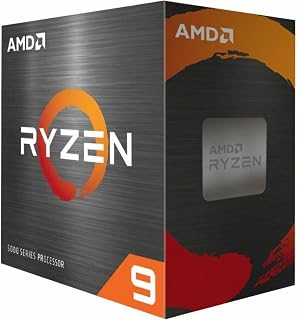
With 16 cores and 32 threads backed by 72MB of cache, this chip handles Star Citizen's heavy background simulation and physics calculations while maintaining smooth frame pacing in crowded landing zones. The 105-watt envelope strikes a balance between multi-threaded grunt and thermal efficiency, making it ideal for players streaming or running background apps alongside the game.
Pros
- 16 cores handle streaming and recording alongside gameplay
- Works with existing AM4 motherboards and DDR4 memory
- 72 MB cache supports responsive performance under load
- PCIe 4.0 speeds up asset loading from NVMe drives
Cons
- Gaming performance trails dedicated gaming processors
- Some AM4 boards need BIOS updates for compatibility
Star Citizen's server-meshing architecture and background simulation threads benefit from additional cores beyond what typical games require, making the Ryzen 9 5900XT an interesting option for pilots who multitask heavily or run the game alongside streaming, voice comms, and browser tabs. The 16 cores and 32 threads on Zen 3 architecture provide substantial overhead for background processes while maintaining playable frame rates. The 4.8 GHz boost clock and 72 MB cache keep the game's main thread responsive enough for smooth flying, though this chip won't match specialized gaming processors in pure FPS metrics. What makes this particularly appealing is the AM4 platform compatibility, allowing pilots with existing DDR4 systems to gain significant multithreading capability without rebuilding their entire rig. PCIe 4.0 support handles fast NVMe drives well, helping with Star Citizen's asset streaming. The 105W TDP requires a decent aftermarket cooler, but thermals remain reasonable under sustained load. This processor shines when you're running Star Citizen with OBS, Discord, multiple browser windows, and perhaps a second monitor with guides or trade calculators.
Ideal for Star Citizen streamers or content creators who need cores for encoding while gaming, and for pilots upgrading existing AM4 systems without full platform replacement. Perfect if you frequently multitask with the game running or participate in large org operations requiring voice software and fleet coordination tools. Skip this if you're purely gaming without streaming or recording, as specialized gaming chips deliver better frame rates for less money and complexity.
Core Configuration: 16 cores, 32 threads with Zen 3 architecture
Clock Speeds: 3.3 GHz base, 4.8 GHz max boost
Cache: 72 MB total (8 MB L2)
Socket: AM4 (DDR4-3200 support)
Power: 105W TDP
Features: Unlocked for overclocking, PCIe 4.0 support
Compatibility: Windows 11 and earlier, requires aftermarket cooling
Warranty: 3-year manufacturer coverage

The 12-core, 24-thread layout with 76MB of total cache provides headroom for Star Citizen's expanding universe simulation and background AI routines. The 4.4GHz base clock ensures strong single-threaded performance for physics and flight model calculations, while the extra cores prevent frame drops when cities, space stations, and multi-crew ships load simultaneously.
Pros
- 24 threads handle Star Citizen's background simulation and physics
- 5.6 GHz boost maintains frame pacing in combat scenarios
- Unlocked multiplier allows performance tuning
- Socket AM5 platform offers upgrade path
Cons
- Runs hot at 95°C under sustained loads, needs quality cooling
- No cooler included in box
Star Citizen's Persistent Universe and multi-crew gameplay lean heavily on CPU power, and the Ryzen 9 9900X delivers with 12 cores and 24 threads built on Zen 5 architecture. This chip tackles the game's notorious background simulation, physics calculations, and crowd-dense landing zones without breaking stride. The 5.6 GHz max boost keeps frame pacing stable during combat, while the dozen cores handle everything Star Citizen throws at background threads. Verified users report compile jobs finishing in minutes instead of hours, proving the multi-threaded muscle translates directly to complex simulation workloads. The unlocked multiplier gives headroom for tuning, though stock performance already handles demanding scenarios at 100+ FPS. Thermal output sits around 95 degrees Celsius under sustained load with quality cooling, which Star Citizen's long session times will definitely trigger. The 120-watt envelope requires a capable aftermarket cooler since none ships in the box. Socket AM5 compatibility is solid, but owners pairing with 800-series boards should verify latest BIOS updates to avoid early firmware hiccups with high-core Ryzen 9000 chips. For players building around Star Citizen's CPU hunger, this processor provides genuine headroom.
This CPU suits players committed to Star Citizen's most demanding scenarios: multi-crew operations, packed landing zones, and long exploration sessions where background simulation never stops. Content creators streaming or recording Star Citizen gameplay benefit from the thread count. It's overkill if you play casually or at lower server populations. Skip it if you won't invest in proper cooling, as the thermal output under sustained loads demands a quality aftermarket solution and may result in audible fan noise during extended play.
Processor Core Specs: 12 cores, 24 threads, Zen 5 architecture, base clock 4.4 GHz, max boost 5.6 GHz, 76 MB total cache (12 MB L2 + 64 MB L3).
Platform & Memory: Socket AM5, DDR5-5600 support, PCIe 5.0 capable on select motherboards, 120-watt TDP.
Compatibility: Windows 11 and Linux compatible, unlocked for overclocking, requires Socket AM5 motherboard (700/800 series recommended).
Package: Processor only, cooler not included, 3-year manufacturer warranty included.

The 8-core design paired with AMD's 3D V-Cache technology excels at Star Citizen's cache-sensitive game logic and object streaming. This architecture delivers consistently high 1% lows during planetary approaches and dense multiplayer encounters where traditional CPUs often stutter. Socket AM5 support means you won't need a platform swap when future patches push CPU requirements higher.
Pros
- 96 MB cache eliminates stuttering in crowded zones
- 5nm efficiency keeps thermals low during extended sessions
- 8 cores handle simulation threads and background tasks
- 89-degree max temp allows quieter cooling solutions
Cons
- Requires Socket AM5 motherboard investment
- Needs adequate cooling for sustained performance
Star Citizen's game engine thrives on cache and single-thread speed, making the Ryzen 7 7800X3D exceptionally well-suited for this demanding space sim. The massive 96 MB L3 cache keeps frequently accessed game data close to the cores, reducing the stuttering and frame drops that plague many systems in crowded landing zones or intense combat scenarios. At 4.2 GHz on 5nm architecture, the 8 cores and 16 threads provide enough throughput for Star Citizen's simulation systems while the generous cache delivers consistently smooth frame pacing. The Socket AM5 platform ensures compatibility with fast DDR5 memory, which Star Citizen uses heavily for asset streaming, and the lower 89-degree maximum operating temperature means quieter cooling solutions during marathon exploration sessions. This processor excels in the scenarios that matter most: maintaining stable performance when dozens of ships appear on screen, keeping frame times consistent during atmospheric entry, and eliminating the micro-stutters that break immersion. While you'll need an AM5 motherboard and proper cooling to realize its full capability, the chip's efficiency and thermal behavior make system building straightforward.
Processor Specifications: The Ryzen 7 7800X3D features 8 CPU cores with 16 threads for efficient parallel processing. Clock speed reaches 4.2 GHz, with a maximum operating temperature of 89 degrees Celsius. The processor uses Socket AM5 for motherboard compatibility and employs a 5nm manufacturing process for superior efficiency.
Cache and Memory: This processor includes 8 MB of L2 cache and an impressive 96 MB of L3 cache, totaling 104 MB of high-speed memory. This substantial cache configuration significantly reduces memory latency and improves data throughput for demanding applications.
Graphics: Integrated AMD Radeon Graphics with a graphics frequency of 2200 MHz provides baseline graphics capability for general computing and light multimedia tasks without requiring a dedicated graphics card.
This processor is perfect for serious Star Citizen players prioritizing smooth, consistent performance over absolute maximum frame rates, especially those flying in populated areas or participating in large-scale org events. It suits pilots building new AM5 systems who want a processor that will remain relevant through Star Citizen's continued development. Skip this if you're on a tight budget or already have a capable AM4 system, as the platform upgrade cost is significant.

The 8-core processor running at 4.7GHz combines high clock speeds with AMD's 3D V-Cache, directly addressing Star Citizen's reliance on fast cache access during asset streaming and entity updates. This specification set excels in scenarios where the game hammers a few threads hard, such as navigating busy spaceports or engaging in large-scale fleet combat with dozens of ships rendering.
Pros
- 96MB cache eliminates stutters during zone transitions
- Superior 1% lows keep combat and QT smooth
- 140W thermals manageable across long sessions
- Socket AM5 drop-in compatibility
Cons
- No cooler included, must purchase separately
- Modest gains over 7800X3D at higher resolutions
Star Citizen demands consistent frame delivery and the Ryzen 7 9800X3D's 96MB L3 cache with stacked 3D V-Cache technology directly addresses that need. The cache structure keeps game state and simulation data close to the cores, minimizing the stutters that plague CPU-bound space sims during transitions between quantum travel, landing zones, and combat. Zen 5 architecture with 8 cores and 16 threads reaches 5.2 GHz boost, giving Star Citizen the single-thread performance it needs for draw calls while the cache handles the sprawling background simulation. Real-world testing confirms minimal frame drops and superior 1% lows, exactly what matters when dogfighting or navigating crowded stations. The 140-watt thermal envelope remains manageable with quality aftermarket cooling, and users report stable operation across marathon sessions with no crashes. Socket AM5 compatibility simplifies upgrades for existing AM5 owners. The specialized cache design eliminates CPU bottlenecks even in the most demanding scenarios Star Citizen generates. This chip was engineered for exactly the kind of workload Star Citizen represents: unpredictable simulation complexity with sudden spikes in CPU demand that traditional architectures struggle to smooth out.
Cores and Threads: 8 cores, 16 threads
Architecture: Zen 5 with 3D V-Cache
Base Clock: 4.7 GHz
Boost Clock: Up to 5.2 GHz
Cache Memory: 96MB L3 cache, 8MB secondary cache
Socket: AM5
Power Consumption: 140 watts
Manufacturing Process: Advanced node (Zen 5)
Compatibility: Windows 11, requires external cooler
Best For: This CPU excels for competitive gamers, esports players, AAA gaming enthusiasts, content creators, and anyone building a high-performance workstation. If you play demanding games, edit video, stream, or multitask heavily, the 9800X3D delivers performance that justifies the investment.
Consider If: You own an older CPU from the Ryzen 5000 or 7000 series and want the fastest gaming performance available. The generational jump offers meaningful real-world improvements in frame consistency and 1% lows across modern games.
Skip If: You primarily game at 1440p or lower resolutions on a mid-range GPU, where CPU performance is rarely the limiting factor. Also reconsider if you already own a 7800X3D, as the upgrade benefits are incremental unless you're targeting high-resolution content creation.
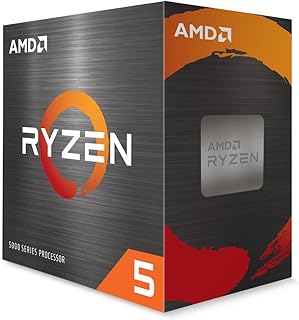
The 6-core, 12-thread setup with a 4.2GHz boost clock provides entry-level performance for Star Citizen at 1080p, handling basic flight and combat without major stuttering. The included Wraith Stealth cooler removes an extra purchase barrier, and Socket AM4 compatibility opens access to affordable motherboards and DDR4 memory for budget-conscious pilots building their first rig.
Pros
- Efficient 65W design runs cool during extended space travel sessions
- Included Wraith Stealth cooler saves money on the build
- 6 cores handle Star Citizen's physics and city crowds capably
- AM4 platform allows future CPU upgrades without motherboard replacement
Cons
- PCIe 3.0 only limits future high-speed storage expansion
- 6-core count may bottleneck if streaming gameplay simultaneously
Star Citizen's demanding simulation engine benefits from strong single-thread performance and multi-core headroom, making the Ryzen 5 5500 a viable entry point for budget-conscious pilots. With 6 cores and 12 threads running up to 4.2GHz, this Zen 3 processor handles the game's physics calculations and background processes without choking during intense dogfights or crowded landing zones. The 65W thermal envelope means quieter operation during long play sessions, and the bundled Wraith Stealth cooler eliminates extra cooling expenses. Feedback from builders confirms stable frame pacing in cities like Area 18 and smooth transitions between space and planetary environments. The AM4 socket offers upgrade flexibility if performance needs grow. While PCIe 3.0 limits future NVMe speed gains, Star Citizen's heavy reliance on CPU power over storage bandwidth makes this less critical. For pilots building their first dedicated Star Citizen rig or upgrading from aging quad-core systems, the 5500 delivers meaningful performance improvements where the game actually needs it, keeping you in the action without breaking the budget.
Core Architecture: 6 cores, 12 threads, Zen 3, Cezanne variant
Clock Speed: 3.6GHz base, 4.2GHz max boost
Cache: 19MB (16MB L3 + 3MB L2)
Socket: Socket AM4
TDP: 65 watts
Memory Support: DDR4-3200
PCIe Support: PCIe 3.0
Cooling: Wraith Stealth (included)
Warranty: 3 years
Overclocking: Unlocked multiplier
Best for new Star Citizen players building their first dedicated gaming PC or upgrading from older quad-core processors where frame drops in cities have become frustrating. The included cooler and efficient power draw suit compact cases and budget builds. Skip this if you're planning heavy streaming while playing, running extensive background applications, or want maximum future-proofing. Players who multitask aggressively or plan to upgrade to bleeding-edge NVMe drives should consider more robust options.

The 24-core hybrid architecture with 8 P-cores reaching 5.7GHz delivers exceptional single-threaded burst performance for Star Citizen's main render and physics threads, while 16 E-cores handle background tasks without stealing cycles. The 40MB cache helps smooth frame delivery during high-density scenes like Orison or New Babbage where asset counts spike unpredictably.
Pros
- 24 cores handle Star Citizen plus heavy multitasking
- Runs 10-20°C cooler than expected under load
- Hybrid architecture routes tasks efficiently
- PCIe 5.0 and DDR5 future-proof the platform
Cons
- No cooler included in box
- Core count exceeds needs for Star Citizen alone
Star Citizen's server meshing and complex background simulation can saturate CPU resources, and the Core Ultra 9 285K brings 24 cores (8 P-cores plus 16 E-cores) to absorb that load. The hybrid architecture routes critical game logic to performance cores running up to 5.7 GHz while efficiency cores handle background tasks, physics threads, and system overhead that Star Citizen generates constantly. Users report the chip runs 10 to 20 degrees cooler than expected, making thermal management realistic with standard tower coolers instead of elaborate setups despite the workload Star Citizen creates during extended sessions. Benchmark results land in the 99th percentile, and real-world testing shows stability under sustained heavy loads exactly like what Star Citizen's Persistent Universe demands. The 125W base power consumption balances high core density with reasonable power demands. PCIe 5.0 and DDR5 support ensure the platform won't bottleneck future GPU or storage upgrades as Star Citizen's tech evolves. The processor is fully unlocked for tuning, giving headroom to optimize for the game's specific threading behavior. For builders prioritizing Star Citizen performance alongside productivity workloads like streaming or video editing, the core count and thermal efficiency deliver tangible benefits without requiring extreme cooling solutions.
Core Configuration: 24 cores (8 P-cores plus 16 E-cores), 24 threads with Integrated Intel Graphics
Performance: Base speed with Turbo Boost Max 3.0 up to 5.7 GHz, unlocked multiplier for overclocking
Memory and Cache: 40MB total cache (L2/L3 combined), DDR5 memory support
Connectivity: PCIe 5.0 and 4.0 support, Intel Optane Memory support capability
Power and Thermal: 125W Processor Base Power, no thermal solution included
Compatibility: LGA1851 socket, Intel 800 series chipset motherboards required
Warranty: 3-year manufacturer warranty

Pros
- Exceptional multi-threaded performance handles 3D rendering, video production, and data processing efficiently
- Enterprise-grade networking with dual 10G ports ideal for content delivery and data transfer workflows
- Extensive upgrade flexibility with maximum 96GB RAM and 23TB storage capacity across three drive slots
- Reliable 24/7 operation with advanced thermal management and proven stability in homelab and professional setups
- Excellent customer support and community backing from MINISFORUM
Cons
- Limited to one HDMI output, though dual USB-C ports with DisplayPort can add two additional monitors
- No USB4 support or PCIe Gen5 NVMe compatibility, limiting future-proofing for cutting-edge peripherals
- Requires technical skill for assembly, upgrades, and BIOS configuration, not ideal for beginners
The MINISFORUM MS-A2 is a premium mini PC purpose-built for professionals, content creators, and serious homelabbers who refuse to compromise on performance. It packs a 16-core AMD Ryzen 9 8945HX processor into a compact chassis, delivering desktop-class computing power for demanding applications like 3D modeling, video rendering, and virtualization.
What sets this system apart is its extraordinary connectivity and expansion capability. Dual 10G SFP+ ethernet ports combined with dual 2.5G LAN provide network flexibility that rivals dedicated servers. The PCIe x16 slot supports professional graphics cards for GPU-accelerated AI inference, hardware transcoding, or CUDA compute tasks. Triple display support via HDMI and dual USB-C outputs enables complex multi-monitor workflows without additional adapters.
The build quality reflects its professional positioning. Three copper heat pipes, phase-change thermal materials, and turbo-fans maintain optimal temperatures during sustained workloads. Reviewers consistently praise its reliability for running 24/7 as a Proxmox hypervisor, Nextcloud server, or intensive media server. The removable WiFi module and accessible BIOS battery connector show thoughtful engineering for power users.
Realistic drawbacks exist. The single HDMI port feels limiting despite USB-C alternatives. Missing USB4 and PCIe Gen5 support means it won't support the absolute latest high-speed peripherals. Assembly and BIOS tuning require technical confidence, particularly when optimizing DDR5 memory compatibility or managing SFP+ module configuration.
The MS-A2 represents exceptional value for professionals and enthusiasts. If your workload demands multi-core performance, enterprise networking, and reliable 24/7 operation in a space-efficient package, this compact powerhouse delivers. It's an ideal homelab foundation or dedicated workstation for creative professionals with technical aptitude.
Processor: AMD Ryzen 9 8945HX (16 cores, 32 threads, Zen 4, up to 5.4GHz, 64MB L3 cache)
Memory: 32GB DDR5 SODIMM (5200 MT/s, expandable to 96GB)
Storage: 1TB SSD base, supports three M.2 NVMe slots (2280/22110/U.2 format, up to 23TB total, PCIe 4.0 up to 7000 MB/s)
Graphics: AMD Radeon 610M integrated GPU with 32GB shared graphics memory
Connectivity: Dual 10G SFP+ ethernet, dual 2.5G LAN, WiFi 6E, Bluetooth 5.2
Display: 1x HDMI, 2x USB-C with DisplayPort (supports up to 8K@60Hz or 4K@144Hz)
Expansion: PCIe x16 slot (supports splitting to dual x4), 7 USB ports total
Cooling: Three copper heat pipes, phase-change thermal material, turbo-accelerated fans
Warranty: 2-year manufacturer coverage
Best For: Content creators, video editors, 3D artists, virtualization enthusiasts, homelab builders, professionals needing powerful compute in compact form factors.
Consider This If: You run resource-intensive applications like Proxmox hypervisors, need fast network connectivity for video delivery, or want a compact server for AI inference and GPU computing tasks.
Skip If: You need gaming performance at high refresh rates, prefer plug-and-play simplicity without technical configuration, or require cutting-edge standards like USB4 and PCIe Gen5.
Key Decision Factor: The MS-A2's real strength is networking and professional workload performance, not gaming or consumer productivity. Reviewers emphasize using it for homelabs, media servers, and professional compute tasks rather than general desktop use.
Pro Tip: Budget extra for high-capacity DDR5 SODIMMs if expanding RAM, and verify SFP+ module compatibility before purchasing fiber network adapters. Technical skill required for optimal configuration.

Pros
- Exceptional single-core and multi-core performance beats competitors for gaming and rendering
- High core count enables smooth 4K video editing, 3D rendering, and streaming simultaneously
- 6.0 GHz peak frequency provides noticeable responsiveness in everyday desktop tasks
- DDR4 and DDR5 support lets users choose their platform and upgrade incrementally
- 5-year warranty provides long-term peace of mind for a high-value component
Cons
- Requires a high-end motherboard and robust cooling solution to fully unlock performance potential
- 125W base power consumption runs hot under sustained loads and demands quality power delivery
- Premium price tag may not deliver proportional value for casual gaming or light office work
The Intel Core i9-14900K is a flagship desktop processor designed for power users who demand the absolute best in CPU performance. This processor targets high-end gamers, professional video editors, 3D artists, and software developers who run computationally intensive workloads.
The standout feature is its 24-core configuration, combining 8 performance cores and 16 efficiency cores, paired with a blazing 6.0 GHz maximum clock speed. This configuration delivers exceptional performance across both heavily threaded workloads and single-threaded gaming scenarios. The chip excels at 4K video editing, 3D rendering, software compilation, and streaming while maintaining excellent frame rates in demanding games.
Build quality is solid with the LGA 1700 socket mounting system and integrated 36 MB cache. The processor supports both PCIe 5.0 and DDR5 platforms, ensuring future-proofing for next-generation GPUs and fast SSDs. The dual memory support for DDR4 and DDR5 offers upgrade flexibility for users with existing platforms or those building fresh systems.
The main drawback is thermal management. At 125W base power, this processor runs quite hot under sustained loads and demands a quality tower cooler or all-in-one liquid cooling solution. Additionally, the premium price makes it overkill for casual users or those focused purely on gaming at 1440p resolution.
The Intel Core i9-14900K is an excellent choice if you need top-tier multi-threaded performance for professional work or want the fastest gaming processor available. Build budget for proper cooling and a quality 700-series chipset motherboard to unlock its full potential.
Core Configuration: 24 cores (8 P-cores, 16 E-cores) with 32 threads
Clock Speed: Base 3.2 GHz, Max 6.0 GHz with Intel Turbo Boost
Cache: 36 MB total (includes L3 cache)
Socket: LGA 1700
Memory Support: DDR4 and DDR5
Graphics: Intel UHD Graphics 770 integrated
Power Consumption: 125W base power
Compatible Chipsets: Intel 700 series, Intel 600 series (with BIOS update)
Warranty: 3 years standard
Who Should Buy: Professional content creators needing 4K video editing performance, 3D rendering artists, software developers compiling large projects, high-end gamers at 4K resolution, and streaming broadcasters running simultaneous applications.
Who Should Skip: Budget-conscious builders, casual 1440p gamers, office workers, or anyone whose workload fits within a mid-range processor like the i7 or Ryzen 7 series.
Cooling Requirements: Plan for a quality 280mm+ all-in-one liquid cooler or high-end air tower cooler. Standard coolers will throttle this processor.
Platform Considerations: Pair with an Intel 700 series chipset motherboard like Z790 for optimal performance and features. Ensure your power supply provides at least 850W capacity with quality rails.
Value Assessment: This processor justifies its cost only if you regularly use applications that leverage its 24-core advantage. For pure gaming, a Core i7-14700K offers 90% of performance at a lower price.

The 8-core processor with 100MB of 3D V-Cache directly targets Star Citizen's cache-heavy workload, reducing stuttering during quantum travel exits and dense city exploration. The 4.5GHz boost clock ensures responsive input handling and smooth frame pacing in dogfights, while Socket AM4 support lets players upgrade without replacing their motherboard or memory kit.
Pros
- 96MB cache drastically improves Star Citizen's asset streaming performance
- 8 cores handle game simulation plus background tasks comfortably
- 105W power draw keeps thermals manageable during marathon sessions
- PCIe 4.0 support maximizes fast NVMe drives for game installation
Cons
- No included cooler adds expense to the build
- 8-core limit may constrain heavy productivity work outside gaming
Star Citizen pushes CPUs harder than most games, and the Ryzen 7 5800X3D answers with a massive 96MB L3 cache that directly addresses the game's constant asset streaming and physics calculations. That 3D V-Cache technology slashes memory latency exactly where Star Citizen needs it, translating to smoother frame delivery in notorious performance traps like Lorville's streets or chaotic space battles with multiple ships. The 8 cores and 16 threads at 4.5GHz provide headroom for the game's simulation threads while leaving capacity for background voice chat and system processes. Socket AM4 compatibility means upgrades don't require a full platform swap, and PCIe 4.0 support on X570 or B550 boards maximizes fast storage that Star Citizen increasingly relies on. The 105W power envelope stays reasonable compared to hotter alternatives. Real-world reports confirm the cache advantage translates to higher minimum frame rates in cities where other processors stumble. This isn't a general productivity beast, but for the specific workload Star Citizen throws at your system, the architectural focus pays off. You'll need a separate cooler and a strong GPU to match, but the CPU won't be the weak link.
Processor Details: AMD Ryzen 7 5800X3D, Model 100-100000651POF, UPC 730143318471
Core Configuration: 8 cores, 16 threads with 3D V-Cache technology
Performance: 4.5 GHz max boost clock, 100MB cache (96MB L3 plus standard), DDR4-3200 support
Power & Efficiency: 105W TDP, 3.5 ounces
Compatibility: Socket AM4 platform, PCIe 4.0 on X570 and B550 motherboards, Windows compatible
Warranty: 3-year manufacturer coverage, cooler not included
What to Look for in a Star Citizen CPU
Favor large cache and responsive gaming cores
Star Citizen can place heavy work on a few active threads while it manages streaming assets, AI, physics, and busy player areas. Strong per-core throughput matters, but a generous L3 cache is especially attractive because it can keep frequently needed data closer to the CPU and support more consistent frame delivery when a scene becomes demanding.
The AMD RYZEN 7 9800X3D 8-Core is the performance-first choice in this group, combining Zen 5 architecture, eight cores, and 96MB of L3 cache. The AMD Ryzen 7 7800X3D 8-Core also brings 96MB of L3 cache on AM5, while the AMD Ryzen™ 5 9600X 6-Core offers a newer six-core Zen 5 route for builders who want a balanced gaming foundation.
Match the processor to your graphics card and display target
Your graphics card, resolution, graphics settings, and desired refresh rate all affect where the limiting component will be. At higher resolutions and visually demanding settings, the GPU usually has more influence. At lower resolutions or when chasing very high refresh, CPU behavior and frame-time consistency take on greater importance, particularly in busy in-game locations.
For a flagship graphics build, use our CPU pairing guide for RTX 5080 systems to compare compatible processor tiers. Players considering an AMD graphics card can also review the RX 9070 XT processor pairing guide. A capable discrete GPU remains a practical part of a satisfying Star Citizen setup, so browse compatible options in our graphics card collection.
Choose the platform before choosing the chip
AM5 processors such as the Ryzen 5 9600X, Ryzen 7 7800X3D, Ryzen 7 9800X3D, and Ryzen 9 9900X use DDR5 and Socket AM5 motherboards. This is the more forward-looking AMD desktop route. The Ryzen 5 5500, Ryzen 7 5800X3D, and Ryzen 9 5900XT instead fit Socket AM4 and use DDR4 memory.
An existing AM4 owner can extend a compatible system with the Ryzen 7 5800X3D and its substantial 3D V-Cache, avoiding a full platform replacement. Remember that several chips here do not include a cooler, including the X3D and higher-core models. Plan adequate CPU cooling and dependable power delivery, and consult our 80 Plus Gold power supply guide when assembling a graphics-heavy desktop.
Buy extra cores for the work you actually do
Eight fast cores are a sensible target for a gaming-centered Star Citizen PC, but extra cores make more sense if you also stream, record footage, edit video, compile projects, or keep demanding apps open. The AMD Ryzen™ 9 9900X 12-Core provides 12 cores and 24 threads, while the AMD Ryzen™ 9 5900XT 16-Core gives AM4 users 16 cores and 32 threads for broader productivity workloads.
Intel alternatives emphasize high clocks and hybrid-core layouts. The Intel® Core™ i9-14900K Desktop Processor offers 24 cores, 32 threads, and up to 6.0 GHz, while the Intel® Core™ Ultra 9 Processor 285K 24 cores combines eight Performance-cores with 16 Efficient-cores. The MINISFORUM AMD Ryzen 9 8945HX MS-A2 Mini PC is different from a drop-in CPU: it is a complete compact system with memory, storage, networking, and PCIe expansion considerations of its own.
Final Thoughts
For a no-compromise AM5 gaming build, the AMD RYZEN 7 9800X3D 8-Core stands out for its cache-rich design and modern platform support. If you are refreshing a modest AM4 system and need a processor with an included cooler, the AMD Ryzen 5 5500 6-Core, 12-Thread Unlocked is a sensible, straightforward starting point.
Frequently Asked Questions
Which CPU is the best CPU for Star Citizen in 2026?
The AMD RYZEN 7 9800X3D 8-Core is the strongest gaming-oriented option in this selection for a new AM5 build, thanks to its Zen 5 design and 96MB L3 cache. It is especially well suited to players who prioritize strong CPU headroom in complex scenes. The Ryzen 7 7800X3D remains a compelling alternative when you want an established AM5 X3D platform with the same L3 cache capacity.
Is AMD 3D V-Cache worthwhile for Star Citizen?
3D V-Cache is worth prioritizing when your goal is smoother CPU-limited gaming behavior rather than maximum productivity throughput. The Ryzen 7 7800X3D, Ryzen 7 9800X3D, and Ryzen 7 5800X3D each use a large cache design that suits simulation-heavy game workloads. Your overall result will still depend on your graphics card, memory capacity, storage, and the location you visit in-game.
Can an AM4 PC run Star Citizen well?
Yes, an AM4 system can remain a capable route when it has sufficient memory, a solid graphics card, and an appropriate processor. The Ryzen 7 5800X3D is the most gaming-focused AM4 upgrade here because of its large cache, while the Ryzen 9 5900XT suits players who combine gaming with heavily threaded creative work. The Ryzen 5 5500 is better reserved for simpler systems where expectations are more modest.
What else should I upgrade with my Star Citizen CPU?
Prioritize adequate memory capacity, a fast NVMe SSD, cooling that matches your processor, and a graphics card appropriate for your resolution. A high-refresh display can also make smoother frame delivery easier to appreciate, so compare panel options in our 4K 240Hz monitor guide. Build balance matters more than placing all of your resources into a single component.


Write Your Review
No reviews yet. Be the first to share your experience!