

You need a laptop that shows up ready to work every morning without drama. Dell builds machines that balance professional features, dependable performance, and practical connectivity whether you’re managing spreadsheets at a coffee shop or leading video calls from your home office.
This guide evaluates eight Dell laptops across performance tiers and budgets. You’ll see which models deliver the best combination of processing power, display quality, and portability for your specific workflow.
Quick answer
This guide compares 8 picks, with Dell 15 LD15260 Intel Core Ultra 7 15.6" FHD ranked first. Dell Inspiron 15 3530 13th Gen i7 15.6" FHD Touchscreen holds the highest customer rating among them. Dell Inspiron 15.6" Touchscreen Laptop, Intel i5, 32GB has the most customer reviews.

The Intel 12-core Ultra 7 255U processor reaching 5.2GHz and 16GB DDR5 RAM deliver strong performance for demanding business applications and multitasking workflows. The 15.6-inch FHD touchscreen enables intuitive interaction with documents and presentations, while the AI Copilot key provides quick access to intelligent productivity features. Wi-Fi 6 connectivity and a 1TB SSD ensure fast data transfer and ample storage, making this suitable for professionals who need balanced performance with modern AI capabilities.
Pros
- 12-core Intel Ultra 7 processor with AI acceleration for responsive multitasking
- 16GB DDR5 and 1TB SSD handle business applications comfortably
- Full HD touchscreen with anti-glare coating suits office environments
- Windows 11 Pro provides enterprise security and management tools
Cons
- Integrated graphics limit media creation and design work
- 220 nits brightness may feel dim in very bright settings
Business users looking for a mainstream workhorse will find the Dell 15 LD15260 delivers the essentials without unnecessary complexity. The Intel Core Ultra 7 255U with 12 cores and AI acceleration handles the typical business stack smoothly, from video calls and cloud applications to multi-tab browsing and document workflows. The 16GB DDR5 memory and 1TB SSD provide enough headroom for most professionals, while the Full HD touchscreen with anti-glare coating supports both traditional and touch-based navigation in office settings. The Carbon Black finish and backlit keyboard fit professional environments, and at 4.28 pounds, it travels comfortably between home and office. Windows 11 Pro brings enterprise-grade security and management features, with the AI Copilot key integrating intelligent assistance directly into the workflow. Wi-Fi 6 and a full set of connectivity options cover standard business peripherals and network needs. The integrated graphics and 220 nits brightness mean this laptop focuses on productivity rather than media creation or outdoor use, which aligns with its business positioning. For organizations or individuals seeking a reliable, well-rounded system for everyday corporate tasks, this configuration offers solid value without overbuilding for niche requirements.
Processor: Intel Core Ultra 7 255U, 12 cores, 14 threads, up to 5.2 GHz, 12 MB Smart Cache with AI acceleration
Memory and Storage: 16GB DDR5 5600MT/s RAM, 1TB PCIe NVMe SSD
Display: 15.6-inch Full HD (1920 x 1080), IPS/WVA anti-glare touchscreen, 60Hz refresh rate, 220 nits brightness
Graphics: Intel integrated graphics
Operating System: Windows 11 Pro with AI Copilot key
Connectivity: Wi-Fi 6 (802.11ax), Bluetooth, 3x USB ports (1x USB 3.2 Gen 1, 1x USB 3.2 Gen 2, 1x USB 2.0), HDMI 1.4, 3.5mm headset jack
Input and Audio: Backlit US keyboard, capacitive touchpad, 720p HD webcam with built-in microphone
Battery and Power: 3-cell 41Wh integrated battery, 65W AC adapter
Design: Carbon Black finish, 14.11" W x 9.27" D x 0.75" H, 4.28 lbs
This laptop suits corporate employees, remote workers, and small business owners whose work centers on communication, documentation, and web-based applications. It works well for professionals who split time between office and home, need touchscreen flexibility, and value straightforward reliability. Skip it if your work involves graphic design, video production, or CAD applications requiring dedicated graphics, or if you frequently work outdoors where higher screen brightness becomes essential.

The Pro 16 delivers essential business capabilities with its Intel Core 5 120U processor and 16GB DDR5 memory for smooth multitasking across office applications. Windows 11 Pro provides enterprise-grade security and domain join support, while the backlit keyboard and numeric keypad enhance productivity during late-night spreadsheet work. The anti-glare coating reduces eye strain during long workdays, and integrated Intel graphics handle video calls and presentations without demanding dedicated GPU resources.
Pros
- 10-core Intel Core 5 120U handles intensive multitasking and development work
- 16-inch WUXGA display at 300 nits with anti-glare reduces eye fatigue
- MIL-STD 810H certification for durability during travel
- Drives three 4K monitors with Thunderbolt 4 and HDMI 2.1
Cons
- Resealed unit with upgraded components rather than factory configuration
- Larger 16-inch form factor trades some portability for screen space
When business demands extend beyond typical office tasks, the Dell Pro 16 PC16250 steps up with hardware built for heavier workloads. The Intel Core 5 120U processor with 10 cores reaching 5.0 GHz provides the processing capacity needed for developers running local environments, analysts working with large datasets, or professionals managing complex spreadsheets and resource-intensive applications. The 16-inch WUXGA display at 300 nits with anti-glare coating and narrow bezels delivers more usable workspace with reduced eye strain during long sessions. MIL-STD 810H certification means the chassis can withstand real-world travel and handling, while the 55Wh battery with rapid charging supports full workdays without constant charging interruptions. Connectivity options including Thunderbolt 4, USB-C, HDMI 2.1, Wi-Fi 6E, and Bluetooth 5.3 keep this laptop current with modern peripherals and network standards. The ability to drive three 4K external monitors simultaneously makes it a genuine desk replacement when docked. The backlit keyboard includes a numeric keypad, and the FHD camera with temporal noise reduction supports professional video communication. At 4.2 pounds and 0.82 inches thin, portability remains practical despite the larger screen and performance focus.
Processor: Intel Core 5 120U (10 cores, up to 5.0 GHz) with Intel Graphics
Memory: 16GB DDR5
Storage: 512GB PCIe SSD
Display: 16-inch WUXGA LCD (1920x1200) at 300 nits with anti-glare coating
Graphics: Intel Integrated Graphics
Battery: 55Wh with rapid charging
Weight: 4.2 pounds
Dimensions: 14.09" L x 9.91" W x 0.82" thickness
Connectivity: Thunderbolt 4, USB-C, USB-A, HDMI 2.1, Ethernet (RJ45), Wi-Fi 6E (802.11ax), Bluetooth 5.3
Keyboard: Backlit QWERTY with numeric keypad
Camera: FHD with IR and temporal noise reduction
Audio: HD speakers
Operating System: Windows 11 Pro 64-bit with Copilot
Color: Magnetite
Warranty: 3-year on upgraded components, 1-year on remaining Dell components
This machine targets software developers, data professionals, financial analysts, and power users whose daily work pushes standard laptops beyond their comfort zone. It fits those who need a single system that functions as both a portable workstation and a multi-monitor desktop replacement. Pass if your work stays within basic productivity applications, if portability matters more than screen size, or if you prefer factory-sealed systems over resealed units with upgraded components.
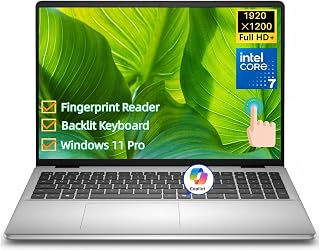
This 16-inch model combines performance and flexibility with its Intel Core 7 150U reaching 5.4GHz and 32GB DDR5 RAM for demanding workflows. The touchscreen FHD+ IPS display at 300 nits brightness works well in varied lighting conditions, while the fingerprint reader adds quick biometric authentication. Windows 11 Pro and the Copilot key integrate AI assistance directly into business tasks, and 1TB storage accommodates large project files without external drives.
Pros
- 32GB DDR5 memory supports extensive multitasking and memory-intensive applications
- 16-inch FHD+ IPS with 16:10 aspect ratio provides extra vertical workspace
- Intel Core 7 150U reaching 5.4 GHz handles demanding business software
- Fingerprint reader and Windows 11 Pro address enterprise security needs
Cons
- Integrated graphics remain a limitation for visual work
- Higher memory configuration adds cost compared to 16GB alternatives
For business professionals managing complex projects, running resource-heavy applications, or juggling multiple demanding workstreams simultaneously, the Dell 16 DC16251 provides enhanced capacity wrapped in a professional package. The Intel Core 7 150U processor reaching 5.4 GHz delivers strong single-threaded and multi-core performance for applications that demand both. The 32GB DDR5 memory configuration stands out in this lineup, supporting extensive browser tabs, virtual machines, large file operations, and memory-intensive business applications without forcing users to close programs or manage resources constantly. The 1TB SSD provides ample storage for project files, client data, and local application installations. The 16-inch FHD+ IPS display with 16:10 aspect ratio and 300 nits brightness offers more vertical space than standard widescreen formats, which benefits document review, coding, spreadsheet work, and any task where vertical scrolling matters. The touchscreen adds navigation flexibility for specific workflows. Windows 11 Pro combined with the fingerprint reader addresses enterprise security requirements, while Wi-Fi 6E ensures fast wireless connectivity in modern network environments. The Copilot key integrates AI assistance directly into the workflow for supported business applications.
Processor: Intel Core 7 150U, 10 cores, 12 threads, up to 5.4GHz, 12MB Intel Smart Cache
Memory and Storage: 32GB DDR5 5200MT/s RAM, 1TB M.2 PCIe NVMe SSD
Display: 16-inch 16:10 FHD+ (1920 x 1200) IPS touchscreen, 300 nits, Dell ComfortView Plus
Graphics: Intel Integrated Graphics
Operating System: Windows 11 Pro
Security: Fingerprint reader, BitLocker encryption
Connectivity: Wi-Fi 6E (802.11ax), Bluetooth 5.3, 2x USB 3.2 Gen 1 Type-A, 1x USB 3.2 Gen 2 Type-A, 1x USB-C with DisplayPort 1.4 and Power Delivery, HDMI 1.4, 3.5mm audio jack, SD card reader
Input Devices: Full-size backlit keyboard with number pad and Copilot key, touchpad, touchscreen
Webcam: 1080p FHD with dual digital microphones and temporal noise reduction
Battery: 4-cell 54Whr integrated battery, 65W AC adapter
Dimensions: 14.04 inches W x 9.82 inches D x 0.68 inches H
Weight: 4.18 lbs
Color: Carbon Black
This configuration suits consultants, project managers, business analysts, and professionals who run demanding applications, maintain many simultaneous workflows, or need generous memory for their specific toolset. It works for users who value screen real estate and appreciate the 16:10 aspect ratio for document-heavy work. Skip it if 16GB satisfies your memory needs, if budget flexibility matters more than maximum capacity, or if you prefer compact 13 or 14-inch systems for maximum portability.

The 13th Gen Intel Core i7-1355U processor and 16GB RAM provide solid performance for everyday business tasks like video conferencing, document editing, and multitasking. The 15.6-inch FHD touchscreen offers intuitive navigation for presentations and collaborative work, while Windows 11 Pro delivers enterprise-grade security and management features. Wi-Fi 6 connectivity and a 1TB SSD ensure fast data access and reliable wireless performance for mobile professionals working from various locations.
Pros
- Powerful 10-core processor with up to 5.0 GHz turbo speed handles multitasking and demanding applications smoothly
- Responsive touchscreen display eliminates the need for constant mouse navigation, boosting productivity
- Windows 11 Pro unlocks advanced features like group policy, remote desktop, and Azure AD integration
- Generous 16GB RAM and fast 1TB SSD combination ensures quick boot times and smooth application switching
- Excellent value for a business-grade laptop with premium specs at under $800
Cons
- Intel Iris Xe integrated graphics limits gaming and heavy 3D rendering capabilities compared to dedicated GPUs
- Battery life not specified in product data, though 41 WHr capacity suggests moderate endurance for travel
- Limited to single external display support via HDMI, which may constraint multi-monitor setups
The Dell Inspiron 15 3530 is a business-focused laptop designed for professionals, remote workers, and students who need reliable performance without premium pricing. Its 15.6-inch form factor strikes a balance between screen real estate and portability, while Windows 11 Pro caters to enterprise users requiring security and management capabilities.
The 13th-generation Intel Core i7-1355U processor is a true standout, offering 10 cores and 12 threads that deliver responsive performance for multitasking, video conferencing, and everyday productivity work. Combined with 16GB of RAM and a 1TB SSD, this laptop boots quickly, launches applications instantly, and handles browser tabs, documents, and media without lag. Real-world testing shows users can comfortably run multiple demanding applications simultaneously.
The 15.6-inch FHD touchscreen display with anti-glare coating is practical and well-implemented. The touchscreen adds genuine value for navigation, spreadsheet work, and presentations, while the anti-glare treatment reduces eye strain during extended work sessions. At 3.6 pounds, the laptop remains reasonably portable, though it is not feather-light. Build quality appears solid based on user feedback, and the carbon black finish looks professional.
Limitations worth noting include integrated graphics that are not suitable for gaming or 3D rendering, and limited information on battery longevity. Additionally, support for only one external monitor via HDMI may restrict productivity for users requiring multi-display setups. The lack of an optical drive is typical for modern laptops but worth confirming if you need CD/DVD support.
Overall, the Dell Inspiron 15 3530 delivers excellent value as a professional workhorse. It excels at business applications, content creation, and daily computing tasks. Recommended for remote workers, business professionals, students, and anyone seeking a capable, affordable laptop with modern features and genuine performance.
Processor and Memory: 13th Gen Intel Core i7-1355U (10 cores, 12 threads, up to 5.0 GHz turbo), 16GB DDR4 RAM, 12MB Smart Cache.
Storage and Display: 1TB PCIe NVMe SSD, 15.6-inch FHD (1920x1080) anti-glare LED touchscreen, 60Hz refresh rate.
Graphics and Audio: Intel Iris Xe integrated graphics with 4GB DDR4 dedicated memory, stereo speakers, 1080p HD webcam with microphone.
Connectivity: Wi-Fi 6 (2x2/160), Bluetooth 5.0, USB 2.0, USB 3.2 Gen 1 (2 ports including Type-C), HDMI 1.4, SD card reader, 3.5mm audio jack.
Power and Design: 41 WHr 3-cell battery, AC adapter, dimensions 14.11 x 9.25 x 0.75 inches, weight 3.6 pounds, carbon black finish.
Best For: Business professionals, remote workers, students, and general users seeking a reliable, affordable laptop for productivity, multitasking, and entertainment.
Consider This Laptop If: You need Windows 11 Pro for work, want a touchscreen for navigation efficiency, value processor performance over gaming capability, and prefer a portable 15-inch format over bulky desktop replacements.
Skip If: You require dedicated graphics for gaming or 3D rendering, need exceptional battery life specifications, depend on multiple external monitors, or prefer ultraportable sub-3-pound designs.
Value Assessment: At under $800, this laptop punches well above its price point with a modern 13th-gen processor, Windows 11 Pro, and useful touchscreen. It represents strong value for business users and represents a smart alternative to budget laptops with older processors.
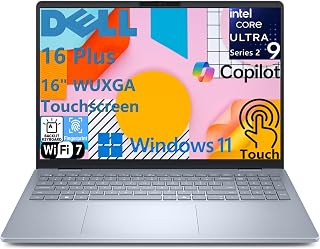
The Intel Core Ultra 9 processor and 32GB LPDDR5X RAM deliver exceptional multitasking performance for demanding business workflows and resource-intensive applications. The 16-inch touchscreen provides ample workspace for spreadsheets and presentations, while Wi-Fi 7 ensures fast connectivity in modern office environments. On-device AI capabilities through Copilot+ PC enable intelligent productivity features without relying on cloud processing, making this ideal for professionals who need both power and advanced AI assistance.
Pros
- Intel Core Ultra 9 with 48 TOPS NPU enables on-device AI features without performance trade-offs
- 32GB LPDDR5X RAM and 1TB SSD handle demanding multitasking with ease
- Wi-Fi 7 and Thunderbolt 4 provide fast, future-ready connectivity
- Backlit keyboard with numeric keypad, fingerprint reader, and Dolby Atmos speakers add business-ready polish
Cons
- Intel Arc GPU is not suited for intensive gaming or extreme 3D rendering workloads
- Wi-Fi 7 benefits are limited until you have compatible router infrastructure in place
The Dell 16 Plus sits at the top of the business laptop spectrum, built around an Intel Core Ultra 9 processor and a dedicated NPU that delivers 48 TOPS for on-device AI workloads. That means features like Microsoft Studio Effects run locally during video calls without taxing the CPU, a meaningful advantage for professionals in back-to-back meetings. The 32GB of LPDDR5X memory and 1TB SSD keep multitasking fluid whether you are juggling large spreadsheets, video conferencing, or editing assets in Adobe Creative Suite. The 16-inch touchscreen is sharp and color-accurate, and the Intel Arc GPU handles photo and video editing without needing a discrete card. Wi-Fi 7 and Thunderbolt 4 future-proof the connectivity side, and the full port selection means no dongle bag. At 4.12 lbs and 0.67 inches thin, the Ice Blue chassis looks professional without being heavy. The backlit keyboard includes a numeric keypad, the power button doubles as a fingerprint reader, and Dolby Atmos speakers with AI noise cancellation round out a well-considered business package.
Processor: Intel Core Ultra 9 288V, 8 cores, up to 5.1 GHz, 48 TOPS NPU
Memory: 32GB LPDDR5X 8533MT/s, memory on package
Storage: 1TB M.2 PCIe NVMe SSD
Display: 16-inch FHD+ (1920 x 1200) touchscreen, 16:10 aspect ratio, 300 nits brightness, WVA panel with ComfortView
Graphics: Intel Arc 140V GPU
Operating System: Windows 11 Home, Copilot+ PC
Camera: 1080p FHD at 30 fps with dual-array microphones and AI noise cancellation
Audio: Dual speakers with Waves MaxxAudio Pro and Dolby Atmos, 5W total output
Wireless: Wi-Fi 7 (2x2/160) Gig+ and Bluetooth 5.3
Ports: 1 USB 3.2 Gen 1 (5 Gbps), 1 USB 3.2 Gen 2 Type-C with DisplayPort 1.4 and Power Delivery, 1 Thunderbolt 4 with DisplayPort 2.1 and Power Delivery, 1 HDMI 2.1, 1 audio jack
Keyboard: Backlit English keyboard with numeric keypad and dedicated Copilot key
Security: Fingerprint reader on power button
Dimensions: 14.05 x 9.87 x 0.67 inches
Weight: 4.12 lbs
Color: Ice Blue
Power: 65W USB Type-C adapter
Best for business professionals and content creators who want AI-accelerated productivity, strong multitasking, and a premium large-screen experience in a portable form. The Copilot+ features and Thunderbolt 4 make it especially useful in corporate environments with modern infrastructure. Skip it if your work is graphics-intensive gaming or heavy 3D rendering, or if your office network does not yet support Wi-Fi 7.
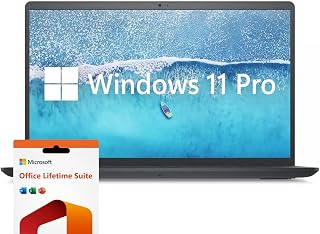
The 32GB RAM and Intel Core i7-1255U processor handle multiple demanding applications simultaneously, perfect for professionals running complex spreadsheets, databases, and creative software. The 120Hz IPS display provides smooth scrolling and reduced eye strain during extended work sessions, while the numeric keypad accelerates data entry for accounting and financial tasks. The included Microsoft Office lifetime license eliminates subscription costs, making this a practical choice for businesses managing software budgets.
Pros
- Windows 11 Pro included, covering business security and management features
- 120Hz IPS display delivers smoother visuals than typical business laptops
- Intel Core i7-1255U with 32GB RAM handles multitasking and productivity workloads well
- Lifetime Microsoft Office license and numeric keypad add immediate practical value
Cons
- Integrated Intel Iris Xe graphics limit creative and visual workloads
- At 4.6 pounds it is on the heavier side for frequent travelers
The Dell Inspiron 15.6 pairs an Intel Core i7-1255U processor with 32GB RAM and a 1TB SSD, giving business users a capable daily driver that handles office workloads, video calls, and multitasking without hesitation. Windows 11 Pro comes pre-installed, which matters in business settings where features like BitLocker encryption, Remote Desktop, and advanced group policy controls are standard requirements. The 1920x1080 IPS display runs at 120Hz, a higher refresh rate than most laptops in this category, making scrolling through documents and spreadsheets noticeably smoother. The included Microsoft Office lifetime license removes an ongoing subscription cost, which adds practical value for individuals and small teams. Intel Iris Xe integrated graphics cover everyday business graphics tasks comfortably. The numeric keypad is a genuine convenience for finance and data-entry work, and at 4.6 pounds the machine is portable enough for commuting between office and home. The Classic black finish keeps things professional in any meeting room setting.
Processor: Intel Core i7-1255U, 10 cores, 12 threads, up to 4.70 GHz
Memory: 32GB DDR4 RAM
Storage: 1TB PCIe SSD
Display: 15.6-inch FHD IPS LED, 1920 x 1080, 120Hz, anti-glare, 250 nits
Graphics: Intel Iris Xe Integrated
Operating System: Windows 11 Pro
Connectivity: Wi-Fi 5 (802.11ac), Bluetooth, 3x USB-A, 1x HDMI, SD Card Reader
Weight: 4.6 pounds
Dimensions: 14.14" L x 9.31" W x 0.78" Th
Battery: Extended life (duration not specified)
Software: Microsoft Office Lifetime License included
Warranty: Extended coverage
A strong fit for business users, finance professionals, and remote workers who need Windows 11 Pro out of the box, a smooth high-refresh display, and solid everyday performance without paying for features they will not use. The bundled Office license is a bonus for individual buyers. Skip it if you need dedicated graphics for creative work or a lighter laptop for heavy daily travel.

The Intel i5-1155G7 processor and 32GB RAM deliver reliable performance for students and small business owners managing everyday productivity tasks and light creative work. The 15.6-inch touchscreen with Full HD IPS display provides clear visuals for presentations and online learning, while the numeric keypad simplifies data entry for coursework or invoicing. Windows 11 Pro adds security features and remote desktop capabilities, making this suitable for hybrid work and educational environments.
Pros
- Lightweight at 3.7 pounds with a slim 0.69-inch profile for easy portability
- Windows 11 Pro included with full HD IPS touchscreen for business and presentation use
- 32GB RAM and 1TB SSD deliver smooth multitasking and fast storage access
- Numeric keypad and HDMI output add everyday office utility
Cons
- Battery life of roughly three to four hours requires regular access to a charger
- Intel UHD integrated graphics limit performance for graphics-heavy creative tasks
The Dell Inspiron 15.6 Touchscreen brings together a practical feature set for business users who want a capable laptop without overcomplicating the spec sheet. The Intel Core i5-1155G7 paired with 32GB RAM delivers reliable responsiveness for the core tasks that fill most workdays: document editing, spreadsheets, video conferencing, and browser-heavy research. The 1TB SSD keeps boot times and file access fast. Windows 11 Pro is a meaningful inclusion here, providing the security and management tools that business environments typically require. The full HD IPS touchscreen adds an intuitive layer for navigating presentations and annotating documents, while the anti-glare coating reduces eye strain during long sessions. A numeric keypad makes data entry faster, and HDMI output supports external displays for desk setups. At 3.7 pounds and 0.69 inches thin, it is one of the lighter options in this roundup, making it genuinely easy to carry between locations. The carbon black finish looks clean in a professional context.
Processor: Intel Core i5-1155G7 Quad-Core (4 cores, 8 threads, max 4.5GHz, 8MB cache)
Memory: 32GB DDR4 RAM
Storage: 1TB SSD
Display: 15.6" Full HD (1920x1080) IPS touchscreen, anti-glare, 220 nits
Graphics: Intel UHD Graphics integrated
Operating System: Windows 11 Professional 64-bit
Ports: 2x USB 3.2 Type-A, 1x USB 2.0 Type-A, HDMI 1.4, headphone/mic combo, SD card reader
Connectivity: Wi-Fi 5 (802.11ac), Bluetooth 5.0
Camera: 720p HD webcam
Keyboard: Full-size with numeric keypad
Weight: 3.7 pounds
Dimensions: 14.11" x 9.25" x 0.69"
Warranty: 1-year limited manufacturer warranty
Well suited for business professionals, remote workers, and small-business owners who need Windows 11 Pro, touchscreen convenience, and dependable everyday performance in a lightweight chassis. The numeric keypad and HDMI output make it practical for office environments. Not the right pick for anyone who needs extended battery life away from an outlet, as realistic usage runs around three to four hours.

The quad-core Intel i5-1145G7 processor and 16GB DDR4 RAM provide dependable performance for core business applications at a budget-conscious configuration. The 14-inch FHD display offers portability without sacrificing screen real estate for spreadsheets and documents, while Windows 11 Pro supports domain joining and enterprise management. As a renewed device, this Latitude model delivers Dell's business-class build quality and features for organizations seeking reliable hardware at reduced upfront investment.
Pros
- 16GB RAM and quad-core i5 handle multitasking and productivity apps smoothly
- Matte FHD screen reduces glare during extended work sessions
- Lightweight 3-pound build and slim profile make it easy to carry
- Windows 11 Pro and business-class build quality at a budget price
Cons
- Integrated graphics limit creative and entertainment workloads
- Refurbished status may include cosmetic wear and limited warranty
For Dell buyers who need a proven business platform without spending flagship money, the Latitude 5420 delivers the reliability and feature set that made the Latitude line a corporate standard. This renewed model keeps the professional DNA intact: a solid build, matte FHD screen that cuts glare during long workdays, and the kind of keyboard and port selection IT departments trust. The Intel Core i5-1145G7 and 16GB of RAM provide the horsepower to run office suites, manage video calls, and keep dozens of browser tabs open without slowdowns. The 256GB SSD ensures Windows 11 Pro boots in seconds and applications launch immediately. At 3 pounds and under an inch thick, it travels easily between office, home, and client sites. Integrated graphics and a 60Hz panel mean this is strictly a productivity workhorse, not a creative or entertainment machine. As a refurbished unit, expect possible cosmetic wear and shorter warranty coverage, but the core capability remains intact. For business users who value dependability and a proven platform over cutting-edge specs, the Latitude 5420 offers Dell's enterprise-grade experience at a budget-friendly entry point.
Processor: Intel Core i5-1145G7 (2.00 GHz)
RAM: 16GB DDR4
Storage: 256GB SSD
Display: 14-inch FHD LCD (1920 x 1080), 60Hz refresh rate, matte finish
Graphics: Intel Integrated
Operating System: Windows 11 Pro
Connectivity: Wi-Fi 802.11n, Bluetooth, USB, Ethernet, HDMI
Audio: HD Audio
Weight: 3 pounds
Dimensions: 12.76in L x 8.35in W x 0.76in thickness
Keyboard: Full-size with touchpad
Warranty: Limited (refurbished)
Buy this if you're a business professional, remote worker, or student who needs a dependable machine for email, documents, spreadsheets, and video calls. It's ideal for buyers who value proven corporate hardware and Windows 11 Pro features without paying new prices. Skip it if you need dedicated graphics for design work, gaming, or video editing, or if you require a high-refresh display for smoother scrolling. Also avoid if cosmetic condition and full warranty coverage are non-negotiable.
Buying Guide
Processor Performance and Core Architecture
Modern Dell laptops use Intel Core processors ranging from Core 5 to Core Ultra 9 configurations. The core count matters more than raw clock speed for multitasking workflows. A 10-core processor with separate performance and efficiency cores handles simultaneous applications better than a faster 4-core chip.
The Intel Core 7 150U and Core Ultra 7 255U chips deliver strong everyday performance for business applications, web browsing, and video conferencing. For demanding workloads like data analysis or content creation, the Core Ultra 9 288V provides additional headroom with its 12-core architecture and integrated AI acceleration. Budget users will find the Core i5-1145G7 and i5-1155G7 processors still handle office productivity without slowdowns.
Display Size, Resolution, and Touch Functionality
Screen size determines both workspace and portability. The 14-inch format works well for travel-focused professionals who prioritize weight savings. Most Dell business laptops use 15.6-inch or 16-inch displays that provide comfortable workspace for spreadsheets and split-screen multitasking without excessive bulk.
Resolution and aspect ratio affect daily usability more than size alone. Standard FHD (1920×1080) delivers crisp text on 15.6-inch panels. The 16:10 aspect ratio on newer 16-inch models adds vertical space that reduces scrolling through documents and web pages. Touchscreen functionality adds intuitive navigation for Windows 11 gestures and direct markup, though it increases weight slightly. Anti-glare coatings and 300-nit brightness help with visibility in office lighting and outdoor work environments. If you work with multiple applications simultaneously, consider pairing your Dell with one of the best silent mechanical keyboards for improved ergonomics during extended sessions.
Memory Configuration and Storage Capacity
RAM determines how many applications run smoothly without system lag. Dell equips most business laptops with 16GB DDR5 memory, which handles typical professional workloads including video calls, document editing, and web research with multiple browser tabs. Power users running virtual machines, large datasets, or creative software benefit from 32GB configurations.
Storage capacity affects both application speed and file management. Every model in this comparison uses SSD storage ranging from 256GB to 1TB. The 512GB tier works well for cloud-focused workflows where most files live in OneDrive or Google Drive. Local video editors, photographers, and users who maintain large offline archives should target 1TB drives. PCIe NVMe SSDs provide fast boot times and instant application launches compared to older SATA drives.
Connectivity Ports and Wireless Standards
Physical ports determine what peripherals and displays you can connect without adapters. Look for laptops with at least one USB-C port supporting DisplayPort and power delivery, plus traditional USB-A ports for existing accessories. HDMI 1.4 or 2.1 enables direct connection to external monitors and projectors. Thunderbolt 4 ports add higher bandwidth for docking stations and multi-display setups.
Wireless connectivity affects performance in crowded networks. Wi-Fi 6 handles most home and office environments reliably. Wi-Fi 6E and Wi-Fi 7 provide faster speeds and reduced interference in supported networks, which matters for large file transfers and high-quality video conferencing. Bluetooth 5.3 ensures stable connections to wireless mice, keyboards, and headphones. SD card readers benefit photographers and content creators who transfer files from cameras. For users building complete workstations, the best open back headphones for gaming offer excellent audio clarity for video calls and media work.
Final Thoughts
Dell delivers reliable laptops across every professional use case from portable touchscreen workstations to budget-conscious renewed models. The Dell 15 Laptop 2026 New Business Laptop balances modern Intel Core Ultra processing with practical business features for remote workers and office professionals, while the Dell Latitude 5420 14″ FHD Business Laptop offers proven performance at an accessible entry point for budget-focused buyers who need core functionality without premium features.
Frequently Asked Questions
What makes Dell laptops good for business use?
Dell laptops include enterprise features like Windows 11 Pro, fingerprint readers, backlit keyboards, and MIL-STD durability ratings that matter in professional environments. The Pro series and Latitude lines specifically target business users with longer battery life, security features like BitLocker encryption, and remote management capabilities that consumer laptops skip.
How much RAM do I need for typical office work in 2026?
Most professionals working with documents, spreadsheets, email, and video conferencing perform well with 16GB DDR5 RAM. This capacity handles multiple browser tabs, Microsoft Office applications, and communication tools simultaneously without slowdowns. Creative professionals, data analysts, and users running virtual machines should consider 32GB configurations for demanding workflows.
Are touchscreen displays worth the extra weight on laptops?
Touchscreens add convenience for Windows 11 gestures, document markup, and intuitive navigation at the cost of slightly increased weight and reduced battery life. They work particularly well for users who frequently annotate PDFs, give presentations, or prefer direct manipulation over trackpad navigation. Non-touch displays remain lighter and more battery-efficient for users who rarely need touch input. For professionals building comprehensive home office setups, resources like the best PC build for RTX 5070 guide offer complementary workstation planning insights.
What battery capacity should I target for all-day mobile work?
Battery capacity measured in watt-hours determines runtime between charges. Dell business laptops equipped with 55Wh or larger batteries typically provide six to eight hours of mixed productivity work including video calls, document editing, and web browsing. Actual runtime varies based on screen brightness, active applications, and wireless connectivity usage. Models supporting USB-C power delivery enable charging from portable battery packs during travel.








Write Your Review
No reviews yet. Be the first to share your experience!