

Whether you’re a student heading into a new semester, a remote worker who needs a reliable daily driver, or someone replacing an aging machine, finding a great laptop on a tighter budget is absolutely possible in 2026. The market has matured significantly, and you no longer have to sacrifice processing power, display quality, or storage to stay within a reasonable spend.
This guide covers seven of the strongest options available right now, spanning 15-inch and 17-inch displays, AMD and Intel processors, and even a premium renewed ultrabook. If you’re also building a desktop setup on the side, check out our RTX 5060 Ti complete component guide for pairing ideas. Let’s get into the picks.
Quick answer
This guide compares 7 picks, with 17 Inch Ryzen 5 Laptop, 8GB RAM, 512GB SSD, Windows 11 ranked first. HP OmniBook 3 17.3" FHD Laptop, AMD Ryzen 3, 8GB RAM holds the highest customer rating among them. Lenovo IdeaPad Slim 3 15.6" FHD Laptop, Intel N150, 8GB has the most customer reviews.
Pros
- Exceptionally light at 2.5 pounds for a 17-inch laptop
- Ryzen 5 with Vega 8 graphics handles light creative tasks beyond basic browsing
- Backlit keyboard and Windows 11 Pro included at budget pricing
- RJ45 Ethernet port offers stable wired connectivity most budget laptops omit
Cons
- Ryzen 5 3500U is an older generation that trails current mid-range chips in performance
- 250-nit display brightness is adequate indoors but struggles in well-lit or outdoor settings
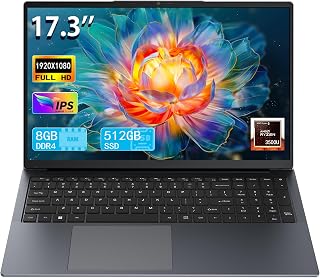
The Ryzen 5 3500U with Radeon Vega 8 graphics goes further than a basic Ryzen 3 setup, handling light creative work and casual gaming alongside standard productivity tasks. The FHD IPS panel delivers accurate colors and wide viewing angles, and at just 2.5 pounds it is remarkably light for a machine this size, making it genuinely portable. Windows 11 Pro is a notable inclusion at this price, useful for students and small business users who need the extra features. The backlit keyboard is a practical advantage over many budget rivals, and the RJ45 Ethernet port sets it apart for users who rely on stable wired connections. A full connectivity suite rounds things out: USB 3.0, USB Type-C, HDMI, dual-band Wi-Fi, and Bluetooth 5.0. The main caveats are the older processor generation and 250-nit brightness that can wash out in bright environments, but for indoor everyday use on a tight budget, this is a hard configuration to beat at 17 inches.
A strong choice for students, remote workers, and content consumers who want a large screen and solid everyday performance without a premium price. The backlit keyboard and Windows 11 Pro make it practical for late-night studying or professional use. Skip it if you need a high-brightness display for outdoor or bright-room use, or require modern processor performance for demanding software.
Processor: AMD Ryzen 5 3500U, up to 3.7GHz
Graphics: AMD Radeon Vega 8 (2GB shared VRAM)
RAM: 8GB DDR4
Storage: 512GB M.2 SSD
Display: 17.3-inch IPS FHD (1920x1080), 60Hz, 250 nits
Operating System: Windows 11 Pro
Battery: Lithium-ion
Weight: 2.5 pounds
Dimensions: 15.7 inches L x 10 inches W x 0.8 inches Th
Connectivity: USB 3.0, USB Type-C (full function), HDMI, RJ45 Gigabit Ethernet, dual-band Wi-Fi (802.11a/b/g/n/ac), Bluetooth 5.0
Webcam: HD built-in
Keyboard: Backlit
Warranty: Limited

The 17.3-inch FHD display makes this an excellent choice for users who need a large screen for multitasking or media consumption without breaking the bank. The AMD Ryzen 3 30 processor with 8 cores and 8 threads handles everyday tasks smoothly, while the 512 GB SSD provides ample storage for documents, photos, and applications. The inclusion of modern connectivity with USB Type-C ports supporting 10Gbps speeds and Power Delivery ensures compatibility with current accessories and peripherals.
Pros
- 17.3-inch FHD IPS display with wide viewing angles at a budget price point
- Up to 14 hours 15 minutes battery life with 45-minute fast charge to 50%
- Comprehensive ports including dual USB-C with Power Delivery and HDMI 2.1
- Lightweight at 4.4 pounds despite the large screen, with a fingerprint-resistant matte finish
Cons
- No keyboard backlighting, limiting usability in dim environments
- Ryzen 3 processor is suitable for everyday tasks but not for demanding workloads
For anyone hunting a capable everyday laptop without breaking the bank, the HP OmniBook 3 makes a strong case with its generous 17.3-inch FHD IPS display. At this budget tier, a screen this size with 1920x1080 resolution, 300 nits brightness, and 178-degree viewing angles is genuinely uncommon. The AMD Ryzen 3 processor paired with 8GB LPDDR5-5500 RAM and a 512GB PCIe NVMe SSD keeps daily workloads like browsing, streaming, document editing, and video calls running without friction. Windows 11 boots fast, and multitasking stays smooth for typical home and remote-work tasks. Battery life is one of the stronger selling points here, with up to 14 hours 15 minutes of use and a 45W fast charger that hits 50% in 45 minutes. The 4.4-pound build feels solid without being cumbersome, and the matte finish resists fingerprints well. Connectivity covers Wi-Fi 6, Bluetooth 5.4, dual USB-C with Power Delivery and DisplayPort, dual USB-A, and HDMI 2.1. The FHD webcam with AI noise reduction handles video calls cleanly. The keyboard lacks backlighting, and the Ryzen 3 will feel limited for anything beyond everyday tasks.
Display: 17.3-inch FHD IPS, 1920x1080, 300 nits, 62.5% sRGB, anti-glare, 178-degree viewing angles
Processor: AMD Ryzen 3 30, 4 cores, 8 threads, up to 4.1 GHz boost, 4MB L3 cache
Memory: 8GB LPDDR5-5500 MT/s onboard
Storage: 512GB PCIe NVMe M.2 SSD
Graphics: AMD Radeon 610M integrated
Connectivity: Wi-Fi 6 (802.11ax), Bluetooth 5.4, 2x USB-A 5Gbps, 2x USB-C 10Gbps (USB-PD 3.1, DisplayPort 1.4), 1x HDMI 2.1, 1x 3.5mm audio jack
Camera: 1080p FHD with HDR auto-switch, dual array microphones
Battery: Up to 14 hours 15 minutes, 45W USB-C GaN fast charger (0-50% in 45 minutes)
Weight: 4.4 pounds
Dimensions: 15.65" x 10.09" x 0.65"
Operating System: Windows 11 Home with Copilot Key
Sustainability: EPEAT Silver Climate+ registered, ENERGY STAR certified

Pros
- Excellent value for money at this price point with business-ready specs and features
- Lightweight and portable design makes it suitable for frequent travel and remote work
- Strong processor performance that rivals Intel i5 alternatives at better value
- Large 15.6-inch display with full HD resolution provides comfortable viewing for extended work sessions
- Generous RAM and storage capacity for smooth multitasking without lag
Cons
- No dedicated graphics card limits gaming performance compared to more expensive alternatives
- Limited upgrade path as some components may be soldered to the motherboard
- Intel video output specification conflicts with AMD Radeon graphics listing, indicating potential data inconsistency
The HP 255 G10 is a 15.6-inch business laptop designed for everyday computing needs, students, remote workers, and small business professionals. It combines practical specifications with an affordable price, making it an accessible option for those seeking reliable productivity without premium costs.
The AMD Ryzen 3 7330U processor delivers capable 4-core performance that handles typical office applications, web browsing, and media work efficiently. Paired with 16GB of DDR4 RAM and a 256GB SSD, this laptop manages multitasking smoothly and boots quickly. The integrated AMD Radeon Graphics provide adequate performance for daily use and light creative work, though demanding games will run at limited settings.
Design and portability are key strengths here. At just 0.73 inches thick and weighing appropriately for its size, the 255 G10 travels well while maintaining a large 15.6-inch Full HD display that offers excellent screen real estate for productivity. The LED-backlit screen delivers crisp visuals suitable for both work and entertainment viewing.
The main limitations are the integrated graphics for intensive gaming and the relatively modest storage by modern standards, though upgradeable paths may exist depending on your model configuration. Windows 11 Home provides modern features including multi-monitor support and Android app compatibility, adding practical value.
Overall, the HP 255 G10 delivers reliable everyday performance at a fair price point. It suits professionals and students who prioritize productivity, portability, and value over gaming capability or creative workstation power. This is a practical choice for anyone seeking a capable 15-inch laptop for work and general computing.
Processor: AMD Ryzen 3 7330U, 4-core, 4.4 GHz
Memory: 16GB DDR4 RAM (expandable to 64GB maximum)
Storage: 256GB SSD NVMe M.2 (upgradeable)
Display: 15.6-inch Full HD LED-backlit LCD, 1920x1080 resolution
Graphics: Integrated AMD Radeon
Operating System: Windows 11 Home
Dimensions: 14.17 x 9.29 x 0.73 inches
Ports: HDMI, USB-C, and additional connectivity
Weight Category: Lightweight design
Model Year: 2025
Ideal for: College students, remote workers, small business professionals, and everyday computer users seeking reliable performance at an affordable price.
Best use cases: Email and office productivity, web browsing, document editing, online meetings, media streaming, light photo editing, and general computing tasks.
May not be ideal for: Professional video editing, 3D rendering, intensive gaming, or specialized creative workstation tasks that demand dedicated graphics and maximum performance.
Consider if you: Want a portable 15-inch laptop with solid specs and good value, need reliable everyday performance, or prioritize affordability over premium features and brand prestige.

Pros
- Wi-Fi 6 delivers faster, more reliable wireless than most competitors at this price
- Physical camera privacy shutter and TPM 2.0 chip offer practical security features
- Lightweight 3.42-pound chassis with military-grade durability testing
- Microsoft 365 Personal included so productivity software is ready on day one
Cons
- 128GB UFS storage fills quickly once Windows 11 and applications are installed
- Entry-level Intel N150 processor is not suited for gaming or content creation
The Lenovo Essential 15.6 makes a straightforward case for budget buyers who need a dependable everyday laptop. The Intel N150 processor paired with 8GB DDR5 RAM is tuned for productivity workloads: browsing, document editing, video calls, and streaming run without friction. The 15.6-inch FHD display carries an anti-glare coating that reduces eye strain during long study or work sessions, and at 250 nits it holds up reasonably well in lit environments. Wi-Fi 6 is a notable inclusion at this price, delivering faster and more stable wireless connections than the Wi-Fi 5 found on many competing budget models. The full-size keyboard includes a numeric keypad, practical for students handling data or anyone doing regular number entry. A physical camera privacy shutter and TPM 2.0 chip address privacy and security concerns that matter more as remote work and online learning stay common. The slim 0.70-inch profile and 3.42-pound chassis make it easy to carry between classrooms or workspaces, and military-grade durability testing backs up the build quality claim. Microsoft 365 Personal is included, so productivity software is ready from the first boot.
A strong pick for students and everyday users who want a light, durable laptop with modern wireless and included productivity software at a minimal outlay. The privacy shutter and security chip add reassurance for anyone sharing spaces. Skip it if you need significant local storage, the 128GB UFS drive fills fast once Windows and apps are installed, and it is not the right choice for gaming or content creation.
Processor: Intel N150 Quad-Core, up to 3.6GHz with 6MB Smart Cache
Memory: 8GB LPDDR5-4800 RAM
Storage: 128GB UFS 3.1 SSD
Display: 15.6-inch FHD (1920x1080) IPS Anti-Glare, 250 nits, 88% screen-to-body ratio
Graphics: Integrated Intel Graphics
Connectivity: Wi-Fi 6 (802.11ax), Bluetooth 5.2, USB-C with Power Delivery and DisplayPort, 2x USB-A 5Gbps, HDMI 1.4, 3.5mm audio jack, SD card reader
Camera: HD 720p with physical privacy shutter
Keyboard: Full-size with dedicated AI Copilot hotkey
Weight: 3.42 lbs
Thickness: 0.70 inches
Operating System: Windows 11 Home in S mode with Microsoft 365 Personal
Security: Firmware TPM 2.0, privacy camera shutter
Certifications: ENERGY STAR 9.0, EPEAT Silver, MIL-STD-810H, TÜV Low Blue Light

Pros
- Trusted Dell build quality at a budget price
- Anti-glare FHD display reduces eye strain during extended indoor use
- Memory card slot adds convenient expandability for media users
- Windows 11 Home ready out of the box
Cons
- Intel Core 3 integrated graphics limit creative and gaming capability
- 8GB RAM leaves little headroom for heavy multitasking
For budget-conscious buyers who want a dependable daily driver for web browsing, document work, and light productivity, Dell's build quality and Windows 11 Home out of the box offer solid peace of mind. The anti-glare coating on the display reduces reflections during indoor use, and integrated graphics handle standard computing tasks without issue. The Carbon Black finish keeps things understated and professional. A memory card slot adds a small but useful convenience for users who work with photos or external media. As a mainstream everyday laptop, it covers the fundamentals without overreaching, making it a reasonable pick for anyone who values brand reliability and a proven ecosystem within a tight budget. That said, the specs are modest, and buyers with heavier workloads or a preference for a larger screen may want to look elsewhere in this roundup.
Display: 15.6 inch FHD (1920x1080) with anti-glare coating
Processor: Intel Core i3
Memory: 8GB RAM
Storage: 512GB SSD
Graphics: Integrated Intel Graphics
Operating System: Windows 11 Home
Color: Carbon Black
Special Features: Anti-glare coating, memory card slot, numeric keypad, Dell ComfortView blue light reduction
Warranty: 1 Year Onsite Service
Well suited for students, home users, and light office workers who want a dependable Windows laptop from a trusted brand without spending much. The 15.6-inch size hits the portable sweet spot for everyday carry. Skip it if you need a larger display, stronger graphics, or plan to push the machine with creative software or heavy multitasking.
Pros
- 120Hz 1080p matte display makes scrolling and everyday use feel responsive
- Full-size keyboard with numeric keypad suits data entry and spreadsheet work
- Ryzen 5 7520U handles multitasking and everyday workloads reliably
- Adaptive thermal management maintains consistent performance on desk or lap
Cons
- Radeon 610M graphics are not suited for gaming or professional creative work
- No fingerprint reader or touchscreen, which some users in this price range now expect
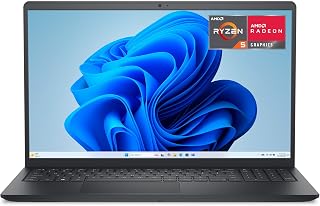
For anyone hunting a capable everyday laptop without stretching the budget, the Dell 15.6 checks the core boxes. The AMD Ryzen 5 7520U handles the workloads most people actually run: browser tabs, document editing, video calls, and streaming, all without slowdown. The 15.6-inch 1080p display runs at 120Hz, so scrolling and navigation feel noticeably smoother than on typical budget screens, and the matte coating cuts glare whether you're at a desk or near a window. The full-size keyboard includes a dedicated numeric keypad, a genuine convenience for students managing spreadsheets or remote workers entering data. Ergonomic lift hinges raise the keyboard at an angle that reduces wrist fatigue during long sessions. Adaptive thermal management adjusts power consumption depending on how you're working, which keeps performance steady whether the laptop sits on a desk or your lap. Wi-Fi 5, Bluetooth 5, HDMI output, and USB 3.2 ports cover everyday connectivity needs. At 4.2 pounds and 0.75 inches thick, it's portable enough for commuting without being fragile. The 512GB SSD keeps boot and load times fast.
Processor: AMD Ryzen 5 7520U with Radeon 610M graphics
Display: 15.6-inch LED, 1920x1080 resolution, 120Hz refresh rate, matte finish, non-touch
Storage: 512GB SSD
Memory: 2GB shared graphics RAM
Operating System: Windows 11 Home
Connectivity: Wi-Fi 5 (802.11ac), Bluetooth 5.0, 3x USB ports, HDMI output, SD card reader
Camera: Front-facing HD webcam
Weight: 4.2 pounds
Dimensions: 14.11 inches W x 9.27 inches L x 0.75 inches thick
Battery: Not specified in data
Warranty: 1-year onsite service included
Pros
- 2256x1504 touchscreen with Gorilla Glass 3 offers sharp, tall display real estate
- Core i7-1265U with 16GB RAM delivers strong multitasking performance
- 2.8-pound weight makes it among the most portable picks in this price range
- Windows 11 Pro includes BitLocker and Remote Desktop for professional workflows
Cons
- Renewed condition means potential cosmetic wear and no standard new-product warranty
- Integrated Iris Xe graphics limit gaming and GPU-intensive creative tasks
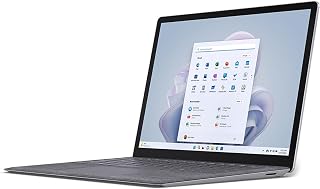
Built on the Intel Evo platform with a 12th Gen Core i7-1265U and 16GB of RAM, it handles multitasking, light creative work, and business workloads with headroom to spare. The 2256x1504 PixelSense touchscreen is sharper and taller than the 16:9 panels common in this price range, giving you more vertical space for documents and browser pages. Corning Gorilla Glass 3 protects the display against everyday wear. At 2.8 pounds, it is one of the lightest options you'll find at this price, making it a genuinely portable daily carry. Windows 11 Pro adds professional-grade features like BitLocker encryption and Remote Desktop that Windows 11 Home omits. The 512GB SSD and Intel Iris Xe integrated graphics handle everyday and moderate workloads well. The renewed condition means some cosmetic wear is possible, but the core hardware delivers a level of performance and build quality that new laptops at this price rarely match.
Processor and Memory: The 12th Gen Intel Core i7-1265U runs at 2.9 GHz base with boost speeds up to 4.8 GHz, providing excellent single and multi-threaded performance. Combined with 16GB of shared system RAM, this configuration handles professional workloads, multitasking, and everyday computing without bottlenecks. The Intel Evo platform certification means this system meets strict performance and battery efficiency standards.
Storage and Graphics: The 512GB SSD uses Serial ATA interface for fast data access and program loading. The Intel Iris Xe integrated graphics are sufficient for everyday tasks, video playback, and light creative work, though not intended for demanding gaming or professional 3D rendering. For business users and content creators working with documents, spreadsheets, and media, this GPU is more than adequate.
Display Technology: The 13.5-inch 2.5K touchscreen (2256 x 1504 pixels) provides sharp, vibrant visuals on an LCD panel with Corilla Gorilla Glass 3 protection. The high pixel density makes text crisp and images clear, while the touchscreen enables intuitive interaction with Windows 11 Pro and touch-optimized applications. The display is ideal for extended work sessions and media consumption.
Connectivity: Wi-Fi 802.11ac and Bluetooth connectivity keep you connected wirelessly, though USB options are limited to a single port. HDMI and DisplayPort outputs allow external display connections via USB-C, and the device supports USB-C peripherals for expanded functionality. This ultrabook prioritizes portability over port abundance, typical of premium thin-and-light laptops.
Best suited for professionals, students, and commuters who want a lightweight, high-resolution touchscreen laptop and are comfortable buying renewed hardware. The Core i7 and 16GB RAM make it genuinely capable for business and productivity use. Skip it if you need a dedicated GPU for gaming or video rendering, or if buying new hardware is a firm requirement rather than a preference.
What to Look for When Buying a Budget Laptop
Processor and RAM
The processor is the single biggest factor in how snappy a laptop feels day to day. In this category, you’ll find options like the AMD Ryzen 5 3500U in the 17 Inch Laptop with Ryzen 5, 8GB RAM, 512GB SSD and the newer Ryzen 5 7520U in the Dell 15.6 Laptop, AMD Ryzen 5 7520U with Radeon, both of which handle everyday multitasking comfortably.
Aim for at least 8GB of RAM if you work with multiple browser tabs, documents, or light creative apps open at once. The HP 255 G10 Laptop for Home or Work, 16GB RAM stands out here by doubling that baseline, giving you noticeably more headroom for demanding workflows.
Storage Type and Capacity
An SSD makes a bigger practical difference than almost any other spec. Boot times, app launch speeds, and file transfers are all dramatically faster compared to older spinning hard drives. Most picks in this guide ship with either a 256GB or 512GB SSD, which is plenty for most users.
One exception worth noting is the Lenovo Essential 15.6″ FHD Laptop, which ships with 128GB of UFS 3.1 storage. It’s a fast format, but if you store a lot of local files or media, you’ll want to factor in cloud storage or an external drive alongside it.
Display Size and Quality
Screen size comes down to how you use the machine. If portability matters, a 15.6-inch display hits the sweet spot between screen real estate and a manageable footprint. For those who spend long hours reading, editing documents, or watching video, a larger panel makes a real difference in comfort.
Both the HP OmniBook 3 17.3 inch Laptop PC, FHD Display and the 17 Inch Laptop with Ryzen 5, 8GB RAM, 512GB SSD offer 17.3-inch FHD IPS panels with wide viewing angles, making them strong picks for a home desk setup where you want a more immersive workspace. If you’re into desktop gaming alongside laptop use, our guide to the best PC build for RX 9070 is worth a read too.
Connectivity and Ports
A budget laptop should still connect to everything you need without a dongle pile. Look for USB-A and USB-C ports, HDMI output, and a headphone jack as baseline requirements. Bonus points go to machines that include an SD card reader or an ethernet port for wired connections.
The 17 Inch Laptop with Ryzen 5, 8GB RAM, 512GB SSD covers all of these with USB 3.0, Type-C, HDMI, RJ45 ethernet, dual Wi-Fi, and Bluetooth 5.0 on a single machine. The Lenovo Essential 15.6″ FHD Laptop adds Wi-Fi 6 and an SD card reader, which is a nice touch for photographers and content creators. For a full peripheral setup, you might also enjoy our roundup of the best silent mechanical keyboards.
Final Thoughts
The right pick really depends on how and where you work. If you want maximum screen space and a well-rounded feature set for home or student use, the HP OmniBook 3 17.3 inch Laptop PC, FHD Display delivers reliable everyday performance with solid battery life and AI noise reduction for calls. If you want a premium experience with a sharp touchscreen, powerful processor, and more memory, the Microsoft Surface Laptop 5 13.5″ Touchscreen in renewed condition offers a level of refinement that’s hard to match in this segment.
Frequently Asked Questions
Are budget laptops good enough for college students in 2026?
Absolutely. The options available in 2026 offer more than enough power for research, writing, video calls, and streaming. Models like the HP OmniBook 3 17.3 inch Laptop PC, FHD Display and the Dell 15.6 Laptop, FHD, Intel Core 3 100U are purpose-built for academic workflows. Battery life and portability should be your top priorities when shopping for a student machine.
Is a renewed laptop a smart buy?
Renewed laptops can offer excellent value, especially when they come from premium brands with strong build quality. The Microsoft Surface Laptop 5 13.5″ Touchscreen is a strong example, pairing a 12th Gen Intel Core i7 and 16GB of RAM with a high-resolution touchscreen at a fraction of its original retail value. Just confirm the renewal grade and warranty before purchasing to make sure you’re getting a reliably assessed unit.
What’s the difference between AMD Ryzen 3 and Ryzen 5 in everyday use?
For light tasks like browsing, email, and video calls, a Ryzen 3 chip handles everything smoothly. The Ryzen 5 gives you more headroom when you’re juggling heavier apps, editing photos, or keeping a large number of browser tabs open simultaneously. If your workflow is mostly productivity-focused, either will serve you well, but the Ryzen 5 is the smarter long-term investment. You can also pair a capable laptop with a well-specced desktop by checking out our complete RTX 5070 build guide for a dual-setup approach.
How much storage do I actually need on a budget laptop?
For most users, 256GB to 512GB of SSD storage covers day-to-day needs comfortably when combined with cloud services like OneDrive or Google Drive. If you store a lot of video, music, or large project files locally, lean toward a 512GB option such as the 17 Inch Laptop with Ryzen 5, 8GB RAM, 512GB SSD. Pairing any of these laptops with an external SSD is an affordable way to expand capacity as your needs grow.
Common questions
What are the best laptops you can buy for under $600 in 2026?
You'll find models like the HP OmniBook 3 with a 17.3-inch FHD display and AMD Ryzen 3 30, the Dell with Ryzen 5 7520U and Radeon 610M graphics, and Intel Core 3 configurations with 8 GB RAM and 512 GB SSD storage.








Write Your Review
No reviews yet. Be the first to share your experience!