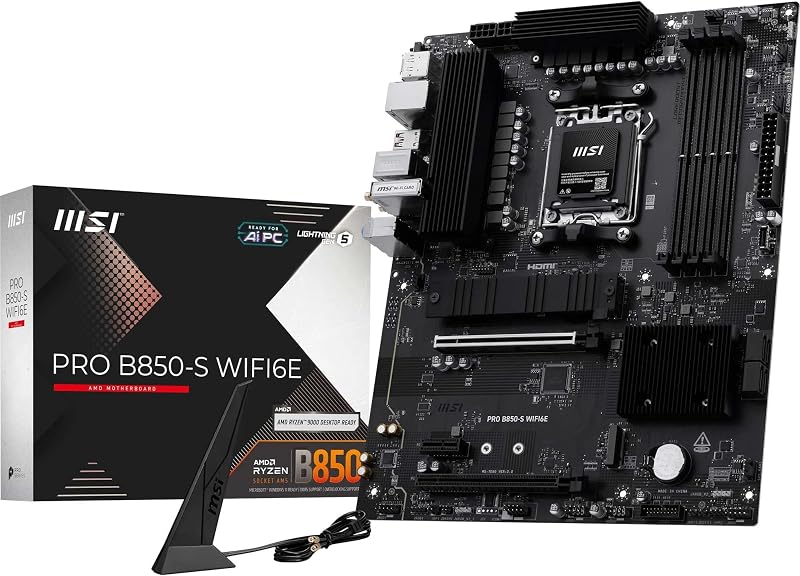
You’re putting together a new PC and you hit the motherboard selection screen. Suddenly you’re staring at two nearly identical boards, except one has WiFi and one does not. If your build is going near an ethernet port, the choice seems obvious. But if your desk is across the room from your router, or you just want the flexibility to go wireless someday, that built-in WiFi starts looking a lot more appealing. Knowing whether you actually need it saves you money and headaches down the line.
This guide answers the question directly and walks you through the best WiFi-equipped motherboards available right now. Whether you’re building around AMD Ryzen or Intel Core, you’ll find a solid option here. For a broader look at compatible hardware, check out our roundup of the best motherboards for Ryzen 5 9600X builds.
Quick answer
This guide compares 8 picks, with ASUS ROG Strix B550-F Gaming WiFi II AM4 Motherboard ranked first. MSI B550M PRO-VDH WiFi Micro-ATX Motherboard with PCIe has the most customer reviews.

For anyone building a rig specifically because they want wireless connectivity baked in, this board answers the question with WiFi 6E plus 2.5Gb LAN, giving you a fast wireless fallback and a wired option that outpaces standard gigabit ports. Paired with PCIe 4.0 and an AM4 socket for 3rd Gen Ryzen chips, it's a solid pick when skipping an ethernet cable matters.
Pros
- Built-in WiFi 6E avoids the need for a separate adapter
- 12+2 power delivery handles flagship Ryzen chips
- Dual PCIe 4.0 M.2 slots for fast storage
- BIOS Flashback simplifies update process
Cons
- Minimalist packaging offers limited shipping protection
- Motherboard screws not included in the box
If the question driving your build is whether to pay extra for onboard WiFi, the ROG Strix B550-F Gaming WiFi II makes a strong case for yes. It bundles WiFi 6E directly onto an AM4 board, so you skip the add-in card or USB dongle entirely and still get a faster, lower-latency wireless standard than most integrated solutions offer. For gamers who want wired-level responsiveness without running Ethernet across the room, this is exactly the kind of board the pairing was designed for. Beyond wireless, the 12+2 power delivery comfortably handles flagship Ryzen chips like the 5950X, and dual PCIe 4.0 M.2 slots keep storage fast. Build quality is solid, with alloy chokes and ProCool connectors, and BIOS Flashback simplifies CPU compatibility updates. If your priority is a board where WiFi is a built-in, dependable feature rather than an afterthought, this one earns its place on a shortlist built around that exact need.
Processor Compatibility: AMD Ryzen 3000 and 5000 series, plus 5000 and 4000 G-series desktop processors (Socket AM4)
Memory Support: DDR4, up to 128GB across 4 DIMM slots, supports up to 2133 MHz and beyond with overclocking
Connectivity: PCIe 4.0, WiFi 6E (802.11ax) with Bluetooth 5.2, Intel 2.5Gb Ethernet with LANGuard, HDMI 2.1, DisplayPort 1.2, USB 3.2 Gen 2 Type-C
Storage: Dual M.2 slots (PCIe 4.0 ready), 6 SATA 3 ports, BIOS Flashback via USB
Power Delivery: 12+2 teamed power stages with ProCool connector, high-quality alloy chokes and durable capacitors
Other Features: 11 total USB ports, addressable Gen 2 RGB header with Aura Sync, optical S/PDIF output, 3-year warranty, dimensions 10.75 x 13.39 x 2.76 inches
Buy this if you want integrated WiFi 6E on a capable AM4 board without stepping up to X570 pricing, especially if you are running or planning a high-core Ryzen CPU. Skip it if you already have reliable Ethernet and no interest in wireless, or if you want to save money by sourcing a cheaper WiFi dongle separately. Also budget for your own screws, since they are not included.

If you're weighing whether a motherboard needs built-in WiFi, this micro-ATX board settles it by including Wi-Fi and Bluetooth alongside PCIe 4.0 and M.2 storage support. Its AM4 socket covers Ryzen 5000 and 3000 series chips, and the 4400 MHz memory clock speed ceiling gives room to pair fast DDR4 kits with a compact, wireless-ready build.
Pros
- Built-in WiFi 6 and Bluetooth, no dongle needed
- PCIe 4.0 support for current GPUs and NVMe SSDs
- M.2 Shield Frozr thermal protection for storage
- Stable Core Boost power delivery for overclocking
Cons
- Only three PCIe slots due to micro-ATX form factor
- Onboard audio lacks advanced tuning options
If you're deciding whether to pay extra for onboard WiFi, this B550M PRO-VDH makes the case. It builds wireless networking and Bluetooth directly into an AM4 board that already covers the fundamentals: PCIe 4.0 for current GPUs and NVMe drives, M.2 Shield Frozr to keep storage cool, and a Core Boost power delivery system stable enough for stock use or moderate overclocking. For anyone placing a PC somewhere a cable can't easily reach, or just wanting to skip a USB WiFi dongle, the built-in WiFi 6 removes that decision entirely without adding a separate purchase. The board itself is well built, with extended heatsinks over the power stages and a 2oz copper PCB for heat dissipation, plus enough USB and fan headers for a real multi-fan setup. The tradeoff for that convenience is the micro-ATX layout, which limits you to three PCIe slots. For a build where wireless connectivity matters but you still want modern AM4 performance, this is a sensible way to get both in one board instead of hunting for a separate adapter.
Socket & CPU Support: AM4 socket compatible with AMD Ryzen 5000, 4000G, and 3000 series processors (excludes Ryzen 5 3400G and Ryzen 3 3200G).
Memory: Dual-channel DDR4 up to 128GB capacity at speeds up to 4400 MHz across four DIMM slots.
Storage & Connectivity: Four SATA 6Gb/s ports, quad M.2 slots with PCIe 4.0 and 5.0 support, integrated M.2 Shield Frozr thermal protection.
Expansion: Three PCIe slots (one x16, two x1), USB 3.2 Gen 1/Gen 2 headers, 12 USB 2.0 headers, single Gigabit Ethernet port.
Audio & Network: Realtek ALC892/ALC897 codec with Audio Boost, WiFi 6 and Bluetooth 5.2 connectivity built-in.
Power & Thermal: 24-pin main power connector, extended CPU power delivery heatsinks, thermal pads rated 7W/mk for superior heat dissipation.
Buy this if you want WiFi built in rather than added on, especially for a compact build, a media PC, or a location where running ethernet is inconvenient. It suits AM4 Ryzen 5000 or 3000 series builders who also want PCIe 4.0 and solid power delivery. Skip it if your PC sits next to your router anyway, since you'd be paying for wireless hardware you won't use, or if you need more than three expansion slots.

This board makes the case for built in wireless on a budget AM4 platform, pairing WiFi with 2.5Gb LAN so you're not forced to add a separate network card. With PCIe 4.0 and support for 3rd Gen Ryzen processors, it's a sensible pick for anyone upgrading an older AM4 system who still wants dependable onboard connectivity.
Pros
- WiFi 6 built in for faster wireless gaming
- PCIe 4.0 support for modern NVMe drives
- 8+2 power delivery handles high-core-count CPUs
- Durable TUF-grade components and fanless VRM heatsinks
Cons
- WiFi and Bluetooth drivers from ASUS sometimes mismatched
- RGB lighting features feel gimmicky to some users
For builders specifically weighing whether onboard WiFi is worth having, the TUF Gaming B550-PLUS WiFi II answers with a practical, no-frills yes. It brings WiFi 6 to an AM4 platform at a mid-range price point, giving you faster wireless gaming performance without hunting for a separate card. That makes it a sensible pick for anyone who wants wireless capability built in from day one rather than treated as an upgrade later. The board backs that up with PCIe 4.0 support for modern NVMe drives and an 8+2 power delivery system that handles high-core-count Ryzen chips well. TUF-branded durability, fanless VRM heatsinks, and solid thermal management round out the package. The one friction point tied directly to its wireless feature is that ASUS's driver downloads for WiFi and Bluetooth have sometimes been mismatched, requiring manual driver installation or ASUS DriverHub to get fully working. Still, if integrated WiFi 6 at a fair price is the deciding factor, this board delivers on that front.
Socket and Chipset: AMD Socket AM4, AMD B550 chipset. Supports AMD Ryzen 3rd Gen (3000 series) and newer processors including 5000 series Ryzen chips.
Memory: 4 DIMM slots supporting DDR4 up to 128GB total capacity. Rated for 2133 MHz with support for higher speeds through XMP overclocking profiles.
Storage: 2 M.2 NVMe slots (one with PCIe 4.0 x4, one with PCIe 3.0 x4), 6 SATA III ports for traditional drives.
Power Delivery: 8+2 DrMOS power stages with high-quality alloy chokes and durable capacitors. 24-pin main power connector.
Connectivity: WiFi 6 (802.11ax), 2.5Gb LAN with LANGuard protection, 1x HDMI 2.1 output (4K at 60Hz), 1x DisplayPort 1.2 output, 5x PCIe slots total, 1x Thunderbolt 3 header, USB 3.2 Gen 2 Type-C and Type-A ports, 6x USB 2.0 headers.
Warranty: 3-year limited warranty from ASUS.

Readers weighing whether a motherboard needs WiFi will appreciate that this board already includes WiFi 6 and even Thunderbolt 4, covering both wireless and high-speed wired connectivity out of the box. With LGA 1700 socket support for 12th through 14th Gen chips and DDR5 memory, it suits a modern Intel build where integrated networking saves a slot and simplifies setup.
Pros
- Built-in WiFi 6 avoids dongles or add-in cards
- 16+1 DrMOS power handles high-end Core i9 chips
- Four M.2 slots work simultaneously without losing SATA
- Thunderbolt 4 and front USB-C included out of the box
Cons
- Fresh Windows 11 installs may need driver workarounds for networking
- Z790 features go to waste with a budget CPU
If you're asking whether a motherboard actually needs WiFi built in, the TUF Gaming Z790-Plus WiFi makes a strong case for yes, especially on a board you'll keep for years through Intel's 12th, 13th, and 14th gen Core chips. Built-in WiFi 6 means no hunting for a USB dongle or spare PCIe slot for a wireless card, and it works alongside 2.5Gb LAN so you can choose wired or wireless depending on where your rig ends up. That flexibility matters most for builders who might move the PC between a desk with ethernet and a room without it. Beyond the wireless question, this board backs it up with real substance: PCIe 5.0, DDR5 support up to 7200 MHz, four simultaneous M.2 slots, and a 16+1 DrMOS power design that keeps high-end chips like the i9-14900K stable. Thunderbolt 4 and front USB-C round out the connectivity. For anyone deciding between integrated WiFi versus adding it later, this board removes the question entirely while delivering genuine performance headroom.
Socket and Compatibility: LGA 1700 socket supports Intel Core 12th, 13th, and 14th generation processors. Supports up to 256GB DDR5 memory at 7200 MHz across four DIMM slots.
Connectivity: WiFi 6 AX201 (802.11ax), Intel I225-V 2.5Gb LAN, Thunderbolt 4 (USB4) header, USB 3.2 Gen 2 Type-C port and header, plus 11 USB 2.0 ports. Single HDMI output and optical S/PDIF connector.
Storage: Four M.2/NVMe slots with simultaneous operation, four SATA 3.0 ports, and five PCIe slots (including PCIe 5.0 support).
Power and Cooling: 16+1 DrMOS power delivery with ProCool sockets. Dedicated heatsinks for VRM, PCH, and M.2 slots. Hybrid fan headers with Fan Xpert 4 utility for automated thermal management.
Physical: Standard ATX form factor measuring 10.7 inches long by 14 inches tall. Backed by ASUS' three-year warranty.
Buy this if you want WiFi 6 built in from day one and plan to pair it with a 12th, 13th, or 14th gen Intel Core chip, especially an i9, in a full ATX case. It suits builders who value having both wired 2.5Gb LAN and wireless as options. Skip it if your PC will always sit next to a router with a wired connection anyway, or if you're using a budget CPU that won't use Z790's extra features.
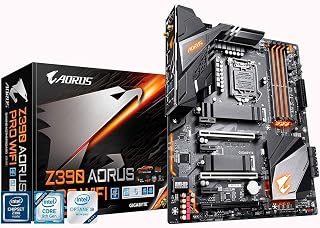
For readers who want wireless without hunting for a separate adapter, this board's onboard AC WiFi answers that need directly on an older but still capable platform. Built around the Z390 chipset with LGA 1151 socket support for 8th Gen Intel chips and DDR4 memory, it suits someone upgrading a legacy Intel system who still wants integrated wireless convenience.
Pros
- Onboard Intel 802.11AC WiFi frees up slots and ports
- 12+1 phase digital VRM supports stable overclocking
- Dual M.2 slots with thermal guards protect storage
- ALC1220-VB audio codec beats typical onboard sound
Cons
- Limited to 8th and 9th generation Intel Core processors
- RGB Fusion and extra features add cost beyond a bare-bones board
If the question is whether you actually need WiFi built into your motherboard, the Z390 AORUS PRO WiFi makes a solid case for yes. Rather than bolting on a USB dongle or sacrificing a PCIe slot to an add-in card, this board integrates Intel 802.11AC directly onto the PCB, so your wireless connection is part of the platform from the first boot. That matters more than it sounds on a Z390 ATX build, where M.2 slots, RGB headers, and expansion slots are already in demand. You get the convenience without the compromise. Beyond the wireless piece, the board backs it up with a 12+1 phase digital VRM for clean power delivery, dual M.2 slots with thermal guards, and ALC1220-VB audio that outperforms typical onboard sound. For 8th and 9th gen Intel builds where desk space or slot availability is tight, having WiFi already on the board rather than occupying a slot or a USB port is a genuine practical win, not just a checkbox feature.
Chipset and Socket: Intel Z390, LGA1151 (supports 9th and 8th-gen Intel Core)
Memory: Dual-channel DDR4 with 4 DIMM slots, supports up to 2048 GB, 4400 MHz maximum speed, Intel Optane Ready
Storage: Dual M.2 NVMe slots (PCIe Gen3 x4) with thermal guards, multiple SATA ports for traditional drives
Connectivity: Intel 802.11AC 2x2 Wave 2 Wi-Fi, Intel Gigabit LAN with cFosSpeed, Bluetooth 5
Audio: Realtek ALC1220-VB codec, 114dB SNR (rear), 110dB SNR (front microphone), WIMA audio capacitors
Power Delivery: 12+1 phase digital VRM with DrMOS, advanced thermal design with heatsinks and heat pipes
Cooling: Smart Fan 5 with multiple temperature sensors and hybrid fan headers
Form Factor: ATX (305 x 244 mm), includes integrated I/O shield
Warranty: 3-year limited warranty

If you want wireless built in rather than bolted on, this one answers the question directly with WIFI6E plus 2.5GbE, so you get fast wireless and wired options on the same board. Paired with the AM5 socket and DDR5 support, it suits anyone building a current-gen Ryzen rig who wants networking handled without a discrete card eating a PCIe slot.
Pros
- WiFi 6E built in for faster, less congested wireless
- 2.5GbE ethernet gives a reliable wired alternative
- 14+2+1 power phase design with 70A stages for stable power
- PCIe 5.0 M.2 and DDR5 with EXPO support for modern performance
Cons
- Only four SATA ports limit traditional storage expansion
- Single HDMI output restricts multi-monitor setups
Wondering if WiFi on a motherboard is worth it comes down to whether you want wireless as a built-in option rather than an afterthought, and the B650 AORUS Elite AX answers that with WiFi 6E, a step up from standard WiFi 6 for less congested, faster wireless connections. Paired with 2.5GbE for wired use, this board gives AM5 builders on Ryzen 7000, 8000, or 9000 series chips a genuine choice of connection type without extra hardware. The 14+2+1 phase power delivery with 70A stages and 8-layer PCB keeps power stable for high-end Ryzen CPUs, while PCIe 5.0 M.2 storage and DDR5 with AMD EXPO support give it modern performance credentials beyond just networking. Thermal design with 6mm heatpipes and PCIe armor protects your build during long sessions. For anyone who wants reliable wireless built into the board itself instead of relying on motherboard WiFi as a checkbox feature, this one delivers real wireless performance alongside solid core specs, at a reasonable mid-range price point for the B650 lineup.
Processor Support: AMD Socket AM5, compatible with Ryzen 7000, 8000, and 9000 series.
Memory: 4 DDR5 DIMM slots, up to 128GB maximum, 4400 MHz native speed, AMD EXPO and Intel XMP support.
Power Delivery: 14+2+1 power phases, 70A per stage, 8-layer 2X copper PCB.
Storage: 4 SATA III ports, 1 PCIe 5.0 NVMe M.2 slot, 1 PCIe 4.0 NVMe M.2 slot.
Connectivity: WiFi 6E, 2.5GbE ethernet, 12 USB ports (including USB 3.2 Gen 2 with front/rear USB-C), 1 HDMI output.
Expansion: 3 PCIe slots, comprehensive thermal armor.
Warranty: 5 years with online registration.
Buy this if you want WiFi 6E specifically, a notch above standard WiFi 6, built into an AM5 board for Ryzen 7000 through 9000 series builds. It fits gamers and streamers who want wireless flexibility plus strong wired 2.5GbE. Skip it if you need more than four SATA ports or multiple HDMI outputs for multi-monitor setups, or if you want X870-level premium features.

Anyone asking whether to prioritize WiFi on a motherboard will find this one leans in with WIFI6E and 2.5GbE alongside four M.2 slots for storage flexibility. Built for LGA 1700 with DDR5 and 12th to 14th Gen Intel support, it suits a high-end build where wireless speed and wired bandwidth both matter without extra hardware.
Pros
- WiFi 6E and 2.5GbE for fast wired and wireless networking
- Four M.2 slots for extensive storage expansion
- 16+1+2 phase VRM with 70A power stages for demanding CPUs
- M.2 Thermal Guard III and covered heatsinks for durability
Cons
- DDR5 XMP profiles may need manual tuning for stability
- Boot times and lighting may require BIOS adjustments
When the goal is WiFi on the motherboard paired with a platform that can carry a build for years, the Z790 AORUS Elite AX stands out by going a step further with WiFi 6E on a modern DDR5, Intel 12th through 14th Gen platform. Rather than treating wireless as a bolt-on feature, it pairs that connectivity with 2.5GbE, USB-C, and four M.2 slots, so builders get fast networking in both wired and wireless forms alongside serious storage headroom. The 16+1+2 phase VRM with 70A power stages means the board can handle demanding CPUs without connectivity being the bottleneck in a high-performance build. Protective touches like M.2 Thermal Guard III and covered MOSFET heatsinks support long-term reliability, while EZ-Latch and Q-Flash make setup and maintenance easier. The main caveat is that high-speed DDR5 XMP profiles may need manual tuning to run stably, and some BIOS adjustment can improve boot times and lighting behavior. For anyone building an Intel system where onboard WiFi 6E needs to match a high-end rest of the platform, this board fits.

For small form factor builds where slot space is precious, onboard WiFi 6 matters most, and this ITX board delivers that along with WiFi EZ-Plug for simple antenna routing. Running on AM4 with DDR4 and 2.5 GbE LAN, it fits a compact Ryzen setup where you still want reliable wireless without sacrificing your only M.2 or PCIe slot to an add-in card.
Pros
- WiFi 6 and 2.5 GbE LAN built in, ideal for space-limited ITX builds
- WiFi EZ-Plug simplifies antenna power connection
- Q-Flash Plus allows BIOS updates before installing a CPU
- 8-phase power delivery with aluminum backplate for stability
Cons
- Some users reported WiFi and Bluetooth issues needing driver or firmware fixes
- Only 2 DIMM slots cap RAM at 128 GB
For small-form-factor builds where every slot and port counts, the question of whether you need WiFi on the motherboard has an easy answer: yes, because there's rarely room to add it later. The B550I AORUS PRO AX includes WiFi 6 directly on the board along with 2.5 GbE LAN, so mini-ITX builders get full connectivity options without sacrificing one of the few expansion slots a compact case offers. The WiFi EZ-Plug feature is a nice touch for antenna power, and Q-Flash Plus lets you update BIOS before even installing a CPU, useful when working in tight spaces. Beyond wireless, this AM4 board supports Ryzen 3000 through 5000 series with PCIe 4.0, dual M.2 slots, and an 8-phase power delivery system with an aluminum backplate and extended VRM heatsink for sustained stability. For anyone building a compact gaming PC or workstation who still wants dependable wireless and wired networking in one package, this board checks that box without requiring a dongle or external adapter eating into limited I/O space.
Socket and Chipset: AMD Socket AM4, B550 chipset with support for Ryzen 3000, 4000, and 5000 series processors.
Memory: 2 DIMM slots supporting DDR4 up to 128 GB with XMP profile support for high-speed kits.
Storage: 1x M.2 PCIe 4.0 slot, 1x M.2 PCIe 3.0 slot, 4x SATA III ports for traditional drives and SSDs.
Power Delivery: 8-phase direct digital VRM with premium chokes and capacitors, 24-pin ATX power connector, 8-pin CPU power connector.
Connectivity: PCIe 4.0 x16 slot with armor, 1x USB 3.2 Gen 2 Type-C, 1x USB 3.2 Gen 2 Type-A, 4x USB 3.2 Gen 1 Type-A, 2x USB 2.0, 2.5 GbE LAN, WiFi 6, 2x HDMI outputs.
Physical: Mini-ITX form factor, 6.69 inches square, 3-year manufacturer warranty.
Buy this if you're building a mini-ITX AM4 system with Ryzen 3000 to 5000 series chips and want WiFi 6 and 2.5GbE built in without using up scarce ports or slots. It suits builders with a clear, compact parts list in mind. Skip it if you need more than 128GB RAM capacity or more than two DIMM slots, or if you've read reports of WiFi and Bluetooth needing driver updates and want to avoid that hassle.
How to Choose a Motherboard with WiFi
WiFi Standard: 6, 6E, or Older AC?
The WiFi version on a motherboard matters more than most buyers realize. WiFi 6 (802.11ax) delivers faster throughput, lower latency, and better performance in crowded networks compared to older AC standards. WiFi 6E goes a step further by adding the 6GHz band, which is far less congested in most homes.
Boards like the Asus ROG Strix B550-F Gaming WiFi II AMD AM4 ship with WiFi 6E, while the GIGABYTE Z390 AORUS PRO Wi-Fi uses Intel 802.11AC, which is still solid but a generation behind. If your router supports WiFi 6 or 6E, matching it on the motherboard side is worth it.
Platform Compatibility: AMD AM4, AM5, or Intel LGA 1700?
Your CPU determines your socket, and your socket determines which boards you can even consider. AMD Ryzen 5000 and older chips use AM4, while Ryzen 7000 and newer move to AM5. Intel’s 12th through 14th Gen processors all use LGA 1700.
For AM4 builds, the MSI B550M PRO-VDH WiFi ProSeries Motherboard and the GIGABYTE B550I AORUS PRO AX AMD AM4 ITX are two strong contenders. For AM5, the GIGABYTE B650 AORUS Elite AX AMD AM5 ATX supports Ryzen 7000 through 9000 series with WiFi 6E onboard. Our guide to the best motherboards for Ryzen 9 9900X goes deeper on AM5 platform options.
Form Factor: ATX vs Micro-ATX vs Mini-ITX
The physical size of the board shapes your entire build. Full ATX boards like the GIGABYTE Z790 AORUS Elite AX LGA 1700 ATX offer more expansion slots and better power delivery headroom. Micro-ATX shrinks the footprint while keeping most features intact, and Mini-ITX takes it even further for compact cases.
If you’re going small, the GIGABYTE B550I AORUS PRO AX is one of the few Mini-ITX boards that still includes WiFi 6 and 2.5GbE. The trade-off is fewer PCIe slots and a tighter layout. Match the form factor to your case first, then filter from there.
Wired Networking: Does the Board Include 2.5Gb LAN?
Even if you plan to use WiFi, having a fast wired option is a smart backup. Most premium boards now include 2.5 Gigabit ethernet rather than the older 1Gb standard. That’s a meaningful jump for local file transfers and low-latency gaming sessions.
Boards like the ASUS TUF Gaming B550-PLUS WiFi II AMD AM4 and the ASUS TUF Gaming Z790-Plus WiFi LGA 1700 both combine WiFi 6 with Intel 2.5Gb LAN, giving you the best of both worlds. If you ever run ethernet, you won’t be bottlenecked by a legacy gigabit port. For related build advice, our article on mixing RAM brands covers another common compatibility question builders run into.
Final Thoughts
If flexibility and future-proofing matter to you, going with a board that has WiFi built in is a straightforward call. For Intel LGA 1700 builds, the ASUS TUF Gaming Z790-Plus WiFi LGA 1700 hits a great balance of power delivery, connectivity, and reliability. AMD builders who want a compact solution will appreciate the GIGABYTE B550I AORUS PRO AX AMD AM4 ITX, which packs WiFi 6 and 2.5GbE into a Mini-ITX footprint without compromise.
Frequently Asked Questions
Do you need WiFi on a motherboard if you use ethernet?
If your PC is always connected via a wired ethernet cable, you technically do not need onboard WiFi. That said, having it available as a backup is never a bad thing, especially if you ever move your setup or temporarily lose access to a wired connection. Many WiFi-equipped boards in 2026 include it at minimal extra cost over non-WiFi versions.
Can you add WiFi to a motherboard that does not have it?
Yes, you can add WiFi via a PCIe WiFi adapter card or a USB WiFi dongle. PCIe cards generally perform better and are more stable than USB adapters. However, using a PCIe slot for WiFi means one fewer slot available for other expansion cards, which can matter in small form factor builds.
Is WiFi 6E worth it over WiFi 6 on a motherboard in 2026?
WiFi 6E adds the 6GHz band, which is significantly less congested in dense environments like apartments or offices with many wireless devices. If your router supports 6GHz, the upgrade is worthwhile for both speed and latency. If your router only supports 2.4GHz or 5GHz, a WiFi 6E motherboard will still work, it just won’t use the extra band. Our breakdown of B850 vs X870 covers more about how platform choice intersects with connectivity features on AMD builds.
Does onboard WiFi affect gaming performance?
Onboard WiFi on a modern motherboard does not negatively affect gaming performance when the system is connected via ethernet. When using wireless, WiFi 6 and WiFi 6E offer low enough latency for competitive gaming in most home environments. A wired connection will always edge out wireless for the most latency-sensitive scenarios, but the gap has narrowed considerably with newer WiFi standards.
Common questions
Does wired networking still win over WiFi for gaming latency?
Yes, a wired connection still wins for latency because Ethernet avoids the signal overhead, interference, and retransmission delays that wireless protocols introduce. Boards like the GIGABYTE B650 AORUS Elite AX pair 2.5GbE with WIFI6E, so you get both options and can plug into Ethernet for competitive gaming while keeping WiFi free for secondary devices or quick setup in a new room.
Is adding a WiFi add-in card the cheaper route for a build?
Yes, an add-in card is usually the cheaper route if your board lacks WiFi, since boards like the ASUS TUF Gaming B550M-PLUS skip onboard wireless to hit a lower price point. A PCIe WiFi card or a simple USB adapter covers the gap without forcing you into a pricier WiFi-equipped motherboard, especially if your case already sits near a router.
Do WiFi motherboards come with Bluetooth bundled in as well?
Yes, Bluetooth typically comes bundled with WiFi on these boards because both radios share the same module. The GIGABYTE Z390 AORUS Pro Wi-Fi, GIGABYTE B550I AORUS PRO AX, and GIGABYTE B650 AORUS Elite AX all pair onboard WiFi with Bluetooth, so you get wireless peripherals and internet access from a single combo chip instead of buying separate hardware.