

When you need desktop-level performance in a portable package, compromise isn’t an option. Whether you’re rendering complex 3D scenes, streaming AAA titles at maximum settings, or running AI workloads alongside your game, the right high-end gaming laptop transforms what’s possible on the go.
This guide examines eight flagship gaming laptops equipped with NVIDIA’s latest RTX 5080 and 5090 GPUs, Intel Core Ultra 9 processors, and advanced cooling systems designed to sustain peak performance during extended sessions. If you’re building a complete setup, check out our RTX 5070 Ti PC build guide for desktop alternatives.
Quick answer
This guide compares 8 picks, with ASUS ROG Strix G16 2026 Gaming Laptop 300Hz RTX 5080 ranked first. Lenovo Legion Pro 7i Gen 10 16in Gaming Laptop Intel holds the highest customer rating among them.
Pros
- Exceptional 300Hz display with Dolby Vision HDR delivers smooth, vibrant competitive gaming visuals
- Latest Intel Core Ultra 9 and RTX 5080 hardware ensures top-tier performance for 2026 gaming standards
- MUX Switch and Advanced Optimus optimization balance gaming performance with battery efficiency
- Tool-free component access makes RAM and SSD upgrades simple without technical expertise
- Comprehensive cooling system maintains consistent high performance during extended gaming sessions
Cons
- Limited real-world user reviews available for performance verification in varied gaming scenarios
- High-end specifications may exceed requirements for casual or mainstream gaming use cases
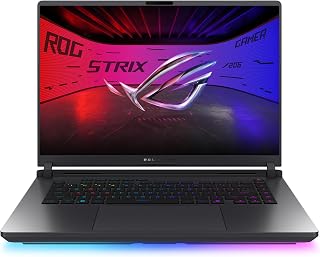
The ASUS ROG Strix G16 2026 is a flagship gaming laptop engineered for competitive esports players and professional content creators who demand maximum performance. Featuring a 16-inch display, it balances portability with screen real estate while delivering cutting-edge hardware in the latest generation format.
The standout feature is the 300Hz ROG Nebula display with Dolby Vision HDR and anti-glare AGLR coating, which eliminates motion blur and delivers crystal-clear visuals from off-center angles. Paired with the Intel Core Ultra 9 290HX Plus processor and NVIDIA RTX 5080 GPU with DLSS 4 support, this laptop handles demanding AAA titles, competitive shooters, and 4K content creation with exceptional frame rates and visual quality.
Build quality is premium throughout. The Eclipse Gray finish feels refined, the backlit keyboard is responsive and esports-ready, and the customizable 360-degree RGB light bar adds visual appeal while Stealth Mode ensures professionalism in work environments. The advanced vapor chamber cooling with tri-fan technology and Conductonaut liquid metal ensures the system stays cool and quiet under sustained load, directly translating to reliable peak performance during marathon gaming sessions.
The tool-free upgrade design via bottom panel latch removes barriers to customization, letting users swap RAM, SSD, and fans without tools. The MUX Switch provides a documented 5-10% gaming performance boost by routing frames directly from dedicated GPU, while Advanced Optimus intelligently switches between integrated and dedicated graphics for battery life optimization without system restarts.
The main consideration is the premium price positioning this laptop for enthusiasts only. With limited user reviews currently available, real-world performance data across diverse gaming and workload scenarios remains incomplete. However, the hardware specifications, advanced thermal engineering, and feature completeness make this a compelling choice for users who prioritize performance and customization above all else.
Processor: Intel Core Ultra 9 290HX Plus, 24 cores, 2.7 GHz base / 5.5 GHz max
Graphics: NVIDIA GeForce RTX 5080 with 16GB GDDR7 VRAM, Blackwell architecture, DLSS 4, Max-Q
Display: 16 inches, 2560x1600 (2.5K), 300Hz, LED, 500 nits, Dolby Vision HDR, anti-glare AGLR
Memory: 32GB DDR5-5600MHz
Storage: 1TB PCIe Gen4 SSD
Connectivity: Wi-Fi 7 (802.11ax), Bluetooth 5.4, HDMI, USB, Ethernet
Battery: 90 watt-hour lithium ion
Operating System: Windows 11 Home
Dimensions: 13.94 inch L x 10.55 inch W x 0.9 inch thickness
Special Features: MUX Switch, Advanced Optimus, vapor chamber cooling, tri-fan technology, liquid metal chipset cooling, tool-free upgrades, RGB Aura light bar, Dolby Atmos audio, esports keyboard
Who Should Buy: This laptop is ideal for competitive esports players, professional content creators, and gaming enthusiasts who demand absolute maximum performance. If you prioritize frame rates, visual fidelity, and customization over budget, this is a top-tier choice.
Gaming Performance: The 300Hz display paired with RTX 5080 performance handles ultra-settings on modern AAA titles, competitive shooters at extreme frame rates, and VR gaming with exceptional smoothness. DLSS 4 further boosts frame rates while maintaining visual quality.
Content Creation: The 32GB DDR5 RAM, powerful CPU, and dedicated GPU acceleration make this excellent for video editing, 3D rendering, streaming, and graphic design workflows where sustained performance and thermal stability matter.
Customization: The tool-free upgrade design via bottom latch allows users to upgrade RAM, SSD, and fans without technical expertise, making long-term maintenance and future upgrades straightforward and affordable.
Alternatives to Consider: If budget is a concern, consider previous generation ROG Strix models or competitor gaming laptops with slightly older GPUs. If maximum portability matters more than performance, look for 14 or 15-inch gaming laptops instead of this 16-inch model.

Pros
- RTX 5080 16GB is the top mobile GPU tier available in 2025
- 240Hz OLED panel with 500 nits and DisplayHDR True Black 1000
- 64GB RAM handles gaming, streaming, and recording simultaneously
- 2TB dual-NVMe storage accommodates a large game library without compromise
Cons
- At 4.92kg it is one of the heaviest laptops in this roundup
- One-year warranty is modest relative to the premium positioning
When raw gaming performance is the sole criterion, the Lenovo Legion Pro 7i Gen 10 sits at the very top of the 2025 laptop stack. The RTX 5080 paired with an Intel Core Ultra 9 275HX is the most powerful mobile GPU-CPU combination available, and 64GB of DDR5 RAM ensures nothing bottlenecks it. At 1440p with every setting pushed to maximum, demanding AAA titles run at frame rates that genuinely exploit the 240Hz OLED panel. That panel is itself a differentiator: 500 nits of brightness, DisplayHDR True Black 1000 certification, and a 240Hz refresh rate combine to make fast-paced games look as good as they play. Storage is equally serious, with two 1TB NVMe drives giving 2TB total so a large game library never requires juggling installs. The per-key RGB keyboard rounds out a package built entirely around high-end gaming. The weight of 4.92kg and over an inch of chassis thickness are real concessions, but they are the direct result of fitting desktop-tier hardware into a portable form factor.
Processor: Intel Core Ultra 9 275HX, 24-core (8P + 16E), up to 5.4GHz, 36MB cache
Graphics: NVIDIA GeForce RTX 5080, 16GB GDDR7, 175W TGP, 1334 AI TOPS
Display: 16-inch WQXGA OLED, 2560x1600, 240Hz, 500 nits, 100% DCI-P3, DisplayHDR True Black 1000, G-SYNC
Memory: 64GB DDR5-6400MHz (2x32GB), upgradeable configuration
Storage: 2TB NVMe SSD (2x1TB M.2 2280 PCIe Gen4)
Connectivity: Wi-Fi 7, Bluetooth 5.3, Thunderbolt 4, HDMI, USB ports
Battery: 99.99Wh Lithium-Ion, approximately 6.5 hours typical use
Weight: 4.92kg, Dimensions: 14.35in x 10.86in x 1.05in
OS: Windows 11 Pro 64-bit
Built for gamers who treat their laptop as a primary gaming rig rather than a travel machine. Ideal if you want the fastest mobile GPU available, a high-refresh OLED display, and no RAM ceiling when streaming or recording simultaneously. Skip it if you commute daily and prioritize a light backpack, if a one-year warranty feels insufficient for the investment, or if your workload does not demand RTX 5080-class horsepower.

Pros
- RTX 5090 with DLSS 4 and Multi Frame Generation leads mobile GPU performance
- 64GB DDR5 and 24-core CPU handle gaming plus heavy multitasking without compromise
- 300Hz 2.5K display serves both competitive and cinematic use cases
- Wi-Fi 7 and Bluetooth 5.4 keep the platform current for years
Cons
- 9.6-pound weight and high power draw make it a desktop replacement, not a travel laptop
- Windows 11 Home may limit advanced workstation-class workflows
When raw performance is the only metric that matters, the Dell Alienware 18 Area-51 makes a compelling case for itself. The RTX 5090 GPU sits at the absolute top of the mobile graphics stack, and paired with DLSS 4 and Multi Frame Generation, it handles ray-traced titles and high-refresh competitive games without breaking a sweat. The Intel Core Ultra 9 275HX brings 24 cores to the table, so streaming, editing, and gaming simultaneously stays smooth rather than sluggish. Memory is equally uncompromising at 64GB DDR5, and the 2TB PCIe SSD keeps load times negligible. The 18-inch 2.5K WQXGA panel running at 300Hz covers both competitive precision and cinematic single-player detail in one screen. Wi-Fi 7 and Bluetooth 5.4 keep connectivity future-proofed. The Liquid Teal aluminum chassis signals build quality that matches the internal specs. At 9.6 pounds and 0.95 inches thick, this is a desktop replacement that travels only when it has to, not a machine you haul to class every day.
Display: 18-inch WQXGA LCD, 2560x1600, 300Hz, 500 nits brightness, anti-glare coating
Processor: Intel Core Ultra 9 275HX, 24 cores, 5.4 GHz base
Graphics: NVIDIA GeForce RTX 5090 with DDR5 VRAM
Memory: 64GB DDR5 SDRAM
Storage: 2TB PCIe NVMe SSD
Connectivity: Wi-Fi 7, Bluetooth 5.4, USB, HDMI, Ethernet, Thunderbolt, capacitive touchpad
Input: Backlit keyboard
Dimensions: 12.59 inches (L) x 16.14 inches (W) x 0.95 inches (Th)
Weight: 9.6 pounds
Operating System: Windows 11 Home
Color: Liquid Teal

Pros
- Flagship performance handles demanding AAA titles and creative applications with ease
- Excellent cooling design prevents throttling during extended gaming sessions
- High-refresh 240Hz display maximizes competitive gaming responsiveness
- Comprehensive connectivity with Thunderbolt 4, HDMI, and Wi-Fi 7
- Includes 1-year onsite service for peace of mind
Cons
- 7.5-pound weight and 1.12-inch thickness make it less portable than ultrabooks
- No fingerprint reader limits biometric security options
The Alienware Area-51 is engineered for serious gamers and content creators who demand cutting-edge performance without compromise. This 16-inch powerhouse combines an RTX 5070 Ti GPU with Intel's latest Core Ultra 9 275HX processor, making it capable of handling demanding AAA titles at maximum settings and tackling professional creative work.
The standout feature is the innovative Cryo-Chamber cooling system, which props up the laptop to increase airflow while providing a transparent Gorilla Glass window into the thermal design. Paired with the RTX 5070 Ti and Max-Q technology, this setup delivers sustained high performance without thermal throttling. The 240Hz WQXGA display (2560 x 1600) ensures buttery-smooth gameplay and sharp visuals, while the integrated NPU accelerates AI workloads alongside traditional computing tasks.
Design and build quality reflect Alienware's premium positioning. The Liquid Teal finish is striking, the backlit keyboard is responsive, and the overall construction feels robust. Advanced AlienFX dynamic lighting creates an immersive atmosphere. With 5 USB ports, dual Thunderbolt 4 connections, and Wi-Fi 7, connectivity is comprehensive for gaming rigs and external peripherals.
The main drawback is price and portability. At nearly $3000 and 7.5 pounds, this is an investment for enthusiasts, not casual gamers. The lack of a fingerprint reader is a minor omission for a machine at this tier. Battery life also takes a backseat to raw performance, so expect to keep it plugged in during intensive sessions.
The Alienware Area-51 is a top-tier gaming laptop that delivers the performance and cooling prowess that hardcore gamers expect. If you're willing to invest in flagship hardware and prioritize gaming performance above portability, this machine rewards that commitment. The 1-year onsite support adds valuable peace of mind.
Processor: Intel Core Ultra 9 275HX with integrated GPU and NPU
Graphics: NVIDIA GeForce RTX 5070 Ti with 12GB GDDR7 memory
Display: 16-inch WQXGA LED, 2560 x 1600 resolution, 240Hz refresh rate, matte finish
Memory: Not specified in product data
Storage: 1TB SSD (Solid State Drive)
Operating System: Windows 11 Home
Connectivity: Wi-Fi 7, Bluetooth, 5 USB ports, 2 Thunderbolt 4 ports, HDMI video output, SD Card Reader
Design: Clamshell, Liquid Teal color, 11.41"L x 14.37"W x 1.12" thickness, 7.5 pounds
Special Features: Cryo-Chamber cooling system with Gorilla Glass panel, backlit keyboard, HD audio, numeric keypad, advanced AlienFX dynamic lighting
Warranty: 1-Year Limited Hardware Warranty with onsite support
Who Should Buy: This laptop is ideal for serious gamers, esports competitors, and creative professionals who need desktop-class performance in a portable form factor. If you prioritize frame rates, smooth gameplay, and the ability to run AAA titles at maximum settings, the Area-51 delivers. Content creators working with video editing, 3D rendering, or AI workloads will also benefit from the powerful processor and GPU combination.
Who Should Skip: If you're a casual or budget-conscious gamer, consider more affordable alternatives. If portability is your primary concern, a thinner ultrabook might be better despite lower performance. Similarly, if you need all-day battery life for on-the-go work, this performance-focused machine may disappoint as it prioritizes gaming power over endurance.
What You're Paying For: The premium price reflects the RTX 5070 Ti flagship GPU, the latest high-end Intel processor, the innovative Cryo-Chamber cooling system, the 240Hz display, and Dell's comprehensive onsite support. You're also getting Alienware's reputation for gaming-focused engineering and design.
Key Considerations: Ensure you have adequate power infrastructure (240V, as noted in specs) and a proper desk setup given the weight and cooling requirements. The Cryo-Chamber stand is essential for optimal performance, so factor that into your setup. Consider the trade-off between portability and performance before committing to this price point.

Pros
- RTX 5070 Ti with DLSS 4 Multi Frame Generation for AI-boosted frame rates
- 240Hz G-SYNC WQXGA panel with 100% DCI-P3 and 3ms overdrive response
- 5th Gen Aeroblade 3D cooling designed for sustained gaming performance
- Killer Wi-Fi 6E and Gen 4 SSD deliver fast connectivity and load times
Cons
- 16GB DDR5 base RAM can limit heavy concurrent workloads such as video editing while gaming
- 1TB single-drive storage fills quickly with a large modern game library
The Acer Predator Helios Neo 16 AI brings a compelling set of high-end credentials to this comparison. Its RTX 5070 Ti leverages Blackwell architecture with 992 AI TOPS and fourth-generation RT Cores, enabling full ray tracing at high frame rates rather than as a visual footnote. DLSS 4 with Multi Frame Generation adds AI-driven frames on top of that, so 1440p gaming with maximum settings on modern AAA titles is genuinely achievable. The 16-inch WQXGA display runs at 240Hz with G-SYNC, 500 nits, 100% DCI-P3 color accuracy, and a 3ms overdrive response time, making it one of the more complete panels in this class. The 16:10 aspect ratio extends vertical space beyond what standard 16:9 gaming panels offer. Cooling is handled by the 5th Gen Aeroblade 3D system, designed specifically for sustained thermal stability under gaming loads. The 1TB Gen 4 SSD and Killer Wi-Fi 6E keep storage and connectivity at a level appropriate for competitive play.
Processor: Intel Core Ultra 9 275HX with 13 NPU TOPS for AI workload acceleration
GPU: NVIDIA GeForce RTX 5070 Ti (Blackwell architecture, 992 AI TOPS, 4th-gen RT Cores, 5th-gen Tensor Cores)
Display: 16-inch WQXGA (2560x1600), 16:10 aspect ratio, 240Hz refresh rate, 3ms overdrive, 500-nit brightness, 100% DCI-P3 color gamut, G-SYNC and Advanced Optimus
Memory: 16GB DDR5 RAM for efficient multitasking
Storage: 1TB Gen 4 SSD with lightning-fast data transfer speeds
Connectivity: Killer Wi-Fi 6E for ultra-fast wireless with reduced latency
Input: 4-zone RGB backlit keyboard
Cooling: 5th Gen Aeroblade 3D thermal design
OS: Windows 11 Home
A strong pick for competitive and AAA gamers who want RTX 5070 Ti performance in a 16-inch chassis with a G-SYNC display tuned for fast gameplay. Well suited to players who rely on DLSS 4 and ray tracing in modern titles. Consider skipping it if you regularly run heavy parallel workloads alongside gaming, since the 16GB base RAM configuration can become a ceiling, or if you need more than 1TB of local game storage.
Pros
- Powerhouse performance from flagship Ryzen 9 and RTX 5080 combination handles any gaming or creative workload
- Stunning 240Hz QHD+ display with professional color gamut transforms competitive gaming and content creation
- Wi-Fi 7 future-proofs your connectivity for next-generation networks and faster downloads
- Generous 32GB DDR5 RAM eliminates performance bottlenecks in multitasking scenarios
- Premium build quality with aluminum chassis and sophisticated Cosmo Gray design
Cons
- 7.9-pound weight and 18-inch size sacrifice portability compared to smaller gaming laptops
- 3.7-star rating suggests some users may have experienced quality or performance consistency issues worth investigating before purchase
The MSI Vector A18 HX is a flagship gaming and content creation laptop built for serious users who refuse to compromise on performance. Featuring AMD's latest Ryzen 9-9955HX processor and NVIDIA's powerful RTX 5080 GPU, this machine is engineered for competitive gamers, video editors, 3D artists, and developers.
The standout features include an exceptional 18-inch 240Hz QHD+ display with 100% DCI-P3 color accuracy, delivering vibrant visuals and ultra-smooth gameplay. Paired with 32GB DDR5 RAM and a 1TB NVMe SSD, the system handles intensive workloads with confidence. Wi-Fi 7 connectivity ensures you're ready for next-generation networks with lightning-fast download and streaming speeds.
Design-wise, the Cosmo Gray chassis combines aluminum construction with a clean aesthetic. The backlit keyboard and fingerprint reader add practical touches for everyday use, while the 4x 2W speaker system provides decent audio for gaming and content consumption.
The main drawback is the weight and size. At 7.9 pounds and 18 inches, this laptop prioritizes screen real estate and performance over portability. Additionally, the current 3.7-star rating warrants consideration, as some reviewers may have encountered reliability or performance concerns worth researching.
Verdict: The MSI Vector A18 HX is an outstanding choice for power users who need maximum performance in a large format. Its cutting-edge specs, professional-grade display, and Wi-Fi 7 support make it future-proof, though the premium price and weight require careful consideration of your mobility needs.
Processor: AMD Ryzen 9-9955HX
GPU: NVIDIA GeForce RTX 5080 (16GB GDDR7)
RAM: 32GB DDR5
Storage: 1TB NVMe SSD
Display: 18-inch, 2560x1600 pixels, 240Hz refresh rate, QHD+, 100% DCI-P3, LCD, matte finish
Operating System: Windows 11 Home
Connectivity: Wi-Fi 7 (802.11ax), Bluetooth 5.4, USB Type-C, HDMI
Battery & Weight: 7.9 pounds
Dimensions: 15.91L x 12.09W x 1.26 inches thick
Additional Features: Backlit keyboard, fingerprint reader, front webcam, quad speakers (4x 2W), built-in microphone

Pros
- Exceptional raw performance with RTX 5090 handles AAA gaming at maximum settings and AI workloads without compromise
- Innovative dual-mode display gives users flexibility between ultra-sharp 4K visuals and lightning-fast 440Hz competitive gaming
- Highly upgradeable with dual M.2 slots and expandable RAM means the system scales with your needs over time
- Robust cooling architecture sustains high framerates and performance without thermal throttling during extended sessions
- Premium design and connectivity options including Thunderbolt 5 position this as a workstation-grade portable device
Cons
- 7.06-pound weight and 18-inch form factor make it less portable than smaller 15 or 16-inch gaming laptops
- No customer reviews available yet means real-world reliability and user experience data is not yet published
The Razer Blade 18 (2026) positions itself at the absolute top of the gaming laptop hierarchy, merging desktop-grade performance with portability for competitive gamers, professional streamers, and creative professionals. This 18-inch flagship is engineered for users who refuse to compromise between power and mobility, pairing cutting-edge components with thoughtful engineering throughout.
The standout feature is undoubtedly the NVIDIA RTX 5090 GPU paired with Intel's Core Ultra 9 290HX processor. This combination delivers desktop-level gaming performance, handling AAA titles at maximum settings while maintaining high framerates. The dual-mode 18-inch display (switchable between 3840x2400 at 240Hz and 1920x1200 at 440Hz) brilliantly solves the eternal gaming dilemma: immersive visuals versus competitive refresh rates. The 600-nit brightness and 100% DCI-P3 color accuracy ensure stunning visuals regardless of which mode you choose.
Build quality matches the premium positioning. The unibody CNC aluminum chassis feels solid and durable, while the per-key RGB Chroma keyboard and precision glass trackpad deliver a polished user experience. The advanced vapor chamber cooling system is engineered specifically for high-wattage GPUs, keeping sustained performance stable during long gaming marathons or intensive creative work. Connectivity is comprehensive, with Thunderbolt 5, Wi-Fi 7, and 2.5Gb Ethernet supporting demanding multi-monitor setups and high-speed workflows.
The primary drawback is accessibility. At $5,999.99, this laptop targets a specific segment of high-end users. Additionally, at 7.06 pounds and 18 inches, it trades some portability for its expansive display and performance capabilities. There are currently no user reviews available, so real-world durability data and long-term reliability feedback remain to be seen.
Verdict: The Razer Blade 18 (2026) is the best-in-class choice for users who demand unrestricted gaming and content creation performance. If your budget allows and you value cutting-edge components, dual-mode display flexibility, and premium build quality, this laptop delivers exceptional value at its tier.
Processor: Intel Core Ultra 9 290HX, 24 cores, 24 threads, 36MB Cache, up to 5.5 GHz
GPU: NVIDIA RTX 5090, 24GB GDDR7, 175W TGP plus 25W Dynamic Boost
Display: 18-inch dual-mode, 3840x2400 at 240Hz or 1920x1200 at 440Hz, 600 nits, 3ms response, 100% DCI-P3, Calman Verified
RAM: 64GB DDR5-6400MHz (expandable to 128GB)
Storage: 2TB installed, dual M.2 slots (PCIe Gen 5 and Gen 4) supporting up to 8TB per slot
Connectivity: Thunderbolt 5, Thunderbolt 4, HDMI 2.1, USB-A, SD UHS-II, 2.5Gb Ethernet, Wi-Fi 7, Bluetooth
Audio: 6-speaker system with dual-force woofers, 2 tweeters, THX Spatial Audio
Webcam: 5MP IR with Windows Hello face recognition
Battery: 99Wh with fast charging support
Weight: 7.06 lbs
Dimensions: 15.74 inches L x 10.84 inches H x 0.86 inches Th
Operating System: Windows 11 Home
Keyboard: Per-key RGB Chroma
Trackpad: Precision glass
Best For: Competitive esports gamers seeking ultra-high refresh rates, AAA gaming enthusiasts wanting maximum visual fidelity, professional content creators and streamers, AI developers and researchers, and anyone needing a portable high-end workstation.
Consider This Laptop If: You play demanding AAA titles and want maximum framerates at highest settings, you stream or create content while maintaining performance, you work with AI models locally, you require extensive storage and RAM expansion, and you value build quality and premium materials.
Look Elsewhere If: You prioritize portability over performance, your budget is under $3,000, you primarily play competitive esports titles at lower graphical settings, or you need a lightweight ultrabook for business travel.
Upgrade Considerations: The 64GB DDR5 RAM and expandable storage mean this system scales excellently over time. Consider adding a second M.2 drive for media library expansion or upgrading to 128GB RAM if working with 4K video or large datasets. The modular design allows future GPU or CPU components to be swapped if Razer supports component upgrades.

Pros
- Unmatched GPU performance with RTX 5090 for cutting-edge gaming and professional rendering
- Exceptional display quality combines high resolution, refresh rate, and color accuracy
- Massive storage and RAM eliminate upgrade needs for years of heavy workloads
- Intel Ultra 9 processor offers significant multi-threaded performance for content creators
- Comprehensive warranty and lifetime support provide long-term peace of mind
Cons
- High-end components generate heat and power draw, limiting battery life for portable use
- Overkill specifications for general browsing and office work, making it a niche purchase
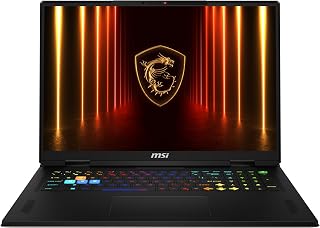
The MSI Stealth 18 HX AI stands as a no-compromise flagship laptop engineered for professional gamers, 3D artists, video editors, and AI developers. This machine combines cutting-edge hardware with a premium 18-inch display, making it an exceptional choice for users who prioritize maximum performance and visual fidelity over portability.
The RTX 5090 GPU is the headline feature, delivering generational leaps in ray-tracing and DLSS performance for next-generation games at ultra settings. Paired with the Intel Core Ultra 9 275HX's 24 cores, this system handles complex 3D rendering, video encoding, and AI workloads with ease. The 64GB DDR5 RAM and 4TB NVMe SSD ensure instant application launches and smooth handling of massive project files without slowdowns.
The 18-inch UHD+ Mini LED display is exceptional, offering 3840x2400 resolution, 120Hz refresh rate, HDR 1000 brightness, and 100% DCI-P3 color accuracy. This combination delivers stunning image quality for both gaming and professional color-critical work, with exceptional contrast and vivid detail. The large screen real estate becomes invaluable during long creative sessions.
Build quality reflects the premium positioning, with a sleek design and robust thermal management needed to sustain peak performance during extended sessions. The backlit keyboard enhances usability in low-light environments. However, the high-performance components result in substantial power consumption and heat generation, making this laptop best suited for desk-based use rather than true portability.
The MSI Stealth 18 HX AI is a justified investment for professionals and enthusiasts who demand top-tier performance and are willing to pay for it. It excels in gaming, content creation, and AI workflows where every frame and every second counts.
Processor: Intel Core Ultra 9 275HX, 24 cores, 2.1GHz base, 5.4GHz turbo, 36MB Smart Cache
Graphics: NVIDIA GeForce RTX 5090, 24GB GDDR7 VRAM
Display: 18-inch UHD+ (3840x2400), 120Hz, Mini LED, HDR 1000, 100% DCI-P3
Memory: 64GB DDR5-5600MHz (2x32GB)
Storage: 4TB PCIe NVMe SSD
Operating System: Windows 11 Pro
Warranty: 1-Year MSI Parts and Labor, Global Coverage, Lifetime Tech Support from EXCaliberPC
Special Features: Backlit Keyboard, Portable 18-inch Design
Ideal For: Professional gamers, 3D artists, video editors, AI developers, and content creators who demand maximum performance and are budget-conscious within the premium tier. This laptop is perfect for users running demanding applications like Blender, DaVinci Resolve, Unreal Engine, or the latest AAA games at maximum settings.
Not Ideal For: Students seeking general-purpose laptops, business users focused on productivity, and casual gamers looking for value. The premium price and excess performance are unnecessary for everyday computing tasks.
Key Consideration: This is a performance-first machine designed for stationary use with occasional portability. If you need a truly portable laptop, consider a smaller form factor. If you need maximum gaming and creative firepower and can accommodate an 18-inch system, this is your machine.
What to Consider When Choosing a High-End Gaming Laptop
GPU Performance and VRAM Capacity
The graphics card determines your gaming experience more than any other component. RTX 5090 laptops with 24GB GDDR7 memory handle 4K gaming and content creation workflows simultaneously, while RTX 5080 models with 16GB GDDR7 deliver exceptional 1440p and high-refresh 1080p performance.
Total Graphics Power (TGP) matters significantly. The Razer Blade 18 runs its RTX 5090 at 175W with 25W dynamic boost, extracting maximum performance from the silicon. Lower TGP implementations save battery but sacrifice frames.
Display Technology and Refresh Rates
Your display must match your GPU’s capabilities. OLED panels like the one in the Lenovo Legion Pro 7i deliver perfect blacks and infinite contrast ratios, ideal for HDR content and cinematic gaming. Mini LED screens offer extreme brightness for well-lit environments.
Competitive gamers prioritize refresh rates over resolution. The Razer Blade 18 switches between 240Hz UHD+ for immersive single-player experiences and 440Hz FHD+ for esports titles where every millisecond counts. Color accuracy matters for creators, look for 100% DCI-P3 coverage and factory calibration.
Thermal Management Systems
Premium laptops demand sophisticated cooling solutions. Vapor chamber designs spread heat across larger surface areas more efficiently than traditional heat pipes. The ASUS ROG Strix G16 applies Conductonaut Extreme liquid metal to the CPU die, reducing thermal resistance and maintaining boost clocks longer.
Physical design influences airflow. The Alienware 16 Area-51 features a Cryo-Chamber that lifts the chassis to create larger air intakes. More airflow enables the system to sustain higher power limits without throttling, which directly translates to consistent frame rates during marathon gaming sessions.
Memory and Storage Configuration
High-end workflows demand substantial RAM. 32GB DDR5-5600MHz handles multitasking comfortably, but 64GB configurations prevent slowdowns when running virtual machines, large datasets, or multiple creative applications. The Lenovo Legion Pro 7i ships with 64GB DDR5-6400MHz and supports expansion to 128GB.
Storage speed impacts game load times and file operations. PCIe Gen 4 SSDs provide adequate performance, but Gen 5 drives in premium models like the Razer Blade 18 deliver twice the sequential throughput. Dual M.2 slots allow you to segregate your operating system from game libraries or expand capacity as your collection grows. Consider our RTX 5070 build recommendations if you need desktop-scale storage flexibility.
Final Thoughts
These eight laptops represent the pinnacle of mobile gaming performance in 2026, each engineered for specific use cases. If you need absolute maximum power and plan to use your laptop docked most of the time, the Dell Alienware 18 Area-51 with RTX 5090 delivers uncompromising desktop-replacement capability. For professionals who travel frequently but refuse to sacrifice performance, the ASUS ROG Strix G16 balances portability with serious horsepower in a more manageable form factor.
Frequently Asked Questions
How much performance difference exists between RTX 5080 and RTX 5090 laptop GPUs?
The RTX 5090 provides approximately 25-35% higher frame rates than the RTX 5080 at 4K resolution with ray tracing enabled. The gap narrows at 1440p where both GPUs exceed 100fps in most titles. The 5090’s 24GB VRAM becomes crucial for content creation workflows, AI model training, and future-proofing against increasingly demanding textures in upcoming game releases.
Can gaming laptops in 2026 truly match desktop performance?
Modern high-end gaming laptops with 175W TGP GPUs and Core Ultra 9 processors approach desktop performance in most scenarios. You sacrifice some sustained boost clock capability under extended loads and face thermal constraints desktops avoid. However, the gap has narrowed significantly, laptops now maintain 85-90% of equivalent desktop framerates while offering portability desktops cannot provide.
What cooling maintenance do these laptops require?
Most premium gaming laptops feature sealed vapor chamber cooling systems requiring minimal maintenance. Clean dust from intake vents monthly using compressed air, and avoid blocking ventilation ports during use. Some models like the Alienware 16 offer tool-free access panels for deeper cleaning. Liquid metal thermal interfaces should not be reapplied by users, as improper application can damage components.
Should I choose OLED or Mini LED for gaming?
OLED displays excel in dark environments with perfect blacks, infinite contrast, and exceptional color reproduction for single-player story games and HDR content. Mini LED panels achieve higher peak brightness, making them superior for brightly lit rooms and competitive gaming where visibility matters most. OLED carries minor burn-in risk with static HUD elements during thousands of hours of use, though modern panels include protective measures. Your room lighting and game preferences should guide this decision. For peripheral recommendations, explore our silent mechanical keyboard guide.
Common questions
Which gaming laptops in this guide have a MUX switch for better performance?
All four high-end gaming laptops featured here include a MUX switch, which allows the display to connect directly to the dedicated GPU, bypassing integrated graphics for better frame rates. The Lenovo Legion Pro 7i Gen 10 with RTX 5080, MSI Vector A18 HX with RTX 5080, Acer Predator Helios Neo 16 AI with RTX 5070 Ti, and Alienware 16 Area-51 with RTX 5070 Ti all support this feature. MUX switches are now standard on premium gaming laptops because they eliminate the performance overhead of routing frames through integrated graphics, typically boosting frame rates by 10 to 20 percent in GPU-limited scenarios.








Write Your Review
No reviews yet. Be the first to share your experience!