

Whether you’re editing 4K video footage, rendering complex graphics, or managing multiple creative applications simultaneously, your laptop needs to keep pace with your ambitions. Content creators face unique challenges that standard laptops weren’t built to handle: color-critical displays, sustained high-performance workloads, and the need for both portability and power.
This guide examines 10 laptops specifically chosen for content creation workflows. We’ve focused on machines that balance processing power, graphics capability, display quality, and practical features that matter when you’re working against deadlines.
Quick answer
This guide compares 10 picks, with NIMO 15.6 AI Creator Laptop - AMD Ryzen 5 6600H, 16GB ranked first. Acer Aspire 14 AI Laptop - Intel Ultra 7, 32GB RAM, 2TB holds the highest customer rating among them. Apple MacBook Neo 13-inch A18 Pro Laptop, 256GB SSD has the most customer reviews.
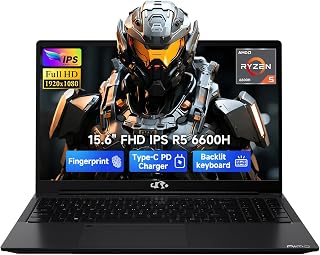
Powered by the AMD R5-6600H with Radeon 660M graphics, this handles everyday content creation tasks like photo editing and social media video production without lag. The 15.6-inch FHD IPS panel delivers consistent viewing angles and decent color reproduction for content review. The fingerprint reader adds quick biometric login security, protecting your creative work and client files while the backlit keyboard supports extended editing sessions.
Pros
- Ryzen 5 6600H and 16GB DDR5 handle multitasking editing workflows smoothly
- PCIe 4.0 SSD speeds up project loading and media transfers
- Dual USB-C with 100W Power Delivery simplifies monitor and charging setup
- Backlit keyboard and fingerprint reader add convenience for daily use
Cons
- 1920x1080 resolution limits workspace for complex timelines
- Integrated graphics constrain 4K editing and motion graphics work
Content creators working with lighter workflows will find the NIMO 15.6 a capable starting point. The Ryzen 5 6600H's six cores handle photo editing, video assembly, and multitasking smoothly, while 16GB of DDR5 RAM ensures applications stay responsive when juggling timelines, browser tabs, and preview renders. The PCIe 4.0 SSD speeds up project loading and media imports significantly compared to older storage standards. The Radeon 660M integrated graphics accelerate encoding and playback in editing software without the thermal load of discrete GPUs, keeping the chassis cool during extended sessions. The 15.6-inch FHD IPS screen provides adequate workspace for arranging panels and previewing footage, though the 1920x1080 resolution limits pixel density for detailed color grading. The backlit keyboard supports late-night editing sessions, and dual USB-C ports with 100W Power Delivery enable fast charging and single-cable monitor connections. At 3.8 pounds, it remains portable enough for location shoots or client meetings. The numeric keypad streamlines data entry for budget tracking and asset management. For creators moving beyond smartphones but not yet requiring professional-grade power, this laptop bridges the gap effectively.
Processor: AMD Ryzen 5 6600H, 6 cores, 12 threads, up to 4.5GHz
Graphics: AMD Radeon 660M integrated (RDNA 2 architecture)
Memory: 16GB DDR5, dual SO-DIMM slots, upgradeable to 64GB
Storage: 512GB PCIe SSD, M.2 2280 slot, upgradeable to 4TB
Display: 15.6 inch, 1920x1080 (Full HD), 60Hz, IPS LCD, glossy finish
Battery: 53.58Wh, supports 100W USB-C Power Delivery
Ports: 2 USB-C, 3 USB-A, HDMI 2.0, Micro SD card reader, 3.5mm audio jack
Connectivity: Wi-Fi 802.11a/b/g/n/ac, Bluetooth 5.2
Security: Fingerprint reader, Windows 11
Dimensions: 14.07 x 8.98 x 0.76 inches
Weight: 3.8 pounds
Warranty: 2-year manufacturer warranty with US-based support
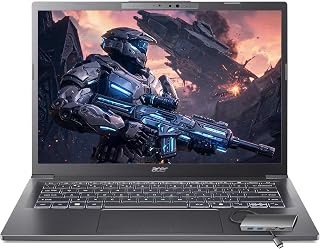
The combination of 32GB RAM and 2TB SSD storage makes this ideal for creators managing extensive media libraries and working with 4K footage. The Intel Ultra 7 258V with Intel Arc 140V graphics handles video encoding and light GPU-accelerated tasks efficiently. The touchscreen adds intuitive control for photo editing and design work, letting you make precise adjustments with direct interaction rather than relying solely on trackpad navigation.
Pros
- AI NPU accelerates video effects and editing tasks in real time
- 32GB RAM and 2TB SSD support professional creative workflows without storage anxiety
- 3.09 pounds makes it genuinely portable for on-location editing
- Included 8-in-1 USB hub eliminates adapter hassles for camera imports and external displays
Cons
- 60Hz display lacks smoothness expected in this segment
- 720p webcam underwhelms for content creators doing video calls or live streaming
The Acer Aspire 14 AI addresses the modern creator's demand for portability without sacrificing capability. The Intel Core Ultra 7 258V processor includes a 47 TOPS AI NPU that accelerates Copilot+ features like intelligent video effects and real-time background processing, reducing manual editing overhead. With 32GB LPDDR5X RAM, this system keeps multiple creative applications running simultaneously without memory pressure, whether you're rendering in Premiere, retouching in Lightroom, or managing client assets. The 2TB SSD eliminates constant external drive shuffling, storing entire project libraries locally for faster access. Intel Arc 140V graphics handle GPU-accelerated effects and encoding efficiently, making timeline scrubbing and preview rendering noticeably smoother than CPU-only alternatives. The 14-inch touchscreen adds intuitive control for photo adjustments and timeline navigation. At just 3.09 pounds and 0.67 inches thin, this laptop travels effortlessly between shoots, coworking spaces, and client presentations. The included 8-in-1 USB hub solves the dongle problem immediately, providing HDMI output for external monitors, USB-A for legacy peripherals, SD card access for camera imports, and Ethernet for stable uploads. WiFi 6E ensures fast cloud syncing and uninterrupted video calls.
Processor: Intel Core Ultra 7 258V (8-core: 4P + 4E, up to 4.8GHz), 47 TOPS AI Boost NPU
Memory and Storage: 32GB LPDDR5X RAM, 2TB PCIe NVMe SSD
Display: 14.0 inch IPS WUXGA (1920x1200) touchscreen, 60Hz, 16:10 aspect ratio
Graphics: Intel Arc 140V integrated graphics with 8 Xe cores
Operating System: Windows 11 Home with AI Copilot
Ports and Connectivity: 2x USB 4 Gen 2 Type-C, 2x USB 3.2, HDMI 1.4, Audio jack, WiFi 6E, Bluetooth 5.3
Build: 3.09 lbs, 12.6 x 8.9 x 0.67 inches, backlit keyboard
Included Accessories: 65W USB-C power adapter, 8-in-1 USB hub
Ideal for traveling videographers, social media managers, and freelance designers who edit on location and need a full creative toolkit in a portable package. The AI acceleration and 32GB RAM handle Adobe Creative Suite workflows and client presentations smoothly. Avoid this if you primarily edit 4K multicam projects or work in color-critical environments requiring calibrated displays. The 60Hz screen refresh and 720p webcam feel compromised for the investment, especially for live streaming creators.

This configuration balances performance and storage for everyday content creation tasks. The i7-13620H processor delivers solid performance for 1080p video editing and graphic design work. With 16GB DDR5 RAM, you can work smoothly in Photoshop, Premiere, and Lightroom without constant system slowdowns. The 1TB SSD provides ample space for active projects, while the IPS FHD+ screen offers accurate color representation. AMD Radeon 680M graphics acceleration speeds up rendering and export times.
Pros
- 16-inch 1920x1200 display provides extra vertical workspace for timelines and layers
- 3.7 pounds keeps it portable despite larger screen size
- i7-13620H with 10 cores handles encoding and multitasking editing workflows
- SD card reader and comprehensive ports simplify camera imports and monitor connections
Cons
- No keyboard backlighting complicates work in low-light editing environments
- Integrated graphics constrain GPU-intensive effects and 3D content workflows
The Lenovo IdeaPad Slim 3 16 prioritizes screen real estate for creators who need workspace without bulk. The 16-inch WUXGA display at 1920x1200 resolution provides vertical pixels that reduce timeline scrolling in editing software and show more layers in design applications compared to standard 1080p screens. At 300 nits with IPS color accuracy, the panel handles photo retouching and video color correction reliably in controlled lighting. The Intel Core i7-13620H's 10 cores manage encoding, effects rendering, and background exports while keeping the interface responsive. With 16GB DDR5 RAM and a 1TB PCIe 4.0 SSD, project files load quickly and applications switch without delay. The aluminum chassis stays rigid during transport, protecting the screen and components. At 3.7 pounds, it remains light enough for daily bag carry despite the larger display. The full-size keyboard with numeric keypad accelerates spreadsheet work for production budgets and asset tracking. Comprehensive connectivity includes USB-C with DisplayPort for 4K monitor output, HDMI for client presentations, dual USB-A ports for peripherals, and an SD card reader that eliminates camera import adapters. WiFi 6 ensures stable uploads to cloud storage and reliable video conference quality.
Processor: Intel Core i7-13620H, 10 cores (6P + 4E), 16 threads, up to 4.9 GHz, 24MB cache
Memory: 16GB DDR5 RAM
Storage: 1TB PCIe 4.0x4 NVMe SSD
Display: 16-inch WUXGA (1920x1200) IPS, 300 nits, anti-glare, 60Hz
Graphics: Integrated Intel UHD Graphics
Connectivity: Wi-Fi 6 (802.11ax), Bluetooth 5.2, 2x USB-A 5Gbps, 1x USB-C 5Gbps (USB PD 3.0, DisplayPort 1.2), HDMI 1.4, SD card reader, 3.5mm audio
Operating System: Windows 11 Home
Camera: HD 720p with privacy shutter
Battery & Power: 65W round tip adapter
Weight: 3.7 lbs (1.68 kg)
Dimensions: 14.17 x 9.88 x 0.67-0.70 inches
Design: Luna Grey aluminum top, anodized finish
Suits content creators focused on photo editing, graphic design, and 1080p video work who value screen space and portability equally. The 16-inch display and i7 processor handle Adobe Creative Cloud applications comfortably for freelance projects and social content production. Skip this if you need dedicated GPU power for motion graphics, 3D rendering, or gaming content creation. The lack of keyboard backlighting frustrates editors working in dim environments, and integrated graphics limit complex effects workflows.

The 2-in-1 design with a 16-inch 2K touchscreen lets you sketch directly on the display for storyboarding or photo retouching with a stylus. The Core Ultra 7 155U balances performance with battery efficiency for editing on the go. The convertible form factor makes this particularly useful for presenting work to clients in tablet mode or switching between creative tasks throughout the day.
Pros
- Exceptional build quality and premium design with Storm Grey finish looks professional in any setting
- Flexible form factor eliminates the need to carry separate laptop, tablet, or presentation device
- Vibrant 2K display with wide viewing angles and 300-nit brightness works well in various lighting conditions
- Strong connectivity options with WiFi 6E and Gigabit LAN support demanding work applications
- Windows 11 Pro and fingerprint reader provide business-grade security and productivity tools
Cons
- 1TB SSD storage may require external drives or cloud solutions for users managing large media files
- Integrated graphics limit demanding gaming or 3D rendering performance compared to dedicated GPU models
- 4.6-pound weight and convertible hinge add bulk compared to traditional ultraportable laptops
The Lenovo Yoga 7i is a premium 2-in-1 convertible laptop designed for professionals, students, and creative workers who value flexibility and performance. With its 16-inch 2K touchscreen, Windows 11 Pro operating system, and robust Intel Core Ultra 7 processor, this device bridges the gap between a traditional laptop and a tablet, delivering a versatile computing solution for diverse work styles.
The standout feature is the innovative 360-degree flip-and-fold design that enables four distinct modes: laptop for traditional work, tablet for touch-based interaction, tent for presentations or video calls, and stand for media consumption. The Intel Core Ultra 7 155U processor with 12 cores and Intel Turbo Boost delivers responsive performance for everyday tasks, video editing, and multitasking, while the chip's efficient architecture maximizes battery life when intensive processing isn't needed.
The 16-inch 2K IPS display with 1920x1200 resolution and LED backlighting produces vibrant, natural colors with excellent viewing angles. The capacitive touchscreen responds smoothly to finger input, and the 300-nit brightness handles various lighting environments effectively. Combined with Windows 11's adaptive interface, the display transforms beautifully as you switch between modes.
Build quality is impressive with a premium aluminum chassis finished in Storm Grey and weighing just 4.6 pounds. At 0.75 inches thick, the slim profile fits easily into bags and backpacks. Connectivity is comprehensive with WiFi 6E for cutting-edge wireless performance, Gigabit LAN for wired reliability, dual USB-C ports, two USB-A ports, HDMI output, SD card reader, and a 3.5mm combo jack.
The main limitation is the 1TB SSD, which is adequate but may feel tight for users working with large video libraries or design files. Integrated Intel graphics handle everyday work and light creative tasks but won't satisfy demanding gamers or 3D animators. Overall, the Yoga 7i excels as a business and productivity powerhouse for users who value flexibility and portability over extreme performance.
Processor and Performance: Intel Core Ultra 7 155U (12-core, 14-way processing), Intel Turbo Boost technology, integrated Intel Graphics with DDR4 memory
Display: 16-inch IPS LCD touchscreen, 1920x1200 (2K) native resolution, 300-nit brightness, capacitive touch, glossy finish
Memory and Storage: 1TB SSD (solid state drive), compatible with external storage devices and memory card readers
Operating System: Windows 11 Pro with professional features and security tools
Connectivity: WiFi 6E (802.11ax), Bluetooth 5.2, Gigabit Ethernet (1000 Mbps), 2x USB Type-C with Power Delivery, 2x USB Type-A, HDMI output, 3.5mm headphone/microphone combo, microSD card reader
Design and Build: Storm Grey color, 14.24" L x 9.84" W x 0.75" thickness, 4.6 pounds, 360-degree convertible hinge, backlit keyboard, fingerprint biometric reader, limited warranty
Audio and Video: HD audio speakers, front-facing camera, HDMI video output
Who Should Buy: The Yoga 7i is ideal for business professionals who attend frequent meetings and need a versatile device, students who benefit from flexible computing modes for study and presentations, remote workers who want tablet and laptop functionality in one package, and creative professionals who use the tent or stand modes for design work or video editing reviews.
Best Use Cases: This laptop excels for video conferencing with its tent mode, presentations using the stand configuration, note-taking and sketching with touch input, content creation with the powerful processor, and traditional office work in laptop mode. The 2K display makes it excellent for media consumption and design work.
Consider Alternatives If: You need dedicated graphics for serious gaming or 3D modeling, you require more than 1TB of storage without external drives, you prefer lighter ultraportable laptops under 3 pounds, or you need longer battery life benchmarks (not specified in available data). Traditional clamshell laptops may be more stable on desks if you rarely use convertible modes.
Value Assessment: At its price point, the Yoga 7i offers premium build quality, a high-resolution 2K touchscreen, modern WiFi 6E connectivity, and the unique flexibility of convertible design. It competes well against other mid-to-premium 2-in-1 laptops and delivers strong value for professionals and power users who utilize multiple computing modes.

The A18 Pro chip delivers the processing power needed for real-time video editing and AI-enhanced workflows, while the Liquid Retina Display ensures accurate color representation for photo and video work. At just 2.71 pounds, it's portable enough for on-location shoots without sacrificing performance. The 1080p FaceTime HD camera is a bonus for creators who also produce video content or need high-quality video calls with clients.
Pros
- 16-core Neural Engine accelerates AI editing features
- 16-hour battery supports full-day location shoots
- 2.7-pound weight enables effortless portability
- Liquid Retina display delivers accurate color for editing
Cons
- 256GB storage fills quickly with video projects
- Two USB-C ports require hub for multi-device workflows
Content creators working across video editing, graphic design, and social media need a machine that balances portability with computational muscle. The MacBook Neo delivers exactly that through its A18 Pro chip architecture. The 16-core Neural Engine accelerates rendering tasks and AI-driven editing features, while the 6-core CPU and 5-core GPU handle timeline scrubbing and filter previews without stuttering. What sets this apart for creators is the Liquid Retina display's color accuracy and the genuinely useful Apple Intelligence features that streamline repetitive editing tasks. The 16-hour battery runtime means you can edit on location without hunting for outlets, and the 2.7-pound weight makes it effortless to carry between shoots. The dual USB-C configuration supports external displays and storage, though you'll need a hub for multi-peripheral workflows. The recycled aluminum chassis withstands the rigors of field work, and the 1080p FaceTime camera handles client calls and quick social uploads. For creators prioritizing mobility and ecosystem integration over raw expandability, this laptop removes friction from the creative process.
Processor: Apple A18 Pro with 6-core CPU (2 performance + 4 efficiency), 5-core GPU, 16-core Neural Engine, 60GB/s memory bandwidth
Display: 13-inch Liquid Retina with 2408x1506 resolution, 500 nits brightness, 1 billion color support, IPS technology
Memory & Storage: 8GB unified memory, 256GB SSD storage
Battery: 36.5-watt-hour lithium-ion, up to 16 hours video streaming, up to 11 hours wireless web browsing
Camera & Audio: 1080p FaceTime HD camera, dual-mic array with directional beamforming, dual-speaker sound system with Spatial Audio support
Ports: Two USB-C ports (one USB 3, one USB 2), 3.5mm headphone jack, supports one external 4K display at 60Hz
Design: 8.12 x 11.71 x 0.5 inches, 2.7 pounds, recycled aluminum enclosure, available in Silver, Blush, Citrus, and Indigo
Operating System: macOS with Apple Intelligence and seamless iPhone integration
Buy this if you create video content, photography work, or graphic design primarily within Apple's ecosystem and value all-day battery life with genuine portability. Skip it if your workflow demands more than 256GB of local storage, if you regularly connect multiple peripherals simultaneously, or if you work exclusively in Windows-native creative applications that lack macOS versions.

The RTX 5060 provides dedicated GPU acceleration for rendering 4K video timelines and applying complex effects in real time. The 16-inch FHD+ display with 165Hz refresh rate offers smooth preview playback and ample screen space for editing interfaces. With 1TB of Gen 4 SSD storage, you can store large project files and media libraries locally without constant external drive juggling.
Pros
- RTX 5060 encoding accelerates stream and recording workflows
- 165Hz display previews high-frame content smoothly
- Vapor chamber cooling maintains stability during multi-task recording
- 1TB SSD stores substantial game capture libraries
Cons
- 2-hour battery limits mobile production sessions
- RTX 5060 struggles with complex 4K timeline previews
Gaming content creators and streamers need hardware that simultaneously renders gameplay, encodes streams, and manages recording software without frame drops. The ROG Strix G16 tackles this through its Intel Core i7 14650HX paired with the RTX 5060's dedicated encoding hardware. The 165Hz display with 3ms response delivers smooth preview of high-frame content during editing, while DLSS 4 accelerates rendering workflows in compatible applications. The vapor chamber cooling with liquid metal keeps thermals stable during simultaneous gaming and recording sessions, preventing the performance throttling that plagues lesser machines. That 1TB Gen 4 SSD provides fast access to raw footage and game captures, while 16GB DDR5 handles multiple Chrome tabs, Discord, OBS, and editing software concurrently. The full RGB lighting and Eclipse Gray finish photograph well for setup showcases. Wi-Fi 7 enables lag-free cloud uploads and collaboration. Where this falters is the 2-hour unplugged runtime, which chains you to an outlet during production work. The RTX 5060 handles most creator tasks admirably but may struggle with 4K timeline previews in complex projects.
Processor: Intel Core i7 14650HX (16 cores, 2.2 GHz base)
Graphics: NVIDIA GeForce RTX 5060 (8GB GDDR5, DLSS 4)
Display: 16 inch FHD+ (1920x1200) 165Hz IPS LED, 3ms response time
Memory: 16GB DDR5-5600MHz (upgradeable)
Storage: 1TB PCIe Gen 4 SSD (upgradeable)
Connectivity: Wi-Fi 7 (802.11be), USB ports, HDMI output
Audio: Dolby Atmos speakers
Keyboard: Gaming-grade QWERTY with RGB
Battery: 90Wh Lithium-Ion, 2 hours gaming, 50 hours standby
Weight: 2.65kg
Dimensions: 13.94 x 10.55 x 0.9 inches
OS: Windows 11 Home
Warranty: Limited
Buy this if you create gaming content, stream regularly, or produce videos that blend gameplay footage with commentary and overlays. Skip it if you need true mobile editing away from outlets, require GPU power beyond the RTX 5060 for professional 4K workflows, or work primarily with photography rather than video and gaming content.

The i9-13950HX processor offers workstation-class performance for heavy rendering tasks and multi-track video editing. With 32GB DDR5 RAM, you can work with high-resolution footage and complex compositions without hitting memory bottlenecks. The 16-inch FHD+ display provides enough screen real estate for detailed editing work, while Windows 11 Pro ensures compatibility with professional creative software suites.
Pros
- 24-core processor handles parallel video encoding and batch processing
- 16:10 display provides extra vertical space for timelines and panels
- Dual Thunderbolt 4 supports high-speed external storage arrays
- MIL-STD 810H durability for frequent location changes
Cons
- Integrated graphics limit GPU-accelerated rendering workflows
- 5.9 pound weight reduces all-day mobility
Content creators working with 4K video, high-resolution photography, or 3D rendering need a machine that won't buckle under pressure, and the Dell Precision 7680 delivers exactly that foundation. The 24-core Intel i9-13950HX processor handles simultaneous video encoding, RAW photo batch processing, and background uploads without slowdown. The 32GB DDR5 CAMM memory keeps Adobe Creative Suite responsive even with multiple projects open, while the 1TB PCIe SSD eliminates wait times when scrubbing through timeline footage or loading large asset libraries. The 16:10 aspect ratio on the 16-inch display gives vertical workspace that timeline editors and photo retouchers genuinely appreciate. Anti-glare coating and ComfortView Plus blue light reduction matter during marathon editing sessions that stretch into evening hours. MIL-STD 810H certification means this workstation survives the reality of moving between studio, client sites, and home office. Dual Thunderbolt 4 ports support high-speed external RAID arrays for footage storage, while HDMI and Ethernet enable reliable connections to reference monitors and stable network transfers. At 5.9 pounds, portability takes a backseat to capability, but creators prioritizing render times over mobility will find that acceptable.
Professional video editors, photographers managing large RAW catalogs, and 3D artists working with complex scenes will appreciate the multi-core performance and memory capacity. This fits creators who need workstation-grade reliability and ISV-certified compatibility with professional creative software. Skip this if you primarily work with 1080p content, need all-day battery mobility, or want dedicated GPU acceleration for real-time 3D viewport work. The integrated graphics limit advanced rendering workflows that benefit from discrete cards.
Processor: Intel Core i9-13950HX vPro (24 Cores, 32 Threads, 36 MB Cache, up to 5.5GHz)
Memory: 32GB DDR5 CAMM 5600MHz
Storage: 1TB PCIe NVMe M.2 SSD
Display: 16-inch FHD+ (1920 x 1200) anti-glare, 250 nits, 45% NTSC, wide-viewing angle
Graphics: Integrated Intel UHD Graphics
Networking: Wi-Fi 6E, Bluetooth 5.0, Gigabit Ethernet
Operating System: Windows 11 Pro 64-bit
Battery: 6-cell, 83 Wh
Ports: 2x Thunderbolt 4 USB 3.2 Gen 2 Type-C, 2x USB 3.2 Type-A, HDMI, 3.5mm audio jack, Ethernet
Camera: 1080p FHD with privacy shutter
Dimensions: 14.02 x 10.18 x 1.03 inches
Weight: 5.9 lbs
Keyboard: English, backlit, numeric keypad
Durability: MIL-STD 810H certified

With 32GB of RAM, this handles multiple creative applications running simultaneously without slowdowns, essential when editing video while previewing in other tools. The 1TB SSD provides fast access to large media files. The Intel Ultra 7 258V delivers efficient processing for encoding and exporting content, making it a practical workhorse for daily content production workflows across photo, video, and graphic design.
Pros
- 32GB RAM and Intel Arc 140V graphics handle Lightroom and 1080p video editing smoothly
- Touchscreen with stylus support for precise photo retouching and design work
- Included USB hub eliminates adapter clutter with HDMI, USB-A, USB-C, SD card, and Ethernet
- 3.09 lbs weight makes it genuinely portable for shoots and client meetings
Cons
- 14-inch screen limits timeline workspace for video editors without external monitors
- Thermal performance under sustained rendering workloads not detailed in available specs
Content creators working across photo editing, video production, and design need a machine that won't bottleneck their workflow, and this Aspire delivers exactly that in a compact 14-inch form factor. The Intel Core Ultra 7 258V processor paired with 32GB LPDDR5X RAM handles Lightroom batch edits and Premiere Pro timelines without stuttering, while the Intel Arc 140V graphics with 8 Xe cores accelerates rendering tasks that would choke integrated GPUs on competing ultrabooks. The 1TB SSD provides ample storage for project files and footage, and the touchscreen with stylus support turns the display into a precise retouching surface. At 3.09 lbs, it's genuinely portable for location shoots or client meetings. The included USB hub solves the dongle problem immediately, offering HDMI, USB-A, USB-C, SD card, and Ethernet in one accessory. WiFi 6E keeps cloud uploads fast when you're syncing raw footage or delivering final cuts. The 47 TOPS NPU enables Copilot+ features like real-time video effects during calls, a nice touch for creators who also collaborate remotely. The 14-inch screen is the primary constraint for timeline-heavy work, but external monitor support fills that gap at the desk.
Buy this if you shoot on location, edit in coffee shops, or travel frequently while maintaining a full content creation workload. The balance of power and portability fits photographers, videographers, and designers who can't carry a 15-inch workstation everywhere. Skip it if you primarily edit at a fixed desk with dual monitors already in place, or if you render 4K multicam projects daily and need discrete GPU horsepower. The 14-inch display will feel restrictive for editors who never leave the studio.
CPU performance from the Intel Core Ultra 7 258V handles demanding applications smoothly. The dedicated NPU prioritizes AI workloads, freeing CPU resources for background tasks and ensuring responsive Copilot+ features run without slowdown.
GPU acceleration from Intel Arc 140V is sufficient for 1080p video editing and professional photo work. 4K video editing and complex 3D rendering may require patience, though the Arc architecture is surprisingly capable for integrated graphics.
The 1TB PCIe SSD provides fast file access and near-instant boot times. With 32GB RAM, multitasking remains smooth even with 50+ browser tabs, multiple creative applications, and background processes running simultaneously.
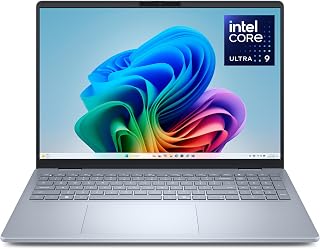
The QHD+ display gives content creators the resolution needed for detailed video editing and photo retouching work. With 32GB RAM and a 2TB hard drive, you can run multiple creative applications simultaneously while storing large project files locally. The Intel Arc Graphics handles GPU-accelerated rendering tasks in Adobe Creative Suite and DaVinci Resolve. The anti-glare coating reduces eye strain during long editing sessions, and the backlit keyboard supports late-night workflow.
Pros
- 2TB storage eliminates constant project archiving
- QHD+ 16:10 display provides resolution and vertical space
- 32GB RAM handles complex multi-layer editing
- Thunderbolt 4 supports high-speed external storage arrays
Cons
- No touchscreen limits direct editing gestures
- Facial recognition only may frustrate in varied lighting
Professional content work demands screen space, processing headroom, and storage capacity that entry machines cannot provide. The Dell 16 Plus addresses these requirements through its combination of Intel Core Ultra 9 288V processing, 32GB RAM, and expansive 2TB storage. That QHD+ panel at 2560x1600 with 120Hz refresh provides the resolution needed for detailed photo retouching and timeline precision, while the 16:10 aspect ratio displays more vertical content than standard widescreen formats. The anti-glare coating eliminates reflections during outdoor shoots or bright studio work. Copilot+ AI integration automates tedious tasks like object selection and background removal, and the Core Ultra architecture includes dedicated AI accelerators that speed up machine learning workflows in Adobe and DaVinci Resolve. Despite packing serious capability, the 4.1-pound aluminum chassis remains portable enough for client meetings and location work. Thunderbolt 4 connectivity supports high-speed external RAID arrays and multiple 4K displays simultaneously. The military-grade construction withstands the abuse of daily transport. Wi-Fi 7 enables rapid cloud syncing of large project files. The absence of touchscreen functionality limits direct on-screen editing gestures, and relying solely on facial recognition may frustrate users in certain lighting conditions.
Processor: Intel Core Ultra 9 288V with Intel Arc Graphics
Display: 16-inch QHD+ LED, 2560x1600 resolution, 120Hz, matte anti-glare finish
Memory: 32GB RAM
Storage: 2TB SSD (solid state drive)
Operating System: Windows 11 Home
Design: Ultra-slim aluminum chassis, 0.67 inches thick, 4.1 pounds
Camera: Front-facing FHD+ webcam with Windows Hello face recognition
Audio: HD audio system
Keyboard: Backlit keyboard with numeric keypad
Connectivity: Wi-Fi 7 (802.11.be), Bluetooth 5.4, Thunderbolt 4, 3x USB 3.2, HDMI
Ports: 3 USB ports, 4 total hardware connections
Battery: All-day battery life with optimized efficiency
Color: Ice Blue
Warranty: 1-year basic onsite service after remote diagnosis, 6-month Dell Migrate included
Buy this if you work professionally in photography, video production, or design and require substantial local storage, display resolution, and processing power in a portable form factor. Skip it if you prefer touchscreen workflows for illustration and retouching, need dedicated GPU power beyond integrated graphics for 3D work, or operate on a constrained budget where the premium pricing creates barriers.
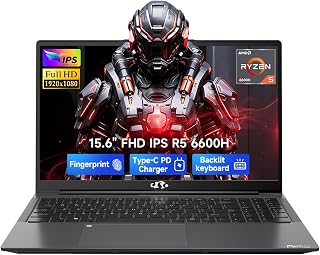
The AMD R5-6600H with Radeon 660M integrated graphics provides solid performance for 1080p video editing and photo processing at a more accessible price point. The 15.6-inch FHD IPS display offers good color accuracy for content review and editing. With 512GB of storage, you can keep active projects local while the backlit keyboard and numeric keypad streamline workflow during late-night editing sessions.
Pros
- 3.09 pounds enables genuine all-day mobility for location work
- 47 TOPS NPU accelerates AI-powered editing and video call features
- Touchscreen with stylus support for direct retouching and masking
- Included USB hub eliminates adapter clutter during client meetings
Cons
- 14-inch screen requires external monitor for extended editing sessions
- Thermal performance under sustained rendering not specified
Creators who split time between coffee shops, coworking spaces, and client meetings need power that travels light. The Acer Aspire packages an Intel Core Ultra 7 258V processor with dedicated 47 TOPS NPU and 32GB LPDDR5X RAM into a 3.09-pound frame that actually fits in everyday bags. The Intel Arc 140V graphics with 8 Xe cores accelerate Lightroom adjustments and handle 1080p Premiere Pro timelines without thermal throttling. What distinguishes this ultrabook is AI integration: Copilot+ features deliver real-time background blur for client video calls and intelligent photo enhancement that speeds up post-production workflows. The 14-inch FHD touchscreen with stylus support enables precise masking and retouching work directly on screen, eliminating the need for separate drawing tablets during mobile sessions. The included USB hub addresses the connectivity reality of thin laptops, adding HDMI for presentations, USB-A for legacy drives, and SD card access for camera imports without carrying separate adapters. WiFi 6E ensures stable cloud uploads and video calls from anywhere with modern network infrastructure. The 1TB SSD holds working project files and asset libraries without constant external drive juggling. This configuration targets creators who value mobility equally with capability.
Freelance photographers, travel content creators, and digital nomads who edit on location will appreciate the portability and touchscreen workflow. Remote creative professionals who bounce between spaces and need reliable video call quality benefit from AI features. Skip this if you primarily edit 4K multicam projects, need screen real estate above 14 inches, or run sustained rendering workloads that demand active cooling verification. Desktop-bound creators should prioritize larger displays.
What to Consider When Choosing a Laptop for Content Creation
Processing Power and Core Architecture
Content creation software relies heavily on CPU performance for tasks like video encoding, batch photo processing, and effects rendering. Modern processors with 6 or more cores handle multitasking significantly better than older quad-core designs.
The AMD Ryzen 5 6600H found in the NIMO 15.6 AI Creator Laptop delivers 6 cores and 12 threads with boost speeds up to 4.5GHz, providing solid performance for entry-level creators. For more demanding workflows, the Intel Core i7-13620H in the Lenovo 16 IPS FHD+ offers 10 cores with hybrid architecture that intelligently allocates workloads between performance and efficiency cores.
Graphics Capability and GPU Acceleration
Graphics processing accelerates timeline scrubbing, real-time effects previews, and export rendering in video editing applications. Integrated graphics like the AMD Radeon 660M handle 1080p editing and light photo work, while dedicated GPUs become necessary for 4K workflows and GPU-accelerated effects.
The ASUS ROG Strix G16 includes an NVIDIA GeForce RTX 5060 with DLSS 4 technology, providing substantial acceleration for rendering tasks and real-time previews. For creators working primarily with photography and graphics design, Intel Arc 140V graphics in the Acer Aspire models deliver capable performance without the thermal overhead of discrete GPUs.
Display Quality and Color Accuracy
Your display serves as the final arbiter of your creative work. Resolution, color gamut coverage, and brightness directly impact your ability to make accurate editing decisions. FHD+ (1920×1200) displays provide adequate workspace for most tasks, while QHD+ screens offer additional detail for precision work.
The 16:10 aspect ratio found on several models here provides more vertical space than traditional 16:9 screens, reducing scrolling when working with timelines, layers panels, and tool palettes. The Lenovo Yoga 7i features a 2K touchscreen that supports direct stylus input, beneficial for photo retouching and graphic design work. When evaluating display specs, consider that higher brightness (300 nits or above) helps when working in varied lighting conditions.
Memory and Storage Configuration
RAM determines how many applications and browser tabs you can keep active without performance degradation. 16GB DDR5 represents the practical minimum for content creation, allowing comfortable multitasking with editing software, reference materials, and communication tools open simultaneously.
The Acer Aspire models equipped with 32GB LPDDR5X RAM eliminate memory bottlenecks even when working with large project files and multiple Adobe Creative Cloud applications. Storage speed matters equally, as PCIe Gen 4 SSDs dramatically reduce project load times and export durations compared to older SATA drives. Look for configurations with at least 512GB capacity, though 1TB provides comfortable room for project files, footage, and software libraries without constant file management.
Similar considerations apply when building a complete workstation, as covered in our guide to assembling a system around high-performance GPUs.
Final Thoughts
Your choice depends primarily on your specific creative workflows and mobility requirements. For photographers and graphic designers who prioritize color accuracy and AI-powered editing features, the Acer Aspire Laptop 2026, Touchscreen delivers professional-grade performance in a portable package. Video editors working with 4K footage and complex timelines will appreciate the raw processing power and dedicated graphics in the Dell Precision 7680 Laptop, 16″ FHD, which handles sustained rendering workloads without thermal throttling.
Frequently Asked Questions
How much RAM do I actually need for video editing?
16GB handles 1080p editing comfortably in Premiere Pro and DaVinci Resolve with moderate timeline complexity. 32GB becomes necessary when working with 4K footage, multiple video layers, or heavy effects stacks. If you frequently work with 6K or 8K raw footage, or use After Effects alongside your editor, 32GB prevents performance bottlenecks during scrubbing and previews.
Can integrated graphics handle content creation workflows?
Modern integrated GPUs like AMD Radeon 660M and Intel Arc 140V handle 1080p video editing, batch photo processing, and most graphics design tasks without issues. They fall short when applying GPU-accelerated effects in real time, rendering complex 3D scenes, or working with high-resolution raw video formats. Dedicated GPUs become essential for professional video work and 3D rendering.
What processor generation should I target in 2026?
Look for Intel 13th generation or newer (like the i7-13620H) or AMD Ryzen 6000 series and above. These architectures deliver meaningful performance improvements in multi-threaded workloads compared to previous generations. The efficiency cores in hybrid designs help manage background tasks without impacting your primary creative applications. Avoid processors more than two generations old, as they lack hardware acceleration for modern codecs and AI features.
Do I need a touchscreen for content creation?
Touchscreens provide direct manipulation benefits for photo retouching, precise masking, and graphic design when paired with stylus input. They’re less critical for video editing, where keyboard shortcuts and mouse control dominate workflows. The decision depends on your primary creative discipline and whether you value the ability to sketch or annotate directly on screen. Consider that touchscreen panels typically reduce battery life and add slight weight compared to non-touch alternatives.
Common questions
What are the best laptops for YouTube content creators?
The Apple MacBook Neo 13-inch with A18 Pro chip excels for YouTube creators who edit in Final Cut Pro and value portability at 2.71 pounds. For Windows users, the Acer Aspire with Intel Ultra 7 258V and 32GB RAM handles 4K editing smoothly, while the Lenovo Yoga 7i 2-in-1 offers a 16-inch 2K touchscreen ideal for on-the-go editing and color grading. Budget creators should consider the NIMO 15.6 AI Creator Laptop with its AMD R5-6600H and dedicated Radeon 660M graphics for solid 1080p editing performance.








Write Your Review
No reviews yet. Be the first to share your experience!