

Working from home demands more from your laptop than casual browsing ever did. You need a machine that handles video calls without dropping frames, keeps up with a dozen open tabs, and stays charged through back-to-back meetings without hunting for an outlet. The right laptop makes all the difference between a frustrating day and a productive one.
This guide covers eight of the best laptops for working from home in 2026, spanning a range of screen sizes, performance tiers, and use cases. Whether you’re a remote professional managing spreadsheets and Zoom calls or a creative handling photo and video work, there’s a strong option here for you. If you’re also building out your workspace, check out the Home Office category for more gear recommendations.
Quick answer
This guide compares 8 picks, with HP OmniBook 3 17.3" FHD Laptop, AMD Ryzen 3, 8GB RAM ranked first. Dell 16 Inch Touchscreen Laptop AMD Ryzen 7, 16GB DDR5 holds the highest customer rating among them. Dell 15.6 inch FHD Laptop, Intel Core i3, 8GB RAM has the most customer reviews.

The expansive 17.3-inch FHD display reduces eye strain during long workdays by minimizing scrolling and providing comfortable viewing for detailed spreadsheets or design work. Eight GB of LPDDR5-5500 memory keeps everyday office applications responsive. The 300-nit brightness ensures visibility even in brightly lit home office spaces. With two USB Type-C ports supporting Power Delivery and DisplayPort, you can easily connect external monitors and peripherals to create a complete home workstation.
Pros
- 14+ hour battery eliminates constant charging
- 17.3 inch FHD IPS screen with excellent viewing angles
- Weighs just 4.4 pounds despite large display
- FHD camera with AI noise reduction improves video calls
Cons
- Keyboard lacks backlighting for low-light work
- Ryzen 3 processor limits performance for demanding tasks
Working from home requires reliable performance and stamina, and the OmniBook 3 delivers both in a surprisingly portable 17.3 inch package. The large FHD IPS display with 300 nits brightness and wide viewing angles transforms video calls, document reviews, and streaming into comfortable visual experiences without hunching over a smaller screen. Battery life stands out immediately: 14 hours 15 minutes means you can work morning through evening without scrambling for chargers, and the 45W fast charging restores 50% capacity in 45 minutes during lunch breaks. The AMD Ryzen 3 processor with 8GB LPDDR5 RAM handles typical remote work smoothly, running email, web apps, video conferencing, and document editing simultaneously. The 512GB SSD boots Windows 11 quickly and provides ample storage for files and applications. Connectivity covers all bases with dual USB-C, dual USB-A, HDMI 2.1, Wi-Fi 6, and Bluetooth 5.4. The FHD webcam uses HDR and AI noise reduction to improve call quality in challenging lighting or noisy home environments. At 4.4 pounds and 0.65 inches thin, it remains genuinely portable despite the expansive screen, fitting comfortably in bags for occasional office visits.
Display: 17.3-inch FHD IPS, 1920x1080, 300 nits, 62.5% sRGB, anti-glare, 178-degree viewing angles
Processor: AMD Ryzen 3 30, 4 cores, 8 threads, up to 4.1 GHz boost, 4MB L3 cache
Memory: 8GB LPDDR5-5500 MT/s onboard
Storage: 512GB PCIe NVMe M.2 SSD
Graphics: AMD Radeon 610M integrated
Connectivity: Wi-Fi 6 (802.11ax), Bluetooth 5.4, 2x USB-A 5Gbps, 2x USB-C 10Gbps (USB-PD 3.1, DisplayPort 1.4), 1x HDMI 2.1, 1x 3.5mm audio jack
Camera: 1080p FHD with HDR auto-switch, dual array microphones
Battery: Up to 14 hours 15 minutes, 45W USB-C GaN fast charger (0-50% in 45 minutes)
Weight: 4.4 pounds
Dimensions: 15.65" x 10.09" x 0.65"
Operating System: Windows 11 Home with Copilot Key
Sustainability: EPEAT Silver Climate+ registered, ENERGY STAR certified

The 17.3-inch FHD display creates a comfortable workspace for extended sessions with spreadsheets, reports, and communication platforms. The dedicated numeric keypad streamlines data entry tasks and financial work. With 16GB RAM, you can run video calls alongside multiple productivity applications without performance drops. The long battery life mentioned means fewer interruptions for charging during busy workdays, while the AMD Ryzen 5 processor provides reliable performance for demanding multitasking scenarios.
Pros
- 17.3 inch anti-glare display reduces eye fatigue
- Full numeric keypad for efficient data entry
- 12 hour battery supports full workdays unplugged
- Spill-resistant keyboard adds durability
Cons
- No touchscreen option available
- Shift and pause key placement causes occasional typos
Remote work demands comfort during marathon sessions, and this HP 17 brings desktop ergonomics to your home office. The generous 17.3 inch anti-glare screen eliminates squinting and eye strain, while the full numeric keypad streamlines spreadsheet work and data entry without reaching for an external accessory. The AMD Ryzen 5 processor and 16GB RAM keep video calls, document editing, and dozens of browser tabs running simultaneously without hesitation. Battery stamina reaches 12 hours, meaning you can work a full day untethered from outlets, moving freely between rooms or taking calls from the couch. The spill-resistant keyboard adds peace of mind when coffee sits within reach. Windows 11 includes AI productivity tools, and Office 365 web access ensures you can collaborate on documents immediately. The 720p webcam and digital microphones handle Zoom meetings competently, though image quality remains utilitarian. At 0.81 inches slim despite the large footprint, it slides easily onto shelves when the workday ends. This laptop prioritizes sustained productivity and visual comfort over compact portability.
Display: 17.3 inch FHD LED anti-glare, 1600x900 native resolution, supports up to 1920x1080
Processor: AMD Ryzen 5 7430U (6-core, 4.3 GHz max, 13th generation)
Memory and Storage: 16GB RAM, 512GB SSD
Graphics: Integrated AMD graphics
Battery Life: Up to 12 hours with HP Fast Charge
Connectivity: Wi-Fi 802.11ac, Bluetooth, 3 USB ports, HDMI video output
Design: 15.78 inches L x 10.15 inches W x 0.81 inches thick, silver finish
Keyboard: Full-size with numeric keypad, spill-resistant
Operating System: Windows 11 with Office 365 for Web
Camera: 720p Wide Vision with digital microphones
Ideal for accountants, data analysts, writers, and anyone working extended hours at a dedicated home workspace who values screen real estate and typing comfort. The numeric keypad makes it especially suitable for finance professionals and spreadsheet-heavy roles. Skip this if you frequently move between locations, need touchscreen functionality, or require high-end webcam quality for client-facing video work. The 17 inch size also makes it impractical for tight desk spaces or frequent travel.
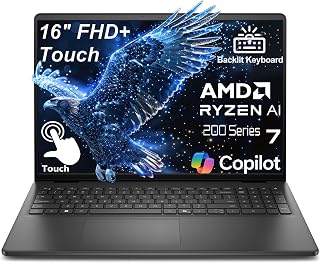
The 16-inch touchscreen provides ample workspace for spreadsheets and video calls without straining your eyes during long workdays. With 16GB of DDR5 RAM, you can run multiple productivity apps and browser tabs simultaneously without slowdown. The AMD Ryzen 7 170 processor handles demanding tasks like video conferencing and document editing efficiently. The touchscreen adds versatility for presentations and quick navigation when working from your home office setup.
Pros
- 16:10 display provides extra vertical workspace for documents and code
- Ryzen 7 and DDR5 RAM handle heavy multitasking smoothly
- Lightweight and slim enough for moving between rooms
- Backlit keyboard and touchscreen add practical flexibility
Cons
- 256GB storage fills quickly with large files
- Integrated graphics limit creative and gaming performance
Working from home demands a laptop that can handle long workdays without performance compromises, and this Dell 16-inch delivers exactly that. The AMD Ryzen 7 processor and 16GB DDR5 RAM power through video calls, heavy multitasking, and demanding applications without slowdowns. The 16-inch display with 16:10 aspect ratio offers significantly more vertical space than standard screens, reducing scrolling during document reviews and spreadsheet work. Touchscreen capability adds flexibility for annotating PDFs or navigating presentations. At 4.18 lbs and 0.78 inches thick, it moves easily between home office spaces. The backlit keyboard supports productivity during early mornings or late nights, while Wi-Fi 6 ensures stable connectivity for video conferencing. USB-C with DisplayPort 1.4 lets you connect a 4K external monitor for expanded workspace. The 65W fast charging means less downtime tethered to outlets. Build quality feels professional and durable for daily use. The 256GB SSD provides quick boot times and application launches, though heavy media libraries will fill it quickly.
Processor: AMD Ryzen 7 250, 8 cores, up to 5.1GHz
Memory: 16GB DDR5 RAM
Storage: 256GB PCIe NVMe SSD
Display: 16-inch FHD+ (1920x1200), 16:10 aspect ratio, 300-nit IPS, touchscreen, ComfortView blue light reduction
Graphics: Integrated
Connectivity: Wi-Fi 6 (802.11ax), Bluetooth 5.0, USB-C with DisplayPort 1.4 and Power Delivery, 2x USB 3.2, HDMI 1.4, 3.5mm headphone jack
Webcam: FHD (1920x1080) with built-in microphone
Design: Carbon black chassis, backlit keyboard, 4.18 lbs, 0.78 inches thin
Charging: 65W fast charging
Operating System: Windows 11 Home pre-installed
Best for remote professionals who run demanding software, attend frequent video meetings, and need genuine computing power in a portable form. Ideal for developers, content creators, and consultants who value screen real estate and touchscreen flexibility. Skip it if you work primarily with large video files or extensive software collections, as the 256GB storage will feel restrictive. Also not suitable if you need discrete graphics for 3D work or gaming during breaks.
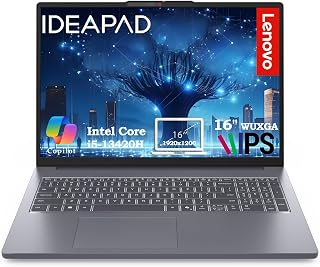
The 16-inch display provides ample screen real estate for multitasking between video calls, spreadsheets, and documents without constant window switching. The i5-13420H processor handles simultaneous browser tabs, communication apps, and productivity software smoothly. With 512GB storage, there's room for work files, project archives, and collaborative documents. The 16GB RAM ensures responsive performance when running multiple applications throughout the workday, preventing slowdowns during peak multitasking moments.
Pros
- 16-inch anti-glare display reduces eye fatigue during long sessions
- Full-size numeric keypad speeds financial and data work
- Lightweight build allows easy movement around home
- Privacy shutter adds security for video meetings
Cons
- HD 720p webcam falls below premium standards
- Integrated graphics unsuitable for creative or gaming tasks
A dedicated home office laptop needs a display large enough to reduce eye strain and a keyboard suited for all-day typing, both areas where this Lenovo delivers. The 16-inch WUXGA screen with anti-glare coating and 300 nits brightness provides comfortable viewing even near windows, while the 16:10 aspect ratio displays more content vertically than typical laptop screens. This extra space proves valuable during document editing, spreadsheet analysis, and research-heavy tasks. The full-size keyboard with numeric keypad supports fast data entry and financial work without reaching for an external numpad. Intel Core i5-13420H and 16GB DDR5 RAM manage video conferencing, Office applications, and browser-based workflows smoothly. The 512GB PCIe SSD offers quick system response and reasonable storage for most home office needs. The privacy shutter on the webcam addresses security concerns during back-to-back video meetings. Lightweight construction makes it easy to relocate between desk setups or pack for occasional travel. Comprehensive port selection covers external monitors, peripherals, and storage without dongles.
Processor: Intel Core i5-13420H (8 cores, 12 threads, up to 4.6GHz)
Memory: 16GB DDR5 RAM
Storage: 512GB PCIe SSD
Display: 16-inch WUXGA (1920x1200) IPS anti-glare, 300 nits brightness
Graphics: Integrated Intel graphics
Operating System: Windows 11 Home
Webcam: HD 720p with privacy shutter
Connectivity: WiFi 6 (802.11ax), Bluetooth 5.2, 2x USB-A, 1x USB-C (Power Delivery + DisplayPort), HDMI 1.4, SD card reader, 3.5mm headphone jack
Design: Luna Grey finish, 3.70 lbs, full-size keyboard with numeric keypad
Special Features: Anti-glare coating, HD audio, memory card slot, numeric keypad, Copilot AI integration
Ideal for remote professionals, freelancers, and small business owners who spend full workdays on productivity software, spreadsheets, and video calls. Particularly valuable for accountants and data-focused roles that benefit from the numeric keypad and larger display. Skip it if your work involves graphics-intensive applications, video editing, or gaming, as the integrated graphics and HD webcam represent clear compromises.

The 15.6-inch FHD screen strikes a practical balance between portability and comfortable viewing for daily office tasks. The Intel Core 3 100U processor efficiently handles video conferencing, document editing, and web browsing without overheating during extended sessions. With 8GB RAM and 512GB storage, this machine covers essential work-from-home needs like email management, presentations, and file storage. The compact footprint fits neatly into most home office setups without dominating desk space.
Pros
- Intel Core 3 handles essential productivity tasks reliably
- 512GB storage sufficient for typical file needs
- Anti-glare FHD display comfortable for extended use
- Memory card slot simplifies file transfers
Cons
- 8GB RAM limits heavy multitasking capability
- Battery life not specified for all-day untethered work
This Dell 15.6 inch laptop targets remote workers seeking straightforward reliability without unnecessary complexity. The Intel Core 3 100U processor paired with 8GB RAM handles core productivity applications competently, managing email clients, web browsing, document creation, and video conferencing that define most home office workloads. The 512GB storage provides adequate space for files, applications, and local backups without constant cleanup. The FHD display with anti-glare coating reduces reflections during daylight hours, making it comfortable for extended reading and typing sessions near windows. Windows 11 Home includes essential productivity features and security updates that keep remote work environments protected. The Carbon Black finish presents a professional appearance appropriate for video calls with colleagues and clients. Connectivity options support external monitors, mice, keyboards, and other peripherals that transform this laptop into a full workstation hub when docked at your home desk. The memory card slot adds convenient file transfer for anyone working with cameras or external storage. At 15.6 inches, it balances portability with usable screen space, fitting standard laptop bags while providing enough visual real estate for comfortable multitasking between applications.
Display: 15.6 inch FHD (1920x1080) with anti-glare coating
Processor: Intel Core i3
Memory: 8GB RAM
Storage: 512GB SSD
Graphics: Integrated Intel Graphics
Operating System: Windows 11 Home
Color: Carbon Black
Special Features: Anti-glare coating, memory card slot, numeric keypad, Dell ComfortView blue light reduction
Warranty: 1 Year Onsite Service
Suitable for remote employees with straightforward computing needs like email, web applications, document editing, and video meetings. The balanced 15.6 inch size works well for those splitting time between dedicated home offices and occasional travel. Skip this if you require extensive multitasking with resource-intensive applications, creative software, or need longer battery life for working away from outlets. The 8GB RAM and integrated graphics also make it unsuitable for gaming or video editing work.

The 15-inch FHD screen offers clear text rendering for lengthy document reviews and comfortable video call participation. Sixteen GB of RAM ensures smooth multitasking between communication tools, productivity software, and multiple browser windows throughout the day. The Intel processor efficiently manages typical office workloads including email, presentations, and web applications. At 256GB, the SSD provides sufficient storage for essential work files and applications while maintaining fast boot and load times for daily productivity tasks.
Pros
- 16GB RAM handles multiple work apps and browser tabs smoothly
- Lightweight at 3.5 lbs for moving around the house
- Privacy shutter and mic mute key for video call control
- Anti-glare FHD display comfortable for extended use
Cons
- Intel N100 not suitable for intensive creative or technical work
- USB-C port lacks charging capability
Working from home demands a machine that balances portability with daily productivity, and this HP 15-inch laptop targets exactly that intersection. The Intel N100 processor with 16GB DDR4 RAM handles video conferencing, document work, browser tabs, and email without slowdown, covering the core needs of remote work. The 256GB PCIe NVMe SSD ensures fast boot times when switching between morning meetings and afternoon tasks. The 15.6-inch FHD anti-glare display reduces eye strain during long work sessions, while the 720p camera with dual microphones and dedicated privacy shutter supports professional video calls. At 3.5 pounds with a 0.7-inch profile, it moves easily between home office and kitchen table. Wi-Fi 6 and Bluetooth 5.3 provide reliable wireless connectivity for all your peripherals. The full-size keyboard includes a numeric keypad for spreadsheet work, and the mic mute key gives quick control during calls. USB-C data, two USB-A ports, and HDMI 1.4b accommodate external monitors and accessories. Windows 11 Home comes preinstalled, ready for remote collaboration tools.
Processor: Intel N100 (4 cores, up to 3.4 GHz)
Display: 15.6-inch FHD (1920 x 1080) IPS Anti-Glare, 250 nits, 45% NTSC, 60Hz refresh rate
Memory: 16GB DDR4 RAM at 3400 MHz
Storage: 256GB PCIe NVMe M.2 SSD
Graphics: Intel UHD Graphics (integrated, shared RAM)
Connectivity: Wi-Fi 6, Bluetooth 5.3
Ports: 1 USB-C (data only), 2 USB-A, 1 HDMI 1.4b, headphone/microphone combo jack
Camera: 720p HD with temporal noise reduction and dual array microphones
Operating System: Windows 11 Home
Security: Firmware TPM, mic mute key, camera privacy shutter
Battery: Extended life with 45W Smart AC adapter
Weight: 3.64 lbs
Dimensions: 14.17 inches (L) x 9.29 inches (W) x 0.73 inches (Th)
Color: Natural Silver
Form Factor: Clamshell
Remote workers handling email, documents, video calls, and web-based applications will find this a capable daily driver. The 16GB RAM supports comfortable multitasking across typical work tools. Skip this if your home workflow includes video editing, 3D modeling, gaming, or color-critical design work. The entry-level Intel N100 processor and 45% NTSC color gamut cannot handle those demands. Also pass if you need USB-C charging for a single-cable desk setup, as the USB-C port only supports data transfer.
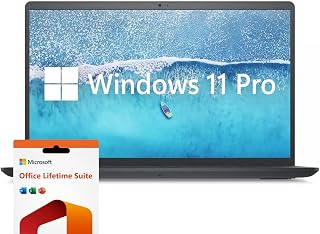
The 120Hz IPS display delivers exceptionally smooth scrolling through documents and fluid window transitions, reducing eye fatigue during marathon work sessions. The i7-1255U processor powers through resource-intensive tasks like video editing or complex data analysis. With 32GB RAM, this machine handles dozens of browser tabs, virtual machines, or development environments simultaneously. The 1TB SSD provides ample space for large project files, client presentations, and extensive media libraries without external storage needs.
Pros
- 32GB RAM handles extensive multitasking without slowdowns
- 1TB SSD provides ample space for files and applications
- Windows 11 Pro and lifetime Office license add business value
- 120Hz display offers smooth, comfortable viewing
Cons
- 4.6 pounds makes it less portable than lighter alternatives
- Integrated graphics limit creative and gaming capabilities
Remote work setups need generous RAM and storage to avoid constant juggling of applications and files, which is where this Inspiron 15.6-inch stands out. The 32GB RAM allows effortless switching between dozens of browser tabs, multiple Office documents, video calls, and background applications without system lag. The 1TB SSD accommodates extensive file libraries, downloads, and local backups that accumulate during months of home-based work. Intel Core i7-1255U provides solid performance for everyday business tasks and moderate content work. The 1920 x 1080 IPS display with 120Hz refresh rate delivers smooth scrolling and clear visuals during long screen sessions. Windows 11 Pro adds remote desktop capability and enhanced security features useful for accessing office networks. The numeric keypad speeds up data entry and spreadsheet work. At 4.6 pounds, it stays desk-bound comfortably but remains portable enough for occasional relocation. Intel Iris Xe graphics handle video conferencing and light creative tasks adequately. The included Microsoft Office lifetime license eliminates subscription costs, a practical benefit for home office budgets.
Processor: Intel Core i7-1255U, 10 cores, 12 threads, up to 4.70 GHz
Memory: 32GB DDR4 RAM
Storage: 1TB PCIe SSD
Display: 15.6-inch FHD IPS LED, 1920 x 1080, 120Hz, anti-glare, 250 nits
Graphics: Intel Iris Xe Integrated
Operating System: Windows 11 Pro
Connectivity: Wi-Fi 5 (802.11ac), Bluetooth, 3x USB-A, 1x HDMI, SD Card Reader
Weight: 4.6 pounds
Dimensions: 14.14" L x 9.31" W x 0.78" Th
Battery: Extended life (duration not specified)
Software: Microsoft Office Lifetime License included
Warranty: Extended coverage
Perfect for home workers managing large file collections, running many simultaneous applications, or needing Windows 11 Pro features for remote access. Suits accountants, analysts, project managers, and small business owners who value the numeric keypad and generous storage. Skip it if you need a truly lightweight laptop for frequent travel or require discrete graphics for design work and video editing beyond basic tasks.
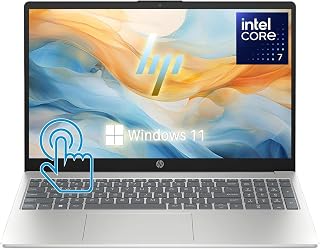
Pros
- Excellent value with 32GB RAM and 1TB storage at this price point
- Touchscreen display adds versatility for creative work and presentations
- Lightweight and portable design ideal for students and remote workers
- Strong connectivity with Wi-Fi 6, USB-C, and HDMI ports
- Intel Iris Xe graphics handle everyday tasks and light creative work
Cons
- 720p webcam is adequate but not ideal for professional video conferencing
- Intel Core 7 150U is capable but not suited for heavy gaming or intense video editing
- Only one USB-C port may limit simultaneous peripheral connections for power users
The HP Core 7 15.6-inch touchscreen laptop is a practical choice for professionals, students, and remote workers seeking a well-balanced machine for everyday computing. It combines solid performance, ample storage, and modern connectivity in a lightweight, portable form factor that won't weigh you down.
The Intel Core 7 150U processor with 10 cores and 5.4GHz turbo speed handles multitasking with ease, supported by 32GB of DDR5 RAM and a fast 1TB PCIe SSD. Real-world performance is responsive for office applications, web browsing, video conferencing, and content consumption. The 15.6-inch Full HD touchscreen with anti-glare coating provides clarity and comfort during extended work sessions, while the touchscreen capability adds an intuitive layer of control.
Design and build quality reflect HP's business-class standards. At 3.52 lbs and just 0.73 inches thick, the laptop is genuinely portable. The full-size keyboard with numeric keypad and spill-resistant design cater to productivity, while the natural silver finish looks professional. Connectivity is modern with Wi-Fi 6, Bluetooth 5.4, USB-C, dual USB-A, and HDMI ensuring compatibility with most peripherals and displays.
Drawbacks include a 720p webcam that's functional but not premium for video calls, and the Core 7 150U, while competent, falls short for demanding tasks like 4K video editing or intensive gaming. The single USB-C port may feel limiting if you frequently connect multiple high-power devices simultaneously.
Overall, this HP laptop delivers strong value for business users, students, and anyone needing reliable performance in a portable package. It excels at what it's designed for: everyday work and productivity.
Processor: Intel Core 7 150U (10 cores, 12MB cache, up to 5.4GHz)
Memory: 32GB DDR5 RAM (upgradeable to 64GB)
Storage: 1TB PCIe SSD (NVMe)
Display: 15.6-inch Full HD (1920 x 1080) IPS touchscreen with anti-glare coating
Graphics: Intel Iris Xe integrated graphics
Operating System: Windows 11 Home
Connectivity: Wi-Fi 6 (802.11ax), Bluetooth 5.4, 1x USB-C, 2x USB-A, 1x HDMI 1.4, audio jack
Audio: Dual stereo speakers with HD Audio
Camera: HP True Vision 720p HD webcam with dual-array microphones
Battery: Long battery life (specific hours not specified)
Weight: 3.52 lbs | Dimensions: 14.17" x 9.29" x 0.73"
Keyboard: Full-size with numeric keypad, spill-resistant
Color: Natural Silver
What to Look for in a Home Office Laptop
With so many models on the market, it helps to narrow your focus to the criteria that actually matter for remote work. Here are the four most important factors to evaluate before you buy.
Processor and RAM for Multitasking
Your processor and RAM determine how smoothly you can juggle multiple applications at once. For light tasks like email, docs, and web browsing, a capable entry-level chip with 8GB of RAM is sufficient. If your work involves video conferencing alongside heavy spreadsheets or content creation, aim for at least 16GB of RAM and a modern multi-core processor like the Intel Core i5-13420H found in the Lenovo Business Laptop, 16GB RAM, 512GB SSD.
Power users handling video editing or running virtual machines should look at the higher-end configurations. The Dell Inspiron 15.6″ Laptop Computer, for example, pairs an Intel Core i7 processor with 32GB of RAM and a 1TB SSD, giving you serious headroom for demanding workflows.
Display Size and Quality
Screen real estate matters when you’re working full days at home. A 17-inch display like the one on the HP OmniBook 3 17.3 inch Laptop PC, FHD Display gives you room to keep multiple windows open side by side. Full HD IPS panels with anti-glare coatings reduce eye strain during long sessions, which adds up over a full work week.
If you prefer a more portable form factor but still want productivity-friendly vertical space, a 16-inch display with a 16:10 aspect ratio, as on the Dell 16″ Touchscreen Laptop 2026, AMD Ryzen 7 170, adds roughly 11% more vertical room than a standard 1080p screen. That extra height is genuinely useful for reading documents and working in spreadsheets.
Battery Life and Charging Speed
A home office laptop should last a full workday without being tethered to the wall. Look for machines rated at ten or more hours of real-world battery life. The HP 17 inch Business Laptop Computer, 2026 Edition features HP Fast Charge, which restores significant battery capacity in under an hour, so a short break between meetings can buy you several more hours of unplugged use.
Fast charging is increasingly standard across the lineup reviewed here, but it’s worth confirming before you buy. USB-C charging is especially convenient because it lets you use a single cable for both power and data, keeping your desk less cluttered. You can explore more electronics to complete your home workspace setup.
Webcam, Microphone, and Connectivity
Remote work lives and dies on video call quality. A built-in FHD webcam makes a real difference compared to older 720p cameras, especially if you’re on calls with clients or colleagues throughout the day. The HP OmniBook 3 goes a step further with AI noise reduction that filters out background sounds and focuses on your voice, which is a standout feature for open-plan home environments.
Connectivity is equally critical. Wi-Fi 6 support ensures faster, more stable wireless connections, and a solid port selection means fewer dongles on your desk. Prioritize laptops with at least USB-A, USB-C, and HDMI so you can connect an external monitor, a wired peripheral, and your charger simultaneously. For more tips on building a complete setup, the best silent mechanical keyboards in 2026 guide pairs well with any of the laptops reviewed here.
Final Thoughts
If you want a well-rounded home office machine that balances screen size, performance, and battery life without overcomplicating the decision, the Lenovo Business Laptop, 16GB RAM, 512GB SSD is a strong all-around choice for most remote workers. For those who need maximum power and storage for content creation or data-heavy workflows, the HP New 2026 Edition Core 7 15.6″ Touchscreen delivers premium performance with an Intel Core 7 processor, 32GB of RAM, and a 1TB SSD that handles virtually anything you throw at it.
Frequently Asked Questions
How much RAM do I need in a laptop for working from home?
For most remote workers, 16GB of RAM is the sweet spot in 2026. It handles video calls, browser-heavy workflows, and productivity apps without breaking a sweat. If your work involves video editing, running virtual machines, or large data files, stepping up to 32GB gives you meaningful headroom.
Is a 15-inch or 17-inch laptop better for a home office?
It depends on how much you move your laptop around. A 17-inch model like the HP OmniBook 3 gives you more screen space for multitasking and is comfortable for full days of work at a desk. A 15-inch laptop is lighter and easier to carry between rooms or on occasional trips, making it a better pick if portability matters to you.
Do I need a dedicated GPU in a work-from-home laptop?
For standard remote work tasks, integrated graphics are more than sufficient. Modern integrated solutions like AMD Radeon 610M and Intel Iris Xe handle video calls, streaming, and light photo editing without issue. A dedicated GPU only becomes necessary if your work involves 3D rendering, advanced video production, or gaming on the side. Browsing our laptops category can help you find the right configuration for your specific workflow.
What connectivity features should a work-from-home laptop have in 2026?
At a minimum, look for Wi-Fi 6 for a fast and stable wireless connection, at least one USB-C port with Power Delivery for charging flexibility, HDMI for connecting an external monitor, and USB-A ports for legacy peripherals. Bluetooth 5.0 or newer ensures reliable connections to wireless keyboards, headsets, and mice. A webcam privacy shutter is a helpful bonus for security-conscious remote workers.
Common questions
What are the best laptops for remote work?
The best laptops for remote work prioritize reliable performance, comfortable displays, and all-day battery life. Look for models with at least 16GB RAM and modern processors like Intel Core i5 or AMD Ryzen 5 for smooth multitasking across video calls, productivity apps, and browser tabs. A 14-inch or larger screen helps reduce eye strain during long work sessions, while lightweight builds make moving between workspaces easier.
What are the best laptops for home office?
The best laptops for home office use balance productivity features with comfort for extended work sessions. Prioritize models with 16GB RAM and capable processors to handle multiple applications simultaneously without slowdowns. Larger screens (15-inch or 17-inch) provide more workspace for spreadsheets and documents, while quality webcams and microphones ensure clear communication during video meetings. Adequate ports for connecting external monitors and peripherals add flexibility to your setup.








Write Your Review
No reviews yet. Be the first to share your experience!