

You’ve got browser tabs stacked like pancakes, a video call running, Photoshop rendering in the background, and Excel crunching numbers, all at once. If your current laptop stutters under this kind of load, you need more RAM. A lot more.
This guide covers 7 laptops with 32GB RAM that can handle heavy multitasking without breaking a sweat. Whether you’re a business professional juggling spreadsheets and presentations, a student running virtual machines, or a creative working with high-resolution media, these machines offer the memory headroom you actually need. We’ll break down what makes each one stand out and which use cases they fit best.
Quick answer
This guide compares 7 picks, with HP 17 Inch Touchscreen Laptop, AMD Ryzen 5 7430U, 32GB ranked first. HP 17 Inch FHD Laptop, AMD Ryzen 5, 32GB RAM, 1TB SSD holds the highest customer rating among them. Dell Inspiron 15.6" Touchscreen Laptop, Intel i5, 32GB has the most customer reviews.

The 17.3-inch touchscreen maximizes workspace for side-by-side document comparison, code review, and dashboard monitoring while maintaining portability. The Ryzen 5 7430U provides solid performance for development environments, virtual machines, and concurrent application usage that power users routinely demand. Touchscreen functionality streamlines annotation, design iteration, and presentation delivery without external peripherals.
Pros
- 32GB DDR4 handles heavy multitasking and virtual machines
- Six-core Ryzen 5 7430U with twelve threads for parallel workloads
- 17.3-inch anti-glare touchscreen maximizes workspace area
- 1TB NVMe SSD eliminates storage constraints for large datasets
Cons
- 1600x900 resolution falls short of Full HD clarity
- Integrated graphics limit GPU-accelerated tasks
Power users seeking a large-canvas workstation will appreciate how this HP 17 delivers 32GB of DDR4 memory alongside a six-core AMD Ryzen 5 7430U processor with twelve threads. The combination tackles browser-heavy workflows, virtual machines, and concurrent application loads without throttling. The 1TB NVMe SSD eliminates storage bottlenecks during file operations, while the anti-glare touchscreen spans 17.3 inches to accommodate side-by-side windows and detailed spreadsheets. Windows 11 Pro and integrated Copilot AI support advanced productivity scenarios including domain joining and BitLocker encryption. The backlit keyboard with numeric keypad suits extended data entry sessions, and Wi-Fi 6 plus Bluetooth 5.4 maintain fast wireless throughput for cloud syncing and peripheral connections. The integrated AMD Radeon graphics handle productivity graphics and hardware acceleration for video playback but won't substitute for discrete GPUs. Build quality includes USB-C and HDMI outputs for external displays, plus an HD webcam with dual microphones for professional video calls. The 1600x900 resolution provides functional workspace density without the pixel count of Full HD.
Best for developers, analysts, and remote professionals who run memory-intensive applications like databases, IDEs with multiple projects open, or extensive browser tabs across a large screen. The 32GB RAM headroom supports virtualization and containerized workflows. Skip this if you need higher display resolution for design work, demand discrete graphics for rendering or gaming, or require maximum portability since the 17-inch chassis trades desk-bound comfort for travel weight.
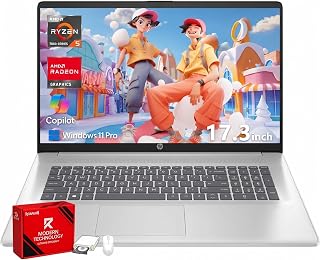
The 17.3-inch FHD display provides ample screen real estate for multitasking across multiple windows and spreadsheets, essential for power users juggling complex projects. HP Fast Charge minimizes downtime when you need to top up quickly between meetings. The Ryzen 5 processor paired with 32GB RAM handles virtualization, compilation, and other resource-heavy tasks without slowdown.
Pros
- 32GB RAM supports enterprise applications and heavy multitasking
- Full HD 1920x1080 IPS display with anti-glare for detailed work
- HP Fast Charge restores 50% battery in 45 minutes
- Numeric keypad and Windows 11 Pro for business productivity
Cons
- 17-inch form factor reduces travel portability
- Integrated graphics unsuitable for 3D rendering
Business users running memory-hungry applications will find the 32GB RAM configuration essential for seamless context switching between large Excel models, CRM platforms, and video conferencing tools. The AMD Ryzen 5 7430U processor maintains responsiveness across these workloads while the 1TB SSD accommodates substantial local file archives and software installations. The 17.3-inch Full HD IPS panel with anti-glare coating delivers 1920x1080 clarity for detailed financial dashboards and presentations, and the integrated numeric keypad accelerates accounting and data entry tasks. Windows 11 Pro provides enterprise features including remote desktop, group policy management, and the dedicated Copilot AI key for quick access to intelligent assistance. Wi-Fi 6 ensures stable connectivity for cloud collaboration, while USB-C, USB-A, and HDMI ports support diverse peripherals and external monitors. HP Fast Charge recovers 50% battery capacity in 45 minutes, reducing downtime between meetings. The integrated AMD Radeon graphics satisfy productivity demands but exclude GPU-intensive rendering. The refined chassis houses a full-size keyboard layout, though the 17-inch footprint prioritizes screen real estate over portability.
Display: 17.3-inch Full HD (1920x1080) IPS anti-glare, 250 nits brightness, 178-degree viewing angles
Processor: AMD Ryzen 5 7430U with 6 cores, 12 threads, and 4.3GHz max boost clock
Memory and Storage: 32GB DDR4 RAM at 3200MHz, 1TB PCIe NVMe SSD
Graphics: AMD Radeon integrated graphics
Connectivity: Wi-Fi 6 (802.11ax), Bluetooth 5.4, USB-C, 2x USB-A, HDMI 1.4b, 3.5mm headphone/microphone combo jack
Battery: Lithium-ion with HP Fast Charge (0-50% in 45 minutes)
Keyboard: Full-size with dedicated numeric keypad
Operating System: Windows 11 Pro with BitLocker security
Dimensions: 15.78 inches (L) x 10.15 inches (W) x 0.81 inches (thickness)
Ideal for accountants, financial analysts, and corporate professionals who need 32GB for complex models, enterprise software suites, and simultaneous application windows on a spacious Full HD display. The numeric keypad and fast charging suit office-centric workflows. Avoid if you require portability for frequent travel, need discrete graphics for CAD or video editing, or work primarily in bright outdoor environments where additional brightness would help.

The Ryzen 7 7730U delivers strong multi-threaded performance for demanding workloads like video editing and data analysis, while the touchscreen adds intuitive navigation for design and productivity tasks. With up to 10.75 hours of battery life, you can work through extended sessions without hunting for an outlet. The combination of 32GB RAM and integrated Radeon Graphics handles memory-intensive applications smoothly.
Pros
- 32GB RAM enables virtualization and memory-intensive development workflows
- AMD Ryzen 7 7730U eight-core processor for parallel workloads
- 10.75-hour battery life sustains full workday untethered
- Full HD touchscreen with privacy camera shutter for secure collaboration
Cons
- 300 nits brightness struggles in direct sunlight
- Integrated graphics lack dedicated GPU compute capabilities
The 32GB RAM capacity transforms this HP 15.6-inch laptop into a capable machine for power users who layer applications throughout the workday. The AMD Ryzen 7 7730U processor brings eight cores to handle parallel compilation, data processing, and containerized development environments, while the 1TB SSD maintains fast access to project files and virtual machine images. The Full HD touchscreen at 300 nits brightness supports touch-based workflows and offers 1920x1080 resolution for code editors and design mockups displayed side by side. Windows 11 Pro enables domain authentication, Hyper-V virtualization, and enterprise security policies that standard editions lack. The full-size keyboard including numeric keypad suits programmers and analysts who toggle between text editing and numerical input. Wi-Fi 6 delivers low-latency connectivity for remote repository access and video collaboration, while the HD privacy camera with physical shutter addresses security for corporate environments. Battery life extending up to 10.75 hours supports untethered work sessions. The 3.52-pound weight and 0.73-inch thickness balance portability with thermal capacity. Integrated AMD Radeon graphics accelerate UI rendering and video decoding but exclude GPU compute tasks.
Best suited for software developers, data scientists, and creative professionals who need 32GB for compiling large codebases, running local databases, or processing datasets without cloud uploads. The Ryzen 7 processor and ample memory support Docker containers and multiple IDEs. Not ideal for machine learning practitioners needing CUDA support, mobile professionals prioritizing minimal weight, or outdoor workers requiring higher than 300 nits brightness for sunlit visibility.
Display: 15.6-inch Full HD (1920 x 1080) IPS touchscreen, multi-touch capable, 300 nits brightness, anti-glare coating, 60Hz refresh rate
Processor & Performance: AMD Ryzen 7 7730U, 8-core, 16-thread, up to 4.5GHz boost clock, integrated AMD Radeon graphics
Memory & Storage: 32GB DDR4 RAM at 3200MHz, 1TB PCIe NVMe SSD
Connectivity: Wi-Fi 6 (802.11ax), Bluetooth 5.4, 1x USB-C 3.0, 2x USB-A 3.0, 1x HDMI 1.4, headphone/microphone combo jack
Design & Battery: Natural Silver finish, 14.17" x 9.29" x 0.73", weighs 3.52 lbs, full-size keyboard with numeric keypad, up to 10.75-hour battery life
Operating System & Security: Windows 11 Pro, HD camera with privacy shutter, limited warranty included

The Ryzen 7 250 brings the latest AMD architecture to handle parallel workloads like rendering, simulations, and containerized development environments that benefit from multiple cores. A fingerprint reader adds quick biometric authentication for security-conscious professionals managing sensitive data. The backlit keyboard and numeric keypad support productive work sessions in any lighting condition, essential for extended coding or analysis marathons.
Pros
- AMD Ryzen 7 with 8 cores delivers strong multitasking performance
- 16-inch display provides extra workspace for productivity tasks
- TÜV Eyesafe certification reduces eye strain during long work sessions
- Military-grade durability withstands business travel demands
Cons
- 5-hour battery life requires charging during full workdays
- 45% NTSC color gamut insufficient for color-critical creative work
The Lenovo ThinkBook 16 Gen 9 targets business power users who run resource-intensive applications and need screen space to match. The AMD Ryzen 7 processor with 8 cores and 5.1 GHz turbo boost delivers serious performance, while 32GB RAM keeps everything running smoothly even under heavy multitasking loads. The 16-inch display provides significantly more workspace than standard 15.6-inch screens, letting you view multiple documents side by side or work with complex spreadsheets without constant scrolling. TÜV Eyesafe certification addresses a genuine concern for users spending full workdays staring at screens by reducing harmful blue light. The 1TB SSD handles large files and applications without hesitation. At 3.74 pounds and 0.69 inches thick, this remains surprisingly portable for a 16-inch machine, and military-grade durability means it will survive years of business travel. Windows 11 Pro provides the security and management features corporate environments require. The backlit keyboard, fingerprint reader, and numeric keypad add practical touches that streamline daily workflows. The 5-hour battery life requires midday charging during long workdays, and the 45% NTSC color gamut limits appeal for creative professionals needing accurate color.
Processor: AMD Ryzen 7 250 (8 cores, 16 threads, 3.3 GHz base, 5.1 GHz turbo)
Memory: 32GB RAM
Storage: 1TB PCIe M.2 SSD
Display: 16-inch WUXGA IPS (1920x1200), 60Hz, 300 nits, 45% NTSC, TÜV Eyesafe certified
Graphics: Integrated AMD Graphics
Operating System: Windows 11 Pro
Battery: 71Wh Lithium-Ion, up to 5 hours
Weight: 3.74 lbs
Dimensions: 14.1 inches (L) x 9.98 inches (W) x 0.69 inches (Th)
Connectivity: 2x USB-C (Thunderbolt 4), 2x USB-A, HDMI 2.1, Ethernet, SD card reader, Wi-Fi 7, Bluetooth
Keyboard: Backlit US, numeric keypad
Security: Fingerprint reader, TPM 2.0, Military-grade durability
Best for business professionals, consultants, and remote workers who need 32GB RAM for productivity applications, video conferencing, and multitasking across numerous programs. The 16-inch display benefits anyone working with spreadsheets, financial models, or complex documents. Skip this if you need all-day battery life without charging, or if you're a designer or video editor requiring accurate color reproduction beyond the 45% NTSC gamut.

The Core 7-240H delivers exceptional multi-core performance for compute-intensive tasks like machine learning model training, 3D rendering, and large dataset processing. MIL-STD-810H military testing ensures durability for professionals who move between office, home, and travel environments. DDR5 memory provides higher bandwidth than DDR4, accelerating memory-bound operations like video editing and large-scale data manipulation.
Pros
- 32GB DDR5 handles intensive multitasking and large datasets smoothly
- Dual 4K monitor support expands workspace for complex workflows
- Military-grade durability testing for business travel reliability
- Full connectivity suite including Ethernet and numeric keypad
Cons
- Integrated graphics unsuitable for GPU-intensive professional work
- Refurbished status with mixed warranty coverage across components
Power users working with large datasets, running multiple virtual machines, or juggling dozens of browser tabs will find the Lenovo V15's 32GB DDR5 RAM configuration eliminates the memory bottlenecks that plague typical business laptops. The Intel Core i7-240H's 10-core architecture supports sustained parallel workloads, while the 1TB NVMe SSD provides adequate storage for project files and local databases. Windows 11 Pro brings enterprise management features that matter in corporate environments. The dual 4K external monitor support extends workspace for financial analysts, developers, and researchers who need multiple windows visible simultaneously. MIL-STD-810H military testing suggests the chassis can withstand the rigors of frequent travel between office locations. Full connectivity options including Ethernet, USB-C, and legacy USB-A ports accommodate docking stations and peripheral arrays without dongles. The numeric keypad accelerates data entry tasks. At 3.6 pounds, it remains desk-portable for hot-desking scenarios. Integrated graphics limit this machine to productivity workflows rather than GPU-accelerated tasks, keeping the focus squarely on RAM-intensive business computing where the 32GB capacity delivers its clearest advantage.
Processor: Intel Core i7-240H (10-core)
RAM: 32GB DDR5
Storage: 1TB PCIe NVMe M.2 SSD
Display: 15.6-inch FHD (1920x1080) anti-glare LCD
Graphics: Integrated Intel Graphics
Operating System: Windows 11 Pro 64-bit with AI Copilot
Connectivity: Wi-Fi 6 (802.11ax), Bluetooth 5.0, USB-C with Power Delivery and DisplayPort 1.2, 2x USB-A, HDMI 1.4, Ethernet RJ-45, audio combo jack
Webcam: HD (2MP) with privacy shutter
Keyboard: Full-size US layout with numeric keypad
Weight: 3.6 pounds
Dimensions: 14.14L x 9.28W x 0.72H inches
Special Features: MIL-STD-810H military testing, anti-glare coating, HD audio
Warranty: 3-year on upgraded memory, 1-year Lenovo on other components
Buy this if you run memory-hungry business applications like SAP, large Excel models, database management tools, or need many applications open concurrently without slowdown. Small business owners, financial professionals, and data analysts operating within budget constraints will appreciate the capacity-to-cost ratio. Skip this if you need dedicated GPU performance for CAD, video editing, or 3D rendering work. Creative professionals and gamers should look elsewhere. The refurbished status may not suit organizations with strict procurement policies requiring new equipment only.
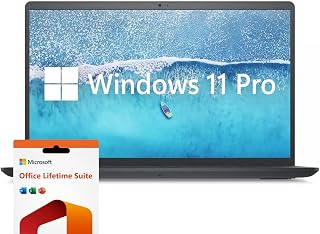
The 120Hz IPS display delivers smoother scrolling and reduced eye strain during long coding or data analysis sessions, a notable upgrade over standard 60Hz panels. Intel's i7-1255U provides robust hybrid architecture with performance cores for intensive tasks and efficiency cores for background processes. The numeric keypad streamlines financial modeling and spreadsheet work that power users frequently encounter.
Pros
- 32GB RAM handles demanding multitasking and virtual machines
- Intel Core i7-1255U provides strong processing performance
- 120Hz IPS display delivers smooth scrolling and navigation
- Numeric keypad speeds up data entry and spreadsheet work
Cons
- 4.6 pounds makes it less portable than competitors
- Integrated graphics limit rendering and gaming capability
Power users need RAM above all else, and this Dell Inspiron delivers 32GB alongside a 12th-gen Intel Core i7-1255U processor that handles demanding workloads with ease. The hybrid architecture combines performance and efficiency cores to keep multitasking smooth whether you're running virtual machines, compiling code, or working with large datasets. The 1TB SSD ensures your applications and files load without delay, while Intel Iris Xe graphics provide adequate acceleration for light creative tasks and casual gaming. The 15.6-inch IPS display running at 120Hz offers fluid motion that benefits anyone scrolling through long documents, editing video timelines, or simply enjoying smoother navigation. Windows 11 Pro adds enterprise-grade security and remote desktop capabilities that professionals appreciate. At 4.6 pounds, it remains desk-friendly rather than ultraportable, but the full numeric keypad makes spreadsheet work and data entry significantly faster. The combination of generous memory, solid processing power, and practical features makes this a straightforward choice for users whose workflows genuinely require 32GB RAM for productivity rather than content creation.
Processor: Intel Core i7-1255U, 10 cores, 12 threads, up to 4.70 GHz
Memory: 32GB DDR4 RAM
Storage: 1TB PCIe SSD
Display: 15.6-inch FHD IPS LED, 1920 x 1080, 120Hz, anti-glare, 250 nits
Graphics: Intel Iris Xe Integrated
Operating System: Windows 11 Pro
Connectivity: Wi-Fi 5 (802.11ac), Bluetooth, 3x USB-A, 1x HDMI, SD Card Reader
Weight: 4.6 pounds
Dimensions: 14.14" L x 9.31" W x 0.78" Th
Battery: Extended life (duration not specified)
Software: Microsoft Office Lifetime License included
Warranty: Extended coverage
Buy this if you need 32GB RAM for multitasking heavy applications, run virtual machines, work with large Excel files, or compile software regularly. The numeric keypad and 120Hz display add genuine value for data-intensive work. Skip it if portability is your priority at 4.6 pounds, or if you need discrete graphics for rendering and gaming. Also not ideal if you require all-day battery life away from outlets.

The touchscreen interface accelerates workflows in creative applications and presentations, letting you interact directly with content rather than relying solely on trackpad navigation. The i5-1155G7 balances performance and efficiency for sustained productivity tasks like compiling code or running database queries. A numeric keypad simplifies data entry for accounting, engineering, and statistical work that demands heavy numerical input.
Pros
- 32GB RAM in a portable 3.7-pound chassis
- Touchscreen adds intuitive control for navigation and presentations
- 1TB SSD provides fast storage for applications and files
- Anti-glare coating reduces eye strain during extended use
Cons
- Battery life of 3 to 4 hours requires frequent charging
- Intel Core i5 processor less powerful than i7 alternatives
For power users who need 32GB RAM but value mobility, this Dell Inspiron strikes a practical balance at just 3.7 pounds. The Intel Core i5-1155G7 processor won't match i7 chips in raw speed, but paired with abundant memory it keeps workflows responsive across multiple applications, browser tabs, and productivity tools simultaneously. The 1TB SSD ensures your files and programs load quickly. The touchscreen adds a dimension of control that benefits presentations and quick navigation, while the Full HD IPS panel provides clear visuals for extended work sessions. The anti-glare coating reduces eye fatigue during long days. Windows 11 Pro brings enterprise security features and remote desktop functionality that business users rely on. The numeric keypad accelerates spreadsheet work and financial tasks. Where this laptop earns its place on a power user list is the combination of 32GB RAM in a genuinely portable chassis. The modest battery life of 3 to 4 hours means you'll need regular access to power, but for users working primarily from offices or coworking spaces, that trade-off delivers serious memory capacity without the weight penalty.
Processor: Intel Core i5-1155G7 Quad-Core (4 cores, 8 threads, max 4.5GHz, 8MB cache)
Memory: 32GB DDR4 RAM
Storage: 1TB SSD
Display: 15.6" Full HD (1920x1080) IPS touchscreen, anti-glare, 220 nits
Graphics: Intel UHD Graphics integrated
Operating System: Windows 11 Professional 64-bit
Ports: 2x USB 3.2 Type-A, 1x USB 2.0 Type-A, HDMI 1.4, headphone/mic combo, SD card reader
Connectivity: Wi-Fi 5 (802.11ac), Bluetooth 5.0
Camera: 720p HD webcam
Keyboard: Full-size with numeric keypad
Weight: 3.7 pounds
Dimensions: 14.11" x 9.25" x 0.69"
Warranty: 1-year limited manufacturer warranty
Ideal for business professionals and content creators who need 32GB RAM but travel frequently and value a lightweight design under 4 pounds. The touchscreen benefits presenters and designers working with creative applications. Skip this if you need all-day battery life away from outlets, or if you prioritize raw processor speed over portability. Also not suited for users requiring discrete graphics.
Buying Guide: What to Look for in a 32GB RAM Laptop
Processor Performance Matters More Than You Think
RAM keeps your programs ready, but the processor does the actual work. Look for at least 6 cores if you run multiple demanding applications simultaneously. AMD Ryzen 5 and Ryzen 7 processors with 7000-series or newer offer excellent multitasking efficiency, while Intel Core i5 and i7 chips from the 11th generation onward provide strong single-threaded performance for applications that don’t scale across multiple cores.
The difference between a 6-core and 10-core processor becomes obvious when you’re compiling code, rendering video, or running virtual machines. If your workflow involves any of these tasks regularly, prioritize higher core counts alongside that 32GB of memory.
Display Size and Quality for Extended Work Sessions
Larger screens reduce the need to constantly switch between windows, which matters when you’re managing multiple applications. A 17-inch display gives you more workspace for spreadsheets and design tools, while a 15.6-inch screen strikes a better balance between portability and usability.
Resolution matters too. Full HD (1920×1080) is the baseline, but displays with higher brightness (300 nits or more) and anti-glare coatings reduce eye strain during long sessions. Touchscreen functionality adds convenience for certain workflows, though it’s not essential for everyone. If you spend hours staring at your screen daily, investing in better display quality pays off quickly. For more productivity-focused setups, check out our guide to the best home office equipment.
Storage Speed and Capacity
A 1TB SSD is the sweet spot for most users. It provides enough space for your operating system, applications, and a healthy collection of project files without constant cleanup. PCIe NVMe drives deliver significantly faster read and write speeds compared to older SATA SSDs, which translates to quicker boot times, faster application launches, and smoother file transfers.
If you work with large media files or datasets, consider models that support easy storage upgrades. Some laptops include a second M.2 slot or allow straightforward drive replacement without voiding warranties.
Connectivity and Port Selection
Modern laptops often sacrifice ports for thinner designs, but power users need options. USB-C with Thunderbolt 4 support enables high-speed data transfers and can drive multiple 4K displays through a single port. Standard USB-A ports remain essential for peripherals that haven’t made the USB-C transition yet.
HDMI output, an SD card reader, and an Ethernet jack add versatility for presentations, media imports, and stable network connections. Wi-Fi 6 or Wi-Fi 7 support ensures fast wireless speeds when wired isn’t an option. Similar connectivity considerations apply when building a complete desktop PC for demanding tasks.
Final Thoughts
These laptops prove that 32GB RAM isn’t just for high-end workstations anymore. If you need maximum screen space and business-focused features, the HP 17 Inch FHD Laptop Computer for Business delivers reliable performance with a large display and all-day battery life. For users who prioritize portability without sacrificing power, the HP 15.6″ FHD Touchscreen Laptop, 32GB RAM combines responsive touch input with strong multitasking capabilities in a lighter package. Choose based on your primary workspace and whether you value screen real estate over mobility.
Frequently Asked Questions
Is 32GB RAM overkill for general office work?
For basic word processing and web browsing, yes. But if you regularly run video conferences while working in multiple documents, keep dozens of browser tabs open, or use resource-intensive applications like Excel with large datasets, 32GB eliminates slowdowns and lets you work without constantly closing programs. It’s future-proofing for heavier workloads as software demands increase.
Can I upgrade a laptop to 32GB RAM later?
Some laptops allow RAM upgrades through accessible slots, while others solder memory directly to the motherboard. Check the specifications before purchasing if you plan to upgrade later. Models with user-accessible RAM typically cost less upfront but require technical knowledge for installation. Soldered RAM configurations often use faster memory and enable thinner designs but lock you into the initial capacity.
What’s the difference between DDR4 and DDR5 RAM in laptops?
DDR5 offers higher bandwidth and lower power consumption compared to DDR4, which translates to better performance in memory-intensive tasks like video editing and 3D rendering. In 2026, DDR5 has become more common in newer laptop models. For most business and productivity applications, DDR4 at 32GB still provides excellent performance, but DDR5 gives you more headroom for future software demands. When building a complete system, pairing the right RAM with your GPU matters, see our recommendations for 3D rendering workloads.
How much does screen size affect battery life?
Larger displays consume more power, especially at higher brightness levels. A 17-inch laptop typically runs 1-2 hours less than a comparable 15.6-inch model on the same battery capacity. Display resolution and panel type also matter, Full HD screens draw less power than 4K panels, and IPS displays generally use more energy than OLED. If battery life is critical, look for models with larger battery capacities (measured in watt-hours) and efficient processors that balance performance with power consumption.
Common questions
What are the best gaming laptops with 32GB RAM available in 2026?
For serious gaming with 32GB RAM, look for laptops with dedicated RTX 50 series or RX 9000 series GPUs rather than integrated graphics. The RTX 5070 and above deliver excellent performance for demanding titles at high settings, while the RX 9070 XT offers strong value at a $599 launch MSRP. Most business laptops with 32GB RAM use integrated graphics suitable for productivity but not gaming. Check each listing for current pricing and verify the GPU meets your gaming requirements.








Write Your Review
No reviews yet. Be the first to share your experience!