

You sit down for movie night, fire up your favorite streaming service, and within minutes the picture drops to a blurry mess or freezes entirely. The problem usually isn’t your internet plan, it’s the router pushing that signal to every device in your home. Choosing the right router can mean the difference between a flawless 4K stream and a frustrating evening of buffering.
This guide covers the ten best routers for streaming available right now, evaluated across real-world performance, coverage, device capacity, and long-term reliability. Whether you’re outfitting a small apartment or a multi-story home packed with smart devices, there’s a strong option here for you. If you’re also dealing with dead zones in certain rooms, pairing your router with a quality extender helps, check out our roundup of the best WiFi extenders for gaming for compatible options.
Quick answer
This guide compares 10 picks, with TP-Link Archer AX73 WiFi 6 Router: 5400 Mbps Dual-Band ranked first. GL.iNet Flint 2 Wi-Fi 6 Gaming Router with Dual 2.5G holds the highest customer rating among them. TP-Link Archer AX21 AX1800 WiFi 6 Dual-Band Router has the most customer reviews.

Pros
- WiFi 6 dual-band support for busy homes
- OFDMA and MU-MIMO handle 20+ devices
- Six antennas with beamforming
- QoS, parental controls, and WPA3 security
Cons
- Actual speeds vary with walls, distance, and interference
- OFDMA and MU-MIMO must be enabled manually
Streaming households need more than headline speed: they need a router that keeps video sessions steady while phones, laptops, consoles, and other equipment compete for bandwidth. The Archer AX73 addresses that role with dual-band WiFi 6, QoS, and support for streaming devices, game consoles, and common personal devices. Its OFDMA and MU-MIMO capabilities are intended to coordinate more than 20 connected devices at once, reducing the congestion that can interrupt a stream when the household is active. Six high-power antennas and beamforming direct signal toward connected equipment, while the reported coverage reaches homes up to 2,000 square feet. For lengthy streaming sessions, its 167 sq cm vented top is designed to dissipate heat and help it sustain performance under demand. Five ports plus Ethernet, USB, and Wi-Fi connectivity add useful connection options. WPA3 security and parental controls round out a practical choice for a mid-sized home moving on from an older router. Its AX5400 rating is theoretical, however: distance, walls, interference, and device generation all affect actual results. Users also need to switch on OFDMA and MU-MIMO to get its full multi-device benefits.
Performance: Up to 5400 Mbps total (4.8 Gbps on 5 GHz band with 4T4R and HE160). Covers 2,000 sq ft with 6 fixed antennas and high-power FEM.
Connectivity: Dual-band WiFi 6 (802.11ax) with backward compatibility to 802.11ac, 802.11n, 802.11g, and 802.11b. Four gigabit ethernet ports (1x USB 3.0 for media sharing).
Security: WPA3 and WPA2-Enterprise encryption. Built-in HomeShield provides DDoS protection, malicious site blocking, and port intrusion detection for unlimited clients.
Power and Design: 12V 2.5A adapter. Dimensions: 10.73 x 5.8 x 1.94 inches. Operating voltage: 100-240V. 2-year manufacturer warranty included.
Buy the Archer AX73 if streaming is one part of a busy mid-sized household network, especially when several TVs or streaming devices share space with phones, laptops, tablets, and game consoles. It suits people replacing an older router who want WiFi 6, beamforming, QoS, parental controls, and a choice of Ethernet or USB connections. Skip it if you expect its 5400 Mbps theoretical figure under every condition, need guaranteed coverage beyond 2,000 square feet, or want a mesh setup without adding separately purchased compatible TP-Link OneMesh accessories.
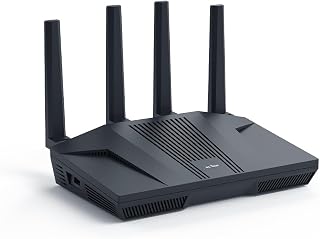
Dual 2.5G ports mean your streaming box or media server can pull a wired connection well beyond standard gigabit, useful if you're pushing 4K streams to multiple TVs at once without Wi-Fi contention. QoS lets you prioritize streaming traffic over background downloads, and guest mode keeps visiting devices from eating into your bandwidth during binge sessions.
Pros
- 6 Gbps total throughput handles many simultaneous streams
- Dual 2.5G ports for wired streaming devices
- Built-in AdGuard Home blocks ads without extra apps
- Smart band-switching keeps devices on the best connection
Cons
- Mandatory firmware update adds setup time
- Advanced features require some networking knowledge
Streaming smoothly across multiple devices at once comes down to raw bandwidth and stable connections, and the Flint 2 is built for exactly that. Its 8-stream Wi-Fi 6 setup pushes up to 6 Gbps total throughput, so a house full of 4K streams, gaming sessions, and video calls can run at the same time without one device choking another. The dual 2.5G multi-gig ports mean anyone wiring a smart TV or streaming box directly gets speeds a standard router port cannot deliver. What makes it worth the extra attention is the pre-installed OpenWrt firmware, which unlocks AdGuard Home ad-blocking and DFS band access, both of which help keep a streaming setup free of buffering interruptions and clutter. Smart band-switching automatically shifts devices to the best connection available, which matters when a household is juggling multiple streaming boxes and screens. The plain, function-first design will not win style points, but for anyone whose priority is dependable, high-capacity streaming performance across the whole home, this router delivers well beyond its category.
Buy this if you stream on multiple 4K devices simultaneously, have fiber internet, and want wired multi-gig ports for TVs or streaming boxes. It also suits anyone who wants built-in ad-blocking and firmware-level control over their streaming network. Skip it if you want a simple plug-and-play device with no setup steps, or if your household only has one or two casual streaming devices and doesn't need this much throughput.
Connectivity: Wi-Fi 6 (802.11ax), dual-band, 6 Gbps total throughput, 8-stream technology, 1148 Mbps on 2.4GHz, 4804 Mbps on 5GHz. Supports 802.11b, g, n, ac, and ax standards.
Ports: Dual 2.5G multi-gig ports, four 1G Gigabit ports, six ports total. Hybrid router with Multi-WAN support for redundancy and failover.
Hardware: MT6000 chipset, 1GB DDR4 RAM, 8GB eMMC storage, retractable antennas. Linux-based operating system with WPA3 security protocol.
VPN Performance: WireGuard up to 900Mbps, OpenVPN up to 880Mbps. Built-in ad-blocking with AdGuard Home support. Supports access point mode, guest networks, QoS, and internet security features.
Included: GL-MT6000 router, power adapter (US plug), Ethernet cable, user manual, and 2-year warranty. Connects 100+ devices simultaneously.

Beamforming focuses the signal directly at connected devices instead of broadcasting evenly in all directions, which helps maintain a stable connection to a streaming stick or smart TV in another room. Support for 802.11ax gives you the newer Wi-Fi 6 efficiency gains, so multiple household streams can run concurrently without the network bogging down.
Pros
- Wi-Fi 6 speeds noticeably improve streaming stability
- OFDMA and beamforming manage multiple devices well
- Simple setup through the Tether app
- Includes a VPN server not common at this level
Cons
- No 6 GHz band, so not Wi-Fi 6E ready
- Large homes may need extra units for full coverage
For a household that mainly wants smoother streaming without overspending on networking gear, the Archer AX21 hits the practical middle ground. Its 1.8 Gbps total bandwidth and Wi-Fi 6 support bring noticeably steadier streaming compared to older Wi-Fi 5 routers, which matters most when a smart TV, tablet, and a couple of phones are all pulling video at once. OFDMA and beamforming work together to keep those simultaneous connections stable rather than letting one device slow down another, a common issue on budget hardware. The four high-gain antennas and front-end module chipset help extend coverage so streaming stays consistent in rooms farther from the router. Setup through the Tether app is simple, which matters for anyone who just wants their streaming devices online quickly rather than digging into settings. It is not aiming for cutting-edge speed, but for typical households streaming across a handful of devices, it is a sensible way to add Wi-Fi 6 reliability without paying for features you will not use.
Model: TP-Link Archer AX21 V5
WiFi Standard: 802.11ax (WiFi 6), 802.11ac, 802.11n, 802.11g, 802.11b
Total Bandwidth: AX1800 with 1200 Mbps on 5 GHz and 574 Mbps on 2.4 GHz
Antenna Configuration: 4 high-gain antennas with beamforming technology
Technology: OFDMA, Beamforming, CISA Secure-by-Design certified
Security: VPN Server support (OpenVPN and PPTP)
Connectivity: WiFi and Ethernet, compatible with Gaming Consoles, PCs, Smartphones, and Tablets
Included: Power Adapter, Quick Installation Guide, RJ45 Ethernet Cable
Color: Black

With coverage rated up to 3,500 square feet and throughput reaching 19 Gbps, this router is built for larger homes running several 4K or 8K streams across different rooms at once. Tri-band Wi-Fi 7 support spreads that load across multiple channels, so one household member's stream won't stutter because someone else started another.
Pros
- Dedicated third band isolates streaming from other heavy traffic
- 10 Gigabit WAN port supports multi-gig fiber for smoother streaming
- Handles 200 simultaneous devices without stuttering
- 3,500 sq ft coverage suits larger or multi-story homes
Cons
- Requires an existing modem or gateway with RJ45 ethernet
- Full speed potential depends on having multi-gig internet infrastructure
For households where streaming is just one piece of a much bigger connectivity demand, the RS700S is built to handle it without buckling. Its tri-band WiFi 7 architecture and 19 Gbps aggregate speed mean a dedicated band can be reserved for streaming traffic while gaming, video calls, and file transfers run on separate lanes without interference. That isolation is the real advantage for streaming specifically: your 4K or multi-stream setup won't slow down just because someone else in the house is downloading a large file or on a video call. MU-MIMO and OFDMA keep bandwidth allocation fair across every connected device, and support for 200 simultaneous devices means even a home packed with smart TVs, streaming sticks, and other connected gear won't strain the network. The 10 Gigabit WAN port is particularly relevant if you've invested in a multi-gig fiber plan specifically to support multiple simultaneous 4K or higher-resolution streams, since it ensures the router itself never becomes the bottleneck. Coverage rated at 3,500 sq ft also supports whole-home streaming in larger or multi-story properties.
Performance: WiFi 7 tri-band router, 19 Gbps aggregate speed, 12-stream design, quad-core 2.6 GHz processor
Coverage: Up to 3,500 sq ft, supports up to 200 connected devices
Connectivity: 1x 10 Gigabit WAN port, 1x 10 Gigabit LAN port, 4x 1 Gigabit LAN ports, USB 3.0
Security: WPA3, Advanced Router Protection, automatic firmware updates, 30-day NETGEAR Armor trial
Antenna: Fixed 3D antenna design with 3 antennas
Compatibility: Cable, fiber, DSL, satellite providers, backward compatible with WiFi 6 and earlier
Warranty: 1 year limited warranty, 90-day complimentary technical support
Included: Router, 2m Ethernet cable, 19V power adapter, quick start guide
Best for larger households running multiple 4K streams alongside gaming and heavy internet use, especially with a multi-gig fiber plan to match. Also fits content creators or streaming-heavy homes with 200-plus connected devices. Skip it if you have a smaller home, a modest internet plan, or don't have the infrastructure to actually use multi-gig speeds, since much of its capability would go unused.

Tri-band operation adds a dedicated channel that keeps streaming traffic separate from everything else competing for bandwidth, which cuts down on buffering during peak evening hours. Built-in QoS lets you prioritize video traffic specifically, and beamforming helps keep the connection strong to a streaming device that isn't sitting right next to the router.
Pros
- Dedicated 6 GHz band reduces interference for streaming devices
- 5400 Mbps combined throughput across three bands
- OFDMA prevents devices from competing for bandwidth
- EasyMesh support extends streaming-quality coverage
Cons
- Requires 6E-compatible devices to see real benefit
- Needs a separate modem for most internet plans
Streaming smoothly across several rooms and devices comes down to two things: enough bandwidth and a signal that doesn't choke when everyone's online at once. The AXE5400 tackles both with its tri-band WiFi 6E setup, adding a dedicated 6 GHz lane that keeps 4K and HDR streams flowing without fighting your neighbor's WiFi for airtime. With 5400 Mbps spread across three bands, this router can dedicate a clean channel to your streaming devices while other bands handle browsing, smart home gadgets, and gaming. OFDMA support means your smart TV isn't waiting in line behind a dozen other connected devices. Eight fixed antennas plus EasyMesh support help extend that streaming-friendly signal into rooms where a router alone might not reach. For a household with multiple streaming boxes, smart TVs, and tablets all pulling video at once, this kind of bandwidth headroom is exactly what prevents buffering wheels. It earned a 2025 PCMag Editors' Choice nod, which speaks to how well it performs against similar tri-band competitors.
Wireless Performance: WiFi 6E, 5400 Mbps total (6 GHz: 2402 Mbps, 5 GHz: 2402 Mbps, 2.4 GHz: 574 Mbps)
Connectivity: Tri-band 802.11ax, 8 fixed antennas, 5 Gigabit ports, WAN/LAN connectivity
Processing Power: 1.0 GHz dual-core CPU, 512 MB RAM
Security: WPA2, WPA2-Enterprise, WPA3, VPN Server/Client support (OpenVPN, PPTP, L2TP), HomeShield protection, High-level firewall
Features: EasyMesh compatibility, Beamforming, QoS, Parental Controls, Alexa Compatible, App control
Warranty: 2-year manufacturer warranty, 24/7 technical support
Good for households streaming on multiple screens simultaneously, especially where 4K or HDR content is common and devices support WiFi 6E. Also worth it if you're building out a smart home alongside your streaming setup. Skip it if your streaming devices are older and don't support 6E, since you won't tap into the fastest band, or if you only have one or two screens and don't need tri-band capacity.
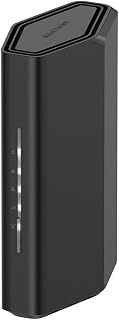
Coverage up to 2,000 square feet means a streaming box in a back bedroom or basement stays connected without needing an extender, and compatibility with smart TVs and streaming-adjacent gear like security cameras keeps the whole entertainment setup on one reliable network. The 3.6 Gbps throughput gives multiple simultaneous 4K streams enough headroom to avoid competing for bandwidth.
Pros
- 3.6 Gbps combined speed keeps 4K streams smooth
- MU-MIMO and OFDMA prevent streaming lag during multitasking
- Supports up to 50 connected devices
- 2.5 Gigabit WAN port avoids bottlenecking faster internet plans
Cons
- Dual-band only, no dedicated third band for heavy multitasking
- Coverage may fall short in larger or multi-story homes
Not every streaming setup needs the biggest, most expensive router on the shelf, and the Nighthawk RS90 is built for that reality. It's a dual-band WiFi 7 router that still delivers up to 3.6 Gbps, which is plenty of headroom for a household streaming 4K content on one or two screens while other devices stay connected. MU-MIMO and OFDMA are the features that matter most here for streaming specifically: they let your TV pull a steady video feed even while someone else is gaming or a laptop is uploading files in the background. Supporting up to 50 connected devices means smart TVs, streaming sticks, phones, and security cameras can all stay online without the network buckling. The 2.5 Gigabit WAN port also means your router won't be the bottleneck if you've upgraded to a faster internet plan for smoother streaming. Coverage tops out around 2,000 sq ft, which fits most single-story homes and smaller multi-story layouts, making it a practical pick for streaming-focused households that don't need mesh-level coverage or tri-band complexity.
Wireless Technology: WiFi 7 (802.11be) Dual-Band
Maximum Speed: 3.6 Gbps (BE3600)
Frequency Bands: 2.4 GHz and 5 GHz
Coverage Area: 2,000 square feet
Connected Devices: Up to 50 devices
Processor: Quad-core 2.0 GHz
Connectivity: 1x 2.5 Gigabit WAN port, 4x 1 Gigabit LAN ports
Antennas: 4 fixed antennas
Security: WPA2, WPA3 protocols, Advanced Router Protection, automatic firmware updates
Power: 12V/1.5A adapter
Control: Nighthawk mobile app (iOS and Android)
Warranty: 1 Year Limited
In the Box: RS90 router, 2.5A power adapter, 2-meter ethernet cable, quick start guide
Model: RS90-100NAS
Best for single-story homes or smaller multi-story properties where a few people stream, work, and game at once without needing tri-band separation. Also solid if you want WiFi 7 speed without the complexity of a mesh system. Skip it if you live in a larger or multi-story home with lots of walls, since the 2,000 sq ft range may not reach every room reliably.
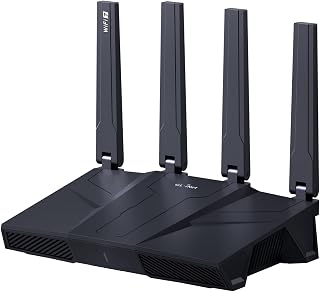
Five 2.5G ports give you room to hardwire several streaming devices, a smart TV, and a media server simultaneously without a switch, while tri-band Wi-Fi 7 support spreads wireless streaming traffic across three separate bands. That combination matters most for households running multiple 4K streams alongside other heavy internet use at the same time.
Pros
- 9 Gbps total bandwidth supports heavy simultaneous streaming
- Handles 100+ connected devices without slowdown
- Five 2.5 Gbps ports for wired streaming devices
- Built-in AdGuard Home and Bark parental controls
Cons
- Firmware update required on setup to reach full performance
- Well above mainstream router capability, more than casual streamers need
When a household's streaming demands go beyond typical 4K playback into 8K content or dozens of connected devices, the Flint 3 is built to keep up. Its tri-band Wi-Fi 7 system reaches up to 9 Gbps total bandwidth, with MLO technology and enhanced OFDMA cutting latency even when the network is congested, which keeps 8K streams and simultaneous video calls smooth rather than stuttering. Five 2.5 Gbps ethernet ports mean multiple streaming boxes or smart TVs can connect directly for the most stable possible feed. The router is rated to handle 100 or more connected devices without performance dropping, a real advantage for larger households or smart homes layered with streaming gear on top of everything else. Built-in AdGuard Home filters out ad clutter during streaming sessions without a subscription, and Bark parental controls help manage what younger household members watch. It is a premium option clearly aimed at people who see streaming as just one part of a demanding, device-heavy network rather than the only use case.
Network and Connectivity: Wi-Fi 7 (802.11be) tri-band router with 2.4 GHz, 5 GHz, and 6 GHz bands. Maximum data transfer rate 12.5 gigabits per second. Five 2.5 Gbps ethernet ports plus one WAN port. Supports 802.11ac, 802.11ax, 802.11g, and 802.11n backward compatibility.
Processing and Storage: DDR4 1GB RAM, 8GB eMMC storage. Linux operating system. Supports 100+ simultaneous device connections with plugin installation capability.
Antennas and Coverage: Four retractable antennas with MLO, enhanced OFDMA, 4K QAM, and preamble puncturing technology. Coverage range extends to 2,000 square feet. Designed for home, gaming, and business environments.
Security and Control: WPA2-PSK, WPA3, WPA2-Enterprise, WPA-Enterprise, and WPS security protocols. High-level router firewall. Supports remote access. App control and push button functionality. Integrated AdGuard Home DNS filtering and Bark parental controls.
VPN Performance: OpenVPN and Wireguard protocols both achieve up to 680 Mbps throughput. Physical specifications: 0.85 kg weight, black color. Includes ethernet cable, power adapter, and user manual. 2-year manufacturer warranty.
Consider this if your home streams 8K content, runs many connected devices at once, or wants next-generation Wi-Fi 7 headroom for years to come. It fits households already invested in a device-heavy smart home setup. Skip it if your streaming needs are modest, such as one or two 4K devices, since you would be paying for far more capacity and bandwidth than you need.

Built-in QoS lets you tell the router to favor streaming traffic when the network gets busy, which helps prevent a show from stuttering just because someone else picked up a phone. Compatibility with smart TVs and streaming boxes alongside gaming consoles and tablets means it fits a typical living room streaming setup without extra configuration.
Pros
- 867Mbps 5GHz band suits 4K streaming
- MU-MIMO keeps streaming devices from waiting on others
- Four Gigabit ports for wired streaming boxes
- WPA3 security included at this price
Cons
- 2.4GHz band's 300Mbps ceiling limits many-device homes
- Fixed antennas can't be aimed at weak spots
Streaming in 2026 doesn't always mean a house full of 4K devices and a mesh system. Sometimes it just means one or two TVs that need to stop buffering during the season finale, and the Archer A6 handles exactly that job. Its 5GHz band runs at 867Mbps, plenty for 4K streaming on a couple of screens, while the separate 2.4GHz band keeps everyday phones and tablets from competing for that bandwidth. MU-MIMO on the 5GHz side means your streaming device isn't waiting in line behind other gadgets in the house. Four Gigabit Ethernet ports let you wire a streaming box or smart TV directly for the most stable connection possible, which matters more for smooth playback than raw WiFi speed does. Beamforming from the four external antennas helps the signal actually reach the living room instead of fading in the hallway. It won't juggle a smart-device-packed home, but for a household focused mainly on getting shows and movies to play without interruption, it covers the basics well.
Wireless Performance: AC1200 (300Mbps on 2.4GHz + 867Mbps on 5GHz), dual-band, 802.11a/b/g/n/ac compatible, MU-MIMO on 5GHz band.
Connectivity: 4 x Gigabit Ethernet LAN ports, 1 x Gigabit WAN port, total 5 ports, 10/100/1000 Mbps bandwidth per port.
Antennas: 4 fixed external antennas with Beamforming technology for extended coverage.
Security: WPA3 protocol, advanced firewall, parental controls, guest mode, internet security features.
Additional Features: Access Point mode, QoS, WPS, OneMesh support, app-based management via Tether (iOS/Android). Power: 12V adapter. Dimensions: 8.46in L x 4.92in W x 1.81in H. Warranty: 2-year manufacturer coverage. Compatible with all major ISPs (AT&T, Verizon, Xfinity, Spectrum, etc.).
Buy this if your streaming needs are centered on one or two TVs or a modest number of devices and you want dependable 4K playback without paying for extra features. Skip it if you're building a household with many simultaneous 4K streams, smart home gadgets, and gaming consoles all pulling bandwidth at once, since the 300Mbps 2.4GHz band can become a bottleneck. Also skip it if you need antennas that tilt toward specific dead zones.

ASUS RT-AX1800S WiFi 6 Dual Band Router, 1800Mbps
AiMesh compatibility means you can extend coverage later if a streaming device in a far room starts buffering, without replacing the router itself. Smart TV compatibility is listed directly among supported devices, and the subscription-free network security runs in the background without adding setup steps for someone who just wants reliable playback.
Pros
- WiFi 6 efficiency lowers latency for streaming apps
- Handles 9-16 devices smoothly via MU-MIMO and OFDMA
- Five Gigabit ports for wired streaming devices
- AiProtection and VPN included with no subscription
Cons
- 5GHz signal weakens in larger or multi-story homes
- May need AiMesh nodes for full-house coverage
For streaming setups spread across an apartment or a modest-sized home, the RT-AX1800S offers WiFi 6 efficiency without asking you to manage a large network. Its 1800Mbps combined throughput across 2.4GHz and 5GHz is enough to keep a smart TV or two streaming smoothly alongside phones and tablets, and MU-MIMO with OFDMA means it comfortably handles 9-16 connected devices without everything slowing down when the TV starts buffering-sensitive 4K content. The WiFi 6 standard itself brings lower latency, which helps when a streaming app has to keep buffering ahead of playback. Four external antennas provide steady room-to-room coverage in typical apartment layouts, and the five Gigabit ports let you hardwire a streaming device for the most consistent connection. AiProtection Classic and the built-in VPN add security without subscription costs, a nice bonus for a router in this class. The catch is that 5GHz signal strength drops off in larger, multi-story homes, so a bigger house streaming from a far-off bedroom may see weaker performance than a bedroom near the router.
Core Specs: WiFi 6 (802.11ax), 1800 Mbps total speed (1201 Mbps upstream), dual-band (2.4GHz and 5GHz), 2x2 MIMO configuration.
Hardware: Dual-core processor with 4 VPE, 256MB RAM, four external antennas, five Gigabit Ethernet ports. Power supply: AC 110V-240V (50-60Hz), DC output 12V at 1.5A max.
Features: MU-MIMO and OFDMA support, AiMesh compatibility, AiProtection Classic security, ASUS Instant Guard VPN, WPS, parental controls, app and web GUI control. Compatible with Windows, Mac, Linux, iOS, and works with gaming consoles, smart TVs, and smartphones.
Physical: Dimensions 9.06 x 5.28 x 2.2 inches, weight 13.12 ounces, black color. Includes power adapter, Ethernet cable, quick-start guide, and warranty card.
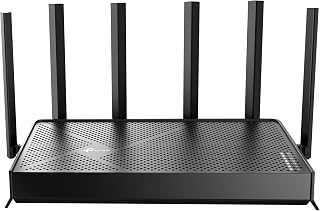
Wi-Fi 7 support brings newer wireless efficiency to a dual-band setup, and direct compatibility with smart TVs and streaming-friendly devices like security cameras shows it's built with a connected living room in mind. QoS settings let you keep video traffic smooth even when other devices on the network are active at the same time.
Pros
- 6.5Gbps combined bandwidth handles multiple 4K streams
- Reported stability across 90+ simultaneous devices
- Dual 2.5Gbps ports suit NAS or multi-gig internet
- Beamforming antennas cover up to 2,400 sq. ft
Cons
- Only expands via EasyMesh, not TP-Link Deco
- Requires a separate modem and strong internet to justify its capability
If your streaming demands have outgrown a basic router, the Archer BE400 is built for exactly that jump. Its WiFi 7 Multi-Link Operation splits 6.5Gbps across 5GHz (5,764 Mbps) and 2.4GHz (688 Mbps), which matters when a household is streaming 4K on multiple TVs while other devices are active on the same network. Reported real-world speeds of 500-850 Mbps over WiFi on fiber connections, with stability across 90+ devices, point to a router that won't choke when everyone in the house is streaming at once. The dual 2.5Gbps ports also matter if you pull content from a NAS or have a multi-gig internet plan feeding your streaming setup. Six external antennas with beamforming cover up to 2,400 sq. ft, so signal reaches distant TVs rather than dying at the far end of the house. HomeShield adds real-time threat detection and lets you isolate IoT devices from your streaming gear on their own network. Setup takes under 10 minutes through the Tether app. The main tradeoff is that it only expands through EasyMesh devices, not TP-Link's Deco line, and a separate modem is required.
Real-world performance metrics consistently exceed specifications. Users report sustained 500+ Mbps downloads on 1 Gbps fiber connections and 780+ Mbps on superior plans. The 2.5Gbps ports enable wired transfers at near-theoretical maximums, making this ideal for content creators and network enthusiasts.
Coverage extends reliably throughout 2,400 sq. ft. with minimal dead zones. The beamforming and six-antenna array intelligently direct signals, maintaining strong connections even in challenging environments like dense apartment buildings or multi-story homes with interference from neighboring networks.
Multi-Link Operation (MLO) dramatically improves stability compared to Wi-Fi 6 routers. By simultaneously using multiple frequency bands for single data streams, the BE400 reduces latency and packet loss, resulting in lag-free gaming and buffer-free streaming regardless of connection density.
HomeShield transforms network security from optional to essential. The real-time scanner identifies threats instantly, parental controls block inappropriate content by category and time window, and Quality of Service (QoS) ensures gaming or work devices get priority bandwidth when needed.
The ability to create separate SSIDs for IoT devices prevents smart home gadgets from accessing sensitive personal data. Combined with WPA3 encryption, VPN server capabilities, and access control features, your network gains protection rivaling enterprise solutions at consumer pricing.
Automatic firmware updates through the cloud keep security patches current without manual intervention, eliminating the common vulnerability window where routers run outdated security code.
This fits households streaming 4K across multiple TVs, running many connected devices, or wanting headroom for whatever comes next in home networking. It also suits anyone with multi-gig internet or NAS-based media libraries who wants the 2.5Gbps ports. Skip it if you already own TP-Link Deco mesh gear, since expansion only works through EasyMesh-certified devices, or if your internet plan is modest enough that the extra bandwidth would go unused.
Buying Guide: What to Look for in a Streaming Router
WiFi Generation: 6, 6E, or 7?
WiFi 6 routers like the TP-Link AX5400 WiFi 6 Router (Archer AX73) and the TP-Link AX1800 WiFi 6 Router (Archer AX21 V5) deliver a major leap in efficiency over older standards, using OFDMA and MU-MIMO to serve multiple devices at once without congestion. For most households streaming HD or 4K content, WiFi 6 is more than sufficient.
WiFi 6E adds access to the uncrowded 6 GHz band, while WiFi 7 introduces Multi-Link Operation (MLO) for dramatically lower latency and higher throughput. If you have a growing collection of smart home devices alongside demanding streaming needs, stepping up to WiFi 6E or WiFi 7 gives you meaningful headroom.
Coverage Area and Antenna Design
Coverage specs vary widely across this list. The NETGEAR Nighthawk WiFi 7 Router RS700S covers up to 3,500 sq. ft. using a 12-stream design, making it well-suited for larger homes. At the other end, the NETGEAR Nighthawk WiFi 7 Router RS90 is optimized for spaces up to 2,000 sq. ft., which covers most apartments and mid-size homes comfortably.
Beamforming technology, present in most of the routers on this list, focuses the wireless signal toward connected devices rather than broadcasting it in all directions equally. High-gain antennas and front-end module (FEM) chipsets further strengthen that reach, especially through walls and floors.
Wired Ports and Multi-Gig Connections
For the absolute best streaming stability, a wired Ethernet connection to your TV or streaming box eliminates wireless interference entirely. The TP-Link BE6500 Dual-Band WiFi 7 Router (BE400) includes a 2.5 Gbps WAN port plus multiple LAN ports, letting you take full advantage of multi-gig internet plans. The GL.iNet GL-MT6000 Flint 2 Wi-Fi 6 Gaming Router goes further with dual 2.5G ports, which appeals to power users managing both wired and wireless high-bandwidth workloads.
Even if you stream wirelessly, having robust wired ports allows you to connect gaming consoles, NAS drives, and desktop PCs at full speed without competing for wireless bandwidth. That frees up your WiFi bands exclusively for tablets, phones, and streaming sticks. If you’re building out a full entertainment setup, our guide to the best 240Hz 1080p monitors pairs well with this research.
Device Capacity and QoS
Modern households often have thirty or more connected devices running simultaneously. Routers with Quality of Service (QoS) controls, like those using TP-Link’s HomeShield platform, let you prioritize streaming traffic so it never competes with background downloads or IoT devices. The GL.iNet GL-BE9300 Flint 3 Tri-Band Wi-Fi 7 Router supports over a hundred simultaneous connections thanks to its expanded storage and MLO technology, making it a standout for dense device environments.
The ASUS RT-AX1800S Dual Band WiFi 6 Extendable brings AiMesh compatibility to the table, meaning you can expand your network with additional ASUS nodes as your home grows, a cost-effective path to whole-home coverage without replacing your entire setup. For users building a larger home tech ecosystem, also consider your power supply setup; our best PSU for high-end gaming PCs guide covers the power side of a streaming and gaming rig.
Final Thoughts
The right streaming router comes down to the size of your home, the number of devices you’re juggling, and how future-proof you want your setup to be. For most households looking for reliable 4K streaming without overspending, the TP-Link AX5400 WiFi 6 Router (Archer AX73) hits a sweet spot of speed, coverage, and proven performance. If you want a genuinely future-ready setup that handles 8K streaming, dense device loads, and the next wave of WiFi 7 devices, the GL.iNet GL-BE9300 Flint 3 Tri-Band Wi-Fi 7 Router is worth the investment.
Frequently Asked Questions
What is the best router for streaming in 2026?
The best router for streaming depends on your home size and how many devices you run at once. WiFi 6 routers are excellent for most 4K streaming households, while WiFi 7 models offer extra capacity for homes with thirty or more connected devices. Models from TP-Link, NETGEAR, and GL.iNet all have strong options reviewed in this guide.
Do I need WiFi 7 for smooth streaming?
Not necessarily. WiFi 6 handles 4K and even 8K streaming well when your devices are within reasonable range and your internet plan is fast enough. WiFi 7 becomes more valuable when you’re running a large number of simultaneous connections or want lower latency for gaming alongside streaming. It’s more about future-proofing than an immediate necessity for most users.
Should I use a wired or wireless connection for streaming?
Wired Ethernet is always the more stable choice for streaming because it eliminates wireless interference and signal drops entirely. If running a cable isn’t practical, a WiFi 6 or WiFi 7 router placed centrally in your home with clear line-of-sight to your streaming device will give you consistently strong wireless performance. Pairing your router with a quality WiFi extender can also help eliminate dead zones in larger spaces.
How many Mbps do I need for 4K streaming?
A single 4K stream typically requires around 25 Mbps, but that number climbs quickly when multiple household members are streaming simultaneously. A router with strong MU-MIMO and OFDMA support, like the models in this list, ensures that available bandwidth is distributed efficiently across all your devices. In 2026, most mid-range WiFi 6 routers handle this workload without any issues.



Write Your Review
No reviews yet. Be the first to share your experience!