

Your gaming rig is only as fast as its weakest link, and for many desktop builds, that weak link is wireless connectivity. Whether you are dropping frames in a competitive shooter or watching your download queue crawl before a big gaming night, the right WiFi card changes everything. This guide covers the best WiFi cards for gaming PCs in 2026, evaluated across performance tiers, chipset quality, and real-world reliability so you can make a confident upgrade decision.
We assembled this list for desktop PC owners who want a genuine step up from their current wireless setup, whether that means moving to Wi-Fi 6, Wi-Fi 6E, or the latest Wi-Fi 7 standard. If you are also thinking about broader network improvements, our roundup of the best WiFi extenders for gaming is worth a read alongside this guide.
Quick answer
This guide compares 10 picks, with TP-Link WiFi 6E PCIe Card with Intel AX210, Tri-Band ranked first. Nineplus AC1300 Dual-Band USB WiFi Adapter with 5dBi has the most customer reviews.

The Intel AX210 chipset inside this card is a proven performer for gaming builds, and its tri-band 6GHz support opens up a far less congested frequency than most neighbors are using. A 5400 megabit per second link rate gives serious headroom for high refresh rate streaming and large game patch downloads simultaneously.
Pros
- 6 GHz band reduces interference and lag in congested environments
- 5.3 Gbps total bandwidth handles concurrent gaming and streaming
- Magnetized antenna base allows flexible signal optimization
- Bluetooth 5.3 built in for wireless controllers and peripherals
Cons
- Requires Windows 11 to enable 6 GHz functionality
- Full performance depends on owning a WiFi 6E router
Gaming demands stable, low-latency wireless connectivity, and the TP-Link WiFi 6E card addresses that need with tri-band support totaling 5.3 Gbps across 2.4, 5, and 6 GHz frequencies. The 6 GHz band is the critical advantage here: it operates in uncongested spectrum, delivering 2402 Mbps without interference from neighboring devices or older routers fighting over crowded channels. OFDMA and MU-MIMO technology reduce lag when multiple devices share the network, which matters when streaming gameplay, voice chatting, and downloading updates simultaneously. The single high-gain antenna includes a magnetized base for flexible positioning, letting you optimize signal strength without drilling holes or cluttering your desk. Bluetooth 5.3 integration eliminates the need for separate adapters when connecting wireless controllers or headsets. WPA3 encryption and CISA Secure-by-Design certification provide modern security standards. One important caveat: Windows 11 is required to access 6 GHz functionality, and you'll need a WiFi 6E router to unlock the card's full potential. Real-world performance scales with distance and obstacles, but the hardware foundation is solid for competitive and casual gaming alike.
Wireless Standards: WiFi 6E with tri-band support covering 2.4 GHz, 5 GHz, and 6 GHz bands
Maximum Data Rate: 5.3 Gbps total (2402 Mbps on 6 GHz, 2402 Mbps on 5 GHz, 574 Mbps on 2.4 GHz)
Connectivity: PCIe interface with Bluetooth 5.3
Processor: Intel AX210
Security: WPA3 encryption, CISA Secure-by-Design compliant
Antenna: Single high-gain with flexible magnetic base
Operating Systems: Windows 11 and Windows 10 64-bit (6 GHz support requires Windows 11)
Color: Black
Weight: 1.76 ounces
Technology Features: OFDMA, MU-MIMO for reduced lag
Buy this if you're building or upgrading a gaming desktop with Windows 11 and a WiFi 6E router already in place. It's ideal for competitive players who need minimal latency and high bandwidth, or anyone gaming in apartments with heavy WiFi congestion. Skip it if you're still running Windows 10 or only have a WiFi 5 or WiFi 6 router, since you won't access the 6 GHz band that justifies the purchase. Also pass if you prefer external USB adapters over PCIe installation.

AXE5400 speed paired with the AX210 chip gives this card a proven gaming-grade foundation, while OFDMA and MU-MIMO keep latency down even with multiple devices active. The included heat sink is a thoughtful touch for a card sitting near a hot GPU, and magnetic antennas make signal positioning painless in a tight case.
Pros
- Intel AX210 chipset delivers proven tri-band performance
- 6 GHz band provides congestion-free channel for gaming
- Includes both standard and low-profile brackets for flexible builds
- Heat sink and magnetic antenna bases improve thermal and signal management
Cons
- Requires WiFi 6E router to unlock full capabilities
- No customer reviews to validate real-world performance
The WAVLINK AXE5400 brings Intel's AX210 chipset to a PCIe form factor with gaming-focused features at the core. Tri-band operation splits bandwidth across 2.4 GHz (574 Mbps), 5 GHz (2400 Mbps), and 6 GHz (2400 Mbps) for a combined 5.4 Gbps, with the 6 GHz band offering a clean channel for latency-sensitive gaming and VR. The dual 5 dBi antennas use magnetic bases for adjustable positioning, and the manufacturer claims 3x faster speeds than WiFi 5 with 75% lag reduction. Both standard and low-profile brackets are included, making the card compatible with compact and full-tower builds. A heat sink handles thermal management during sustained high-bandwidth sessions. WPA3 encryption secures your connection, and Bluetooth 5.3 adds wireless peripheral support without extra dongles. The critical limitation is router dependency: you need a WiFi 6E router to access the 6 GHz band where most of the gaming advantage lives. Without customer reviews, driver stability and long-term reliability remain unverified, though the Intel AX210 chipset has a proven track record in other products.
Chipset: Intel AX210
WiFi Standard: WiFi 6E (802.11ax/802.11be)
Bands: 2.4GHz (574 Mbps), 5GHz (2400 Mbps), 6GHz (2400 Mbps)
Total Throughput: 5.4 Gbps
Bluetooth: Bluetooth 5.3
PCIe Interface: x1/x4/x8/x16 compatible
Security: WPA3 encryption
Antennas: Dual 5dBi magnetic antennas
Bandwidth: 160 MHz
Compatible OS: Windows 10, Windows 11, Linux
Included Accessories: 2 antennas, magnetic base, standard bracket, low-profile bracket, heat sink
Warranty: 12 months standard, 18 months for registered users, lifetime technical support
This card suits gamers upgrading to WiFi 6E who already own or plan to buy a compatible router. It's a practical choice for desktop builders prioritizing low latency and high bandwidth in competitive or VR gaming. Skip it if your router maxes out at WiFi 5 or WiFi 6, since the 6 GHz band won't be accessible. Also avoid if you need verified user feedback before committing, as no reviews exist yet.

Gaming rigs need low latency more than raw throughput, and this card's AX3000 rating with dedicated low latency tuning targets exactly that. The magnetized base lets you position the antenna for the strongest signal near your desk instead of wherever the rear panel happens to sit, which matters when every frame of ping counts during ranked matches.
Pros
- WiFi 6 with OFDMA and MU-MIMO reduces gaming lag
- Magnetized antenna bases allow signal optimization
- Bluetooth 5.3 for wireless gaming peripherals
- Instant recognition on Windows 10 and 11
Cons
- Bluetooth needs motherboard USB header connection
- External antennas require desk or case space
Gaming demands stable, low-latency connections, and the Archer TX3000E delivers with WiFi 6 technology that reaches 2.4 Gbps theoretical speeds. OFDMA and MU-MIMO work together to cut lag during multiplayer sessions and VR gameplay, while real-world performance sits around 150-200 Mbps even during peak hours. The magnetized antenna bases let you fine-tune placement for optimal signal strength, with users reporting jumps from mediocre 50-60% readings to consistently strong reception after positioning adjustments. Bluetooth 5.3 handles wireless headsets and controllers with double the speed and quadruple the range of older versions. Build quality matches gaming needs with gold-plated connectors resisting corrosion, a custom heatsink managing thermals, and both standard and low-profile brackets fitting various case configurations. Windows 10 and 11 recognize the card instantly in most setups, though Bluetooth requires routing a USB header cable to your motherboard. Some initial boot errors appeared for certain users but resolved through Windows diagnostic mode without manual intervention.
Connectivity and Performance: WiFi 6 (802.11ax) with speeds up to 2.4 Gbps, dual-band support (2.4 GHz and 5 GHz), Bluetooth 5.3, MU-MIMO and OFDMA technology
Physical Design: Dimensions 4.76 inches length x 3.75 inches width x 0.85 inches height, weight 16 ounces, black color with magnetized antenna base and low-profile bracket
Compatibility: Windows 10 and Windows 11 (64-bit only), requires PCIe slot, motherboard F_USB connector for Bluetooth functionality
Included Accessories: Archer TX3000E card, Bluetooth header cable, quick installation guide, resource CD with drivers, low-profile bracket, magnetized antenna base with cable, two high-gain antennas
Warranty and Support: 2-year manufacturer warranty, driver and firmware downloads available from TP-Link support website

Gigabyte's card pairs the AX210 chipset with tri-band WiFi 6E, giving competitive gamers access to the cleaner 6GHz band alongside standard 5GHz coverage. Bluetooth 5.2 handles wireless peripherals like headsets or controllers without a separate dongle, keeping the build tidy while the 2x2 antenna config supports a stable connection under load.
Pros
- Intel AX210 module with 2400 Mbps peak throughput across three bands
- 6 GHz band eliminates interference from crowded channels
- GIGABYTE build quality with EMI shielding and robust antenna
- MU-MIMO maintains stable performance with multiple connected devices
Cons
- WiFi 6E router required to access advanced features
- No user reviews available to confirm real-world reliability
GIGABYTE's GC-WBAX210 leverages Intel's AX210 module to deliver WiFi 6E connectivity for gaming desktops, with the 6 GHz band as the centerpiece for reducing latency and interference. Dual-stream wireless across all three bands pushes theoretical speeds to 2400 Mbps, providing headroom for competitive gaming, voice chat, and simultaneous downloads. MU-MIMO ensures stable performance when other household devices share the network, preventing lag spikes during critical gameplay moments. The included 2x2 antenna connects directly to the adapter with robust build quality and EMI shielding, which matters when the card sits alongside high-power GPUs and other components generating electrical noise. GIGABYTE's AORUS heritage shows in the physical construction and attention to signal integrity. Bluetooth 5.2 handles wireless peripherals without additional adapters. The main constraint is router compatibility: WiFi 6E features only activate with a matching router, and older WiFi 6 hardware won't expose the 6 GHz band. PCIe slot availability may also be a factor on motherboards already loaded with graphics cards and storage controllers. The absence of user reviews at launch leaves real-world durability unverified, though GIGABYTE's track record in gaming hardware provides some confidence.
Wireless Standard: IEEE 802.11ax/ac/a/b/g/n compliant
Frequency Bands: 2.4GHz, 5GHz, 6GHz (tri-band)
Max Speed: 2400 Mbps (2.4GHz + 5GHz + 6GHz combined)
Chipset: Intel WiFi 6E AX210 module
Antenna: AORUS 2x2 (2 Transmit / 2 Receive)
Stream Support: Dual-stream per band
Interface: PCIe x1
Bluetooth: 5.2 with MU-MIMO TX/RX
Package Contents: WiFi card, user manual
Dimensions: 8.27" L x 5.83" W x 2.16" H
Model: GC-WBAX210
UPC: 889523026649
Buy this card if you're building a gaming PC with a WiFi 6E router and available PCIe slots, especially if you value brand reputation and build quality. It's suited for competitive gamers prioritizing low latency and anyone in dense WiFi environments where interference impacts performance. Skip it if you lack a WiFi 6E router or have no free PCIe slots. Also pass if you need user reviews to validate performance before purchasing.

Tri-band AX210 hardware puts this card in the same performance class as higher end options, with OFDMA and MU-MIMO helping maintain low latency when other devices are pulling bandwidth. The magnetic base antenna setup makes it easy to angle for peak signal strength, a small detail that matters a lot during long ranked sessions.
Pros
- Tri-band WiFi 6E with 6 GHz support reduces interference for gaming
- Intel AX210 chipset delivers up to 5.4 Gbps combined throughput
- Magnetized antenna base with cable allows flexible signal positioning
- Includes low-profile bracket and everything needed for installation
Cons
- Requires WiFi 6E router to access 6 GHz band benefits
- Needs F_USB motherboard header for Bluetooth functionality
Gaming PCs benefit enormously from stable, low-latency wireless connectivity, and the TP-Link Archer TXE75E delivers exactly that with its tri-band WiFi 6E architecture. The Intel AX210 chipset inside provides up to 5.4 Gbps combined throughput across three bands, including access to the cleaner 6 GHz spectrum that avoids the congestion plaguing traditional 2.4 GHz and 5 GHz channels. For competitive gaming, this means fewer dropped packets and more consistent ping times during intense multiplayer sessions. The dual high-gain antennas come with a magnetized base and extended cable, letting you position them for optimal signal strength rather than settling for whatever orientation your rear PC panel allows. OFDMA and MU-MIMO technologies help maintain performance even when multiple devices share the network. The PCIe interface ensures bandwidth isn't bottlenecked like some USB solutions, while WPA3 security keeps your network protected. Setup is simple with the included low-profile bracket for compact builds, and the Bluetooth 5.3 header cable adds wireless peripheral support through an available F_USB motherboard connection.
Connectivity and Performance: WiFi 6E tri-band (2.4 GHz, 5 GHz, 6 GHz), maximum speeds of 5.4 Gbps (2402 Mbps on 6 GHz, 2402 Mbps on 5 GHz, 574 Mbps on 2.4 GHz), Bluetooth 5.3 with 2x faster speeds than Bluetooth 4.2
Security and Technology: WPA3 encryption, OFDMA, MU-MIMO for reduced latency, Intel WiFi 6E chipset
Physical Design: PCIe form factor, dual high-gain external antennas with magnetized base, dimensions 4.76 inches L x 3.75 inches W x 0.85 inches H
Compatibility and Installation: Windows 11 required for 6 GHz support, includes both standard and low-profile PCIe brackets, Bluetooth requires F_USB motherboard header connection
Warranty: 2-year manufacturer warranty, includes installation guide, resource CD, and all necessary cables
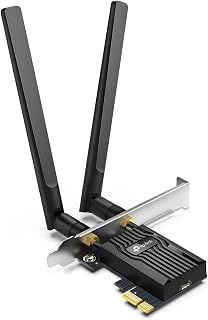
MU-MIMO support means this card handles simultaneous data streams cleanly, useful on a gaming PC sharing bandwidth with a streaming setup or smart home devices. Dual band 2.4/5GHz plus WPA3 security keeps the connection both fast and locked down, while the low latency design suits competitive play where lag spikes cost matches.
Pros
- WiFi 6 with OFDMA and MU-MIMO for lower latency
- Thermal heatsink manages temperatures during heavy use
- Bluetooth 5.2 for wireless gaming peripherals
- Budget-friendly without sacrificing WiFi 6 features
Cons
- Driver installation requires CD or pre-downloaded files
- Bluetooth needs motherboard F_USB header
WiFi 6 brings meaningful upgrades for gaming PCs, and the Archer TX55E packages that technology into a budget-friendly PCIe card. Speeds reach 2.4 Gbps with OFDMA and MU-MIMO actively cutting lag when multiple devices share your network, which matters during ranked matches or co-op sessions. Reviewers confirm noticeably improved speeds over older wireless standards with rock-solid stability and minimal drops mid-game. The thermal management heatsink keeps temperatures controlled during marathon sessions, while gold-plated connectors resist the oxidation that degrades signal quality over time. High-gain antennas deliver reliable signal even when your router sits floors away or behind walls. Bluetooth 5.2 adds wireless headset and controller support without eating a USB slot, with users reporting smooth pairing across devices. Both standard and low-profile brackets accommodate different case types. The catch is driver setup: without a CD drive or existing internet connection, you'll need to download drivers beforehand. Bluetooth also requires connecting to your motherboard's F_USB header, so verify your board has an available port.
Connectivity: WiFi 6 (802.11ax), Dual-band (2.4 GHz + 5 GHz), Bluetooth 5.2
Speeds: Maximum 2.4 Gbps total (2402 Mbps @ 5 GHz, 574 Mbps @ 2.4 GHz)
Technology: OFDMA, MU-MIMO, 1024-QAM, 160 MHz bandwidth, WPA3 security
Interface: PCIe slot with standard and low-profile mounting brackets
Antennas: Two 5 dBi high-gain external antennas
Compatibility: Windows 10 and 11 64-bit only, PCIe slot required
Dimensions: 4.72 inches L x 3.09 inches W x 0.83 inches H
Warranty: 2 years
Ideal for gamers upgrading older desktops to modern wireless standards on a tight budget, or anyone building a mid-range gaming PC who wants WiFi 6 performance without premium spending. Skip this if you lack an optical drive and have no way to pre-download drivers, or if your motherboard has no free F_USB headers for Bluetooth.
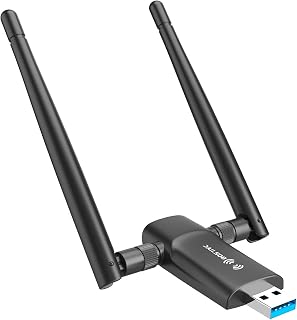
For gamers on a budget who just need a reliable USB upgrade over onboard WiFi, the dual 5dBi antennas on this adapter pull in a stronger signal than a single stick antenna, reducing dropouts during long sessions. At 1300Mbps it comfortably handles game downloads and online play without needing a PCIe slot swap.
Pros
- Dual 5dBi antennas improve signal capture and range
- 5GHz band at 867Mbps for low-latency gaming
- USB 3.0 prevents connection bottlenecks
- Compact size avoids blocking adjacent ports
Cons
- Windows-only compatibility excludes Mac and Linux
- Antenna design extends several inches from body
USB adapters offer plug-and-play simplicity for gaming setups, and the Nineplus AC1300 brings dual-band performance to desktops and laptops without opening the case. The 5GHz band hits 867Mbps for competitive gaming and streaming, delivering the low-latency connection online play demands, while 2.4GHz at 400Mbps pushes through walls and obstacles when your router isn't in the same room. Dual 5dBi antennas separate this adapter from single-antenna competitors by capturing stronger signals and transmitting more reliably at distance. USB 3.0 connectivity ensures the adapter won't choke your connection speeds, and the compact 2.6-inch body with 12-gram weight keeps your desk clean and avoids blocking adjacent ports. Real-world speeds fall below theoretical peaks but still support smooth multiplayer gaming and buffer-free streaming on typical home networks. Windows 10 and 11 users get straightforward setup, though Windows 7 requires manual driver installation. The antenna length adds a few inches to the footprint, and support stops at Windows, leaving Mac and Linux gamers without options.
Wireless Standards: 802.11ac, 802.11n, 802.11g, 802.11b
Speed: AC1300 total (867Mbps on 5GHz, 400Mbps on 2.4GHz)
Antennas: Dual 5dBi external antennas
Interface: USB 3.0 (backward compatible with USB 2.0)
Dimensions: 2.6 inches L x 0.82 inches W x 0.39 inches H
Weight: 12 grams
Color: Black
Operating Systems: Windows 7, Windows 8, Windows 8.1, Windows 10, Windows 11
Warranty: 2 years with online technical support
Best for Windows gamers needing quick WiFi upgrades without opening their PC case, laptop users facing dead zones, or anyone on a budget who wants dual-band 5GHz performance. Skip this if you run Mac or Linux systems, need the absolute lowest latency a PCIe card provides, or prefer minimal desk clutter over antenna-based signal strength.
Pros
- Exceptional speed and performance with WiFi 7 technology delivering up to 9.3 Gbps total bandwidth
- Reliable dual-antenna design with high-gain capabilities for strong signal reception across larger spaces
- Advanced security features including WPA3 encryption and Bluetooth 5.4 with low-energy mode
- Flexible installation with both standard and low-profile brackets accommodating various PC case sizes
- Excellent value for next-generation wireless technology at under $50
Cons
- Requires Windows 11 operating system, not compatible with Windows 10 or earlier versions
- Requires a WiFi 7 router to take full advantage of advanced features like MLO and 320MHz channels
- Limited availability of drivers and support outside of Windows ecosystem
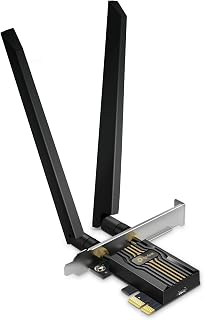
The TP-Link Archer TBE552E is a PCIe WiFi 7 network card designed for desktop users seeking the latest wireless technology. It targets gamers, content creators, and tech enthusiasts who want maximum network performance and reliability in their PC builds, particularly those running Windows 11 with a compatible WiFi 7 router.
The standout feature is its impressive 9.3 Gbps tri-band performance, combining 5764 Mbps on 6 GHz, 2882 Mbps on 5 GHz, and 688 Mbps on 2.4 GHz bands. Multi-Link Operation (MLO) technology intelligently combines these bands to reduce latency and improve throughput, while OFDMA and MU-MIMO ensure efficient connections even with multiple devices competing for bandwidth. Real-world performance benefits include faster file transfers, smoother streaming, and reduced gaming lag when paired with a WiFi 7 router.
Build quality is solid with dual high-gain antennas providing extended coverage and consistent signal strength. The included low-profile and standard brackets accommodate various PC case designs, making installation straightforward for most users. Bluetooth 5.4 integration adds versatility for connecting wireless peripherals without occupying additional USB ports, while WPA3 encryption provides enterprise-grade security for your network.
The main drawback is strict Windows 11 exclusivity, ruling out Windows 10 users or those running Linux systems. Additionally, you need a compatible WiFi 7 router to fully unlock the card's capabilities, so backwards compatibility with older routers limits the performance advantage for some users.
The Archer TBE552E delivers exceptional value for desktop users ready to embrace WiFi 7 technology. With strong performance specs, dual connectivity options, robust security features, and flexible installation, it's an excellent upgrade for high-performance computing builds at an accessible price point.
Wireless Standards: WiFi 7 (802.11be) with dual-band and 6GHz support
Total Bandwidth: 9300 Mbps (6 GHz: 5764 Mbps, 5 GHz: 2882 Mbps, 2.4 GHz: 688 Mbps)
Bluetooth: Version 5.4 with Bluetooth Low Energy (BLE)
Interface: PCIe x1 slot
Security: WPA3 encryption with advanced brute-force protection
Antennas: 2x high-gain external antennas with beamforming
Dimensions: 3.09"L x 4.76"W x 0.85"H
Weight: 2.08 ounces
Compatible Systems: AMD and Intel motherboards
Operating System: Windows 11 only (not compatible with Windows 10 or earlier)
Regulatory Certifications: FCC, CE, IC, NCC, BSMI, RCM, KC
In the Box:
Archer TBE552E PCIe network card, 2x high-performance external antennas, low-profile PCIe bracket, standard PCIe bracket, Bluetooth header cable for motherboard integration, quick installation guide, and resource CD with drivers and documentation.
2-Year Manufacturer Warranty included for peace of mind and customer support.

Pros
- Exceptional real-world performance with speeds nearly tripling over previous generation cards
- Lower latency and ping compared to competing WiFi 6E solutions, boosting gaming responsiveness
- Excellent compatibility with AMD X570 systems, addressing known Intel NIC limitations
- Easy installation and driver setup even on complex high-end systems
- Outstanding value for WiFi 7 technology at this price point
Cons
- Linux support requires additional driver configuration and may have connectivity issues on some distributions
- Occasional Bluetooth functionality problems reported on some Windows systems, typically software-related
- Requires Windows 11 operating system, limiting compatibility with older installations
The MSI Herald-BE WiFi 7 MAX is a premium PCIe network adapter designed for desktop users who demand cutting-edge wireless performance. This card is ideal for gamers, content creators, and professionals working with bandwidth-intensive applications who need the latest WiFi 7 standard and are running Windows 11 on systems with compatible motherboards.
Performance is the standout feature here, delivering verified speeds up to 5.8 Gbps with real-world user reports showing connections reaching 9000 Mbps. The 320 MHz channel widths and Multi-Link Operation technology work together to provide 5 times the network capacity of older WiFi 6 standards. Users consistently report lower latency and ping compared to previous generation cards, making this particularly attractive for competitive gaming where milliseconds matter.
Build quality and installation are straightforward. The card uses a standard PCIe x16 slot on compatible motherboards and includes a quick setup guide. Driver installation typically completes without complications on Windows 11, though some users report occasional Bluetooth issues that resolve with software updates. The external antenna design helps maximize signal strength and range.
The main limitation is operating system support, as this card requires Windows 11 and may encounter driver complications on Linux systems. Additionally, reaching maximum speeds requires a compatible WiFi 7 router, which remains relatively uncommon in most networks currently. Some users report that a single Bluetooth compatibility issue occurred across their systems, though this appears to be an outlier rather than a widespread problem.
Overall, the MSI Herald-BE WiFi 7 MAX represents excellent value for early adopters of WiFi 7 technology. With strong performance metrics, AMD compatibility, and reliable driver support, this card is a solid investment for desktop users ready to move beyond WiFi 6E. Recommended for anyone with a compatible system seeking maximum wireless performance today.
Connectivity: WiFi 7 (802.11BE), Bluetooth 5.4, supports 2.4 GHz, 5 GHz, and 6 GHz frequencies
Performance: 5.8 Gbps maximum transfer rate, 320 MHz channel widths, 4096-QAM modulation scheme
Hardware: NCM865 WiFi 7 Module, PCIe x16 interface, requires desktop computer
Compatibility: Windows 11 required, includes external antenna, 1 year manufacturer warranty
Package Contents: PCIe WiFi 7 network card, quick setup guide, drivers on CD/download
Before You Buy: Confirm your motherboard has an available PCIe x16 slot and that you are running Windows 11. Check that your current router supports WiFi 7 or plan to upgrade simultaneously for maximum benefit, as older routers will limit speeds even with this card installed.
Best For: Gamers, content creators, AMD system builders, and anyone seeking the fastest available WiFi connectivity on desktop systems. Users with existing Intel NIC compatibility concerns will appreciate the AMD-specific optimization noted in reviews.
Consider Alternatives If: You require Linux support with full out-of-box compatibility, use Windows 10 or earlier, or plan to use this with older WiFi 6 or WiFi 5 routers where the advanced features provide minimal benefit.
Installation Tips: Power down your system completely before installation. Position the antenna for line-of-sight connection to your router to maximize speed. Install drivers from the included media or download the latest version from MSI support for best compatibility.

Pros
- Multi-Link Operation reduces latency across bands for smoother gameplay
- 6GHz band access avoids congestion from older WiFi devices
- Tri-band speeds up to 9300 Mbps with 4096-QAM and 320MHz channels
- Built-in Bluetooth 5.4 plus magnetized, repositionable antennas
Cons
- Requires Windows 11, not compatible with Windows 10 or Linux
- Full performance depends on owning a WiFi 7 router
When you're building out a gaming rig, your network card is only as good as its weakest link, and that's where the Archer TBE550E earns its spot on this list. The headline feature for gamers is Multi-Link Operation, which spreads your connection across multiple bands at once, actively cutting the latency spikes and interference that cause rubber-banding in competitive matches. Pair that with access to the clean, uncongested 6GHz band and 320MHz channels running 4096-QAM modulation, and you get tri-band throughput rated at 9300 Mbps, well beyond what older cards can touch. Bluetooth 5.4 is built in too, handy for wireless headsets without burning a USB port. The dual antennas sit on a magnetized base with braided RF cable, so you can angle them for the strongest signal near your rig, and a low-profile bracket is included if your case runs small. The multicolor status LED is a nice touch for anyone building a themed setup. For a gaming-first build chasing low latency and high ceiling speeds, this card checks the right boxes.
Key Specs: WiFi 7 PCIe card with tri-band support across 2.4GHz, 5GHz, and 6GHz. Maximum speeds: 9300 Mbps total bandwidth, featuring 5760 Mbps on 6GHz, 2880 Mbps on 5GHz, and 688 Mbps on 2.4GHz. Equipped with Bluetooth 5.4 for peripheral connectivity and WPA3 encryption for security.
Hardware: Dual high-performance antennas with adjustable positioning and 1m braided RF cable. Magnetic antenna base for flexible signal optimization. Low-profile bracket included for case compatibility. Dimensions: 4.76 inches long, 3.75 inches wide, 0.85 inches tall. Weight: 10.56 ounces.
Compatibility: Requires PCIe slot on desktop motherboard. Supports AMD and Intel processors. Windows 11 operating system required. Not compatible with Windows 10 or Linux. Includes USB drive for driver installation and quick setup.
Additional Features: Multicolor LED status lighting with touch switch control. Beamforming technology for enhanced signal coverage. OFDMA and MU-MIMO for efficient network operation. 2-year manufacturer warranty included.
Buy this if you're building or upgrading a gaming PC on Windows 11 with AMD or Intel platforms, especially if you already have or plan to get a WiFi 7 router and want to squeeze out every bit of latency reduction for competitive play. Skip it if you're on Windows 10 or Linux, since it's not compatible, or if your router doesn't support WiFi 7, since you won't see the real benefit of MLO or the 6GHz band.
What to Look for in a WiFi Card for Gaming
Wi-Fi Standard: 6, 6E, or 7?
The Wi-Fi standard is the single biggest factor in potential throughput and latency. Wi-Fi 6 cards like the TP-Link WiFi 6 PCIe WiFi Card for PC and the TP-Link WiFi 6 PCIe WiFi Card for Desktop PC deliver solid AX3000 dual-band performance at accessible price points, making them a smart choice for most setups.
If your router supports it, Wi-Fi 6E opens up the 6 GHz band, which is far less congested than 2.4 GHz or 5 GHz in apartment buildings and dense neighborhoods. Wi-Fi 7 cards push even further with 320 MHz channels and Multi-Link Operation, but you will need a Wi-Fi 7 router to unlock those gains.
PCIe vs. USB Adapters
PCIe cards slot directly into your motherboard and generally offer more stable, lower-latency connections than USB adapters. Cards like the TP-Link WiFi 6E Intel AX210 AXE5400 PCIe WiFi Card and the WAVLINK AXE5400 PCIe WiFi 6E WiFi Card benefit from dedicated bandwidth and include magnetized antenna bases for optimal signal positioning.
USB adapters like the Nineplus Wireless USB WiFi Adapter for PC are a practical option when your PCIe slots are occupied or you need a portable solution. They are easier to install and work across multiple machines, though they may not match a PCIe card in raw throughput under heavy load. For more on building out a strong home network, check out our guide to the best access points for home.
Chipset Quality and Antenna Configuration
The chipset inside a WiFi card matters as much as the standard it supports. Several cards on this list, including the TP-Link WiFi 6E Intel AX210 Tri-Band PCIe WiFi and the GIGABYTE WiFi 6E GC-WBAX210, are built on Intel’s AX210 module, which is widely regarded as one of the most reliable and well-supported Wi-Fi 6E chipsets available.
Antenna count and placement also shape your real-world signal quality. Dual-antenna designs with magnetized, repositionable bases, as found on several TP-Link models, let you tune reception without rearranging your entire desk. Cards featuring 5 dBi high-gain antennas, like the WAVLINK AXE5400, extend range and improve stability in rooms farther from your router.
Bluetooth Integration and Security
Most modern PCIe WiFi cards bundle Bluetooth alongside wireless connectivity, which is genuinely useful for a gaming setup. Bluetooth 5.3 and 5.4, found in cards like the TP-Link BE9300 PCIe WiFi 7 Card for Desktop and the MSI Herald-BE WI-FI 7 MAX, give you faster pairing speeds and broader range for controllers, headsets, and keyboards.
WPA3 encryption, now standard across most of the cards reviewed here, adds a meaningful layer of security over WPA2. If you are gaming on a shared network or simply want peace of mind, this feature is worth prioritizing when you compare options. Our best modem router combo guide pairs well here if you are upgrading your entire home network at once.
Final Thoughts
For most gamers, the TP-Link WiFi 6 PCIe WiFi Card for PC delivers outstanding reliability and Wi-Fi 6 performance in a proven, widely reviewed package that suits the majority of gaming desktops. If you are ready to invest in next-generation wireless with full tri-band Wi-Fi 7 speeds and Multi-Link Operation, the TP-Link BE9300 PCIe WiFi 7 Card for Desktop is the card to consider, provided your router can keep up.
Frequently Asked Questions
Do I need a PCIe WiFi card or will a USB adapter work for gaming?
A PCIe card is generally the better choice for gaming because it connects directly to your motherboard, reducing latency and improving signal stability. USB adapters are convenient and perfectly usable for casual play, but under heavy network load, a PCIe card tends to maintain more consistent performance. If your case has an open PCIe slot, it is worth using it.
Is Wi-Fi 6E worth it for a gaming PC in 2026?
Wi-Fi 6E is worth it if your router already supports the 6 GHz band and you live in an area with significant wireless congestion on 2.4 GHz and 5 GHz. The extra band is largely interference-free, which translates to more consistent ping times during peak usage hours. Keep in mind that Windows 11 is required to access 6 GHz on most cards reviewed here.
What is the difference between Wi-Fi 6E and Wi-Fi 7 for gaming?
Wi-Fi 7 builds on 6E by introducing 320 MHz channel widths, 4096-QAM modulation, and Multi-Link Operation, which lets the card transmit across multiple bands simultaneously for lower latency and higher throughput. For competitive gaming, the latency improvements from MLO are the most compelling reason to move to Wi-Fi 7. Both standards require compatible routers to unlock their full potential, so check your router specs before upgrading. You can also explore our best home access point picks if you are upgrading your router at the same time.
How do I install a PCIe WiFi card in my desktop?
Installation is straightforward: power down your PC, locate an open PCIe x1 slot on your motherboard, seat the card firmly, and secure it with the bracket screw. Most cards also include a short USB cable that connects the card to an internal USB header on your motherboard to enable Bluetooth. After booting, install the drivers from the manufacturer’s website or the included installation media and you are ready to connect.



Write Your Review
No reviews yet. Be the first to share your experience!