

A new gaming PC can feel roomy on day one, then quickly fill with large game installs, seasonal updates, screenshots, clips, and launchers. Choosing the right capacity means thinking beyond the few games you play this week.
This guide explains how much storage for a gaming pc makes sense for different play habits, plus which drive types fit each role. Storage deserves extra attention if you capture gameplay or use AI-enhanced media tools, as covered in our guide to GPUs for video upscaling.
Gaming Storage Comparison
Quick answer
This guide compares 10 picks, with Kingston NV3 1TB NVMe SSD PCIe 4.0 | 6000MB/s Read ranked first. Seagate Portable 4TB External Hard Drive USB 3.0 for PC has the most customer reviews.

For a guide weighing baseline versus premium storage tiers, this drive's 1TB capacity and 6000 MB/s PCIe 4.0 speed represent a practical entry point for gamers who want NVMe performance without needing to max out bandwidth. Backward compatibility keeps it usable across both current and slightly older desktop and laptop builds.
Pros
- 6000MB/s read speed on PCIe 4.0 Gen4x4
- Compact single-sided M.2 2280 fits desktops and laptops
- Low power draw helps manage case thermals
- Includes Acronis cloning software for easy migration
Cons
- 1TB capacity fills quickly with modern game libraries
- Write speed caps around 4000MB/s, slower than read
When you're planning storage capacity for a gaming PC, the question isn't just how many terabytes you need, it's how fast that primary drive should be. The Kingston NV3 1TB answers that with genuine PCIe 4.0 throughput, hitting 6000MB/s reads on a drive meant to hold your OS and most-played titles. For most capacity guides, a single 1TB NVMe drive is the recommended starting point before adding bulk storage elsewhere, and this drive fits that role well. Install speeds and load times benefit directly from the Gen4 interface, and the single-sided 2280 form factor means it slots into both desktop motherboards and laptops without clearance issues. Power efficiency keeps thermals in check even without a heatspreader, which matters if your case airflow is already stretched thin by GPU and CPU cooling. Acronis cloning software is included, useful if you're migrating from an older SATA boot drive as part of a capacity upgrade. As the fast tier in a tiered storage plan, paired with larger secondary drives for game libraries, the NV3 is a sensible pick.
Performance: Read Speed up to 6000 MB/s, Write Speed up to 4000 MB/s, PCIe 4.0 Gen 4x4 interface
Capacity: 1TB, also available in 500GB, 2TB, and 4TB options
Form Factor: M.2 2280 (22mm x 80mm x 0.89mm thickness), single-sided design
Compatibility: Desktop and laptop computers, backward compatible with PCIe 3.0 slots
Cache Memory: 1GB DRAM cache
Warranty: 5-year limited warranty from Kingston
Weight: 4.54 grams
Included Software: Acronis cloning software for data migration
Buy this if you're building or upgrading a gaming PC and need a fast boot and primary game drive, especially if you're moving off SATA. It suits anyone planning a tiered storage setup where this handles active titles and a separate drive handles overflow. Skip it if you need a single large drive for your entire library, since 1TB fills up fast with modern game install sizes, or if you need top-tier sustained write performance for heavy file work.

A 1TB capacity hits the sweet spot for gamers deciding how much storage they actually need, big enough for several AAA titles without overbuying. Backward compatibility and support across desktop, console, and workstation setups make it a flexible pick for readers weighing a single versatile drive against multiple smaller ones.
Pros
- 1TB capacity at PCIe Gen4 speeds up to 7,100 MB/s
- Backward compatible with PCIe Gen3 systems
- Works across desktops, laptops, and gaming handhelds
- Includes Acronis software for migrating to new capacity
Cons
- 1TB can run out fast with large libraries
- No heatsink included for thermal management
For a capacity guide centered on gaming PCs, the Crucial P310 covers the common 1TB tier without forcing a tradeoff between speed and budget-friendly capacity. It reads at up to 7,100 MB/s and writes at 6,000 MB/s on PCIe Gen4, so this capacity point still delivers meaningfully faster loading and file transfers than older Gen3 storage, roughly double in demanding scenarios. What makes it relevant to a capacity-planning conversation is its range: it's backward compatible with PCIe Gen3 boards, so you're not required to own the newest hardware to add this capacity, and it officially supports gaming handhelds like the Steam Deck, ROG Ally X, Legion Go, and AYANEO Kun as well as desktops and workstations. That flexibility matters if you're spreading the same capacity decision across multiple devices rather than one PC. Included Acronis True Image software helps when migrating to this new capacity from an older drive. The honest limitation is that 1TB can feel tight fast if your library or video projects are large, and there's no heatsink included, so you may need to budget that in separately when planning your build.
Capacity: 1TB
Form Factor: M.2 2280
Interface: PCIe Gen4 x4 NVMe
Read Speed: Up to 7,100MB/s
Write Speed: Up to 6,000MB/s
NAND Type: G8
Weight: 10g
Dimensions: 3.15 inch length, 0.86 inch width, 0.09 inch thickness
Compatibility: PCIe Gen4 and Gen3 systems (backward compatible), ROG Ally X, Lenovo Legion Go, AYANEO Kun, Steam Deck, desktops, and laptops
Warranty: 5-year limited warranty
Included Software: Acronis True Image, 1 month Adobe Creative Cloud All-Apps trial, Crucial Storage Executive
A solid pick for anyone standardizing on 1TB across a gaming PC and a handheld like Steam Deck or ROG Ally, or upgrading from Gen3 storage without replacing the motherboard. Skip it if you already know you need more than 1TB for your library, or if you need a heatsink included for a tight thermal setup.

Anyone mapping out storage needs across a PC and PS5 setup gets straightforward math with this 1TB drive, since its PCIe Gen4 NVMe interface and included heatsink support sustained read speeds during long install sessions. Backward compatibility also means it slots into older boards without forcing a capacity downgrade.
Pros
- PCIe Gen4 speeds up to 7,100MB/s read
- Integrated heatsink needs no extra cooling
- Fits desktop M.2 slots and PS5 expansion bays
- Backward compatible with older systems
Cons
- 1TB fills up fast with modern AAA games
- No larger capacity option in this specific listing
When you're planning storage for a gaming PC, the question usually comes down to how much capacity you actually need versus how fast you want it to feel. The Crucial P310 1TB is worth considering as either your primary boot and game drive or a secondary M.2 slot addition, since PCIe Gen4 support pushes read speeds up to 7,100MB/s and writes up to 6,000MB/s. That translates directly into faster Windows boot times and quicker load screens, which matters once your library grows beyond a handful of titles. The 2280 form factor with an integrated heatsink means it drops straight into a desktop M.2 slot without needing extra cooling hardware, so it's a clean fit for a build-your-own gaming rig. For a capacity-planning guide, the key takeaway is that 1TB is a reasonable entry point but AAA games now routinely eat 50 to 150GB each, so this drive works best paired with a plan to add a second NVMe slot or a larger drive down the line rather than as your only storage for a large library.
Interface: PCIe 4.0 NVMe (supports backward compatibility with Gen3 systems)
Capacity: 1TB
Form Factor: M.2 2280
Sequential Read Speed: Up to 7,100MB/s
Sequential Write Speed: Up to 6,000MB/s
NAND Technology: Advanced G8 NAND
Thermal Control: Integrated heatsink
Compatible Devices: PlayStation 5, Desktops, Laptops, Workstations
Color: Black
Connection: M.2 slot (PCIe x4)
Good for someone building or upgrading a gaming desktop who wants a fast primary or secondary NVMe drive without juggling SATA cables. Also fits anyone adding PS5-compatible expansion storage. Skip it if you already know your game library exceeds 1TB and you'd rather buy one larger drive upfront instead of planning around a second slot later.

For a capacity guide focused on getting the most out of every terabyte, this drive's 7,450 MB/s PCIe 4.0 throughput means a 2TB allocation won't become a bottleneck even as game installs balloon past 100GB each. The drop resistance rating also suits builders who might relocate or upgrade their rig down the line.
Pros
- 2TB capacity with no drop in top-end speed
- 7,450 MB/s reads keep large libraries responsive
- Rugged, drop and water/dust resistant build
- 5-year warranty backs long-term capacity investment
Cons
- Needs PCIe 4.0 to use the capacity at full speed
- Costs more than simpler high-capacity options
When you're planning storage capacity for a gaming PC, 2TB on a single fast drive solves two problems at once: room for a growing library and no bottleneck when loading those games. The 990 PRO's PCIe 4.0 interface pushes sequential reads to 7,450 MB/s, so a bigger capacity doesn't come at the cost of speed, which matters once your install folder fills up with multiple AAA titles. For a capacity-focused build, this drive lets you stop juggling installs and uninstalls between a small boot drive and a slow secondary one. The 55% random performance gain over the previous generation also keeps things responsive even as the drive fills closer to capacity, which is where many SSDs start to slow down. Rugged build quality, including drop and water/dust resistance, adds peace of mind if the drive travels between builds. The tradeoff is that you need a PCIe 4.0 motherboard slot to justify the capacity-to-speed ratio here. If your board only supports PCIe 3.0, you're paying for headroom you can't use, and a lower-capacity or Gen3 drive might serve a budget-capacity plan better.
Speed: Sequential Read 7,450 MB/s, Sequential Write 6,900 MB/s, significant random performance improvements over 980 PRO
Interface: PCIe 4.0 NVMe, M.2 2280 form factor, requires PCIe 4.0 slot on motherboard
Efficiency: 1,380 MB/Read per watt and 1,319 MB/Write per watt, representing 50% improvement in power efficiency over previous generation
Durability: 9.8-foot drop resistance, water and dust resistant, 5-year manufacturer warranty
Compatibility: Windows and MacOS systems, verified compatibility with PlayStation 5, works in any PCIe 4.0 compatible desktop or laptop
Good for anyone sizing up to 2TB as their main gaming drive and wanting the capacity increase to come without a speed penalty, especially PCIe 4.0 desktop or laptop owners with large libraries. Skip it if your system only has PCIe 3.0, since you won't use the full capacity's potential speed, or if you just need extra terabytes cheaply and don't care about top-tier read speeds.

Modern game libraries eat storage fast, and a two pack of 2TB drives gives a gaming PC builder 4TB total to split between an OS drive and a dedicated game library without compromise. The PCIe Gen4x4 interface hitting 7,300MB/s keeps load times short, while shock and water resistance add peace of mind for a drive that's doing heavy daily duty.
Pros
- Exceptional read/write speeds rank among the fastest consumer PCIe Gen4 drives available
- 2-pack format provides excellent value and flexibility for gamers upgrading multiple systems or expanding storage
- Advanced NAND technology and error correction deliver reliable, long-term performance for intensive workloads
- Wide device compatibility covers PS5, gaming laptops, desktops, and professional workstations
- Comprehensive 5-year warranty and lifetime support demonstrate manufacturer confidence in product longevity
Cons
- Requires PCIe Gen4 motherboard to realize full speed benefits, limiting compatibility with older systems
- No heatsink included, which some high-performance builds may want for thermal management during intense use
The Gigastone Game Turbo 2TB PCIe Gen4 NVMe SSD is a high-performance storage solution engineered for gamers, content creators, and power users who demand both speed and reliability. This 2-pack bundle delivers 4TB of total capacity with sequential read speeds reaching 7,300MB/s and write speeds hitting 6,900MB/s, making it one of the fastest consumer-grade drives on the market.
The standout feature is the combination of 3D NAND technology with SLC caching, which maintains consistent high-speed performance even under sustained loads. This is crucial for gaming sessions, video rendering, and large file transfers where speed degradation over time can hurt user experience. The drive also uses LDPC coding and ECC error correction to ensure data integrity and transmission accuracy, adding a layer of protection for valuable files.
Design-wise, the M.2 2280 form factor is standard for modern systems, and the drive is rated as dust-resistant, shock-resistant, and waterproof, offering peace of mind for users who work in demanding environments or travel frequently. Compatibility is broad, supporting PS5 expansion, Windows and Mac laptops from Acer, HP, Lenovo, Dell, and others, plus desktop systems across multiple platforms.
The main considerations are the premium pricing and the requirement for a PCIe Gen4 motherboard to unlock the advertised speeds. Older systems with PCIe Gen3 slots will work but won't fully benefit from the performance specifications. Additionally, the drives ship without heatsinks, which may be a minor inconvenience for users building systems in hot environments.
Overall, the Gigastone Game Turbo represents excellent value for enthusiasts seeking dual-drive redundancy or multi-system upgrades. The 5-year warranty and lifetime support reflect Gigastone's confidence in the product's durability, making this a solid choice for gamers and professionals alike.
Storage Capacity: 2TB per drive, 4TB total (2-pack)
Interface: PCIe Gen4x4 M.2 NVMe 1.4
Form Factor: M.2 2280
Sequential Read Speed: Up to 7,300MB/s
Sequential Write Speed: Up to 6,900MB/s
NAND Technology: 3D NAND with SLC Cache
Data Protection: LDPC error correction coding, ECC support
Physical Durability: Dust-resistant, shock-resistant, waterproof
Warranty: 5-year replacement warranty with lifetime technical support
Compatible Devices: PS5, Windows/Mac laptops (Acer, HP, Lenovo, Dell, MSI, Asus, Gigabyte), desktops
Model Number: GST-M2-2T-PCIE4
Best For: PlayStation 5 owners seeking fast expansion storage, gamers upgrading multiple rigs, content creators handling 4K video and large project files, and professionals running resource-intensive applications.
Consider This If: You have a PCIe Gen4 capable system and value speed consistency over time. The 2-pack format is ideal if you need storage for multiple devices or want to maintain a backup drive.
Pass If: Your system only supports PCIe Gen3, you are on a tight budget and casual storage performance is acceptable, or you need a single high-capacity drive rather than dual units.
Installation Tip: Most modern laptops and desktops with M.2 slots can accommodate this drive. Check your device's manual to confirm PCIe Gen4 support and available slots. Installation typically takes under five minutes with no special tools required.
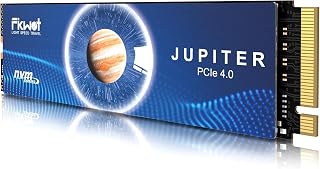
Pros
- Exceptional PCIe Gen 4x4 performance with 7000MB/s read speeds eliminates storage bottlenecks
- PS5-tested and verified, delivering smooth gameplay and rapid loading with expansion storage
- Intelligent thermal management prevents thermal throttling during sustained gaming or file operations
- Simple installation process with included heatsink and accessories, no additional cooling required
- Outstanding value with excellent customer ratings and 5-year warranty coverage
Cons
- PCIe Gen 4 drives require compatible motherboards or devices, limiting backward compatibility with older systems
- Premium pricing reflects high performance, though drives remain competitive in the Gen 4 market
- 3D QLC NAND technology may show slight write speed variance compared to MLC-based competitors in intensive workloads
The Fikwot FX991 is a 1TB NVMe SSD built for users who demand speed without compromise. Whether you're expanding your PS5 gaming library, upgrading a laptop, or building a high-performance desktop, this drive delivers the performance and compatibility modern computing demands. With 7000MB/s read speeds and proven reliability in real-world use, it's a strong choice for gamers, content creators, and power users.
Performance is the FX991's standout strength. PCIe Gen 4x4 specifications translate to real-world benefits: games load in seconds, large files transfer instantly, and system responsiveness improves noticeably. The drive supports HMB technology and smart SLC caching, which means multitasking and file operations feel seamless. Customer reviews consistently praise fast boot times and smooth gameplay, with the PS5 variant receiving particular acclaim for making game transfers quick and painless.
Thermal management deserves recognition. Many NVMe drives throttle under sustained load, but the FX991's graphite heatsink and auto-adaptive temperature control keep speeds consistent during extended gaming or rendering sessions. The drive intelligently manages power consumption, which helps extend laptop battery life during normal operation. This thoughtful engineering sets it apart from budget alternatives that cut corners on cooling.
Build quality is solid across the board. The M.2 2280 form factor is standard and widely compatible, and installation requires only minutes. The included screwdriver and all accessories mean no surprises or missing parts. The 5-year limited warranty and 600TBW endurance rating provide confidence for long-term reliability, backed by thousands of five-star reviews from satisfied users.
The main consideration is PCIe Gen 4 requirements, which limits installation to newer systems. If your device doesn't support Gen 4 speeds, you won't see the full benefit of this drive's performance. That said, for PS5, modern laptops, and current desktops, the FX991 represents exceptional value: fast, reliable, and future-proof storage that justifies its price through performance and longevity.
The Fikwot FX991 is officially compatible with PlayStation 5 as an expansion drive, allowing you to store more games on your console. Installation takes under 5 minutes: power off your PS5, remove the access cover, insert the drive into the M.2 slot, and secure with the included screw. The PS5 will format it automatically on restart.
Performance on PS5 is excellent. The 7000MB/s read speed meets and exceeds PlayStation's recommended specifications, ensuring games load quickly and perform smoothly. Customer reviews specifically mention playing PS5 games from expansion storage with no issues or delays. You'll gain approximately 900GB of usable space after PS5 formatting, providing room for multiple AAA titles.
The drive's thermal management is particularly relevant on PS5. The graphite heatsink keeps temperatures in the safe zone during extended gameplay sessions, preventing thermal throttling. This combination of speed, thermal control, and proven PS5 compatibility makes the FX991 one of the most reliable expansion options available for the console.
Performance: Read speed up to 7100MB/s, write speed up to 3000MB/s, with 7100MB/s data transfer rate. PCIe Gen 4x4 interface with NVMe protocol ensures maximum bandwidth utilization.
Capacity and Form Factor: 1TB usable storage in standard M.2 2280 form factor (80mm length, 22mm width). Dimensions: 3.15 inches long, 0.87 inches wide, 0.09 inches thick. Weighs only 30 grams.
Thermal and Power: Graphite heatsink for passive cooling with auto-adaptive temperature adjustment. Includes intelligent power efficiency management to reduce thermal burden and extend device battery life.
Security and Reliability: AES-256 encryption, S.M.A.R.T monitoring, TRIM support, and shock resistance. 5-year limited warranty with 600TBW endurance rating. Backward compatible with PCIe Gen 3 devices.
Compatibility: Works with PS5, desktops, laptops, and any device with an M.2 NVMe slot. Includes installation screw, screwdriver, and all required accessories.

Readers trying to size storage for both a gaming PC and a PS5 benefit from this drive's dual compatibility, since 1TB can be split across both without buying separate drives. Hardware encryption adds a layer of protection for a library of purchased titles and save data living on one shared disk.
Pros
- Exceptional read speed of 7000MB/s cuts game loading times and boosts productivity
- Excellent PS5 compatibility makes storage expansion hassle-free for console gamers
- Efficient thermal design maintains peak performance even during intensive gaming sessions
- 5-year warranty and lifetime support demonstrates strong brand confidence and customer care
- Highly rated by over 1,000 verified customers with 4.6-star average
Cons
- Not compatible with Mac OS systems, limiting versatility for Apple users
- Write speed of 3000MB/s lags behind some premium competitors in sustained workloads
- Requires PS5 firmware update and manual installation for console compatibility
The fanxiang S880E 1TB NVMe SSD is a PCIe 4.0 solid-state drive engineered for gamers, content creators, and professionals seeking fast, reliable storage. Whether you're expanding your PS5 library, upgrading your gaming PC, or accelerating your creative workflow, this drive delivers the speed and stability needed for modern computing demands.
Performance is where the S880E shines. With sequential read speeds up to 7000MB/s and write speeds of 3000MB/s, this drive significantly reduces game load times and file transfer delays. The PCIe Gen 4 x4 controller and NVMe 2.0 support ensure compatibility with the latest systems and operating systems, making it future-proof for several years of use.
Thermal management is thoughtfully implemented through a graphite-coated copper foil layer and aluminum foil backing, which actively dissipates heat during heavy workloads. This design choice means you'll maintain peak performance even during extended gaming sessions or intensive creative work, with read speeds staying close to advertised maximums under sustained load.
The 5-year manufacturer warranty and lifetime technical support reflect fanxiang's 20-plus years of storage manufacturing experience. The drive is built for longevity and backed by responsive customer service, which adds real value beyond the hardware itself. One limitation: it is not compatible with Mac OS, so Mac users should look elsewhere.
Overall, the S880E represents strong value for anyone seeking high-performance NVMe storage. It excels for PS5 owners, gamers, and creative professionals who prioritize speed and reliability. If you can live without Mac support and don't require the fastest write speeds in its class, this drive delivers excellent performance at a competitive price point.
Storage and Interface: 1TB capacity, M.2 2280 form factor, PCIe Gen 4 x4 interface, NVMe 2.0 standard
Performance: Up to 7000MB/s sequential read speed, up to 3000MB/s sequential write speed
Memory: High-quality 3D NAND flash memory with 1TB cache memory
Compatibility: Desktop computers, laptops, all-in-one PCs, and PlayStation 5. DirectStorage support included. Not compatible with Mac OS
Features: Backward compatible, hardware encryption, advanced thermal management with graphite copper foil and aluminum layers
Physical: Dimensions 3.15 inches L x 0.87 inches W x 0.11 inches thickness, weight 8 grams, black plastic enclosure
Warranty: 5-year manufacturer warranty with lifetime technical support
Best For: This SSD is ideal for PS5 owners expanding storage capacity, PC gamers seeking faster load times, video editors and content creators who need sustained performance, and professionals handling large file transfers. Anyone prioritizing speed and reliability over the lowest price should consider this drive.
Not Ideal For: Mac OS users cannot use this drive. Those seeking the absolute fastest write speeds for extreme workloads may find premium alternatives worth the extra cost. Budget-conscious buyers looking for basic storage may find slower SATA SSDs more economical.
Installation Considerations: PS5 installation requires the drive to be inserted into the dedicated M.2 slot after a firmware update. PC and laptop installation is straightforward, requiring the drive to be inserted into an available M.2 slot. Thermal pads are recommended for optimal heat dissipation in PS5 applications.
Value Assessment: At the current price point, the S880E offers strong value. The 7000MB/s read speed combined with 5-year warranty and lifetime support makes it competitive against both premium brands and lower-tier alternatives. For gamers and professionals, the performance gains justify the investment over slower drives.

Builders calculating how much headroom they need for a PS5 or PC library can lean on this 1TB drive's 7350MB/s read speed and included heatsink to keep thermals in check during extended gaming sessions. Its PCIe 4.0 interface ensures the extra capacity translates into real-world load time improvements rather than wasted bandwidth.
Pros
- 1TB capacity add-on at PCIe 4.0 speed
- 7,350 MB/s reads for PS5 and PC gaming
- Includes heatsink and installation accessories
- Backward compatible with older PCIe generations
Cons
- Write speed not specified for this capacity
- Heatsink size may not suit slim laptops
If you're mapping out storage capacity for a gaming PC and want a straightforward 1TB expansion rather than overbuilding, the SIX X7400 fits that specific slot. It's built around PCIe 4.0x4 and rated for 7,350 MB/s reads, so you're adding capacity without settling for a slow drive. For a capacity guide context, this is the kind of drive you'd pick as a second internal drive or PS5 expansion once your primary storage runs low, since it's explicitly built for PC gaming, PS5 expansion, and creative workflow use. The included heatsink and full accessory kit (screwdriver, screws, heatsink) remove friction for anyone adding capacity for the first time, which matters if this is your first upgrade beyond a factory drive. One gap worth noting for a capacity-planning decision: write speed isn't specified, so sustained large-file transfers at this capacity are harder to predict than on drives with full specs listed. Heatsink thickness could also be a factor if you're adding this capacity to a slim laptop rather than a desktop or PS5, where it fits more easily.
Storage and Interface: 1TB capacity, M.2 2280 form factor, PCIe Gen4x4 interface with up to 7350MB/s read speeds.
Compatibility: Desktop, laptop, and PS5 gaming console support. Backward compatible with PCIe Gen3 systems. Dimensions: 3.15 inches length, 0.87 inches width, 0.08 inches thickness. Weight: 0.02kg.
Included Accessories and Warranty: Heatsink, screwdriver kit, mounting screws, and quick-start guide included. Protected by 5-year limited warranty from SIX.
Suited to someone who needs exactly 1TB more capacity for gaming or PS5 expansion and wants an easy, self-contained upgrade kit. Less suited to users planning a large-capacity main drive, since 1TB fills fast with modern AAA titles, or to laptop owners where heatsink clearance is tight.
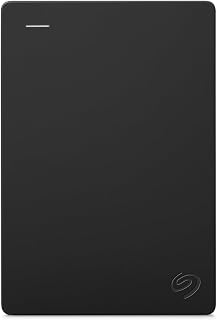
When a guide addresses overflow storage for massive game libraries, 4TB of external USB 3.0 capacity gives readers a simple way to archive titles they're not actively playing. Its portable 2.5 inch form factor also makes it easy to move a backlog between a desktop gaming rig and a laptop as needed.
Pros
- 4TB capacity for game archives and backups
- USB 3.0 portable design works across devices
- Plug-and-play with no driver installation needed
- Compatible with PlayStation and Xbox consoles
Cons
- 120MB/s speed makes it unsuitable for actively playing installed games
- Mechanical drive generates more heat than SSD alternatives
A gaming PC's storage plan usually splits into two needs: fast drives for what you're playing now, and bulk capacity for everything else. The Seagate Portable 4TB handles the second half of that equation. At 4TB, it offers far more room than any single SSD at comparable budgets, making it a practical way to archive finished games, store installers, or back up save files and captures without touching your main drive's limited space. The USB 3.0 connection delivers around 120MB/s, plenty for moving game installs on and off the drive or restoring a title you shelved months ago. Because it's external, it also works as a flexible overflow solution you can move between a desktop and laptop, or even connect to a PlayStation or Xbox for console game storage. The 2.5-inch portable design means it doesn't need a drive bay or extra desktop space. For a capacity guide focused on stretching your gaming storage budget further, this drive's role is simple: hold what your fast internal SSD can't.
Storage and Performance: 4TB capacity with 120 MB/s read/write speeds and 7200 RPM rotational speed. 4MB cache memory supports efficient data buffering.
Connectivity: USB 3.0 interface with included 18-inch USB 3.0 cable. Plug-and-play setup requires no software installation on Windows or Mac systems.
Design: 2.5-inch portable form factor measuring 4.61 x 3.15 x 0.79 inches and weighing 260 grams. Compact enough to fit in most laptop bags.
Compatibility: Works with Windows PC, Mac computers, PlayStation 4, and Xbox consoles. Automatic device recognition across all supported platforms.
Warranty: 1-year limited warranty with Seagate Rescue Data Recovery services included. Model number STGX4000400.
Buy this if your gaming PC's SSD is maxed out and you need affordable bulk storage for game archives, backups, or captures. It's a good fit for anyone building a two-tier storage setup with a fast internal drive plus cheap overflow capacity. Skip it if you want to install and run games directly from it, since mechanical drive speeds will bottleneck load times compared to SSD or NVMe storage.
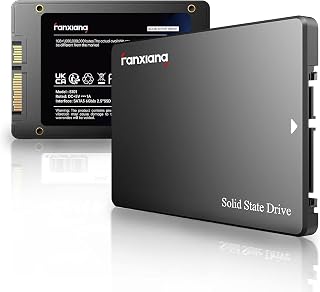
Not every storage decision needs NVMe speed, and this 1TB SATA drive fits readers looking to add bulk capacity for a game library on a budget-conscious older rig. At up to 520MB/s over SATA III, it's a reasonable match for secondary storage duty where raw speed matters less than having the extra terabyte.
Pros
- 520MB/s read speed, a major step up from mechanical drives
- 3D NAND TLC offers better durability than QLC alternatives
- Fits standard 2.5-inch bays in desktops and laptops
- Plug-and-play recognition across major operating systems
Cons
- SATA interface caps throughput well below NVMe speeds
- Not ideal as a primary drive for heavy gaming or editing workloads
Not every gaming PC storage upgrade needs to be NVMe. The fanxiang S101 1TB fits a specific spot in a capacity plan: a budget-friendly SATA SSD for older systems or secondary storage where a free NVMe slot isn't available. If you're calculating total storage for a build on a tighter budget, this drive still delivers a major jump over spinning disks, with read speeds up to 520MB/s and 3D NAND TLC construction for better durability than cheaper QLC drives. It works as either a boot drive in a SATA-only system or as added capacity in a build that already has an NVMe drive handling the OS. The 2.5-inch form factor is a drop-in fit for both desktop bays and laptop upgrades, with straightforward recognition across Windows, Mac, and Linux. For a guide weighing cost against capacity, this drive represents the value tier, more storage per budget dollar than NVMe options, with the tradeoff being the SATA interface's speed ceiling.
Storage Capacity: 1TB
Interface: SATA III (6Gb/s)
Form Factor: 2.5 inches
Read Speed: Up to 520MB/s
Write Speed: Up to 480MB/s
Memory Type: 3D NAND TLC
Cache: 1GB
Special Features: Hardware Encryption
Compatibility: Desktop, Laptop, Mac, PC, PS4, PS5, Xbox 360, Nintendo Switch
Operating Systems: Windows, Mac OS, Linux
Warranty: 3 Years
Weight: 2.08 ounces
Dimensions: 3.94 inches (L) x 2.72 inches (W) x 0.28 inches (Thickness)
Color: Black
Buy this if you're upgrading an older gaming PC without NVMe slots, or need an affordable secondary SATA drive to add capacity alongside a faster boot SSD. It works well for budget builds where stretching storage dollars matters more than peak speed. Skip it if your build has NVMe slots available, or if you do heavy video editing or want the fastest possible game load times, since SATA's throughput ceiling limits performance.
Buying Guide: How Much Storage for a Gaming PC?
Choose capacity by the games you actually keep installed
A 1TB SSD is a sensible starting point for players who keep a focused rotation of games and uninstall titles they have finished. It must also hold Windows, game launchers, shader caches, patches, and personal files, so the usable room is meaningfully lower than the label suggests.
For a broad library of modern AAA games, 2TB is the more comfortable target because it reduces the constant need to shuffle installs. The Kingston NV3 1TB M.2 2280 NVMe SSD and Crucial P310 1TB SSD suit leaner builds, while the Samsung SSD 990 PRO 2TB gives frequent players more breathing room; hybrid gaming and editing rigs need still more headroom, as our PC hardware guide for Premiere Pro explains.
Put actively played games on an NVMe SSD
An M.2 NVMe drive connects through PCIe lanes, offering far more bandwidth than a conventional SATA SSD. It is the right home for your operating system and your current games, particularly when you want snappier boots, quick game loads, and smoother large-file transfers.
Published read ratings of up to 6,000MB/s on the Kingston NV3, 7,100MB/s on the Crucial P310, and 7,450MB/s on the Samsung 990 PRO show the potential of PCIe 4.0 storage. The Fikwot FX991, fanxiang 1TB NVMe SSD PCIe Gen 4 Gaming SSD, and SIX NVME M.2 SSD PCIe 4.0-1TB m.2 2280 ssd are also geared toward fast Gen4 game storage, though real-world results also depend on your motherboard, CPU, and game engine; this matters if you record gameplay with hardware from our GPU guide for video encoding.
Confirm slots, interface, and heatsink clearance
Most current gaming motherboards use M.2 2280 slots, but you should still check your manual for the number of slots, supported PCIe generation, and any lane-sharing rules. A PCIe 4.0 drive can operate in a PCIe 3.0 slot, although its throughput will be limited by the older interface.
The Crucial P310 2280 1TB PCIe Gen4 NVMe Gaming PS5 includes a heatsink, which can be useful where airflow and clearance allow it. By contrast, the fanxiang S101 1TB SSD SATA SSD 1TB Internal Solid needs a 2.5-inch bay plus SATA data and power cables, making it a practical add-on for older desktops rather than a substitute for an M.2 drive; laptop owners should also review upgrade constraints in our laptop guide for cybersecurity students.
Leave free space and build a simple storage hierarchy
Do not plan to fill an SSD to the edge. Keeping meaningful free space helps with large updates, temporary game files, Windows recovery tasks, and routine drive management, while also giving you room for the next title without an immediate uninstall session.
A two-drive setup is often easier to manage than one crowded volume: use your primary NVMe drive for Windows and active games, then assign older games or creative projects to secondary storage. The Gigastone 2TB Game Turbo PCIe Gen4x4 SSD (2-Pack) can suit a multi-drive motherboard, while the Seagate Portable 4TB External Hard Drive HDD is better for backups, recordings, and archive files; dual-purpose machines should budget for repositories and development tools too, as noted in our CPU guide for compiling code.
- Primary NVMe SSD: Windows, core apps, and the games you are playing now.
- Secondary NVMe SSD: a larger game library, media projects, or a separate work volume.
- SATA SSD: an affordable internal place for older games and everyday files.
- External hard drive: backups, captured footage, installers, and games you are not actively playing.
Final Thoughts
For most gamers, 2TB of fast internal SSD storage is the comfortable long-term answer, while 1TB works when you maintain a smaller library. Choose the Samsung SSD 990 PRO 2TB, PCIe 4.0 M.2 2280 for a spacious high-performance primary drive, or add the Seagate Portable 4TB External Hard Drive HDD when backups and media archives are your main priority.
Frequently Asked Questions
Is 1TB enough storage for a gaming PC in 2026?
Yes, 1TB is enough if you play a limited group of games at once and regularly remove titles you no longer use. It is less convenient for players who keep many large releases installed, save high-bitrate gameplay footage, or use the same PC for work files.
Should I get 1TB or 2TB for a gaming PC?
Choose 1TB when your budget and game rotation are tightly controlled, and choose 2TB when you want a wider ready-to-play library with less storage housekeeping. A 2TB primary drive is also more forgiving when games receive large updates or when several people use the same computer.
Is an NVMe SSD better than a SATA SSD for gaming?
NVMe is generally the stronger choice for a new gaming PC because it offers substantially higher bandwidth through an M.2 PCIe connection. A SATA option such as the fanxiang S101 still delivers a major improvement over a hard drive and remains useful as secondary internal storage, especially in older systems.
How much storage do I need for gaming, editing, and rendering?
Start with 2TB of internal NVMe storage if your PC handles games alongside video projects, raw footage, or render assets, then add separate backup capacity. Rendering work can generate large project folders quickly, so pair your storage plan with the component advice in our Blender rendering GPU recommendations before committing to a final build.





Write Your Review
No reviews yet. Be the first to share your experience!