

You need more screen real estate than a 14-inch laptop offers, but you don’t want to lug around a bulky 17-inch machine. The 16-inch form factor hits the sweet spot: enough room for productive multitasking and immersive media, yet still portable enough for daily commutes and travel.
This guide covers 10 top 16-inch laptops across different performance tiers and budgets. Whether you’re a software developer who needs multiple windows open simultaneously, a content creator handling 4K video timelines, or a business professional who values all-day battery life and video call quality, you’ll find detailed insights on specs, build quality, and real-world performance to match your workflow.
Quick answer
This guide compares 10 picks, with HP OmniBook 3 16in Touchscreen Laptop, Intel Ultra 5 ranked first. HP OmniBook 3 16-inch AI Laptop: AMD Ryzen AI 5, 2K holds the highest customer rating among them. HP OmniBook 5 16" AI Laptop, 2K OLED Touchscreen has the most customer reviews.

Pros
- Lightweight and ultra-thin design makes it genuinely portable for business travel and daily commuting
- Touchscreen display adds genuine value for presentations, document annotation, and creative work
- AI-powered features and Copilot integration provide meaningful productivity assistance for knowledge workers
- Comprehensive connectivity with dual USB-C, dual USB-A, HDMI 2.1, and next-gen wireless standards
- Sub-10-second boot times and smooth application performance due to fast SSD and 8GB DDR5 RAM
Cons
- 8GB RAM may feel limiting for power users running multiple heavy applications simultaneously
- 512GB storage fills quickly for media professionals or those with large software libraries
- Integrated graphics are suitable for everyday tasks but not designed for demanding gaming or video editing
The HP OmniBook 3 16 is a well-rounded ultraportable laptop designed for professionals, students, and remote workers who value both performance and portability. Its combination of AI acceleration, touchscreen functionality, and lightweight design makes it a compelling choice for anyone juggling presentations, video calls, and everyday computing tasks across multiple locations.
The standout feature is undoubtedly the 16-inch 2K touchscreen paired with AI Noise Reduction during calls and HDR camera adjustment for video meetings. The Intel Core Ultra 5 225U processor with integrated AI handles multitasking smoothly, while 8GB DDR5 RAM and 512GB NVMe SSD deliver responsive performance with impressive sub-10-second boot times. Wi-Fi 7 connectivity ensures reliable performance even in crowded office networks.
Build quality impresses with its ultra-thin 0.58-inch chassis weighing just 3.61 lbs, making it genuinely portable without sacrificing the full-size keyboard. The port selection is thoughtful, offering dual USB-C, dual USB-A, and HDMI 2.1, though the reliance on two USB-C ports for charging and data may occasionally create bottlenecks for power users.
The main limitation is the 8GB base configuration, which works fine for standard productivity but may feel restrictive when running multiple browser tabs, large spreadsheets, or professional software simultaneously. Storage at 512GB is adequate for a Windows 11 installation plus applications, but media professionals and users with large libraries will need external storage.
Verdict: The HP OmniBook 3 16 delivers excellent value for professionals and students seeking a portable, touchscreen-equipped laptop with solid everyday performance and advanced collaboration features. Its lightweight design, responsive display, and AI-powered capabilities make it a smart investment for hybrid work and on-the-go productivity.
Business professionals engaged in frequent video calls, remote presentations, and hybrid work environments will appreciate the advanced camera, noise reduction, and touchscreen features. The lightweight design and fast charging make it ideal for road warriors and consultants.
Students and academics benefit from the touchscreen for note-taking and annotating documents, combined with solid performance for coursework, research, and online collaboration. The Windows 11 Pro security features also protect academic work and personal data.
Content creators who focus on productivity and presentations rather than heavy video editing will find the performance and touchscreen responsiveness valuable. However, those doing serious photo or video work should consider models with dedicated graphics and more RAM.
Processor: Intel Core Ultra 5 225U with integrated AI acceleration and Copilot integration
Display: 16-inch 2K IPS touchscreen (1920x1200) with anti-glare coating and wide viewing angles
Memory: 8GB high-speed DDR5 RAM for smooth multitasking
Storage: 512GB PCIe Gen4 NVMe SSD with sub-10-second boot times
Graphics: Integrated Intel graphics suitable for everyday computing and media streaming
Camera: FHD camera with HDR auto-switch and AI noise reduction for video conferencing
Audio: Dual custom-tuned HP stereo speakers with crystal-clear sound
Connectivity: Wi-Fi 7 (2x2), Bluetooth 6.0, dual USB-C (10Gbps), dual USB-A, HDMI 2.1
Battery: 41Wh with fast charging technology (0-50% in approx. 45 minutes)
Design: 0.58 inches thin, 3.61 lbs, Mica Silver color with full-size keyboard
Operating System: Windows 11 Pro with enterprise-grade security features

Pros
- Powerful Intel Core 5 processor handles complex tasks like video editing, programming, and financial modeling with ease
- Lightweight at 4.2 pounds with slim 0.82-inch profile makes it genuinely portable for commuting and travel
- Factory-resealed with upgraded memory and storage, backed by extended warranty on upgrades
- Professional-grade connectivity includes Thunderbolt 4, USB-C, HDMI 2.1, and Wi-Fi 6E
- Windows 11 Pro with enterprise security features like BitLocker and remote desktop access
Cons
- 512GB SSD may require external storage for users managing large video files or datasets
- Base configuration lacks discrete GPU, limiting performance for intensive 3D rendering or gaming
- Resealed status means it's not factory-original, though warranty coverage compensates for this
The Dell Pro 16 is built for professionals who demand real performance from a portable machine. Whether you're a software engineer managing multiple development environments, a data analyst crunching numbers, or a content creator editing large files, this laptop delivers the processing power and connectivity to handle it all. The Intel Core 5 120U processor with 10 cores running up to 5.0 GHz provides the muscle needed for intensive multitasking without the bulk of a traditional workstation.
What truly sets this model apart is its thoughtful engineering for mobile professionals. The 55Wh battery with rapid charging ensures you can work through a full day without hunting for an outlet, while the military-grade MIL-STD 810H certification means it can handle the bumps and environmental stresses of real-world use. The 16-inch WUXGA display at 300 nits brightness with anti-glare coating and narrow bezels maximizes usable screen space while minimizing eye fatigue during marathon work sessions. The ability to drive up to three 4K external monitors simultaneously transforms this into a genuine multi-monitor workstation.
Build quality and connectivity reflect its professional positioning. The Magnetite color, slim 0.82-inch profile, and 4.2-pound weight make it genuinely portable without feeling cheap. Thunderbolt 4, USB-C, HDMI 2.1, Wi-Fi 6E, and Bluetooth 5.3 provide modern connectivity that stays ahead of peripheral needs. The backlit keyboard with numeric keypad, HD audio, and FHD camera with temporal noise reduction show attention to detail for business communications and secure authentication.
The main consideration is that this is a resealed unit with upgraded memory and SSD components. While this provides value and includes extended warranty coverage on those upgrades, buyers should understand they're purchasing a refreshed machine rather than factory-sealed inventory. The 512GB SSD is adequate for typical professional work but may require cloud storage or external drives for users managing large media libraries.
The Dell Pro 16 represents excellent value for professionals seeking a portable yet powerful laptop for serious work. It strikes the right balance between performance, portability, and durability, making it a solid choice for anyone transitioning from desktop-bound work to remote or hybrid arrangements.
Processor: Intel Core 5 120U (10 cores, up to 5.0 GHz) with Intel Graphics
Memory: 16GB DDR5
Storage: 512GB PCIe SSD
Display: 16-inch WUXGA LCD (1920x1200) at 300 nits with anti-glare coating
Graphics: Intel Integrated Graphics
Battery: 55Wh with rapid charging
Weight: 4.2 pounds
Dimensions: 14.09" L x 9.91" W x 0.82" thickness
Connectivity: Thunderbolt 4, USB-C, USB-A, HDMI 2.1, Ethernet (RJ45), Wi-Fi 6E (802.11ax), Bluetooth 5.3
Keyboard: Backlit QWERTY with numeric keypad
Camera: FHD with IR and temporal noise reduction
Audio: HD speakers
Operating System: Windows 11 Pro 64-bit with Copilot
Color: Magnetite
Warranty: 3-year on upgraded components, 1-year on remaining Dell components
Best For: Software engineers, data analysts, financial professionals, content creators, architects, business owners, and consultants who need portable professional-grade computing power.
Ideal Use Cases: Remote work, hybrid office arrangements, field work, client presentations, video conferencing, large-scale multitasking, software development, data analysis, financial modeling, and content creation. The military-grade durability makes it suitable for demanding environments beyond traditional office settings.
Not Ideal For: Users requiring discrete GPU performance for intensive 3D rendering or gaming, those needing storage exceeding 512GB without external drives, or buyers requiring factory-sealed original equipment.
Pros
- Lightweight 4.18 lb design balances power and portability for mobile professionals
- 32GB DDR5 RAM and 1TB SSD provide excellent multitasking capacity and fast performance
- 16-inch touchscreen with 16:10 aspect ratio gives more vertical screen real estate than standard widescreen displays
- Windows 11 Pro includes BitLocker encryption and remote desktop access for business security needs
- Full-size backlit keyboard with number pad and Copilot key enhances productivity for professionals
Cons
- Integrated Intel Graphics limits gaming and GPU-intensive creative work compared to dedicated graphics options
- 54Whr battery may need midday charging for heavy users, as all-day runtime depends on workload intensity
- Limited to Wi-Fi 6E, lacking 5G connectivity for mobile users who need consistent high-speed internet on the road
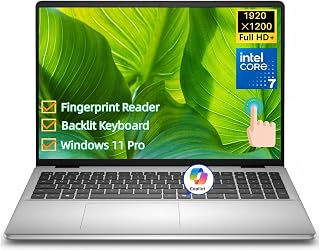
The Dell 16 Laptop (DC16251) is a well-rounded business machine designed for professionals, developers, and students who need reliable performance without breaking the bank. Running Windows 11 Pro with an Intel Core 7 150U processor, it balances work-oriented features with everyday usability. At 4.18 lbs and 0.68 inches thin, it's portable enough for coffee shop work or business travel while offering a full-featured experience.
Performance-wise, the Intel Core 7 150U's 10-core design (2 performance + 8 efficiency) and 5.4GHz turbo frequency handle professional workloads smoothly. The 32GB DDR5 RAM and 1TB SSD make this laptop genuinely capable of running multiple applications, heavy browser sessions, and substantial file libraries without hiccups. Real-world users will appreciate the zero-lag experience when juggling email, video calls, spreadsheets, and project management tools simultaneously.
The 16-inch 16:10 FHD+ touchscreen is a standout feature that justifies the form factor. You get noticeably more vertical space than typical 16:9 displays, which translates to fewer scrolls in documents, spreadsheets, and web browsing. The 300-nit brightness and Dell ComfortView Plus blue light reduction make extended work sessions comfortable for your eyes. Touch functionality adds practical value for document review, signing PDFs, and quick gestures.
Security and modern features set this laptop apart for business users. Windows 11 Pro provides BitLocker encryption, remote desktop access to your office PC, and the fingerprint reader eliminates password frustration. The dedicated Copilot key brings AI assistance directly into your workflow for drafting emails, summarizing documents, and content discovery. Wi-Fi 6E and Bluetooth 5.3 keep you connected with modern speeds.
The main limitation is the integrated Intel Graphics, which won't satisfy gamers or 3D professionals. The battery life is solid but not exceptional for all-day unplugged work. Overall, this Dell delivers excellent value for professionals seeking a dependable, feature-rich 16-inch laptop that balances productivity, portability, and price.
Processor: Intel Core 7 150U, 10 cores, 12 threads, up to 5.4GHz, 12MB Intel Smart Cache
Memory and Storage: 32GB DDR5 5200MT/s RAM, 1TB M.2 PCIe NVMe SSD
Display: 16-inch 16:10 FHD+ (1920 x 1200) IPS touchscreen, 300 nits, Dell ComfortView Plus
Graphics: Intel Integrated Graphics
Operating System: Windows 11 Pro
Security: Fingerprint reader, BitLocker encryption
Connectivity: Wi-Fi 6E (802.11ax), Bluetooth 5.3, 2x USB 3.2 Gen 1 Type-A, 1x USB 3.2 Gen 2 Type-A, 1x USB-C with DisplayPort 1.4 and Power Delivery, HDMI 1.4, 3.5mm audio jack, SD card reader
Input Devices: Full-size backlit keyboard with number pad and Copilot key, touchpad, touchscreen
Webcam: 1080p FHD with dual digital microphones and temporal noise reduction
Battery: 4-cell 54Whr integrated battery, 65W AC adapter
Dimensions: 14.04 inches W x 9.82 inches D x 0.68 inches H
Weight: 4.18 lbs
Color: Carbon Black
Who Should Buy This Laptop? This Dell 16 is ideal for business professionals, remote workers, developers, and students who need reliable multitasking performance in a portable form factor. It's particularly well-suited for anyone spending 8+ hours daily on productivity applications like Office, Zoom, Slack, and development tools.
Is This Good for Gaming? The integrated Intel Graphics handles light gaming and modern web-based games, but it's not designed for demanding AAA titles or GPU-intensive creative work. If gaming or 3D rendering is important, consider laptops with dedicated graphics.
Battery Life Expectations: The 54Whr battery typically provides 8-10 hours of mixed productivity work. Heavy users running resource-intensive applications may need to charge by mid-afternoon. Battery life also depends heavily on brightness settings and workload intensity.
Portability Considerations: At 4.18 lbs and less than 0.7 inches thick, this laptop is genuinely portable for daily commuting, business travel, and working from multiple locations. It fits comfortably in standard laptop bags and backpacks.
Display Quality for Creative Work: The IPS display provides accurate color representation suitable for photo editing and video review. However, it's not a specialist color-graded display for professional design work. The 1920 x 1200 resolution is sharp and standard for 16-inch business laptops.
Pros
- Exceptional battery endurance of up to 19.5 hours eliminates daily charging hassles
- Sharp 2K touchscreen with anti-glare coating and 300 nits brightness handles diverse work environments
- Integrated AI features like document summarization and email drafting streamline daily workflows
- Comprehensive connectivity with Wi-Fi 6, Bluetooth 5.4, USB Type-C with Power Delivery, and HDMI 2.1
- Surprisingly lightweight and thin for a 16-inch laptop, enhancing portability
Cons
- No dedicated graphics card limits gaming performance and intensive video editing capabilities compared to similar-priced alternatives
- Zero customer reviews available make it difficult to assess real-world reliability and long-term performance
- Base storage of 512GB may require external drives for users with large media or creative project files
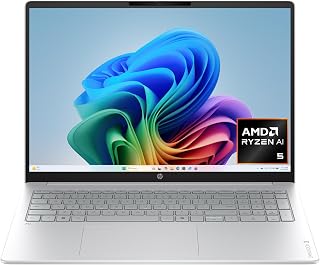
The HP OmniBook 3 is a modern 16-inch productivity laptop designed for professionals, students, and creative workers who need reliable performance wrapped in AI-powered convenience. This Copilot+ PC combines the latest AMD Ryzen AI architecture with thoughtful everyday features like advanced noise reduction and intelligent document processing to make your workday smoother and more efficient.
The standout features here are genuinely useful rather than gimmicky. The 2K IPS touchscreen is bright and crisp at 300 nits with excellent viewing angles, making it comfortable for extended work sessions and streaming. The AMD Ryzen AI 5 430 processor delivers snappy performance for web browsing, office applications, and multitasking, while the integrated Radeon 840M graphics handle everyday gaming and video playback without issues. Battery life is the real winner at up to 19.5 hours, with intelligent fast charging that reaches 50% in just 45 minutes when you're in a rush.
Design and build quality feel solid across the board. At 3.6 pounds and just 0.6 inches thick, this is legitimately portable for a 16-inch laptop. The Glacier Silver finish and textured base provide a premium feel without unnecessary weight, and the keyboard frame includes recycled metal, showing HP's environmental commitment. Ports are well-distributed with USB-C, USB-A, HDMI 2.1, and a headphone jack, plus Wi-Fi 6 and Bluetooth 5.4 ensure strong wireless connectivity.
The main limitation is the integrated graphics solution. While fine for office work and streaming, the Radeon 840M won't satisfy serious gamers or video editors tackling complex 4K projects. Additionally, the lack of customer reviews means you're buying based on specs and HP's reputation rather than proven real-world feedback. The 512GB storage is also modest for power users accumulating large project files.
The HP OmniBook 3 represents solid value for professionals and students prioritizing battery life, portability, and AI-assisted productivity over raw gaming power. It's a genuinely well-rounded daily driver that handles productivity, communication, and entertainment without compromise.
Processor: AMD Ryzen AI 5 430, 8 cores, 8 threads, up to 4.5 GHz max boost, 8 MB L3 cache
Memory: 16GB DDR5-5600 MT/s (single channel)
Storage: 512GB PCIe Gen4 NVMe M.2 SSD
Display: 16-inch 2K IPS touchscreen, 1920 x 1200 resolution, 300 nits, 62.5% sRGB, anti-glare coating
Graphics: AMD Radeon 840M integrated graphics with DDR DRAM
Connectivity: Wi-Fi 6 (802.11ax), Bluetooth 5.4, 2x USB Type-A 5Gbps, 2x USB Type-C 10Gbps with Power Delivery 3.1 and DisplayPort 1.4, HDMI 2.1, 3.5mm audio jack
Camera: 1080p FHD IR camera with HDR auto-switch and dual array microphones
Battery: Up to 19.5 hours, 65W USB Type-C GaN charger, 0 to 50% in 45 minutes
Weight: 3.6 pounds (1.63 kg)
Dimensions: 14.12" L x 9.91" W x 0.6" thickness
Operating System: Windows 11 Home
Sustainability: EPEAT Silver Climate+ registered, ENERGY STAR Certified, includes recycled materials
Best For: This laptop suits professionals needing portable productivity, students with heavy daily use, and remote workers benefiting from AI features and exceptional battery life. Content creators should note the integrated graphics limit complex video editing and 3D work.
Consider This Laptop If: You want a 16-inch screen without excessive weight, need battery life lasting multiple days, value AI-powered productivity tools, and spend significant time in video calls or meetings where noise reduction matters.
Look Elsewhere If: Gaming is a priority (dedicated GPU recommended), you need heavy video editing or 3D rendering capabilities, or you require more than 512GB storage for large media libraries without external drives.
Performance Expectations: Expect smooth performance for web browsing, office suites, video conferencing, streaming, and light creative work. Gaming runs modern titles at lower settings. The 16GB RAM and fast SSD make multitasking seamless without noticeable slowdowns.
Value Assessment: The combination of large touchscreen, AI features, extended battery life, and portability offers compelling value in the mid-range laptop market. You're paying for practical daily benefits rather than flashy specs.

Pros
- Large 16-inch screen in a surprisingly portable package
- Strong multitasking performance with the i7-1355U and 16GB RAM
- Fast SSD storage keeps the system responsive
- All-day battery life keeps up with busy schedules
- Wi-Fi 6 and comprehensive port selection cover most connectivity needs
Cons
- Integrated graphics limit performance for gaming or heavy video editing
- Non-touch display may feel dated compared to newer touchscreen competitors
- 512GB storage fills up quickly with video or large files
The ASUS Vivobook 16 is a 16-inch portable laptop designed for professionals, students, and remote workers who need a spacious display without sacrificing portability. This model strikes a practical balance between screen real estate and travel-friendly weight, making it ideal for anyone who spends time moving between home, office, and coffee shops.
Performance is solid thanks to the 13th-generation Intel Core i7-1355U processor paired with 16GB of RAM and a 512GB SSD. Day-to-day multitasking is smooth, web browsing is snappy, and office applications launch instantly. The integrated Intel Iris Xe graphics handle everyday visual tasks well, though demanding gaming or video editing will highlight its limitations. For productivity work, video calls, and streaming content, this laptop excels without complaint.
The 16-inch WUXGA display delivers clear, detailed visuals with good color accuracy for content creation and creative tasks. The lightweight chassis in Indie Black feels durable and professional. Connectivity options are comprehensive, including USB-C, USB-A, HDMI, and a microSD card reader. The full-size keyboard and HD webcam round out a well-rounded feature set that covers most user needs.
The main drawback is the non-touch display in an era when touchscreens are becoming standard, even at this price point. Storage can feel tight for users accumulating large media files. Additionally, the integrated graphics mean gaming performance is modest at best.
Overall, the ASUS Vivobook 16 is a smart choice for budget-conscious buyers who prioritize screen size, battery life, and reliable everyday performance over cutting-edge specs or gaming capabilities.
This laptop is ideal for remote workers and students who need a large screen for productivity without excessive bulk or cost. Freelancers, writers, and office professionals will appreciate the 16-inch display and all-day battery life. Content consumers who watch movies, stream media, or video conference regularly will benefit from the spacious display and integrated graphics.
The ASUS Vivobook 16 is less suitable for gamers, video editors, or power users who demand high-end graphics performance or storage. Those needing touchscreen interactivity or the latest processor generations should look elsewhere.
Processor and Memory: Intel Core i7-1355U (13th Gen), 16GB DDR4 RAM, 12MB Cache
Storage and Graphics: 512GB SSD, Intel Iris Xe Integrated Graphics
Display: 16-inch WUXGA (1920x1200), 60Hz refresh rate, non-touch LCD
Connectivity: Wi-Fi 6 (802.11ax), Bluetooth 5.1, USB-C, USB-A, HDMI, 3.5mm audio, microSD card reader
Operating System and Form: Windows 11, Clamshell design, Indie Black finish
Warranty: Limited and extended warranty options available

Pros
- Excellent value for a 16-inch business laptop with current-generation Ryzen processor
- DDR5 RAM and PCIe NVMe SSD provide noticeable speed improvements over previous generations
- Anti-glare IPS display reduces eye strain during long work sessions
- HD camera with privacy shutter protects your privacy during video calls
- ThinkPad durability and keyboard quality are trusted by business professionals worldwide
Cons
- Non-touch display may feel limiting for users who prefer touch input
- AMD Radeon 680M graphics are suitable for business use but not ideal for demanding gaming
- 512GB storage may require expansion for users with large media libraries or multiple applications
The Lenovo ThinkPad E16 Gen 2 is a 16-inch business laptop designed for professionals who need reliable computing power without premium pricing. It's ideal for office workers, remote employees, content creators, and small business owners who value durability, screen space, and solid performance in their daily work.
The standout feature is the combination of the 8-core Ryzen 7 7735HS processor with 16GB of DDR5 RAM, which delivers smooth multitasking performance for business applications, spreadsheets, video conferencing, and light content creation. The 512GB NVMe SSD loads Windows 11 Pro quickly and keeps applications responsive. The 16-inch WUXGA display with 1920x1200 resolution and anti-glare coating makes it suitable for extended work sessions without eye fatigue.
Build quality reflects the ThinkPad heritage with a professional black design, solid construction, and the legendary ThinkPad keyboard that professionals appreciate. At 3.9 lbs, it remains reasonably portable for a 16-inch laptop. The HD camera with privacy shutter and WiFi 6 connectivity address modern remote work needs effectively.
The main limitation is the non-touch display, which some users may find outdated compared to modern touchscreen options. The AMD Radeon 680M graphics handle daily business tasks well but aren't suitable for serious gaming or GPU-intensive creative work. The 512GB storage is adequate for most users but may require external drives for large media collections.
Overall, the ThinkPad E16 Gen 2 represents excellent value for business users seeking a spacious, dependable laptop with modern performance. It combines proven reliability with current technology at a price point that won't strain departmental budgets.
Processor: AMD Ryzen 7 7735HS (8-core, current generation)
Memory: 16GB DDR5 RAM
Storage: 512GB M.2 PCIe NVMe SSD
Display: 16-inch WUXGA (1920x1200) IPS, 300 nits, anti-glare, 45% NTSC
Graphics: AMD Radeon 680M integrated graphics
Operating System: Windows 11 Pro 64-bit
Connectivity: WiFi 6 (2x2), Bluetooth 5.3
Camera: 720P HD RGB with privacy shutter
Audio: High Definition audio system
Weight: 3.9 lbs (1.77 kg)
Color: Black

The 2K IPS touchscreen at 16 inches delivers crisp visuals for multitasking without overwhelming your workspace, while the AMD Ryzen 3 7320U with 4 cores handles everyday productivity tasks smoothly. The 300-nit anti-glare display ensures comfortable viewing during long work sessions, and dual USB-C ports with 10Gbps signaling support fast data transfers and external displays. At just over three pounds, it balances screen real estate with genuine portability for professionals on the move.
Pros
- 16-inch 2K touchscreen in a slim, 3.6-pound chassis
- Battery life exceeding 14 hours with fast-charge support
- Solid port selection including dual USB-C with Power Delivery and HDMI 2.1
- AI noise reduction for cleaner video call audio
Cons
- 256GB SSD fills up fast once Windows 11 takes its share
- No backlit keyboard, which limits use in dim environments
The HP OmniBook 3 makes a strong case for anyone who wants a genuinely large screen without the weight penalty that usually comes with it. At 3.6 pounds and 0.6 inches thin, it sits comfortably in the portability category while still delivering a 16-inch 2K touchscreen with 1920x1200 resolution. That display, paired with an anti-glare IPS panel and micro-edge bezels, gives you real screen real estate for browsing, streaming, and productivity work. The AMD Ryzen 3 7320U handles everyday multitasking without complaint, and battery life stretching past 14 hours means you can take this through a full day without hunting for an outlet. Fast-charge recovery of 50% in under an hour helps when you do need a quick top-up. Connectivity covers the essentials well: two USB-C ports with Power Delivery and DisplayPort, two USB-A ports, HDMI 2.1, and Wi-Fi 6. The matte finish and textured base add durability. The 256GB SSD and 8GB RAM are the honest limitations here, keeping this firmly in light-use territory rather than power-user range.
Display: 16-inch 2K IPS touchscreen, 1920x1200 resolution, 300 nits brightness, anti-glare coating, 62.5% sRGB color gamut
Processor: AMD Ryzen 3 7320U, 4 cores, 8 threads, up to 4.1 GHz
Memory: 8GB LPDDR5-5500 MT/s RAM (onboard)
Storage: 256GB PCIe NVMe M.2 SSD
Graphics: AMD Radeon 610M dedicated graphics
Battery: Up to 14 hours 15 minutes, 45W USB Type-C GaN power adapter with 0-50% fast charge in 45 minutes
Connectivity: Wi-Fi 6 (802.11ax), Bluetooth 5.4, 2x USB Type-A 5Gbps, 2x USB Type-C 10Gbps with Power Delivery 3.1 and DisplayPort 1.4, 1x HDMI 2.1, 3.5mm audio jack
Camera: 1080p FHD with HDR auto-switch and dual array microphones
Audio: Dual speakers
Keyboard: Matte paint finish
Dimensions: 14.12 x 9.91 x 0.6 inches
Weight: 3.6 pounds
Operating System: Windows 11 Home
Color: Mica Silver
Certifications: EPEAT Silver Climate+, ENERGY STAR Certified
A solid fit for students, retirees, or home users who want a large, lightweight 16-inch laptop for web browsing, video calls, and streaming. The long battery life and touchscreen make it genuinely portable and easy to use daily. Skip it if you work with large files, run demanding software, or need more than 256GB of storage, because the entry-level specs will feel limiting quickly.
Pros
- Excellent processor performance for demanding creative and professional applications without slowdowns
- Generous 256GB storage eliminates frequent cloud uploads or external drive dependency for most users
- Large 16-inch touchscreen with extra vertical space significantly improves productivity over smaller laptops
- Portable and lightweight construction makes it genuinely practical for travel and flexible work environments
- Extensive port selection covers most external monitor and peripheral connectivity needs
Cons
- 256GB storage may feel tight for users managing large video libraries or extensive software collections without external drives
- No discrete GPU means graphics-intensive gaming or professional 3D work may hit performance ceilings
- FHD+ resolution at 16 inches results in lower pixel density compared to higher-resolution displays on competing models
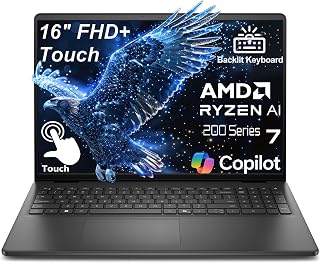
The Dell 16-inch touchscreen laptop targets professionals and creative workers who need real computing power in a portable package. With an AMD Ryzen 7 processor, 16GB DDR5 RAM, and 256GB SSD, this machine delivers genuine desktop-class performance for video editing, 3D rendering, coding, and complex multitasking without the bulk of a traditional workstation.
The standout feature is the 16-inch FHD+ display with a 16:10 aspect ratio that provides 11% more vertical workspace than standard 16:9 screens, making it genuinely useful for code editors, spreadsheets, and creative applications. The 300-nit brightness with IPS technology and responsive touchscreen add practical value. The Ryzen 7 processor consistently handles demanding tasks, and the DDR5 RAM ensures smooth multitasking even with resource-heavy applications running simultaneously. For photographers, videographers, and developers, this performance level justifies the investment.
Build quality reflects Dell's professional focus. The carbon black chassis feels sturdy, the backlit keyboard enables productive work in any lighting, and at just 4.18 lbs with a 0.78-inch profile, the laptop genuinely travels well. Wi-Fi 6 connectivity, USB-C with DisplayPort 1.4 for external 4K monitors, and dual USB 3.2 ports cover most professional connectivity needs. The 65W fast charging keeps pace with daily productivity demands.
The main drawbacks are storage constraints and graphics limitations. While 256GB sounds substantial, users managing large video projects or extensive software libraries will likely reach capacity quickly. Additionally, integrated graphics mean serious gaming or professional 3D rendering work will hit performance walls that discrete GPUs would overcome.
For power users seeking a balance between performance, portability, and value, this Dell delivers solid real-world results. It excels for professionals who prioritize processor power and display workspace over gaming capability or maximum storage capacity.
Processor: AMD Ryzen 7 250, 8 cores, up to 5.1GHz
Memory: 16GB DDR5 RAM
Storage: 256GB PCIe NVMe SSD
Display: 16-inch FHD+ (1920x1200), 16:10 aspect ratio, 300-nit IPS, touchscreen, ComfortView blue light reduction
Graphics: Integrated
Connectivity: Wi-Fi 6 (802.11ax), Bluetooth 5.0, USB-C with DisplayPort 1.4 and Power Delivery, 2x USB 3.2, HDMI 1.4, 3.5mm headphone jack
Webcam: FHD (1920x1080) with built-in microphone
Design: Carbon black chassis, backlit keyboard, 4.18 lbs, 0.78 inches thin
Charging: 65W fast charging
Operating System: Windows 11 Home pre-installed
Best For: Content creators, software developers, engineers, and professionals who need portable desktop-class performance for video editing, 3D design, coding, and heavy multitasking.
Consider if: You prioritize processor performance and display workspace over gaming capability or maximum storage capacity. You need a laptop that genuinely travels well without sacrificing work capability. You want dependable performance for professional applications without overkill specifications.
Skip if: You require extensive local storage for large media libraries. You plan significant gaming or professional 3D rendering with graphics-intensive software. You need a higher resolution display with sharper pixel density. You require discrete GPU performance for specialized workloads.
Storage Note: Budget for external SSD backup for large project files and archives. Cloud storage integration can supplement local capacity as workflows demand.
Performance Expectations: This laptop handles 4K video editing with manageable timelines, complex spreadsheet operations with thousands of rows, multiple development environments simultaneously, and virtual machine hosting without performance degradation. Real-world battery life typically supports 6-8 hours of moderate use.
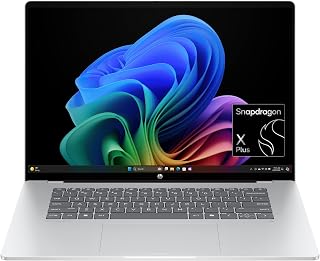
The 2K OLED touchscreen with 95% DCI-P3 color gamut delivers stunning visuals that content creators will appreciate, while the 0.2ms response time ensures smooth interactions. The Snapdragon X Plus processor enables all-day battery life without sacrificing performance for productivity tasks, and 16GB LPDDR5x RAM handles multitasking efficiently. Dual USB-C ports with 10Gbps signaling and DisplayPort support simplify connectivity to external monitors and peripherals for flexible workspace setups.
Pros
- OLED display with 95% DCI-P3 and 0.2ms response time in a 16-inch form factor
- Exceptional 34-hour battery life for true all-day and beyond portability
- Snapdragon X Plus with 16GB LPDDR5x handles demanding multitasking
- Ultra-slim 0.52-inch, 3.5-pound build with premium sandblasted anodized finish
Cons
- 512GB SSD may run short for users storing large media or project files locally
- Integrated Adreno GPU limits performance for GPU-intensive creative or gaming workloads
The HP OmniBook 5 is one of the more compelling 16-inch options for users who want power and portability working together rather than against each other. Weighing 3.5 pounds at just 0.52 inches thick, it is genuinely thin for a 16-inch machine. The display is the headline feature: a 2K OLED touchscreen with 95% DCI-P3 coverage, 0.2ms response time, and Eyesafe low-blue-light technology. That combination makes it equally at home for color-sensitive creative work and long all-day sessions. The Snapdragon X Plus X1P-42-100 paired with 16GB LPDDR5x RAM handles heavy multitasking smoothly, and the built-in Otter.ai assistant adds practical AI utility for professionals who live in meetings. The 34-hour battery rating is exceptional for a 16-inch laptop, and Wi-Fi 6E keeps connectivity fast. The sandblasted anodized build uses recycled materials and resists fingerprints well. Port selection is lean but functional, with dual USB-C supporting Power Delivery and DisplayPort alongside a single USB-A and audio jack. The 512GB SSD is the main storage constraint for heavier creative workflows.
Ideal for remote workers, traveling professionals, and creative users who need a large, vivid display and all-day battery life without carrying a heavy machine. The OLED screen and AI features justify the step up from basic laptops. Less suited for users who need ample local storage or a dedicated GPU for GPU-intensive tasks like 3D rendering or serious gaming.
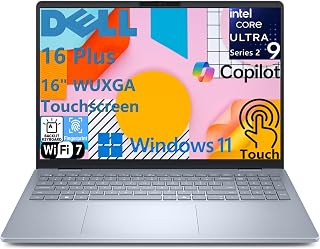
The Intel Core Ultra 9 processor and 32GB LPDDR5X RAM provide exceptional performance for demanding workflows like video editing and data analysis, while the 1TB SSD offers ample storage for large project files. The touchscreen interface enhances productivity for creative professionals, and Wi-Fi 7 ensures blazing-fast connectivity in modern office environments. On-device AI capabilities through Copilot+ enable intelligent task automation without compromising your data privacy or requiring constant cloud access.
Pros
- Powerful AI acceleration with 48 TOPS NPU enables professional-grade on-device AI applications
- Expansive 16-inch touchscreen with narrow bezels provides ample screen real estate for productivity
- Fast storage and memory configuration ensures smooth performance for video editing and content creation
- Modern Ice Blue design is stylish and professional while remaining lightweight at 4.12 lbs
- Comprehensive port selection includes Thunderbolt 4, USB-C, HDMI, and audio jack for full connectivity
Cons
- Limited GPU performance compared to dedicated graphics cards, best suited for mainstream creative work rather than intense gaming
- Base configuration at this price point limits upgradability for future expansion
- Wi-Fi 7 adoption still limited in many regions, so users may not experience full bandwidth benefits yet
The Dell 16 Plus is a forward-thinking business laptop designed for professionals who embrace AI-powered productivity. This Copilot+ PC combines a fast Intel Core Ultra 9 processor with 32GB of premium memory and a generous 1TB SSD, creating a machine that handles everything from video conferencing to complex content creation. The 16-inch touchscreen display delivers sharp visuals with excellent brightness and color accuracy, making it ideal for creative professionals and business users alike.
What truly sets this laptop apart is its NPU (Neural Processing Unit) capability, delivering 48 TOPS for running advanced AI features like Microsoft Studio Effects during video calls and other productivity enhancements. The Intel Arc GPU provides solid performance for photo and video editing in Adobe Creative Suite, while the 32GB of fast LPDDR5X memory ensures smooth multitasking. Wi-Fi 7 connectivity and Thunderbolt 4 keep data transfer fast, and the comprehensive port selection accommodates external displays, storage devices, and accessories without adapters.
The design strikes a balance between professional and modern, with the eye-catching Ice Blue finish, narrow bezels, and a slim 0.67-inch profile that keeps weight at just 4.12 lbs. The backlit keyboard with numeric keypad and fingerprint reader on the power button add useful conveniences for business users. Dual speakers with Dolby Atmos and AI-powered noise cancellation make video calls clear and productive, while the 1080p FHD webcam ensures you look sharp during presentations.
One consideration is that the integrated Intel Arc GPU, while capable, isn't designed for intensive gaming or extreme 3D rendering. Additionally, while Wi-Fi 7 is impressive technology, real-world benefits depend on compatible router infrastructure in your area. These are minor limitations for a business laptop focused on productivity and AI capabilities.
The Dell 16 Plus represents excellent value for professionals seeking a capable, modern laptop with AI acceleration built in. It's particularly strong for business users, content creators, and anyone who values a larger screen for productivity work. The combination of performance, build quality, and forward-looking AI features makes it a solid investment for demanding workloads.
Processor: Intel Core Ultra 9 288V, 8 cores, up to 5.1 GHz, 48 TOPS NPU
Memory: 32GB LPDDR5X 8533MT/s, memory on package
Storage: 1TB M.2 PCIe NVMe SSD
Display: 16-inch FHD+ (1920 x 1200) touchscreen, 16:10 aspect ratio, 300 nits brightness, WVA panel with ComfortView
Graphics: Intel Arc 140V GPU
Operating System: Windows 11 Home, Copilot+ PC
Camera: 1080p FHD at 30 fps with dual-array microphones and AI noise cancellation
Audio: Dual speakers with Waves MaxxAudio Pro and Dolby Atmos, 5W total output
Wireless: Wi-Fi 7 (2x2/160) Gig+ and Bluetooth 5.3
Ports: 1 USB 3.2 Gen 1 (5 Gbps), 1 USB 3.2 Gen 2 Type-C with DisplayPort 1.4 and Power Delivery, 1 Thunderbolt 4 with DisplayPort 2.1 and Power Delivery, 1 HDMI 2.1, 1 audio jack
Keyboard: Backlit English keyboard with numeric keypad and dedicated Copilot key
Security: Fingerprint reader on power button
Dimensions: 14.05 x 9.87 x 0.67 inches
Weight: 4.12 lbs
Color: Ice Blue
Power: 65W USB Type-C adapter
Best For: This laptop is ideal for business professionals, content creators, video editors, and anyone who works with demanding productivity applications. The AI acceleration and larger touchscreen make it particularly appealing for users who leverage Microsoft Copilot features and Adobe Creative Suite.
Consider This If: You need a portable 16-inch laptop with strong all-around performance, fast storage, ample memory, and forward-looking AI capabilities. The touchscreen and modern design make it a great choice for presentations and collaborative work environments.
Maybe Not If: You primarily game or need dedicated gaming GPU performance, or if you're on a tight budget and can settle for smaller screens and less powerful processors. Also, if your region hasn't adopted Wi-Fi 7 infrastructure, you may not fully benefit from that upgrade.
Key Decision Points: Compare against other 16-inch business laptops from HP Elite or Lenovo ThinkPad X1 to evaluate whether the AI NPU and touchscreen justify your investment. Consider your specific software needs, particularly if you use AI-powered features in Microsoft 365 or Adobe applications.
Buying Guide: What to Look for in a 16-Inch Laptop
Processor and Memory Configuration
The processor determines how smoothly your laptop handles demanding applications. Intel Core Ultra series and AMD Ryzen AI processors bring on-device AI acceleration for features like background blur during video calls and intelligent task automation. For professional workflows involving CAD software, virtual machines, or simultaneous app usage, prioritize processors with 8 or more cores.
RAM capacity matters just as much. 16GB DDR5 serves most users well, handling dozens of browser tabs alongside productivity software without slowdowns. Content creators, data analysts, and software engineers benefit from 32GB configurations, which prevent memory bottlenecks when rendering video, compiling code, or running resource-intensive simulations. Just like choosing the right RAM for 3D rendering workflows, matching memory to your specific workload prevents frustrating performance drops.
Display Quality and Aspect Ratio
Most 16-inch laptops now use a 16:10 aspect ratio instead of the traditional 16:9 format. That extra vertical space means 11% more content visible on screen, reducing the need to scroll through documents, spreadsheets, and web pages. FHD+ resolution (1920×1200) delivers sharp text and images for everyday work, while 2K displays (2560×1600) provide even finer detail for photo editing and design work.
Brightness levels around 300 nits work well in most indoor environments, but if you frequently work near windows or outdoors, look for 400+ nit panels. IPS technology ensures consistent colors from wide viewing angles, crucial when presenting to colleagues or clients. Touchscreen functionality adds intuitive interaction for marking up documents and navigating creative applications, though it typically adds slight weight and reduces battery life.
Storage Speed and Capacity
PCIe NVMe SSDs have become standard, delivering boot times under 10 seconds and instant application launches. Entry-level configurations often start at 256GB, sufficient if you rely heavily on cloud storage and don’t keep large local file libraries. For most users, 512GB provides comfortable breathing room for applications, documents, and media files without constant storage management.
Professionals working with video projects, large datasets, or extensive software development environments should prioritize 1TB configurations. This eliminates the need for external drives during active projects and supports faster file operations compared to constantly shuttling data to and from network storage. Gen 4 SSDs offer read speeds above 5000 MB/s, dramatically reducing load times for large files and improving overall system responsiveness.
Battery Life and Portability
Battery capacity varies significantly across 16-inch models, ranging from compact 41Wh cells to larger 68Wh packs. Realistic battery life depends on your usage patterns. Light web browsing and document editing typically yields 8-12 hours on efficient processors like Intel Core Ultra or AMD Ryzen AI chips. Intensive tasks such as video rendering or gaming drain batteries much faster, often requiring charging after 3-4 hours.
Fast charging technology matters when you’re working between meetings or on tight schedules. Many models now support 50% charge in 30-45 minutes, minimizing downtime. Weight ranges from 3.6 to 4.4 pounds across different models. That half-pound difference becomes noticeable during long commutes or when carrying your laptop throughout the day alongside other gear, similar to how portable keyboard choices impact your mobile workspace setup.
Connectivity and Ports
Modern 16-inch laptops typically include a mix of USB-A ports for legacy peripherals and USB-C ports with DisplayPort and Power Delivery support. Thunderbolt 4 connectivity enables 40 Gbps data transfer speeds and supports driving multiple 4K displays from a single port, essential for professional workstation setups. HDMI 2.1 ports allow direct connection to monitors and projectors without adapters.
Wi-Fi 6E and the newer Wi-Fi 7 standard deliver faster wireless speeds and lower latency in congested environments like office buildings and coffee shops. Ethernet jacks remain valuable for stable connections during video conferences and large file transfers. SD card readers prove indispensable for photographers and videographers who need quick media ingestion without carrying additional dongles.
Final Thoughts
The right 16-inch laptop balances screen size, performance, and portability for your specific workflow. For professionals who need powerful multitasking without desktop replacement bulk, the Dell 16 Touchscreen Laptop DC16251 delivers excellent productivity features with its Intel Core 7 processor and responsive touchscreen. If you prioritize battery longevity for all-day work away from outlets, the HP OmniBook 5 16 inch Next Gen AI PC offers exceptional endurance with its efficient Snapdragon processor and stunning OLED display.
Frequently Asked Questions
How much RAM do I really need in a 16-inch laptop?
16GB handles most professional workflows including office productivity, web development, and light content creation without performance issues. Upgrade to 32GB if you regularly run virtual machines, edit 4K video, work with large datasets in applications like Excel or Python, or keep 50+ browser tabs open simultaneously. 8GB configurations work for basic tasks but leave little headroom for multitasking.
Are touchscreens worth it on larger laptops?
Touchscreens add intuitive interaction for specific workflows like photo editing, document annotation, and presentation markup. They prove less valuable if you primarily use your laptop at a desk with an external mouse. The tradeoff includes slightly higher weight, increased power consumption that reduces battery life by 10-15%, and typically a small premium in cost. Consider your actual usage patterns before paying extra for touch capability.
What battery life should I expect with normal use?
Realistic battery life in 2026 ranges from 8-12 hours for general productivity tasks like web browsing, document editing, and video calls at moderate brightness. Efficient processors like Intel Core Ultra and AMD Ryzen AI extend endurance compared to older chip architectures. Intensive activities such as video rendering, gaming, or sustained high-performance work drain batteries in 3-5 hours regardless of capacity. If you need a powerful desktop replacement for demanding workloads, consider a dedicated workstation instead.
Can I connect multiple external monitors to these laptops?
Most 16-inch laptops support at least two external displays through a combination of HDMI, USB-C with DisplayPort, and Thunderbolt 4 ports. Higher-end configurations with Thunderbolt 4 can drive up to four 4K monitors or two 8K displays through daisy-chaining or a compatible dock. Verify the specific display output capabilities in the product specifications, as integrated graphics may limit maximum resolution or refresh rates when running multiple monitors simultaneously.








Write Your Review
No reviews yet. Be the first to share your experience!