

Your laptop camera may be adequate for a quick meeting, but soft images, weak low-light performance, and awkward framing can undermine a presentation or livestream. A dedicated webcam gives you more control over how you look and sound without making your desk setup complicated.
This guide to the best Logitech webcam options is for remote workers, students, streamers, and creators who want a camera that suits their space and routine. Pairing your camera with the right lighting also matters, so explore our streaming gear guides as you build a more polished setup.
Quick answer
This guide compares 10 picks, with Logitech C920S HD Pro Webcam 1080p with Privacy Shutter ranked first. Logitech C920 HD Pro Webcam - 1080p Video Calling holds the highest customer rating among them.

The C920S includes a privacy shutter that physically covers the lens when not in use, addressing security concerns for remote workers and frequent video callers. Its low light feature maintains image quality in dimmer environments, and the full 1080p at 30fps resolution strikes a practical balance between clarity and system requirements for everyday calls.
Pros
- 1080p/30fps with glass lens and autofocus keeps you sharp
- Privacy shutter slides shut for instant camera control
- Dual stereo mics capture clear voice without external audio gear
- Automatic light correction adapts to changing room brightness
Cons
- Short USB cable may require an extension for some desk layouts
- 78-degree field of view too narrow for group calls or wide framing
The C920S sits in the sweet spot for everyday video calling and casual streaming, delivering sharp 1080p/30fps capture through a glass lens with autofocus that keeps you crisp whether you lean in or sit back. The dual stereo microphones handle voice clearly enough for most calls, and automatic light correction adapts to changing room conditions without manual fiddling. The built-in privacy shutter addresses the webcam-tape problem elegantly, sliding shut when you step away. The adjustable clip grips curved and flat monitors securely, and the padding protects your screen from scratches. For remote workers juggling Teams, Zoom, and Meet throughout the day, it's a dependable workhorse that doesn't demand tweaking. Streamers on a budget get clean 1080p capture suitable for talking-head overlays or low-key broadcasts. The 78-degree field of view frames a single person well but won't capture a wider workspace or multiple participants. Low-light performance improves dimly lit rooms, though a desk lamp still makes a visible difference. The USB cable is shorter than average, so plan for an extension if your tower or dock sits far from your monitor.
Video Performance: 1080p Full HD at 30fps, H.264 codec, 78-degree viewing angle, autofocus with low-light correction
Audio: Dual stereo microphones, supports WAV, MP3, and AAC formats
Optics: Glass lens, f/2.8 aperture, 1mm to 50mm focal length range, smooth zoom capability
Connectivity: USB 2.0 compatible, plug-and-play setup
Physical: 5.4in x 3.1in x 5.4in, 5.76 ounces, adjustable clip mount, privacy shutter included
Compatibility: Windows, Mac, Linux, and all major video platforms
Warranty: 1-year limited hardware warranty from Logitech
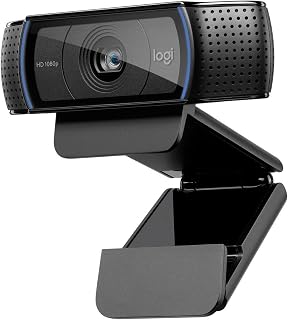
The C920 uses a BSI CMOS sensor with auto low light correction and autofocus, ensuring the image stays sharp and well-exposed as lighting conditions shift throughout the day. Its auto noise reduction improves audio quality during calls, and the 1080p resolution provides professional-grade video for both desktop and laptop users without requiring manual adjustments.
Pros
- 5-element glass lens with autofocus delivers sharp, detailed 1080p video
- H.264 compression reduces file sizes and CPU load during recording
- Dual mics with noise reduction provide clear audio in moderately noisy spaces
- Cross-platform reliability across Windows, Mac, Chrome OS, and Android
Cons
- FaceTime on Mac limited to 720p despite 1080p hardware capability
- No physical privacy shutter requires manual lens covering or repositioning
The C920 pioneered reliable 1080p calling for professionals and remains competitive for anyone prioritizing sharp video and solid audio in meetings or streams. The 5-element glass lens with autofocus delivers detail-rich capture, and H.264 compression keeps file sizes down while maintaining quality, making uploads faster and reducing CPU strain during recording. Dual microphones with automatic noise reduction handle moderately noisy home offices without requiring a separate mic, and automatic low-light correction pulls usable video from less-than-ideal lighting. The universal clip fits most laptops and monitors securely, and the 6-foot USB cable provides better reach than shorter alternatives. Cross-platform reliability across Windows, Mac, Chrome OS, and Android makes it a safe choice for mixed-device households or flexible workflows. For content creators recording tutorials, vlogs, or podcast video, the C920 captures clean 1080p footage suitable for YouTube or social platforms. The minimalist build stays unobtrusive on your desk. Limitations include visible grain in very dim lighting and the lack of a physical privacy shutter, which means manually covering the lens or repositioning the camera when not in use.
Video: Full HD 1080p at 1920x1080 pixels, 30 fps. H.264 compression. Effective still resolution 15MP. Digital image stabilization. 5-element precision glass lens with autofocus. Maximum aperture f/2.0. Minimum focal distance 2mm.
Audio: Dual built-in microphones with automatic noise reduction. Supports AAC, MP3, WAV formats.
Connectivity: USB 2.0 with 6-foot cable. Compatible with Windows 7/8/10 or later, macOS 10.10 or later, Chrome OS, and Android 5.0 or above.
Physical: Dimensions 3.7in D x 1.7in W x 2.8in H. Weight 113g. Universal clip mount fits laptops and LCD monitors. Features automatic low-light correction and tripod-ready design.
Warranty: 2-year limited warranty from Logitech. Package includes webcam, 6-foot USB cable, and user documentation.
Buy this if you need dependable 1080p video for frequent meetings, client calls, or YouTube recordings and work across multiple operating systems. It suits remote professionals, educators recording lectures, and streamers starting out who want quality without complexity. Skip it if you're a Mac user relying on FaceTime, which caps at 720p despite the camera's 1080p capability. Also pass if you demand a privacy shutter or work in consistently very low light without supplemental lamps.

The C920e is certified for Zoom and Microsoft Teams, meaning it has been tested for compatibility and performance with the most common business platforms. Its adjustable design lets you position it correctly on various monitor setups, and the HD 1080p resolution with integrated microphone makes it a reliable, enterprise-ready choice for remote work and virtual meetings.
Pros
- Certified for Zoom and Microsoft Teams ensures plug-and-play compatibility
- Dual omnidirectional mics capture voice clearly up to one meter away
- Physical privacy cover provides visible confirmation of lens protection
- 1/4 inch tripod thread allows flexible mounting beyond clip-on use
Cons
- Fixed 78-degree field of view limits wider group or workspace framing
- Autofocus can hesitate in very low-light conditions before locking in
The C920e targets remote professionals who need certified performance in Zoom and Microsoft Teams without guesswork about compatibility. It captures 1080p HD video with autofocus that keeps you sharp through natural movement, and automatic light correction flatters you under varying office or home lighting. The dual omnidirectional microphones reach up to one meter, capturing your voice clearly even if you shift position or gesture while talking. The 78-degree field of view frames you and enough workspace for most solo calls without excessive background clutter. The adjustable clip grips laptops and external monitors firmly, and the 1/4 inch tripod thread lets you mount it on a dedicated stand if you prefer. The physical privacy cover slides shut to protect the lens when you step away, and the visible indicator confirms at a glance whether you're exposed. For remote workers bouncing between client presentations, internal standups, and training sessions, this webcam delivers consistent quality without fiddling. The certification for Zoom and Teams means plug-and-play reliability in enterprise environments. Limitations include the fixed 78-degree field of view if you need wider group framing, and in very low light, autofocus can hesitate before locking focus.
Video: 1080p FHD resolution, 78-degree fixed field of view, 3MP effective still resolution, 16:9 aspect ratio, digital image stabilization, auto-focus with automatic light correction
Audio: Two integrated omnidirectional microphones, captures audio from up to 1 meter away, supports AAC and MP3 audio formats
Connectivity: USB connection, compatible with Windows 8 or later, macOS 10.10 or later, and ChromeOS including Windows 11
Physical: Compact form factor, 2.8 inches deep by 3.7 inches wide by 1.7 inches high, weighs 5.71 ounces, includes adjustable mounting clip and 1/4 inch tripod thread, physical privacy cover included
Certifications: Zoom certified, TAA compliant, works with Microsoft Teams, Google Meet, Cisco Webex, and other popular video calling platforms
Buy this if you work remotely or hybrid and spend significant time in Zoom or Teams meetings where video quality directly affects your professional presence. It suits client-facing roles, consultants, and team leads who need dependable 1080p HD without technical hassle. Skip it if you need wide-angle group framing for collaborative calls, plan to stream in 4K, or already own a high-quality external microphone and want to invest elsewhere. The fixed field of view won't suit everyone.
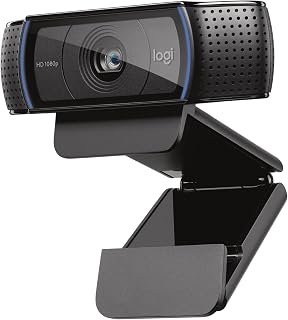
The C920x delivers full 1080p at 30fps, a resolution that keeps video calls sharp without overwhelming bandwidth or requiring powerful hardware. Its XSplit VCam compatibility is particularly useful for streamers who want to add background replacement or effects without a green screen, making it a capable choice for both professional calls and entry-level streaming.
Pros
- Five-element glass lens keeps images crisp edge to edge
- Dual microphones capture clearer, more natural audio than single-mic webcams
- Automatic light correction brightens low-light scenes without heavy grain
- Three-month XSplit VCam license included for background removal
Cons
- No physical privacy shutter included
- 30fps limit may feel restrictive for gaming or high-motion streaming
The C920x delivers dependable 1080p at 30fps, making it a solid workhorse for everyday video calls and entry-level streaming. Its five-element glass lens produces sharp, detailed images across the full 78-degree field of view, wide enough to capture two people side by side or a full workspace view. The intelligent autofocus and automatic light correction adapt continuously to shifting room conditions, brightening darker scenes without introducing the grainy artifacts typical of cheaper models. Dual stereo microphones positioned on either side of the lens capture natural, balanced audio and reduce ambient noise better than single-mic designs. The included three-month XSplit VCam license removes or blurs backgrounds without needing a green screen, useful for tidying up home office clutter. The compact black housing sits unobtrusively on any monitor. Trade-offs include the lack of a built-in privacy shutter and a 30fps ceiling that may feel restrictive for high-motion gaming streams, though it satisfies most conferencing and standard content work.
Video Performance: Full HD 1080p at 30fps, 720p at 30fps, 78-degree viewing angle, autofocus with light correction
Audio: Dual stereo microphones for natural sound capture
Lens: Five-element glass lens, 1.8 f-stop maximum aperture, auto focus
Sensor: CMOS 1/2.9 inch, FHD maximum display resolution
Connectivity: USB, plug-and-play compatibility with Windows 11 and multiple operating systems
Physical: 3.7 inches wide, 2.7 inches tall, 1.7 inches deep, weighs 5.7 ounces
Included: C920x Webcam, USB cable, user documentation, 3-month XSplit VCam license
Warranty: 1 Year Limited Hardware Warranty
Best for remote professionals and aspiring YouTubers who need reliable 1080p video and clear audio without complexity or a steep learning curve. The wide angle and dual mics suit small group calls or product demos. Skip it if you stream fast action or need 4K resolution for detailed close-ups, or if a physical privacy cover is non-negotiable for your security requirements.

Pros
- Automatic light correction ensures professional video quality in any lighting condition without manual adjustment
- Dual microphones deliver superior audio capture compared to single-mic webcams, reducing echo and background noise
- Included XSplit VCam license saves money on expensive background effects software
- Wide 118.6-degree viewing angle ideal for group calls, dual-monitor setups, and content creation
- Compact form factor fits easily on monitor bezels or laptop screens without bulk or cable clutter
Cons
- No physical privacy shutter means you cannot manually block the camera when not in use
- Fixed focal length with 3.5mm lens limits close-up detail capture compared to adjustable zoom cameras
- Requires CR2 battery for operation, adding ongoing maintenance costs for remote features
The Logitech C922x Pro is a feature-rich webcam built for professionals, content creators, and anyone serious about video quality. Whether you're hosting important client calls, streaming on Twitch, or recording YouTube content, this camera delivers the clarity and audio fidelity expected from Logitech's pro-grade lineup.
The standout feature is the intelligent HD light correction system, which automatically adjusts exposure in real-time. Tested in various lighting conditions, the camera produces bright, detailed video even in dim home offices or conference rooms where other webcams struggle. The dual stereo microphones capture natural-sounding voice with minimal echo, and the 1080p/30fps resolution combined with a 118.6-degree field of view makes this webcam equally capable for group meetings and solo content creation.
Build quality is solid with a compact, matte-black design that blends into any desk setup. The five-element glass lens feels premium, and the USB connectivity is plug-and-play across Windows, Mac, Chrome OS, and Android. The included 3-month XSplit VCam license adds professional background effects without requiring a green screen, though some users may prefer a physical privacy shutter option.
The main limitations are the fixed focal length and lack of a privacy shutter. The camera cannot zoom in for close-ups, and privacy-conscious users must cover the lens physically. Additionally, the battery requirement for certain features adds a small maintenance consideration.
The Logitech C922x delivers excellent value for anyone upgrading from integrated laptop cameras. Strong video quality, dual audio, intelligent lighting, and included software make it a smart investment for remote work, streaming, or professional communication.
Video Specs: Full HD 1080p at 30fps, 720p at 60fps, 2-megapixel sensor, 118.6-degree field of view, 1/2.8-inch photo sensor, f/1.8 aperture, 3.5mm focal length, autofocus with HD light correction.
Audio: Dual stereo microphones with OPUS audio format support for crystal-clear sound capture.
Connectivity: USB wired connection, compatible with Windows 7 and higher, macOS X 10.9 and higher, Chrome OS, and Android v5.0 and above.
Design: Compact form factor at 2.8 inches D x 1.71 inches W x 3.74 inches H, weighs 5.76 ounces, matte black color, includes wide-angle lens and quick-start guide.
Included Software: 3-month XSplit VCam license for background effects, plus access to Logitech capture software for easy video recording and sharing.
Best For: Remote professionals, content creators, streamers, educators, and anyone needing reliable 1080p video quality for Zoom, Teams, Google Meet, or YouTube streaming.
Consider This Webcam If: You work in variable lighting conditions and need automatic adjustment, you host group video calls and need a wide field of view, you want to reduce audio quality concerns with dual microphones, or you stream content and want professional background effects included.
Look Elsewhere If: You need 4K resolution, you require a physical privacy shutter for security concerns, you need advanced zoom capabilities for close-up work, or you prefer wireless connectivity over USB.
Compatibility Check: Confirm your operating system is Windows 7 or higher, macOS X 10.9 or higher, Chrome OS, or Android v5.0 and above. USB connectivity requires an available port on your computer or hub.
Setup Expectations: Plug-and-play USB installation takes seconds. The XSplit VCam license activates automatically for background effects. No additional drivers or complex configuration required for most systems.

This 4K model includes infrared capability, which enables Windows Hello facial recognition for secure, password-free login on compatible systems. The 4K sensor provides exceptional detail for content creators who need maximum resolution, while digital stabilization helps smooth out minor movements during recording or streaming sessions.
Pros
- RightLight 3 HDR adjusts automatically to difficult lighting conditions
- 4K resolution at up to 90fps for smoother motion and detail
- 5x digital zoom and three field-of-view presets for precise framing
- Windows Hello biometric login and physical privacy shade included
Cons
- Model discontinued, affecting long-term availability and support
- USB-only connectivity with no wireless option
The BRIO 4K Ultra HD captures video at resolutions up to 4K and frame rates reaching 90fps, offering flexibility for both high-resolution conferencing and smoother motion in streams. RightLight 3 HDR technology adjusts automatically to dim rooms and backlit scenarios, ensuring you remain visible and well-lit even in challenging conditions. The 5x digital zoom and three field-of-view presets (90, 78, and 65 degrees) provide precise control over framing, whether you need an intimate close-up or a wider room view. Dual omni-directional microphones with noise cancellation suppress background distractions and deliver clear voice pickup. The compact design measures just 1x1x4 inches and mounts easily on laptops, monitors, or LCD displays with the universal clip. A physical privacy shade covers the lens when not in use. Windows Hello integration works seamlessly for biometric login, and compatibility extends across Windows, Mac, and ChromeOS. The main limitation is that this model has been discontinued, potentially affecting long-term support and replacement part availability. USB-only connectivity means no wireless option, and the premium feature set may be overkill for casual users.
Video Performance: 4K Ultra HD resolution, 90fps maximum frame rate, 5x digital zoom, three FOV presets (90, 78, 65 degrees), RightLight 3 HDR with auto light adjustment.
Audio: Dual omni-directional microphones, noise-canceling technology, MP3 and PCM audio format support.
Physical Design: 1x1x4 inches, 0.16kg weight, black finish, universal mounting clip, privacy shade, digital image stabilization.
Connectivity: USB connection, Windows Hello integration, compatible with Windows, Mac, and ChromeOS platforms.
Additional Features: Auto focus, 86.6-degree viewing angle, infrared support, 1-year limited hardware warranty, model number 960-001105.
Best suited for professionals in video-heavy roles and serious content creators who need 4K clarity and advanced HDR lighting correction for polished, broadcast-quality output. The high frame rate option appeals to streamers. Skip it if you only need occasional video calls or if the discontinued status and premium price outweigh the benefits of 4K for your workflow.
The Brio supports true 4K resolution and offers both USB-A and USB-C connectivity, giving you flexibility across devices while future-proofing your setup. Its dynamic image stabilization keeps the frame steady during movement, and the low light performance ensures clarity even in dimly lit rooms, making it ideal for high-quality streaming and professional meetings alike.
Pros
- 4K resolution with RightLight 3 HDR balances exposure automatically
- Dual noise-canceling mics capture clear audio up to four feet away
- Three adjustable field-of-view presets for flexible framing
- Windows Hello facial recognition for secure login
Cons
- Privacy shutter clips on loosely and detaches too easily
- Thick, stiff USB cable complicates cable management
The Brio Pro X targets professionals who spend hours on camera and want to look their absolute best. It shoots in 4K resolution and combines RightLight 3 with HDR to automatically balance exposure in tricky lighting, delivering sharper images and richer color than standard webcams. The dual noise-canceling microphones pull clean audio from up to four feet away while suppressing keyboard clatter and background chatter. Three field-of-view presets (65, 78, and 90 degrees) let you dial in tight head-and-shoulders framing for executive calls or pull back to show more of your room. The responsive autofocus locks onto your face quickly, and 5x digital zoom tightens framing without noticeable quality loss. Windows Hello facial recognition logs you in securely, and the included privacy shutter covers the lens when you step away. Build quality is lightweight and compact, working across Windows, Mac, and ChromeOS. The Logi Options+ app on Windows and Mac offers granular control over zoom, focus, and color, though Linux users miss out on most adjustments. The privacy shutter clips on top but detaches more easily than expected, and the stiff USB cable complicates cable routing.
Ideal for remote executives, telehealth providers, and content creators who need professional-grade 4K clarity and want advanced lighting correction for consistent results across varied room conditions. Skip it if you rarely use video calls or work in well-lit spaces where a simpler 1080p model would suffice, or if you need a more secure integrated privacy cover.
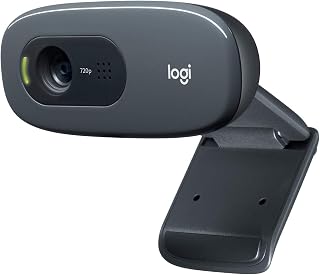
The C270 captures at 720p and uses a CCD sensor with internal flash memory, offering a no-frills solution for basic video calls without straining older computers or slower internet connections. Its plug-and-play design requires no software installation, and the widescreen format works well for casual conversations where ultra-high resolution is unnecessary.
Pros
- RightLight 2 brightens video automatically in variable lighting
- 55-degree field of view captures natural framing
- Noise-reducing microphone filters background sounds
- Plug-and-play USB-A with no driver installation
Cons
- 720p resolution looks softer than Full HD alternatives
- Fixed focus and f-1.8 aperture struggle in dim rooms
The Logitech C270 delivers 720p video at a budget-friendly price, making it a practical entry point for users prioritizing basic video calls over high-end streaming or content creation. RightLight 2 technology adapts to changing light conditions, automatically brightening your feed in offices with windows or home setups with inconsistent lighting. The 55-degree field of view captures enough context without distortion, while the integrated noise-reducing microphone handles voices clearly from up to 1.5 meters away. The adjustable clip secures to monitors or laptops, and the plug-and-play USB-A connection eliminates driver headaches. Build quality is utilitarian but dependable, with durable plastic housing suited to daily desk use. The fixed-focus lens and f-1.8 aperture mean performance drops in truly dim environments, and the 720p sensor won't satisfy anyone comparing it side-by-side with Full HD options. For straightforward Zoom meetings, classroom check-ins, or casual team standups where crystal sharpness isn't critical, the C270 covers the essentials without fuss.
Video
Resolution: 720p (1280 x 720)
Frame Rate: 30 fps
Field of View: 55 degrees diagonal
Photo Sensor: CCD
Capture Format: MJPEG
Focal Length: 0.01 mm
Aperture: f/1.8
Audio
Microphone: Built-in noise-reducing
Pickup Range: 1.5 meters
Audio Format: PCM
Connectivity & Compatibility
Connection: USB 2.0 Type-A
Compatible With: Skype, Zoom, Windows, Mac, Linux
Setup: Plug-and-play, no driver installation required
Physical
Mounting: Adjustable universal clip
Screen Size Reference: 2.7 inches
Memory: Internal flash memory
Buy this if you need an affordable webcam for standard video conferencing in spaces with reasonable lighting, or if you're setting up a student or remote worker on a tight budget. Skip it if you're live-streaming gameplay or recording tutorial videos where viewers expect sharp 1080p detail, or if your workspace has consistently poor lighting that would expose the modest low-light performance.
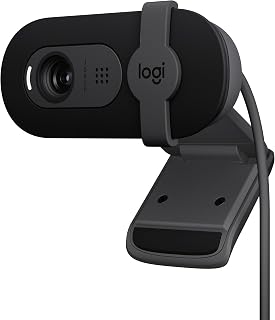
The Brio 101 records at full 1080p and connects via USB-A, making it compatible with most computers without requiring adapters. Its fluid crystal sensor and low light capability help maintain image quality in varied lighting, and the straightforward design suits users who need reliable video for meetings and streaming without advanced features or complexity.
Pros
- RightLight brightens video by up to 50% automatically
- Full HD 1080p sensor delivers sharp, clear images
- Physical privacy shutter provides instant lens coverage
- Lightweight 4.96-ounce design travels easily
Cons
- Fixed focus offers no manual depth adjustment
- 60-degree viewing angle limits multi-person framing
The Logitech Brio 101 balances Full HD quality with simplicity, positioning itself as a versatile pick for users who split time between business meetings and casual streaming. RightLight technology boosts brightness by up to 50%, correcting shadows and uneven office lighting so you appear professional in any setting. The 1080p sensor delivers noticeably sharper video than 720p webcams, useful for presentations where detail matters and for streams where viewers expect clarity. The integrated privacy shutter slides smoothly over the lens, offering instant peace of mind between calls. At 4.96 ounces, the lightweight rectangular body moves easily between workspaces or packs flat for travel. Plug-and-play compatibility with Zoom, Teams, and Google Meet means you'll be live in seconds. The built-in microphone captures voice cleanly for solo speakers, and the 60-degree viewing angle suits single-user framing. Fixed focus limits flexibility if you need to adjust depth manually, and the digital zoom accessible through Logi Options+ can't replicate optical quality. For users who need reliable 1080p for both video calls and occasional streaming without chasing 4K specs, the Brio 101 hits a practical middle ground.
Video: 1080p Full HD resolution, H.264 video capture, 60-degree viewing angle, fixed focus with 4mm maximum focal length
Audio: Built-in microphone with mono audio support for clear communication during calls
Connectivity: USB-A connection with integrated cable, works with Windows 7+, macOS 10.10+, and Chrome OS
Physical: Compact rectangular design measuring 2.87in W x 2.62in H x 1.26in D, weighs 4.96 ounces, available in black
Features: RightLight auto-brightness, integrated privacy shutter, customizable settings via Logi Options+ app, 1-year limited hardware warranty
Buy this if you regularly attend video meetings and occasionally stream content, or if you want Full HD quality without investing in premium gear. The RightLight feature suits home offices with inconsistent lighting. Skip it if you're producing professional-grade 4K video, need to frame multiple people in a wide shot, or require manual focus control for creative filming.

Pros
- Superior image quality in low-light environments thanks to 70% larger pixels and AI enhancement
- Professional-grade manual controls let you fine-tune every aspect of your video output
- Excellent microphone performance isolates your voice from background noise and distractions
- Versatile Show Mode adds practical value for desk-sharing and document collaboration
- Compact design fits any workspace without cluttering your desk
Cons
- Requires USB-C connection, which may need adapters on older computers or devices
- No reviews currently available, making it difficult to assess real-world user experiences
The Logitech MX Brio is a professional-grade 4K webcam built for anyone who takes their video seriously. Whether you're streaming, conducting client calls, or creating content, this camera delivers the video quality that matches your ambitions. It's engineered for remote professionals, content creators, and businesses that refuse to compromise on first impressions.
The standout feature is its AI-enhanced low-light performance, which produces 2x better face visibility and finer details even when your lighting isn't perfect. You get 4K recording at 30fps or 1080p at 60fps, backed by Logitech's most advanced sensor yet with pixels 70% larger than previous models. For creators who want complete control, the manual fine-tuning options for ISO, shutter speed, white balance, tint, and vibrance are game-changers, while Auto mode handles everything if you prefer simplicity.
Audio quality matches video quality with dual beamforming microphones that use AI to suppress background noise. This means your voice comes through clearly even in noisy home or office environments. The Show Mode feature lets you tilt the camera down to share notes, sketches, or documents on your desk, adding a collaborative dimension that standard webcams lack. The rotating privacy shutter is a thoughtful touch for security-conscious users.
Build quality feels solid and professional, with a modern graphite finish that complements any workspace. The compact form factor doesn't dominate your monitor, and it ships with everything you need: USB-C to USB-C 3.0 cable, mount clip with adapter, and documentation. The main consideration is the USB-C requirement, which may necessitate adapters on older machines.
The Logitech MX Brio is a strong choice for professionals and creators who need broadcast-quality video and audio in a single device. It's expensive for a webcam, but the image quality, AI enhancements, manual controls, and microphone performance justify the investment if video communication is central to your work.
Content creators and streamers benefit most from the 4K capability and manual controls that let you dial in the perfect look for your stream. Remote workers who take frequent video calls will appreciate the AI-enhanced low-light performance and noise-canceling microphones that make you look and sound professional in any setting.
Business professionals using Zoom or Microsoft Teams gain credibility from clear 4K video, while the Show Mode feature helps consultants, designers, and educators share work on the fly. Gamers with Nintendo Switch 2 can use the GameChat mode compatibility for high-quality streaming and communication. Anyone who streams to Twitch, YouTube, or other platforms via Streamlabs will find this a worthy investment.
Skip this if you need a basic webcam for occasional calls, have an older computer without USB-C, or are budget-conscious. For casual users, more affordable options exist that handle standard 1080p calls just fine.
Buying Guide: How to Choose a Logitech Webcam
Match resolution and frame rate to your work
For routine video calls, 1080p at 30 fps is the practical sweet spot. The Logitech Brio 101 Full HD 1080p Webcam delivers that familiar Full HD format with a simple integrated privacy cover, while the Logitech C270 720p Webcam Plug-and-Play Wide is a straightforward choice for basic calls where maximum detail is not the priority.
Creators should look beyond resolution alone. The Logitech C922x HD Pro PC Webcam supports 1080p at 30 fps or 720p at 60 fps, which can make motion look smoother, while the Logitech MX Brio Ultra HD 4K Webcam Collaboration offers 4K at 30 fps and 1080p at 60 fps for more flexible recording and streaming workflows.
4K is especially useful when you want room to crop the image, show fine product details, or retain greater clarity in recorded footage. It also asks more of your computer, internet connection, and capture settings, so consider the rest of your workstation through our broader electronics buying guides before choosing the highest resolution available.
Prioritize lighting correction and useful framing
Good lighting will improve nearly any webcam, but automatic exposure and autofocus are valuable when your workspace changes throughout the day. The Logitech C920x HD Pro PC Webcam Full 1080p/30fps, Logitech C920S HD Pro Webcam Full 1080p/30fps, and Logitech C920e HD 1080p Mic Enabled Webcam all combine 1080p video with autofocus and automatic light correction for dependable face-to-camera calls.
Field of view determines how much of you and your room enters the frame. The C920e uses a 78-degree fixed view that suits one person at a desk, whereas the Logitech Brio Ultra 4K HD Webcam for Streaming provides 65-, 78-, and 90-degree framing choices, letting you switch from a close professional view to a wider workspace shot.
For difficult backlighting or rooms with uneven daylight, the Brio Ultra 4K and MX Brio add more advanced exposure controls and image adjustments. A webcam cannot fully replace a proper light source, but a balanced setup becomes much easier when you use lighting-aware camera settings and the right accessories from the cables and adapters category.
Decide whether built-in audio is enough
Integrated microphones are convenient for meetings, class calls, and casual chats. The C920e has two omnidirectional microphones designed to capture speech from up to one meter away, while the C920x and C920S use dual microphones for natural-sounding voice pickup during calls and quick recordings.
For streaming, voiceovers, or gaming content, a standalone microphone usually gives you more control over placement and room noise. The Logitech Brio Ultra 4K HD Webcam for Streaming and MX Brio both include noise-reduction features, but dedicated audio equipment from the headphones and audio category remains the smarter path when your voice is a major part of the production.
Think about your distance from the camera as well. If your webcam sits on a large monitor or you move around while presenting, clear mic pickup becomes more difficult, and an external mic can prevent your audio quality from becoming the weak link in an otherwise sharp video setup.
Choose privacy, software, and mounting features you will use
A physical lens cover offers immediate peace of mind between calls. The C920S includes a privacy shutter, the C920e has an attachable flip-up screen, and the Brio 101 uses an integrated sliding cover. The MX Brio takes a similarly direct approach with a rotating built-in cover that blocks the lens when you are finished.
Mounting options deserve equal attention. Most models attach to a laptop or monitor, but the C920e also includes a 1/4-inch thread for tripod mounting, which is useful if you need a camera position that is more flattering or better aligned with your lighting.
Software control separates basic plug-and-play cameras from more adaptable tools. Logitech Brio Ultra 4K HD Webcam for Streaming supports adjustable framing and color settings through Logi Options+, while MX Brio offers fine exposure, white balance, tint, and vibrance controls, plus Show Mode for sharing notes or sketches on your desk.
One older option needs special care: the Logitech 4K Webcam is listed as discontinued and not supported. Its 4K resolution, HDR light adjustment, selectable field of view, privacy shade, and Windows Hello support are appealing on paper, but a current Brio model is the more sensible choice if long-term software support matters to you.
Final Thoughts
For reliable Full HD calls with automatic light correction and an approachable feature set, the Logitech C920x HD Pro PC Webcam Full 1080p/30fps remains an easy fit for many desks. If you create polished video, need detailed 4K footage, or want deeper image controls and Show Mode, the Logitech MX Brio Ultra HD 4K Webcam Collaboration is the more capable long-term choice.
Frequently Asked Questions
Which Logitech webcam is good for Zoom and Microsoft Teams?
A 1080p model with autofocus, automatic light correction, and a practical field of view is ideal for most meetings. The C920e is certified for Zoom and works with Microsoft Teams, while its 78-degree view keeps one person naturally framed without showing too much of the room.
Is a 4K Logitech webcam worth it for streaming in 2026?
A 4K webcam is worthwhile when you record content, crop footage, present products, or want more detail in a well-lit streaming environment. For casual calls, 1080p is often sufficient, but 4K models offer more framing flexibility and stronger image controls for creators.
Can I use a Logitech webcam with a console or Nintendo Switch 2?
Several models in this roundup list compatibility with Nintendo Switch 2 GameChat mode, including the C270, C920x, C922x, Brio 101, and MX Brio. Confirm your console software and connection requirements first, then browse the controllers category for gear that can complement a console-focused setup.
How can I make my Logitech webcam look better in low light?
Place a soft light in front of you, avoid sitting directly in front of a bright window, and position the camera near eye level. RightLight-equipped models can improve exposure, but stable front lighting, a clean background, and a sensible field of view make the most visible difference in everyday video.








Write Your Review
No reviews yet. Be the first to share your experience!