

Your computer may feel quick while cutting short clips, then slow dramatically when a multicamera 4K project, noise reduction, and color effects arrive at once. The right prebuilt balances processor cores, graphics acceleration, memory, and fast working storage so your edit stays responsive from import to export.
This guide compares creator-ready options for editors who want a capable desktop without sourcing every part individually. It covers powerful towers, compact alternatives, and the tradeoffs that matter when pairing your system with one of these 34-inch ultrawide monitors for a spacious workspace.
Quick answer
This guide compares 10 picks, with Horizon Autherium Dragon i9 RTX 5070 Gaming PC - 64GB ranked first. Alienware Aurora RTX 5060 Ti Gaming Desktop, Intel Core holds the highest customer rating among them. iBUYPOWER Element Gaming PC - Ryzen 9 7900X, RTX 5070 has the most customer reviews.

Pros
- Exceptional multi-core performance handles gaming, streaming, and professional workloads simultaneously
- Factory-overclocked RTX 5070 OC guarantees faster, more consistent frame rates out of the box
- Generous 64GB RAM and 5TB storage eliminate common upgrade needs for years
- Premium warranty coverage and expert support team with 20+ years of experience
- Thoughtful cooling design with 11 fans and ARGB lighting balances performance and aesthetics
Cons
- Premium pricing reflects high-end components, making it less accessible for budget-conscious buyers
- Large 17x18x18 inch footprint and 35-pound weight require dedicated desk space
- Zero customer reviews limit peer feedback and real-world performance validation at purchase time
The Horizon Autherium Dragon is a premium gaming desktop engineered for enthusiasts, content creators, and professionals who demand both raw power and reliability. This system targets gamers pursuing high-refresh 4K gameplay, video editors handling 4K or 8K timelines, AI researchers, and anyone running intensive applications that benefit from exceptional multi-core performance. The factory-overclocked i9 CPU and RTX 5070 OC deliver measurable advantages over stock configurations.
The standout feature is the sheer amount of RAM and storage paired with cutting-edge components. The 64GB configuration doubles typical high-end systems, eliminating performance bottlenecks in memory-intensive tasks like video rendering or AI model training. DLSS 4.0 on the RTX 5070 OC enables smooth 4K gaming with ray tracing, while the hybrid storage setup provides both speed (1TB NVMe at 7000MB/s) and capacity (4TB HDD for game libraries). These specs justify the premium price for serious users.
Build quality reflects thoughtful engineering. The 360mm liquid cooling system with intelligently controlled fan speeds maintains thermal stability while keeping acoustics low. The dragon-themed front panel and RGB lighting add personality without compromising functionality. Magnetic dust filters and premium component selection signal long-term reliability. The inclusion of extra M.2 and HDD expansion slots provides future-proofing.
Potential drawbacks include the premium positioning, which makes this system inaccessible for casual gamers, and the complete absence of customer reviews at launch, which limits real-world validation. The large footprint requires adequate desk space. Additionally, while the warranty and support are excellent, the higher cost means service issues have more financial impact.
Verdict: The Horizon Autherium Dragon is a genuinely powerful system that delivers what it promises for gaming, content creation, and professional workloads. The 64GB RAM, 5TB storage, and factory-overclocked components provide tangible performance advantages. If you have the budget and workload to justify high-end specs, this is a credible choice backed by solid warranty and support.
Processor: Core i9 Unlocked, Overclocked to 5.4GHz with Premium Chipset
Memory: 64GB RAM for multitasking and professional applications
Storage: 5TB total (1TB M.2 NVMe SSD up to 7000MB/s + 4TB 7200RPM HDD), with expansion slots for additional drives
Graphics: NVIDIA GeForce RTX 5070 OC, 12GB GDDR7, Factory Overclocked with Real-Time Ray Tracing and DLSS 4.0
Cooling: 360mm Liquid Cooling, 11 Total Fans with Intelligent Speed Control, ARGB Lighting with Software Control
Operating System: Windows 11 Pro, Fully Updated
Connectivity: 1x USB-C 3.2, 8x USB 3.0, 1x 2.5GB/s Ethernet, WiFi 802.11ac up to 2.4GB/s, Bluetooth 5.0
Power Supply: 850W 80+ GOLD Certified with 6 Extra SATA Connectors
Dimensions: 17 x 18 x 18 inches, 35 pounds
Warranty: 3-Year Parts, 5-Year Labor, with Expert Support Access

Pros
- Excellent price-to-performance ratio for a branded gaming desktop with premium components
- Quiet operation combined with strong cooling efficiency makes it suitable for any room or setting
- Comprehensive software ecosystem via Alienware Command Center for lighting, performance modes, and custom profiles
- Modern, minimalist design with matte basalt black finish looks professional in any space
- Included gaming keyboard and mouse plus extensive connectivity options provide out-of-box readiness
Cons
- RTX 5060 Ti is entry-level for high-end 4K gaming, better suited for 1440p than ultra-high resolution
- 16GB DDR5 RAM may require upgrade for intensive multitasking or professional workloads beyond gaming
- 1TB SSD fills quickly with modern games, likely requiring storage expansion for larger game libraries
The Alienware Aurora is a solid mid-range gaming desktop designed for players who want reliable performance without excessive bulk or noise. It targets gamers and content creators seeking a balance between power and practicality, offering a complete system with peripherals included.
The RTX 5060 Ti handles modern games at 1440p with high settings and delivers respectable frame rates. The 20-core Intel Core Ultra 7 265F processor excels at multitasking, allowing you to stream, record, or run background applications without stuttering. DDR5 RAM ensures fast data throughput, though 16GB works best for gaming and light productivity rather than heavy workloads.
The chassis features a minimalist aesthetic with matte black finish and customizable AlienFX lighting zones. Alienware's acoustic engineering keeps thermals in check while reducing fan noise, making this desktop far quieter than typical gaming rigs. The build quality feels premium without excessive flashiness.
Limitations include the 1TB SSD, which fills quickly with AAA titles and may require expansion. The RTX 5060 Ti, while capable, represents entry-level performance and won't max out demanding titles at 4K resolution. For pure gaming on a modest budget, these tradeoffs are reasonable.
The Alienware Aurora delivers genuine gaming value with professional support and solid engineering. It's a smart choice for anyone wanting a quiet, capable gaming system that doesn't demand extreme spending or dedicated cooling expertise.
Processor: Intel Core Ultra 7 265F, 20 cores, 3.3 GHz base / 5.5 GHz boost, Socket LGA 2011
GPU: NVIDIA GeForce RTX 5060 Ti, 8GB GDDR7, NVIDIA Blackwell architecture
Memory: 16GB DDR5 RAM
Storage: 1TB SSD, Solid State Drive
Power: 500W power supply, Type A 2-pin North American plug
Connectivity: 10 USB ports (USB 2.0, USB 3.2 Gen 1, USB 3.2 Gen 2), Ethernet, Bluetooth
OS: Windows 11 Home, English
Design: Computer tower, matte basalt black finish, 18.05 x 7.76 x 16.46 inches, 13.1 lbs
Cooling: Air cooling system for quiet operation
Included: Dell Wired Keyboard KB216, Dell Wired Mouse MS116, power cord, documentation
Support: 1-Year Onsite Service coverage

Pros
- Exceptional AI performance with dedicated NPU provides genuine productivity gains for creative professionals
- Compact design with enterprise-grade build quality and thermal management for silent 24/7 operation
- Flexible connectivity including WiFi 7, dual USB4 (40Gbps), and quad-display support for complex setups
- Upgradeable RAM and storage mean this investment scales with your needs over years
- Multi-OS support including Linux and Ubuntu offers flexibility beyond Windows environments
Cons
- Lack of user reviews at launch makes real-world performance validation difficult
- Integrated graphics limit demanding AAA gaming performance compared to dedicated GPU workstations
The GEEKOM IT15 is a premium mini PC engineered for professionals who demand both AI acceleration and traditional computing power in one compact device. Aimed at video creators, AI engineers, software developers, and digital artists, this system bridges the gap between cloud-based AI services and local workstation performance while keeping sensitive data private on-premises.
The standout feature is undeniably the 99 TOPS AI performance delivered through Intel Ultra 9 285H's tripartite approach: 13 TOPS from the dedicated NPU, 77 TOPS from the Arc 140T GPU, and 9 TOPS from the CPU cores. Real-world benefits include generating 4K concept art in 8.3 seconds and running local AI models for coding assistance, content generation, and data analysis without cloud dependencies. The 32GB DDR5 RAM and 1TB Gen 4 NVMe SSD ensure smooth multitasking across Adobe Creative Suite, Blender, Unreal Engine, and thousands of plugins.
Build quality reflects the premium positioning. The PC+ABS metal frame withstands 200kg of pressure, keeping the system cool and silent at under 35dB even under sustained loads. Connectivity is enterprise-grade with WiFi 7, 2.5Gbps Ethernet, dual USB4 ports supporting external GPUs, and the rare ability to run four displays simultaneously, making it ideal for traders, data analysts, and creative professionals who need a command center on a desk.
The main drawback is price and the current lack of user reviews, making early-adopter risk a consideration. While the Arc 140T GPU handles casual gaming adequately, this is not a gaming machine. Additionally, the $1,199 entry point makes sense only if you genuinely need AI acceleration and professional-grade specs; mainstream users should evaluate mainstream alternatives.
Verdict: The IT15 is a well-engineered investment for professionals who recognize the long-term value in AI-capable local compute, reliability, and upgradeable architecture. The 3-year warranty and enterprise certifications back the build quality promise. If your workflow involves AI tasks, content creation at scale, or complex multitasking, this mini PC justifies its cost through productivity gains and data privacy benefits.
Processor: Intel Core Ultra 9 285H, 5.4 GHz, 1 core count with multi-threading capability
AI Performance: 99 TOPS total (13 TOPS NPU + 77 TOPS Arc GPU + 9 TOPS CPU)
Memory: 32GB DDR5 RAM (5.4 GHz), upgradeable to 128GB
Storage: 1TB NVMe Gen 4 SSD (75% faster than Gen 3), expandable
Graphics: Intel Arc 140T GPU with dedicated graphics coprocessor
Display Support: Quad-display (2x 8K, 2x 4K) via dual HDMI 4K@120Hz and dual USB4 Type-C 40Gbps
Connectivity: WiFi 7 (802.11be) with 3D beamforming, Bluetooth 5.4, 2.5Gbps Ethernet, 6x USB ports
Build: PC+ABS metal frame, rated for 200kg pressure, cooling under 35dB
OS Support: Linux, Ubuntu, Manjaro, Android x86, Windows
Warranty: 3 years with EU spare parts availability
Certifications: FCC, UL, ENERGY STAR, CE, RoHS
Ideal For: Video editors working with 4K/8K content, AI engineers running local models, software developers with intensive compilation needs, digital artists using GPU-accelerated tools, data scientists processing large datasets locally, remote workers needing reliable 24/7 performance, traders using multiple monitor setups, and small businesses handling sensitive data that cannot go to the cloud.
Not Ideal For: Budget-conscious buyers, casual home users, hardcore gamers seeking maximum frame rates, or those whose workflows don't benefit from dedicated AI acceleration or professional GPU performance.

Pros
- Strong 1440p gaming performance with modern ray tracing and DLSS 4 support
- Upgradeable design with room to expand RAM to 64GB and processor options via AM5 socket
- Windows 11 Home pre-installed and ready to use out of the box
- Solid build quality with tempered glass panel, cable management, and ARGB cooling system
- WiFi 7 connectivity keeps you ahead of wireless technology trends
Cons
- Monitor connection requires using graphics card ports on the rear, not motherboard ports, which may confuse first-time PC users
- 16GB DDR5 RAM may feel limiting for heavy multitasking or professional content creation workflows
- No reviews available yet to validate real-world performance and reliability claims
The KOTIN Gaming PC is a prebuilt tower designed for gamers and creators seeking solid 1440p performance without the hassle of building their own system. This machine targets players who want modern AAA gaming capabilities alongside general multitasking and content creation work, all in a package that arrives ready to use.
The Ryzen 5 9600X processor delivers 6 cores and 12 threads with boost speeds to 5.4GHz, providing reliable performance for gaming, streaming, and light editing tasks. Paired with an RTX 5060 Ti 8GB GPU featuring Blackwell architecture and DLSS 4, the system handles demanding titles smoothly at 1440p. The 16GB DDR5 RAM and 1TB PCIe 4.0 SSD ensure responsive system behavior and quick load times, though creators working with large video files may want to upgrade the memory.
Build quality stands out with its addressable RGB fan setup, digital CPU temperature display, tempered glass side panel, and thoughtful cable management. The system looks polished and maintains good thermal performance under load. WiFi 7 and Bluetooth 5.4 connectivity put this machine on the cutting edge of wireless standards, and the 650W 80+ Gold PSU provides stable power delivery.
One important note: the system requires you to connect your monitor to the graphics card ports on the rear, not the motherboard ports, or you will see no display. This unusual design choice may catch new PC users off guard during setup. Additionally, VGA or DVI monitors need adapters since the system uses HDMI and DisplayPort only.
Overall, this is a well-rounded prebuilt that offers modern gaming performance, future upgrade paths via the AM5 socket, and the convenience of plug-and-play setup. Buyers should appreciate the solid warranty and Amazon support backing the purchase.
Processor: AMD Ryzen 5 9600X, 6-core/12-thread, up to 5.4GHz boost, Zen 5 architecture, AM5 socket
Graphics: NVIDIA GeForce RTX 5060 Ti 8GB GDDR7, Blackwell architecture, DLSS 4, 4th-gen ray tracing
Memory: 16GB DDR5 RAM, upgradeable to 64GB maximum
Storage: 1TB PCIe 4.0 NVMe SSD
Connectivity: WiFi 7 (802.11be), Bluetooth 5.4, HDMI, DisplayPort, USB 3.2 Gen 1, USB 3.2 Gen 2, USB Type-C
Power: 650W 80+ Gold certified power supply
Cooling: Air cooling with 5 addressable RGB fans and digital display cooler
Operating System: Windows 11 Home pre-installed
Dimensions: 18.5 x 8.5 x 17.5 inches
Warranty: 1-year limited warranty with Amazon-based support
1440p Gaming: This system excels at 1440p resolution in modern AAA titles. With DLSS 4 technology, you can maintain high frame rates (60+ fps) in demanding games like Alan Wake 2, Cyberpunk 2077, and Star Wars Outlaws while enjoying ray tracing effects.
Esports and Competitive Games: For fast-paced titles like Valorant, CS2, and Apex Legends, expect 144+ fps at 1440p, giving you the smooth gameplay needed for competitive play.
Creative Work: The system handles video editing, 3D rendering, and streaming reasonably well, though the 16GB RAM may require optimization for large project files. Consider upgrading to 32GB or more DDR5 if content creation is your primary focus.
Important Setup Note: Connect your monitor cable directly to the graphics card ports on the rear of the PC, not to the motherboard ports on the back upper section. Using the motherboard ports will result in no display output.

Editors juggling color grading, effects, and export queues need serious multi-core muscle, and the Ryzen 9 7900X delivers that alongside 32GB DDR5 for smooth performance across heavy timelines and background tasks. Built-in Ethernet supports reliable transfers when pulling footage from networked storage, and the NVMe SSD keeps project files and cache access quick during demanding editing workflows.
Pros
- Ryzen 9 7900X handles encoding and multitasking well
- RTX 5070 12GB aids GPU-accelerated effects and grading
- 32GB DDR5 RAM supports smooth multitasking with large projects
- Dual display outputs suit a dedicated preview or scopes monitor
Cons
- 1TB SSD fills up quickly with 4K or 8K footage libraries
- 1-year warranty offers no extended hardware coverage
Video editing workflows lean hard on CPU cores, GPU acceleration, and fast multitasking, and this Ryzen 9 7900X and RTX 5070 combo covers all three. The 7900X handles timeline scrubbing and export encoding well, while the RTX 5070's 12GB of VRAM helps with GPU-accelerated effects and color grading in apps that tap into CUDA or similar acceleration. 32GB of DDR5 RAM keeps large project files, multiple preview windows, and background renders running without stutter. The 1TB NVMe SSD speeds up project load times and scrubbing through footage, though editors working with 4K or 8K raw files will want to plan for external storage since source footage eats space fast. Dual display output support (HDMI and DisplayPort) is a real plus for editors who like a second monitor dedicated to preview or a scopes panel. This is a system that skips the DIY research phase and gets a capable editing rig on the desk ready to load software and start cutting.
Processor: AMD Ryzen 9 7900X (12-core, 4.7 GHz base, 5.6 GHz boost)
Graphics: NVIDIA GeForce RTX 5070 12GB GDDR6
Memory: 32GB DDR5 4800MHz RAM (16GB x2 sticks, upgradeable to 128GB)
Storage: 1TB NVMe SSD (fast boot and load times)
Cooling: 240mm Liquid CPU Cooler (iBUYPOWER AW4) with RGB fans
Case: iBUYPOWER Element with tempered glass and 16-color RGB lighting
Operating System: Windows 11 Home pre-installed
Connectivity: Wi-Fi 802.11AC, Bluetooth, Gigabit Ethernet, 6x USB 3.1, DisplayPort, HDMI
Peripherals: Gaming keyboard and RGB gaming mouse included
Warranty: 1 year manufacturer coverage
Dimensions: 20 x 9.1 x 17.4 inches | Weight: 36 lbs
Good fit for video editors who want strong CPU and GPU performance without assembling a system themselves, especially those working in 1080p to 1440p projects or moderate 4K workloads. Also suits creators who stream or game alongside editing work. Skip it if you edit massive 8K or RAW footage libraries daily and need more than 1TB of local storage, or if you require ECC memory or workstation-grade certification for professional color pipelines.

Pros
- Exceptional multi-core performance with 10-25% advantage over previous-gen competitors
- Triple 4K capability unlocks serious productivity gains for professional workflows
- Efficient 55W TDP keeps power consumption and heat output low without sacrificing power
- Extensive ports and connectivity including USB-C, DisplayPort, HDMI, and Ethernet
- VESA mount design mounts cleanly behind monitors for space-saving all-in-one setup
Cons
- No dedicated graphics card, making it unsuitable for demanding AAA gaming
- Limited to 16GB maximum RAM on DDR4 (not upgradeable beyond original config)
- Newer HX platform means limited third-party cooling solutions if thermal mods needed
The KAMRUI H2 mini PC is a professional workstation designed for content creators, data analysts, and power users who demand desktop performance without desktop bulk. Powered by Intel's latest Core i7-14650HX processor with 16 cores and 24 threads, this machine targets the sweet spot between portability and raw computing power. It excels in multitasking, rendering, video editing, and light gaming workflows where sustained performance matters.
What sets the H2 apart is its triple 4K display support at 60Hz, a rare feature in the mini PC space. For professionals juggling multiple applications simultaneously, this translates to measurable productivity gains. The 16GB DDR4 RAM and 1TB PCIe 4.0 NVMe storage combo handles heavy workloads without breaking a sweat. The advanced cooling system with dual copper heat pipes and optimized airflow maintains 95% performance during extended sessions, meaning no thermal throttling during critical renders or live streams.
Build quality is solid. The compact 5x5 inch aluminum chassis feels sturdy, and the included VESA mount lets you hide the unit behind a monitor for a clean setup. Connectivity is generous: USB-C with 10Gbps transfer speeds, two Thunderbolt-equivalent USB 3.2 Gen2 ports, plus Ethernet and WiFi 6 for stable networking. The silent centrifugal fans operate quietly even under load, though they're audible during peak thermal moments.
The main limitations deserve mention. The integrated Intel UHD graphics won't handle modern AAA gaming at high settings, and RAM maxes out at 16GB (non-upgradeable). The DDR4 platform is aging, and WiFi 6 alone won't future-proof networking. These are reasonable tradeoffs for the price and form factor, but they matter for specific use cases.
Verdict: The KAMRUI H2 delivers exceptional value for professionals and creators who prioritize desktop performance and multi-display productivity over gaming or extreme future-proofing. At its price point, the HX-class performance and triple 4K support make it a compelling alternative to traditional laptops or larger desktops. Recommended for creative professionals and power users with space constraints.
Processor: Intel Core i7-14650HX, 16 cores, 24 threads, up to 5.2GHz, 55W TDP, 30MB cache
Memory: 16GB DDR4 SDRAM (8GB x 2), dual-channel configuration
Storage: 1TB NVMe PCIe 4.0 SSD, dual M.2 slots expandable to 4TB
Graphics: Intel UHD Graphics 630, integrated, up to 1.5GHz dynamic frequency
Display Support: Triple 4K displays at 60Hz via HDMI 2.0 and DisplayPort 1.4
Connectivity: WiFi 6 (802.11ax), Bluetooth 5.2, Gigabit Ethernet, USB-C 10Gbps, 2x USB 3.2 Gen2, 4x USB 3.2 Gen1, HDMI 2.0, DisplayPort 1.4, 3.5mm audio jack
Operating System: Windows 11 Pro
Dimensions: 5.04 x 5.04 x 1.63 inches (compact mini form factor)
Warranty: 2 years
Best For: Video editors, graphic designers, data analysts, developers, and content creators who need multi-display support and sustained high performance in a compact package. Also suitable for light gaming and CAD work.
Not For: Hardcore gamers seeking high-end discrete graphics, users needing more than 16GB RAM in the future, or those requiring DDR5 memory for cutting-edge workflows.
Key Buying Considerations: Verify your display setup supports at least two 4K outputs to maximize the H2's capabilities. The VESA mount saves desk space but requires a monitor with VESA mounting points. Consider storage expansion upfront since the dual M.2 slots enable future upgrades up to 4TB without opening the chassis.
Comparison Context: The i7-14650HX delivers 10-25% better multi-core performance than previous-gen i7-12600H and Ryzen 7 alternatives, making it ideal for workloads that benefit from extra threads. The 55W TDP ensures efficient cooling without excessive fan noise, a key advantage over higher-wattage options.
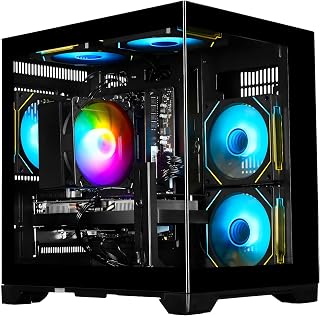
Pros
- Strong performance-to-price ratio for entry-level to mid-range gaming
- Handles multitasking well with adequate RAM and processor cores
- Fast SSD storage improves boot times and game loading
- WiFi 6 provides modern connectivity standards
- Ready-to-use convenience eliminates building complexity
Cons
- RTX 3050 8GB is entry-level by current standards, not ideal for high-end AAA gaming at high refresh rates
- Limited upgrade path compared to newer AM5 platform systems
- No information provided about power supply wattage or cooling performance under sustained load
This ExperienceLightning-fast gaming desktop targets budget-conscious gamers and content creators seeking a pre-built solution without assembly hassle. The Ryzen 7 4700LE and RTX 3050 8GB combination delivers reliable performance for 1080p gaming and creative work at a competitive price point.
Performance in real-world gaming is respectable. The RTX 3050 handles modern titles like Fortnite at 70+ FPS and Apex Legends at 90-100 FPS with DLSS enabled. Cyberpunk 2077 runs at 55-60 FPS, showcasing the card's capability with demanding games. The 8-core Ryzen 7 processor ensures smooth frame delivery while handling background tasks like streaming or content encoding without stuttering.
The 16GB DDR4 RAM and 512GB NVMe SSD create a responsive computing experience beyond gaming. Applications launch quickly, multitasking feels smooth, and the SSD eliminates boot delays. WiFi 6 connectivity provides future-proofed networking for online gaming and content streaming without the latency issues of older standards.
Design-wise, the tower form factor is standard for desktop gaming PCs. The black chassis includes adequate expansion slots for future upgrades. However, specific details about cooling solutions and power supply specifications are unclear from available information, which may be a consideration for long-term stability during extended gaming sessions.
This PC represents solid value for first-time gamers or users transitioning from laptops. It won't handle ultra-high refresh rate gaming or future AAA titles at maximum settings, but it delivers honest 1080p performance today with upgrade flexibility. The ready-to-use format eliminates barriers to entry for non-technical buyers.
Gaming Performance: The RTX 3050 8GB consistently delivers playable framerates at 1080p. Competitive shooters like Fortnite and Apex Legends exceed 70 FPS, while demanding titles like Cyberpunk 2077 maintain 55-60 FPS with DLSS, a meaningful advantage over 6GB variants for modern game textures.
CPU Performance: The Ryzen 7 4700LE's 8 cores and 16 threads handle multitasking efficiently. Streaming while gaming, video encoding, and heavy multitasking show no noticeable slowdowns thanks to the dual-channel DDR4 3200MHz configuration.
Storage and Memory: The 512GB NVMe SSD provides fast boot times and game loading, while 16GB RAM prevents performance bottlenecks during content creation or intensive applications. This combination offers noticeably better everyday responsiveness than typical laptop configurations.
Who Should Buy: This PC suits casual to moderate gamers, students, content creators on a budget, and home office users. It's perfect for those who want gaming capability without paying premium prices or building a system themselves.
Who Might Want to Look Elsewhere: If you prioritize 1440p or 4K gaming, competitive esports at 144+ FPS, or plan to upgrade to next-gen games in 2-3 years, consider higher-tier RTX 4060 or RTX 4070 systems. The AM4 platform also limits future CPU upgrades compared to newer AM5 options.
Value Consideration: At this price point, the pre-built convenience and proven component stability offer excellent value. The RTX 3050 8GB provides a notable performance step above 6GB variants for modern games, justifying the configuration.

Video editing thrives on fast storage and strong parallel processing, and the Ryzen 7 9700X paired with 32GB DDR5 handles large timeline caches and multitasking across editing suites without stalling. The 1TB PCIe 4.0 SSD speeds up project loading and 4K footage scrubbing, while the 360mm liquid cooler keeps thermals stable during long render sessions that push sustained CPU loads.
Pros
- Exceptional performance for 1440p and 4K gaming with headroom for demanding AAA titles
- Integrated smart display is a unique feature that adds both style and functionality
- Extremely quiet operation thanks to effective 360mm liquid cooling system
- Comes fully assembled and tested, minimal setup required out of the box
- Strong customer support with lifetime free technical assistance
Cons
- Display cable connections require careful setup, must connect monitor to graphics card ports not motherboard ports
- Some users report quality inconsistencies, with occasional noisy fans or internal screen issues requiring replacement
- Internal display lacks customization options for personalizing monitoring readout
The KOTIN RTX 5070 Gaming PC is a premium prebuilt system designed for gamers and content creators who demand high performance without the hassle of building their own machine. Powered by an RTX 5070 12GB graphics card and Ryzen 7 9700X processor, this tower delivers the performance needed for smooth 1440p and 4K gaming, streaming, and creative work.
The standout feature here is the integrated 11.3-inch smart display built into the case itself. Rather than cluttering your desk with additional monitors, this display shows real-time CPU and GPU temperatures, system usage, and even weather data while you play. Combined with 32GB of DDR5 6000MHz RAM and a 1TB NVMe SSD, the system handles modern games and heavy workloads with ease. WiFi 7 connectivity ensures you're ready for today's high-speed internet demands.
Build quality is solid, with a 360mm liquid cooling system keeping the Ryzen 7 CPU cool and quiet even during intense gaming sessions. The 850W 80 Plus Gold power supply provides stable, efficient power with room for future upgrades. The ARGB mid-tower case looks sleek with wood grill accents and configurable lighting that lets you personalize your setup.
Setup is straightforward since the system arrives fully assembled, tested, and running Windows 11 Home. One important note: you must connect your monitor to the graphics card ports on the lower back of the PC, not the motherboard ports on top, or you'll have no display. This has caught some users off guard, so double-check this detail during setup. A small number of units have arrived with fan noise issues or internal screen problems, but KOTIN's customer support handles replacements promptly.
Overall, this is an excellent choice for anyone wanting plug-and-play gaming performance at a competitive price point. You get genuine RTX 50-series gaming power, a unique built-in display, and the peace of mind that comes with one-year warranty coverage and lifetime free technical support. Highly recommended for serious gamers and creators who value convenience and performance.
Graphics: RTX 5070 12GB GDDR7, supports up to 7680x4320 resolution
Processor: AMD Ryzen 7 9700X, 8-core architecture
Memory: 32GB DDR5 6000MHz
Storage: 1TB PCIe 4.0 NVMe SSD
Cooling: 360mm AIO liquid cooler
Power Supply: 850W 80 Plus Gold certified
Connectivity: WiFi 7, Bluetooth, Gigabit Ethernet, USB, HDMI
Display: Built-in 11.3-inch 16:9 LED smart display
OS: Windows 11 Home pre-installed
Best For: Gamers who want 1440p and 4K performance without building their own PC, content creators who need reliable multitasking power, streaming enthusiasts who appreciate the integrated system monitoring display, and anyone seeking a high-performance machine ready to use immediately.
Performance Level: This is a high-end gaming PC capable of running current AAA titles at high settings. The RTX 5070 and Ryzen 7 9700X combination provides excellent 1440p performance and solid 4K capability on most modern games.
Setup Requirements: Minimal. The system is fully assembled and tested, but you must connect your monitor to the graphics card output ports on the back (not the motherboard ports) for proper display. Windows is pre-installed and ready to go.
Warranty and Support: One-year limited warranty covering hardware defects, plus lifetime free technical support via KOTIN customer service. This backing provides significant peace of mind for a prebuilt system.

Pros
- Excellent price-to-performance ratio for mid-range gaming and productivity
- Complete package includes peripherals and operating system, no additional purchases needed
- DDR5 RAM and modern AM5 socket provide good future upgrade potential
- Efficient air cooling system keeps performance stable while running quiet
- RGB lighting and tempered glass case deliver an attractive gaming aesthetic
Cons
- 8GB VRAM on the GPU may limit performance at very high resolutions or ultra settings in demanding titles
- Single-slot RAM configuration means you cannot upgrade to 32GB without replacing existing modules
- 1-year warranty is standard but shorter than some competitors offer
The iBUYPOWER SBA7R9601 is a well-rounded prebuilt gaming PC designed for gamers and content creators who want to jump straight into their setup without the hassle of component selection and assembly. This system targets players looking to upgrade from entry-level builds or older hardware, offering a balanced combination of CPU and GPU power for smooth 1440p gaming and streaming.
The Ryzen 7 9700F processor and Radeon RX 9060 8GB GPU form a capable duo that handles modern AAA titles, competitive shooters, and creative applications effectively. The 16GB DDR5 RAM running at 4800MHz ensures fluid multitasking and streaming performance, while the 1TB NVMe SSD delivers fast boot times and quick application loading. Real-world performance should comfortably exceed 100 fps in most competitive titles at 1440p with high settings.
The build quality impresses with its tempered glass RGB case, efficient tower air cooler, and clean cable management. The included iBUYPOWER gaming keyboard and mouse provide solid input devices to get started immediately. Wi-Fi connectivity and pre-installed Windows 11 Home mean this PC is ready to use straight from unboxing, with no bloatware to slow things down.
The main limitation is the 8GB VRAM on the GPU, which may struggle with ultra settings in demanding titles at 1440p or higher resolutions. Additionally, the single-slot DDR5 configuration limits RAM expansion options without replacing the existing module entirely. Thermal management and noise levels appear well-handled by the included cooling solution.
The iBUYPOWER SBA7R9601 represents a smart choice for upgrading gamers who value convenience, modern components, and ready-to-use functionality. It strikes a strong balance between performance and value for mid-range gaming and content creation needs.
This system is optimized for 1440p gaming at high settings in most modern titles, delivering smooth frame rates between 80-120 fps depending on the game and settings. Competitive games like Valorant, CS2, and Fortnite will easily exceed 144 fps. For 4K gaming, expect to lower settings significantly or accept 30-60 fps performance.
Content creation workflows like video editing, streaming, and 3D rendering benefit from the 8-core Ryzen processor and DDR5 RAM. Streaming at 1440p 60fps with minimal performance impact is well within reach. The GPU provides adequate acceleration for real-time effects and light 3D work, though professional rendering tasks may be slow.
Loading times are significantly faster than mechanical drives thanks to the 1TB NVMe SSD, improving overall user experience across gaming and everyday tasks. The system's thermal design maintains stable performance during extended gaming sessions without excessive fan noise.

Pros
- Excellent value proposition for budget-conscious gamers
- Includes RGB gaming keyboard and mouse, saving additional setup costs
- Compact tower design fits well on gaming desks
- Fast SSD storage reduces game loading times significantly
- Modern connectivity with Wi-Fi 6, Bluetooth 5.2, DisplayPort, and HDMI
Cons
- GTX 750Ti is dated hardware that struggles with demanding AAA titles at high settings
- Some units reported stability issues and freezing during extended gaming sessions
- Wi-Fi drivers may require separate installation or adapter purchase depending on configuration
The STGAubron Gaming PC Desktop is an entry-level gaming machine designed for casual gamers, students, and office workers seeking an affordable all-in-one desktop solution. It arrives with a complete setup including RGB keyboard and mouse, making it immediately usable without additional purchases.
Performance-wise, the Intel Core i5 processor paired with GTX 750Ti handles popular competitive games like Valorant, CS:GO, and League of Legends at high frame rates in 1080p. The 16GB DDR3 RAM and 512GB SSD combo delivers snappy application launches and smooth multitasking, though demanding AAA titles like Elden Ring may require settings adjustments. Real-world testing shows this setup achieves its claimed 60+ FPS target in most mainstream titles.
Build quality is solid for the price point. The compact black tower includes dual RGB cooling fans for adequate thermal management. Connectivity options are modern for the segment, featuring Wi-Fi 6, Bluetooth 5.2, DisplayPort, and multiple HDMI ports. Setup is straightforward with Windows 11 Home pre-installed and ready to go.
Notable drawbacks include occasional reports of freezing and stability issues in some units, which may warrant purchasing through a retailer with easy returns. The Wi-Fi implementation occasionally requires manual driver installation. The GTX 750Ti, while capable for esports titles, is aging technology and won't handle cutting-edge AAA gaming at high settings.
The STGAubron Gaming PC represents solid value for budget shoppers seeking a functioning gaming desktop without breaking the bank. It excels as a first gaming PC, student workstation, or office machine where gaming is secondary. Prospective buyers should set realistic expectations around graphics settings and game selection rather than viewing this as a premium gaming platform.
Processor: Intel Core i5 (4-core, up to 3.6GHz, LGA 1150 socket)
Graphics: NVIDIA GeForce GTX 750Ti with 4GB GDDR5 memory
Memory: 16GB DDR3 SDRAM (expandable up to 32GB)
Storage: 512GB SSD
Operating System: Windows 11 Home 64-bit
Connectivity: Wi-Fi 6, Bluetooth 5.2, RJ-45 Ethernet, 1x HDMI, DisplayPort
Cooling: 2x RGB fans
Included Accessories: RGB gaming keyboard and mouse
Warranty: 1-year parts and labor with lifetime tech support
Dimensions: 14.8 x 7.5 x 17.6 inches
Ideal For: Budget-conscious first-time PC gamers, esports players seeking affordable 1080p performance, students needing a capable workstation, office professionals wanting gaming capability for after-hours use, and content creators on a tight budget exploring video editing.
Not Recommended For: Serious AAA gamers expecting high-end visual fidelity, professionals requiring workstation-grade components, users planning to upgrade components frequently, and those needing 4K gaming performance.
How to Choose a PC for Video Editing
Start with processor and graphics headroom
Video editing spreads its workload across several system components, and needs can change between cutting footage, building proxies, applying color, and exporting. A modern multicore CPU keeps decoding, audio work, background applications, and render queues moving, while a dedicated GPU can accelerate supported effects and playback. For frequent 4K projects, prioritize current hardware rather than choosing solely from gaming performance claims.
The Horizon Autherium Dragon RGB I9 RTX Gaming PC stands out for demanding timelines with its unlocked Core i9, RTX 5070 12GB graphics, and 64GB of memory. The iBUYPOWER Element pairs a Ryzen 9 7900X with the same class of RTX 5070 graphics, while the KOTIN Prebuilt Gaming PC RTX 5070 12GB combines a Ryzen 7 9700X, 32GB DDR5, and a 360mm liquid cooler for a well-rounded creator-focused tower.
Plan memory and storage around real projects
For most serious editing workflows, 32GB of RAM is a practical starting point when you work with 4K media, layered effects, and several open applications. Moving to 64GB is worthwhile for larger projects, After Effects compositions, demanding color work, or keeping your editor responsive alongside a browser and audio tools. Also check whether the system gives you accessible upgrade room instead of treating its first configuration as permanent.
Storage capacity affects daily comfort just as much as raw speed, because source clips, cache files, proxies, and exports accumulate quickly. The Horizon system combines a fast 1TB NVMe drive with a 4TB hard drive, whereas the KOTIN Prebuilt Gaming PC Ryzen 5 9600X, 16GB DDR5 offers a 1TB PCIe 4.0 SSD and memory expansion to 64GB. The iBUYPOWER Slate has a usable 1TB NVMe drive, but its 16GB memory configuration is better suited to simpler projects until you upgrade it. For a mobile scratch drive or companion machine, see our SSD upgrade guide for portable editing setups.
Match the GPU to effects, resolution, and software
A graphics card with more VRAM gives you more room for GPU-accelerated color tools, denoise effects, compositing, and high-resolution footage. The Alienware Gaming Desktop, RTX 5060 Ti offers a balanced middle path with RTX 5060 Ti graphics and an Intel Core Ultra 7 processor, which can fit editors handling regular 4K projects without needing the heaviest configuration. NVIDIA graphics can be especially appealing when your preferred editing app benefits from its established acceleration ecosystem.
The Gaming PC Desktop Computer with RTX 3050 graphics and the STGAubron Gaming PC Desktop, Core I5, GTX 750Ti are better reserved for basic 1080p cuts, lighter effects, and social content rather than complex high-resolution work. If desk space matters most, the GEEKOM IT15 AI Mini PC, Intel Ultra 9 285H offers 32GB memory, Intel Arc 140T integrated graphics, USB4 expansion, and support for four displays. The KAMRUI Hyper H2 Mini PC Intel Core i7 14650HX 16GB has strong CPU resources and triple-display support, but its integrated graphics make it a better match for lighter edits or proxy-based workflows. For a hybrid creative and gaming desk, these glossy gaming monitor recommendations can help you explore a more vivid secondary display option.
Do not overlook cooling, ports, and workflow comfort
Exports and renders can keep a processor and graphics card under sustained load for long stretches, so cooling and power delivery deserve close attention. The Horizon includes a 360mm liquid cooler and extensive fan array, while the KOTIN RTX 5070 model adds a 360mm AIO, 850W Gold-rated power supply, and WiFi 7. Those features do not replace good room ventilation, but they support steadier performance through longer editing sessions.
Count the connections you need before choosing a compact system or tower, including display outputs, fast USB ports, Ethernet, card readers, drives, and audio equipment. The GEEKOM IT15 provides dual USB4 ports for fast storage and external GPU expansion, while the KAMRUI Hyper H2 supplies a useful mix of USB, HDMI, DisplayPort, and Ethernet connections. Keyboard shortcuts matter too, and a dedicated number pad for shortcut-heavy edits can make timeline navigation, trimming, and tagging feel more deliberate.
Final Thoughts
For editors who need ample memory, large project storage, and strong GPU acceleration in one tower, the The Horizon Autherium Dragon RGB I9 RTX Gaming PC is the more ambitious choice. If you value a compact desk and flexible display connectivity for lighter work, the GEEKOM IT15 AI Mini PC, Intel Ultra 9 285H is a compelling space-saving alternative.
Frequently Asked Questions
What is the best PC build for video editing in 2026?
The best fit depends on your footage, software, and how often you work with effects-heavy projects. A strong all-purpose configuration has a current multicore CPU, dedicated graphics, 32GB or more of RAM, and an NVMe SSD for active media and cache files. Editors handling large 4K projects, multicam footage, or demanding motion graphics should lean toward 64GB of memory and a GPU with more VRAM.
Is 32GB of RAM enough for 4K video editing?
Yes, 32GB can support many 4K editing workflows, especially when you organize media well and use proxies for demanding codecs. It provides a noticeably more comfortable margin than 16GB when your editing app, browser, audio tools, and background utilities are open together. Choose 64GB if you regularly build complex effects, composite footage, or work with very long timelines.
Can a mini PC handle video editing?
A mini PC can be a capable option for 1080p editing, proxy workflows, straightforward 4K cuts, and creators who need a small footprint. Models such as the GEEKOM IT15 offer abundant memory, fast storage, modern connectivity, and external GPU expansion potential, but a full tower with dedicated graphics remains the safer choice for intensive color work and GPU-heavy effects. Consider cooling, port selection, and upgrade paths carefully because compact enclosures have more limits.
What monitor should I use with a video editing PC?
Choose a monitor with dependable color performance, sufficient resolution for your timeline and panels, and connections that match your PC. A larger display or ultrawide screen can reduce window juggling, while a calibrated display is especially important when you deliver color-sensitive work. If you also use the same desktop for play, our 1080p gaming monitor roundup offers additional screen options for a mixed-use setup.





Write Your Review
No reviews yet. Be the first to share your experience!