

NVMe vs SATA SSD: Which Upgrade Fits Your PC in 2026?
NVMe vs SATA SSD choices come down to your computer's slot, workload, and capacity needs. Compare the drives and enclosure options that can make your upgrade easier.
We compare products using manufacturer specifications and verified buyer reviews, not hands-on use. When you buy through our links, we may earn a commission. As an Amazon Associate we earn from qualifying purchases. Learn more ›
SSD NVMe va o cung
NVMe vs SATA SSD choices come down to your computer's slot, workload, and capacity needs. Compare the drives and enclosure options that can make your upgrade easier.

Choosing an internal or external SSD changes how quickly you work, game, move files, and back up data. Compare 10 practical options for desktop upgrades, consoles, creative projects, and travel.
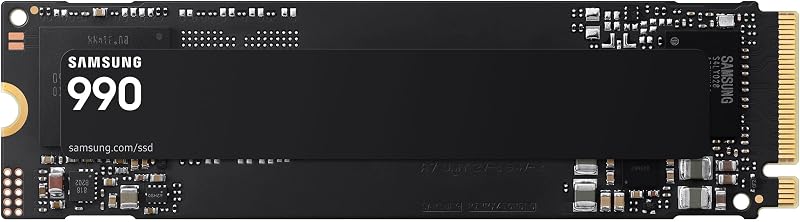
Choosing between an SSD and HDD changes more than boot time, it shapes how quickly your games load and how you manage a growing library. This guide compares internal, portable, SATA, and NVMe options for PC and console players.

Not every NVMe SSD needs extra cooling, but sustained workloads can make a heatsink worthwhile. Learn how to match an M.2 cooler to your drive, motherboard, PS5, and everyday workload.
QLC and TLC SSDs can reach similar peak speeds, but their behavior during long writes and their endurance differ. Use this guide to select the right NAND type for games, work files, and everyday storage.
Choose gaming PC storage based on your installed library, update habits, and creative files. Compare practical 1TB, 2TB, and higher-capacity SSD strategies for 2026.

Gen4 and Gen5 NVMe drives can both transform a slow PC, but their platform needs and real-world benefits differ. This guide compares speed, cooling, capacity, and compatibility to help you choose confidently.

One terabyte can be a comfortable gaming starting point, but library size, platform, and drive speed decide how long it lasts. Compare SSD, external-drive, and upgrade options to choose storage that fits how you play.
Game development involves constant asset imports, engine builds, and source backups. These SSDs help you choose fast internal storage or a portable workflow drive for 2026.

A reliable hard drive dock makes it easy to access bare SATA drives, clone data, and manage backups without installing an enclosure. Compare single-bay, dual-bay, multi-bay, USB-C, and NVMe-ready options for your workflow.