

You launch a new game, wait through splash screens, and wonder whether a storage upgrade would make a real difference. In the ssd vs hdd for gaming debate, an SSD is usually the better home for the games you play often, while an HDD still has a role for large archives and less-used files.
This guide breaks down the practical differences for desktop, laptop, handheld, and console players. If you want to turn an unused internal drive into portable storage later, our guide to M.2 to USB adapters can help you choose the right enclosure route.
Quick answer
This guide compares 10 picks, with Samsung 990 1TB NVMe SSD, PCIe 4.0, 7,150 MB/s Read ranked first. Kingston A400 960GB SATA SSD: 10x Faster Than HDD holds the highest customer rating among them.
Pros
- Exceptional real-world speed confirmed by multiple reviewers achieving 5,800+ MB/s in practical tests
- Runs significantly cooler than competing drives, reducing thermal throttling during intensive workloads
- Quick and straightforward installation in any standard M.2 NVMe slot
- Samsung's reputation for reliability backed by comprehensive firmware updates and monitoring tools
- Excellent value proposition for the performance tier and brand heritage
Cons
- Uses QLC NAND with no DRAM cache, which may show performance variability during sustained heavy writes compared to enterprise SSDs
- Premium pricing compared to some competing PCIe 4.0 drives, though performance justifies the cost for most users
- Performance can throttle during extremely large file operations (50GB+), as noted in extended transfer tests
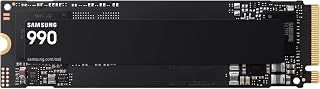
The Samsung 990 is a high-performance NVMe SSD designed for gamers, content creators, and professionals who demand speed without sacrificing power efficiency. With 1TB of storage, it eliminates the frustration of constantly managing capacity while delivering PCIe 4.0 speeds that significantly outpace SATA alternatives.
The drive's standout feature is its speed combined with thermal efficiency. Real-world testing confirms sequential read speeds of 5,800+ MB/s and write speeds of 6,500+ MB/s, with reviewers particularly noting how the 990 runs cooler than competing drives like Sabrent. The 38% power efficiency improvement over the 990 PRO makes it ideal for laptop users who need performance without excessive heat generation or battery drain.
Build quality reflects Samsung's engineering standards. Installation is straightforward in any M.2 NVMe slot, and the drive includes hardware encryption plus TRIM support for long-term reliability. Samsung's suite of management tools keeps firmware current and provides continuous drive health monitoring, giving users confidence in their investment.
The primary consideration is that this drive uses QLC NAND without DRAM cache, which means performance can vary during sustained, extremely large file transfers (50GB or more). For typical gaming, productivity, and creative work, this is not a practical limitation. For enterprise-grade sustained operations, a professional-tier drive may be preferable.
The Samsung 990 delivers exceptional value for its class. It balances top-tier speed, efficiency, and reliability at a competitive price point. Whether you're upgrading a gaming PC, building a creative workstation, or simply need faster storage, this drive is a smart, proven choice.
Storage Capacity: 1TB
Interface: NVMe, PCIe 4.0 x4
Form Factor: M.2 2280
Read Speed: Up to 7,150 MB/s
Write Speed: Up to 6,450 MB/s
Random Read IOPS: Up to 700K
Random Write IOPS: Up to 1,100K
Encryption: Hardware-based encryption
Compatible With: Desktop and laptop systems with PCIe 4.0 M.2 slots
Warranty: 3-year limited warranty
Model Number: MZ-V9V1T0B/AM

Kingston A400 960GB SATA SSD: 10x Faster Than HDD
Not every gaming rig needs bleeding-edge NVMe speed, and this SATA3 drive is positioned exactly as an HDD replacement for people whose bottleneck is a mechanical drive's seek time, not bandwidth. At 960GB it holds a solid rotation of titles, and moving off platters alone cuts load screens dramatically compared to any spinning disk.
Pros
- Roughly 10x faster than a traditional HDD
- 960GB fits a large game library plus OS
- No moving parts for better shock resistance
- Fits almost any desktop or laptop from the last decade
Cons
- SATA interface caps well below NVMe speeds
- Not positioned for server or enterprise workloads
If your gaming rig is still running on a mechanical hard drive, this is the baseline upgrade the article is built around. The A400 trades spinning platters for flash memory, cutting load screens and boot times dramatically simply because it has no moving parts to wait on. At 960GB, there's enough room for a full game library alongside your OS, which matters more for frame-time consistency and level loading than raw benchmark numbers. It won't touch NVMe speeds, but for anyone asking whether swapping SSD for HDD improves gaming, this answers that question directly without overspending on interface headroom you may not use. The 2.5 inch form factor slots into almost any desktop or laptop built in the last decade, so compatibility isn't a concern. Think of this as the entry point proof of concept for the SSD vs HDD argument: dramatic real world gains, modest cost, no gimmicks.
Storage Capacity: 960GB
Interface: SATA 3.0 (SATA III)
Form Factor: 2.5 inches
Read Speed: 500MB/s
Write Speed: 450MB/s
Cache Memory: 960GB
Dimensions: 3.94L x 2.75W x 0.28 inches
Weight: 1.44 ounces
Compatibility: PC and laptop computers
Warranty: Limited 3-year
Model Number: SA400S37/960G
Manufacturer: Kingston Digital, Inc.
Buy this if you're moving a gaming PC or laptop off a mechanical drive for the first time and want the clearest before and after improvement. Skip it if your motherboard supports NVMe and you want maximum throughput, or if you're building a workstation for professional, bandwidth heavy workloads where SATA's ceiling becomes a bottleneck.

For a budget-conscious SATA upgrade, sequential read speeds up to 560MB/s still crush any HDD's load times, which is where most of the perceived gaming improvement actually comes from. MLC V-NAND tech supports steady performance under repeated writes, and 1TB gives enough space for several AAA installs without constant uninstalling.
Pros
- Maxes out SATA III at up to 560MB/s read, 530MB/s write
- Large buffer keeps performance steady during heavy writes
- 1TB capacity for a sizable game library
- Samsung manufactures NAND and firmware in house
Cons
- SATA ceiling means no path to NVMe level speeds
- Overkill if your system can't use the extra consistency
For gamers upgrading from a hard drive but still on a SATA only motherboard, this is the version of 'SSD vs HDD' that pushes the interface to its actual limit. The 870 EVO hits up to 560MB/s read and 530MB/s write, essentially maxing out what SATA III can deliver, so you're not leaving performance on the table the way a budget drive might. The larger buffer and V-NAND design keep speeds consistent even when you're installing several games back to back or moving large files, which is exactly where cheaper SSDs start to stutter. At 1TB, it's sized for a real library rather than a single game plus OS. If the question in this article is how much an SSD actually changes gaming performance over a mechanical drive, this is the SATA ceiling: dramatically faster than HDD, reliably built, and backed by Samsung's in house manufacturing of both NAND and controller firmware.
Storage Capacity: 1TB
Form Factor: 2.5-inch
Interface: SATA III 6Gb/s
Read Speed: Up to 560 MB/s
Write Speed: Up to 530 MB/s
Cache Memory: 1GB
NAND Technology: MLC V-NAND
Endurance: 600 TBW
Warranty: 5-year limited (3-year standard coverage)
Encryption: AES 256-bit, TCG/Opal support
Compatibility: PC, Mac, Laptop
Weight: 3.04 ounces
Dimensions: 3.94" L x 2.76" W x 0.27" Th
Model Number: MZ-77E1T0B/AM
Buy this if you're on a SATA only system and want the fastest, most consistent drive that interface allows, especially for multitasking between game installs and large file transfers. Skip it if your PC supports NVMe, since that interface offers 2 to 3 times the sequential speed for a similar role in the SSD vs HDD comparison.
Pros
- Excellent sequential read and write speeds of 535MB/s and 515MB/s keep your system responsive
- Truly affordable entry point to SSD technology for budget builds and upgrades
- Backward compatible with older SATA II systems for maximum compatibility
- Included data recovery service adds valuable protection without extra cost
- Compact 2.5-inch form factor fits any standard laptop or desktop bay
Cons
- SATA interface tops out at speeds well below modern NVMe drives if you need maximum performance
- Limited endurance rating compared to premium SSDs, better suited for everyday use than heavy workloads
- No RGB lighting or gaming-focused features for enthusiasts seeking visual flair
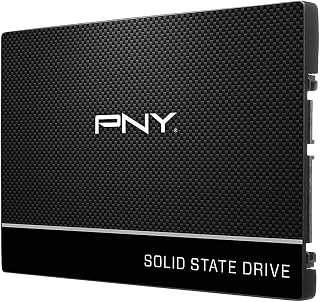
The PNY CS900 is a practical 1TB solid-state drive designed for users looking to breathe new life into aging laptops or desktops. It's the ideal choice for budget-conscious upgraders who want reliable everyday performance without paying for premium features they won't use.
Performance is the standout here, with sequential read speeds reaching 535MB/s and write speeds at 515MB/s. In real-world use, you'll notice dramatically faster boot times, quicker application launches, and snappier file transfers compared to traditional mechanical drives. These speeds are plenty for everyday computing, streaming, and light gaming, though they won't match the cutting-edge performance of NVMe drives.
Build quality is solid for the price point. The 2.5-inch form factor fits standard laptop and desktop bays without fuss, and the drive runs cool and silent with no moving parts to wear out. The included data recovery service is a nice bonus that adds real peace of mind for protecting your files.
The main tradeoff is speed versus affordability. If you need top-tier performance for content creation or competitive gaming, an NVMe drive would be better. For everyone else, the CS900 offers an excellent balance of reliability, speed, and value that makes the upgrade from a mechanical drive feel genuinely transformative.
Bottom line: The PNY CS900 is a smart, dependable SSD that delivers exactly what it promises. It's perfect for budget upgrades and everyday computing where reliability matters more than pushing performance limits.
Storage Capacity: 1TB
Interface: SATA III (6Gb/s)
Form Factor: 2.5 inches
Sequential Read Speed: Up to 535MB/s
Sequential Write Speed: Up to 515MB/s
Power Consumption: Ultra-low
Backward Compatibility: SATA II compatible
Color: Black
Special Features: Data Recovery Service included
Best For: This drive is perfect if you're upgrading an older laptop or desktop, building a budget gaming PC, or looking for a reliable secondary storage drive. It's also ideal for users who want noticeable speed improvements without spending premium prices.
Consider If: You need maximum speed for video editing, 3D rendering, or other demanding workflows. In those cases, look at NVMe M.2 drives for substantially faster performance.
Installation: The 2.5-inch SATA form factor means universal compatibility. Installation is straightforward in any standard laptop or desktop with a SATA bay. The drive consumes minimal power, making it excellent for extending battery life on laptops.
Warranty & Support: The included data recovery service is valuable insurance for your files. Keep your purchase documentation for warranty claims and recovery service access.

Pros
- Fast enough for everyday computing, gaming, and media editing tasks
- Affordable entry into SSD storage without sacrificing reliability
- Low noise and power draw compared to traditional hard drives
- Comes with migration software, simplifying the upgrade process
- 3-year warranty provides peace of mind
Cons
- SATA interface is slower than newer NVMe drives, limiting performance ceiling
- No review data available to verify real-world user experiences
- 2.5-inch form factor requires proper installation bracket in some modern cases
The ADATA Ultimate SU650 is a 1TB internal SSD built for anyone upgrading from a mechanical hard drive or expanding storage on a desktop PC. It's well-suited for everyday users, casual gamers, content creators on a budget, and anyone prioritizing speed and reliability over maximum performance.
The standout feature is its 520MB/s read speed and 3D NAND flash architecture, which delivers noticeably faster boot times, quicker application launches, and snappier file transfers compared to traditional hard drives. The LDPC error correction technology ensures data integrity, while low power consumption keeps your system running cool and efficient. The included migration software makes the transition from an old drive seamless.
Build quality is solid with a lightweight 30-gram aluminum enclosure that's waterproof, adding an extra layer of protection. The SATA 6.0 Gb/s interface is standard and compatible with virtually any modern desktop or laptop, making installation straightforward for most users. At 2.5 inches, it fits standard drive bays without issues.
The main limitation is that SATA technology maxes out around 550MB/s, so if you need extreme speed for video editing or large file handling, an NVMe drive would be a better choice. Additionally, this product has no verified reviews yet, so you're choosing based on ADATA's solid reputation rather than user feedback.
The ADATA Ultimate SU650 delivers reliable, noticeable performance improvements at a fair price. It's an excellent choice for upgrading an aging system or adding fast secondary storage without breaking the budget.
Storage Capacity: 1TB (1024GB)
Interface: SATA 6.0 Gb/s
Form Factor: 2.5-inch
Read Speed: 520MB/s
Write Speed: 450MB/s
Flash Technology: 3D NAND
Weight: 30 grams
Warranty: 3 years
Special Features: Waterproof, LDPC error correction, low power consumption, vibration resistant
Model: ASU650SS-1TT-R
Is this SSD right for you? Choose the ADATA Ultimate SU650 if you want a budget-friendly upgrade from a mechanical hard drive, need reliable storage for gaming or general computing, or want to add extra capacity to your system. It's a solid mid-range option that balances cost and performance.
Not the right fit if: You're editing 4K video, running intensive server workloads, or need maximum transfer speeds. In those cases, consider NVMe SSDs which offer faster read/write speeds.
Installation tip: Ensure your desktop or laptop has a 2.5-inch drive bay and SATA power/data connectors available. Use the included migration software to transfer your files from your old drive.

Switching from spinning platters to NVMe is the single biggest latency fix for texture pop-in, and the Gen4 interface here pushes up to 7,100MB/s to back that up. Listed support for gaming consoles and handhelds alongside desktop and laptop makes it a flexible pick if your gaming setup spans more than one device, and included recovery software covers you if something goes wrong.
Pros
- 7,100 MB/s reads deliver real HDD-to-SSD gains
- Official handheld support including Steam Deck
- Backward compatible with PCIe Gen3 systems
- Includes Acronis cloning software for migration
Cons
- 1TB capacity may be tight for large libraries
- No heatspreader included
For readers weighing SSD against HDD without wanting to pay flagship money, the Crucial P310 sits in the practical middle: PCIe Gen4 NVMe speed up to 7,100 MB/s that still delivers the load-time and boot-speed improvements this comparison is about. The jump from mechanical storage to this drive is roughly where most of the real-world gaming benefit lives, and it's backward compatible with PCIe Gen3 boards, so older systems still gain speed even without the newest hardware. What sets it apart for a broad gaming audience is handheld support, officially listed for the ROG Ally X, Lenovo Legion Go, AYANEO Kun, and Steam Deck, areas where HDDs were never an option anyway. The compact 2280 form factor installs in minutes across desktop and laptop builds. Included Acronis cloning software makes migrating off an old HDD simpler, which matters when the whole point is replacing one. The 1TB capacity is the one tradeoff, fine for a focused game library but tight if you're hoarding AAA titles alongside other files.
Capacity: 1TB
Form Factor: M.2 2280
Interface: PCIe Gen4 x4 NVMe
Read Speed: Up to 7,100MB/s
Write Speed: Up to 6,000MB/s
NAND Type: G8
Weight: 10g
Dimensions: 3.15 inch length, 0.86 inch width, 0.09 inch thickness
Compatibility: PCIe Gen4 and Gen3 systems (backward compatible), ROG Ally X, Lenovo Legion Go, AYANEO Kun, Steam Deck, desktops, and laptops
Warranty: 5-year limited warranty
Included Software: Acronis True Image, 1 month Adobe Creative Cloud All-Apps trial, Crucial Storage Executive
A strong fit for anyone upgrading a handheld, laptop, or desktop from HDD to SSD on a reasonable budget, especially Steam Deck, ROG Ally X, or Legion Go owners. The included cloning software helps if you're migrating an existing setup. Skip it if 1TB won't cover your library or workload, or if you specifically need the highest possible sequential speeds this comparison can show.

Loading screens and open-world streaming hitches are what push gamers from HDD to SSD, and this one answers with sequential reads up to 7,450 MB/s over a PCIe 4.0 x4 interface. With 2TB of room, you can keep a full modern library installed without rotating games off a slow drive, and the drop and water resistance ratings add peace of mind for a build that gets moved often.
Pros
- 7,450 MB/s reads show the HDD-to-SSD gap clearly
- 55% random performance gain reduces load screens
- Drop, water, and dust resistance HDDs lack
- 2TB capacity for a growing game library
Cons
- Needs PCIe 4.0 to hit full speed
- Overkill if PCIe 3.0 performance is sufficient
When the question is whether swapping an HDD for an SSD actually changes your gaming experience, the 990 PRO 2TB is the drive that proves it does, then pushes the answer further with PCIe 4.0 speed. Sequential reads up to 7,450 MB/s mean load screens that used to stall on mechanical storage practically disappear, and the 55% random performance gain over the previous generation shows up in snappier file transfers and boot times, not just synthetic benchmarks. For anyone upgrading specifically to feel a difference in gameplay, this is the gap between HDD and modern NVMe at its widest. The Intelligent Turbo Write tech and smart thermal control keep that speed consistent during long sessions instead of tapering off, which matters more once you've left spinning platters behind. Drop resistance and water/dust resistance add durability HDDs can't match either. The 2TB capacity also means you won't be shuffling games on and off a small drive. The catch is you need a PCIe 4.0 slot to see these numbers, otherwise you're paying for headroom you can't use yet.
Speed: Sequential Read 7,450 MB/s, Sequential Write 6,900 MB/s, significant random performance improvements over 980 PRO
Interface: PCIe 4.0 NVMe, M.2 2280 form factor, requires PCIe 4.0 slot on motherboard
Efficiency: 1,380 MB/Read per watt and 1,319 MB/Write per watt, representing 50% improvement in power efficiency over previous generation
Durability: 9.8-foot drop resistance, water and dust resistant, 5-year manufacturer warranty
Compatibility: Windows and MacOS systems, verified compatibility with PlayStation 5, works in any PCIe 4.0 compatible desktop or laptop
Buy this if you're moving off an HDD specifically to kill load screens and have a PCIe 4.0 desktop or laptop to back it up. It's the clearest demonstration of why SSDs beat HDDs for gaming. Skip it if your system only has PCIe 3.0, since you'll lose much of the speed advantage, or if you just need basic capacity without caring about chasing maximum throughput.

TRIM support and wear leveling matter for anyone replacing an aging HDD who wants the SSD to stay fast over years of game installs and deletions, not just on day one. The SATA III 6Gb/s interface delivers the latency improvement that actually shortens load screens, and 1TB is enough to escape constant storage juggling on a budget build.
Pros
- 560MB/s read speed noticeably faster than any mechanical HDD
- Fits desktops, laptops, and gaming consoles without adapters
- Silent operation with no moving parts to generate noise or vibration
- TRIM and wear leveling help sustain performance over time
Cons
- SATA interface caps speed well below NVMe drives
- 1TB capacity can fill quickly with large modern game installs
If you're gaming on an older desktop, laptop, or even a console and just want faster load screens without a full rebuild, this is the upgrade path that makes sense. SATA SSDs won't match NVMe for raw throughput, but the jump from a mechanical drive to 560MB/s read speeds is where gamers actually feel the difference: quicker level loads, faster alt-tabbing, and no stutter when background downloads or game installs are running. The 2.5-inch form factor slots into existing laptop and desktop bays without adapters, and it's listed as compatible with gaming consoles too, so it covers multiple pieces of a mixed gaming setup. Features like NCQ and TRIM support keep performance consistent over time rather than degrading as the drive fills up. For anyone deciding between SSD and HDD for gaming in 2026, this is a clear case for SSD: the architecture itself, not just this specific drive, is what eliminates the loading-screen lag and multitasking stutter that mechanical storage can't avoid.
Storage and Interface
Capacity: 1TB
Interface: SATA III 6Gb/s
Form Factor: 2.5-inch, 7mm slim
Weight: 1.28 ounces
Performance Metrics
Sequential Read Speed: 560MB/s
Sequential Write Speed: 520MB/s
Hardware: 3D NAND flash memory
Features and Compatibility
TRIM Support, Native Command Queuing, Bad Block Management, Wear Leveling
Compatible with: Laptops, Desktops, Gaming Consoles (PS4, PS5, Xbox One)
No brackets or adapters required
Warranty and Support
3-year limited warranty
Lifetime technical support
Model: KingSpec P3-FB
Buy this if you're upgrading an existing gaming desktop, laptop, or console and want the SSD speed boost without paying for NVMe you may not need. It suits anyone whose motherboard or console only supports SATA anyway. Skip it if you're building a new high-performance rig with NVMe slots available, or if your game library and video files exceed 1TB, since capacity fills up fast with modern titles.

If stutter during asset streaming is your main complaint about mechanical storage, the 7,350MB/s read spec on this PCIe Gen4x4 drive directly targets that bottleneck. It's explicitly built with PS5 expansion in mind, and the bundled heatsink matters for anyone worried about thermal throttling during long sessions where sustained transfer speed actually counts.
Pros
- 7,350 MB/s reads for a clear HDD-to-SSD jump
- PS5, desktop, and laptop compatibility
- Includes heatsink and installation hardware
- Backward compatible with older PCIe boards
Cons
- Write speed not disclosed
- No sustained-workload performance data
If the goal is understanding what an SSD upgrade does for gaming without overthinking the choice, the SIX X7400 makes the case plainly: PCIe 4.0x4 speed up to 7,350 MB/s versus the mechanical drive it's replacing. That jump is where load times and boot speed actually improve, and it's compatible with PS5 storage expansion, desktops, and laptops, so it covers most upgrade paths someone comparing SSD to HDD would consider. The included heatsink, screwdriver, and screws remove the guesswork for anyone doing their first storage swap, which fits readers who are convinced by the SSD argument but nervous about installation. Backward compatibility with older PCIe generations means it still works if your board isn't the newest, though you won't see full speed in that case. Where it comes up short against drives built for enthusiasts is in disclosed specs. Write speed isn't listed and there's no sustained-workload data, so while the read-speed story is strong, the full performance picture for heavier use isn't completely confirmed.
Storage and Interface: 1TB capacity, M.2 2280 form factor, PCIe Gen4x4 interface with up to 7350MB/s read speeds.
Compatibility: Desktop, laptop, and PS5 gaming console support. Backward compatible with PCIe Gen3 systems. Dimensions: 3.15 inches length, 0.87 inches width, 0.08 inches thickness. Weight: 0.02kg.
Included Accessories and Warranty: Heatsink, screwdriver kit, mounting screws, and quick-start guide included. Protected by 5-year limited warranty from SIX.
Good for first-time upgraders moving from HDD to NVMe who want a straightforward kit with hardware included, especially PS5 owners expanding storage. Also fits budget-focused PC gamers who care most about faster loading. Skip it if you need confirmed write speeds and sustained performance data for heavy editing workloads, or if your laptop chassis has tight clearance that the heatsink won't fit.
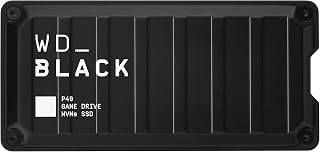
Console gamers running out of internal space benefit most from this drive's external, plug-and-play design over USB 3.2, with speeds up to 2,000MB/s that still beat any HDD by a wide margin for load times. Being built for Playstation and Xbox specifically means it's a drop-in library expansion rather than a project, with RGB lighting as a visual bonus.
Pros
- Works across PlayStation, Xbox, PC, and Mac
- Solid state design avoids external HDD slowdowns
- Shock resistant housing rated for 2 meter drops
- Includes both USB-C to USB-A and USB-C to USB-C cables
Cons
- External USB connection, not an internal boot drive option
- Real world read speeds fall well short of the advertised maximum
This one answers a slightly different version of the SSD vs HDD question: what happens when your console or laptop simply runs out of room. The P40 is an external SSD built specifically for gaming, with cross platform support for PlayStation, Xbox, PC, and Mac, so it works as expansion storage no matter what you're playing on. Compared to the external hard drives many consoles ship with, moving to solid state here means faster load screens and no risk of the mechanical slowdowns that come with portable HDDs. The 2.5 inch shock resistant housing is built for being tossed in a bag, and the dual cable setup covers USB-C and USB-A ports without extra purchases. RGB lighting is a nice touch for PC setups but doesn't affect performance. For anyone whose gaming library has outgrown internal storage, this swaps a slow external HDD for solid state speed in a format made for console use.
Storage and Performance: 1TB capacity, up to 2,000MB/s read speed (real-world: approx. 900MB/s), 1,950MB/s media speed, USB 3.2 Gen2x2 interface
Design and Durability: 2.5-inch form factor, compact portable design, shock-resistant structure rated for 2-meter drops, polycarbonate enclosure, weighs 2.72 ounces
Dimensions and Connectivity: 4.21 inches L x 2 inches W x 0.51 inches thick, USB Type-C connectivity, includes USB-C to USB-A and USB-C to USB-C cables
Compatibility: PlayStation 5, PS4 Pro, Xbox Series X/S, Xbox One, PC, Mac, and compatible with any device supporting USB 3.2
Features and Warranty: Customizable RGB lighting via WD_BLACK Dashboard (Windows only), 5-year limited warranty, includes quick start guide and protective carrying case
Buy this if you need portable, cross platform storage expansion for a console or laptop gaming library and want solid state reliability over an external hard drive. Skip it if you need internal boot drive performance, since this is an external, USB connected drive meant for expanding game storage rather than running your OS.
An SSD stores data on flash memory, while an HDD reads spinning disks with a mechanical arm. That basic design difference affects load times, system responsiveness, noise, shock resistance, and the way each drive fits into a gaming setup.
The products above lean toward SSD upgrades because they are designed for active game libraries. Your ideal pick depends on your available slot, the games you play, how much capacity you need, and whether the drive stays inside your system or travels with you.
Prioritize loading speed, not frame rate
Installing games on an SSD can shorten launch sequences, level transitions, fast-travel waits, and texture streaming delays. It also makes Windows, launchers, patches, and everyday file work feel more responsive than a conventional HDD.
Storage alone rarely raises your average frame rate. If your goal is smoother performance in demanding games, pair the drive upgrade with a balanced graphics setup, such as the hardware options in our GPU guide for Helldivers 2.
For the quickest internal game-drive experience, look for a PCIe Gen4 NVMe model. The Samsung Internal SSD 990 1TB, Crucial P310 1TB SSD, Samsung SSD 990 PRO 2TB, and SIX NVME M.2 SSD PCIe 4.0-1TB use the compact M.2 format and offer notably higher sequential speeds than SATA drives.
Match the drive connection to your hardware
A 2.5-inch SATA SSD uses the same broad connection style found in many older desktops and laptops. The Kingston 960GB A400 SATA3 2.5-inch Internal SSD, Samsung SSD 870 EVO SATA III 2.5-inch 1TB, PNY CS900 1TB 2.5-inch SATA III Internal SSD, ADATA Ultimate SU650, and KingSpec 1TB 2.5-inch SATA III Internal SSD are sensible upgrades when your device lacks an M.2 slot.
NVMe M.2 drives require an open M.2 socket and compatible PCIe support. A Gen4 drive can still operate in many Gen3 systems, but it will be limited by the system interface, so verify your motherboard or laptop documentation before buying.
For an external option, the Western Digital 1TB P40 Game Drive SSD connects over USB and combines portable storage with RGB lighting. It is useful when you move games or media between machines, though the host port determines the speeds you can actually reach.
Plan capacity around your real game library
Modern games can take substantial space once updates, add-ons, shader caches, screenshots, and recordings accumulate. A 1TB SSD is a strong starting point for an active rotation of games, while 2TB gives you more breathing room if you prefer keeping a broader library installed.
Consider a two-drive approach if your library is especially large: use an SSD for your current games and operating system, then use an HDD for archives, installers, captured footage, and games you do not open often. A reliable hard drive dock can also make old drives easier to access for backups or transfers.
The Samsung SSD 990 PRO 2TB is a compelling fit for a high-capacity internal library, while SATA models remain practical for reviving an older PC. Do not fill any SSD completely, because leaving free space helps with updates, file management, and sustained everyday use.
Choose for your platform and installation comfort
Desktop builders should check the motherboard manual for M.2 slot placement, PCIe generation, and whether a slot shares lanes with other hardware. For a game-focused PC build, storage is only one part of the equation, so compare it alongside the components in our GPU recommendations for Baldur’s Gate 3.
Laptop owners need to confirm whether there is an empty M.2 slot or whether the existing drive must be replaced. The Crucial P310 1TB SSD supports select handheld gaming devices as well, making it worth considering when you need a flexible M.2 upgrade.
Console owners should verify the manufacturer’s storage requirements before installation, especially the physical dimensions and cooling needs of an internal expansion drive. The SIX NVME M.2 SSD includes a heatsink and is positioned for compatible PS5 expansion, while the WD_BLACK P40 offers external storage flexibility for supported PlayStation and Xbox use cases.
Back up important saves and files before swapping drives, then use your platform’s migration or reinstall process carefully. Students and mobile users who want a machine that handles both work and storage upgrades can also compare the configurations in our laptop guide for cybersecurity students.
Final Thoughts
For most players, an SSD is the clear choice for the games you play now, while an HDD works well as secondary archive storage. Choose the Samsung SSD 990 PRO 2TB, PCIe 4.0 M.2 2280 for a spacious high-performance internal upgrade, or pick the Western Digital 1TB P40 Game Drive SSD when portable console and PC storage suits your setup better.
Frequently Asked Questions
Is an SSD better than an HDD for gaming?
Yes, an SSD is generally better for games you play regularly because it reduces loading waits and improves overall system responsiveness. An HDD can still be useful for storing older titles, large media files, backups, and games you are not actively playing.
Will an SSD increase FPS in games?
An SSD usually does not create a major increase in average FPS because that metric depends more on your GPU, CPU, RAM, game settings, and display resolution. It can improve loading, asset access, and general smoothness during data-heavy moments in some games.
Should I get a SATA SSD or NVMe SSD for gaming in 2026?
Choose NVMe if your PC, laptop, or compatible console has an available M.2 slot and you want the fastest storage option. Choose SATA when upgrading an older machine or filling a 2.5-inch bay, since it remains dramatically more responsive than an HDD for gaming.
Can I use an external SSD for console gaming?
Yes, but console rules vary by generation and game type. An external SSD such as the WD_BLACK P40 can be excellent for storing or playing supported titles, while certain current-generation games may need to run from approved internal expansion storage. If you need to move an internal drive between devices, see our M.2 to USB adapter recommendations for compatible portable-access options.





Write Your Review
No reviews yet. Be the first to share your experience!