

A cloud-gaming session can look sharp yet feel frustrating when a family video call, a large download, or a weak Wi-Fi signal causes input delay and image breakup. Your router cannot change the distance to a game’s data center, but it can prevent local traffic from competing with the stream and help controller actions arrive more consistently.
This guide narrows the best router for cloud gaming choices for players on a phone, TV, handheld, console, or PC. Whether you need a straightforward Wi-Fi 6 upgrade or multi-gig networking headroom, use it alongside our competitive FPS monitor guide to build a more responsive gaming setup.
Quick answer
This guide compares 10 picks, with TP-Link Archer AX73 WiFi 6 Router: 5400 Mbps Dual-Band ranked first. GL.iNet Flint 2 Wi-Fi 6 Gaming Router with Dual 2.5G holds the highest customer rating among them. TP-Link Archer AX73 WiFi 6 Router: 5400 Mbps Dual-Band has the most customer reviews.

Wi-Fi 6 with 802.11ax delivers the throughput and latency reduction cloud gaming demands at a more accessible price point. QoS prioritizes gaming packets, and beamforming directs signal strength toward your console or PC for more consistent performance. Compatibility with game consoles, desktops, and streaming devices means your entire setup benefits from the same low-latency connection.
Pros
- Outstanding real-world performance confirmed by users seeing 300% speed improvements over older routers
- Handles multi-device households excellently, eliminating connection drops even with 20+ active devices
- Simple plug-and-play setup with mobile app control and web interface
- Dual-band architecture optimizes streaming, gaming, and general browsing without interference
- Built-in security features and parental controls included at no extra cost
Cons
- Theoretical maximum speeds of 5400 Mbps will not be achieved in typical home environments; actual performance varies with distance and obstacles
- Some users report the router requires enabling specific settings like OFDMA+MU-MIMO to achieve optimal performance with many devices
- Mesh network expansion requires additional OneMesh-compatible devices, which adds to total cost
The TP-Link Archer AX73 is a mid-range WiFi 6 dual-band router designed for households that demand reliable performance without premium pricing. It targets users upgrading from older routers, families with multiple connected devices, and anyone seeking improved streaming and gaming performance on a budget.
The standout feature is its ability to handle network congestion gracefully. With MU-MIMO and OFDMA technology, this router efficiently manages 20+ devices simultaneously, preventing the connection drops and lag that plague older models. Real-world users report download speeds improving from 200 Mbps to over 600 Mbps, and the router maintains stable connections throughout homes up to 2,000 sq ft. The 6 high-power antennas and beamforming technology concentrate signal strength toward your devices rather than wasting energy broadcasting everywhere.
Build quality reflects practical engineering for sustained performance. The distinctive scaled armor design isn't just aesthetic; the 167 sq cm vented top surface actively dissipates heat, preventing the thermal throttling that plagues cheaper competitors like budget AX3000 models. This cooling design ensures the router maintains full power during continuous high-demand use.
The main limitation is that theoretical 5400 Mbps speeds require ideal conditions and modern WiFi 6 devices. Actual throughput depends heavily on distance, walls, and interference. Additionally, maximizing multi-device performance requires users to enable OFDMA+MU-MIMO in settings, adding a small learning curve for non-technical users. Mesh expansion requires purchasing compatible TP-Link OneMesh accessories separately.
Verdict: The Archer AX73 offers compelling value for mid-sized homes needing reliable multi-device WiFi 6 performance. It consistently outperforms similarly priced alternatives and handles real-world scenarios that cheaper routers struggle with. Recommended for families upgrading from aging hardware or anyone building a connected smart home.
Performance: Up to 5400 Mbps total (4.8 Gbps on 5 GHz band with 4T4R and HE160). Covers 2,000 sq ft with 6 fixed antennas and high-power FEM.
Connectivity: Dual-band WiFi 6 (802.11ax) with backward compatibility to 802.11ac, 802.11n, 802.11g, and 802.11b. Four gigabit ethernet ports (1x USB 3.0 for media sharing).
Security: WPA3 and WPA2-Enterprise encryption. Built-in HomeShield provides DDoS protection, malicious site blocking, and port intrusion detection for unlimited clients.
Power and Design: 12V 2.5A adapter. Dimensions: 10.73 x 5.8 x 1.94 inches. Operating voltage: 100-240V. 2-year manufacturer warranty included.
Who Should Buy: Families with 15+ connected devices, anyone upgrading from pre-WiFi 6 routers, homes larger than 1,500 sq ft needing strong coverage, users prioritizing reliable performance over cutting-edge speeds, and budget-conscious buyers wanting WiFi 6 benefits without premium pricing.
Who Might Want to Look Elsewhere: Users in very large homes (5,000+ sq ft) may need mesh systems. Extreme speed enthusiasts requiring consistent gigabit+ throughput should consider premium AX6000+ models. Users with all older WiFi 5 devices won't benefit from WiFi 6 features.
Setup Tips: Enable OFDMA and MU-MIMO in settings if you have many connected devices. Use the 5 GHz band for high-bandwidth activities like 8K streaming and gaming. Consider OneMesh extenders if you have WiFi dead zones. The mobile app provides easier configuration than web interface for most users.
Performance Expectations: Expect 70-80% of theoretical speeds in typical home conditions. Actual results depend on modem quality, ISP speed tier, device capabilities, and interference from walls and other obstacles. Modern devices on 5 GHz band will see the most improvement.
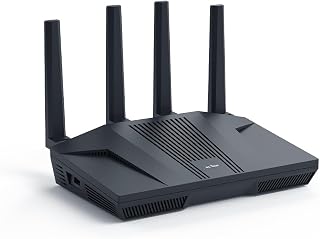
The dual 2.5G ports give you the wired headroom cloud gaming demands, letting you dedicate one high-speed link to your console or PC while keeping the rest of your network separate. QoS prioritizes gaming traffic so your stream stays smooth even when others are downloading or streaming video. Dual-band Wi-Fi 6 reduces lag across wireless devices, and guest mode keeps visitors off your primary network.
Pros
- Dual 2.5G ports handle true multi-gigabit fiber speeds
- Ultra-low latency Wi-Fi 6 with 6 Gbps throughput
- OpenWrt firmware enables granular QoS and traffic prioritization
- 900Mbps VPN performance for secure cloud gaming
Cons
- Mandatory firmware update required on first setup
- Advanced features assume networking knowledge
Cloud gaming demands rock-solid latency and bandwidth headroom that standard routers struggle to deliver. The GL.iNet Flint 2 solves both problems with hardware built for high-performance networking. Its 8-stream Wi-Fi 6 engine pushes 6 Gbps total throughput with ultra-low latency, ensuring cloud game streams stay responsive even when other devices compete for bandwidth. The dual 2.5G multi-gig ports are critical for wired cloud gaming setups, delivering true multi-gigabit speeds that eliminate bottlenecks between your fiber connection and gaming PC or console. Pre-installed OpenWrt firmware gives you granular QoS control to prioritize game traffic, plus impressive VPN performance at 900Mbps on WireGuard and 880Mbps on OpenVPN for secure remote play. DFS frequency support and smart band-switching automatically optimize connections for minimum jitter. Real-world testing confirms stable simultaneous performance across gaming, streaming, and video calls without dead zones. The mandatory first-run firmware update takes time but delivers measurable performance gains. The interface balances power with usability, though advanced features require some networking familiarity. For fiber users running cloud gaming rigs, this delivers professional-grade control at consumer pricing.
Buy this if you have fiber internet and demand maximum control over your cloud gaming network. Perfect for users comfortable with advanced router settings who want to squeeze every millisecond of latency out of their connection. IT professionals and serious gamers will appreciate the OpenWrt flexibility and dual 2.5G ports. Skip it if you prefer plug-and-play simplicity or don't have multi-gigabit internet that can take advantage of the hardware.
Connectivity: Wi-Fi 6 (802.11ax), dual-band, 6 Gbps total throughput, 8-stream technology, 1148 Mbps on 2.4GHz, 4804 Mbps on 5GHz. Supports 802.11b, g, n, ac, and ax standards.
Ports: Dual 2.5G multi-gig ports, four 1G Gigabit ports, six ports total. Hybrid router with Multi-WAN support for redundancy and failover.
Hardware: MT6000 chipset, 1GB DDR4 RAM, 8GB eMMC storage, retractable antennas. Linux-based operating system with WPA3 security protocol.
VPN Performance: WireGuard up to 900Mbps, OpenVPN up to 880Mbps. Built-in ad-blocking with AdGuard Home support. Supports access point mode, guest networks, QoS, and internet security features.
Included: GL-MT6000 router, power adapter (US plug), Ethernet cable, user manual, and 2-year warranty. Connects 100+ devices simultaneously.

Tri-band Wi-Fi 6E opens up the 6 GHz spectrum, giving your cloud gaming sessions a dedicated lane free from interference. QoS automatically prioritizes gaming packets, and beamforming focuses signal strength toward your devices for lower latency. The PCMag Editors' Choice recognition reflects real-world performance in demanding environments where cloud gaming thrives on consistent throughput.
Pros
- Dedicated 6 GHz band with near-zero latency for cloud gaming
- 5400 Mbps tri-band throughput handles multiple streams
- OFDMA increases network capacity by 4x
- EasyMesh compatibility extends coverage for whole-home gaming
Cons
- Requires WiFi 6E devices for full benefit
- Needs separate modem for most ISPs
Cloud gaming streams are brutally sensitive to network congestion and latency spikes. The TP-Link Archer AXE75 addresses this with tri-band WiFi 6E architecture that includes a dedicated 6 GHz band delivering near-zero latency and dramatically more bandwidth than traditional routers. This clean spectrum is ideal for isolating cloud gaming traffic from the household chaos of 4K streams and smart devices. Total throughput reaches 5400 Mbps across three bands, with OFDMA technology increasing capacity by 4x so your game stream never competes for bandwidth during peak usage. The 1.0 GHz dual-core CPU and 512 MB RAM handle simultaneous high-demand activities without choking. Eight fixed antennas and EasyMesh compatibility extend coverage to eliminate dead zones that interrupt cloud sessions. Solid build quality includes optimized heat dissipation for sustained performance during long gaming marathons. WPA3 encryption and HomeShield protection secure your connection. VPN support adds flexibility for remote play. The main requirement is having WiFi 6E compatible devices to access the 6 GHz band's full benefits. Fixed antennas demand thoughtful placement, and you'll need a separate modem. With 24/7 support and a 2-year warranty, this offers future-proof performance for competitive cloud gaming households.
Wireless Performance: WiFi 6E, 5400 Mbps total (6 GHz: 2402 Mbps, 5 GHz: 2402 Mbps, 2.4 GHz: 574 Mbps)
Connectivity: Tri-band 802.11ax, 8 fixed antennas, 5 Gigabit ports, WAN/LAN connectivity
Processing Power: 1.0 GHz dual-core CPU, 512 MB RAM
Security: WPA2, WPA2-Enterprise, WPA3, VPN Server/Client support (OpenVPN, PPTP, L2TP), HomeShield protection, High-level firewall
Features: EasyMesh compatibility, Beamforming, QoS, Parental Controls, Alexa Compatible, App control
Warranty: 2-year manufacturer warranty, 24/7 technical support
Ideal for competitive cloud gamers who need dedicated low-latency bandwidth and own WiFi 6E compatible devices. Perfect for multi-user households where gaming competes with 4K streaming and dozens of smart home devices. Tech enthusiasts wanting future-proof wireless will appreciate the 6 GHz band. Skip this if your devices don't support WiFi 6E yet, or if you need a simple all-in-one modem/router combo instead of separate hardware.
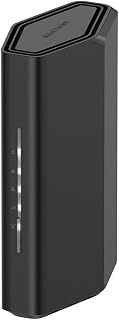
Wi-Fi 7 with 802.11.be delivers up to 3.6 Gbps, giving cloud gaming the bandwidth it needs to handle high-resolution streams without stuttering. The 2,000 sq ft coverage keeps your connection stable whether you're playing in the living room or upstairs. Dual-band operation and compatibility with consoles, PCs, and smart TVs make this a versatile hub for the whole gaming setup.
Pros
- Handles 50 devices with MU-MIMO and OFDMA for no bandwidth competition
- WiFi 7 dual-band with 3.6 Gbps throughput
- 2.5 Gigabit WAN port for modern fiber and cable plans
- Quad-core 2.0 GHz processor maintains performance under load
Cons
- 2,000 sq ft coverage may require central placement in multi-story homes
- Requires separate modem or gateway in bridge mode
Multi-device households create network chaos that destroys cloud gaming performance. The NETGEAR Nighthawk RS90 tackles this with WiFi 7 dual-band architecture delivering 3.6 Gbps and the capacity to handle 50 simultaneous devices without bandwidth competition. MU-MIMO and OFDMA technology ensure your cloud gaming stream gets consistent bandwidth even when family members launch 4K videos or join video calls. The quad-core 2.0 GHz processor maintains performance under heavy load across gaming consoles, PCs, security cameras, and smart home gear. A 2.5 Gigabit WAN port connects to modern fiber and cable services, while four Gigabit LAN ports provide wired connections for stationary gaming setups. Four fixed antennas cover up to 2,000 sq ft, suitable for most single-story homes or smaller multi-story spaces with central placement. NETGEAR's free Nighthawk app simplifies management with guided setup, remote network control, speed tests, and per-device pause functions. WiFi 7 future-proofs your investment as cloud gaming services continue evolving. Coverage limitations exist for larger homes requiring mesh expansion. You'll need a separate modem or a combo gateway in bridge mode. Real-world performance scales with your actual internet plan and device capabilities, but the hardware foundation is solid for families balancing cloud gaming with everyday connectivity demands.
Wireless Technology: WiFi 7 (802.11be) Dual-Band
Maximum Speed: 3.6 Gbps (BE3600)
Frequency Bands: 2.4 GHz and 5 GHz
Coverage Area: 2,000 square feet
Connected Devices: Up to 50 devices
Processor: Quad-core 2.0 GHz
Connectivity: 1x 2.5 Gigabit WAN port, 4x 1 Gigabit LAN ports
Antennas: 4 fixed antennas
Security: WPA2, WPA3 protocols, Advanced Router Protection, automatic firmware updates
Power: 12V/1.5A adapter
Control: Nighthawk mobile app (iOS and Android)
Warranty: 1 Year Limited
In the Box: RS90 router, 2.5A power adapter, 2-meter ethernet cable, quick start guide
Model: RS90-100NAS
Best for families where multiple people game, stream, and work from home simultaneously. Handles tech-heavy households with dozens of smart devices competing for bandwidth alongside cloud gaming. Covers typical single-story homes or smaller multi-story properties with central router placement. Skip if you have a large home exceeding 2,000 sq ft or thick walls requiring mesh coverage, or if you need an integrated modem/router combo.
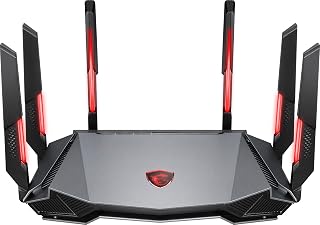
The 1.8 GHz quad-core processor handles multiple data streams without bottlenecking, crucial when cloud gaming competes with other network traffic. AI QoS learns your usage patterns and automatically prioritizes gaming packets for lower latency. Tri-band Wi-Fi 6E with eight streams spreads your devices across frequencies, preventing congestion that would otherwise spike ping times during critical moments.
Pros
- 6GHz band with 4-stream support reduces interference for cloud gaming
- AI QoS automatically prioritizes gaming traffic during heavy household use
- Strong multi-story and difficult-layout coverage from 6-antenna design
- 1.8GHz quad-core processor maintains stability under load
Cons
- 5GHz band limited to 2 streams affects non-6GHz devices
- Configuration interface feels dated compared to modern competitors
Cloud gaming demands low latency and consistent bandwidth, two areas where the MSI Radix AXE6600 delivers through its WiFi 6E tri-band architecture. The 6GHz band with 4-stream support creates a dedicated highway for cloud gaming traffic, reducing interference from household devices crowding the traditional 2.4GHz and 5GHz bands. The AI QoS system detects gaming activity and automatically prioritizes it, preventing lag spikes when other family members start streaming or downloading. The 1.8GHz quad-core processor maintains stable performance even with multiple simultaneous connections. Users in multi-story homes and older buildings with difficult wall materials report reliable signal strength throughout their spaces, eliminating the dead zones that ruin cloud gaming sessions. The 6-antenna configuration provides coverage that rivals mesh setups in many environments. Setup completes quickly for users with basic networking familiarity. The router handles fiber and gigabit connections without bottlenecking speeds. While the 5GHz band runs only 2 streams and the interface feels dated compared to app-based competitors, the 6GHz performance and traffic prioritization address the core requirements for responsive cloud gaming at an accessible WiFi 6E price point.
6GHz Performance: The standout feature. With 4-stream support at 6GHz, this router delivers excellent speeds for compatible devices like the Meta Quest 3 with Virtual Desktop streaming. Early adopters of 6GHz-capable devices will experience notably better performance than competitors in this price range.
5GHz Performance: Adequate but not impressive. The 2-stream limitation means speeds are moderate, suitable for basic streaming and web browsing but not ideal as a primary band. Most devices currently default to 5GHz, so this is a practical consideration for typical daily use.
Coverage and Stability: Real-world testing shows reliable coverage throughout large homes and buildings with challenging layouts. The wide-coverage antenna positioning effectively penetrates obstacles like plaster walls and hardwood floors. Firmware updates have resolved initial connection dropping issues, resulting in stable, consistent performance.
Gaming and Streaming: AI QoS successfully prioritizes gaming and streaming traffic, preventing bandwidth hogging from other devices. Multiplayer gaming remains smooth with multiple connected devices, and 4K streaming is handled without buffering on capable internet connections.
Best for gamers with WiFi 6E-compatible devices who need strong whole-home coverage and have gigabit or fiber internet. Ideal for larger homes or challenging layouts where signal consistency matters more than cutting-edge interface design. Skip this if most of your devices still rely on 5GHz connections, or if you prefer modern app-based router management over traditional configuration interfaces.

Wi-Fi 7 pushes throughput to 9.3 Gbps, giving cloud gaming sessions plenty of overhead even when the household is streaming 4K video simultaneously. Tri-band operation spreads traffic intelligently, and the 2,500 sq ft coverage ensures strong signal strength throughout larger homes. Compatibility with consoles, PCs, and smart devices means your entire gaming ecosystem connects without compromise.
Pros
- WiFi 7 tri-band architecture with dedicated 6GHz lane reduces gaming latency
- Handles 100+ devices across 2,500 sq ft without performance degradation
- Dual 2.5 Gbps ports provide ultra-fast wired connections for stationary setups
- Mobile app enables remote optimization and network management
Cons
- Occasional connectivity drops in some rural environments require reboots
- Requires separate modem and subscription after trial for full security features
WiFi 7 architecture transforms cloud gaming by dramatically reducing latency and maintaining stability when dozens of devices compete for bandwidth. The Nighthawk BE9300 spreads 9.3 Gbps across three bands, with the 6GHz spectrum acting as a priority lane that keeps cloud gaming responsive even during peak household usage. The quad-core 2.0GHz processor and 2GB RAM handle traffic management without introducing bottlenecks, while the dedicated 6GHz band prevents the congestion that causes stuttering and input lag in cloud gaming. Real-world performance shows seamless 4K streaming alongside active gaming sessions, with video calls and smart home traffic running concurrently without degradation. The dual 2.5 Gbps ports future-proof wired connections for ultra-low-latency gaming, and coverage extends reliably across 2,500 square feet for 100+ devices. The mobile app simplifies channel optimization and network monitoring from anywhere. Some users in rural environments report needing occasional reboots every few weeks, though performance remains strong between resets. The router requires a separate modem and works across cable, fiber, DSL, and satellite providers. Build quality feels premium with thoughtful port placement and robust internal components designed for sustained heavy use.
Connectivity: WiFi 7 tri-band (2.4 GHz, 5 GHz, 6 GHz), 802.11be standard, WPA3 security protocol. Ports include 1x 2.5 Gbps WAN, 2x 2.5 Gbps LAN, 2x 1 Gbps LAN, plus USB 3.0.
Performance: Total throughput 9,300 Mbps, 2.0 GHz quad-core processor, 2 GB RAM, 4 antennas. Coverage up to 2,500 sq ft supporting up to 100 connected devices simultaneously.
Physical: Model BE9300-1AZPAS, black color, 4 pounds weight. Includes 12V/3.5A power adapter, 2m ethernet cable, and quick start guide. 1-year limited warranty.
Best for households with multiple simultaneous users where cloud gaming competes with streaming, video calls, and smart home devices. Ideal for early WiFi 7 adopters with compatible devices who want measurable latency reduction and future-proof speeds. Skip this if you have a smaller space with few devices, live in a rural area prone to connectivity issues, or need an all-in-one modem-router combination.

Two 10G ports provide the fastest wired backhaul available, essential for cloud gaming rigs demanding the absolute lowest latency. Wi-Fi 7 with 802.11.be reaches up to 7.2 Gbps, and the dedicated gaming port ensures your traffic never queues behind background downloads. AiMesh compatibility lets you expand coverage without introducing latency spikes in larger homes.
Pros
- Dual 10 Gigabit ports eliminate bottlenecks for high-performance wired gaming
- Maintains full speeds across 3,000 sq ft with 30+ simultaneous devices
- Commercial-grade security and VPN without mandatory subscriptions
- Metal chassis and quad-core processor ensure sustained reliability under load
Cons
- No 6GHz band support limits advantages for WiFi 6E/7 devices
- Advanced features and setup complexity exceed casual user needs
Serious cloud gaming setups demand rock-solid stability and maximum throughput, which the ASUS RT-BE88U delivers through dual 10 Gigabit ports and WiFi 7 speeds up to 7.2 Gbps. The exceptional port configuration matters for hybrid setups where gaming PCs connect via ethernet while mobile devices and consoles use wireless, eliminating any bottleneck between your network and cloud gaming servers. The quad-core processor handles 30+ simultaneous device connections without introducing lag, maintaining full advertised speeds across a 3,000 square foot coverage area. AiMesh compatibility allows expansion into larger homes without sacrificing performance. The metal chassis and robust internal components ensure sustained reliability during marathon gaming sessions and bandwidth-intensive household activity. Commercial-grade security from Trend Micro, VPN support, and deep configuration options provide control without mandatory subscriptions. Real-world testing confirms minimal dead zones and consistent signal strength across multiple floors. The software interface offers granular traffic prioritization and monitoring tools that competitive gamers appreciate. The significant limitation is the absence of 6GHz band support, which restricts advantages for devices designed around that spectrum. The advanced feature set and premium positioning make this more router than casual users require, and setup complexity may frustrate those seeking simple plug-and-play operation.
Performance: WiFi 7 technology, 7.2 Gbps total wireless speed, Multi-Link Operation, 4096-QAM, quad-core 2.6 GHz 64-bit processor, 2GB RAM
Connectivity: Dual 10 Gigabit ports (1x SFP+, 1x RJ45), 4x 2.5 Gigabit ports, 4x 1 Gigabit ports, USB port for 4G LTE/5G tethering, 34G combined wired capacity
Coverage and Range: 3,000 square feet, dual-band 5 GHz operation, 4 fixed antennas, AiMesh mesh networking compatible
Security and Management: WPA3 security protocol, commercial-grade AiProtection Pro with Trend Micro, site-to-site VPN, 5 SSIDs, Guest Network Pro, parental controls, ASUSWRT operating system, app-based control
Physical: 7.4 inches L x 2.4 inches W x 11.8 inches H, 2.5 pounds, includes power adapter, ethernet cable, quick start guide, 3-year manufacturer warranty
Best for power users running 30+ devices, large multi-story homes, or hybrid wired-wireless gaming setups who need dual 10 Gigabit ports and enterprise-grade stability. Ideal for households with simultaneous 4K streaming, remote work, and competitive gaming. Skip this if you prioritize 6GHz band support for WiFi 6E/7 devices, prefer simplified setup over configuration depth, or have modest networking needs that don't justify the premium investment.

Pros
- Industry-leading 30Gbps speeds with WiFi 7 future-proofs your network for years of high-performance gaming and streaming
- Dual 10G ports enable direct connections for gaming PCs, servers, and storage without bottlenecks
- Multi-link Operation maintains stable connections across multiple bands, reducing lag and dropouts during intense sessions
- Triple-Level Game Acceleration actively prioritizes gaming traffic for consistent frame rates and minimal latency
- Extensive port selection with quad 2.5G ports provides flexibility for multiple wired devices without compromise
Cons
- Coverage depends heavily on environment and building materials, actual performance may vary from advertised 3,500 sq ft in older or complex homes
- Requires compatible WiFi 7 devices to achieve maximum speeds, limiting immediate benefit for households with older equipment
The ASUS ROG Rapture GT-BE98 Pro is a flagship WiFi 7 gaming router built for competitive gamers, content creators, and households with extreme bandwidth demands. Featuring up to 30Gbps throughput, quad-band architecture, and dual 6GHz bands, this mesh router eliminates network congestion and delivers the consistent performance serious players demand. It's engineered for gaming-first performance, not as a general-purpose home router.
The standout feature is Triple-Level Game Acceleration, which prioritizes gaming traffic from your PC all the way to game servers, significantly reducing latency during competitive play. Multi-link Operation simultaneously connects devices across multiple bands, preventing the single-band bottlenecks that plague standard routers. The dual 10Gbps ports are a game-changer for anyone running local servers, NAS storage, or multiple gaming PCs, while four 2.5Gbps ports handle additional wired connections without compromise. WiFi 7's 320MHz channels and 4096-QAM deliver real-world speed improvements that users notice immediately.
Build quality reflects the ROG gaming heritage with robust external dual-feeding antennas that deliver strong signal efficiency and high coverage. The sleek design fits gaming setups, while app and web-based controls offer both convenience and granular network management. Security features including WPA3, high-level firewall, guest mode, and parental controls meet enterprise standards. The 3-year warranty provides solid protection for a $685 investment.
Real-world performance depends on WiFi 7 device support, building materials, and network conditions. While advertised 3,500 sq ft coverage impresses on paper, actual range in older homes or complex layouts may fall short. Initial setup requires compatible routers to unlock full mesh potential. The price positions this as premium equipment rather than a budget-friendly option.
The ASUS ROG Rapture GT-BE98 Pro earns its place as a top-tier gaming router for players who demand minimal latency, maximum speed, and professional-grade features. If competitive gaming performance and wired connectivity matter, this router delivers. For casual users or smaller households, more affordable WiFi 6 options remain perfectly adequate.
Network Performance: WiFi 7 (802.11be), up to 30Gbps, quad-band with dual 6GHz support, 320MHz channels, 4096-QAM modulation
Connectivity: 2x 10Gbps ports, 4x 2.5Gbps ports, 1x standard Ethernet port, USB connectivity, 7 total ports
Coverage and Range: Mesh networking, approximately 3,500 sq ft, 8 fixed external antennas with dual-feeding technology
Hardware: 2GB RAM, supports app control, web GUI, and push button operation, compatible with Mac, Windows, Linux
Security: WPA3-Personal, WPA2-Enterprise, WPS, high-level firewall, guest mode, parental controls, internet security features
Physical: 13.7in L x 8.6in W x 13.7in H, 4.4 lbs, black color, 110V power
Warranty: 3 years from manufacturer
Best For: Competitive gamers, streaming content creators, households with multiple gaming PCs, those running local servers or NAS storage, and users who demand zero-latency performance.
Consider If: You already own WiFi 7 compatible devices, need wired connectivity for multiple high-bandwidth applications, live in congested WiFi environments, or prioritize gaming performance above all else.
Skip If: Your devices only support WiFi 6 or earlier (you won't see the full benefit), your home is under 2,000 sq ft, you're on a tight budget, or gaming performance isn't your primary concern.
Key Decision Factor: This router's true value emerges when paired with WiFi 7 devices and high-bandwidth wired connections. Without them, you're paying premium price for future-proofing rather than immediate performance gains. Budget roughly $700-$800 for the complete setup with compatible devices.

ASUS RT-AX1800S WiFi 6 Dual Band Router, 1800Mbps
Dual-band Wi-Fi 6 with 802.11ax compatibility delivers the low-latency performance cloud gaming requires without the cost premium of newer standards. QoS through WPS ensures gaming packets get priority over background traffic. Built-in VPN and parental controls add security without third-party subscriptions, and AiMesh compatibility means you can expand coverage as your gaming space grows.
Pros
- WiFi 6 OFDMA and MU-MIMO reduce latency under multi-device load
- Four Gigabit LAN ports for lag-free wired gaming
- AiProtection and VPN included without subscriptions
- AiMesh compatible for future expansion
Cons
- 5GHz struggles through thick walls and multiple floors
- Coverage limited in larger or multi-story homes
Cloud gaming relies on stable, low-latency connections, and the ASUS RT-AX1800S delivers that foundation through WiFi 6 efficiency. OFDMA and MU-MIMO let the router juggle 9-16 devices without choking your stream, so other household traffic won't spike your input lag mid-match. The four Gigabit LAN ports give you wired options for consoles or gaming PCs that demand zero packet loss, while the dual-band 1800Mbps throughput keeps wireless play responsive in apartments and smaller homes. AiProtection Classic and built-in VPN add security layers without subscription fees, and the hassle-free setup through the ASUS app means you're gaming within minutes. External antennas push decent coverage room to room, though the 5GHz band weakens through thick walls or across multiple floors. If your space is compact and your device count moderate, this router handles cloud gaming sessions reliably without forcing you into mesh territory. The three-year warranty and AiMesh compatibility give you an upgrade path when your coverage needs grow.
Core Specs: WiFi 6 (802.11ax), 1800 Mbps total speed (1201 Mbps upstream), dual-band (2.4GHz and 5GHz), 2x2 MIMO configuration.
Hardware: Dual-core processor with 4 VPE, 256MB RAM, four external antennas, five Gigabit Ethernet ports. Power supply: AC 110V-240V (50-60Hz), DC output 12V at 1.5A max.
Features: MU-MIMO and OFDMA support, AiMesh compatibility, AiProtection Classic security, ASUS Instant Guard VPN, WPS, parental controls, app and web GUI control. Compatible with Windows, Mac, Linux, iOS, and works with gaming consoles, smart TVs, and smartphones.
Physical: Dimensions 9.06 x 5.28 x 2.2 inches, weight 13.12 ounces, black color. Includes power adapter, Ethernet cable, quick-start guide, and warranty card.
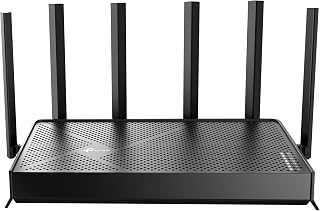
Wi-Fi 7 with 802.11.be brings future-proof speeds up to 6.5 Gbps, giving cloud gaming streams room to scale as resolution and frame rates climb. QoS prioritizes gaming traffic, and guest mode isolates visitors from your primary network where latency matters most. Dual-band operation and compatibility with consoles, PCs, and smart TVs make this a practical choice for mixed gaming setups.
Pros
- WiFi 7 MLO prioritizes traffic for consistent low latency
- Dual 2.5Gbps ports support multi-gig internet and NAS
- Handles 90+ devices with verified 500-850Mbps WiFi speeds
- 2,400 sq ft coverage with beamforming and six antennas
Cons
- Not compatible with TP-Link Deco mesh systems
- Premium price justified only with high-speed internet
WiFi 7's Multi-Link Operation turns cloud gaming into a priority lane. The TP-Link BE400 allocates 6.5Gbps across dual bands, with the 5GHz slice hitting 5,764Mbps to keep frame data flowing without interruption. Verified users report 500-850Mbps over WiFi on fiber, and the router holds that pace across 90+ devices, so streaming housemates or background updates won't jitter your session. Dual 2.5Gbps ports let you bond connections or feed a gaming rig at multi-gig speeds when your ISP supports it. Beamforming and six antennas blanket 2,400 square feet with strong signal, and the 10-minute Tether app setup gets you live fast. HomeShield offers real-time threat detection and isolated IoT networks to keep smart devices from clogging your gaming traffic, while WPA3 and VPN server support harden security. The catch is mesh compatibility: you're locked to EasyMesh devices, not TP-Link's own Deco line. The premium cost makes sense only if you have multi-gig internet or a household that hammers bandwidth simultaneously.
Real-world performance metrics consistently exceed specifications. Users report sustained 500+ Mbps downloads on 1 Gbps fiber connections and 780+ Mbps on superior plans. The 2.5Gbps ports enable wired transfers at near-theoretical maximums, making this ideal for content creators and network enthusiasts.
Coverage extends reliably throughout 2,400 sq. ft. with minimal dead zones. The beamforming and six-antenna array intelligently direct signals, maintaining strong connections even in challenging environments like dense apartment buildings or multi-story homes with interference from neighboring networks.
Multi-Link Operation (MLO) dramatically improves stability compared to Wi-Fi 6 routers. By simultaneously using multiple frequency bands for single data streams, the BE400 reduces latency and packet loss, resulting in lag-free gaming and buffer-free streaming regardless of connection density.
HomeShield transforms network security from optional to essential. The real-time scanner identifies threats instantly, parental controls block inappropriate content by category and time window, and Quality of Service (QoS) ensures gaming or work devices get priority bandwidth when needed.
The ability to create separate SSIDs for IoT devices prevents smart home gadgets from accessing sensitive personal data. Combined with WPA3 encryption, VPN server capabilities, and access control features, your network gains protection rivaling enterprise solutions at consumer pricing.
Automatic firmware updates through the cloud keep security patches current without manual intervention, eliminating the common vulnerability window where routers run outdated security code.
Buy this if you game on fiber or cable above 500Mbps, manage 20+ devices, or need multi-gig wired ports for high-speed storage and gaming rigs. The WiFi 7 MLO tech and wide coverage suit power users in medium to large homes who want zero compromise on latency. Skip it if your internet tops out under 300Mbps, you already own TP-Link Deco mesh units, or your household rarely pushes bandwidth. The premium price and mesh limitations make it overkill for modest networks.
How to Choose a Router for Cloud Gaming
Prioritize latency control, not headline speed
For cloud gaming, stable latency and low jitter matter more than an inflated Wi-Fi speed rating. Before prioritizing advanced features, use Ethernet for a stationary PC, console, or streaming box, place the router in the open, and check that your internet service remains steady during busy evening hours. The game service and server location still matter.
The GL.iNet GL-MT6000 Flint 2 Wi-Fi 6 Gaming Router provides dual 2.5G ports, 8-stream Wi-Fi 6, and strong VPN capability for enthusiasts who manage their own network. The MSI Radix AXE6600 WiFi 6E Tri-Band Gaming Router uses AI QoS to prioritize traffic, while the ASUS ROG Rapture GT-BE98 Pro WiFi 7 Gaming Router adds triple-level Game Acceleration for a PC-centered setup. These tools help most when home traffic is causing the disruption.
Choose wireless bands that match your devices
A 6 GHz band can provide a cleaner wireless lane for a nearby compatible PC, phone, or handheld, although its signal generally reaches less far through walls than 5 GHz. The TP-Link AXE5400 Tri-Band WiFi 6E Router and MSI Radix AXE6600 WiFi 6E Tri-Band Gaming Router are sensible tri-band choices when your gaming device supports Wi-Fi 6E and nearby networks crowd older bands.
Wi-Fi 7 can improve reliability on a crowded network when a compatible client uses Multi-Link Operation. The TP-Link BE6500 Dual-Band WiFi 7 Router (BE400) suits modern dual-band clients, while the NETGEAR Nighthawk WiFi 7 Router RS90 is built for busy homes with dual-band coverage. The tri-band NETGEAR Nighthawk WiFi 7 Router adds a 6 GHz lane, and the ASUS RT-BE88U WiFi 7 Router – x2 10G Ports targets demanding local networks. If you also keep local games installed, a capable external SSD for gaming can keep storage from becoming a separate bottleneck.
Match Ethernet ports to your internet plan and setup
Cloud gaming does not consume the same bandwidth as a huge game download, but a wired connection remains the most dependable way to avoid air-link interference. Gigabit LAN is ample for many homes, and both the TP-Link AX5400 WiFi 6 Router (Archer AX73) and ASUS RT-AX1800S Dual Band WiFi 6 Extendable provide several Gigabit ports for consoles, PCs, and streaming hardware.
Choose multi-gig connections when you have a fast fiber plan, a local NAS, or several powerful devices sharing the network. The Flint 2 includes dual 2.5G ports, the BE400 has 2.5G WAN/LAN connections, and the tri-band NETGEAR Nighthawk WiFi 7 Router provides a 2.5G WAN port plus two 2.5G LAN ports. The ROG Rapture GT-BE98 Pro goes much further with dual 10G ports and four 2.5G ports, while the RT-BE88U brings 10G SFP+ and 10G WAN/LAN flexibility.
Plan for coverage, capacity, and simple upkeep
A router can work well in the same room yet struggle across a floor plan with concrete, brick, or several walls. The Archer AX73 uses six antennas and beamforming for broad home coverage, while the ASUS RT-AX1800S is a practical Wi-Fi 6 fit for more modest spaces. NETGEAR rates the RS90 for up to 2,000 square feet and its tri-band Nighthawk for up to 2,500 square feet, but layout and interference always affect range.
For a larger home, look for mesh expansion, regular firmware updates, and uncomplicated traffic controls. TP-Link EasyMesh support on the AXE5400 and BE400 can help extend coverage, and ASUS AiMesh offers similar flexibility for compatible ASUS hardware. Separate guest and IoT devices where possible, and if your router also supports a home media library, our NAS hard drive picks can help you plan the storage side of the network.
Final Thoughts
For most cloud gamers, the GL.iNet GL-MT6000 Flint 2 Wi-Fi 6 Gaming Router delivers deep controls, dual 2.5G ports, and VPN capability for an advanced home network. Choose the ASUS ROG Rapture GT-BE98 Pro WiFi 7 Gaming Router when a premium multi-gig, multi-device setup needs expansive wired capacity and purpose-built traffic acceleration.
Frequently Asked Questions
Do I need a gaming router for cloud gaming in 2026?
No. A solid Wi-Fi 6 or newer router with reliable coverage, Ethernet support, and sensible traffic management is usually more important than gaming-focused styling. A dedicated gaming router becomes worthwhile when multiple people share the connection, you use a fast fiber plan, or you want greater control over VPN and device-priority settings.
Is Ethernet better than Wi-Fi for cloud gaming?
Yes, Ethernet removes the wireless interference that can cause jitter and short dropouts, making it the preferred choice for a fixed PC, console, or streaming box. When wiring is impractical, use 5 GHz or 6 GHz from the same room where feasible, avoid placing the router in a cabinet, and keep the device near the access point. A high-refresh competitive gaming display can make a steadier connection feel even more immediate.
Will Wi-Fi 7 reduce cloud gaming lag?
Wi-Fi 7 can reduce local congestion and improve connection reliability when both the router and gaming device support its features, especially Multi-Link Operation. It cannot erase delay created by your ISP route or a distant game server. A well-placed Wi-Fi 6E router can still be an excellent choice for cloud gaming when your current devices support 6 GHz but not Wi-Fi 7.
How much internet speed does cloud gaming need?
The answer depends on the game service, stream resolution, and other activity in your home. Stable bandwidth and consistent latency count more than an enormous plan, so pause major downloads while playing if your connection is limited. Keep game captures and important files protected separately with a dependable option from our external hard drive backup guide.



Write Your Review
No reviews yet. Be the first to share your experience!