

If your home spans multiple floors or stretches past 2,000 square feet, a standard router sitting in one corner simply cannot do the job. Walls, interference, and distance eat away at your signal before it ever reaches the back bedroom, garage, or basement office.
This guide covers the nine best routers for large houses in 2026, evaluated across coverage range, device capacity, wireless standard, and ease of setup. Whether you are streaming 4K video in every room or running a smart home packed with IoT devices, there is a strong option here for your needs. If you want to extend coverage even further, pairing a capable router with a quality mesh WiFi system is worth considering.
Quick answer
This guide compares 9 picks, with GL.iNet Flint 2 Wi-Fi 6 Gaming Router with Dual 2.5G ranked first. TP-Link Deco X55 AX3000 WiFi 6 Mesh System 3-Pack, 6500 has the most customer reviews.
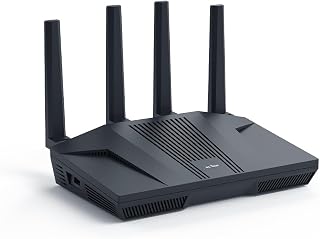
Large houses mean more devices competing for bandwidth, and the dual 2.5G ports here let you segment gaming consoles and PCs onto a wired backbone while Wi-Fi 6 handles everything else. Built-in QoS prioritizes traffic room to room, and access point mode means you can drop this in as a satellite unit if one router isn't reaching every floor.
Pros
- Dual 2.5G multi-gig ports for a wired backbone across a large floor plan
- OpenWrt firmware with AdGuard Home and custom plugin support
- DFS frequency support can help avoid interference in bigger homes
- QoS and guest mode for managing many devices at once
Cons
- Mandatory firmware update adds time to first setup
- Single unit still relies on wiring or additional nodes to reach every corner of a large house
Coverage is the first thing any large house demands, and the Flint 2 pairs its 8-stream Wi-Fi 6 radio with dual 2.5G multi-gig ports to keep every room fed without dead zones. In a sprawling floor plan, wired backhaul to a switch or a mesh node in a far wing matters as much as wireless range, and the multi-gig ports let you build that kind of wired backbone instead of relying on Wi-Fi alone to bridge distant rooms. The pre-installed OpenWrt firmware is a real advantage for big homes too, since it opens up custom plugins, AdGuard Home ad-blocking, and DFS channel support that can help the router pick cleaner frequencies when a house has lots of walls and interference. QoS and guest mode help keep a household of streaming, gaming, and video calls running smoothly across many connected devices. The main hurdle is the mandatory first-run firmware update and a design built for function over looks, but for a large house where wired multi-gig backbone and flexible firmware matter more than aesthetics, this router earns its spot.
Buy this if your large house has (or will have) ethernet runs between rooms, since the dual 2.5G ports let you extend a fast wired backbone alongside Wi-Fi 6 coverage. It suits households comfortable with a bit of networking setup who want OpenWrt-level control. Skip it if you need pure plug-and-play simplicity or a mesh system out of the box, since covering a large house with a single router still depends on your wiring and layout.
Connectivity: Wi-Fi 6 (802.11ax), dual-band, 6 Gbps total throughput, 8-stream technology, 1148 Mbps on 2.4GHz, 4804 Mbps on 5GHz. Supports 802.11b, g, n, ac, and ax standards.
Ports: Dual 2.5G multi-gig ports, four 1G Gigabit ports, six ports total. Hybrid router with Multi-WAN support for redundancy and failover.
Hardware: MT6000 chipset, 1GB DDR4 RAM, 8GB eMMC storage, retractable antennas. Linux-based operating system with WPA3 security protocol.
VPN Performance: WireGuard up to 900Mbps, OpenVPN up to 880Mbps. Built-in ad-blocking with AdGuard Home support. Supports access point mode, guest networks, QoS, and internet security features.
Included: GL-MT6000 router, power adapter (US plug), Ethernet cable, user manual, and 2-year warranty. Connects 100+ devices simultaneously.
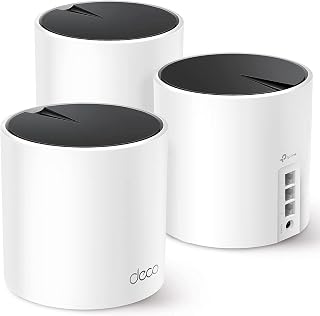
Mesh is the more reliable fix for large houses since a single router's signal degrades with distance, and this three-pack of AX3000 units lets you place nodes in different wings for even coverage. Ethernet backhaul support keeps speeds consistent between nodes, and guest mode makes it easy to isolate visitor traffic in a home with lots of foot traffic.
Pros
- Three-pack design suited to spreading coverage across a large house
- Supports WPA-Personal, WPA2-Personal, and WPA3-Personal
- Compatible with a wide range of device types
- Includes guest mode for separate visitor access
Cons
- Dual-band only, without a dedicated higher-frequency band
- Each unit has just three ports for wired connections
Large houses often have layouts a single router simply can't reach, which is where a three-pack mesh system like the Deco X55 makes sense. Rather than relying on one central unit, three access points can be spread across different areas of a large home, each handling WiFi 6 connections on dual-band frequencies. It supports a wide range of device types, including smartphones, computers, security cameras, smart TVs, tablets, printers, and gaming consoles, which covers the mix of devices typical in a big household. Security options include WPA-Personal, WPA2-Personal, and WPA3-Personal, giving flexibility depending on what your devices support, and a guest mode is built in for visitors without giving access to your main network. Each unit offers three ports for wired connections where needed. For a large house, the appeal of this system is distributing coverage across multiple units rather than depending on the range of a single router, which is a fundamentally different approach than standalone routers offer.
Suited to large or multi-story houses where a single router's range isn't enough and coverage needs to be distributed across several points. Also a fit for households wanting flexible guest network access and broad device compatibility. Skip it if you specifically want the highest possible throughput numbers, since this is a WiFi 6 dual-band system rather than a WiFi 7 or tri-band setup.
Coverage and Performance: Up to 6500 square feet, AX3000 WiFi 6, 2402 Mbps (5GHz) plus 574 Mbps (2.4GHz), supports 802.11ax, 802.11ac, 802.11n, 802.11g, 802.11b. Three internal antennas per unit.
Connectivity and Ports: Three gigabit ethernet ports per unit (nine total in 3-pack), supports wired and wireless backhaul, compatible with all major ISPs. Works with smartphones, computers, tablets, printers, gaming consoles, smart TVs, and security cameras.
Security and Control: WPA3-Personal, WPA2-Personal, WPA-Personal encryption, High-level firewall, HomeShield service included, parental controls, guest mode, app-based control and remote management. Operates on TP-Link's Omada system.
Specifications: 12-volt power adapters included, 2-year manufacturer warranty, 24/7 technical support. Package includes three Deco X55 units, three power adapters, one ethernet cable, and quick installation guide.

Tri-band WiFi 6E splits load across three channels, which matters most in a big house where dozens of devices are pulling signal in different directions. Beamforming focuses that signal toward far corners instead of broadcasting it evenly and losing strength, while parental controls and QoS keep streaming and work traffic organized across every bedroom and living space.
Pros
- 6 GHz band adds bandwidth headroom for device-dense large homes
- EasyMesh compatibility for extending coverage across rooms or floors
- OFDMA quadruples network capacity to reduce device contention
- WPA3 and HomeShield protection across the whole network
Cons
- Requires a separate modem for most ISPs
- Fixed antennas need strategic placement for full-house coverage
Large houses put real strain on a network's ability to serve many rooms and many devices at once, and the Archer AXE75's tri-band design with a dedicated 6 GHz band is meant to relieve exactly that kind of pressure. With 5400 Mbps of combined throughput across three bands and OFDMA boosting network capacity fourfold, devices scattered through a big home are less likely to compete with each other for bandwidth. EasyMesh compatibility is particularly relevant for large houses, since it lets you add nodes to eliminate dead zones in far rooms or multiple floors rather than depending on one router's range alone. Eight fixed antennas and a dual-core CPU with 512 MB RAM back up the higher device counts a large household typically runs. Security is thorough with WPA3 and HomeShield protection extending across every connected device. The caveats are a separate modem requirement for most ISPs, fixed antennas that need thoughtful placement, and full 6 GHz benefits only showing up with compatible client devices. For a large house planning to build out mesh coverage, this is a solid anchor point.
Wireless Performance: WiFi 6E, 5400 Mbps total (6 GHz: 2402 Mbps, 5 GHz: 2402 Mbps, 2.4 GHz: 574 Mbps)
Connectivity: Tri-band 802.11ax, 8 fixed antennas, 5 Gigabit ports, WAN/LAN connectivity
Processing Power: 1.0 GHz dual-core CPU, 512 MB RAM
Security: WPA2, WPA2-Enterprise, WPA3, VPN Server/Client support (OpenVPN, PPTP, L2TP), HomeShield protection, High-level firewall
Features: EasyMesh compatibility, Beamforming, QoS, Parental Controls, Alexa Compatible, App control
Warranty: 2-year manufacturer warranty, 24/7 technical support
Best for large households planning to expand coverage with EasyMesh nodes, or homes with many 6 GHz capable devices like recent phones and laptops. Gamers and multi-stream households will appreciate the added bandwidth. Skip it if you need built-in modem functionality or want antennas you can freely reposition, since the fixed antennas require some placement planning to cover a sprawling layout well.
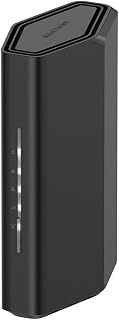
Covering up to 2,000 square feet in one unit already suits a mid-size large home, and the 3.6 Gbps WiFi 7 throughput keeps security cameras, smart TVs, and phones running smoothly at once. Ethernet ports let you hardwire a far-off office or media room where wireless signal typically weakens first.
Pros
- WiFi 7 dual-band speeds up to 3.6 Gbps
- Supports up to 50 connected devices
- 2.5 Gigabit WAN port for modern internet plans
- Nighthawk app simplifies setup and remote management
Cons
- 2,000 sq ft range may not fully cover larger or multi-story homes
- Requires a separate modem or gateway
A large house means dead zones, and the RS90 tackles that with WiFi 7 dual-band performance up to 3.6 Gbps and support for up to 50 connected devices, which matters when every family member has phones, laptops, and smart gadgets online at once. For a single-story large home, or one with an open layout, a central placement lets this router's four fixed antennas and quad-core processor cover significant square footage without the cost of a multi-unit mesh kit. MU-MIMO and OFDMA keep streaming and gaming from competing for bandwidth, which is exactly the kind of strain a large, device-heavy household creates. It includes a 2.5 Gigabit WAN port plus four Gigabit LAN ports for wired connections in a home office or entertainment setup. The 2,000 sq ft rated range is a genuine consideration for larger homes, especially multi-story ones, so placement and layout matter more here than with a mesh system. Still, for large single-story homes, this is a strong standalone option.
Wireless Technology: WiFi 7 (802.11be) Dual-Band
Maximum Speed: 3.6 Gbps (BE3600)
Frequency Bands: 2.4 GHz and 5 GHz
Coverage Area: 2,000 square feet
Connected Devices: Up to 50 devices
Processor: Quad-core 2.0 GHz
Connectivity: 1x 2.5 Gigabit WAN port, 4x 1 Gigabit LAN ports
Antennas: 4 fixed antennas
Security: WPA2, WPA3 protocols, Advanced Router Protection, automatic firmware updates
Power: 12V/1.5A adapter
Control: Nighthawk mobile app (iOS and Android)
Warranty: 1 Year Limited
In the Box: RS90 router, 2.5A power adapter, 2-meter ethernet cable, quick start guide
Model: RS90-100NAS
Best for large, single-story homes or smaller multi-story homes where the router can sit centrally, and for households juggling many connected devices without wanting to invest in a full mesh system. Skip it if your house has multiple floors with lots of walls, or exceeds 2,000 sq ft, since coverage may be inconsistent without mesh extenders. Also skip if you need a built-in modem, since a separate one is required.
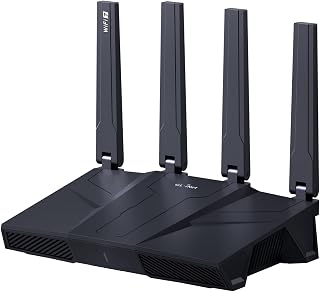
Sprawling floor plans need both range and backhaul muscle, and the tri-band Wi-Fi 7 setup with five 2.5G ports gives you a dedicated wired link for a mesh backhaul or NAS while still serving fast wireless to every room. Remote access also matters when you're managing a network that stretches across multiple levels or a detached garage.
Pros
- Tri-band Wi-Fi 7 with MLO handles congestion in device-heavy large homes
- Five 2.5 Gbps ports support wiring multiple access points or switches
- Stable with 100+ connected devices
- Built-in AdGuard Home and Bark parental controls at no extra cost
Cons
- Priced above mainstream routers
- Firmware update required on setup, and VPN speeds depend on ISP and provider
A large house usually means more rooms, more walls, and more devices competing for signal, and the Flint 3's tri-band Wi-Fi 7 setup with MLO and enhanced OFDMA is built to handle exactly that kind of congestion. Five 2.5 Gbps ethernet ports give you room to wire multiple switches or access points across different parts of a big home, which matters more here than in a small apartment. The four retractable antennas and business, gaming, and home-oriented design suggest a router meant to anchor a whole-house network rather than a single room. Stable performance with 100+ connected devices is a genuine plus for large households packed with smart home gear, laptops, and phones. Built-in AdGuard Home and Bark parental controls add household-wide value without extra subscriptions. The tradeoffs are the higher cost relative to mainstream routers and a required firmware update before you see full performance, plus VPN speeds that will vary with your own ISP and provider. For a large house that needs both raw capacity and device count headroom, the Flint 3 is a strong core router to build around.
Network and Connectivity: Wi-Fi 7 (802.11be) tri-band router with 2.4 GHz, 5 GHz, and 6 GHz bands. Maximum data transfer rate 12.5 gigabits per second. Five 2.5 Gbps ethernet ports plus one WAN port. Supports 802.11ac, 802.11ax, 802.11g, and 802.11n backward compatibility.
Processing and Storage: DDR4 1GB RAM, 8GB eMMC storage. Linux operating system. Supports 100+ simultaneous device connections with plugin installation capability.
Antennas and Coverage: Four retractable antennas with MLO, enhanced OFDMA, 4K QAM, and preamble puncturing technology. Coverage range extends to 2,000 square feet. Designed for home, gaming, and business environments.
Security and Control: WPA2-PSK, WPA3, WPA2-Enterprise, WPA-Enterprise, and WPS security protocols. High-level router firewall. Supports remote access. App control and push button functionality. Integrated AdGuard Home DNS filtering and Bark parental controls.
VPN Performance: OpenVPN and Wireguard protocols both achieve up to 680 Mbps throughput. Physical specifications: 0.85 kg weight, black color. Includes ethernet cable, power adapter, and user manual. 2-year manufacturer warranty.
This fits large households with many connected devices, home offices, or gaming setups that need a capable central router to pair with additional access points or mesh nodes. Tech-comfortable buyers who want VPN performance and parental controls without extra subscriptions will get the most from it. Skip it if you want a simple single-box solution or are not ready to invest above mainstream router pricing.

For genuinely sprawling homes, the 2,500 square foot rated coverage and 9.3 Gbps tri-band WiFi 7 speed give you headroom that dual-band routers can't match when walls and floors are working against your signal. Support for cameras, TVs, consoles, and phones simultaneously means no single busy room starves the rest of the house.
Pros
- Tri-band WiFi 7 with dedicated 6 GHz lane
- 2,500 sq ft coverage suited to larger homes
- Supports up to 100 connected devices
- Two 2.5 Gbps ports for high-speed wired connections
Cons
- Some rural users report needing periodic reboots
- Full protection features require an ongoing subscription after trial
Large houses benefit most from a dedicated 6 GHz band, and this tri-band Nighthawk delivers exactly that alongside 9.3 Gbps combined speeds across 2.4, 5, and 6 GHz. That third band acts as a congestion-free lane, which is valuable in a large home where dozens of devices might be connected across multiple rooms and floors. Rated coverage reaches 2,500 sq ft, a meaningful step up for bigger properties, and it supports up to 100 devices, giving headroom for security cameras, smart TVs, and everything else spread across a big house. The quad-core processor and 2 GB RAM back up that capacity, and connectivity includes two 2.5 Gbps ports plus two gigabit ports for wired gear in different parts of the home. It works with cable, fiber, DSL, and satellite setups, so it fits most existing large-home internet configurations. Some rural users report needing occasional reboots, which is worth noting, but overall this is built for exactly the scale a large house demands.
Connectivity: WiFi 7 tri-band (2.4 GHz, 5 GHz, 6 GHz), 802.11be standard, WPA3 security protocol. Ports include 1x 2.5 Gbps WAN, 2x 2.5 Gbps LAN, 2x 1 Gbps LAN, plus USB 3.0.
Performance: Total throughput 9,300 Mbps, 2.0 GHz quad-core processor, 2 GB RAM, 4 antennas. Coverage up to 2,500 sq ft supporting up to 100 connected devices simultaneously.
Physical: Model BE9300-1AZPAS, black color, 4 pounds weight. Includes 12V/3.5A power adapter, 2m ethernet cable, and quick start guide. 1-year limited warranty.
A strong fit for large houses that need broader coverage and higher device capacity than a typical dual-band router provides, especially homes with WiFi 7 or WiFi 6E devices that can use the 6 GHz band. Less ideal for smaller homes where the extra range and capacity go unused, or for buyers wanting to avoid an ongoing security subscription for full protection features.
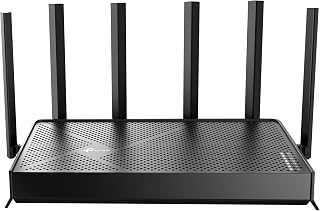
A large home often has one dead zone that a single router can't reach, and access point mode here lets you repurpose this WiFi 7 unit as a range extender for that exact spot. Parental controls and QoS then keep bandwidth allocated fairly once you've got every corner of the house actually connected.
Pros
- Coverage rated up to 2,400 sq. ft. from a single unit
- Handles 90+ simultaneous connected devices reliably
- Dual 2.5Gbps ports support NAS or multi-gig setups
- HomeShield security with IoT network isolation
Cons
- Not compatible with TP-Link's Deco mesh ecosystem
- Requires a separate modem and strong internet speeds to justify its capabilities
Covering a large house is fundamentally a coverage-and-capacity problem, and the Archer BE400 is built for exactly that. Six external antennas with beamforming push signal out to 2,400 sq. ft., enough to reach upstairs bedrooms, garages, and back rooms that usually starve a router's edges. Underneath that reach is real bandwidth: 6.5Gbps combined across the two bands, with Multi-Link Operation keeping connections stable even as owners report 90+ devices staying online at once. That device density matters in a big house full of smart TVs, security cameras, and phones scattered across floors. The dual 2.5Gbps ports also mean you can wire a NAS or a secondary access point without bottlenecking the network backbone. HomeShield adds real-time threat detection and IoT isolation, useful when a sprawling home means more entry points to secure. Setup through the Tether app stays simple despite the router's power. For a large house that needs both distance and device capacity handled by a single unit, this is one of the stronger single-router options here.
Real-world performance metrics consistently exceed specifications. Users report sustained 500+ Mbps downloads on 1 Gbps fiber connections and 780+ Mbps on superior plans. The 2.5Gbps ports enable wired transfers at near-theoretical maximums, making this ideal for content creators and network enthusiasts.
Coverage extends reliably throughout 2,400 sq. ft. with minimal dead zones. The beamforming and six-antenna array intelligently direct signals, maintaining strong connections even in challenging environments like dense apartment buildings or multi-story homes with interference from neighboring networks.
Multi-Link Operation (MLO) dramatically improves stability compared to Wi-Fi 6 routers. By simultaneously using multiple frequency bands for single data streams, the BE400 reduces latency and packet loss, resulting in lag-free gaming and buffer-free streaming regardless of connection density.
HomeShield transforms network security from optional to essential. The real-time scanner identifies threats instantly, parental controls block inappropriate content by category and time window, and Quality of Service (QoS) ensures gaming or work devices get priority bandwidth when needed.
The ability to create separate SSIDs for IoT devices prevents smart home gadgets from accessing sensitive personal data. Combined with WPA3 encryption, VPN server capabilities, and access control features, your network gains protection rivaling enterprise solutions at consumer pricing.
Automatic firmware updates through the cloud keep security patches current without manual intervention, eliminating the common vulnerability window where routers run outdated security code.
Best for owners of large homes with fiber or multi-gig internet who want one powerful router instead of a mesh system, especially households running many smart devices, cameras, and streaming gear simultaneously. Skip it if you're on TP-Link's Deco mesh ecosystem already, since this router isn't compatible with it, or if your home's layout needs mesh-style multi-node coverage rather than one strong central unit.

Not every large house needs maximum throughput, sometimes it just needs reliable coverage without complexity, and this dual-band WiFi 7 router's access point mode gives you a straightforward way to extend signal into a converted basement or attic space. Guest mode and parental controls round it out for households juggling multiple family members and visitors.
Pros
- Wi-Fi 7 speeds up to 2882 Mbps on 5GHz
- Dual 2.5 Gbps Ethernet ports for wired backbone or mesh expansion
- Covers up to 2000 sq ft and 60 devices when placed centrally
- HomeShield security and parental controls included
Cons
- Signal drops noticeably through walls and multiple stories
- Dual-band only, missing the 6 GHz spectrum of tri-band Wi-Fi 7 routers
A large house usually pushes buyers toward expensive tri-band or mesh setups, but the Archer BE230 is worth considering if budget matters more than maximum range. It brings genuine Wi-Fi 7 speeds, up to 2882 Mbps on 5GHz, to a dual-band design rated for 2000 sq ft and up to 60 devices, which can cover a decent portion of a larger home if the router is placed centrally. The catch for big houses specifically is that this router performs best with direct line-of-sight, and signal noticeably weakens through walls and across multiple stories, a real constraint in sprawling or multi-level layouts. Where it earns its place on this list is wired backbone strength: dual 2.5 Gbps Ethernet ports let you feed a mesh node or extender elsewhere in the house, effectively letting the BE230 anchor a larger system rather than cover everything itself. HomeShield parental controls and IoT protection come standard. For large houses, this fits best as a budget-friendly hub paired with wired extensions rather than a standalone whole-home solution.
Technical Details
Model: TP-Link Archer BE230. Frequency Bands: Dual-Band (2.4 GHz and 5 GHz). Wireless Standards: 802.11be, 802.11ax, 802.11ac, 802.11n, 802.11g. Maximum Speed: 3570 Mbps combined (2882 Mbps + 688 Mbps). Processor: Quad-core 2.0 GHz. Coverage: Up to 2000 sq ft. Device Capacity: 60+ devices. Antenna Configuration: 4 internal antennas with beamforming.
Connectivity
Ports: One 2.5 Gbps WAN/LAN port (switchable), one 2.5 Gbps LAN port, three 1 Gbps LAN ports. Connectivity Options: Ethernet, USB, Wi-Fi. Compatibility: Works with all internet service providers (modem required). Mesh: EasyMesh compatible for expandable whole-home coverage.
Features
Security: TP-Link HomeShield with real-time threat detection, parental controls, and remote access. Setup: Tether app for configuration and monitoring. Voice Control: Amazon Alexa and Google Assistant compatible. Color: Black. Included: Power adapter, Ethernet cable, quick install guide.
Good for large-house buyers on a budget who can place the router centrally, or who plan to extend coverage with wired access points using its 2.5Gbps ports. Also fits smaller sections of a big home, like a main floor. Skip it if you need whole-house wireless coverage from one device, have a multi-story layout with lots of interior walls, or want 6 GHz band support for less interference.

Pros
- Exceptional WiFi 7 performance with speeds that match gigabit fiber connections when properly equipped
- Full 2.5G ports future-proof your network for emerging high-bandwidth devices and applications
- EasyMesh compatibility allows flexible network expansion without vendor lock-in
- Comprehensive security features including parental controls, IoT isolation, and real-time threat detection
- Excellent value for WiFi 7 technology at this price point compared to competitors
Cons
- Some users report occasional reliability and connection stability issues requiring reboots
- WiFi 7 device support is still limited, so full speeds require compatible smartphones, tablets, and computers
- Performance heavily dependent on ISP connection speed and device capabilities, not just router specifications
The TP-Link Archer BE550 is a WiFi 7 router designed for users who demand maximum performance from their home network. It's ideal for gamers, content creators, streaming enthusiasts, and anyone with bandwidth-intensive smart home setups who wants to future-proof their network investment.
The standout feature is its WiFi 7 capability with triple-band operation delivering 5,760 Mbps on 6 GHz, 2,880 Mbps on 5 GHz, and 574 Mbps on 2.4 GHz. Real-world testing confirms it can saturate gigabit fiber connections and handle simultaneous 4K streaming, gaming, and downloads without noticeable lag. The six strategically positioned antennas with beamforming maintain solid coverage across 2,000 square feet, and EasyMesh compatibility lets you expand coverage seamlessly.
The router features premium components including full 2.5G WAN and LAN ports, which is genuinely future-proof design. The build quality is solid with a clean aesthetic that fits most home environments. Setup through the Tether app takes minutes, and the interface is intuitive for both beginners and power users.
The main drawback is inconsistent reliability reported by some users who experienced connection drops requiring occasional reboots. Additionally, while speeds are impressive, you'll only see full WiFi 7 benefits with compatible devices, which remain limited in the market. Performance is also dependent on your ISP connection and modem quality, not just router capability.
The TP-Link Archer BE550 delivers genuine WiFi 7 performance at a competitive price. If you have gigabit internet and compatible devices, the speed gains are substantial and worth the investment. For others, it's a solid future-proof option that won't disappoint.
WiFi Technology: WiFi 7 (802.11be) with tri-band support (2.4 GHz, 5 GHz, 6 GHz)
Maximum Speed: 9,300 Mbps total (5,760 + 2,880 + 574 Mbps across bands)
Ports: 1x 2.5G WAN, 4x 2.5G LAN ports, USB port
Antennas: 6 internal antennas with beamforming technology
Coverage: Up to 2,000 square feet
Security: WPA3 encryption, HomeShield protection, parental controls, IoT network isolation
Expansion: EasyMesh compatible for seamless network extension
Control: Free Tether app (iOS, Android), Alexa and Google Assistant voice control
Connectivity: Backward compatible with WiFi 6, 5, and legacy standards, works with any ISP modem
What to Look for in a Router for a Large House
Coverage Area and Signal Strength
Raw coverage is the first number to check. The TP-Link Deco X55 AX3000 WiFi 6 Mesh System covers up to 6,500 square feet across its three-pack, which is one of the highest figures in this category. Single-unit routers like the NETGEAR Nighthawk WiFi 7 Router reach up to 2,500 square feet, which suits mid-to-large homes but may leave corners uncovered in very large properties.
Antenna design matters as much as the advertised range. Beamforming technology, found on options like the TP-Link Tri-Band BE9300 WiFi 7 Router, focuses the signal toward connected devices rather than broadcasting blindly in every direction, which meaningfully improves real-world performance through walls.
WiFi Standard: WiFi 6, WiFi 6E, or WiFi 7
The WiFi standard determines how efficiently your router handles multiple devices at once. WiFi 6 routers like the GL.iNet GL-MT6000 Flint 2 Wi-Fi 6 Gaming Router deliver excellent throughput and low latency for homes with many connected devices. WiFi 6E, represented here by the TP-Link AXE5400 Tri-Band WiFi 6E Router, adds a dedicated 6 GHz band for near-zero latency on compatible devices.
WiFi 7 is the newest and fastest generation available. Routers like the GL.iNet GL-BE9300 Flint 3 Tri-Band Wi-Fi 7 Router and the TP-Link BE6500 Dual-Band WiFi 7 Router (BE400) use Multi-Link Operation (MLO) to bond multiple bands simultaneously, reducing latency and improving reliability. It is the most future-proof choice if your devices support it. You can also explore a WiFi card upgrade to make sure your desktop PC can take full advantage of your new router.
Device Capacity
A large home usually means a large number of connected devices: phones, laptops, smart TVs, thermostats, security cameras, and gaming consoles all competing for bandwidth. Look for routers that advertise support for 100 devices or more if your household is tech-heavy.
The TP-Link Deco X55 AX3000 WiFi 6 Mesh System handles up to 150 devices, while the NETGEAR Nighthawk WiFi 7 Router supports up to 100. OFDMA technology, which most WiFi 6 and WiFi 7 routers include, allows simultaneous transmission to multiple devices rather than serving them one at a time, keeping everything running smoothly.
Wired Port Speed and VPN Support
Gigabit Ethernet ports are now the baseline, but multi-gig ports are increasingly valuable as internet plans exceed 1 Gbps. The TP-Link Dual-Band BE3600 Wi-Fi 7 Router includes dual 2.5G ports alongside three standard Gigabit LAN ports, giving wired devices a real speed advantage. If you have a NAS drive or a gaming PC that benefits from a direct connection, this matters. For more on wired networking, check out the top Ethernet switches for gaming to expand your wired setup.
Built-in VPN support is a bonus worth noting for privacy-conscious users or remote workers. The GL.iNet GL-MT6000 Flint 2 Wi-Fi 6 Gaming Router supports WireGuard and OpenVPN at up to 900 Mbps and 880 Mbps respectively, which is among the fastest VPN throughput available in this class. The GL.iNet GL-BE9300 Flint 3 Tri-Band Wi-Fi 7 Router carries both protocols as well, with speeds up to 680 Mbps per tunnel.
Final Thoughts
For most large homes, the TP-Link Deco X55 AX3000 WiFi 6 Mesh System delivers the broadest coverage footprint of the group and is ideal for anyone who wants reliable whole-home WiFi without complex configuration. If you are ready to invest in the latest wireless generation and want maximum speed with excellent VPN flexibility, the GL.iNet GL-BE9300 Flint 3 Tri-Band Wi-Fi 7 Router is the most capable single-unit option here, combining WiFi 7 performance with advanced privacy features and strong device capacity.
Frequently Asked Questions
What is the best type of router for a large house?
For very large homes, a mesh WiFi system is often the most reliable solution because it places multiple nodes throughout your space for consistent coverage. If your home is in the 2,000 to 3,000 square foot range, a high-powered single router with strong antennas and beamforming can be sufficient. Tri-band models like the NETGEAR Nighthawk WiFi 7 Router or the TP-Link Tri-Band BE9300 WiFi 7 Router give each band more room to breathe, which helps in homes with many devices.
Is WiFi 7 worth it for a large home in 2026?
WiFi 7 brings meaningful real-world benefits in 2026, especially Multi-Link Operation, which lets a device connect across two bands simultaneously for lower latency and better reliability. If you have WiFi 7 compatible devices like recent flagship smartphones or laptops, the upgrade is worthwhile. For homes still running older hardware, a well-configured WiFi 6 or WiFi 6E router delivers strong performance without requiring a full device refresh.
How many square feet can a single router cover?
Most modern high-performance routers cover between 2,000 and 2,500 square feet under ideal conditions. Thick walls, concrete floors, and interference from neighboring networks reduce that range in practice. For homes beyond 3,000 square feet, adding a mesh node or a powerline adapter to extend your network is a practical way to fill coverage gaps without replacing your primary router.
Do I need a separate modem with these routers?
Yes, all the routers in this guide require a separate modem unless your internet service provider uses a fiber ONT or similar gateway that connects directly via Ethernet. Most cable and DSL subscribers will need a standalone modem alongside their router. Check with your ISP before purchasing to confirm compatibility, particularly if you plan to use a multi-gig WAN port found on WiFi 7 models like the TP-Link BE6500 Dual-Band WiFi 7 Router (BE400).



Write Your Review
No reviews yet. Be the first to share your experience!