

When every millisecond counts in competitive gaming, your monitor becomes the critical link between your reaction time and victory. Whether you’re tracking enemies in fast-paced shooters or executing frame-perfect combos in fighting games, a 360Hz display eliminates motion blur and delivers the smoothness professional esports players demand. This guide covers the top 360Hz gaming monitors available in 2026, from budget-conscious options to premium OLED panels that redefine visual quality.
Quick Comparison
Ratings reflect the most recent data pull. Check each listing for current price and availability.
Quick answer
This guide compares 10 picks, with TITAN ARMY U255T 24.5in 360Hz QHD Gaming Monitor, 1ms ranked first. Alienware AW2523HF 25in 360Hz Gaming Monitor, 0.5ms holds the highest customer rating among them. KTC H25X7 24.5 Inch 400Hz Gaming Monitor, 1ms IPS has the most customer reviews.

Pros
- Industry-leading 360Hz refresh rate at competitive pricing offers exceptional value for esports enthusiasts
- Outstanding color accuracy (99% sRGB, ΔE less than 2) makes this versatile for both gaming and professional workflows
- Minimal 1ms GTG response time paired with DyDs 2.0 technology delivers virtually tear-free, blur-free visuals
- Comprehensive ergonomic adjustments and eye-care features support healthy, comfortable long-duration use
- DisplayPort and dual HDMI connectivity provides flexible multi-device setup options
Cons
- Limited customer reviews (only 2 available) provide insufficient real-world usage feedback from diverse users
- 24.5-inch screen size may feel compact for desk setups focused on productivity or non-competitive gaming
- Premium 360Hz performance requires high-end GPU to fully utilize, potentially limiting compatibility with mid-range systems
The TITAN ARMY U255T is a specialized competitive gaming monitor designed for esports players and performance-focused enthusiasts. Its 24.5-inch QHD (2560x1440) display packs a native 360Hz refresh rate (overclockable to 380Hz) with an impressive 1ms GTG response time, making it one of the fastest monitors available for tactical shooters and fast-paced multiplayer titles.
The standout performance comes from the combination of speed and visual fidelity. DyDs 2.0 adaptive sync technology works alongside FreeSync to virtually eliminate screen tearing and motion blur, while the factory-calibrated 99% sRGB and 95% DCI-P3 color gamut deliver genuinely accurate, lifelike colors. This makes the monitor surprisingly capable for content creators, photo editors, and streamers who need competitive refresh rates without sacrificing color precision.
Build quality and ergonomics are well-thought-out. The monitor features a fully adjustable stand supporting height, tilt, swivel, and pivot adjustments to accommodate any desk setup. The 13-scene preset profiles accessible via desktop OSD software streamline switching between gaming, office, and entertainment modes. Low-blue-light and flicker-free technology help reduce eye strain during marathon gaming sessions.
The main limitation is the small pool of customer reviews, which makes it difficult to assess long-term durability and real-world user satisfaction. Additionally, the 24.5-inch form factor suits competitive gaming but may feel cramped for productivity-heavy workflows. Finally, realizing the full potential of 360Hz requires a premium graphics card, which represents a significant compatibility consideration.
Verdict: The U255T offers exceptional value for esports competitors and professional gamers seeking top-tier refresh rates without compromising on color accuracy. If you need speed, precision, and versatility at a reasonable price point, this monitor delivers on all fronts.
Display: 24.5-inch QHD (2560x1440) IPS, 16:9 aspect ratio, 0.31mm pixel pitch
Refresh Rate: Native 360Hz, overclockable to 380Hz
Response Time: 1ms GTG (Gray-to-Gray)
Color Gamut: 99% sRGB, 95% DCI-P3, factory calibrated with Delta-E less than 2
Connectivity: 1x DisplayPort, 2x HDMI, 4 component outputs
Adaptive Sync: FreeSync with DyDs 2.0 technology
Dimensions: 22.17in (W) x 20.55in (H) x 9.1in (D), weighing 6.3kg
Power Consumption: 18 watts
Features: Fully adjustable stand (height, tilt, swivel, pivot), low-blue-light, flicker-free technology, 13 scene presets via desktop OSD software
Who Should Buy: Competitive esports players, professional streamers, and content creators who need extreme refresh rates combined with accurate color reproduction. Best suited for gamers with high-end GPUs capable of sustaining 360+ FPS in their preferred titles.
Who Should Skip: Casual gamers with mid-range GPUs will not fully utilize 360Hz and may find better value elsewhere. Users prioritizing screen real estate for productivity should look at larger formats.
GPU Requirements: To reach 360Hz in modern titles, a high-end graphics card like an RTX 4080, RTX 4090, or equivalent AMD GPU is recommended. At 1440p, even 200+ FPS typically requires flagship-tier hardware in AAA games.
Ideal Use Cases: Valorant, Counter-Strike 2, Apex Legends, Fortnite, and other competitive titles where reaction time and frame rate matter. Also excellent for professional video editing, photo retouching, and streaming setups where color accuracy supports content quality.
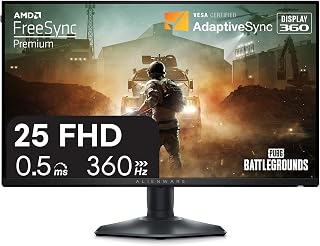
Pros
- Exceptional 360Hz refresh rate and 0.5ms response time ideal for esports and competitive gaming
- Fast IPS technology provides excellent color accuracy and wide viewing angles without sacrificing speed
- Thoughtfully redesigned Legend 2.0 base with hexagonal footprint maximizes desk real estate
- AMD FreeSync Premium and VESA AdaptiveSync certification deliver tear-free, smooth gameplay
- Comprehensive connectivity and full ergonomic adjustments support any gaming setup
Cons
- Glossy screen surface may cause glare in bright room environments or near windows
- 360Hz capability requires DisplayPort connection; HDMI limited to 255Hz refresh rate
- Entry-level 1080p resolution may feel less immersive for single-player or cinematic gaming experiences
The Alienware AW2523HF is a purpose-built esports monitor designed for competitive gamers, streamers, and FPS enthusiasts who prioritize speed and responsiveness over visual bells and whistles. This 25-inch 1080p display targets the professional and semi-pro gaming crowd where frame rates and input latency directly impact performance.
The headline specs are genuinely impressive. A 360Hz variable refresh rate combined with a 0.5ms response time (1ms typical) creates an exceptionally responsive gaming experience. Pair this with AMD FreeSync Premium and VESA AdaptiveSync certification, and you get virtually zero screen tearing or stuttering during intense gaming sessions. The Fast IPS panel delivers 99% sRGB color coverage and HDR support, which is unusual for a competitive gaming monitor. Real-world gaming produces vivid, crisp visuals without the washed-out appearance of older TN panels.
The redesigned Legend 2.0 base addresses feedback from pro gamers with a hexagonal footprint that minimizes desk footprint while providing excellent stability. The integrated retractable headset hanger is a practical touch that keeps gaming gear organized. Full ergonomic adjustability, height, tilt, swivel, and pivot positioning ensure comfortable viewing angles for extended play sessions.
The main limitations are practical rather than serious. The glossy screen surface can reflect light in bright rooms, though most competitive gamers game in darker environments. The 1920x1080 resolution is a trade-off for achieving 360Hz performance, and it may feel dated compared to 1440p alternatives. The 360Hz benefit requires DisplayPort; HDMI tops out at 255Hz.
The Alienware AW2523HF is the right choice for competitive esports players and anyone willing to prioritize speed and responsiveness over resolution and graphical fidelity. At this price point, it delivers exceptional value for the target audience.
Display: 25-inch (24.5-inch actual) IPS LED panel, 16:9 aspect ratio, glossy surface
Resolution: Full HD (1920 x 1080)
Refresh Rate: 360Hz (DisplayPort), 255Hz (HDMI)
Response Time: 0.5ms GtG (Gray-to-Gray minimum), 1ms typical (Extreme mode)
Color Accuracy: sRGB 99% color coverage with HDR support
Adaptive Sync: AMD FreeSync Premium, VESA AdaptiveSync certified
Inputs: DisplayPort, HDMI (2x), USB hub
Adjustability: Height, tilt, swivel, pivot positioning with VESA mount compatibility
Design: Hexagonal base, integrated retractable headset hanger
Finish: Dark side of the Moon colorway
Best For: Competitive esports players, professional gamers, FPS and fighting game enthusiasts, streamers who demand ultra-responsive displays for skill-based gaming.
Consider If: You play fast-paced competitive titles where reaction time matters (Valorant, CS2, Overwatch 2, Apex Legends, fighting games). You have the GPU hardware to drive 360Hz and prefer speed over visual fidelity. You value ergonomic desk setup and cable management.
Skip If: You primarily play single-player, story-driven, or visually demanding AAA titles where 1440p or 4K resolution matters more. You game in bright rooms and glare is a concern. You're looking for a budget option or prefer higher resolution at lower refresh rates. Your primary GPU cannot reliably push 300+ fps at 1080p.
Setup Requirements: DisplayPort connection recommended for full 360Hz capability. A high-end GPU (RTX 4070 Ti or equivalent) needed to consistently achieve 300+ fps in competitive titles. Sufficient desk space for the hexagonal base footprint.

This display offers a dual-mode refresh rate that switches between 165Hz at full 4K and 330Hz at 1080p, giving competitive players the flexibility to prioritize frame rate when it matters most. The 0.03ms response time eliminates ghosting during rapid flicks, while the OLED panel delivers perfect blacks and vivid contrast that make enemies pop against dark backgrounds. G-SYNC and FreeSync Premium Pro ensure tear-free gameplay across both NVIDIA and AMD setups.
Pros
- Dual-mode operation: 4K/165Hz or Full HD/330Hz depending on game type
- 0.03ms response time eliminates ghosting and motion blur
- OLED panel with 1.5M:1 contrast reveals details in dark scenes
- Fully adjustable stand with tilt, height, swivel, and pivot
Cons
- Glossy finish reflects ambient light and requires controlled lighting
- Input switching between devices is inconvenient for multi-system setups
The LG 32GX850A-B stands out in the 360Hz tier by offering dual refresh modes that adapt to different competitive scenarios. While many ultra-high refresh displays lock you into a single resolution, this 32-inch OLED lets you run Full HD at 330Hz for fast-paced shooters like Counter-Strike or Valorant, then switch to native 4K at 165Hz when slower tactical games benefit from visual clarity. The 0.03ms response time eliminates motion blur entirely, critical when tracking opponents across the screen. OLED technology delivers a 1.5 million to one contrast ratio and DisplayHDR True Black 400 certification, meaning dark map corners and shadow details remain visible without crushing blacks or washing out highlights. The 98.5% DCI-P3 color gamut ensures accurate color reproduction for both competitive play and content creation. G-SYNC and FreeSync Premium Pro support prevent screen tearing across both NVIDIA and AMD hardware. The fully adjustable stand includes tilt, height, swivel, and pivot functions, letting you dial in ergonomics for marathon sessions. Three UL certifications for flicker-free operation, low blue light, and anti-glare treatment address eye strain during extended play.
Display: 32-inch 4K UHD (3840 x 2160) glossy OLED, 16:9 aspect ratio, 0.18mm pixel pitch
Performance: 165Hz at 4K or 330Hz at Full HD, 0.03ms response time (GtG), 1500000:1 contrast ratio, 275 nits brightness
Color: VESA DisplayHDR True Black 400, 98.5% DCI-P3 gamut, HDR10 support
Connectivity: 1x DisplayPort, 2x HDMI 2.1, 3x USB 3.0, 2x audio outputs
Adaptive Sync: NVIDIA G-SYNC Compatible, AMD FreeSync Premium Pro
Stand: Height, tilt, swivel, and pivot adjustment. Dimensions: 28.1"W x 24.4"H x 9.8"D, 20.1 lbs
Certifications: UL Anti-Glare, UL Flicker-Free, UL Low Blue Light
Warranty: 2-year manufacturer coverage

Pros
- Blazing 300Hz refresh rate and 1ms response time deliver competitive edge in esports titles
- Curved screen design reduces eye fatigue during marathon gaming sessions
- Dual DP ports ensure you can leverage the full 300Hz capability
- Solid 4.5-star rating from hundreds of verified purchases shows real-world reliability
Cons
- 1080P resolution may feel less detailed on a 27-inch screen compared to 1440P alternatives
- HDMI ports max out at 240Hz, limiting console performance if seeking highest refresh rates
The Z-Edge 27-inch curved gaming monitor is purpose-built for competitive gamers and esports players who demand speed and responsiveness above all else. With its standout 300Hz refresh rate and 1ms response time, this display keeps up with the fastest action, making it an excellent choice for FPS, fighting games, and racing titles where every millisecond counts.
The monitor's curved design goes beyond aesthetics, actively enhancing your field of view and reducing eye strain during extended gaming marathons. The 3000:1 contrast ratio produces crisp blacks and vibrant highlights that bring games to life, while the matte finish minimizes reflections. Dual DisplayPort connections deliver full 300Hz performance, and HDMI ports provide flexible connectivity for secondary devices, though they cap at 240Hz.
Build quality appears solid based on the strong user reviews and VESA mount compatibility, allowing you to customize your setup with arms or wall mounting for optimal ergonomics. The white chassis fits naturally into modern gaming rigs and streaming setups.
One consideration is the 1080P resolution on a 27-inch panel, which is larger than typical 1080P displays and may show pixelation compared to higher resolutions. However, this resolution choice supports the 300Hz performance and keeps the price accessible for budget-conscious gamers.
For competitive gamers prioritizing refresh rate and response time over resolution sharpness, the Z-Edge 27-inch curved monitor offers genuine value. It delivers the speed needed to perform at your peak without requiring a premium price tag.
Display: 27-inch curved panel, 1080P (1920x1080) FHD resolution, 16:9 aspect ratio, matte finish
Performance: 300Hz refresh rate, 1ms response time, 3000:1 contrast ratio, flicker-free technology
Connectivity: 2x DisplayPort (supports 300Hz), 2x HDMI (supports 240Hz max), VESA 100x100mm mount compatible
Color & Clarity: Enhanced color accuracy, vivid visuals optimized for gaming and multimedia
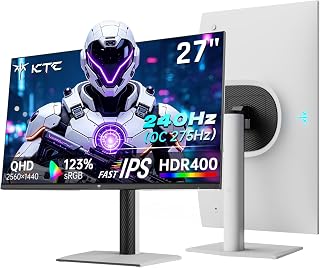
Pros
- Outstanding value for money with high-end gaming performance at budget pricing
- Excellent picture quality with crisp 1440p text and natural color reproduction
- Fast IPS panel delivers smooth motion and wide viewing angles without ghosting
- Lightweight but sturdy build quality with no reported dead pixels or artifacts
- Exceptional versatility works seamlessly for gaming, content creation, and professional work
Cons
- Some users report glare on matte screen in bright morning sunlight, requires positioning consideration
- Lifespan may be shorter than premium models with reports of failure after heavy use
- Built-in speakers are adequate for casual use but not a replacement for dedicated audio
The KTC H27E6S is a 27-inch gaming monitor that proves premium performance doesn't require a premium price tag. Built for competitive gamers seeking fast refresh rates and sharp visuals, this monitor also serves content creators, professionals, and anyone needing a large, responsive display for daily work. Its combination of 1440p resolution, 240Hz refresh rate, and HDR400 support makes it exceptionally versatile.
The standout feature is the smooth gaming experience. The 240Hz refresh rate (overclockable to 275Hz) with 1ms response time and FreeSync/G-Sync support delivers buttery-smooth motion, particularly noticeable in fast-paced competitive titles. Real-world performance extends beyond gaming: professionals praise the crisp 1440p text clarity, and the 123% color gamut produces natural, well-balanced colors without oversaturation. Multiple reviewers report zero eye strain during extended work sessions, even during long support shifts requiring intense focus.
Design and build quality are solid for this price range. The monitor ships with a fully adjustable stand offering height, tilt, swivel, and pivot adjustments, plus VESA mounting compatibility for wall placement. Connectivity is comprehensive with DisplayPort 1.4, dual HDMI 2.0, USB, and built-in speakers. At 24.25 inches wide and weighing minimally, the monitor feels sturdy despite its lightweight construction with no dead pixels or visible defects reported.
Two minor drawbacks emerged: the matte screen finish can produce glare in bright sunlight, and some users report the monitor failing after roughly three years of regular use, falling short of the claimed three-year warranty in real-world conditions. Built-in speakers are functional but better suited for supplementary audio rather than primary sound output.
Verdict: The KTC H27E6S is a remarkably capable gaming and productivity monitor that delivers exceptional visual quality and performance for the price. Highly recommended for budget-conscious gamers, professionals upgrading from older displays, and anyone seeking a versatile 1440p workstation without compromise.
Display: 27-inch Fast IPS panel, 2560x1440 QHD resolution, 16:9 aspect ratio, 178-degree viewing angles. 1ms response time, 240Hz refresh rate (275Hz overclocked).
Image Quality: HDR400 support, 400 nits brightness, 1000:1 contrast ratio, 123% color gamut, matte screen finish, eye care blue light reduction.
Connectivity: 1x DisplayPort 1.4, 2x HDMI 2.0, 1x USB 2.0, built-in speakers. Adaptive Sync support for FreeSync and G-Sync.
Ergonomics: Height, tilt, pivot, and swivel adjustments. VESA 100x100 mount compatible. Dimensions: 24.25 inches wide x 21.1 inches tall x 8.3 inches deep.
Warranty: 3-year manufacturer warranty. Included accessories: DisplayPort cable, power adapter, power cord, monitor stand, quick start guide.
Competitive Gamers: The 240Hz refresh rate, 1ms response time, and G-Sync/FreeSync support create the low-latency, smooth gameplay essential for competitive shooters, MOBAs, and fast-action titles. At this price, it's an unmatched value for esports-focused players.
Content Creators: The 1440p resolution provides ample screen real estate for video editing, photo retouching, 3D modeling, and design work. The wide color gamut and HDR400 support ensure accurate color representation, while the adjustable stand accommodates extended creative sessions comfortably.
Professionals and Remote Workers: Sharp text clarity, minimal eye strain, and available brightness make this ideal for customer support, data entry, programming, and long-hour professional tasks. The dual-monitor setup reviewers praise demonstrates excellent side-by-side productivity potential.
Budget-Conscious Upgrades: Anyone currently using an older 1080p or 144Hz monitor will immediately appreciate the performance jump without spending on premium-tier monitors. The exceptional reviews from budget shoppers confirm excellent value.
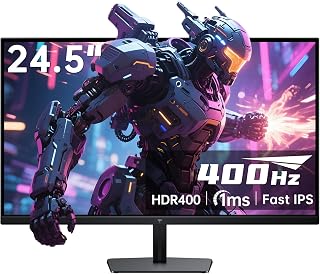
Pros
- Exceptional 400Hz refresh rate sets this monitor apart from mainstream 144Hz/240Hz competitors
- Fast IPS panel provides superior color accuracy and viewing angles compared to standard TN panels
- 1ms response time minimizes input lag for competitive multiplayer games
- Multiple connectivity options (HDMI 2.0 and DisplayPort 1.4) accommodate both current and future systems
- Solid 4.5-star rating from 2,400 reviews reflects real-world user satisfaction
Cons
- 1080p resolution may feel less immersive than 1440p or 4K on a 24.5 inch screen for single-player games
- 400Hz support requires DisplayPort connection and compatible high-end GPU, limiting practical use to enthusiast gamers
- No USB hub or advanced cable management compared to premium gaming monitors in this price range
The KTC H25X7 is a specialized 1080p gaming monitor engineered for competitive players who demand the smoothest possible gameplay. This 24.5 inch display stands out with its exceptional 400Hz refresh rate, making it one of the fastest monitors available for esports titles like CS:GO, Valorant, and Apex Legends.
The standout feature is undoubtedly the combination of 400Hz refresh rate with 1ms response time on a Fast IPS panel. Unlike traditional TN panels, the IPS technology delivers deeper blacks, richer colors, and wider viewing angles, making this monitor suitable for both competitive gaming and content creation. The HDR 400 support with 128% sRGB color gamut adds vibrancy to modern games, while FreeSync Premium Pro eliminates screen tearing for seamless performance.
Build quality appears solid with a fully adjustable ergonomic stand that allows tilt customization for extended gaming sessions. The dual HDMI 2.0 and dual DisplayPort 1.4 connectivity provides flexibility, though reaching 400Hz requires DisplayPort and a capable graphics card. At just 9 pounds with a matte finish, the monitor feels well-constructed without unnecessary bulk.
The main limitation is 1080p resolution in an era where 1440p and 4K are becoming standard. While competitive gamers prioritize refresh rate over resolution, single-player enthusiasts may find the pixel density limiting on a larger screen. Additionally, the 400Hz capability requires significant GPU power, making it practical only for users with high-end systems.
The KTC H25X7 is a worthy choice for competitive gamers seeking maximum smoothness at 1080p, backed by strong customer reviews and a 3-year warranty. If your primary focus is esports performance over visual fidelity, this monitor delivers excellent value.
Display: 24.5 inch Fast IPS, 1920x1080 resolution, 16:9 aspect ratio, 400Hz refresh rate, 1ms response time
Color & Image: HDR 400, 128% sRGB color gamut, 1000:1 contrast ratio, 400 cd brightness, 178 degree viewing angle
Connectivity: 2x HDMI 2.0 (240Hz), 2x DisplayPort 1.4 (400Hz), supports FreeSync Premium Pro
Design: Fully adjustable tilt stand, matte finish, silver-gray color, wall mount compatible
Physical: 21 inch depth, 5 inch width, 16 inch height, 9 pounds weight, 60 watts power consumption
Warranty: 3-year manufacturer warranty
Included: Monitor, stand, DisplayPort cable, HDMI adapter, quick start guide, user guide, screwdriver
Who Should Buy This Monitor? Competitive esports players, professional gamers, and enthusiasts who play fast-paced multiplayer titles and prioritize ultra-smooth gameplay. Buyers with high-end GPUs (RTX 4070 Super or better) can fully leverage the 400Hz capability.
Who Should Skip It? Casual gamers, content creators prioritizing resolution, and budget-conscious buyers on systems with mid-range GPUs. If you play single-player story games or work with detailed graphics, a 1440p or 4K monitor would serve you better.
GPU Requirements: To reach 400Hz at 1080p in competitive titles, expect to need a GeForce RTX 4070 Super, RTX 4080, or AMD equivalent. Mainstream GPUs will hit 240Hz or less on demanding games.
Real-World Performance: In esports titles like CS:GO and Valorant, this monitor excels, delivering the smoothness competitive players crave. In AAA titles, you'll likely max out at 240Hz with high settings on high-end GPUs, making the extra 160Hz overhead less relevant.
Value Consideration: At its price point, this monitor offers competitive 400Hz performance with the bonus of IPS color accuracy, making it a stronger value than pure-gaming TN-based alternatives if you value both speed and visual quality.
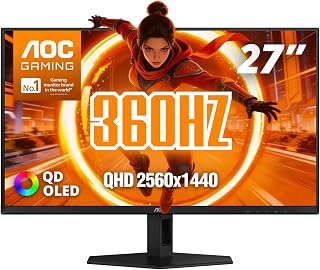
Pros
- Lightning-fast 360Hz refresh rate with industry-leading 0.03ms response time for zero input lag
- Superior OLED color accuracy (147.6% sRGB, 110.2% DCI-P3) ideal for color-critical work and vibrant gaming
- HDR400 True Black certification delivers exceptional contrast and visual realism
- Fully customizable ergonomic stand with multiple adjustment options reduces neck and eye strain
- 3-year manufacturer warranty provides long-term peace of mind
Cons
- Premium price point may exceed budgets of casual gamers or those prioritizing value over performance
- Glossy screen finish can reflect ambient light and may require careful room positioning
- OLED displays may experience burn-in with static imagery if left on-screen for extended periods without mitigation
The AOC Q27G40SDE is a premium 27-inch gaming monitor built for competitive gamers and creative professionals who demand both speed and color fidelity. With its exceptional 360Hz refresh rate and 0.03ms response time, it's engineered to eliminate motion blur and input lag. This monitor is ideal for esports players, streamers, and digital artists who refuse to compromise on performance or visual quality.
The standout feature is the cutting-edge QD-OLED panel, which delivers stunning color accuracy with 147.6% sRGB and 110.2% DCI-P3 coverage. Combined with HDR400 True Black certification, the monitor produces deeper blacks and brighter highlights that bring games and professional content to life with remarkable realism. The G-SYNC compatibility ensures tear-free gameplay across supported platforms, creating a smooth and responsive experience even during intense competitive sessions.
Build quality is solid, with a glossy screen finish that enhances color vibrancy, though it requires careful positioning to minimize reflection. The ergonomic stand offers full adjustability in tilt, swivel, pivot, and height, allowing you to dial in the perfect viewing angle. VESA mount compatibility adds flexibility for multi-monitor setups or wall mounting, and the connectivity suite includes DisplayPort 1.4 and HDMI 2.0 for modern gaming systems.
One consideration is that OLED technology, while delivering superior visuals, may experience burn-in with static on-screen elements during extended idle periods. Additionally, the glossy finish and premium pricing position this monitor at the high end of the market. However, for gamers and creators who value responsiveness and color accuracy above all else, these trade-offs are more than justified.
The AOC Q27G40SDE is a top-tier gaming monitor that delivers exceptional performance and image quality. If you're willing to invest in premium equipment and want the fastest, most vibrant display available, this is a clear winner backed by a solid 3-year warranty.
Display: 27-inch QHD (2560x1440) QD-OLED, 16:9 aspect ratio, glossy finish
Refresh Rate: 360Hz
Response Time: 0.03ms (Gray-to-Gray)
Color Gamut: 147.6% sRGB, 110.2% DCI-P3
HDR: HDR400 True Black certification
Adaptive Sync: NVIDIA G-SYNC Compatible
Connectivity: DisplayPort 1.4, HDMI 2.0, USB 3.2
Stand Adjustment: Tilt, swivel, pivot, height
VESA Mount: Compatible
Dimensions: 28.74" D x 18.9" W x 7.4" H
Warranty: 3-year manufacturer coverage
Best For: Competitive esports players who need every millisecond of responsiveness, content creators requiring professional color accuracy, streamers who want both performance and visual appeal, and enthusiasts who demand the fastest gaming display available.
Consider Alternatives If: You have a limited budget and can accept 144Hz or 240Hz refresh rates, or if you prioritize matte screens over glossy finishes to reduce reflection concerns.

Pros
- Lightning-fast 400Hz refresh rate delivers ultra-smooth motion and responsiveness for competitive gaming
- 1ms response time minimizes ghosting and motion blur during intense gameplay
- Fast IPS panel provides vibrant colors and wide 178-degree viewing angles without color shift
- HDR400 with 128% sRGB color gamut creates vivid, detailed visuals for immersive gaming
- Multiple connectivity options including DisplayPort 1.4 support for maximum flexibility
Cons
- 1080P resolution on a 24.5-inch screen results in lower pixel density compared to 1440P alternatives at similar sizes
- HDR400 certification is entry-level, lacking the brightness and contrast range of premium HDR1000+ displays
- Limited to 240Hz over HDMI connection, requiring DisplayPort for full 400Hz capability
The KTC H25X7 is a 24.5-inch competitive gaming monitor designed specifically for esports players and fast-paced action gamers who prioritize refresh rate and response time above all else. Built on Fast IPS panel technology, it combines the smooth 400Hz refresh rate with a lightning-quick 1ms response time to deliver an exceptionally responsive gaming experience. This monitor is ideal for players of competitive titles like Valorant, CS2, and Apex Legends where every millisecond matters.
The standout feature is undoubtedly the 400Hz refresh rate paired with dual DisplayPort 1.4 connectivity, which sets this monitor apart in the competitive gaming segment. The Fast IPS panel delivers vibrant colors with 128% sRGB gamut coverage and HDR400 support, creating visually engaging gameplay without sacrificing the responsiveness competitive gamers demand. The 1920x1080 resolution at 24.5 inches strikes a practical balance, offering fast frame rates and lower GPU requirements while maintaining sharp visuals for most esports titles.
Build quality and design show solid engineering with ergonomic flexibility including tilt adjustment and VESA mounting compatibility. The matte screen finish effectively reduces glare during extended gaming sessions, and the included Eye Care technology helps minimize fatigue. At just 9.8 pounds with a compact footprint, it fits naturally into any gaming setup. The frame-less design and silver finish give it a professional appearance suitable for both casual gaming spaces and competitive setups.
The primary tradeoff is the 1080P resolution, which may feel dated to some users accustomed to higher pixel densities. Additionally, achieving the full 400Hz refresh rate requires a DisplayPort 1.4 connection, as HDMI 2.0 caps out at 240Hz. The HDR400 certification, while delivering decent brightness and color, doesn't match premium HDR displays in terms of contrast range and visual impact.
The KTC H25X7 delivers exceptional value for competitive esports gamers seeking a high-refresh, low-latency display. It excels at its specific purpose: providing a responsive, smooth gaming experience for fast-paced titles. Backed by a 3-year warranty, this monitor is a solid investment for anyone serious about competitive gaming performance.
Display and Resolution: 24.5-inch Fast IPS, 1920x1080 (FHD), 16:9 aspect ratio, 0.28mm pixel pitch
Refresh Rate and Response: 400Hz native refresh rate, 1ms response time, Adaptive Sync support
Color and Brightness: 128% sRGB color gamut, HDR400 certification, 400 cd/m2 brightness, 1000:1 contrast ratio
Viewing Angle: 178 degrees (horizontal and vertical)
Connectivity: 2x HDMI 2.0 (up to 240Hz), 2x DisplayPort 1.4 (up to 400Hz), includes DP cable
Physical: 24" W x 18" H x 4" D, 9.8 lbs, tilt adjustment (-5 to +15 degrees), VESA 100x100mm compatible
Power: 60 watts consumption, 12V voltage
Additional Features: Matte screen finish, frameless design, Eye Care technology, includes tilt stand, screwdriver, and quick start guide
Warranty: 3-year manufacturer warranty
Best For: Competitive esports players, fast-paced action gamers, users prioritizing low latency and high refresh rates over pixel density or color accuracy.
Consider If: You play competitive titles like Valorant, CS2, Overwatch, or Apex Legends where frame rate and responsiveness directly impact performance. You have a GPU capable of pushing 300+ fps. You value smooth motion over crisp pixel-level detail.
Skip If: You primarily play single-player story-driven games where 1080P resolution feels limiting. You need professional color accuracy for content creation. You want premium HDR performance with HDR1000+ specifications.
GPU Pairing: To fully leverage this monitor, pair with an RTX 4070 or better, AMD RX 7800 XT, or higher to consistently reach 300+ fps in esports titles. For demanding AAA games, expect to balance settings to achieve 240Hz minimum.
Setup Recommendations: Position the monitor 20-24 inches from your eyes. Use DisplayPort 1.4 connection for full 400Hz support. Enable Adaptive Sync in game settings for tear-free gaming when frame rates dip below refresh rate.

Pros
- Exceptional picture quality with deep blacks, vibrant colors, and outstanding HDR performance that transforms both gaming and content consumption
- Professional-grade response time and refresh rate eliminate motion blur and ghosting for competitive gaming dominance
- Versatile connectivity including USB-C, HDMI 2.1, and KVM functionality supports multiple workflows and devices
- Solid build quality with easy setup and intuitive Gaming Intelligence App for personalized display settings
- Three-year manufacturer warranty provides strong confidence in long-term reliability
Cons
- Plastic stand construction feels less premium than expected for the price, though it remains functional and stable
- OLED technology carries inherent burn-in risks despite MSI Care 2.0 protection, requiring awareness during static-image usage
The MSI MPG 271QRX QD-OLED is a flagship gaming monitor engineered for competitive players and creative professionals who refuse to compromise on visual fidelity. Built around a cutting-edge QD-OLED panel with 2560x1440 resolution, it combines unprecedented color accuracy with the speed demanded by modern esports and AAA gaming titles.
What truly sets this monitor apart is its exceptional performance metrics. The 0.03ms response time and 360Hz refresh rate deliver motion clarity that puts traditional LCD monitors to shame, while DisplayHDR True Black 400 certification ensures HDR content appears with stunning depth and realism. Real-world testing confirms users experience noticeably smoother gameplay and sharper competitive advantage, particularly in fast-paced titles where every millisecond matters.
Design and connectivity reflect premium positioning. The 27-inch form factor strikes an ideal balance between immersion and practicality, while the adjustable stand offers excellent ergonomic flexibility. USB-C power delivery and KVM functionality streamline multi-device workflows, making it equally suitable for productivity work alongside gaming sessions.
The primary drawback is cost. At nearly $580, this monitor demands significant investment. Additionally, while MSI OLED Care 2.0 reduces burn-in risk, OLED technology inherently requires more cautious usage patterns than traditional LCD alternatives. The plastic stand, while functional, feels less premium than the rest of the package warrants.
Verdict: The MPG 271QRX represents the current pinnacle of gaming monitor technology. For players and professionals where performance and visual quality justify premium pricing, this monitor delivers measurable advantages that justify its position as a category leader.
Display Panel: 27-inch QD-OLED, 2560x1440 (QHD), 16:9 aspect ratio, glossy finish
Performance: 360Hz refresh rate, 0.03ms GtG response time, 1,000,000:1 contrast ratio, 250 nits brightness, 178-degree viewing angle
Color Accuracy: Delta E ≤ 2, DisplayHDR True Black 400 certified, QD Premium Color technology
Connectivity: 1x HDMI 2.1 (48Gbps), 1x DisplayPort, USB-C with power delivery, 4x USB ports (2x USB 2.0), HDMI 2.1 console mode support
Features: Adaptive Sync, HDMI 2.1 VRR/ALLM, KVM support, Gaming Intelligence App, MSI OLED Care 2.0, fully adjustable stand (tilt and height), VESA mount compatible
Physical: 24" D x 9.5" W x 16.6" H, 24 lbs, black color, rectangular design
Warranty: 3-year manufacturer coverage
Who Should Buy This Monitor: Competitive esports players seeking every possible performance advantage, console gamers with PS5 or Xbox Series X looking for 120Hz HDMI 2.1 capability, content creators and professionals requiring color-accurate displays, and enthusiasts prioritizing visual quality above all other considerations.
Who Should Consider Alternatives: Budget-conscious gamers below $400, users concerned about OLED burn-in despite protective measures, office workers primarily doing productivity tasks, and those preferring traditional LCD reliability over cutting-edge OLED technology.
Key Considerations: Verify your graphics card supports 360Hz via DisplayPort or console supports HDMI 2.1 before purchase. Account for OLED burn-in prevention practices like enabling screensaver after extended idle periods. Confirm USB-C power output matches your laptop requirements. Consider desktop space, as 27 inches represents substantial monitor real estate.
Value Assessment: Premium pricing reflects genuine performance advantages including industry-leading response time, unmatched color accuracy, and DisplayHDR True Black certification. If competitive performance or professional color work justifies investment, the cost delivers measurable value. For pure gaming enjoyment without pro-level demands, excellent alternatives exist at lower price points.
Pros
- Exceptional motion clarity and competitive edge from 360Hz refresh rate with ultra-low response time
- Superior image quality with true blacks, infinite contrast, and vibrant colors from QD-OLED panel
- High resolution at 1440p makes spotting enemies and reading game text noticeably easier
- Versatile for both competitive shooters and immersive single-player games with excellent all-around performance
- Comprehensive warranty including OLED burn-in protection provides valuable long-term coverage
Cons
- Higher price point at $499.99 may be a significant investment for casual gamers
- OLED technology carries inherent burn-in risk despite warranty coverage, requiring mindful usage habits
- Some users have reported dead pixel issues on arrival, though manufacturer warranty provides recourse
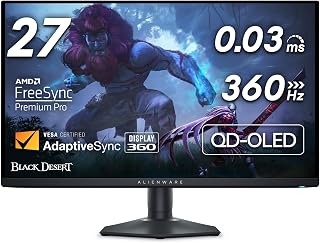
The Alienware AW2725DF is a groundbreaking gaming monitor designed for players who refuse to compromise on performance or image quality. This is the world's first 360Hz QD-OLED display, targeting serious esports competitors and immersive gamers who want exceptional motion clarity combined with premium visuals. Whether you're grinding ranked matches or exploring visually stunning AAA titles, this monitor delivers on both fronts.
The standout feature is the combination of 360Hz refresh rate with 0.03ms response time, enabling you to see and react to in-game action with unprecedented speed and clarity. The QD-OLED panel produces an infinite contrast ratio with true blacks and vibrant colors, while the 2560x1440 resolution provides sharp detail without sacrificing the high refresh rates needed for competitive play. Real-world testing shows this monitor excels in fast-paced FPS games while making single-player titles like Red Dead Redemption 2 visually stunning.
Build quality is premium with a sleek hexagonal base design and fully adjustable stand supporting height, tilt, swivel, and pivot positioning. The minimal footprint maximizes desk space, and customizable 3-zone AlienFX lighting adds visual flair to your setup. At 13.9 pounds, it's reasonably portable for an OLED display. Connectivity includes DisplayPort 1.4, HDMI, and USB 3.2 Gen1 with all necessary cables included.
The main consideration is the inherent OLED burn-in risk, though Alienware mitigates this with a 3-year Advanced Exchange Service Warranty that covers OLED burn-in. Some early buyers reported dead pixels on arrival, which is addressable through the warranty. The $499.99 price point is premium, but justified by the groundbreaking technology and performance combination.
The AW2725DF is an exceptional choice for competitive gamers and enthusiasts seeking the highest performance monitor currently available. If you prioritize motion clarity and pristine image quality equally, this monitor represents the cutting edge of gaming display technology and justifies its investment.
Display: 27-inch QD-OLED panel, 2560x1440 (QHD), 16:10 aspect ratio, 360Hz refresh rate, 0.03ms response time, 1.5 million:1 contrast ratio, 178-degree viewing angle.
Color and Brightness: 99.3% DCI-P3 color coverage, Delta E less than 2, VESA DisplayHDR True Black 400 certification, 1000 nits brightness.
Connectivity: 1x DisplayPort 1.4, 1x HDMI, USB 3.2 Gen1 upstream, Ethernet port.
Adjustability: Height, tilt, swivel, and pivot adjustment, desk mount only.
Power: 27.6 watts typical consumption, 240 volts AC, includes power and video cables.
Warranty: 3-year Advanced Exchange Service with OLED burn-in coverage.
Who Should Buy: Serious esports competitors seeking every performance advantage, immersive gamers who value both high refresh rates and premium image quality, content creators needing accurate color reproduction alongside fast motion handling.
Who Might Wait: Casual gamers or budget-conscious buyers, users concerned about OLED longevity, those preferring proven LCD technology with longer market history.
Competing Alternatives: The AW2725DF is the only 360Hz OLED option at this price. Competitors with 240-360Hz include traditional IPS and VA monitors that lack OLED's contrast and color quality. Higher-end 480Hz OLED variants are emerging at premium prices.
Key Consideration: Proper OLED care extends monitor life significantly. Use screen savers, vary content regularly, and enable pixel refresh functions to minimize burn-in risk. The comprehensive warranty provides additional peace of mind for this investment.
Buying Guide: What to Consider When Choosing a 360Hz Gaming Monitor
Panel Technology and Response Time
The panel type fundamentally shapes your gaming experience. Fast IPS panels like those in the Alienware 25 Gaming Monitor AW2523HF 24.5″ IPS LED and TITAN ARMY U255T 24.5″ Gaming Monitor, QHD deliver excellent color accuracy with 99% sRGB coverage while maintaining 0.5ms to 1ms response times. These monitors balance competitive performance with vibrant visuals suitable for both gaming and content creation.
QD-OLED technology represents the premium tier, offering 0.03ms response times that virtually eliminate ghosting. The Alienware AW2725DF OLED Gaming Monitor and msi MPG 271QRX QD-OLED, 27 OLED Gaming Monitor provide infinite contrast ratios and true blacks impossible on LCD panels. If you primarily play competitive shooters where clarity matters more than HDR content, Fast IPS delivers excellent value. For players who want the absolute best motion clarity and visual depth across all game types, QD-OLED justifies the investment.
Resolution: 1080p vs QHD
Full HD 1080p monitors like the KTC 24.5 Inch 400Hz Gaming Monitor offer maximum frame rates with less GPU demand, making them ideal for competitive esports where performance trumps visual fidelity. The 24.5-inch screen size maintains sharp pixel density at 1080p, and reaching 360Hz or even 400Hz becomes achievable with mid-range graphics cards.
QHD 1440p displays provide 78% more pixels, delivering noticeably sharper image quality for immersive single-player games and productive work between gaming sessions. The LG 32GX850A-B 32″ UltraGear 4K UHD (3840 x 2160) even offers dual-mode functionality, switching between 4K at 165Hz and 1080p at 330Hz depending on your game type. Consider your GPU power and whether you value competitive frame rates or visual detail more heavily when making this choice.
Adaptive Sync and HDR Support
Adaptive sync technology eliminates screen tearing without the input lag of traditional V-Sync. Most displays support both AMD FreeSync Premium Pro and are NVIDIA G-SYNC Compatible, ensuring smooth gameplay regardless of your graphics card. The AOC 27″ Gaming Monitor QHD 360Hz QD OLED NVIDIA carries official NVIDIA certification for verified performance with GeForce cards.
HDR capabilities vary significantly across models. Entry-level monitors may claim HDR support but lack the peak brightness to deliver meaningful improvements. Look for VESA DisplayHDR 400 certification at minimum, with DisplayHDR True Black 400 on OLED panels providing the most dramatic contrast enhancement. The KTC 24.5 Inch 400Hz Gaming Monitor includes HDR 400 with 128% sRGB color gamut, bringing HDR gaming to a more accessible segment. For those interested in exploring other high-performance displays, check out our guide on the best laptops for computer science students which covers portable options with excellent screen quality.
Ergonomics and Connectivity
Proper ergonomics prevent fatigue during extended sessions. Prioritize monitors with height, tilt, swivel, and pivot adjustment like the KTC 27 Inch 240Hz Gaming Monitor. Vertical pivot rotation proves valuable for coding or browsing between matches, while VESA 100x100mm mounting compatibility allows desk clamp or wall installation for maximum flexibility.
Connection options determine maximum refresh rates and multi-device setups. DisplayPort 1.4 typically delivers the full 360Hz experience at 1080p and 1440p, while HDMI 2.0 often caps at 240Hz. The Z-Edge 27 inch Curved Gaming Monitor includes dual DisplayPort and dual HDMI connections, making console and PC switching seamless. USB-C with DisplayPort Alt Mode, found on premium models, provides single-cable connectivity for laptops while delivering power and data simultaneously.
Final Thoughts
Choosing the right 360Hz gaming monitor depends on balancing performance demands, visual preferences, and budget constraints. For competitive players prioritizing pure speed and value, the KTC 24.5 Inch 400Hz Gaming Monitor delivers exceptional refresh rates with HDR 400 at an accessible entry point. If you demand the ultimate in motion clarity with stunning OLED visuals for both competitive and immersive gaming, the Alienware AW2725DF OLED Gaming Monitor combines QD-OLED technology with true 360Hz performance and infinite contrast for an uncompromising experience.
Frequently Asked Questions
Do I need a powerful GPU to run games at 360Hz?
Reaching 360fps consistently requires a high-end graphics card, especially at 1440p resolution. Competitive esports titles like CS2, Valorant, and Overwatch 2 are well-optimized and achievable with mid-to-high-range GPUs at 1080p. For graphically demanding AAA games, you’ll need flagship cards to approach 360fps, though adaptive sync technology ensures smooth gameplay even when frame rates fluctuate below the maximum refresh rate. Many competitive players lower graphics settings to prioritize frame rate over visual fidelity.
Is there a noticeable difference between 240Hz and 360Hz monitors?
The improvement from 240Hz to 360Hz is less dramatic than the jump from 144Hz to 240Hz, but professional players and sensitive users can perceive the reduced motion blur and improved tracking clarity. The difference becomes most apparent in fast-paced scenarios with rapid camera movements or tracking fast-moving targets. If you’re upgrading from 144Hz, the improvement is significant. If you already own a quality 240Hz display, the upgrade priority depends on how seriously you pursue competitive gaming and whether you have the GPU power to sustain those frame rates.
Should I choose OLED or Fast IPS for competitive gaming in 2026?
Fast IPS panels offer excellent competitive performance with lower risk of burn-in, making them ideal for extended sessions displaying static UI elements. QD-OLED provides superior motion clarity with 0.03ms response times and infinite contrast, but requires more careful usage to prevent image retention. For pure competitive gaming where the monitor displays varied content, either technology performs exceptionally well. If you also consume HDR content, watch movies, or play story-driven games, OLED’s visual advantages become more compelling despite the slightly higher maintenance awareness required.
What screen size is best for 360Hz gaming?
Most competitive players prefer 24.5 to 27-inch displays because the entire screen remains within peripheral vision without requiring excessive head movement to track corners. The smaller viewing area reduces eye travel time during intense matches. At 1080p, 24.5 inches maintains sharp pixel density, while 27 inches works well for 1440p resolution. Larger displays like 32 inches suit immersive single-player gaming better than competitive scenarios. Consider your desk depth and how close you sit when selecting size, as proper viewing distance affects both comfort and competitive performance.
Common questions
What is the best esports monitor for competitive gaming in 2026?
A 360Hz display at 1080p remains the sweet spot for esports, delivering the fastest response times and highest frame rates for competitive titles like Valorant, CS2, and Apex Legends. The 24.5-inch form factor is preferred by pros because it requires less eye movement and fits tournament setups. Look for Fast IPS panels that combine speed with better color accuracy than older TN screens, and make sure your GPU can push 360+ fps in your main games to fully benefit from the refresh rate.






Write Your Review
No reviews yet. Be the first to share your experience!