

Whether you’re building a home office, upgrading your gaming rig, or looking for a display that handles both, Dell makes it surprisingly hard to go wrong. The brand covers nearly every use case, from budget-friendly 1080p panels to expansive 4K curved screens with built-in speakers and USB-C docking. The challenge is knowing which model actually fits your desk, workflow, and setup.
This guide breaks down the top Dell monitors available right now, covering everyday productivity displays, fast IPS gaming panels, and large-format 4K screens. If you’re also exploring other high-performance display options, our roundup of the best 4k 240hz monitor is worth a look alongside this one.
Quick Comparison
Ratings reflect the most recent data pull. Check each listing for current price and availability.
Quick answer
This guide compares 10 picks, with Dell SE2426H 24 inch 144Hz IPS Monitor - FHD 1080p ranked first. Dell S2725QS 27 inch 4K UHD 120Hz IPS Monitor has the most customer reviews.

Budget-focused work-from-home setups gain a lot from this 23.8-inch IPS panel's 144Hz refresh rate, which keeps everyday multitasking feeling responsive without the size or cost of larger displays. Dual HDMI inputs make it easy to switch between a laptop and a secondary device, suiting a simple, no-fuss desk arrangement.
Pros
- 144Hz refresh rate for smooth, responsive gaming
- IPS panel keeps colors accurate at wide viewing angles
- AMD FreeSync reduces screen tearing in fast motion
- Lightweight, thin-bezel design fits flexible desk setups
Cons
- 1080p resolution can look soft on a 24-inch screen up close
- No DisplayPort input, only dual HDMI
For this list's gaming angle, the SE2426H covers the essentials without overcomplicating the choice. It's a 24-inch 1920x1080 IPS panel running at 144Hz, which is the refresh rate that actually separates a gaming monitor from a standard office one. The IPS technology keeps colors consistent across the 178-degree viewing angle, so it holds up for design work or when someone's watching over your shoulder, not just fast-paced titles. AMD FreeSync support pairs with that refresh rate to keep motion smooth during quick action. A matte anti-glare finish helps in bright rooms, and TÜV 3-star certification addresses blue light for long sessions at the desk. It's a straightforward pick for this roundup precisely because it doesn't try to be a 4K or ultrawide display, it focuses on refresh rate and responsiveness at a size that fits most desks. The tradeoff is resolution, since 1080p on a 24-inch panel won't match the sharpness of higher-res options also covered here.
Display: 23.8-inch IPS LCD, 1920x1080 (16:9 aspect ratio), 72% color gamut, 300 nits brightness, 1000:1 contrast ratio
Performance: 144Hz refresh rate, 8ms response time, 178-degree viewing angles (horizontal/vertical)
Connectivity: 2x HDMI ports, AMD FreeSync adaptive sync
Design: Matte anti-glare finish, ultra-thin bezels, tilt adjustment, 21.21 inches wide, 7.04 inches deep
Power: 13.3 watts consumption, 240V AC input
Warranty: 1-Year Advanced Exchange Service
Included: Monitor with stand, 1.8m HDMI cable, power cable, safety documentation

Gamers who prefer a more compact setup will like the 23.8-inch size on this 240Hz FHD IPS monitor, which keeps the full screen easily within eye span for quick reaction times. FreeSync Premium support smooths out fast motion, making it a practical choice for a dedicated gaming desk with limited space.
Pros
- 240Hz refresh rate with 0.5ms response for competitive gaming
- IPS panel keeps color accurate at wide viewing angles
- TUV 3-star certification reduces blue light without hurting accuracy
- Dual HDMI and DisplayPort 1.4 for flexible multi-device use
Cons
- 1080p resolution limits sharpness for non-gaming use
- Contrast ratio is typical, not standout
For a roundup covering work, gaming, and 4K needs, the SE2426HG earns its place as the dedicated esports pick. When gaming performance is the deciding factor, 240Hz refresh and IPS color together are hard to match at this size. Competitive titles like Valorant and CS2 benefit directly from the fast pixel response, and FreeSync Premium keeps motion clean on compatible GPUs. Unlike many budget 4K or work-focused displays that trade speed for pixel density, this monitor commits fully to smoothness, making it the natural answer when a reader asks which Dell monitor to buy specifically for gaming. The 178-degree viewing angles and 99% sRGB coverage mean it does not sacrifice color just to hit that refresh rate, so it still handles everyday browsing and streaming reasonably well. TUV Rheinland eye comfort certification adds a practical benefit for long sessions, whether gaming or working. It will not satisfy readers chasing 4K detail, but for the gaming category of this article, it is a clear, focused recommendation.
Display: 24-inch FHD IPS, 1920x1080 native resolution, 16:9 aspect ratio, 93 pixel pitch, 1000:1 contrast ratio, 178-degree viewing angles, 300 nits brightness, 99% sRGB color gamut
Performance: 240Hz refresh rate, 0.5ms response time, AMD FreeSync Premium, HDMI VRR support, TÜV Rheinland 3-star blue light reduction
Connectivity: 2x HDMI 2.0, 1x DisplayPort 1.4, Power input
Physical: 21.21 inches wide, 16.23 inches tall, 7.04 inches deep, 7.4 pounds, black matte finish, desk mount with tilt adjustment
Power and Warranty: 14 watts typical consumption, 240V AC input, 1-year advanced exchange service, includes HDMI cable, stand, power cable, and documentation
Best for competitive and fast-paced gamers who want high refresh rate on a budget and do not need 4K sharpness. Also suits anyone wanting a secondary gaming display with solid color accuracy. Skip it if this article's reader wants a 4K monitor for detailed work, photo editing, or general productivity, since 1920x1080 on a 24-inch screen will look softer than higher-resolution alternatives in the same lineup.
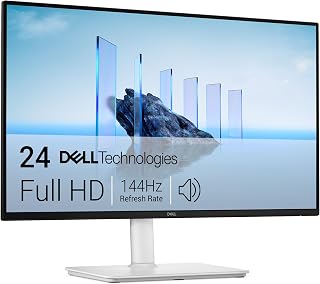
Compact home offices benefit from this 23.8-inch FHD display's 144Hz refresh rate, which keeps cursor movement and window switching feeling snappy during the workday. Full height, tilt, pivot and swivel adjustability lets users dial in the right viewing angle, while integrated speakers simplify video calls without extra desk clutter.
Pros
- 144Hz refresh with 1ms MPRT for smooth everyday and casual gaming use
- Fully adjustable stand with height, tilt, pivot, and swivel
- Built-in dual 3W speakers reduce need for external audio
- TUV 4-star certification supports comfortable long sessions
Cons
- HDMI-only connectivity with no DisplayPort or USB-C
- Stand height range may fall short for taller users
In a lineup built around work, gaming, and 4K, the S2425HSM fills the everyday-value gap between the two extremes. It is not a gaming specialist or a 4K powerhouse, but it covers both needs reasonably well for readers who split time between office tasks and casual play. The 144Hz refresh rate with 1ms MPRT response gives noticeably smoother scrolling and light gaming, while FreeSync prevents tearing during fast-paced content. For a work-focused audience, the fully adjustable stand with height, tilt, pivot, and swivel stands out, since many gaming-oriented monitors in this category skip that flexibility. Built-in 3W speakers also mean less desk clutter for a home office setup. The TUV 4-star certification and sRGB coverage support long work sessions without eye strain. It will not satisfy readers chasing 4K clarity or high-refresh esports performance, but as the practical, do-everything option in a Dell monitor guide, it earns a spot for value-focused buyers.
Good for home office workers, students, and casual gamers who want one monitor that handles documents, video calls, and light gaming without extra investment. Also fits readers wanting speakers built in. Skip it if the goal is competitive gaming performance or 4K resolution for detailed creative work, since this monitor targets everyday versatility over specialized performance.
Display Specs: 23.8-inch FHD (1920x1080) LCD, 144Hz refresh rate, 1500:1 contrast ratio, 300 nits brightness, 178-degree viewing angles, matte finish, 99 percent color gamut.
Performance: 1ms Moving Picture Response Time (MPRT), AMD FreeSync adaptive sync, TUV 4-star eye care certification with blue light reduction and flicker-free technology.
Design & Connectivity: Ash white color, 7.55 inches deep, 21.17 inches wide, 13.66 inches tall, 11.1 pounds. Fully adjustable stand (height, tilt, pivot, swivel). Dual HDMI ports, integrated dual 3W speakers, power consumption 14.3 watts.
Warranty & Package: 1-year Advanced Exchange Service with premium panel replacement. Includes monitor with stand, HDMI 1.4 cable, power cable, and documentation.

Pros
- 144Hz refresh rate with 1ms MPRT response time
- Height, tilt, pivot, and swivel adjustments
- Matte anti-glare screen with blue-light reduction
- Built-in dual 3W speakers
Cons
- FHD resolution is modest for a 27-inch panel
- HDMI is the only stated connectivity
Not every monitor in a Dell roundup needs to pursue 4K; the S2725HSM makes its case as the work-and-gaming option for people who prioritize fluid motion and adjustable comfort over higher resolution. Its 27-inch matte LCD panel uses a 1920 x 1080 resolution, 144Hz refresh rate, and 1ms MPRT response time, so it is directed toward fast-paced games rather than detailed 4K creative work. AMD FreeSync support helps reduce tearing with compatible AMD graphics cards. For daily work, the display brings 300 nits brightness, a 1500:1 contrast ratio, 99% color gamut, 178-degree viewing angles, and an anti-glare finish. The stand can be raised, tilted, swiveled, and pivoted, which gives it more flexibility than a basic fixed-position screen. Two 3W speakers also cover simple built-in audio needs. Its TUV 4-star eye care certification and blue-light reduction further suit extended viewing. The important limitation in this Dell monitor guide is clear: FHD at 27 inches has lower pixel density than 1440p or 4K alternatives, and HDMI is the only stated connectivity.
Display: 27-inch FHD LCD, 1920x1080 resolution, 16:9 aspect ratio, 178-degree viewing angle
Performance: 144Hz refresh rate, 1ms MPRT response time, 1500:1 contrast ratio, 300 nits brightness, AMD FreeSync support
Connectivity: 2x HDMI 1.4 ports, included 1.8m HDMI cable
Audio: Dual 3W built-in speakers
Adjustment: Height, tilt, pivot, and swivel adjustable stand
Physical: 24-inch width, 15.32-inch height, 7.95-inch depth, 12.6 pounds, matte finish with anti-glare coating
Warranty: 1-year advanced exchange service with premium panel exchange
Buy this Dell if your priority is an all-purpose 27-inch screen for FHD gaming, schoolwork, or office tasks, and you value 144Hz motion, FreeSync, a matte panel, and a stand that supports height, tilt, pivot, and swivel adjustments. It also suits users who want basic speakers without adding separate audio hardware. Skip it if your work depends on 4K detail, higher pixel density for photo or video editing, or DisplayPort for broader multi-display connectivity. Those wanting fuller sound should also plan on dedicated speakers.
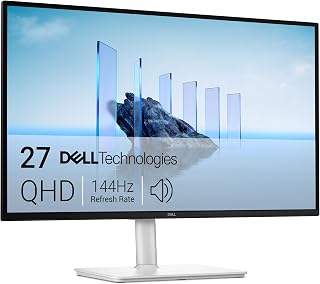
For everyday work paired with light gaming, this 27-inch QHD panel hits 144Hz with a 1500:1 contrast ratio for crisp text and smooth motion alike. Full height, tilt, pivot and swivel adjustment makes it easy to dial in an ergonomic setup for long shifts at a desk, while built-in speakers cut clutter for anyone juggling calls and spreadsheets.
Pros
- 144Hz and 1ms response for smooth, tear-free gaming
- TUV 4-star eye comfort certification for long sessions
- Surprisingly capable built-in 3W speakers
- Fully adjustable stand with height, tilt, pivot, swivel
Cons
- Only one HDMI and one DisplayPort limit multi-device setups
- QHD resolution, not 4K, if that's specifically what you need
If you're weighing work, gaming, and 4K options for 2026, the S2725DSM makes a case for staying at QHD rather than chasing pixel count. The 27-inch 2560x1440 IPS panel runs at 144Hz with a 1ms response time and AMD FreeSync, so fast-moving games stay smooth without tearing, while the 1500:1 contrast and 178-degree viewing angles keep spreadsheets and design work equally sharp. This is the pick for anyone who wants gaming-grade motion handling but doesn't want to pay 4K prices or push a GPU that hard. TUV-certified eye comfort with flicker-free and blue light reduction supports long work sessions, and the dual 3W speakers are strong enough that you may skip external audio. A fully adjustable stand and matte finish round out a monitor built for mixed-use desks. It won't out-resolve the 4K models on this list, but for combined work and gaming duty at a lower resolution overhead, it's one of the more balanced options here.
Buy this if your priority is smooth gaming performance and all-day comfort at QHD rather than 4K sharpness, especially if your GPU can't drive 4K at high refresh rates. Office workers and mainstream gamers sharing one monitor will appreciate the FreeSync and ergonomic stand. Skip it if you specifically want this list's 4K clarity for photo or video editing, or if you need more than one HDMI and one DisplayPort without adapters.
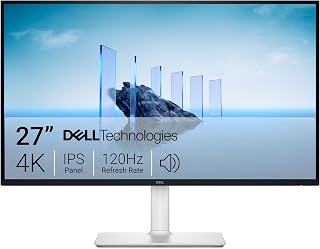
Anyone splitting time between spreadsheets and creative work will appreciate the 4K UHD resolution on this 27-inch IPS panel, which keeps text and fine detail sharp at close range. A 120Hz refresh rate adds smoothness for scrolling and casual gaming, making it a solid all-rounder for a mixed work and play setup.
Pros
- True 4K resolution with 99% sRGB color accuracy
- 120Hz refresh rate for smoother everyday use
- FreeSync Premium prevents screen tearing
- Improved built-in speakers with deeper bass
Cons
- Default brightness runs too high out of the box
- 4-8ms response time won't satisfy competitive gamers
For a 2026 buying guide covering work, gaming, and 4K, the S2725QS is the straightforward all-rounder: a 27-inch 4K IPS panel with 120Hz refresh and 99% sRGB coverage that handles spreadsheets, photo edits, and casual gaming without forcing a tradeoff. The higher refresh rate makes everyday scrolling and windowed multitasking feel noticeably smoother than a standard 60Hz 4K display, and AMD FreeSync Premium keeps games tear-free. ComfortView Plus blue light reduction supports long work stretches, and the ash white design with slim bezels and a fully adjustable stand fits into most office or gaming setups. Redesigned built-in speakers add usable audio without external gear. It's not tuned for esports-level response times, and its 120Hz ceiling sits below dedicated gaming panels, but for someone who wants genuine 4K resolution plus real gaming usability in one screen, it hits a practical middle ground that the QHD options on this list can't match on pixel density.
Display: 27-inch IPS LED panel, 4K UHD (3840x2160), 16:9 aspect ratio, matte anti-glare finish
Color: 99% sRGB color gamut, 1500:1 contrast ratio, 350 nits brightness
Refresh Rate: 120Hz with AMD FreeSync Premium adaptive sync technology
Response Time: 0.03ms, 4-8ms gray-to-gray
Viewing Angle: 178 degrees horizontal and vertical
Connectivity: DisplayPort, 2x HDMI 1.4, 3.5mm audio jack
Adjustments: Height, tilt, pivot, and swivel adjustments, VESA 100x100 compatible
Audio: Built-in 2W stereo speakers with enhanced audio quality
Features: ComfortView Plus blue light reduction, Energy Star certified, USB hub connectivity
Dimensions: 24.08 inches wide, 7.89 inches deep, 15.3 inches high (with stand)
Weight: 14.3 pounds
Power Consumption: 24.6 watts
Warranty: 1-year advanced exchange service and premium panel exchange
Choose this if you want true 4K sharpness for work and creative tasks with enough refresh rate and FreeSync support to game comfortably on the side. It suits professionals, students, and casual gamers who want one display for everything. Skip it if you're a competitive gamer needing sub-1ms response or extreme refresh rates, since the 4-8ms gray-to-gray and 120Hz cap won't satisfy that tier.

Color-sensitive tasks like photo editing or design work benefit from 99% sRGB coverage on this 27-inch 4K display, ensuring on-screen colors stay accurate. The 120Hz refresh rate keeps everyday scrolling and window management fluid, so this suits professionals who need both visual precision and a responsive feel during long work sessions.
Pros
- USB-C with 65W power delivery simplifies laptop setups
- 4K IPS panel with 99% sRGB for accurate color work
- 120Hz refresh and FreeSync Premium for light gaming
- Quality built-in speakers reduce need for external audio
Cons
- USB-C docking reliability has been inconsistent for some users
- 4ms response time trails dedicated gaming monitors
In a lineup built around work, gaming, and 4K needs, the S2725QC stands out for the work side of that equation. Its 27-inch 4K IPS panel with 99% sRGB coverage and HDR readiness handles photo editing and content creation with accurate color, while 120Hz and FreeSync Premium keep it capable for casual gaming too. What sets it apart from other 4K options here is USB-C connectivity with 65W power delivery and data transfer over a single cable, ideal for MacBook or laptop users who want to cut cable clutter on a desk. ComfortView Plus keeps blue light emissions low for long sessions, and the ash white design with a fully adjustable stand and quality built-in speakers rounds out a setup that feels premium for the category. The tradeoff is that USB-C docking reliability has been inconsistent for at least one user over time, so anyone counting on that single-cable convenience should have HDMI as a backup plan.
Display: 27-inch 4K IPS LED, 3840 x 2160 native resolution, 16:9 aspect ratio, 163 ppi pixel pitch
Color: 99% sRGB, 1500:1 contrast ratio, 350 nits brightness, HDR ready
Refresh: 120Hz, 4ms response time, AMD FreeSync Premium
Connectivity: USB Type-C (65W power delivery), 2x HDMI, 10Gbps data transfer
Adjustability: Height, tilt, swivel, pivot, VESA mounting compatible
Features: Built-in speakers, anti-glare matte screen, ComfortView Plus blue light reduction, 178-degree viewing angles
Power: 25.2W consumption, 240V AC
Dimensions: 24.08" W x 15.3" H x 7.89" D, 14.8 lbs
Warranty: 1-year Advanced Exchange and Premium Panel Exchange
Best for hybrid workers and laptop users, especially MacBook owners, who want 4K clarity and single-cable convenience for video, power, and data. Creative professionals needing accurate color will also benefit. Skip it if you need rock-solid long-term USB-C docking without contingency, or if gaming performance matters more than work versatility, since this leans toward productivity first.
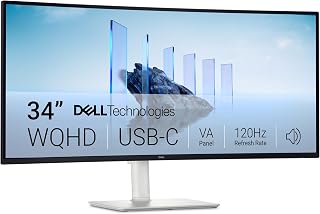
For work that spans multiple documents or browser tabs, the 21:9 ultrawide aspect ratio on this 34-inch VA panel gives extra horizontal room without needing a second monitor. A 3000:1 contrast ratio deepens blacks for a more immersive feel, whether reviewing dense spreadsheets or unwinding with a game after hours.
Pros
- 3440x1440 ultrawide gives two-monitor space in one screen
- 120Hz refresh rate for smooth scrolling and motion
- 99% sRGB color coverage suits creative work
- ComfortView Plus reduces blue light for long sessions
Cons
- Limited port selection may strain setups with many peripherals
- Curved VA panel viewing angles are narrower than IPS
If your work demands room to breathe, the S3425DW earns its spot on this list as the ultrawide pick. A 34-inch curved VA panel at 3440x1440 (21:9) hands you two monitors' worth of workspace without a bezel splitting your view, which matters most for coding, editing timelines, or juggling spreadsheets side by side. The 120Hz refresh rate keeps scrolling and window dragging smooth, while 99% sRGB coverage means the panel can double as a light creative tool, not just an office display. A 3000:1 contrast ratio gives the VA panel noticeably deeper blacks than typical office monitors, and the matte finish keeps glare down during long sessions. ComfortView Plus cuts blue light for all-day comfort. Height and tilt adjustments let you dial in the curve to your desk setup. For anyone shopping this roundup because a single wide screen beats two separate monitors, this is the model built for that exact scenario.
Display: 34-inch curved VA panel, 3440x1440 WQHD resolution, 21:9 aspect ratio, 109 pixel pitch, 300 nits brightness, 3000:1 contrast ratio, 178-degree viewing angles
Color: 99% sRGB, 95% DCI-P3 coverage, 8-bit color depth, HDR ready
Performance: 120Hz refresh rate, 0.03ms response time, AMD FreeSync Premium
Connectivity: 1x USB-C with 65W power delivery and 10Gbps data, 2x HDMI 2.0, 4x USB-A 3.0, built-in speakers
Physical: Ash white color, matte screen finish, anti-glare coating, height and tilt adjustable, VESA mountable, desk mount included, 31.78" width x 16.2" height x 8.73" depth, 20.7 lbs
Features: ComfortView Plus (blue light reduction to 35%), energy efficient, 1-year advanced exchange warranty
Best for professionals and creators who want one wide screen instead of a multi-monitor setup, especially laptop users who value a clean single-cable connection. Developers, editors, and analysts running several windows at once will get the most out of the extra width. Skip it if your desk is shallow, you need a compact footprint, or your work is casual browsing and video where a standard 16:9 screen is simpler and takes up less space.

Competitive gamers chasing fast-paced titles will value the 240Hz refresh rate on this 27-inch FHD IPS panel, which keeps fast motion clear and reduces perceived blur. AMD FreeSync Premium support helps eliminate screen tearing during intense sessions, making it a strong pick for anyone prioritizing responsiveness over pixel density.
Pros
- 240Hz refresh rate with 0.5ms IPS response for fast gaming
- 27-inch size adds screen presence over smaller gaming monitors
- FreeSync Premium and HDMI VRR reduce screen tearing
- Dual HDMI plus DisplayPort 1.4 support multi-device setups
Cons
- 1080p resolution across 27 inches lowers pixel density
- Plastic build and no built-in speakers
This article groups work, gaming, and 4K needs together, and the SE2726HG answers the gaming category for readers who want a larger screen without moving up to 1440p or 4K pricing. The 27-inch size gives gaming setups more presence on the desk, while the 240Hz refresh rate and 0.5ms IPS panel keep the focus squarely on competitive performance. AMD FreeSync Premium and HDMI VRR eliminate tearing, and the 99% sRGB gamut means colors hold up better than typical budget gaming monitors, a detail worth flagging for readers comparing screens across categories. Dual HDMI and DisplayPort 1.4 support multiple consoles or a console-and-PC setup, which matters for readers weighing gaming versatility. Because it stays at 1080p across 27 inches, pixel density is lower than the 4K options elsewhere in this guide, so it should be positioned clearly as the size-over-sharpness choice for esports and fast-paced gaming rather than a general 4K contender.
Display: 27-inch IPS LCD panel, 1920x1080 FHD resolution, 16:9 aspect ratio, 240Hz refresh rate, 0.5ms response time, 1000:1 contrast ratio, 300 nits brightness, 178-degree viewing angles.
Color: 99% sRGB gamut with matte anti-glare finish. TÜV Rheinland 3-star eye care certification with blue light reduction.
Connectivity: 2x HDMI 2.0, 1x DisplayPort 1.4, 1x 3.5mm audio output. AMD FreeSync Premium and HDMI VRR support for tear-free gaming.
Physical: Dimensions 24.05in W x 17.83in H x 7.4in D. Weight 8.2 pounds. Tilt adjustment capability. Includes stand, power cable, HDMI 2.0 cable, and documentation. Power consumption 19.7 watts.
Warranty: 3-year limited warranty from Dell.
Best for gamers wanting a bigger 240Hz screen for esports and fast-paced titles without paying for higher resolution. Also fits readers who want multi-console connectivity with two HDMI ports and DisplayPort. Skip it if this article's reader wants sharp detail for productivity or 4K content, or if built-in speakers matter, since neither is offered here.

Those wanting a larger canvas for spreadsheets or creative layouts will appreciate the 32-inch 4K UHD resolution here, which delivers sharp detail across a bigger screen. The VA panel's 1500:1 contrast ratio adds depth to darker scenes, and 120Hz keeps everyday use feeling smooth for a hybrid work and entertainment setup.
Pros
- True 4K resolution with a 120Hz refresh rate
- 99% sRGB color coverage for accurate, vivid color
- 1500:1 contrast ratio for deep blacks on a VA panel
- Matte finish and ComfortView Plus for glare and eye comfort
Cons
- VA panel viewing angles are more limited than IPS alternatives
- Built-in speakers may need manual audio output adjustment
For the 4K category in this roundup, the S3225QS pairs true 4K sharpness with a 120Hz refresh rate, a combination that's still rare at this size. That means this 32-inch display can handle demanding photo and video editing during the day and keep up with fast gaming at night, without forcing a tradeoff between resolution and motion smoothness. The VA panel delivers a strong 1500:1 contrast ratio for deep blacks, and 99% sRGB coverage brings accurate, true-to-life color out of the box, which matters for anyone doing color-sensitive work. The matte screen finish cuts glare during long sessions, and the ash white finish with thin bezels gives it a clean look on a desk. ComfortView Plus reduces blue light output for extended use. Height and tilt adjustments make it easy to position at eye level. If this article's pitch is a monitor that flexes between serious work and serious gaming at 4K, this is the model that checks both boxes without asking you to choose.
Display: 32 inches, 4K UHD (3840 x 2160), VA Panel, 16:9 aspect ratio, 60Hz native with 120Hz AMD FreeSync Premium support
Visual Performance: 1500:1 contrast ratio, 300 nits brightness, 99% sRGB, 95% DCI-P3 color gamut, 0.03ms response time, 178-degree viewing angles, matte screen finish
Connectivity: 2x HDMI, DisplayPort, built-in speakers, dual audio support
Ergonomics: Height-adjustable stand (up to 5.1 inches), tilt adjustment, anti-glare screen, ComfortView Plus blue light reduction
Physical: 28.05 inches wide, 17.55 inches tall, 8.73 inches deep, 19.3 pounds, ash white finish
Power: 32 watts typical consumption, 240V AC, 1-year Advanced Exchange Service and Premium Panel Exchange warranty
Suited to creators, professionals, and gamers who want genuine 4K detail alongside a 120Hz refresh rate for smoother motion than typical 4K panels. It works well for anyone splitting time between editing and gaming on the same screen. Skip it if you need the widest possible viewing angles, since VA panels shift color more than IPS at extreme angles, or if 4K real estate isn't something your workflow needs.
Dell Monitor Buying Guide: What to Look For
Screen Size and Resolution
Size and resolution go hand in hand. A 24-inch display like the Dell 24 Monitor – SE2426H works well at 1080p because the pixel density stays sharp at normal viewing distances. Step up to 27 inches and you’ll want at least QHD, which is why the Dell 27 Plus QHD Monitor – S2725DSM is a strong choice at that size.
At 32 inches and beyond, 4K resolution genuinely pays off. The added screen real estate on something like the Dell 34 Monitor S3425DW, WQHD VA, 120Hz lets you run multiple windows side by side without sacrificing clarity.
Refresh Rate and Response Time
For competitive gaming, refresh rate is one of the most impactful specs you can prioritize. The Dell 24 240Hz Gaming Monitor – SE2426HG and the Dell 27 240Hz Gaming Monitor – SE2726HG both hit 240Hz with a 0.5ms response time, which translates to noticeably smoother motion and less input lag during fast-paced play.
For everyday work and casual gaming, 144Hz is more than enough. It delivers a perceptibly smoother experience compared to 60Hz without demanding as much from your GPU. If you’re curious how these stack up against third-party options, our guide to the best 240Hz 1080p monitors offers a broader comparison.
Panel Technology: IPS vs VA
IPS panels, like those found in the SE2426H and SE2426HG, offer wide 178-degree viewing angles and consistent color accuracy. They’re ideal for productivity, content consumption, and gaming where you want image quality to hold up from any seat angle.
VA panels, used in the Dell 32 Monitor S3225QS, 4K UHD VA, 120Hz, bring much higher contrast ratios, often 3000:1, which means deeper blacks and more cinematic imagery. They’re a strong pick for movie watching and immersive single-player gaming. If you plan to use your monitor in portrait orientation, check out our guide to the best vertical monitor stands to pair with your setup.
Connectivity and Ergonomics
Think about how many devices you’re connecting and whether cable management matters to you. The Dell 27 Monitor S2725QC, 4K UHD IPS, 120Hz stands out here with USB-C connectivity and up to 65W power delivery, letting you power a laptop and transmit video with a single cable.
Ergonomics matter for long sessions. The Dell 24 Plus Monitor – S2425HSM and Dell 27 Plus Monitor – S2725HSM both offer height, tilt, pivot, and swivel adjustments, giving you full control over your viewing position throughout the day. For precision-focused work like engineering or design, pairing a well-adjusted monitor with the right tools matters even more, as covered in our guide to the best monitors for CAD work.
Final Thoughts
Dell’s monitor lineup covers a wide range of needs without asking you to compromise on quality. If you want a versatile everyday display that also handles gaming well, the Dell 24 Plus Monitor – S2425HSM delivers an excellent combination of ergonomics, eye comfort, and fluid visuals. For those who want a more immersive large-screen experience with rich contrast and USB-C convenience, the Dell 34 Monitor S3425DW, WQHD VA, 120Hz is a standout choice that performs well for both productivity and entertainment.
Frequently Asked Questions
Which Dell monitor is best for everyday work and home office use?
For most home office setups, a 24 to 27-inch IPS display with a 144Hz refresh rate hits the sweet spot. The Dell 27 Plus Monitor – S2725HSM is a great all-rounder with full ergonomic adjustability, built-in speakers, and TÜV 4-star eye comfort certification, making long workdays more manageable. If you spend several hours a day in front of a screen, those eye comfort features are worth prioritizing.
Is a Dell monitor good for gaming in 2026?
Yes, Dell offers solid gaming monitors across multiple price points in 2026. The Dell 24 240Hz Gaming Monitor – SE2426HG and Dell 27 240Hz Gaming Monitor – SE2726HG both feature 240Hz refresh rates, 0.5ms response times, and AMD FreeSync Premium for tear-free gameplay on PC and console. For more context on competitive gaming displays, our guide to the best 1440p 240Hz monitors explores how resolution and speed balance out at higher specs.
What is the difference between IPS and VA panels in Dell monitors?
IPS panels deliver more accurate colors and wider viewing angles, making them better suited for productivity, design work, and multi-person viewing situations. VA panels trade some viewing angle performance for significantly higher contrast ratios, which produces richer blacks and more depth in dark scenes. Dell uses both technologies across its lineup, so choosing between them comes down to whether color consistency or contrast depth matters more to your specific use case.
Do Dell monitors work well with consoles like PlayStation or Xbox?
Most Dell monitors include HDMI ports and support HDMI VRR, which makes them compatible with current-generation consoles. The Dell 27 240Hz Gaming Monitor – SE2726HG, for example, supports FreeSync Premium and HDMI VRR for smooth console gameplay. Keep in mind that console output is typically capped at 120Hz, so the full 240Hz benefit applies mainly to PC gaming.






Write Your Review
No reviews yet. Be the first to share your experience!