

CAD work puts real demands on your display. Whether you are drafting architectural plans, modeling mechanical parts, or running complex 3D assemblies, a low-resolution or color-inaccurate monitor creates friction that slows you down. The details you miss on a mediocre screen can turn into costly revisions down the line.
This guide is built for engineers, architects, and designers who want a monitor that keeps up with their workflow. We evaluated ten displays across resolution, color coverage, screen size, ergonomics, and connectivity to help you make a confident choice. If you are also exploring mounting options for your setup, our roundup of the best dual monitor arms is a natural companion read.
Quick Comparison
Ratings reflect the most recent data pull. Check each listing for current price and availability.
Quick answer
This guide compares 10 picks, with Dell 27 Plus QHD Monitor S2725DSM 144Hz 2560x1440 USB-C ranked first. LG 34WR55QK-B 34-inch UltraWide Curved Monitor holds the highest customer rating among them. SANSUI 34-inch Curved Ultrawide Gaming Monitor has the most customer reviews.
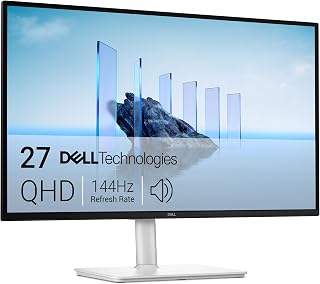
CAD work demands crisp line rendering, and the IPS panel here delivers accurate viewing angles so drawings stay consistent whether you're leaning in or checking the screen from a side monitor. QHD resolution gives enough pixel density for detailed drafting, while height, tilt, pivot, and swivel adjustability let you rotate the display vertically for reviewing long elevation drawings or technical schematics comfortably.
Pros
- Pivot, tilt, height and swivel adjustability for flexible drawing views
- Matte IPS panel with wide viewing angles reduces glare in long sessions
- TUV-certified flicker-free and blue light reduction for extended use
- QHD resolution balances detail with accessible GPU requirements
Cons
- Limited to one HDMI and one DisplayPort, may need adapters
- Not 4K, so extremely fine CAD detail work may benefit from higher pixel density
CAD work rewards screen space and clarity, and the S2725DSM's 27-inch QHD panel gives you room to keep toolbars, palettes, and viewports visible at once without the GPU overhead 4K demands. The IPS panel with 178-degree viewing angles keeps lines and details consistent whether you're centered or checking a drawing from an angle, and the matte finish cuts glare during long modeling sessions under office lighting. The 1500:1 contrast ratio and 99% color gamut coverage help distinguish fine details in wireframes and renders. What really suits CAD workflows is the fully adjustable stand: height, tilt, pivot, and swivel let you rotate into portrait mode for reviewing long vertical drawings or switch orientations as a project demands. TUV-certified flicker-free tech and blue light reduction matter here too, since CAD sessions often run long. The 144Hz refresh rate is a bonus for smooth panning and rotating in 3D views, even though CAD isn't primarily refresh-rate dependent work.
Good fit for CAD users who want an ergonomic, adjustable display and don't need 4K pixel density for their drafting or modeling work. The pivot function is a real plus for reviewing tall drawings. Skip it if your CAD software demands 4K resolution for fine detail work, or if you need more than one HDMI and one DisplayPort without adapters for a multi-monitor CAD setup.

Working across multiple CAD palettes gets easier with this 34-inch curved display's 21:9 layout, which lets you park a viewport alongside layer and dimension panels without overlap. Tilt and height adjustability help you dial in the right viewing angle for detailed line work, and the VA panel's 3000:1 contrast keeps model shading well defined.
Pros
- 34-inch ultrawide canvas for toolbars and viewports
- 99% color gamut for accurate model rendering
- USB-C simplifies laptop CAD setups
- Matte finish reduces glare during long sessions
Cons
- WQHD resolution, not 4K, for fine detail zooming
- Curved format may not suit those wanting flat panels for precision alignment
CAD work rewards screen space above almost everything else, and the LG 34WR55QK-B gives you a 34-inch 21:9 canvas at WQHD resolution to spread out toolbars, palettes, and viewports without constant tabbing. The 99% color gamut coverage means rendered models and material previews look accurate, which matters when you are judging design details rather than gaming reflexes. A matte finish cuts glare during long drafting sessions under office lighting, and the 178-degree viewing angle keeps colors consistent even if you lean in to check fine linework. USB Type-C connectivity is a practical bonus for CAD workstations built around modern laptops, letting you run display and power through one cable. The tilt and height adjustable stand lets you dial in an ergonomic position for the hours CAD work tends to demand. While 100Hz and 5ms are aimed more at gaming than drafting, they do not hurt here, and the curve helps peripheral vision take in the full width without turning your head. For anyone modeling in wide 3D workspaces, this is a strong fit.
Display Specs: 34-inch curved VA panel, 3440x1440 (WQHD) resolution, 21:9 aspect ratio, 100Hz refresh rate, 5ms response time, 3000:1 contrast ratio, 99% sRGB color gamut, HDR10 support, 300 cd/m2 brightness, 178-degree viewing angles
Connectivity: USB Type-C with 65W power delivery, 2x HDMI 2.0, DisplayPort 1.4, 2x USB 3.0 ports, 3.5mm audio jack
Physical: 31.9 inches wide, 22.4 inches tall, 10.2 inches deep, 15.2 pounds, curved black design with height and tilt adjustment
Additional Features: Reader Mode for blue light reduction, Picture-by-Picture mode, OnScreen Control software, FreeSync adaptive sync, matte screen finish, 1-year manufacturer warranty
Buy this if your CAD workflow benefits from a single wide canvas instead of dual monitors, or if you want accurate color for rendering and material review. It also suits laptop-based setups thanks to USB-C. Skip it if you need 4K-level pixel density for extremely fine detail work, or if you prefer a flat panel over a curve for precise straight-line alignment in technical drawings.

For CAD professionals who need to see fine detail in complex assemblies, 4K UHD resolution on this 27-inch IPS panel provides the pixel density necessary to distinguish tightly packed lines and annotations without zooming constantly. The matte finish cuts glare during long design sessions, and IPS technology keeps colors and edges consistent even when a second person reviews the screen from an angle.
Pros
- 4K resolution with 95% DCI-P3 for sharp, accurate detail
- USB-C with 90W power delivery for single-cable laptop setups
- Height, tilt, and pivot stand for flexible drawing orientations
- Full port suite including DisplayPort, dual HDMI, and USB 3.0
Cons
- 60Hz refresh rate limits smoothness for fast 3D viewport navigation
- Built-in speakers are functional but weak for media beyond calls
Precision CAD work depends on seeing fine detail clearly, and the 27UP850K-W's 4K resolution combined with 95% DCI-P3 color coverage renders sharp lines, text, and textures that matter when reviewing intricate models or technical drawings. The IPS panel's 178-degree viewing angles keep those details consistent across the screen, and DisplayHDR 400 support adds accurate highlight and shadow rendering for visualizing rendered models. The ergonomic stand offers height, tilt, and pivot adjustment, useful for rotating into portrait orientation when reviewing long drawings or schematics. USB-C with 90W power delivery simplifies a single-cable setup for laptop-based CAD workstations, while the full port suite of DisplayPort, dual HDMI, and USB 3.0 covers docking stations and peripherals. The matte finish reduces glare during long design sessions. The tradeoff is the 60Hz refresh rate, which is a non-issue for CAD modeling and drafting but means this display won't double as a fast-paced gaming monitor. For CAD professionals prioritizing image clarity and color accuracy over frame rate, this is a strong pick.
Best for CAD professionals who prioritize color accuracy and sharp 4K detail over refresh rate, especially those on Mac systems who want single-cable USB-C convenience. Also solid for anyone pairing CAD work with a laptop docking setup. Skip it if you need high refresh rates for real-time 3D navigation or fast viewport rotation, since 60Hz will feel limiting compared to gaming-oriented alternatives.
Display: 27-inch 4K UHD IPS, 3840 x 2160 resolution, 178-degree viewing angle, 1200:1 contrast ratio, 5ms response time.
Color and HDR: 95% DCI-P3 color gamut, DisplayHDR 400, HDR10 support, 400 cd/m2 brightness.
Connectivity: USB Type-C with 90W power delivery, DisplayPort, 2x HDMI 2.0, 2x USB 3.0, headphone jack.
Ergonomics: Height, tilt, and pivot adjustable stand, 9.4 inches deep, 24.2 inches wide, 22.4 inches tall, 5.9kg weight.
Additional: Built-in stereo speakers with Waves MaxxAudio, FreeSync support, 60Hz refresh rate, 44W power consumption, 1-year parts and labor warranty.

The 1000R curvature on this 32-inch panel wraps the edges of a wide CAD viewport into your natural line of sight, reducing neck movement when scanning detailed assemblies. A VA panel with 3000:1 contrast keeps shaded model surfaces distinct from wireframe outlines, and QHD resolution offers enough clarity for precise part editing.
Pros
- 99% color gamut for accurate model and render colors
- Sharper pixel density than larger QHD ultrawides
- 178-degree viewing angle for consistent color off-axis
- Matte finish reduces glare
Cons
- 16:9 ratio offers far less workspace than ultrawide CAD monitors
- Gaming features like 180Hz and Black Stabilizer add no CAD value
The LG 32GS60QC-B is built as a gaming monitor first, but a few of its specs make it worth a look for certain CAD needs. Its 32-inch QHD panel offers a sharper pixel density than larger ultrawides at the same resolution, which can help with reading fine linework and small UI elements in CAD software. The 99% color gamut is a genuine asset for anyone reviewing rendered models or checking material colors, matching the strongest ultrawide options in this category. However, its 16:9 aspect ratio gives you noticeably less horizontal workspace than a 21:9 ultrawide, meaning less room for palettes and multiple viewports side by side. The 1000R curve and 180Hz refresh rate, along with features like Black Stabilizer and a crosshair overlay, are clearly gaming-oriented and add nothing for drafting work. This monitor makes more sense as a secondary display for reference material or a general workstation screen than as your primary CAD canvas, where wider ultrawide formats better serve the multi-panel layouts CAD software depends on.
Display: 32-inch curved VA panel, 1440p QHD (2560 x 1440), 1000R curve radius, 16:9 aspect ratio, 300 nits brightness, 3000:1 contrast ratio, 99% sRGB color gamut, HDR10 support
Performance: 180Hz refresh rate, 1ms GtG response time, AMD FreeSync adaptive sync, Dynamic Action Sync, Black Stabilizer, FPS Counter, multiple game modes (Gamer, FPS, RTS)
Connectivity: 2x HDMI 2.0, 1x DisplayPort 1.4, DisplayPort audio support
Design: Tilt adjustment, three-side borderless frame, matte screen finish, weighs 13 pounds, dimensions 27.6W x 20H x 8.9D inches
Power & Warranty: 24W power consumption, 1-year manufacturer warranty (parts and labor)
Buy this if you already want a sharp, color-accurate screen for general use and CAD is a secondary task, or if you need a second monitor for references. Skip it if CAD is your primary workload, since the 16:9 ratio gives you far less usable width than a dedicated ultrawide built for multitasking across viewports and toolbars.

SANSUI 34-inch Curved Ultrawide Gaming Monitor
CAD users working with large assemblies will appreciate the extra horizontal real estate of this 21:9 curved display, which comfortably fits a model tree, viewport, and properties panel at once. The VA LED panel's 3000:1 contrast ratio helps shaded solids read clearly against wireframe lines, keeping complex part geometry easy to interpret at a glance.
Pros
- 34-inch 21:9 ultrawide gives generous multitasking space for CAD layouts
- 3000:1 contrast ratio and 96% DCI-P3 for detailed, accurate visuals
- Anti-flicker and AI blue light reduction support long design sessions
- 200Hz refresh rate keeps 3D navigation and panning smooth
Cons
- Curved ultrawide form factor doesn't support pivot to portrait orientation
- Large footprint requires substantial desk space
CAD professionals working with wide assemblies, multi-panel layouts, or side-by-side reference views will appreciate the extra horizontal space a 34-inch 21:9 ultrawide provides. The 3440x1440 UWQHD resolution gives enough pixel density for detailed drafting work while letting you keep a full toolbar, model tree, and viewport visible simultaneously without constant window switching. The VA panel's 3000:1 contrast ratio brings strong depth to shaded models and rendered views, and the 130% color gamut with 96% DCI-P3 coverage supports accurate color work for design reviews. Anti-flicker and AI blue light reduction help during long design sessions, and the anti-glare matte finish keeps reflections down under office lighting. The 200Hz refresh rate, while aimed at gaming, translates to smooth panning and rotation when navigating large 3D assemblies. FreeSync support adds tear-free motion for real-time viewport work. This is a monitor built for CAD users who value screen real estate and want to minimize multi-monitor bezel interruptions.
This monitor excels in competitive and immersive gaming scenarios. The 200Hz refresh rate ensures smooth motion in esports titles, while the 1ms response time eliminates ghosting during fast camera pans or quick reflexes. FreeSync adaptive sync removes screen tearing for seamless visuals across compatible AMD graphics cards.
The ultrawide 21:9 format provides significant competitive advantage in tactical shooters like Valorant or Rainbow Six Siege, offering extended peripheral vision without requiring head movement. The AI-powered sniper scope and crosshair features enhance visibility in challenging lighting conditions. VA technology's superior contrast makes spotting enemies at distance more practical than on standard IPS panels.
Content creators benefit enormously from the 3440x1440 ultrawide workspace. Video editors gain expanded timeline visibility, color graders appreciate the 130% sRGB and 96% DCI-P3 color gamut coverage for professional work, and photographers enjoy side-by-side reference while editing. The 178-degree wide viewing angle ensures consistent color representation across the massive canvas.
Picture-in-Picture and Picture-by-Picture modes allow simultaneous display of different sources, ideal for monitoring multiple applications. The curved design reduces the need for extreme head movement across the extended display area, reducing neck fatigue during long creative sessions.

This 34-inch ultra-wide display suits CAD workflows that rely on split-screen layouts, since the 21:9 ratio and PBP support let you view a model and reference drawing simultaneously. The panel's 3000:1 contrast ratio helps shaded geometry stand apart from wireframe lines, making it easier to read complex part details at a glance.
Pros
- 34-inch Ultra-WQHD canvas for expansive CAD layouts
- TUV-certified Intelligent Eye Care for long sessions
- PIP and PBP for referencing docs alongside CAD software
- Borderless matte design minimizes distraction
Cons
- 72% color gamut is lower than rivals for render-accurate work
- AMD FreeSync and 100Hz are wasted on non-gaming CAD tasks
The Samsung ViewFinity S50GC brings a 34-inch Ultra-WQHD 21:9 display to the CAD desk, and its defining strength for this use is comfort over long sessions. TUV-certified Intelligent Eye Care is built specifically to reduce eye strain, which is a real concern when you are staring at technical drawings for hours at a stretch. The matte screen finish and borderless design help you focus on your work without distracting reflections or bezels breaking up multi-window layouts. PIP and PBP support let you reference a manual, spec sheet, or second application alongside your CAD software without needing a second monitor. The 178-degree viewing angle keeps the display consistent if you are checking details from an angle. Color gamut coverage here is more modest at 72%, so this monitor leans toward drafting, layout, and technical review work rather than color-critical rendering. For CAD professionals whose priority is eye comfort and multitasking across a wide, borderless canvas, the ViewFinity S50GC covers the fundamentals well without unnecessary extras.
Display Specifications: 34-inch ultrawide LCD, 3440x1440 native resolution, 21:9 aspect ratio, 100Hz refresh rate, 5ms response time, 3000:1 contrast ratio, 300cd/m2 brightness, 178-degree viewing angle, matte finish.
Color and Image Technology: 72% color gamut, HDR10 support, AMD FreeSync adaptive sync, TUV-certified Intelligent Eye Care with ambient light sensor, Eye Saver Mode, Flicker Free technology.
Connectivity: 1x DisplayPort 1.2, 2x HDMI 2.2, 1x 3.5mm headphone jack. Includes DisplayPort and HDMI cables.
Physical Dimensions: 32.1 inches wide, 18 inches tall, 8.7 inches deep. Weight: 10.8 pounds. Wall mount compatible.
Power and Warranty: 50 watts power consumption at 110 volts. 1-year manufacturer warranty. Model: LS34C502GANXZA.
Buy this if eye comfort during long CAD sessions and split-screen multitasking with PIP or PBP matter most to you. It is a good fit for drafting and layout work over color-critical rendering. Skip it if accurate color reproduction for material or render review is a priority, since its gamut coverage is lower than competing ultrawide options.
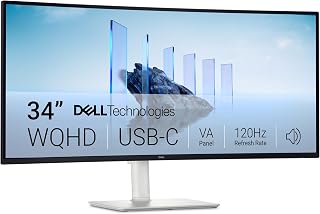
Wide CAD assemblies and multi-panel layouts benefit from the 21:9 aspect ratio here, giving you room to keep a model viewport and dimension palettes visible side by side. The VA panel's 3000:1 contrast ratio helps line work and shaded surfaces stand out clearly, while WQHD resolution keeps text and toolbars sharp across the extended canvas.
Pros
- Flat panel avoids curve-related line distortion for precision drafting
- 99% color gamut for accurate model and material rendering
- Matte finish plus Eye Comfort features support long work sessions
- FreeSync Premium and 120Hz for responsive viewport navigation
Cons
- Lower 3000:1 contrast ratio compared to VA panels tuned for deep blacks
- 120Hz refresh is more than CAD needs, so it's not a differentiator here
The S3425DW brings Dell's design pedigree to the ultrawide category, and for CAD work that's a meaningful advantage. Its 34-inch 21:9 WQHD panel gives designers a broad flat workspace, ideal for laying out drawings, toolbars, and reference panels side by side without the distortion a curve can introduce on straight lines. The flat VA panel is a better fit for precision drafting than curved alternatives, since edges and grid lines stay geometrically consistent across the screen. A 99% color gamut ensures rendered models and material previews look accurate, which matters when presenting designs to clients. The matte finish keeps glare down during long sessions under office lighting, and Dell's Eye Comfort features support extended use without excessive fatigue. FreeSync Premium and a 120Hz refresh rate make viewport panning and rotation feel responsive, even if CAD software rarely pushes toward high frame rates. Contrast ratio here is more modest than VA panels built for gaming, so blacks won't be as deep, but for CAD's flatter, detail-oriented visuals that's a minor tradeoff.
Display: 34-inch curved VA panel, 3440x1440 WQHD resolution, 21:9 aspect ratio, 109 pixel pitch, 300 nits brightness, 3000:1 contrast ratio, 178-degree viewing angles
Color: 99% sRGB, 95% DCI-P3 coverage, 8-bit color depth, HDR ready
Performance: 120Hz refresh rate, 0.03ms response time, AMD FreeSync Premium
Connectivity: 1x USB-C with 65W power delivery and 10Gbps data, 2x HDMI 2.0, 4x USB-A 3.0, built-in speakers
Physical: Ash white color, matte screen finish, anti-glare coating, height and tilt adjustable, VESA mountable, desk mount included, 31.78" width x 16.2" height x 8.73" depth, 20.7 lbs
Features: ComfortView Plus (blue light reduction to 35%), energy efficient, 1-year advanced exchange warranty
Best for CAD professionals who prioritize accurate, distortion-free geometry over immersive curves, and who want a flat ultrawide for precise drafting and multi-panel layouts. Also suits those who value Dell's build reputation and eye comfort features for long workdays. Skip it if you want the deepest possible contrast or a curved, more cinematic viewing experience.
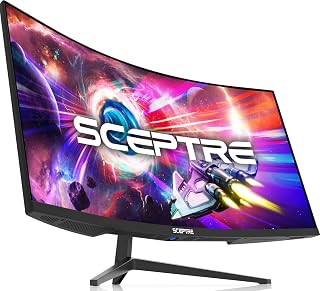
Drafting complex 3D models often means juggling multiple toolbars and viewports, and this curved 34-inch panel's 21:9 ratio gives you that lateral space without stacking monitors. Its 1,000,000:1 contrast ratio makes it easier to distinguish shaded model surfaces from wireframe edges, and 99% sRGB coverage keeps material color previews looking accurate during rendering checks.
Pros
- Ultrawide 3440x1440 canvas for multiple CAD palettes and viewports
- 99% sRGB for accurate material and render color
- High contrast ratio and matte finish reduce eye strain in long sessions
- Smooth 165Hz refresh for fluid 3D viewport navigation
Cons
- Curved screen can distort straight lines in precision 2D drafting
- 1-year warranty is short for a primary work display
CAD work rewards screen space, and the C345B-QUT168's 34-inch curved 3440x1440 canvas gives you room to keep toolbars, palettes, and multiple viewports visible without constant window juggling. The 21:9 aspect ratio suits side-by-side reference views, and 99% sRGB means rendered models and textures display with accurate color, useful when reviewing material finishes or client-facing visuals. The 1,000,000:1 contrast ratio and matte finish help long design sessions stay comfortable by cutting glare and deepening detail in shaded model views. While the 165Hz refresh rate and 1ms response time are built for gaming, they translate into smooth, lag-free viewport rotation and panning when manipulating complex 3D models. Dual DisplayPort connectivity supports multi-monitor CAD setups. The main tradeoff for CAD users is the curve, which some drafters find less ideal for precise straight-line work than a flat panel, and the 1-year warranty is on the shorter side for a tool you'll rely on daily.
Good for CAD users who want a wide, immersive canvas for 3D modeling and don't mind a curved screen. Also fits professionals who game or create content outside of work. Skip it if your CAD work involves lots of precise 2D drafting, where a flat panel reduces edge distortion, or if you need a longer warranty for business-critical hardware.
Display: 34-inch curved VA panel with 3440x1440 WQHD native resolution and 21:9 aspect ratio. 1500R curvature optimizes viewing angles across the expanded width.
Performance: 165Hz refresh rate, 1ms MPRT response time, 1,000,000:1 contrast ratio, 280 cd/m brightness, and 178-degree viewing angles. AMD FreeSync Premium adaptive sync eliminates screen tearing.
Color Accuracy: 99% sRGB gamut with matte finish, ideal for photo and video editing. Blue light filter reduces eye strain during extended sessions.
Connectivity: 2x DisplayPort 1.4, 2x HDMI 2.0, and 1x audio output. Supports Windows, Android, and iPhone devices. Wall-mount compatible with VESA mounting option.
Physical: 31.8in wide x 17.96in tall x 8.6in deep. Weighs 15.3 pounds. Power consumption 42 watts. Includes tilt adjustment for ergonomic positioning.

Pros
- Ultra-wide 21:9 aspect ratio provides 40% more horizontal space than standard 16:9 monitors for exceptional multitasking
- 120Hz refresh rate with adaptive sync delivers noticeably smoother motion and eliminates tearing in games and applications
- TÜV certified flicker-free and low blue light features minimize eye fatigue during marathon work or gaming sessions
- VA panel technology produces superior contrast and color depth with 178-degree viewing angles
- Affordable pricing for a high-resolution ultrawide monitor with professional-grade specifications
Cons
- VA panel has slower pixel response times compared to IPS or TN panels, which may affect color shifting at extreme viewing angles
- 34-inch ultrawide footprint requires significant desk space and may not fit standard monitor stands without adjustment
- Limited HDR performance as monitor is HDR Ready but not full HDR certified, so HDR content displays with reduced impact
The MSI PRO MP341CQ E12 is a 34-inch ultrawide monitor designed for professionals, content creators, and gamers who demand exceptional screen real estate. With its 3440x1440 resolution and 21:9 aspect ratio, this monitor delivers 40 percent more horizontal workspace than standard monitors, making it perfect for side-by-side multitasking, video editing, and immersive gaming experiences.
Performance stands out with a 120Hz refresh rate and Adaptive Sync support, eliminating screen tearing and stuttering for smooth gameplay. The 1ms response time ensures crisp motion during fast-paced content. The VA panel produces a 3500:1 contrast ratio, delivering deeper blacks and more vivid colors than typical IPS displays. TUV Rheinland certification for flicker-free operation and low blue light protection means extended viewing sessions won't leave your eyes fatigued, backed by MSI's Eye-Q Check vision assessment tool.
Build quality is solid with a matte screen finish that reduces glare and reflections. The tilt-adjustable stand offers -5 to 20 degrees of tilt range, and VESA 100x100mm mounting compatibility provides flexibility for monitor arms and multi-display setups. Connectivity is comprehensive with DisplayPort 1.4a and dual HDMI 2.0b ports, both supporting full 3440x1440 at 120Hz output without compromise.
Drawbacks are minimal but worth noting. The VA technology can exhibit slight color shifting at extreme viewing angles, though the 178-degree specification minimizes this in practice. The ultrawide format requires significant desk space, and some users may find the monitor's 24.5-pound weight requires a sturdy mounting solution. HDR is marked as Ready rather than fully certified, so HDR content won't display with maximum impact.
Verdict: The MSI PRO MP341CQ E12 is an exceptional ultrawide monitor for users who value productivity space, smooth performance, and eye comfort. At this price point, it delivers professional-grade specifications and reliable MSI engineering, making it a smart investment for work-focused and gaming workstations alike.
Display: 34 inches, 21:9 ultrawide aspect ratio, 3440x1440 UWQHD resolution, VA panel technology
Performance: 120Hz refresh rate, 1ms response time, 3500:1 contrast ratio, 250 nits brightness, 178-degree viewing angles
Design: Curved display, matte screen finish, frameless bezel design, 31.86 inches wide, 9.33 inches tall, 18.49 inches deep, 24.5 pounds
Connectivity: DisplayPort 1.4a, HDMI 2.0b (dual ports), HDMI-CEC support
Features: Flicker-free, low blue light, HDR Ready, anti-glare coating, adaptive sync, Eye-Q Check vision assessment tool
Mounting: Tilt-adjustable stand (-5 to +20 degrees), VESA 100x100mm compatible
Power: 26 watts typical consumption
Warranty: 3 years
Included: Power cord, DisplayPort cable
Best For: Content creators, video editors, financial analysts, and programmers who benefit from expansive horizontal workspace. Also ideal for immersive gamers seeking smooth performance at high resolution. Remote workers and students spending extended hours at their desk will appreciate the eye-care features and ergonomic adjustability.
Not For: Users with limited desk space or those needing maximum vertical height for spreadsheet work. Competitive esports players prioritizing sub-1ms input lag might prefer TN panels. Users requiring full HDR certification should look elsewhere.

Pros
- Massive screen real estate eliminates constant window switching and improves focus
- Smooth 120Hz performance with accurate color reproduction suitable for productivity and content creation
- Easy multi-device connectivity with DisplayPort, HDMI, and headphone jack
- Lightweight at 13.7 pounds with space-saving slim stand design
- Strong customer satisfaction with users praising sharp display quality and ease of setup
Cons
- Stand lacks height adjustment, swivel, and adequate tilt range, requiring VESA arm upgrade for ergonomic positioning
- 21:9 aspect ratio creates shorter vertical space than traditional monitors, which some users find limiting
- Limited to 5ms response time and VA panel technology versus premium IPS alternatives
The LG 34U60ZB-B is a curved UltraWide monitor designed for professionals, content creators, and power users who want to maximize screen real estate without cluttering their desk with multiple displays. This 34-inch display with its distinctive 21:9 aspect ratio and 3440x1440 resolution delivers genuine productivity benefits by providing side-by-side workspace for email, chat, spreadsheets, and creative applications.
The standout technical features include a 120Hz refresh rate with 5ms response time for smooth motion during video calls and gaming, combined with up to 99% sRGB color coverage and HDR10 support. The 1800R curve follows your natural line of sight during extended work sessions, while the matte finish eliminates glare. The included LG Switch software adds significant value, allowing you to split the screen into multiple layouts, control two PCs from one keyboard and mouse, and launch video calls with hotkeys.
Build quality is solid across the display itself, with users consistently praising the sharp, vibrant image and distraction-free borderless design. The monitor arrives ready to use with included DisplayPort and power cables. However, the stand is a significant weakness. It lacks height adjustment, swivel capability, and meaningful tilt range, forcing many users to purchase a separate VESA arm to achieve comfortable ergonomics.
The 21:9 aspect ratio does create vertically compressed workspace compared to conventional 16:9 displays, which may feel limiting if you regularly work with tall windows or documents. Some buyers discover this incompatibility only after purchase, though others embrace the trade-off for superior horizontal multitasking.
At this price point, the 34U60ZB-B offers compelling value for productivity-focused buyers willing to invest in a monitor arm. The display quality and UltraWide advantages clearly outweigh the limitations for professionals seeking efficient workspace expansion, though creative users needing premium color accuracy or gamers prioritizing refresh rate performance should explore alternatives.
Display: 34-inch curved UltraWide VA panel, 3440x1440 WQHD resolution, 21:9 aspect ratio, 1800R curvature, matte finish
Performance: 120Hz refresh rate, 5ms response time, 3000:1 contrast ratio, 250 nits brightness, 99% sRGB color coverage, HDR10 support
Connectivity: 1x DisplayPort, 1x HDMI, 1x headphone jack
Stand: Slim design with tilt and height adjustment, one-click VESA mounting (100x100mm)
Dimensions: 31.8 inches wide, 18 inches tall, 9.4 inches deep; weighs 13.7 pounds
Power: 28 watts typical consumption
Warranty: 1-year manufacturer limited warranty
Ideal for: Financial analysts, traders, video editors, graphic designers, software developers, and remote workers who benefit from expanded screen real estate. Also suitable for content creators needing side-by-side reference windows and multitasking professionals who want to reduce external monitor clutter.
Less ideal for: Budget buyers unwilling to invest in a monitor arm, users who primarily work with vertically-oriented content like coding IDEs or financial spreadsheets, and casual users who don't need the productivity advantages of an UltraWide display.
Key consideration: Plan to budget an additional 50-150 dollars for a quality monitor arm to properly support this 34-inch display and achieve ergonomic positioning, as the included stand has significant limitations.
What to Look for in a CAD Monitor
Resolution and Screen Real Estate
Resolution is the single most important factor for CAD users. A higher pixel density means finer lines, sharper text in toolbars, and more visible detail in complex assemblies. QHD (2560×1440) is the practical minimum for serious work, while WQHD ultrawide (3440×1440) or 4K (3840×2160) panels give you significantly more room to operate.
The 21:9 ultrawide format is especially popular among CAD professionals because it lets you keep your model viewport open on one side while managing panels, timelines, or reference documents on the other. Monitors like the LG 34WR55QK-B 34-inch UltraWide WQHD (3440 x 1440) and the SAMSUNG 34″ ViewFinity S50GC Series Ultra-WQHD both deliver that 3440×1440 ultrawide canvas without requiring a dual-monitor setup.
Color Accuracy and Gamut Coverage
For most CAD applications, sRGB accuracy matters more than wide-gamut coverage. You want colors that are consistent and repeatable, especially if your designs are destined for manufacturing or print. Look for displays with at least 99% sRGB coverage to ensure what you see on screen matches real-world output.
If your work crosses into visualization, rendering, or presentation, a display with DCI-P3 coverage becomes valuable. The LG 27UP850K-W 27-inch Ultrafine 4K UHD IPS covers up to 95% DCI-P3, making it a strong choice for designers who do both precision drafting and client-facing renders. The Dell 34 Monitor S3425DW, WQHD VA, 120Hz also delivers 99% sRGB and 95% DCI-P3 in a large curved format.
Ergonomics and Adjustability
CAD sessions often run for hours. A monitor that cannot tilt, raise, or swivel to match your posture will contribute to fatigue faster than almost any other factor. Height adjustability and pivot support are the features most worth prioritizing after resolution and color.
The Dell 27 Plus QHD Monitor – S2725DSM offers height, tilt, pivot, and swivel adjustment in a compact 27-inch footprint, which is excellent value for a desk-friendly workhorse. Eye comfort certifications, like the TUV 4-star rating on the Dell S2725DSM or ComfortView Plus on the Dell S3425DW, are worth taking seriously if you log long hours in front of your screen. You can also explore our full monitors category for additional options across different form factors.
Connectivity and USB-C Support
Modern CAD workstations often involve a laptop, a desktop, and multiple peripherals running simultaneously. A monitor with USB-C and power delivery lets you consolidate cables, charge your machine, and transfer data over a single connection. This is a genuine quality-of-life upgrade, not just a spec-sheet feature.
The LG 34WR55QK-B 34-inch UltraWide WQHD (3440 x 1440) provides USB-C with up to 65W power delivery, and the LG 27UP850K-W 27-inch Ultrafine 4K UHD IPS steps that up to 90W. If you frequently work from a laptop, those wattage numbers determine whether you can keep your machine charged during a demanding session. For more display ideas across sizes, see our guide to the best 32-inch monitors and our picks for the best monitors under 500.
Final Thoughts
For professionals who need broad color coverage and sharp 4K detail in a compact form, the LG 27UP850K-W 27-inch Ultrafine 4K UHD IPS is a compelling all-rounder with strong ergonomics and generous USB-C power delivery. If you prefer the expansive ultrawide format for multitasking across large assemblies or multi-panel workflows, the LG 34WR55QK-B 34-inch UltraWide WQHD delivers the screen real estate and connectivity to support a full professional setup. Either way, upgrading to a purpose-matched display will make your CAD workflow noticeably more efficient from day one.
Frequently Asked Questions
What resolution is best for CAD work in 2026?
QHD (2560×1440) is a solid baseline, but WQHD ultrawide (3440×1440) and 4K (3840×2160) are the preferred choices for professional CAD use in 2026. Higher resolution means finer line rendering, sharper dimension text, and more visible detail in dense drawings. The right choice depends on your screen size and how close you sit to your monitor.
Is an ultrawide or a standard 16:9 monitor better for CAD?
Ultrawide monitors in the 21:9 format offer a significant productivity advantage for CAD work because they give you more horizontal space to keep toolbars, property panels, and viewports visible simultaneously. A 34-inch ultrawide at 3440×1440 effectively replaces a dual-monitor setup without the gap in the middle. That said, a well-calibrated 27-inch 4K display can match or exceed the detail density of an ultrawide at a smaller footprint.
Do I need a curved monitor for CAD drafting?
Curvature is a comfort feature more than a technical requirement. A subtle 1800R or 1500R curve on a 34-inch ultrawide reduces eye travel across the panel and can lower fatigue during long sessions. Some professionals prefer flat panels for strict geometric accuracy, since extreme curves can introduce slight distortion at the edges of very wide displays. For most users, a gentle curve is a net positive.
Should I prioritize refresh rate or color accuracy for a CAD monitor?
Color accuracy should be the priority for CAD work. A 60Hz or 100Hz panel with 99% sRGB coverage will serve you better than a 180Hz display with inconsistent color reproduction. High refresh rates are primarily a gaming advantage, though a smoother 120Hz panel does make scrolling through large drawings and rotating 3D models feel noticeably more fluid. If you also use your workstation for gaming, check out our guide to the best portable monitors for a secondary display option.






Write Your Review
No reviews yet. Be the first to share your experience!