

Your graphics card might be ready for anything, but if your display can’t keep up, you’re leaving performance on the table. Screen tearing during fast rotations, ghosting in dark scenes, or a refresh rate that bottlenecks your frame output can turn a competitive advantage into a frustrating handicap.
This guide covers ten gaming monitors that deliver smooth motion, vivid color, and responsive input across different budgets and use cases. Whether you need a compact 1080p panel for esports titles or an ultrawide curved OLED for single-player immersion, you’ll find a display that matches your setup and the games you play.
Quick Comparison
Ratings reflect the most recent data pull. Check each listing for current price and availability.
Quick answer
This guide compares 10 picks, with Samsung 27 Odyssey G5 QHD 1440P 180Hz Gaming Monitor ranked first. Samsung 34" Odyssey G5 Ultra-Wide Curved Gaming Monitor has the most customer reviews.
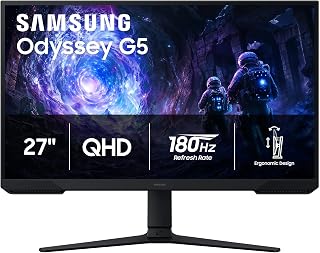
The 180Hz refresh rate delivers fluid motion in fast-paced titles, while the VA panel's 3000:1 contrast ratio produces deeper blacks and more vivid color separation than standard displays. QHD resolution at 27 inches provides sharp visuals without demanding excessive GPU power, making it an accessible entry point for competitive and immersive gaming alike.
Pros
- 180Hz refresh with 1ms response for competitive advantage
- 3000:1 contrast ratio delivers deep blacks and HDR punch
- Black Equalizer reveals enemies hiding in shadows
- Fully adjustable stand accommodates any setup
Cons
- Requires capable GPU to utilize 180Hz fully
- On-screen menu less intuitive than competitors
High refresh rate gaming at 1440p doesn't require flagship spending, and the 27-inch Odyssey G5 proves it. This VA panel delivers 180Hz smoothness with 1ms response time, creating the fluid motion and instant feedback competitive gaming demands. AMD FreeSync eliminates tearing and stuttering across supported titles, while HDR10 brings out contrast depth that makes explosions pop and shadows feel dimensional. The 3000:1 contrast ratio gives VA panels their signature advantage over IPS, producing deep blacks that enhance atmospheric games and cinematic moments. QHD resolution strikes the sweet spot between sharpness and performance, providing 1.7x the pixels of 1080p without the GPU strain of 4K. The matte finish cuts glare during marathon sessions, and the Black Equalizer brightens dark areas so enemies can't hide in shadow. Samsung's adjustable stand handles tilt, pivot, and height changes to match any desk configuration. Dual HDMI and DisplayPort connectivity support modern gaming systems. The 300 cd/m² brightness and 72% color gamut deliver solid visual quality for the segment, while the 178-degree viewing angle maintains color accuracy off-center.
Display: 27-inch QHD VA panel, 2560 x 1440 resolution, 16:9 aspect ratio, 178-degree viewing angles
Performance: 180Hz refresh rate, 1ms response time (MPRT), 300 cd/m brightness, 3000:1 contrast ratio
Features: HDR10, AMD FreeSync, Black Equalizer, matte screen finish
Connectivity: 2x HDMI, 1x DisplayPort, 1x power connector
Design: Adjustable stand with tilt, pivot, and height settings, desk mount, flat panel shape
Dimensions: 24.34 inches wide, 9.22 inches deep, 20.5 inches tall, 10.1 pounds
Power: 35 watts consumption, 240 volts
Warranty: 1-year manufacturer coverage

Overclocked to 260Hz, this display delivers exceptionally smooth motion for competitive shooters and esports titles where every frame matters. IPS technology ensures accurate colors and wide viewing angles, while QHD resolution provides clarity without the performance penalty of higher resolutions. G-SYNC support eliminates tearing across varying frame rates.
Pros
- 240Hz refresh rate with 0.3ms MPRT delivers ultra-smooth, near-instant motion
- QHD IPS panel combines sharp 1440p resolution with accurate color and wide viewing angles
- G-Sync and Adaptive-Sync support eliminate screen tearing across compatible GPUs
- Game Mode and Shadow Control presets make per-genre tuning quick and accessible
Cons
- No built-in speakers, only a headphone output for audio
- Stand is basic and non-height-adjustable compared to premium alternatives
The AOC Q27G41ZE is built for gamers who refuse to choose between sharp visuals and blistering speed. Its 27-inch IPS panel runs at a native 240Hz with an overclocked ceiling, and the 0.3ms MPRT response time means motion stays crisp even in the most chaotic competitive scenes. QHD 2560x1440 resolution gives you noticeably cleaner detail and text compared to 1080p on the same screen size, which matters as much for immersive single-player games as it does for spotting targets at range. G-Sync compatibility and Adaptive-Sync support eliminate screen tearing seamlessly across modern GPUs. IPS technology brings wide viewing angles and accurate color reproduction, so the image holds up whether you are deep in a story-driven title or grinding ranked matches. Shadow Control and Game Mode presets let you tune the picture for specific genres without navigating complex menus. The three-sided frameless design looks clean on any desk setup. Connectivity covers DisplayPort 1.4 and dual HDMI 2.0, giving you flexible source options. The stand handles tilt from minus 3 to plus 21 degrees for comfortable positioning during long sessions.
Display: 27-inch IPS, 2560x1440 QHD, 16:9 aspect ratio, 300-nit brightness, 1000:1 contrast ratio, glossy finish
Performance: 240Hz refresh rate (via DisplayPort), 0.3ms MPRT response time, Adaptive-Sync, G-Sync compatible
Connectivity: 1x DisplayPort 1.4, 2x HDMI 2.0, audio output jack
Design: Three-sided frameless, tilt adjustment from minus 3 to plus 21 degrees, textured black and red finish
Dimensions: 24.17 inches wide, 7.46 inches deep, 17.7 inches tall, 6.15kg weight
Features: Blue Light Filter, Flicker-Free, Shadow Control, Game Mode presets, graphical OSD menu
Warranty: 3-year manufacturer coverage
Ideal for competitive and enthusiast gamers who want the clarity of QHD combined with a high 240Hz refresh rate, particularly those pairing the monitor with an NVIDIA GPU. Also suits players who move between fast multiplayer titles and visually rich single-player games. Skip it if you need built-in speakers, want a larger screen than 27 inches, or require a fully adjustable ergonomic stand.
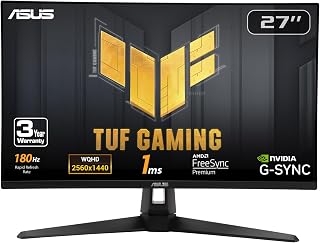
Fast IPS technology combines 180Hz performance with superior color accuracy and viewing angles, ideal for gamers who value both speed and image quality. G-SYNC compatibility eliminates screen tearing during variable frame rates, ensuring smooth gameplay across a wide range of titles. The 1440p resolution strikes a balance between visual clarity and frame rate performance.
Pros
- True 1ms IPS response with 180Hz refresh
- Triple sync support works across GPU ecosystems
- 130% sRGB gamut delivers vibrant, accurate colors
- Three-year warranty includes accidental damage coverage
Cons
- Integrated 2W speakers lack bass and volume
- Ships with high brightness requiring manual adjustment
Fast IPS technology brings 180Hz performance without sacrificing color accuracy, making the TUF Gaming VG27AQ3A a versatile choice for high-refresh gaming. The 27-inch panel combines 1440p resolution with genuine 1ms response time, rare for IPS displays that typically sacrifice speed for color. ELMB Sync, G-SYNC compatibility, and FreeSync Premium work across GPU brands to eliminate tearing and motion blur in competitive shooters and racing titles. The 130% sRGB gamut with HDR support produces vibrant, lifelike colors that elevate both gaming and creative work. Frameless design minimizes bezel interruption for multi-monitor configurations, while the matte anti-glare finish holds up during extended sessions. GamePlus overlays add practical tools like frame rate counters and crosshair assistance. ASUS includes full cable complement and backs the monitor with three-year warranty coverage including accidental damage protection. The 178-degree viewing angle maintains color consistency from any position. Real-world performance shows silky-smooth gameplay with zero ghosting, making fast-paced titles feel responsive and fluid. The 856.5 lumen brightness delivers adequate visibility in various lighting conditions.
Display: 27-inch Fast IPS, 2560 x 1440 (QHD), 16:9 aspect ratio, 178-degree viewing angles
Refresh Rate: 180Hz native. Supports G-SYNC compatible, FreeSync Premium, and AdaptiveSync with variable refresh rate
Response Time: 1ms (moving picture response time)
Color: 130% sRGB gamut, HDR-10 support, 856.5 lm brightness, 1000:1 contrast ratio
Connectivity: 2x HDMI 2.0, 1x DisplayPort 1.4, 3.5mm audio jack
Physical: 24.2" depth, 8.4" width, 17.9" height, 4.6 kg weight. VESA 100x100 mount compatible. Flat panel with matte screen finish
Features: Blue light filter, flicker-free technology, integrated 2W stereo speakers, frameless design, built-in GamePlus menu with FPS counter and crosshair overlay
Warranty: 3-year warranty with accidental damage replacement
Ideal for competitive gamers who need fast IPS color accuracy at high refresh rates, and creators who want vibrant color without sacrificing speed. Multi-monitor users benefit from the frameless design. Skip it if integrated audio matters, as the 2W speakers lack bass and volume. Also reconsider if you prefer out-of-box brightness tuning.
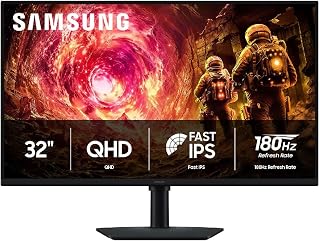
The larger 32-inch screen provides expansive real estate for immersive gaming, while IPS technology ensures consistent colors across the entire panel. Its 180Hz refresh rate handles modern titles with fluidity, and QHD resolution at this size delivers crisp detail without the performance cost of 4K, making it suitable for mid-range and high-end systems.
Pros
- 32-inch IPS panel combines size with wide viewing angles
- 180Hz with G-Sync eliminates tearing at high frame rates
- Comprehensive ergonomic adjustments including 90-degree swivel
- HDR10 and Black Equalizer enhance visual depth and clarity
Cons
- 109 PPI slightly less sharp than 27-inch 1440p panels
- 180Hz cap limits ultra-high frame rate competitive play
Immersive scale meets high refresh performance in the 32-inch Odyssey G5, which brings 180Hz smoothness to a larger canvas. The IPS panel maintains 1440p clarity across more screen real estate, delivering approximately 109 pixels per inch that balances sharpness with expansive viewing area. G-Sync compatibility synchronizes GPU output with the 180Hz panel and 1ms response time to eliminate tearing while preserving fluid motion in fast titles. HDR10 support enhances visual depth with brighter highlights and nuanced shadow detail, while the Black Equalizer brightens dark zones so opponents can't exploit cover. The 99% color gamut produces realistic tones, and the 178-degree IPS viewing angle keeps colors accurate whether you're centered or off-axis, surpassing cheaper VA alternatives. Samsung's ergonomic stand provides comprehensive adjustment: full height range, multiple tilt positions, and 90-degree swivel capability for portrait orientation. Cable management stays clean, and both DisplayPort and HDMI cables ship included. The flat IPS panel resides in a durable black chassis that feels substantial without bulk. The matte finish reduces reflections during long sessions. At 300 cd/m² brightness with 1000:1 contrast, the display handles varied lighting environments and content types effectively.
Display: 32 inches, QHD (2560 x 1440), IPS panel, 16:9 aspect ratio, matte finish
Performance: 180Hz refresh rate, 1ms response time (GtG), 300 cd/m² brightness, 1000:1 contrast ratio
Color: 99% color gamut, HDR10 support, 178-degree viewing angle
Adaptive Sync: G-Sync compatible, FreeSync support
Connections: 1x DisplayPort, 1x HDMI
Adjustments: Height, tilt, and swivel ergonomic stand
Dimensions: 28.1" W x 24.6" H x 9.9" D
Weight: 10.8 lbs
Warranty: 1-year manufacturer coverage
Perfect for gamers who want larger immersive visuals at high refresh rates and creators who need screen space for editing workflows. The IPS panel suits collaborative work requiring wide viewing angles. Skip it if you demand maximum pixel density or plan to push beyond 180 FPS regularly in competitive titles.

QD-OLED technology delivers infinite contrast and per-pixel lighting control, producing stunning HDR visuals with true blacks and vibrant colors. The ultrawide 21:9 aspect ratio expands peripheral vision in compatible games, while 240Hz refresh rate ensures buttery-smooth motion. Its 0.03ms response time eliminates ghosting even in the fastest scenes, perfect for competitive and cinematic gaming alike.
Pros
- Blazing-fast 0.03ms response time eliminates motion blur and ghosting
- Exceptional color accuracy with DCI-P3 99.3% coverage and Delta E<2
- Ultrawide 21:9 aspect ratio provides competitive advantage in gaming and productivity
- QD-OLED technology delivers perfect blacks with infinite contrast ratio
- Premium build quality with adjustable stand and 3-year warranty included
Cons
- Premium price point makes it inaccessible for budget-conscious buyers
- Ultrawide format may require game optimization to avoid stretched visuals
- OLED displays can be susceptible to burn-in with static images over extended periods
The Alienware AW3425DW redefines ultrawide gaming with its 34-inch QD-OLED display and blistering 240Hz refresh rate. Designed for competitive gamers, esports enthusiasts, and creative professionals, this monitor merges speed with visual fidelity in ways few displays can match.
The standout feature is the QD-OLED panel's performance: 0.03ms response time eliminates motion blur entirely, while 240Hz ensures every frame hits with precision. For competitive shooters and fast-paced games, this feels like a competitive edge made tangible. The 3440x1440 ultrawide resolution provides sweeping visuals that pull you deeper into any game world, and the 1800R curve naturally guides your vision across the screen without strain.
Color accuracy is exceptional with DCI-P3 99.3% coverage and Delta E less than 2, making this equally compelling for content creators, video editors, and designers. VESA DisplayHDR TrueBlack 400 delivers 1000 nits peak brightness and infinite contrast, ensuring HDR content looks stunning. The matte finish minimizes reflections while maintaining image clarity, and the fully adjustable stand offers height, tilt, and swivel adjustments for ergonomic setup.
The main drawback is the premium price, which puts this out of reach for casual gamers. Additionally, ultrawide games occasionally require settings adjustments, and OLED technology carries a small risk of burn-in with static UI elements during extended play sessions, though modern displays include mitigation features.
The Alienware AW3425DW is the ultimate ultrawide gaming monitor for those willing to invest in top-tier performance. It delivers competitive speed, visual excellence, and build quality that justifies its premium positioning.
Display: 34.2-inch QD-OLED curved ultrawide, 3440x1440 native resolution, 240Hz refresh rate, 0.03ms response time, 1800R curve, 178-degree viewing angles.
Color: DCI-P3 99.3% color gamut, Delta E less than 2 color accuracy, DisplayHDR TrueBlack 400, 1000 nits peak HDR brightness, 1,500,000:1 contrast ratio.
Connectivity: 2x HDMI, DisplayPort, 3x USB ports, USB Type-B for connectivity hub functionality.
Physical: 31.71 inches deep, 9.13 inches wide, 21.84 inches tall, 20 pounds. Height, tilt, and swivel adjustable stand. VESA mounting compatible.
Additional: Blue light filter, matte screen finish, 36.7W power consumption, 3-year warranty, includes DisplayPort cable, HDMI cable, USB cable, microfiber cloth, and Alienware sticker.
Competitive Gamers: If you play fast-paced shooters, MOBAs, or fighting games, the 240Hz refresh rate and 0.03ms response time give you a tangible competitive advantage. The ultrawide format also expands your peripheral vision in many titles.
Creative Professionals: Video editors, colorists, and designers benefit from the exceptional color accuracy, ultrawide canvas, and HDR support. The DCI-P3 99.3% coverage ensures your work translates accurately across devices.
Immersive Gaming Enthusiasts: If single-player story-driven games are your focus, the ultrawide immersion and stunning OLED visuals make every moment feel cinematic and engaging.
Not Ideal For: Budget buyers should look at traditional 1440p 144Hz options. Casual gamers may not justify the premium. Those concerned about OLED burn-in in high-use scenarios should consider alternatives.

Pros
- Exceptional value: 144Hz gaming performance at budget-friendly pricing
- Eye-friendly features including matte screen finish and Blue Light Shift reduce fatigue
- 1ms response time and FreeSync keep gameplay smooth and tear-free
- Integrated speakers and multiple connectivity options minimize peripheral clutter
- Slim bezels allow easy multi-monitor configurations for productivity or gaming
Cons
- 22-inch screen size may feel small for photo and video editing work compared to larger monitors
- Entry-level specs with 1920x1080 resolution limit visual detail at close viewing distances
- No USB-C or high-end features, positioning it as a budget option rather than premium gaming display
The Sceptre E225W-FW144 is a no-nonsense 22-inch gaming monitor designed for budget-conscious gamers, students, and professionals who want smooth performance without premium pricing. Its 144Hz refresh rate puts it ahead of standard 60Hz office monitors, making it suitable for casual gaming, fast-paced work, and content consumption.
What stands out here is the combination of practical features: 144Hz performance, 1ms response time, and FreeSync adaptive sync work together to deliver smooth, responsive visuals. The built-in speakers save desk space and provide adequate audio for casual listening or gaming. Blue Light Shift technology and a matte screen finish are genuine eye-savers during marathon work sessions or gaming marathons.
The minimal bezel design is particularly smart for multi-monitor setups, allowing gamers and professionals to chain two or more displays together without visual interruption. At 22 inches, the form factor strikes a balance between compact and functional, fitting comfortably on standard desks without dominating the space. Build quality feels solid with a 1-year manufacturer warranty backing the purchase.
The main limitation is resolution: 1920x1080 is adequate for this screen size, but those engaged in photo editing or detail-heavy work may want a larger display. The lack of USB-C and premium features keeps this firmly in the budget tier, which is appropriate for the price point.
The Sceptre E225W-FW144 delivers genuine value for gamers, office workers, and students seeking a reliable 144Hz monitor without premium costs. Its practical features and solid performance make it easy to recommend for anyone upgrading from a basic 60Hz display.
Display: 22-inch FHD LED with 1920x1080 native resolution, 16:9 aspect ratio, matte screen finish
Performance: 144Hz refresh rate, 1ms response time, 2000:1 contrast ratio, 170-degree viewing angles, 100 color gamut
Connectivity: 1x HDMI, DisplayPort, FreeSync adaptive sync
Features: Built-in speakers, Blue Light Shift eye care technology, minimal bezel design, wall mount compatible
Physical: 19.9in W x 15.5in H x 7in D, 7 pounds, machine black color
Warranty: 1-year limited manufacturer warranty
Best for: Budget gamers, office workers, students, anyone upgrading from 60Hz monitors seeking smoother performance
Gaming Performance: The 144Hz refresh rate and 1ms response time provide a noticeable upgrade over standard monitors. Pair with an affordable graphics card for smooth gaming at 1080p. FreeSync support works with AMD graphics cards to eliminate tearing.
Work and Productivity: Blue Light Shift and matte finish reduce eye strain during long work sessions. Compact size suits smaller desks. Integrated speakers provide basic audio without adding equipment.
Multi-Monitor Setup: Minimal bezels make this ideal for dual or triple monitor configurations. DisplayPort and HDMI connectivity give you display options.
Important Notes: This monitor excels at value, not premium features. 1080p resolution is sufficient at 22 inches but may feel limiting on larger displays. No USB-C, Thunderbolt, or high-end gaming features.

Pros
- 240Hz refresh and 0.5ms response time eliminate motion blur in competitive play
- IPS panel maintains color accuracy across wide viewing angles
- FreeSync Premium and HDMI VRR sync frames without tearing
- 99% sRGB color gamut delivers vibrant visuals beyond typical gaming monitors
Cons
- 1080p at 27 inches produces noticeably lower pixel density than 1440p
- Plastic construction feels less durable than premium alternatives
Dell's SE2726HG targets competitive gamers who prioritize frame delivery over resolution, pairing a 240Hz refresh rate with a 0.5ms response time IPS panel. That combination eliminates motion blur and ghosting in twitchy esports titles where every frame counts. AMD FreeSync Premium and HDMI VRR sync frame output to eliminate tearing without the input lag penalty of traditional vsync. The IPS technology maintains accurate color across 178-degree viewing angles, a meaningful upgrade over TN panels common in budget high-refresh monitors. At 99% sRGB coverage, color vibrancy exceeds what most gaming-only displays offer. The 27-inch matte screen resists glare during long sessions, and the rear-mounted OSD joystick simplifies navigation through display modes. Connectivity is practical with two HDMI 2.0 ports and DisplayPort 1.4, allowing simultaneous connection of a PC and console. The monitor ships fully assembled and mounts in minutes. Real trade-offs include all-plastic construction that feels less premium than metal-stand alternatives, though functionality remains solid. No built-in speakers means external audio is mandatory. The 1080p resolution at 27 inches produces lower pixel density than 1440p options, visible during desktop work or slower-paced gaming.
Display: 27-inch IPS LCD panel, 1920x1080 FHD resolution, 16:9 aspect ratio, 240Hz refresh rate, 0.5ms response time, 1000:1 contrast ratio, 300 nits brightness, 178-degree viewing angles.
Color: 99% sRGB gamut with matte anti-glare finish. TÜV Rheinland 3-star eye care certification with blue light reduction.
Connectivity: 2x HDMI 2.0, 1x DisplayPort 1.4, 1x 3.5mm audio output. AMD FreeSync Premium and HDMI VRR support for tear-free gaming.
Physical: Dimensions 24.05in W x 17.83in H x 7.4in D. Weight 8.2 pounds. Tilt adjustment capability. Includes stand, power cable, HDMI 2.0 cable, and documentation. Power consumption 19.7 watts.
Warranty: 3-year limited warranty from Dell.
Ideal for competitive esports players and fast-twitch gamers who value frame rate and response time above resolution or visual fidelity. Budget-conscious users building multi-device setups will appreciate the dual HDMI inputs. Skip this if you're sensitive to pixel density at 27 inches, need built-in audio, or play primarily slower-paced titles where 1440p clarity outweighs 240Hz speed. Content creators should opt for higher-resolution alternatives.

The ultrawide 21:9 format provides expansive horizontal space for immersive gameplay and multitasking, while 240Hz refresh rate ensures exceptional smoothness in fast-action titles. Its 1500R curve enhances depth perception and reduces eye strain during extended sessions. Full sRGB coverage delivers accurate color reproduction across games, content creation, and media consumption.
Pros
- Exceptional value for a 240Hz ultrawide curved monitor at this price point
- Smooth, responsive performance ideal for competitive esports and fast-paced gaming
- Durability reputation backed by positive long-term ownership reviews
- Expansive screen real estate eliminates need for dual monitor setups
- Accurate color reproduction makes it viable for photo and video editing alongside gaming
Cons
- Built-in speakers are quieter than expected, so external speakers recommended for immersive audio
- Brightness levels reported as slightly dim compared to some gaming monitors
- Matte finish may show dust and fingerprints more visibly than glossy alternatives
The Sceptre C345B-QU240T is a 34-inch ultrawide curved gaming monitor designed for competitive gamers, sim racing enthusiasts, and power users who demand expansive screen real estate combined with high refresh rates. With its 3440x1440 resolution and 240Hz capability, it delivers both competitive performance and immersive visual experiences at an attractive price point.
The standout features include its 240Hz refresh rate paired with a lightning-fast 1ms response time, making it exceptionally responsive for fast-paced titles where every millisecond matters. The 1500R curved design wraps around your field of view, creating natural peripheral awareness that enhances both competitive gameplay and immersion in story-driven experiences. The 100% sRGB color gamut ensures accurate, vibrant colors that make games, movies, and creative projects look sharp and detailed across the entire ultrawide canvas.
Build quality reflects Sceptre's reputation for durability, with owners reporting reliable performance over years of use. The monitor features dual DisplayPort and dual HDMI connectivity, supporting full 240Hz operation while offering flexibility for multiple devices. Integrated speakers provide convenient audio without desk clutter, though they deliver modest volume better suited for casual gaming than competitive situations. Blue-Light Shift technology helps reduce eye strain during marathon gaming sessions.
The main drawbacks are modest speaker output that benefits from supplementary audio equipment and slightly dim brightness levels that may require adjustment for brightly lit rooms. The matte screen finish, while reducing glare, shows dust more readily than glossy alternatives.
Verdict: The Sceptre C345B-QU240T offers outstanding value for anyone seeking a responsive ultrawide gaming monitor. It excels at delivering the expansive visual field and high refresh rate performance that gamers demand while remaining accessible to budget-conscious buyers. Recommended for esports competitors, sim racing enthusiasts, and professionals balancing gaming with productivity tasks.
Display: 34-inch curved ultrawide LED panel with 21:9 aspect ratio and matte finish
Resolution: 3440 x 1440 pixels (QHD wide) native resolution
Refresh Rate: Up to 240Hz via DisplayPort
Response Time: 1 millisecond with blur reduction
Color Performance: 100% sRGB color gamut with Blue-Light Shift technology
Curvature: 1500R immersive curved design
Connectivity: 2x DisplayPort, 2x HDMI, audio out jack
Audio: Integrated stereo speakers
Mounting: VESA wall mount compatible, adjustable stand included
Physical: 31.8 inches wide, 18 inches tall, 8.5 inches deep, 14 pounds
Warranty: 1 year limited manufacturer warranty
Best For: This monitor excels for competitive gamers seeking responsive performance, sim racing enthusiasts wanting immersive peripheral vision, content creators needing expansive screen real estate, and professionals managing multiple applications simultaneously.
Gaming Performance: The 240Hz refresh rate and 1ms response time provide competitive advantage in esports titles and fast-paced games. The ultrawide format delivers cinematic immersion in story-driven games and open-world exploration.
Creative Work: The 100% sRGB coverage and accurate color reproduction make this suitable for photo editing and video work, though it's not a professional reference monitor. The expansive ultrawide canvas reduces window juggling.
Consider Alternatives If: You prioritize maximum brightness, need reference-grade color accuracy, or require a more compact monitor. Professional photo/video editors should consider monitors with factory calibration and higher color accuracy specifications.
Setup Recommendations: Pair with external speakers for immersive gaming audio. Position external lighting to minimize screen glare. Consider a monitor arm for optimal ergonomics given the display's width. Verify your graphics card supports DisplayPort for full 240Hz operation.

The 1000R curvature wraps around your field of view, enhancing immersion in single-player adventures and open-world games. A 2500:1 contrast ratio produces richer depth and shadow detail than flat IPS alternatives, while the 165Hz refresh rate provides smooth motion for most gaming scenarios. The 32-inch size maximizes the benefits of the curved design.
Pros
- 32-inch 1000R curved panel creates a deeply immersive field of view
- QHD 1440p resolution delivers noticeably sharper detail over 1080p
- 165Hz refresh rate and 1ms response time keep fast action smooth
- HDR10 support with 2500:1 contrast ratio produces vivid, punchy visuals
Cons
- Plastic stand lacks tilt adjustment and feels less refined than the display itself
- Glossy screen finish can pick up reflections in brightly lit rooms
For gamers chasing both high refresh rates and stunning visuals on a large screen, the Samsung Odyssey G55C delivers a compelling package at 32 inches. The QHD 1440p panel renders 1.7 times more pixels than a 1080p display, producing sharper textures and cleaner detail across every scene. At 165Hz, fast-paced gameplay stays smooth and fluid, while the 1ms response time keeps motion blur in check during rapid camera sweeps. HDR10 support adds rich contrast and vibrant color that genuinely elevates immersive single-player titles. The aggressive 1000R curve pulls your peripheral vision into the action, reinforcing the sense of depth that a flat panel simply cannot replicate. A 178-degree viewing angle and 2500:1 contrast ratio round out a display tuned for visual impact. The glossy finish enhances color vibrancy, though it benefits from controlled ambient lighting. Build quality is solid and the panel itself is well-regarded by users. The stand is functional and stable, though it is mostly plastic and lacks tilt adjustment, which is a fair compromise given the overall display performance on offer.
Display: 32-inch QHD (2560 x 1440), 16:9 aspect ratio, 1000R curvature, glossy finish, 178-degree viewing angle
Performance: 165Hz refresh rate, 1ms MPRT response time, 2500:1 contrast ratio, 300 cd/m2 brightness
Features: HDR10, AMD FreeSync adaptive sync, Eye Saver Mode (blue light reduction), flicker-free technology
Connectivity: 1x DisplayPort, 1x HDMI, 2x component outputs
Physical: 28" wide, 21.01" tall, 10.7" deep, 11.5 lbs. Includes DP cable, power cable, and stand. Wall mount compatible. 1-year manufacturer warranty.
A strong fit for gamers who want a large, immersive curved screen with QHD sharpness and smooth 165Hz gameplay, particularly for story-driven or open-world titles where visual depth matters. Also works well for casual competitive play. Skip it if you need premium ergonomics, built-in speakers, or plan to game in a bright room where the glossy panel could cause reflections.

Pros
- 1000R curve and 21:9 aspect ratio deliver immersive peripheral vision
- 165Hz refresh rate keeps motion smooth in fast-paced games
- VA panel produces deep blacks and superior contrast over IPS
- 1440p resolution balances sharpness with GPU performance demands
Cons
- 250 cd/m² brightness limits HDR impact in bright environments
- Ultra-wide format poorly supported by many console games
The Samsung Odyssey G5 brings immersive ultra-wide gaming to a 34-inch curved VA panel with a tight 1000R bend that wraps around your field of view. Its 165Hz refresh rate keeps motion fluid in fast-paced titles, while the 21:9 aspect ratio expands your peripheral vision in open-world games and competitive shooters. The VA panel delivers a strong 2500:1 contrast ratio, producing deep blacks and vibrant color depth that IPS alternatives struggle to match at this price tier. HDR10 support enhances brightness peaks and shadow detail, though the 250 cd/m² brightness ceiling limits HDR impact in brightly lit rooms. The 1440p resolution at 34 inches strikes a practical balance, demanding less GPU horsepower than 4K while maintaining sharp image quality. The 1000R curvature feels natural for solo gaming sessions, pulling you into the action without distorting geometry. Connectivity covers the essentials with HDMI and DisplayPort inputs. The matte screen finish reduces glare effectively, and the 178-degree viewing angles keep color consistent across the wide panel.
Display: 34-inch curved VA LCD panel with 1000R curvature, 21:9 aspect ratio, 3440x1440 native resolution, 250 cd/m2 brightness, 1900:1 contrast ratio, 178-degree viewing angle, 72% color gamut with HDR10 support.
Performance: 165Hz refresh rate, 1ms MPRT response time, AMD FreeSync Premium adaptive sync technology, low frame rate compensation.
Connectivity: 1x HDMI, 1x DisplayPort, 1x 3.5mm audio jack. Wired connectivity, compatible with VESA mounting standards.
Physical: 31.76" width, 18.71" height, 10.73" depth, 12.3 pounds total weight. Black curved design with desk mount and wall-mount capability.
Power & Warranty: 50-watt maximum power consumption at 110 volts. Includes 1-year manufacturer warranty.
Perfect for gamers seeking immersive single-player experiences or competitive advantages from ultra-wide visibility, especially in racing, flight sims, and open-world titles. The 1000R curve suits dedicated gaming setups where the monitor sits at arm's length. Skip this if you prioritize 4K resolution, need a brighter display for HDR content, or play primarily on console where ultra-wide support remains inconsistent. Content creators requiring precise color accuracy should look elsewhere.
Buying Guide
Refresh Rate and Response Time
Refresh rate determines how many frames per second your monitor can display. A 240Hz panel refreshes four times faster than a standard 60Hz screen, reducing motion blur and giving you earlier visual feedback during fast camera movements or target tracking.
Response time measures how quickly pixels change color, typically expressed in milliseconds. The best monitor for RTX 5070 setups pairs a 1ms response time with adaptive sync to eliminate ghosting. Look for IPS panels with sub-1ms ratings if you play competitive shooters, or prioritize color accuracy over speed if single-player visuals matter more.
Resolution and Screen Size
QHD resolution at 2560 x 1440 offers 1.7 times the pixel density of Full HD, delivering sharper textures and UI elements without the GPU demands of 4K. For 27-inch displays, QHD hits the sweet spot where you gain clarity without needing to scale interface elements.
Ultrawide panels at 3440 x 1440 expand your peripheral vision in supported titles, useful for strategy games and open-world exploration. If you’re considering an upgrade path, check out the best 1440p monitor for RTX 5070 options that balance frame rate with visual fidelity. Screen size above 32 inches works well for curved formats that wrap around your field of view, while 24 to 27 inches suits competitive play where you need to track the entire screen with minimal eye movement.
Panel Technology
IPS panels deliver consistent color accuracy and wide viewing angles, making them ideal when you need precise hues for content creation alongside gaming. VA panels offer deeper blacks and higher contrast ratios, enhancing dark scenes in horror or atmospheric titles but sometimes introducing slight motion blur.
QD-OLED technology combines quantum dot color volume with OLED’s per-pixel lighting, producing infinite contrast and vibrant saturation. These panels eliminate backlight bleed entirely and respond faster than traditional LCD technologies. If you’re curious about maximizing visual quality with high-end GPUs, explore the best 4K monitor for RTX 5080 recommendations that leverage similar display advancements.
Adaptive Sync and HDR
Adaptive sync technologies like AMD FreeSync Premium and NVIDIA G-SYNC Compatible synchronize your monitor’s refresh rate with your GPU’s frame output, preventing screen tearing and stuttering when frame rates fluctuate. Most modern displays support both standards through VESA AdaptiveSync, so you’re not locked into one GPU brand.
HDR support expands the brightness range, revealing details in bright highlights and shadow areas that standard dynamic range compresses. Look for DisplayHDR 400 certification as a baseline, though HDR 600 or TrueBlack 400 ratings deliver more dramatic differences in supported games. For a broader ergonomic setup that complements any display choice, consider reviewing the best monitor arm options to adjust height and viewing angles precisely.
Final Thoughts
Choosing the right gaming monitor depends on matching refresh rate, resolution, and panel technology to the games you play most. If you prioritize competitive responsiveness and budget efficiency, the Samsung 27″ Odyssey G5 (G51F) Series QHD (1440P) delivers 180Hz and QHD clarity without compromise. For immersive single-player experiences with expansive visuals, the Alienware 34 240Hz QD-OLED Curved Gaming Monitor combines ultrawide scale with infinite contrast and vivid color accuracy that brings every scene to life.
Frequently Asked Questions
What refresh rate should I look for in a gaming monitor?
For competitive multiplayer games, aim for at least 144Hz to reduce motion blur and improve reaction time. If your GPU can push higher frame rates consistently, 240Hz panels provide even smoother motion. Casual and single-player gamers will find 120Hz to 165Hz sufficient for fluid gameplay without requiring extreme GPU power.
Is QHD better than Full HD for gaming in 2026?
QHD at 2560 x 1440 offers sharper image quality and more screen real estate than 1080p, especially on displays 27 inches or larger. Modern mid-range GPUs handle QHD well at high refresh rates, making it the preferred resolution for gamers who want better visuals without the performance hit of 4K. Full HD remains viable for competitive esports where maximum frame rates matter more than visual detail.
Do I need G-SYNC if I have an AMD graphics card?
No, AMD users should look for FreeSync or FreeSync Premium certification. Many monitors labeled G-SYNC Compatible also support FreeSync through VESA AdaptiveSync, giving you flexibility if you switch GPU brands later. Both technologies eliminate screen tearing and stuttering by synchronizing refresh rate with frame output.
What’s the advantage of a curved gaming monitor?
Curved displays wrap around your peripheral vision, creating a more immersive experience in games with wide field-of-view settings. The curvature also reduces eye movement needed to scan the entire screen during long sessions. A 1000R or 1500R curve matches the natural contour of human vision, particularly effective on ultrawide panels 34 inches or larger. If you’re building a complete setup, pairing a curved monitor with the best monitor for RTX 5070 ti ensures your GPU can fully utilize the expanded resolution and refresh rate.






Write Your Review
No reviews yet. Be the first to share your experience!