

You’ve invested in an RTX 5070, and now you’re staring at a wall of monitor specs wondering which display will actually let your GPU flex. Refresh rates, response times, panel types; it’s enough to make your head spin. This guide cuts through the noise and presents five verified options that pair beautifully with NVIDIA’s latest mid-range powerhouse.
Whether you’re chasing competitive frame rates in esports titles or want to immerse yourself in AAA single-player experiences, we’ve matched each monitor to specific gaming scenarios. Every recommendation here leverages the RTX 5070’s capabilities without bottlenecking performance or breaking your budget.
Quick Comparison
| Model | Link | Rating | Screen Size | Resolution | Refresh Rate |
|---|---|---|---|---|---|
| 1 LG 27G64NA-B 27-inch QHD 300Hz IPS Gaming Monitor with...Fastest refresh | Check price | 4.8 of 56 ratings | 27 inches | QHD Wide 1440p | 300 hertz |
| 2 Samsung 27 Odyssey G5 QHD 1440P 180Hz Gaming Monitor with...Highest rated | Check price | 4.7 of 5589 ratings | 27 inches | QHD 1440p | 180 |
| 3 Dell 27 Plus QHD Monitor S2725DSM 144Hz 2560x1440 USB-C... | Check price | 4.6 of 5235 ratings | 27 inches | QHD Wide 1440p | 144 hertz |
| 4 Samsung 32 Odyssey G5 QHD 180Hz Gaming Monitor with... | Check price | 4.5 of 5302 ratings | 32 inches | QHD 1440p | 180 hertz |
| 5 Dell S2725QS 27 inch 4K UHD 120Hz IPS Monitor with...Most reviewed | Check price | 4.4 of 51,031 ratings | 27 inches | 4K | 120 hertz |
Ratings reflect the most recent data pull. Check each listing for current price and availability.
Quick answer
This guide compares 5 picks, with LG 27G64NA-B 27-inch QHD 300Hz IPS Gaming Monitor ranked first. Samsung 27 Odyssey G5 QHD 1440P 180Hz Gaming Monitor holds the highest customer rating among them. Dell S2725QS 27 inch 4K UHD 120Hz IPS Monitor has the most customer reviews.
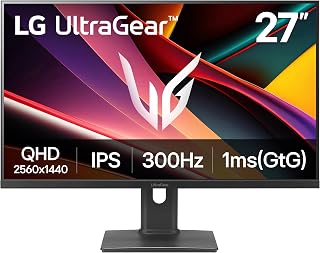
The 27-inch Ultragear delivers a blistering 300Hz refresh rate that lets RTX 5070 owners capitalize on high frame rates in competitive shooters and fast-paced titles. Its QHD resolution strikes the perfect balance between visual clarity and GPU headroom, ensuring the 5070 maintains triple-digit framerates without compromise. The 1ms response time eliminates motion blur during rapid camera movements, giving gamers the responsiveness they need.
Pros
- 300Hz refresh rate fully exploits the RTX 5070's frame-rate potential in competitive titles
- NVIDIA G-Sync Compatible eliminates tearing natively with the RTX 5070
- QHD IPS panel balances sharpness and GPU headroom for sustained high frame rates
- Fully adjustable stand with height, tilt, and pivot for ergonomic long-session setups
Cons
- No built-in USB hub means additional peripherals require a separate hub
- DisplayHDR 400 certification is entry-level HDR; not suited for premium HDR experiences
The RTX 5070 is a high-throughput GPU that can push frame rates well beyond what most monitors can display, and the LG 27G64NA-B is one of the few 27-inch panels built to keep up. Its 300Hz refresh rate is the headline number here, meaning the RTX 5070 can actually feed frames fast enough to take full advantage of the panel rather than being held back by it. The QHD IPS panel at 2560x1440 hits a sweet spot for the GPU: sharp enough to look stunning in detail-rich titles, but not so demanding that frame rates crater in competitive shooters. VESA DisplayHDR 400 with HDR10 support adds visual depth to the RTX 5070's rendering capabilities. NVIDIA G-Sync Compatible certification is a direct fit for the GPU, eliminating screen tearing without the overhead of full G-Sync hardware. The Black Stabilizer feature, on-screen crosshair, and FPS counter round out a package clearly aimed at competitive play. The fully adjustable stand handles height, tilt, and pivot for long sessions.
Display Specs: 27-inch IPS panel, QHD resolution (2560x1440), 16:9 aspect ratio, matte finish, 1000:1 contrast ratio, 400 nits peak brightness, 0.23mm pixel pitch.
Performance: 300Hz refresh rate, 1ms response time (GtG), VESA DisplayHDR 400 and HDR10 support, 93% sRGB color coverage.
Connectivity: DisplayPort, 2x HDMI 2.1, 1x USB port. Includes DisplayPort cable and power cable.
Adaptive Sync: NVIDIA G-Sync Compatible (GTX 10 series and higher on DisplayPort, RTX 30 series and higher on HDMI 2.1), AMD FreeSync Premium.
Design: Adjustable stand with height, tilt, and pivot adjustments. Dimensions: 24.1" W x 20.6" H x 8.4" D. Weight: 10.1 lbs. Color: Black. Warranty: 1 Year Parts and Labor.
This monitor suits RTX 5070 owners who play fast-paced competitive titles like FPS games and want a display that can absorb the GPU's frame-rate output without bottlenecking it. The QHD resolution keeps the GPU comfortable at high frame rates. Buyers who prioritize 4K image fidelity over competitive speed, or who need extensive USB connectivity built in, should look elsewhere.
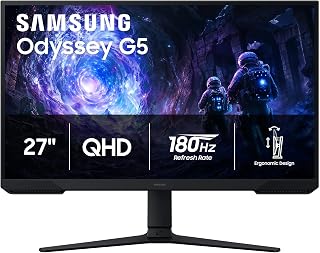
This 27-inch Odyssey offers a 3000:1 contrast ratio thanks to VA panel technology, producing deeper blacks and more vivid colors that enhance immersion in story-driven games where the RTX 5070 excels. The 180Hz refresh rate provides smooth motion for modern AAA titles at QHD resolution, while the matte finish reduces glare during extended gaming sessions. Its balanced specs match the 5070's performance tier perfectly.
Pros
- 3000:1 contrast ratio delivers noticeably deeper blacks than most IPS panels at this tier
- 180Hz refresh rate pairs well with the RTX 5070 at QHD for smooth, high-frame-rate gaming
- AMD FreeSync eliminates screen tearing across the RTX 5070's frame-rate range
- Matte finish and fully adjustable stand support extended gaming sessions comfortably
Cons
- VA panel color gamut at 72% is narrower than IPS alternatives, limiting color vibrancy
- No NVIDIA G-Sync certification; relies on FreeSync compatibility for RTX 5070 owners
Pairing an RTX 5070 with a QHD monitor is a well-established sweet spot, and the Samsung Odyssey G5 makes a compelling case for that combination. The 27-inch VA panel runs at 180Hz, a refresh rate the RTX 5070 can sustain comfortably in demanding titles while still delivering high visual quality at 1440p. Where this monitor distinguishes itself from IPS competitors is its 3000:1 contrast ratio, which is three times higher than many rivals in this class. That translates to noticeably deeper blacks and more dramatic lighting in games that take advantage of the RTX 5070's rendering power. AMD FreeSync support pairs cleanly with the GPU to keep frame delivery smooth and tear-free. The 1ms response time keeps motion sharp during fast sequences. HDR10 support adds color depth in compatible titles. The matte screen finish and 178-degree viewing angle make the panel comfortable for extended play, and the Black Equalizer feature gives competitive players visibility in dark in-game environments without washing out the overall image.
Display: 27-inch QHD VA panel, 2560 x 1440 resolution, 16:9 aspect ratio, 178-degree viewing angles
Performance: 180Hz refresh rate, 1ms response time (MPRT), 300 cd/m brightness, 3000:1 contrast ratio
Features: HDR10, AMD FreeSync, Black Equalizer, matte screen finish
Connectivity: 2x HDMI, 1x DisplayPort, 1x power connector
Design: Adjustable stand with tilt, pivot, and height settings, desk mount, flat panel shape
Dimensions: 24.34 inches wide, 9.22 inches deep, 20.5 inches tall, 10.1 pounds
Power: 35 watts consumption, 240 volts
Warranty: 1-year manufacturer coverage
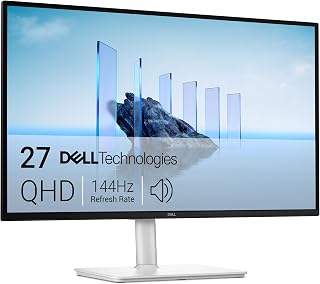
The S2725DSM combines 144Hz performance with comprehensive ergonomic adjustability including pivot and swivel, letting RTX 5070 users customize their setup for marathon gaming sessions. Its QHD resolution at 27 inches delivers sharp visuals that the 5070 handles effortlessly, while built-in 3W speakers eliminate the need for separate audio. AMD FreeSync ensures tear-free gameplay across varied frame rates.
Pros
- 99% color gamut and IPS accuracy make it a strong dual-use panel for gaming and creative work
- TUV 4-star eye comfort certification with flicker-free and blue light reduction for long sessions
- Built-in dual 3W speakers reduce desk clutter for cleaner RTX 5070 gaming setups
- Full stand adjustability including swivel supports flexible desk configurations
Cons
- 144Hz ceiling leaves the RTX 5070's higher frame-rate output unused in competitive titles
- Single HDMI 2.1 port limits connectivity for users with multiple devices
Not every RTX 5070 build is about chasing maximum frame rates. For gamers who also use their machine for content creation, remote work, or mixed productivity and play, the Dell S2725DSM offers a well-rounded 27-inch QHD panel that works with the GPU without demanding it run flat out. The 144Hz refresh rate and 1ms MPRT response time are competitive enough for mainstream gaming, while the IPS panel's 178-degree viewing angles and 99% color gamut coverage serve creative tasks that demand accurate color. A 1500:1 contrast ratio improves on typical IPS figures, adding depth to in-game visuals. AMD FreeSync keeps frame delivery smooth alongside the RTX 5070. The TUV 4-star eye comfort certification, with flicker-free technology and blue light reduction, matters for users spending full workdays in front of the screen. Built-in dual 3W speakers reduce desk clutter. The fully adjustable stand with height, tilt, pivot, and swivel makes ergonomic setup straightforward, and the matte finish handles ambient light well.
This monitor suits RTX 5070 owners who split time between gaming and professional or creative work and want a single display that handles both competently. The strong color gamut and eye comfort certifications add real value for that audience. Dedicated competitive gamers who want refresh rates above 144Hz or NVIDIA G-Sync support should look at higher-refresh alternatives.
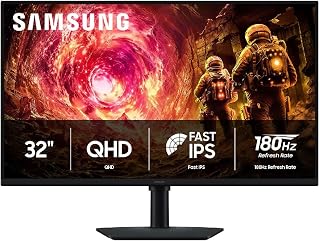
The larger 32-inch screen provides expanded real estate for immersive single-player adventures where the RTX 5070's ray tracing capabilities shine at QHD resolution. Its 180Hz refresh rate ensures fluid motion in both competitive and casual titles, while the IPS panel delivers accurate colors across wide viewing angles. The size makes HUD elements and distant targets easier to spot without sacrificing pixel density.
Pros
- 180Hz refresh rate makes full use of the RTX 5070's 1440p frame-rate output
- G-Sync compatibility eliminates tearing across the variable refresh range
- IPS panel with 178-degree viewing angles and 99% color gamut for accurate visuals
- Ergonomic stand with height, tilt, and 90-degree swivel adjustments
Cons
- At 32 inches and 1440p, pixel density is around 109 PPI, which is softer than a 27-inch QHD display
- 180Hz cap may feel limiting if future RTX 5070 driver or game optimizations push frame rates significantly higher
Pairing a 32-inch QHD panel with a 180Hz refresh rate, the Samsung Odyssey G5 hits a sweet spot that the RTX 5070 is built to exploit. The card can comfortably push 1440p frame rates well above 100fps in demanding titles, and this monitor's 180Hz ceiling gives that headroom real meaning rather than leaving performance on the table. IPS technology delivers 178-degree viewing angles and 99% color gamut coverage, so the visual fidelity the RTX 5070 renders translates faithfully to the screen. G-Sync compatibility keeps the two working in sync, eliminating tearing across the entire variable refresh range. HDR10 support and the Black Equalizer feature add competitive utility, brightening shadowed areas without blowing out highlights. The 1ms response time keeps motion clean at high frame rates. At 109 pixels per inch the image is sharp enough for immersive single-player games and detailed enough for competitive play, making this a well-rounded canvas for everything the RTX 5070 can deliver.
Display: 32 inches, QHD (2560 x 1440), IPS panel, 16:9 aspect ratio, matte finish
Performance: 180Hz refresh rate, 1ms response time (GtG), 300 cd/m² brightness, 1000:1 contrast ratio
Color: 99% color gamut, HDR10 support, 178-degree viewing angle
Adaptive Sync: G-Sync compatible, FreeSync support
Connections: 1x DisplayPort, 1x HDMI
Adjustments: Height, tilt, and swivel ergonomic stand
Dimensions: 28.1" W x 24.6" H x 9.9" D
Weight: 10.8 lbs
Warranty: 1-year manufacturer coverage
This monitor suits RTX 5070 owners who want to game at 1440p with a large, comfortable viewing area and a high refresh rate without chasing the absolute pixel ceiling. It works equally well for competitive multiplayer and story-driven titles. Creators doing color-sensitive work will appreciate the wide gamut IPS panel. Buyers who prioritize 4K resolution or a pixel density above 120 PPI should look elsewhere, as should those who need a curved panel.
Pros
- Outstanding value for a 4K 120Hz monitor, significantly cheaper than comparable models
- Excellent color accuracy and contrast make it suitable for professional content creation and everyday use
- Smooth 120Hz refresh rate with FreeSync Premium eliminates stuttering for both work and gaming
- Built-in speakers with improved audio quality reduce cable clutter and enhance multimedia experience
- Comprehensive ergonomic adjustments and VESA mounting compatibility provide flexible workspace setup
Cons
- Default brightness setting is quite high and requires manual adjustment for comfortable extended viewing
- Response time of 0.03ms to 4-8ms gray-to-gray makes it solid but not ideal for competitive esports gaming
- Limited to 120Hz refresh rate compared to specialized gaming monitors at higher refresh rates
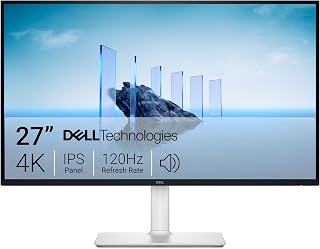
The Dell S2725QS is a 27-inch 4K IPS monitor that bridges the gap between productivity and gaming. It's designed for content creators, professionals who demand color accuracy, CS students, casual gamers, and anyone seeking a versatile all-around display that doesn't sacrifice performance for price.
The standout feature is its combination of 4K resolution, 120Hz refresh rate, and 99% sRGB color gamut in a single affordable package. Real-world performance delivers sharp text and images with vibrant, accurate colors. The 120Hz refresh rate makes scrolling and everyday tasks feel noticeably smoother than typical 60Hz monitors. AMD FreeSync Premium eliminates screen tearing, creating a seamless experience whether you're working or gaming. ComfortView Plus reduces blue light while maintaining color accuracy, allowing extended viewing sessions without eye strain.
Build quality is solid with a sleek ash white design featuring ultra-thin bezels. The stand offers extensive adjustment options including height, tilt, pivot, and swivel positioning. The monitor feels premium despite the competitive pricing. Built-in speakers have been re-engineered with deeper bass and greater output power compared to previous models, reducing the need for external audio.
The main drawback is the default brightness setting being too aggressive, requiring manual adjustment. The response time of 4-8ms gray-to-gray is respectable but won't satisfy competitive gamers seeking sub-1ms performance. The 120Hz ceiling is also lower than dedicated gaming monitors, though it suits most use cases well.
The Dell S2725QS delivers exceptional versatility and performance for its price. It excels as a productivity monitor with legitimate gaming capability, making it an excellent choice for anyone who needs a single display that handles both professional work and entertainment equally well.
Display: 27-inch IPS LED panel, 4K UHD (3840x2160), 16:9 aspect ratio, matte anti-glare finish
Color: 99% sRGB color gamut, 1500:1 contrast ratio, 350 nits brightness
Refresh Rate: 120Hz with AMD FreeSync Premium adaptive sync technology
Response Time: 0.03ms, 4-8ms gray-to-gray
Viewing Angle: 178 degrees horizontal and vertical
Connectivity: DisplayPort, 2x HDMI 1.4, 3.5mm audio jack
Adjustments: Height, tilt, pivot, and swivel adjustments, VESA 100x100 compatible
Audio: Built-in 2W stereo speakers with enhanced audio quality
Features: ComfortView Plus blue light reduction, Energy Star certified, USB hub connectivity
Dimensions: 24.08 inches wide, 7.89 inches deep, 15.3 inches high (with stand)
Weight: 14.3 pounds
Power Consumption: 24.6 watts
Warranty: 1-year advanced exchange service and premium panel exchange
Content Creators and Photo Editors: The 99% sRGB color accuracy makes this ideal for professionals who need precise color representation without investing in premium studio monitors. The 4K resolution provides plenty of pixel real estate for detailed editing work.
Productivity Professionals: The 120Hz refresh rate makes multitasking feel noticeably snappier than 60Hz alternatives. Extended adjustability options accommodate various work setups. ComfortView Plus supports all-day comfortable use without eye fatigue.
Console and Casual Gamers: Works flawlessly with PlayStation 5 and Xbox Series X/S. The 120Hz FreeSync Premium delivers smooth gameplay. Not recommended for competitive esports players who require 240Hz+ monitors.
College Students and Home Office Workers: Offers exceptional value as an all-in-one display for studying, content consumption, and light gaming. Built-in speakers and extensive connectivity reduce the need for additional peripherals.
Mac Users: Connects seamlessly with Mac minis and other Apple devices. The USB hub ports compensate for limited connectivity on newer Macs. Color accuracy supports video and photo work on Apple platforms.
What to Consider When Choosing Your Display
Resolution and Pixel Density
The RTX 5070 hits its sweet spot at 1440p QHD resolution, delivering exceptional frame rates without the performance hit of 4K. At 27 inches, QHD gives you 109 pixels per inch, sharp enough for detailed visuals without straining your GPU. If you’re considering a 1440p monitor for RTX 5070 gaming, you’ll appreciate how this resolution balances visual fidelity with performance headroom.
The Dell 27 Monitor S2725QS, 4K UHD IPS, 120Hz, 5ms pushes into 4K territory for those who prioritize image clarity over maximum frame rates. This works beautifully for strategy games, open-world exploration, and creative work where you want every detail rendered. Just know you’ll need to dial back settings in the most demanding titles to maintain smooth performance.
Refresh Rate and Response Time
Your monitor’s refresh rate determines how many frames per second it can actually display. The LG 27G64NA-B 27-inch Ultragear G6 QHD IPS 300Hz leads the pack here with a blistering 300Hz refresh rate paired with 1ms response time. This combination eliminates motion blur and keeps fast-paced shooters buttery smooth; exactly what competitive players need.
For most gamers, the 144Hz to 180Hz range offers the best value. The Samsung 27″ Odyssey G5 (G51F) Series QHD (1440P) delivers 180Hz at an accessible price point, while the Dell 27 Plus QHD Monitor – S2725DSM hits 144Hz with excellent color accuracy. Both options give you noticeable improvements over standard 60Hz displays without demanding the premium that ultra-high refresh rates command.
Panel Technology and Color Accuracy
IPS panels dominate this lineup for good reason: they offer wide viewing angles and accurate colors that make games look as developers intended. The Samsung 32″ Odyssey G5 (G50F) uses a fast IPS panel with 178-degree viewing angles, ensuring consistent color across the entire screen even when you’re not sitting dead center.
If you’re exploring options for monitors that work with higher-tier GPUs, you’ll notice similar panel priorities. The Dell S2725QS achieves 99% sRGB coverage with HDR readiness, making it equally capable for content creation and gaming. This versatility matters if you use your PC for more than gaming alone.
Adaptive Sync and HDR Support
Every monitor here supports either AMD FreeSync Premium or NVIDIA G-SYNC Compatible technology, eliminating screen tearing when your frame rate fluctuates. The LG Ultragear goes further with VESA DisplayHDR 400 certification, delivering brighter highlights and deeper shadows that add genuine depth to supported games.
HDR10 support appears on several models, including both Samsung Odyssey options. While these displays won’t match dedicated HDR1000 panels, they provide noticeable improvements in contrast and color vibrancy compared to standard SDR content. For those considering 4K monitors for more powerful GPUs, HDR becomes even more impactful at higher resolutions.
Final Thoughts
The RTX 5070 thrives with displays that respect both performance and visual quality, and your ideal choice depends on your gaming priorities. Competitive players chasing every frame advantage should grab the LG 27G64NA-B with its exceptional 300Hz refresh rate and 1ms response time, while those who value flexibility across gaming and productivity will appreciate the Dell S2725QS and its stunning 4K clarity. Whichever path you choose, these monitors unlock the full potential of your GPU without compromise.
Frequently Asked Questions
What resolution works best with the RTX 5070 in 2026?
The RTX 5070 performs exceptionally at 1440p QHD resolution, delivering high frame rates in demanding titles while maintaining excellent visual fidelity. You can push into 4K for less demanding games or when you prioritize image quality over maximum frame rates, but 1440p remains the sweet spot for balanced performance.
Do I need a monitor with more than 144Hz for gaming?
Higher refresh rates like 180Hz or 300Hz provide smoother motion and reduced input lag, which matters most in competitive multiplayer games. For single-player adventures and story-driven titles, 144Hz offers excellent fluidity without the premium cost. Your gaming preferences should guide this decision more than specs alone.
Is HDR worth considering for a gaming monitor?
HDR support enhances contrast and color depth in supported games, making highlights brighter and shadows more detailed. Entry-level HDR400 certification provides noticeable improvements over standard displays, though it won’t match the dramatic impact of premium HDR1000 panels. If you play games with strong HDR implementations, it’s a valuable feature to prioritize.
Should I choose IPS or VA panel technology?
IPS panels offer superior color accuracy and wider viewing angles, making them ideal for gaming and content creation. VA panels typically provide deeper blacks and higher contrast ratios but may show ghosting in fast motion. For the RTX 5060 Ti and similar GPUs, IPS remains the preferred choice for all-around performance and visual quality in 2026.






Write Your Review
No reviews yet. Be the first to share your experience!