

Choosing a monitor for console play gets complicated when sharp resolution, smooth motion, HDMI limits, and desk space all compete for attention. A 240Hz label may look compelling, but your console’s supported output, each game’s modes, and the monitor’s HDMI connection determine what you will actually see.
This guide compares ten strong options for solo campaigns, online matches, and shared-room gaming. Use it to decide whether you need QHD detail, a larger curved screen, or a compact display, then pair your choice with our budget 1440p monitor guide if QHD is your priority.
Quick Comparison
Ratings reflect the most recent data pull. Check each listing for current price and availability.
Quick answer
This guide compares 10 picks, with AOC 27" QHD 240Hz Gaming Monitor IPS 0.3ms G-Sync ranked first. SANSUI 32 Inch Curved 240Hz Gaming Monitor 1080P FHD has the most customer reviews.

The 240Hz overclocked refresh rate future-proofs your setup for next-gen consoles pushing higher frame rates in performance modes. QHD resolution at 27 inches balances sharpness with performance, ideal for competitive console shooters where clarity matters. NVIDIA G-SYNC eliminates screen tearing when frame rates fluctuate, keeping gameplay smooth even during demanding sequences. The IPS panel delivers accurate colors that make HDR-enabled console games pop.
Pros
- 27-inch 1440p matches native console output perfectly
- 240Hz headroom future-proofs for PC gaming crossover
- Dual HDMI 2.0 connects multiple consoles without switching
- G-Sync and Adaptive-Sync work with modern console VRR
Cons
- No built-in speakers requires external audio solution
- 240Hz capability mostly wasted on console-only setups
The AOC Q27G41ZE targets console players who also game on PC and want one display that handles both without compromise. At 27 inches, the 1440p resolution matches the native output of PS5 and Xbox Series X perfectly, delivering pixel-perfect clarity without upscaling artifacts. The 240Hz panel significantly exceeds what consoles can push today, but future-proofs the investment and shines when you switch to PC gaming. G-Sync and Adaptive-Sync compatibility work with both NVIDIA and AMD graphics cards, plus modern consoles support variable refresh rate technology for smoother frame pacing. The IPS panel with wide viewing angles suits casual viewing and the glossy finish can enhance color vibrancy in controlled lighting. Dual HDMI 2.0 ports let you connect multiple consoles or a console plus PC simultaneously without cable swapping. Shadow Control and Game Mode presets adapt quickly between game genres, useful when bouncing between competitive shooters and cinematic adventures. The frameless design keeps focus on the action, and the lightweight build makes repositioning effortless. The 0.3ms response time eliminates motion blur that can obscure fast action in racing games and fighters.
Display: 27-inch IPS, 2560x1440 QHD, 16:9 aspect ratio, 300-nit brightness, 1000:1 contrast ratio, glossy finish
Performance: 240Hz refresh rate (via DisplayPort), 0.3ms MPRT response time, Adaptive-Sync, G-Sync compatible
Connectivity: 1x DisplayPort 1.4, 2x HDMI 2.0, audio output jack
Design: Three-sided frameless, tilt adjustment from minus 3 to plus 21 degrees, textured black and red finish
Dimensions: 24.17 inches wide, 7.46 inches deep, 17.7 inches tall, 6.15kg weight
Features: Blue Light Filter, Flicker-Free, Shadow Control, Game Mode presets, graphical OSD menu
Warranty: 3-year manufacturer coverage
Ideal for gamers who split time between console and PC, or who want a display ready for next-gen console updates beyond 120fps. The 27-inch format suits desk setups better than living rooms. Skip this if you only game on console and won't use the extra refresh headroom, or if you need built-in speakers for a simple setup. The lack of audio output means you'll need separate speakers or headphones.

The WQHD resolution at 27 inches strikes the sweet spot for console gaming, offering sharper visuals than 1080p without the performance penalty of 4K. The 180Hz capability maximizes frame rate on performance-focused console modes, delivering smoother motion than standard displays. G-SYNC compatibility prevents tearing during variable frame rate scenarios common in open-world titles. The matte finish reduces glare in brightly lit living rooms.
Pros
- QHD 1440p matches native console resolution without scaling
- 180Hz handles 120fps console modes with overhead to spare
- Fast IPS panel combines color accuracy with 1ms response
- DisplayHDR 400 and DCI-P3 coverage suit HDR console games
Cons
- Requires capable console games running performance modes to shine
- 27-inch size less immersive than larger options for couch play
Alienware's AW2725DM strikes the balance console gamers actually need rather than chasing specs they can't use. The 27-inch QHD resolution aligns perfectly with PS5 and Xbox Series X native output, meaning games render at their intended sharpness without upscaling blur or performance penalties. The 180Hz refresh rate gives breathing room above the 120fps modes modern consoles support, ensuring consistent frame delivery without bottlenecking. NVIDIA G-SYNC eliminates screen tearing when frame rates fluctuate, which matters more on console where you can't simply dial down settings for stable fps. The fast IPS panel delivers 1ms response times that rival TN panels while maintaining accurate colors and matte finish that handles varied lighting conditions. DisplayHDR 400 certification and 95% DCI-P3 coverage mean HDR games display as developers intended, with highlights that pop and shadow detail that remains visible. The matte surface resists glare from windows or overhead lights common in living spaces. VESA mounting supports flexible placement whether on a desk or entertainment center. Alienware's build quality ensures this display will handle years of gaming without degradation, and the recognizable design aesthetic matches modern console styling.
Display: 27-inch QHD (2560 x 1440) IPS panel, 16:9 aspect ratio, matte finish
Refresh Rate: 180Hz
Response Time: 1ms gray-to-gray
Color Gamut: 95% DCI-P3
HDR: DisplayHDR 400 certified
Sync Technology: NVIDIA G-SYNC
Additional Features: Console mode, hardware blue light filter, VESA mountable
Brand: Alienware (Dell)
Perfect for console gamers upgrading from 1080p or standard 60Hz displays who want visual fidelity and smoothness without requiring a high-end gaming PC. The 27-inch size works well at typical desk or close living room distances. Skip this if you primarily play 60fps single-player titles that won't leverage the high refresh rate, or if you want a larger screen for distant couch gaming. The display really shines when paired with performance-mode games hitting 120fps.
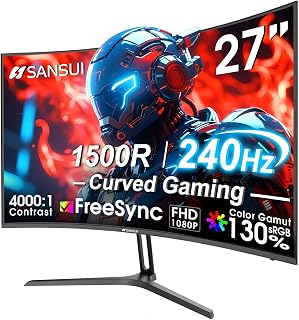
The 1500R curve wraps the 27-inch display around your field of view, creating an immersive experience for single-player console adventures. The 240Hz refresh rate future-proofs your setup for upcoming console titles targeting higher frame rates. The 4000:1 contrast ratio produces deeper blacks than typical IPS panels, enhancing visual depth in dark game scenes. HDR support brings out highlight detail in compatible console games.
Pros
- 240Hz refresh rate captures full 120fps output from PS5 and Xbox Series X
- 1ms response time and FreeSync keep motion blur and tearing minimal
- 1500R curve enhances immersion without geometric distortion
- Low blue light and flicker-free features reduce eye strain during long sessions
Cons
- FHD 1080p resolution lacks the sharpness of native 4K displays
- Limited viewing angles require centered seating position
Console gamers chasing competitive edge will find the SANSUI ES-G27C1 PRO an unexpectedly capable display for next-gen hardware. The 240Hz refresh rate ensures PlayStation 5 and Xbox Series X titles running at 120fps appear buttery smooth, with FreeSync eliminating screen tearing across variable frame rates. The 1ms response time keeps motion crisp during fast-paced shooters and racing games, while the 1500R curve wraps the action around your peripheral vision without distorting the image. FHD 1080p resolution aligns perfectly with console performance targets, letting your hardware push higher frame rates instead of struggling with 4K demands. HDR support brings out detail in shadows and highlights, particularly valuable in atmospheric adventures and competitive shooters. The 4000:1 contrast ratio delivers deep blacks that enhance immersion in darker scenes. Low blue light filtering and flicker-free technology make extended gaming sessions more comfortable. Both HDMI and DisplayPort connectivity give flexibility for multi-console setups or PC crossover. The matte finish prevents glare from room lighting, and the metal stand provides stable mounting with tilt adjustment for optimal viewing position.
Display: 27-inch curved LED, 1920x1080 FHD resolution, 16:9 aspect ratio, 1500R curvature
Performance: 240Hz refresh rate, 1ms MPRT response time, 4000:1 contrast ratio, 300 nits brightness
Color: 130% sRGB, 95% DCI-P3 color gamut, HDR support
Features: FreeSync adaptive sync, anti-flicker, low blue light, anti-glare matte finish, black level adjustment, game modes, crosshair overlay
Connectivity: DisplayPort 1.4, HDMI, 3.5mm audio jack
Design: Metal stand with tilt adjustment -5 to +15 degrees, VESA 100x100mm compatible
Dimensions: 24.13"W x 17.84"H x 7.66"D, weighs 7.3 lbs
Warranty: 1-year manufacturer warranty with 30-day money-back guarantee and lifetime technical support
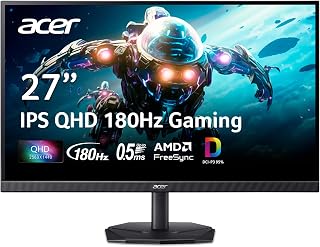
QHD resolution at 27 inches provides a significant visual upgrade over 1080p, showcasing the graphical capabilities of modern consoles without overwhelming smaller gaming spaces. The 180Hz refresh rate supports high-frame-rate performance modes increasingly common in current-gen titles. The IPS technology ensures vibrant colors and wide viewing angles, perfect for sharing gameplay moments with friends. The matte screen finish minimizes reflections from nearby windows or lighting.
Pros
- QHD resolution balances detail and performance for console gaming
- 180Hz refresh rate supports 120fps console modes
- IPS panel delivers accurate colors and wide viewing angles
- Dual HDMI ports accommodate multiple console connections
Cons
- HDMI limited to 120Hz; DisplayPort needed for full 180Hz
- Stand stability less robust than premium alternatives
Console gamers upgrading to PS5 or Xbox Series X will appreciate the KG271U's 27-inch QHD panel, which strikes an ideal balance between visual fidelity and performance. The 2560x1440 resolution brings out finer details in modern console titles without the frame-rate penalty of full 4K, while the 180Hz refresh rate future-proofs your setup as more games target 120fps modes. The IPS panel's 178-degree viewing angles and DCI-P3 95% color coverage deliver rich, accurate colors whether you're exploring open worlds or competing in shooters. HDR 10 support enhances contrast in compatible titles, and the 0.5ms response time keeps motion crisp during fast gameplay. AMD FreeSync eliminates screen tearing when variable refresh rate is enabled on your console. The matte finish reduces glare during daytime gaming sessions, while dual HDMI ports let you connect multiple consoles simultaneously. The zero-frame bezel design looks clean in any entertainment setup, and built-in speakers provide backup audio if you're not using a headset.
Display: 27 inches, IPS LCD, 2560x1440 (QHD), 16:9 aspect ratio, matte finish
Performance: 180Hz refresh rate, 0.5ms response time (GTG), 1000:1 contrast ratio, 250 nits brightness
Color: DCI-P3 95%, HDR 10 support, 178-degree viewing angles
Connectivity: DisplayPort (1), HDMI (2), built-in speakers
Physical: 24.2" W x 18.14" H x 8.28" D, 5.5 kg, tilt adjustment, wall mount compatible
Power & Warranty: 26W power consumption, 3-year parts and labor warranty
Included: Display, DisplayPort cable, power cord, stand
This monitor suits console gamers who want QHD clarity and high refresh rates for next-gen systems. It's ideal if you play a mix of competitive and story-driven games, or if you occasionally use the display for creative work. Skip it if you're only gaming at 60fps and don't need the extra resolution, or if you demand premium stand stability without wall mounting.
Pros
- Exceptional 240Hz refresh rate at this price point gives competitive gamers a real performance edge
- 1ms response time paired with curved design creates distraction-free, responsive gameplay
- Eye-care features and ergonomic design support comfortable marathon gaming sessions
- Multiple connectivity options and FreeSync/G-Sync support work with virtually any gaming setup
- 3-year manufacturer warranty provides strong buyer confidence
Cons
- 1080p resolution on a 32-inch panel results in lower pixel density, so fine details may appear slightly less sharp than higher-resolution competitors
- FHD resolution limits visual fidelity for non-gaming work like photo or video editing
- Power consumption of 36 watts is modest but higher than smaller gaming monitors
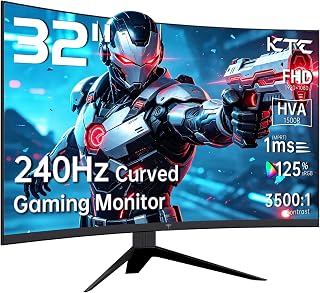
The KTC H32S17F is a 32-inch curved gaming monitor purpose-built for esports enthusiasts and console gamers who prioritize speed and responsiveness. With its aggressive 240Hz refresh rate and 1ms response time, this monitor targets players in fast-paced titles like competitive shooters and fighting games where every millisecond matters.
The standout strength here is the combination of size and performance at an affordable price. The 32-inch curved display immerses you in the action, while 240Hz keeps motion smooth and DisplayPort 1.4 connectivity ensures your GPU can actually deliver those frames. The 125% sRGB color gamut and 3500:1 contrast ratio deliver punchy, vibrant visuals that make the most of fast-paced gaming without sacrificing clarity.
Build quality and design are solid for the price. The curved matte panel reduces glare, while anti-blue light and anti-flicker technologies genuinely help reduce eye strain during long sessions. The adjustable stand offers 5-15 degrees of tilt, and VESA mounting support adds flexibility. At 18 pounds, the monitor feels substantial without being unwieldy.
The main trade-off is resolution. At 1920x1080 on a 32-inch screen, the pixel density is lower than smaller 1080p monitors or larger high-refresh displays with 1440p or 4K. This isn't a dealbreaker for gaming, but text and fine details won't be as crisp as you'd get on a smaller panel or higher-resolution screen.
Verdict: The KTC H32S17F delivers excellent value for competitive gamers and console players seeking a large, fast, immersive display. It excels at its core job (high-refresh gaming) and includes thoughtful features like eye-care technology. If you're prioritizing speed and screen size over pixel-perfect detail, this is a smart buy at under $200.
Display: 32 inches, 1920x1080 FHD, 16:9 aspect ratio, curved LCD panel
Refresh Rate: 240Hz
Response Time: 1ms
Color & Contrast: 125% sRGB gamut, 16.7 million colors, 3500:1 contrast ratio
Brightness: 350 cd/m2
Viewing Angle: 178 degrees
Connectivity: 2x HDMI 2.0, 1x DisplayPort 1.4, 1x USB 2.0
Sync Technology: FreeSync, G-Sync compatible
Special Features: Anti-blue light, anti-glare, anti-flicker, curved design
Adjustability: 5-15 degree tilt, VESA mount compatible (4 holes, M4x8mm)
Dimensions: 27.99 inches wide, 9.88 inches deep, 20.7 inches tall
Weight: 18 pounds
Power: 36 watts at 19V DC
Warranty: 3 years manufacturer coverage
Who Should Buy: Competitive esports gamers, console players focused on fast-paced titles, streamers seeking large immersive displays, and budget-conscious buyers wanting flagship refresh rates without premium pricing.
Who Might Pass: Content creators prioritizing fine detail work, productivity-focused users, and gamers who prefer higher resolution or smaller screen sizes for sharper text and graphics.
Gaming Performance: The 240Hz refresh rate paired with 1ms response time creates a noticeable advantage in competitive shooters, fighting games, and action titles. Most gaming PCs and modern consoles can drive 240fps at 1080p, making this monitor accessible across a wide range of budgets. FreeSync and G-Sync support smooth out any frame rate inconsistencies.
Comfort & Health: Extended gaming sessions benefit from the curved design, eye-care features, and ergonomic adjustability. The anti-blue light and anti-flicker technologies genuinely reduce fatigue, especially for nighttime gaming.
Connectivity & Setup: Dual HDMI ports let you connect multiple devices simultaneously (console, streaming PC, etc.), while DisplayPort 1.4 ensures peak performance for modern graphics cards. VESA mounting and adjustable tilt make it easy to fine-tune your setup.
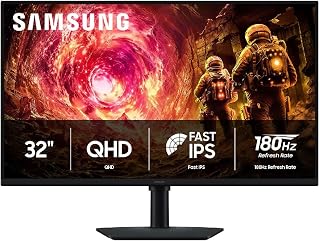
The 32-inch screen size offers a commanding field of view that brings console gameplay to life without requiring you to sit too far back. The 180Hz refresh rate provides noticeably smoother motion than standard 60Hz displays, making fast-paced games more responsive. QHD resolution delivers sharper detail than 1080p, letting you appreciate visual fidelity on current-gen consoles while the IPS panel ensures consistent colors from any viewing angle.
Pros
- 32-inch screen offers immersive console gaming from couch distance
- 180Hz accommodates PS5 and Xbox Series X 120fps modes
- HDR10 and Black Equalizer enhance modern game visuals
- Wide IPS viewing angles suit multiplayer couch sessions
Cons
- Lower pixel density than 27-inch 1440p options
- 180Hz ceiling less relevant for 60fps console titles
Console gamers looking to maximize their PS5 or Xbox Series X investment will find the Samsung Odyssey G5 delivers exactly what modern titles demand. The 32-inch QHD panel provides a substantial upgrade over standard 1080p displays, revealing fine detail in open-world environments and UI elements that would otherwise blur together. The 180Hz refresh rate accommodates next-gen console output at 120fps, ensuring games like Call of Duty and Forza Motorsport stay silky smooth during intense moments. HDR10 support brings out the lighting detail current-gen titles are designed around, from neon-lit cyberpunk streets to shadowy horror sequences. The Black Equalizer feature proves particularly useful in competitive shooters, lifting shadow detail without washing out the image. IPS technology means colors stay consistent whether you're gaming solo or friends are watching from the couch. The matte finish handles living room lighting well, and the included cables mean setup is straightforward. Samsung's build quality inspires confidence for a display that will see years of daily use across multiple console generations.
Display: 32 inches, QHD (2560 x 1440), IPS panel, 16:9 aspect ratio, matte finish
Performance: 180Hz refresh rate, 1ms response time (GtG), 300 cd/m² brightness, 1000:1 contrast ratio
Color: 99% color gamut, HDR10 support, 178-degree viewing angle
Adaptive Sync: G-Sync compatible, FreeSync support
Connections: 1x DisplayPort, 1x HDMI
Adjustments: Height, tilt, and swivel ergonomic stand
Dimensions: 28.1" W x 24.6" H x 9.9" D
Weight: 10.8 lbs
Warranty: 1-year manufacturer coverage
Best for console players who want a larger screen with next-gen refresh rates and HDR without spending flagship money. The 32-inch size suits living room setups and split-screen gaming. Skip this if you sit very close to the screen and prefer higher pixel density, or if you're chasing 240Hz+ for PC competitive gaming exclusively. The 180Hz cap won't bottleneck any current console, making it a smart match for PlayStation and Xbox ecosystems.

The 22-inch form factor fits comfortably on smaller desks or entertainment centers without dominating the space. The 144Hz refresh rate delivers smoother motion than standard 60Hz TVs, enhancing responsiveness in competitive console titles. Built-in speakers eliminate the need for external audio if you prefer a streamlined setup. FHD resolution at this screen size maintains sharp image quality while maximizing performance on console hardware.
Pros
- 144Hz refresh rate captures 120fps console output
- Compact 22-inch size fits smaller gaming spaces
- Built-in speakers simplify setup for casual play
- FreeSync reduces tearing on Xbox consoles
Cons
- 1080p resolution may feel basic for larger displays
- Lacks premium features like HDR and USB-C
For casual console gamers on a budget, the Sceptre E225W-FW144 offers a practical entry point into higher refresh rate gaming. While modern consoles can push 120fps in select titles, this 22-inch display's 144Hz capability ensures you capture every frame without overspending. The compact size fits naturally in smaller gaming spaces or dorm rooms, and the 1ms response time keeps inputs feeling snappy in shooters and racing games. FreeSync adaptive sync works with Xbox consoles to reduce tearing, maintaining visual smoothness even when frame rates fluctuate. Built-in speakers eliminate the need for separate audio gear during casual play, though serious gamers will prefer headsets. The matte screen finish and Blue Light Shift technology reduce eye strain during longer sessions. Minimal bezels give the display a modern appearance, and the 2000:1 contrast ratio helps darker game scenes retain detail. At 1920x1080, the resolution matches what most casual console titles target anyway, making this a sensible match for budget-conscious players.
Display: 22-inch FHD LED with 1920x1080 native resolution, 16:9 aspect ratio, matte screen finish
Performance: 144Hz refresh rate, 1ms response time, 2000:1 contrast ratio, 170-degree viewing angles, 100 color gamut
Connectivity: 1x HDMI, DisplayPort, FreeSync adaptive sync
Features: Built-in speakers, Blue Light Shift eye care technology, minimal bezel design, wall mount compatible
Physical: 19.9in W x 15.5in H x 7in D, 7 pounds, machine black color
Warranty: 1-year limited manufacturer warranty
Best for casual console players, students, or anyone setting up a secondary gaming space without breaking the bank. It's a smart pick if you primarily play at 1080p and want smoother visuals than a standard TV provides. Skip it if you need a larger screen for couch gaming or demand premium features like HDR and USB-C connectivity.

The curved 24.5-inch design provides immersive viewing without overwhelming compact gaming spaces. The 240Hz refresh rate maximizes responsiveness in competitive console shooters that support high frame rate modes. Dual HDMI and DisplayPort inputs let you connect multiple consoles simultaneously without swapping cables. The 1ms response time minimizes motion blur during fast action sequences, keeping fast-moving objects sharp and clear on screen.
Pros
- 240Hz refresh rate exceeds console requirements with room to grow
- 1500R curve adds immersion without overwhelming smaller desks
- FreeSync Premium eliminates tearing on Xbox consoles
- Metal stand and included mounting hardware feel premium
Cons
- Built-in speakers deliver muffled audio from bottom placement
- 1080p resolution limits sharpness for productivity tasks
The Sceptre C255B-FWT240 targets console gamers who value smooth motion and responsive gameplay over resolution bragging rights. This 24.5-inch curved display handles 120fps console output with ease thanks to its 240Hz refresh rate, giving you overhead for PC gaming if you expand your setup later. The 1ms MPRT response time keeps action crisp during fast camera pans and quick reflex moments in shooters or fighting games. AMD FreeSync Premium works with Xbox consoles to eliminate screen tearing, maintaining visual consistency during demanding sequences. The 1500R curve enhances immersion without dominating your desk space, making it ideal for bedroom or dorm setups. The metal stand provides solid stability, and the tilt adjustment helps you find a comfortable viewing position. Built-in speakers handle game audio in a pinch, though the bottom placement produces muffled output. The frameless design maximizes screen real estate and looks clean in multi-monitor arrangements. At 1920x1080, the resolution matches what most console games target, ensuring you're seeing graphics as developers intended without unnecessary upscaling artifacts.
Display: 24.5-inch curved LCD, 1920x1080 (1080p), 16:9 aspect ratio, 99% color gamut, 1,000,000:1 contrast ratio
Performance: 240Hz refresh rate, 1ms MPRT response time, 1500R curvature, 178-degree viewing angle, 0.36mm pixel pitch
Connectivity: 2x DisplayPort, 2x HDMI, 3.5mm audio jack, built-in speakers
Features: AMD FreeSync Premium, Blue Light Filter, frameless design, tilt adjustment, wall mount compatible, built-in speakers
Power: 32 watts, 12V input, 1-year limited warranty
Dimensions: 21.99" wide x 16.38" high x 8.54" deep, 6.9 lbs
Ideal for console gamers in smaller spaces who want high refresh rate performance and a curved display without spending flagship money. Works especially well for Xbox users thanks to FreeSync Premium support. Also suits gamers who split time between console and budget PC gaming. Skip this if audio quality matters and you won't use external speakers, or if you're focused on 4K single-player experiences where resolution trumps refresh rate.

Pros
- Excellent value for QHD resolution and 200Hz refresh rate combination
- Dual DP 1.2 ports deliver full 200Hz bandwidth without compromise
- IPS panel provides superior color accuracy and viewing angles over TN alternatives
- Strong eye-care features reduce fatigue during extended gaming sessions
- Includes DP cable in box, ready to use immediately
Cons
- No built-in speakers, requiring external audio setup
- HDMI ports limited to 144Hz, necessitating DisplayPort for full refresh rate
- 178 degree viewing angles on IPS may show slight color shift at extreme angles
The SANSUI ES-G27F2Q is a 27-inch gaming monitor designed for budget-conscious gamers and content creators seeking QHD resolution without breaking the bank. It balances competitive gaming needs with professional color accuracy, making it suitable for esports, single-player gaming, and creative workflows.
Performance standouts include the 200Hz refresh rate paired with a punchy 1ms response time on an IPS panel, delivering smooth gameplay and responsive cursor movement. The dual DisplayPort 1.2 connections allow you to run the full 200Hz refresh rate, while dual HDMI 2.0 ports max out at 144Hz. HDR support and 120% sRGB coverage add visual punch for both games and video work.
Build quality is respectable, featuring a metal stand with tilt adjustment from -5 to 15 degrees and support for VESA mounting. The frameless design maximizes screen real estate, and the matte finish reduces glare. At 27 inches with 2560x1440 resolution, pixel density remains sharp without requiring extreme eyestrain.
The main limitation is the absence of speakers and the HDMI refresh rate cap at 144Hz, though DisplayPort solves this if your system supports it. Some users may find the relatively modest 320 nits brightness adequate but not exceptional in bright rooms, and the anti-glare coating can slightly reduce perceived sharpness compared to glossy alternatives.
Verdict: The SANSUI ES-G27F2Q delivers strong value for gamers and creators wanting QHD gaming at 200Hz without a premium price tag. Its IPS panel, DP connectivity, and eye-care suite justify consideration despite minor drawbacks like no built-in audio.
Display: 27-inch IPS, 2560 x 1440 (QHD), 16:9 aspect ratio, 178 degree viewing angle, matte finish
Refresh Rate: 200Hz native, 180Hz adaptive sync
Response Time: 1ms (standard)
Color: 120% sRGB, HDR10, 1000:1 contrast ratio, 320 cd/m brightness
Connectivity: DisplayPort 1.2 x2, HDMI 2.0 x2, 3.5mm audio jack, no speakers
Features: FreeSync, anti-flicker, low blue light, game assists (crosshair, timer, game modes)
Adjustment: Tilt -5 to +15 degrees, VESA 100x100mm compatible
Warranty: 1 year manufacturer, 30-day money-back guarantee, lifetime technical support
Best For: Gamers wanting 1440p clarity at high refresh rates on a budget, esports competitors, content creators balancing speed and color accuracy, multi-monitor setups using DisplayPort.
Consider If: You have a capable GPU supporting 1440p at 200Hz (RTX 4070 Super and up, RX 7800 XT and up recommended), use DisplayPort connectivity, and value eye-care features for marathon sessions.
Skip If: You need built-in speakers, require 240Hz+ refresh rates, demand premium contrast or brightness, or rely exclusively on HDMI connections.
Setup Tips: Use DisplayPort cables for full 200Hz capability, enable eye-care modes during extended use, adjust tilt angle to minimize neck strain, mount externally if desk space is limited.

The expansive 32-inch curved panel creates an enveloping visual experience perfect for story-driven console games. The 240Hz capability ensures your display keeps pace with high-performance console modes as games increasingly target 120fps. The 3500:1 contrast ratio delivers richer blacks than standard panels, making atmospheric titles more visually compelling. FHD resolution at this size provides excellent clarity for console gaming while maintaining smooth performance.
Pros
- 240Hz refresh rate future-proofs beyond current console capabilities
- 1ms response time eliminates input lag for competitive play
- 1500R curve creates immersive wraparound viewing experience
- FreeSync support reduces screen tearing in compatible titles
Cons
- 1080p resolution shows lower pixel density on 32-inch screen
- No built-in speakers require separate audio solution
Console gamers upgrading to PlayStation 5 or Xbox Series X need a display that can handle 120fps gameplay, and this 32-inch SANSUI curved monitor delivers that capability with headroom to spare. The 240Hz refresh rate means you're future-proofed well beyond current console limits, while the 1ms response time ensures zero lag between controller input and on-screen action. FreeSync support eliminates screen tearing in supported titles, keeping motion fluid during intense firefights or racing sequences. The 1500R curve wraps around your field of view, pulling you deeper into single-player adventures and competitive matches alike. At 1920x1080 resolution, the monitor keeps performance smooth without taxing your console's GPU, letting you prioritize frame rate over pixel density. The matte finish reduces glare from room lighting, and flicker-free technology with low blue light filtering protects your eyes during long play sessions. Wide 178-degree viewing angles maintain color accuracy whether you're gaming solo or watching with friends. The ergonomic tilt adjustment helps you dial in the perfect angle for your setup.
Display: 32-inch curved LCD, 1500R curvature, 16:9 aspect ratio, matte finish
Resolution: Full HD 1920x1080 pixels
Refresh Rate: 240Hz native
Response Time: 1ms MPRT
Color: 125% sRGB gamut, 16.7 million colors, 300 nits brightness, 3500:1 contrast ratio
Connectivity: 1x HDMI 2.1 (240Hz), 1x DisplayPort 1.4 (240Hz), 3.5mm audio jack
Features: FreeSync, flicker-free, low blue light filter, HDR technology, 178-degree wide viewing angle
Ergonomics: Tilt adjustment (negative 5 to positive 15 degrees), VESA mount compatible (100x100mm), desk and wall mount support
Physical: 28.16 inches wide, 16.62 inches tall, 4.26 inches deep, weighs 5.4kg
Warranty: 1-year manufacturer warranty with 30-day money-back guarantee and lifetime technical support
Included: Monitor, DP cable, metal stand, power adapter, user manual
Perfect for console gamers with PS5 or Xbox Series X who want to unlock 120fps gaming modes and appreciate immersive curved screens. The 32-inch size suits medium to large gaming spaces and works well for couch or desk play. Skip this if you need built-in speakers for a minimal setup, or if you're primarily playing single-player story games where 4K resolution matters more than high refresh rates. Also not ideal for small desks where 32 inches feels overwhelming.
Buying Guide: How to Choose a Console Gaming Monitor
Console monitors are not one-size-fits-all purchases. We prioritize the listed HDMI connectivity, native resolution, motion features, physical size, and everyday setup details that affect how comfortable the display will be long after the first game session.
Start with the way you play rather than the largest refresh-rate number on the box. A competitive player sharing a desk with a PC needs something different from a story-driven player sitting farther back with a console-only setup.
Confirm HDMI Resolution and Refresh Support
An advertised refresh ceiling is only useful when the monitor can accept the needed signal through HDMI. The AOC 27-inch QHD model lists 240Hz through DisplayPort alongside two HDMI 2.0 ports, while the SANSUI 27-inch WQHD IPS model lists HDMI 2.0 operation up to 144Hz and higher capability through DisplayPort.
That distinction matters because consoles connect by HDMI, not DisplayPort. The Alienware AW2725DM includes a dedicated console mode, while the Samsung Odyssey G5 adds Auto Source Switch+ for easier device changes, but you should still confirm your console, cable, and preferred game mode support the desired resolution and refresh setting. If ultra-high-end resolution is on your radar, compare the connection requirements in our 4K 240Hz monitor guide as well.
Choose Screen Size and Resolution Together
For most desk-based console stations, a 27-inch QHD monitor hits a useful balance between pixel density and viewing comfort. The AOC, Alienware, Acer Nitro, and SANSUI WQHD IPS displays all pair 2560 x 1440 resolution with 27-inch panels, making HUD details, dialogue text, and distant scenery easier to appreciate without demanding an oversized desk.
A 32-inch screen creates a more theatrical view, especially when you sit farther away. The Samsung Odyssey G5 provides QHD resolution at that size, whereas the KTC and SANSUI 32-inch curved models use FHD panels and favor immersion over tight pixel density. For a larger high-resolution display comparison, see our 32-inch 4K monitor roundup.
Prioritize Useful Motion Features, Not Just the Biggest Number
High-refresh panels can provide clean motion and responsive feel, but a console will not automatically output at a monitor’s maximum rate. The SANSUI 27-inch curved monitor, KTC 32-inch curved monitor, SANSUI 32-inch curved monitor, and Sceptre 24.5-inch Prime monitor all list up to 240Hz, which is especially appealing if a gaming PC also shares your setup.
For console-first play, look closely at response-time claims, adaptive-sync support, and picture controls instead. The Acer Nitro combines QHD IPS with up to 180Hz and a rapid listed response figure, while the Samsung adds G-Sync compatibility, Black Equalizer, and Virtual Aim Point. These extras can improve visibility and perceived smoothness when the source device supports the selected mode.
Plan for Comfort, Audio, and Your Whole Setup
A display that fits your physical setup is easier to enjoy every day. The Samsung’s height-adjustable stand can pivot, tilt, and swivel, while the KTC and both larger SANSUI curved monitors offer tilt adjustment and VESA mounting. A 1500R curve can make a wide screen feel more enveloping, though it is most comfortable when you sit near the recommended viewing distance.
Also decide how you will handle sound before buying. The Sceptre 24.5-inch Prime and Sceptre 22-inch FHD monitor include integrated speakers, whereas several SANSUI options provide an audio jack but no built-in speakers. If you are building a wheel-based station, our sim racing handbrake picks can help shape the rest of the space, and a vertical laptop stand guide is useful for a shared console-and-laptop desk.
Final Thoughts
Your ideal console display comes down to the resolution, screen size, and HDMI mode you will use most often. Choose the Alienware 27 Gaming Monitor AW2725DM for QHD detail and console-focused conveniences, or the Sceptre New 22-Inch Gaming Monitor, FHD 1080p for a compact station with integrated speakers. Either can make a focused gaming space when its supported input settings match your hardware.
Frequently Asked Questions
Do PS5 and Xbox consoles work with 1440p gaming monitors?
They can, but the available result depends on the console model, system software, game, cable, and the monitor’s HDMI handshake. A QHD screen can make fine textures, distant UI elements, and map text look more defined than FHD when the selected output mode is supported. The AOC and Acer QHD models also use IPS panels, which help maintain consistent color when others are watching. Confirm the available display modes in your console menu before settling on a monitor.
Will a 240Hz monitor improve console gaming?
Not automatically, because your console can only send the refresh rate supported by its own hardware and the game. A 240Hz display can still be a sensible choice if you also use a PC, value a quick-response panel, or want extra flexibility for future devices. For console-only gaming, prioritize a verified HDMI mode, adaptive-sync compatibility where applicable, and strong image quality over the headline maximum. The Sceptre 24.5-inch model is a practical example of a compact high-refresh screen with extra PC versatility.
Is a 27-inch or 32-inch monitor better for console gaming?
A 27-inch display is usually easier to fit on a desk and offers strong pixel density at QHD resolution. A 32-inch monitor feels more immersive from a slightly greater distance and can work well for racing, sports, open-world games, and split-screen play. At FHD, the larger format benefits from sitting farther back, which is why the SANSUI 32-inch curved monitor recommends roughly 1.2 meters of viewing distance. Your seating position should guide this decision as much as the screen specification.
Can a gaming monitor replace a TV for console gaming?
Yes, especially when you play at a desk and want lower-profile placement, higher refresh options, and closer viewing. Before replacing a TV, consider built-in speaker needs, the number of HDMI devices you own, stand ergonomics, and whether you need a remote-controlled experience. A monitor cannot solve online lag caused by an unreliable home connection, so pairing it with one of these gaming WiFi extender options may improve the overall experience. A wired network connection remains the simplest choice when your room layout allows it.






Write Your Review
No reviews yet. Be the first to share your experience!