

When laptop audio sounds thin and a pair of desktop speakers will not fit, a monitor with integrated sound keeps your setup practical. It handles everyday calls, tutorials, streaming, and casual console sessions without a separate amplifier, extra outlet, or another cable across the desk.
This guide narrows the choice to nine screens for home offices, dorm rooms, multipurpose desks, and relaxed gaming. We compared resolution, panel size, refresh behavior, connections, ergonomics, and published speaker details, then matched each strength to the setup where it matters. Browse the wider Monitors collection if you are building a complete display setup.
Quick Comparison
Ratings reflect the most recent data pull. Check each listing for current price and availability.
Quick answer
This guide compares 9 picks, with Sceptre 24-inch 1080p LED Monitor with 99% sRGB ranked first.

Sceptre 24-inch 1080p LED Monitor with 99% sRGB
The 99% sRGB color gamut makes this a solid choice for photo editing or design work where color accuracy matters, even at the budget end. Dual HDMI and VGA inputs give you flexibility to connect older devices or multiple sources without a dock. The built-in speakers mean you can skip external audio for casual use, though the 60Hz refresh rate keeps this firmly in the productivity category.
Pros
- Integrated speakers and audio inputs eliminate external equipment
- 99% sRGB color accuracy suits creative work
- Dual HDMI and VGA provide flexible connectivity
- Ultra-thin frameless design with lightweight, adjustable build
Cons
- 60Hz refresh rate limits fast-paced gaming performance
- Glossy screen finish can produce glare in bright environments
The Sceptre E248W-19203R proves you don't need premium features to get usable integrated audio. This 24-inch monitor includes built-in speakers and audio inputs, handling everything from Zoom calls to background music without requiring a separate sound system. The 99% sRGB color gamut ensures accurate colors for photo editing and design work, which is rare at this price point. The 1ms response time keeps motion smooth during casual gaming, and dedicated FPS and RTS game modes optimize visuals for different play styles. Dual HDMI ports plus VGA connectivity let you switch between devices easily, whether that's a laptop, desktop, or gaming console. The ultra-thin frameless design and machine black finish look modern on any desk, and at 5.8 pounds with tilt adjustment and VESA mounting, it's easy to position exactly where you want it. Blue Light Shift and flicker-free technology help reduce eye fatigue. The 60Hz refresh rate is fine for productivity and relaxed gaming but won't satisfy competitive players. The glossy screen finish delivers vibrant colors but can produce glare in bright rooms.
Display: 24-inch LED, 1920 x 1080 (1080p FHD), 16:9 aspect ratio, 250 cd/m2 brightness, 16:7 contrast ratio
Color: 99% sRGB gamut with Blue Light Shift technology
Refresh Rate: 60Hz with up to 100Hz via HDMI
Response Time: 8 milliseconds
Viewing Angle: 178 degrees
Connectivity: 2x HDMI, 1x VGA, audio input, headphone jack
Audio: Built-in speakers, eye care and flicker-free certified
Power: 25.4W consumption, 110V AC adapter (12V/2.5A)
Physical: 21.25W x 15.53H x 7.03D inches, 5.8 pounds
Mounting: 100mm x 100mm VESA pattern with tilt adjustment
Warranty: Limited 1-year manufacturer coverage
Perfect for budget-conscious users who need accurate color for creative work, integrated audio for convenience, and a clean-looking display for everyday tasks. Also suitable for casual gamers who prioritize value over high refresh rates. Skip it if you play fast-paced competitive games requiring 120Hz or higher, or if your workspace has significant glare issues. Not ideal if you need premium speaker quality.
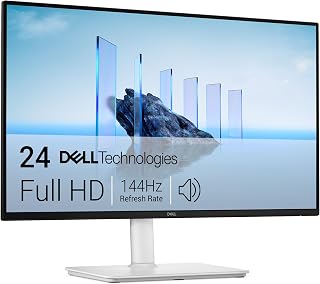
The dual 3W speakers provide dependable audio for video calls and streaming without adding desk clutter. Full height, tilt, pivot, and swivel adjustability let you position the 23.8-inch screen exactly where you need it, and the 144Hz refresh rate keeps motion fluid for both work and play. The FHD resolution is sharp enough for daily tasks while being easy on system resources.
Pros
- Dual 3W integrated speakers eliminate need for external audio
- 144Hz and 1ms response time deliver smooth performance
- Fully adjustable stand with height, tilt, pivot, swivel
- Matte finish reduces glare and TUV certified for eye comfort
Cons
- HDMI-only connectivity lacks DisplayPort or USB-C
- Height adjustment may not suit taller users without riser
Built-in audio often gets overlooked in monitor specs, but the Dell S2425HSM makes a case for taking it seriously. This 23.8-inch display packs dual 3W speakers that eliminate the clutter of external audio gear while delivering usable sound for video calls, streaming, and casual gaming. The 144Hz refresh rate and 1ms response time ensure smooth visuals whether you're editing spreadsheets or catching up on shows. AMD FreeSync keeps motion fluid without tearing. The matte finish cuts glare effectively, and the fully adjustable stand (height, tilt, pivot, swivel) lets you position the display exactly where you need it. TUV 4-star certification means reduced blue light without sacrificing the 99% sRGB color accuracy useful for creative work. The ash white finish and thin bezels give it a clean, modern look. HDMI-only connectivity limits options for newer devices, and taller users may find the height adjustment insufficient without a riser. But for a desktop setup where integrated audio matters and you want gaming-level performance for everyday tasks, this Dell delivers.
Best for home office users and students who want an all-in-one solution without separate speakers taking up desk space, plus casual gamers who appreciate smooth motion. Also solid for content creators needing accurate color in a compact package. Skip it if you require USB-C or DisplayPort connectivity, or if you're tall and need maximum height adjustment. Also not ideal if you demand audiophile-grade sound quality.
Display Specs: 23.8-inch FHD (1920x1080) LCD, 144Hz refresh rate, 1500:1 contrast ratio, 300 nits brightness, 178-degree viewing angles, matte finish, 99 percent color gamut.
Performance: 1ms Moving Picture Response Time (MPRT), AMD FreeSync adaptive sync, TUV 4-star eye care certification with blue light reduction and flicker-free technology.
Design & Connectivity: Ash white color, 7.55 inches deep, 21.17 inches wide, 13.66 inches tall, 11.1 pounds. Fully adjustable stand (height, tilt, pivot, swivel). Dual HDMI ports, integrated dual 3W speakers, power consumption 14.3 watts.
Warranty & Package: 1-year Advanced Exchange Service with premium panel replacement. Includes monitor with stand, HDMI 1.4 cable, power cable, and documentation.

The dual 3W speakers deliver adequate volume for conference calls and streaming, while the 27-inch FHD panel gives you ample workspace for spreadsheets and documents. Full ergonomic adjustability lets you dial in the perfect viewing angle, and the 144Hz refresh rate ensures smooth scrolling and responsiveness. The 1ms response time makes this versatile enough for gaming sessions when work is done.
Pros
- Dual 3W built-in speakers
- 144Hz refresh rate and 1ms MPRT
- Height, tilt, pivot, and swivel stand
- Matte finish reduces reflections
Cons
- Basic audio lacks dedicated-speaker depth
- 1080p resolution is modest for 27 inches
For a monitor-with-speakers setup that also needs to keep fast-moving content fluid, Dell’s S2725HSM combines 27-inch screen space with a pair of integrated 3W speakers. Those speakers handle straightforward everyday audio, helping the display serve as a simpler desk option for routine computer use and gaming without making external speakers an immediate requirement. The panel runs at 1920 x 1080 and reaches 144Hz, with a 1ms MPRT response time for sharp motion in quick games. AMD FreeSync support also targets screen tearing with compatible AMD graphics. This monitor is built to cover more than one task through the day. Its matte finish reduces reflections, while 300-nit brightness and a 1500:1 contrast ratio suit general computing. Height, tilt, pivot, and swivel adjustments make it easier to position, and the 178-degree viewing angle helps when the screen is viewed off-center. The trade-off for the built-in audio convenience is that dual 3W speakers are for basic sound rather than dedicated-speaker depth. Full HD at 27 inches and HDMI-only connectivity are the other main limitations.
Display: 27-inch FHD LCD, 1920x1080 resolution, 16:9 aspect ratio, 178-degree viewing angle
Performance: 144Hz refresh rate, 1ms MPRT response time, 1500:1 contrast ratio, 300 nits brightness, AMD FreeSync support
Connectivity: 2x HDMI 1.4 ports, included 1.8m HDMI cable
Audio: Dual 3W built-in speakers
Adjustment: Height, tilt, pivot, and swivel adjustable stand
Physical: 24-inch width, 15.32-inch height, 7.95-inch depth, 12.6 pounds, matte finish with anti-glare coating
Warranty: 1-year advanced exchange service with premium panel exchange
Choose this Dell if built-in speakers are a convenience priority, but a 27-inch 1080p monitor also needs high-refresh gaming capability and flexible positioning for work or study. The 144Hz refresh rate, 1ms MPRT response time, FreeSync support, matte surface, and fully adjustable stand suit mixed-use desks where basic onboard sound is enough. Skip it if you need fuller audio than two 3W speakers provide, sharper pixel density for photo or video editing, or DisplayPort for broader multi-display connection options.
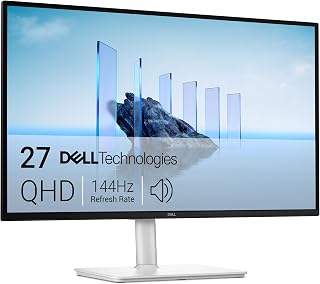
The dual 3W speakers deliver clearer audio than typical monitor drivers, so you won't need external speakers for video calls or casual media. The 2560x1440 QHD resolution provides sharper text and more screen real estate than standard FHD, making it a solid choice for productivity work where you want built-in sound without sacrificing visual clarity. The 144Hz refresh rate keeps motion smooth if you switch to gaming.
Pros
- Dual 3W speakers deliver genuinely capable built-in audio
- Fully adjustable stand with height, tilt, pivot, and swivel
- TUV certified eye comfort with flicker-free and blue light reduction
- 144Hz refresh rate and 1ms response time for smooth performance
Cons
- Limited connectivity with single HDMI 2.1 and one DisplayPort
- 1ms response time lags behind specialized esports monitors
Built-in audio takes center stage with the Dell S2725DSM, where dual 3W speakers deliver surprisingly capable sound that eliminates the need for external desktop speakers in most scenarios. The QHD 2560x1440 resolution on a 27-inch IPS panel provides ample screen space for multitasking while maintaining crisp image quality, and the 144Hz refresh rate keeps motion fluid whether you're gaming or scrolling through documents. AMD FreeSync prevents screen tearing during gameplay, while the 1ms MPRT response time handles fast-paced action smoothly. The 1500:1 contrast ratio and 99% color gamut ensure accurate, vibrant visuals across professional and entertainment tasks. What sets this monitor apart is the TUV 4-star eye comfort certification, combining flicker-free technology with blue light reduction for extended viewing sessions. The fully adjustable stand supports height, tilt, pivot, and swivel movements, letting you position the display for optimal ergonomics. The matte finish reduces glare, and the compact ash white design fits cleanly into any workspace. Power efficiency sits at 21.4 watts, keeping energy costs minimal.
This monitor suits professionals, content creators, and mainstream gamers who want quality integrated audio without cluttering their desk with external speakers. The QHD resolution and ergonomic adjustability appeal to anyone spending long hours at their workstation, while the 144Hz refresh rate satisfies casual to moderate gaming needs. Skip this if you're a competitive esports player requiring 240Hz+ performance, or if you need extensive connectivity options beyond one HDMI 2.1 and one DisplayPort for multiple legacy devices.

The 100Hz refresh rate strikes a balance between smooth motion and affordability, while the 100% sRGB coverage ensures accurate color reproduction for creative work. At 27 inches, the FHD resolution gives you plenty of screen space without requiring a powerful GPU to drive higher resolutions. The integrated speakers and frameless design keep your setup clean and straightforward for everyday multitasking.
Pros
- Built-in speakers with headphone jack for flexible audio
- 100% sRGB color accuracy for creative applications
- 1ms response time with 100Hz refresh rate
- Multiple connectivity options with 2 HDMI and DisplayPort
Cons
- 1080p resolution produces moderate pixel density at 27 inches
- 100Hz refresh rate trails higher-end gaming displays
The Sceptre E275W-FW100T Series delivers integrated audio and display in one budget-friendly package, featuring built-in speakers that eliminate the need for separate audio equipment on your desk. The 27-inch 1080p panel covers 100% sRGB color space, ensuring accurate color reproduction for creative work and entertainment alike. Gaming performance centers on a 100Hz refresh rate paired with 1ms response time, providing smooth motion and quick pixel transitions that handle fast-paced action without noticeable lag. AMD FreeSync synchronizes frame rates to prevent screen tearing, while dedicated FPS and RTS game modes automatically optimize display settings for different genres. The frameless design maximizes viewable area and contributes to a modern aesthetic, while the matte screen surface minimizes glare during extended sessions. Connectivity flexibility comes via two HDMI ports and one DisplayPort, accommodating multiple devices simultaneously. A headphone jack provides private listening options when you need them. The VESA mount pattern supports wall mounting for flexible positioning. At this screen size, the 1080p resolution produces adequate sharpness for gaming and general use, though pixel density is moderate compared to higher-resolution alternatives.
Display: 27-inch FHD 1080p (1920x1080) 16:9 aspect ratio with matte screen surface
Performance: 100Hz refresh rate, 1ms response time, 100% sRGB color gamut, AMD FreeSync technology
Connectivity: 2 HDMI ports, 1 DisplayPort, audio in jack, headphone jack
Audio: Built-in speakers for audio output without external equipment
Special Features: Blue Light Shift eye care technology, FPS and RTS game modes, frameless design, VESA wall mountable (100x100mm)
Design: Machine black finish, frameless bezel, matte surface finish to reduce glare

The 144Hz refresh rate and 1ms response time make this a budget-friendly gaming option that doesn't require separate speakers. At 22 inches, it fits smaller desks or dual-monitor setups where space is tight, and the 2000:1 contrast ratio delivers deeper blacks than many competing panels. The built-in audio handles game sound and voice chat adequately, eliminating cable clutter.
Pros
- Built-in speakers save desk space and cable clutter
- 144Hz, 1ms response time, and FreeSync for smooth motion
- Minimal bezels work well in multi-monitor configurations
- Compact 22-inch size fits smaller desks easily
Cons
- 1080p resolution may feel limiting for detailed creative work
- Integrated audio is functional but not high-fidelity
Compact displays with integrated audio rarely offer gaming-level specs, but the Sceptre E225W-FW144 bridges that gap at 22 inches. The built-in speakers handle video calls, music, and game audio without requiring external equipment, keeping your desk clear. What makes this monitor stand out is the 144Hz refresh rate paired with 1ms response time and FreeSync adaptive sync, delivering genuinely smooth motion whether you're gaming or scrolling through documents. Blue Light Shift technology and the matte screen finish reduce eye strain during long sessions. The minimal bezel design works particularly well if you're planning a dual-monitor setup, creating a nearly seamless viewing area. At this screen size, 1920x1080 resolution provides sharp text and clear visuals without demanding excessive GPU power. The monitor includes both HDMI and DisplayPort connectivity, giving you flexibility for different devices. The compact 22-inch footprint fits smaller desks comfortably. The trade-off is that professionals doing detailed photo editing or design work might want more screen real estate, and the built-in speakers are functional rather than impressive.
Display: 22-inch FHD LED with 1920x1080 native resolution, 16:9 aspect ratio, matte screen finish
Performance: 144Hz refresh rate, 1ms response time, 2000:1 contrast ratio, 170-degree viewing angles, 100 color gamut
Connectivity: 1x HDMI, DisplayPort, FreeSync adaptive sync
Features: Built-in speakers, Blue Light Shift eye care technology, minimal bezel design, wall mount compatible
Physical: 19.9in W x 15.5in H x 7in D, 7 pounds, machine black color
Warranty: 1-year limited manufacturer warranty
Ideal for students, budget gamers, and remote workers who need smooth performance and integrated audio in a space-saving package. Also smart for anyone building a multi-monitor setup on a budget. Skip it if you need a larger display for design work or if you demand premium audio quality. Not the choice for competitive esports players who want every possible advantage.

Pros
- Curved design combines immersion with practical benefits like reduced eye strain
- 120Hz refresh rate at 1080p resolution delivers smooth motion for gaming and fast-paced work
- USB Type-C input eliminates cable clutter while powering compatible devices
- Integrated speakers provide convenient audio without extra desk space
- Wide 178-degree viewing angles and matte anti-glare screen reduce reflections and viewing limitations
Cons
- 1080p resolution on a 27-inch screen results in lower pixel density than smaller or higher-res alternatives
- 120Hz refresh rate lags behind 144Hz and 165Hz gaming monitors from competitors
- No DisplayPort connectivity limits options for future upgrades or alternative devices
The SANSUI ES-27C1 is a 27-inch curved monitor designed for gamers, remote workers, and creative professionals who want an immersive display without breaking the budget. The curved panel combined with USB Type-C connectivity and built-in speakers makes this an all-in-one solution that reduces desk clutter and simplifies setup for modern workflows.
Performance-wise, the 120Hz refresh rate and 1ms response time deliver smooth visuals for gaming and fast-paced applications, while the 110% sRGB color gamut handles photo and video editing work adequately. Adaptive Sync technology ensures tear-free gameplay when paired with compatible graphics cards. HDR support, anti-flicker, and low blue light features help reduce eye fatigue during extended use, backed by a matte anti-glare finish that cuts reflections.
The curved design is where this monitor truly shines. It naturally draws your eyes toward the center of the screen, reducing neck strain during long sessions. The ultra-thin bezels and wide 178-degree viewing angles maintain color accuracy across the display, while the ergonomic stand offers tilt adjustment and VESA mounting for flexible positioning in any setup.
The main limitation is the 1920x1080 resolution on a 27-inch panel, which results in a lower pixel density than smaller or higher-resolution monitors, potentially noticeable during detailed creative work. The 120Hz refresh rate also trails behind 144Hz and 165Hz options from competitors, though it still offers a meaningful upgrade over standard 60Hz displays. Lack of DisplayPort is another minor drawback for future-proofing.
Overall, the SANSUI ES-27C1 offers strong value for budget-conscious buyers seeking a curved gaming and work monitor with practical features like USB Type-C and speakers. It excels as a general-purpose display but works best for users prioritizing immersion and convenience over cutting-edge specs.
Display: 27-inch curved LED, 1920x1080 (FHD), 16:9 aspect ratio, 110% sRGB, 4000:1 contrast ratio, 300 nits brightness, 16.7 million colors
Performance: 120Hz refresh rate, 1ms MPRT response time, Adaptive Sync, HDR, anti-glare, anti-flicker, low blue light
Connectivity: 1x USB Type-C, 1x HDMI 1.4, 2x 2W built-in speakers, 3.5mm audio, hard coating (3H)
Physical: 24.1 inches wide, 17.85 inches tall, 8.31 inches deep, 4.54 kg, curved shape with ultra-thin bezel, 178-degree viewing angle, adjustable tilt (minus 5 to plus 15 degrees), 100x100mm VESA mount compatible
Power: 35 watts, 110 volts
Warranty: 30-day money-back guarantee, free replacement warranty, lifetime technical support
Best for: Budget-conscious gamers, remote workers, content creators, and professionals seeking an all-in-one curved display with integrated audio and modern connectivity.
Gaming: The 120Hz refresh rate and 1ms response time handle casual to moderate gaming well, especially for competitive titles at 1080p. Graphics-intensive games benefit from Adaptive Sync and HDR support.
Creative Work: The 110% sRGB color gamut is suitable for photo editing, color grading, and video work, though professionals requiring higher accuracy may want to calibrate the display first.
Productivity: USB Type-C docking simplifies setup for remote workers and students, while the curved design reduces fatigue during long work sessions. Built-in speakers handle video calls and daily audio needs without extra equipment.
Not recommended for: Users requiring ultra-high refresh rates (144Hz plus) for competitive esports, professionals needing 1440p or 4K resolution, or those prioritizing DisplayPort connectivity for specific hardware setups.
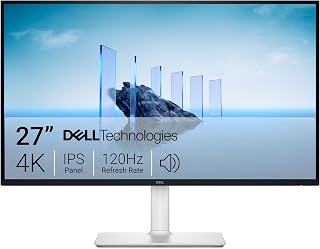
This 4K UHD panel offers four times the pixel density of 1080p, so you get exceptional detail for photo editing, content creation, or simply enjoying sharp text. The 120Hz refresh rate ensures smooth scrolling and fluid motion, while FreeSync Premium reduces stutter during video playback. The integrated speakers mean you can skip external audio gear and keep your desk cleaner without compromising on visual fidelity.
Pros
- Re-engineered speakers with deeper bass and higher output
- 4K resolution with 99% sRGB color accuracy
- 120Hz with FreeSync Premium for smooth, tear-free visuals
- ComfortView Plus reduces blue light without color loss
Cons
- Default brightness setting requires manual adjustment
- 4-8ms response time insufficient for competitive gaming
The Dell S2725QS pairs 4K UHD resolution with re-engineered built-in speakers that deliver deeper bass and greater output power compared to typical monitor audio. This combination makes it ideal for users who want crisp visuals and functional sound without dedicated speakers. The 27-inch IPS panel covers 99% sRGB color space, ensuring accurate color reproduction for creative work and entertainment. At 120Hz with AMD FreeSync Premium, the display handles smooth scrolling and gaming without screen tearing, though it targets casual gamers rather than competitive players. The 5ms response time (4-8ms gray-to-gray) keeps motion reasonably fluid across most use cases. ComfortView Plus technology reduces blue light exposure while preserving color accuracy, supporting extended work sessions without eye strain. The ash white design features ultra-thin bezels that maximize screen space, and the stand provides comprehensive adjustment including height, tilt, pivot, and swivel positioning. The matte finish minimizes reflections in bright environments. At 350 nits brightness with 1500:1 contrast ratio and 178-degree viewing angles, the panel delivers consistent image quality from multiple positions.
Display: 27-inch IPS LED panel, 4K UHD (3840x2160), 16:9 aspect ratio, matte anti-glare finish
Color: 99% sRGB color gamut, 1500:1 contrast ratio, 350 nits brightness
Refresh Rate: 120Hz with AMD FreeSync Premium adaptive sync technology
Response Time: 0.03ms, 4-8ms gray-to-gray
Viewing Angle: 178 degrees horizontal and vertical
Connectivity: DisplayPort, 2x HDMI 1.4, 3.5mm audio jack
Adjustments: Height, tilt, pivot, and swivel adjustments, VESA 100x100 compatible
Audio: Built-in 2W stereo speakers with enhanced audio quality
Features: ComfortView Plus blue light reduction, Energy Star certified, USB hub connectivity
Dimensions: 24.08 inches wide, 7.89 inches deep, 15.3 inches high (with stand)
Weight: 14.3 pounds
Power Consumption: 24.6 watts
Warranty: 1-year advanced exchange service and premium panel exchange
Buy this if you're a content creator, professional, or casual gamer seeking 4K clarity with capable integrated audio and don't want to invest in external speakers. The 99% sRGB coverage and color accuracy suit creative workflows, while 120Hz refresh rate handles everyday gaming comfortably. Skip this if you're a competitive gamer needing sub-1ms response times or refresh rates above 120Hz, or if default brightness settings that require manual adjustment frustrate you.

Pros
- Built-in speakers reduce desk clutter and extra cables
- Curved 1800R panel adds immersion for media and gaming
- 100Hz refresh rate and 4ms response smooth out motion
- Eye Saver mode and matte finish support comfort over long sessions
Cons
- FHD resolution is modest for a 32-inch screen
- Only one HDMI port and one D-Sub port for connections
If you're trying to cut clutter from your desk, the Samsung S39GD's built-in speakers mean you can skip the external sound bar entirely and still get usable audio for calls, shows, and casual gaming. The 32-inch curved VA panel wraps around your field of view, which pairs well with that integrated sound for a more immersive feel without extra cables or gear. A 3000:1 contrast ratio gives you reasonably deep blacks for movies, and the 100Hz refresh rate (once enabled in settings) keeps motion smoother than a standard 60Hz office display. The matte coating cuts glare, so the speakers aren't the only thing doing work to make long sessions comfortable. TÜV-certified Eye Saver mode also reduces flicker and blue light, useful if you're parked at this screen for hours. It won't deliver crisp detail at this size since it's FHD, and port options are limited to one HDMI and one D-Sub, but for a no-fuss, all-in-one setup with sound included, it checks the right boxes.
Buying Guide
A speaker-equipped monitor is not one-size-fits-all. Decide how close you sit, what you connect, and whether the screen is primarily for documents, media, or games before making audio output the deciding factor.
Match Screen Size and Resolution to Your Work
Screen size and pixel density affect comfort long before audio enters the picture. The Sceptre 24-inch Prime Monitor Thin 1080p LED is a sensible compact FHD option with 99% sRGB coverage and up to 100Hz, while the Sceptre New 22-Inch Gaming Monitor, FHD 1080p reaches up to 144Hz in a smaller footprint suited to close-range use.
At 27 inches, FHD gives you more room for media and everyday work, as seen with the Dell 27 Plus Monitor – S2725HSM. For denser text, detailed artwork, and several windows at once, the Dell 27 Plus QHD Monitor – S2725DSM brings a sharper 2560 x 1440 image. People working with drawings and intricate layouts can also use our monitor guide for CAD work to weigh resolution needs more closely.
Consider Speaker Output for Your Actual Listening Habits
Integrated speakers are ideal for voice calls, video clips, tutorials, and background entertainment, but they cannot deliver the low-end depth of a dedicated audio setup. The Dell 24 Plus Monitor – S2425HSM, Dell 27 Plus Monitor – S2725HSM, and Dell 27 Plus QHD Monitor – S2725DSM each use dual 3W speakers, a useful advantage for listeners who want clear everyday audio from the screen itself.
The Dell 27 Monitor S2725QS, 4K UHD IPS, 120Hz, 5ms focuses on more spacious sound than the prior generation, while the SANSUI Curved Monitor 27 inch 120Hz USB Type-C supplies two 2W speakers for daily use. The Samsung 32" S3 (S39GD) Series FHD 100Hz also frees desk space with built-in audio. If music, cinematic games, or private listening are a priority, compare dedicated options in our headphones and audio collection.
Choose Refresh Rate and Ports Around Your Devices
Higher refresh rates make cursor movement, scrolling, video, and games feel more fluid. The Sceptre New 22-Inch Gaming Monitor, FHD 1080p and Dell 24 Plus Monitor – S2425HSM both reach up to 144Hz, with the Dell also listing a 1ms moving-picture response measure. The Sceptre 27-inch Prime Gaming Monitor 100Hz 1ms is a balanced alternative with DisplayPort, two HDMI inputs, FreeSync, and a full 100% sRGB gamut.
For a curved option, the SANSUI Curved Monitor 27 inch 120Hz USB Type-C pairs 120Hz, Adaptive Sync, HDMI, and USB-C in one screen. The Samsung 32" S3 (S39GD) Series FHD 100Hz favors a large 1800R curved view at 100Hz, whereas the Dell 27 Monitor S2725QS, 4K UHD IPS, 120Hz, 5ms combines 4K IPS detail with up to 120Hz and AMD FreeSync Premium. Serious high-refresh players can explore these 4K 240Hz monitor options for a more specialized route.
Protect Your Posture and Keep the Desk Flexible
Speaker placement is convenient, but a fixed stand can still undermine an otherwise pleasant monitor. The Dell 24 Plus Monitor – S2425HSM, Dell 27 Plus Monitor – S2725HSM, and Dell 27 Plus QHD Monitor – S2725DSM offer height, tilt, pivot, and swivel adjustments, so you can place the screen at a more natural eye level without extra hardware.
Wall or arm mounting can make a small desk feel much less crowded. The Sceptre 27-inch Prime Gaming Monitor 100Hz 1ms and SANSUI Curved Monitor 27 inch 120Hz USB Type-C support a 100 x 100mm VESA pattern, while the Samsung’s curved panel can make a wide view feel more enveloping. Before committing to an arm arrangement, review our picks for the best vertical monitor stand and confirm your monitor’s mounting pattern.
Final Thoughts
For a sharp, versatile work-and-play screen with robust adjustment options, the Dell 27 Plus QHD Monitor – S2725DSM is the well-rounded choice. If you want a compact everyday display that keeps the desk simple, the Sceptre 24-inch Prime Monitor Thin 1080p LED delivers a practical all-around path with speakers built in.
Frequently Asked Questions
Are built-in monitor speakers good enough for everyday use?
Yes, for meetings, learning videos, notifications, podcasts, and casual viewing, integrated speakers are a convenient solution. Models with dual 3W speakers, including several Dell Plus displays, should offer more headroom than basic 2W designs. Keep expectations realistic for bass-heavy music or immersive movies, where separate speakers or headphones remain the stronger choice.
Should I choose FHD, QHD, or 4K for a monitor with speakers?
FHD remains a practical match for compact screens and relaxed gaming, especially when you sit close to the panel. QHD is often the comfortable middle ground on a 27-inch display because it provides more workspace and finer text. Choose 4K when crisp imagery, photo detail, or high-density productivity work matters most, and see our 32-inch 4K monitor picks if you prefer a larger screen.
Is a 120Hz or 144Hz monitor with speakers good for gaming?
Yes, a 120Hz or 144Hz refresh rate is a clear improvement over a standard 60Hz display for many games. The Dell 24 Plus Monitor – S2425HSM and Sceptre New 22-Inch Gaming Monitor, FHD 1080p are strong fits for smooth FHD play, while the SANSUI curved model provides a 120Hz alternative. For esports-focused choices, compare our 240Hz 1080p monitor recommendations before deciding how much motion performance you need.
Do monitor speakers work through HDMI, DisplayPort, and USB-C?
HDMI, DisplayPort, and many USB-C connections can carry audio and video through one cable when your source device supports audio output. The SANSUI Curved Monitor 27 inch 120Hz USB Type-C is especially convenient for compatible laptops, while the Sceptre models add audio input and a headphone jack for flexibility. Check your computer or console audio settings after connecting, then select the monitor as the active sound device.






Write Your Review
No reviews yet. Be the first to share your experience!