

You are staring at two compelling AMD lineups and trying to figure out which one actually makes sense for your setup. The RX 9060 XT delivers serious 1440p performance at a more accessible entry point, while the RX 9070 and RX 9070 XT push further into high-refresh 1440p and even capable 4K territory. Both are built on AMD’s RDNA 4 architecture, which brings improved ray tracing, second-generation AI acceleration, and FSR 4 support across the board.
This guide is for PC builders and upgraders who want a clear, honest comparison across the best available options from both GPU families. We evaluated cards from GIGABYTE, ASUS, XFX, ASRock, Yeston, and Sapphire, covering cooling design, clock speeds, memory configurations, and real-world suitability at different resolutions.
Quick Comparison
Ratings reflect the most recent data pull. Check each listing for current price and availability.
Quick answer
This guide compares 10 picks, with GIGABYTE Radeon RX 9070 GRE 12GB GDDR6 Gaming Graphics ranked first. GIGABYTE Radeon RX 9060 XT Gaming OC 16GB PCIe 5.0 holds the highest customer rating among them.

This Gaming variant offers 12GB of GDDR6 memory with a 2340MHz clock speed, positioning it as a budget-conscious alternative for gamers who need solid 1440p performance without stepping up to the flagship 9070 XT tier. The GRE designation indicates a slightly cut-down configuration that still delivers RDNA 4 architecture benefits. With DisplayPort and HDMI outputs, it handles modern displays while offering meaningful savings over the full 9070 models.
Pros
- WINDFORCE cooling with Hawk fans keeps thermals stable under load
- Dual BIOS switch enables instant profile changes without software
- 12GB GDDR6 and PCIe 5.0 provide bandwidth for demanding textures
- Premium build quality with RGB lighting for enthusiast systems
Cons
- Higher investment cost compared to 9060 XT alternatives
- Power supply requirements exceed budget-friendly builds
When comparing AMD's current lineup, the GIGABYTE RX 9070 GRE positions itself as the enthusiast-grade option for builders who need headroom beyond the 9060 XT's capabilities. The 12GB GDDR6 frame buffer and 2340 MHz clock speed target demanding 1440p scenarios and entry-level 4K gaming where texture quality and resolution matter more than raw compute. PCIe 5.0 compatibility ensures bandwidth won't become a bottleneck as game engines evolve. The WINDFORCE cooling architecture with Hawk fans and server-grade thermal gel addresses heat dissipation effectively, maintaining stability during extended sessions. The dual BIOS switch differentiates this card from cheaper alternatives by allowing instant switching between Performance and Silent profiles without driver intervention. RGB lighting and premium construction signal GIGABYTE's focus on system builders who value aesthetics alongside function. DisplayPort and HDMI outputs cover modern monitor setups. For users deciding between the 9060 XT and this 9070 variant, the choice hinges on resolution targets and budget flexibility, as this card delivers measurably higher performance headroom at higher cost.
GPU: Radeon RX 9070 GRE
Memory: 12GB GDDR6, 192-bit interface
Clock Speed: 2340 MHz
Interface: PCI Express 5.0
Outputs: DisplayPort, HDMI
Cooling: WINDFORCE with Hawk fan and thermal gel
Features: Dual BIOS (Performance/Silent), RGB Lighting
Form Factor: ATX
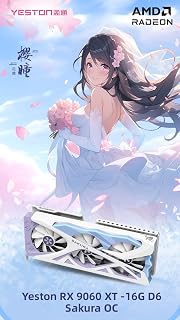
This Sakura edition runs at 2620MHz with 16GB GDDR6, offering a more conservative clock speed that prioritizes stability and lower temperatures over peak performance. For builders comparing the 9060 XT against the 9070, this represents the baseline experience of AMD's RDNA 4 architecture at the lower tier. The dual-output interface handles standard gaming setups without requiring premium display connectivity.
Pros
- 16GB GDDR6 provides ample memory for 1440p and moderate 4K workloads
- FidelityFX SR4 and Anti-Lag 2 boost performance in compatible games
- Dual ball bearing fans with composite heat pipes manage thermals effectively
- Compact 331mm length fits most standard cases without issue
Cons
- Lower base clock than 9070 models limits peak frame rates
- 650W PSU requirement may necessitate power supply upgrades
For builders evaluating the RX 9060 XT tier against the 9070, Yeston's Sakura edition brings 16GB of GDDR6 memory to the table, which becomes significant when resolution and texture settings climb. The 2620 MHz base clock and 3320 MHz boost frequency deliver strong frame rates at 1440p, while the 2048 unified shaders handle modern game engines capably. AMD's FidelityFX Super Resolution 4 and Radeon Anti-Lag 2 technologies extend performance further in supported titles, narrowing the gap with higher-tier cards in real gameplay scenarios. The cooling solution combines composite heat pipes, dual 9.1cm ball bearing fans rated to 2800 RPM, and a nickel-plated copper base for efficient heat transfer. Compact dimensions of 331x137x60mm allow installation in most ATX and micro-ATX cases without spatial conflicts. The single 8-pin power connector and 650W minimum PSU requirement keep system costs reasonable. ARGB lighting adds customization for RGB-focused builds. For users choosing between this 9060 XT variant and stepping up to the 9070 GRE, the decision centers on whether the 9070's clock speed advantage justifies the cost difference for your resolution and refresh rate targets.
GPU: AMD Radeon RX 9060 XT, 2048 unified shaders, 16GB GDDR6 128-bit memory interface
Clock Speeds: Base 2620MHz, Boost 3230MHz (STD), Variable 2780/3320MHz, Memory 2518MHz at 20Gbps
Output: Dual DisplayPort 2.1a, single HDMI 2.1b, maximum 7680x4320 resolution
Architecture: DirectX 12, PCI Express 5.0 x16, 6+3 phase power, 8-pin connector
Cooling: YFST4B-Y heat sink with 4x6mm composite heat pipes, dual 9.1cm ball bearing fans, adjustable to 2800 RPM with ARGB lighting
Physical: 331x137x60mm (excluding bracket), 342x152x60mm (including bracket), 1077g, Windows 10/11 compatible
Power: 650W PSU recommended, 1-year manufacturer warranty
Best suited for 1440p gamers upgrading from older hardware and creative users who need the 16GB buffer for video editing or rendering at moderate resolutions. Budget-conscious builders seeking strong performance without flagship pricing will find value here. Avoid this if you're targeting high-refresh 4K gaming where the 9070's higher clocks matter more, or if your case has severe size constraints that conflict with the card's footprint.

The Mercury edition lists an unexpectedly low 1870MHz specification, likely representing base clock rather than boost, but delivers 16GB GDDR6 memory crucial for the 9070 XT's 4K gaming ambitions. This model's three DisplayPort outputs plus HDMI accommodate multi-monitor configurations that power users often require. The RDNA 4 architecture ensures ray tracing capabilities that separate the 9070 XT from the 9060 tier.
Pros
- RDNA 4 architecture sustains 4K gaming with ray tracing at 60 fps in demanding titles
- Magnetic air triple-fan cooling stays quiet under sustained high-resolution workloads
- 16GB GDDR6 memory supports both 4K gaming and professional content creation
- Strongest performance-to-capability ratio in this comparison for 4K and compute tasks
Cons
- Three 8-pin power connectors and a 14.17-inch length require careful PSU and case planning
- AMD driver ecosystem differs from Nvidia and carries a learning curve for switchers
In a direct RX 9060 XT versus RX 9070 comparison, the XFX Mercury RX 9070 XT is the card that resolves the question for anyone whose target is native 4K. Where the 9060 XT cards in this article top out as excellent 1440p performers, the 9070 XT with RDNA 4 architecture and a 3100 MHz boost clock operates in a different tier, holding 60 fps stability in demanding titles like Dragon's Dogma 2 at native 4K with ray tracing active. The generational gap is particularly visible for upgraders coming from mid-range GPUs: the jump in capability is described as transformative rather than incremental. The magnetic air triple-fan system manages thermals quietly under sustained 4K loads, and the subtle RGB integration suits modern builds without demanding attention. At 14.17 inches and 2.33 kg, case compatibility needs to be confirmed before purchase, and the three 8-pin power connector requirement means PSU capacity matters. AMD's driver ecosystem also has a learning curve for users arriving from Nvidia. For anyone whose workflow includes professional rendering, content creation at high resolution, or future-proof 4K gaming, the 9070 XT is the clear choice over any 9060 XT option.
Core Specifications: GPU Architecture: AMD RDNA 4, Chipset: RX 9070 XT, Memory: 16GB GDDR6 at 20 GHz, Memory Bus: 256-bit. Base Clock: 1870 MHz, Game Clock: 2570 MHz, Boost Clock: 3100 MHz. Display Output: 3x DisplayPort + 1x HDMI supporting up to 3840x2160 resolution.
Physical Dimensions: Length: 14.17 inches, Width: 6.3 inches, Weight: 2.33 kg. Interface: PCI-Express x16. Power Requirements: Three 8-pin PCIe connectors required. Cooling: Triple magnetic air fans with customizable RGB lighting system.
Compatibility and Warranty: Compatible with desktop systems only. Supports Windows, Linux, and professional APIs. Includes 3-year XFX manufacturer warranty plus extended fan coverage. Model Number: RX-97TMARGB9, UPC: 840191502590.
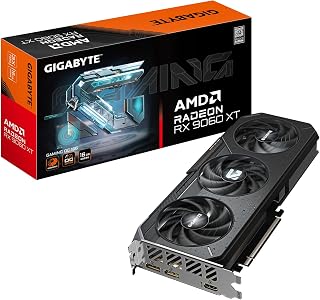
GIGABYTE Radeon RX 9060 XT Gaming OC 16GB PCIe 5.0
With 16GB of GDDR6 and a 2700MHz clock, this Gaming OC model addresses the core question by offering generous memory for 1440p gaming at a lower performance tier than the 9070. The 9060 XT designation means reduced power draw and thermal output while maintaining ample VRAM for modern titles. Dual video outputs support standard gaming and productivity configurations without complexity.
Pros
- Factory overclocked to 2700 MHz for higher performance out of box
- WINDFORCE cooling keeps temperatures below 68°C with quiet fans
- 16GB GDDR6 handles demanding textures and mixed productivity workloads
- Sturdy backplate and build quality suggest strong long-term durability
Cons
- Single HDMI port restricts certain multi-monitor configurations
- Performance at high-refresh 4K trails behind 9070 tier cards
Among the 9060 XT variants available, GIGABYTE's Gaming OC edition offers a factory-overclocked 2700 MHz GPU clock and 20000 MHz memory speed, pushing performance closer to the 9070 GRE in certain workloads. The RDNA 4 architecture paired with 16GB GDDR6 and a 256-bit memory interface handles 1080p gaming at maximum settings effortlessly and maintains smooth 1440p frame rates on high to ultra presets across current AAA titles. Esports scenarios benefit from consistently high FPS, while the card's stability in Cinebench demonstrates suitability for mixed gaming and productivity tasks. The WINDFORCE cooling system employs multiple fans and server-grade thermal gel to keep temperatures below 68 degrees Celsius during sustained loads, with noise levels remaining subdued. The sturdy backplate reinforces the PCB and aids passive cooling. PCIe 5.0 compatibility future-proofs the card for upcoming platforms. DisplayPort outputs suit modern monitor setups, though the single HDMI port limits certain multi-display configurations. When weighing this 9060 XT against the 9070 options, consider whether your target resolution justifies the 9070's premium, as this overclocked variant narrows the performance delta considerably at 1440p while maintaining mid-range pricing.
GPU Architecture: AMD RDNA 4, Radeon RX 9060 XT with 16GB GDDR6 memory and 20,000 MHz memory speed. Clock speed reaches 2,700 MHz with PCIe 5.0 interface for maximum bandwidth.
Gaming Performance: Delivers smooth 1080p gaming at ultra settings with frame rates exceeding 100 FPS in most titles. At 1440p on high to ultra settings, frame rates remain consistent and smooth. Esports games run at very high FPS with minimal temperature impact.
Display Support: Supports 7680x4320 resolution output via DisplayPort and HDMI, accommodating ultra-wide and professional multi-monitor configurations. Compact dimensions (11.06 inches length) fit most standard desktop cases.
Thermal Performance: The WINDFORCE cooling system excels, maintaining temperatures under 68 degrees Celsius during intensive workloads. Fans operate quietly throughout normal gaming and even demanding professional applications.
Ideal for system builders targeting 1440p gaming who want factory overclocking without manual tuning, and users balancing gaming with creative applications like video editing or 3D rendering. The thermal performance and quiet operation suit compact builds and living room setups. Pass on this if you need multiple HDMI connections for legacy monitors, or if your gaming focus is high-refresh 4K where the 9070's extra power becomes essential.

The Steel Legend's 3275MHz boost clock represents one of the highest factory overclocks available for the 9060 XT, narrowing the performance gap with stock 9070 cards for buyers prioritizing value. Its 16GB GDDR6 configuration ensures texture-heavy games remain smooth at 1440p resolution. DisplayPort 2.1a support provides bandwidth for the latest high-refresh monitors, making this a forward-looking choice in the 9060 XT category.
Pros
- 3275 MHz boost clock and RDNA 4 architecture deliver 100+ fps in most 1440p titles
- Triple-fan 0dB cooling runs completely silent during light gaming and idle
- 16GB GDDR6 with FSR 4 support provides future-facing performance headroom
- Metal backplate and military-grade components add durability confidence
Cons
- ARGB sync cable is not included in the box, complicating independent lighting setups
- Some systems required BIOS adjustments to resolve initial PCIe detection issues
When the question is RX 9060 XT versus RX 9070, the ASRock Steel Legend 16GB makes the case for the smaller chip by being a genuinely complete 1440p package. The RDNA 4 architecture with 32 compute units and a 3275 MHz boost clock puts well over 100 fps within reach in most modern titles at high settings, and the 16GB GDDR6 frame buffer gives it headroom that older mid-range cards never had. Third-generation ray tracing and AMD FSR 4 support mean visual quality scales up without tanking frame rates. The triple-fan zero-decibel cooling system is a real differentiator at this tier, going fully silent during light loads and staying composed under sustained gaming sessions. A reinforced metal backplate and military-grade components point to durability beyond what the mid-range label might suggest. For anyone upgrading from a 10-series or 3050-class card, the jump in frame rates and fidelity is substantial. If 1440p at high refresh is the target and 4K is not a priority, the Steel Legend delivers that goal without the overhead the RX 9070 demands.
GPU Specifications: AMD Radeon RX 9060 XT with RDNA 4 architecture, 32 Compute Units, 3rd Gen Ray Tracing, 2nd Gen AI Acceleration. 3275 MHz Boost Clock.
Memory: 16GB GDDR6, 2500 MHz memory clock.
Connectivity: DisplayPort 2.1a, HDMI 2.1b, PCIe 5.0 x16. Supports up to 8K 120Hz or 4K 240Hz displays.
Cooling: Triple striped-ring fans with ultra-fit heatpipes, 0dB passive cooling under low load.
Physical: 11.73 inches length, 2.01 inches width, 1155g weight. Metal backplate included. DisplayPort 2.1a, HDMI 2.1b.
Warranty: 2 years manufacturer coverage.
The right buyer is a 1440p gamer or content creator upgrading from an older mid-range card who wants strong performance and quiet operation in a well-built package. It also suits builders matching a black-and-white aesthetic with ASRock motherboards. Skip it if your monitor runs at native 4K or you need the extra compute headroom of the RX 9070 for AI or rendering workloads, where the larger GPU justifies its step up.

The Swift edition operates at 1900MHz with 16GB GDDR6, representing a more conservative clock speed that emphasizes thermal efficiency and quiet operation within the 9060 XT lineup. This specification targets builders who value the 9060's lower power requirements compared to the 9070 while maintaining generous memory capacity. The white aesthetic differentiates it visually while delivering standard RDNA 4 architecture benefits at the entry enthusiast tier.
Pros
- 16GB GDDR6 memory provides headroom for 1440p and entry-level 4K workloads
- RDNA 4 architecture delivers strong efficiency for both gaming and accelerated applications
- Triple-fan cooler maintains stable thermals during extended sessions
- Dual DisplayPort and HDMI outputs support flexible multi-monitor setups
Cons
- Requires a robust power supply, which may mean an upgrade for older builds
- Some legacy or poorly optimized titles may not fully utilize RDNA 4 capabilities
When comparing the RX 9060 XT against the RX 9070, the XFX Swift version of the 9060 XT makes a strong case for buyers who want RDNA 4 architecture without necessarily stepping up to the 9070's tier. This card carries 16GB of GDDR6 memory, a spec that matches or exceeds many competing GPUs at this level, and its boost clock reaches 3320 MHz, which translates to competitive frame rates in demanding 1440p scenarios. The triple-fan cooling setup handles thermal load during sustained gaming sessions, and the 10.63-inch length keeps installation straightforward in mainstream mid-tower cases. Display connectivity covers dual DisplayPort and HDMI, so multi-monitor arrangements are well supported. The RDNA 4 architecture brings efficiency gains relevant to both gaming workloads and GPU-accelerated creative tasks. The central question this article poses is whether the 9060 XT is the smarter pick over the 9070, and for users who prioritize memory capacity and RDNA 4 efficiency at a sub-9070 footprint, this XFX model presents a genuinely competitive option rather than a compromise.
GPU: AMD Radeon RX 9060 XT (RDNA 4)
Memory: 16GB GDDR6 at 20 GHz
Clock Speeds: Base 1900 MHz, Boost 3320 MHz
Connectivity: 1x HDMI 2.1, 2x DisplayPort 2.1
Interface: PCI-Express x16
Cooling: Triple-fan design
Max Resolution: 4K (3840 x 2160)
Dimensions: 10.63"L x 4.88"W
Model: XFX Swift RX-96TSW16WQ

The Prime OC edition's 3310MHz boost clock pushes the 9060 XT remarkably close to stock 9070 performance, making it compelling for buyers who want near-flagship speeds at the 9060 tier. This 16GB GDDR6 configuration eliminates memory as a bottleneck for 1440p gaming. The aggressive factory overclock means users choosing between these GPU tiers get 9070-adjacent performance without the associated cost premium.
Pros
- 3330 MHz boost clock leads the 9060 XT segment for consistent 1440p frame rates
- 2.5-slot compact design fits cases where the RX 9070 may not
- Dual BIOS switch toggles between quiet and performance profiles without software
- Dual-ball bearing fans and Auto-Extreme manufacturing enhance long-term durability
Cons
- Performance ceiling caps at 1440p; not built for consistent high-refresh 4K gaming
- Power efficiency trade-off means lower performance density compared to the RX 9070
Choosing between the RX 9060 XT and the RX 9070 comes down to matching GPU to monitor, and the ASUS Prime RX 9060 XT 16GB makes a focused argument for the 1440p side of that equation. The 3330 MHz boost clock sits at the top of the 9060 XT stack, keeping frame rates stable in modern AAA titles at high settings without the power draw or heat that comes with stepping up to the 9070. What sets this card apart in the comparison is its physical design: a 2.5-slot compact footprint solves real problems for builders in smaller cases, and dual BIOS switching lets users choose between a quiet profile and a performance profile depending on the workload. Dual-ball bearing fans with 0dB idle technology keep acoustics extremely low, and ASUS Auto-Extreme manufacturing adds reliability depth beyond typical mid-range construction. The GPU Tweak III software covers overclocking and monitoring for users who want to extract additional performance. At 16GB GDDR6 with DisplayPort and HDMI 2.1 outputs, multi-display flexibility is covered. The honest ceiling is 1440p gaming; consistent high-refresh 4K is where the RX 9070 separates itself.
GPU Architecture: AMD Radeon RX 9060 XT with 16GB GDDR6 memory. Boost clock up to 3330 MHz in OC mode, game clock up to 2760 MHz. Standard mode reaches 3310 MHz boost and 2740 MHz game clock.
Real-World Benchmarks: 3DMark Steel Nomad (DX12) scored 3,696 points with approximately 36.96 FPS on graphics tests, demonstrating consistency with industry averages for this class. No thermal throttling or instability detected under sustained load.
Display Output: Supports 4K resolution (3840 x 2160) via DisplayPort and HDMI 2.1. Suitable for single or multi-monitor setups with room for content creation workflows.
Power Efficiency: Draws significantly less power than competing high-end cards, making it suitable for systems with standard power supplies. 0dB fan technology activates during low-load scenarios, reducing electricity consumption during light tasks.
A strong fit for 1440p enthusiasts building in compact or mid-tower cases who prioritize quiet operation and long-term reliability. Also well suited to upgraders who want a noticeable performance step without the larger footprint and power requirements of the RX 9070. Skip it if 4K gaming is your current or near-term goal, or if you run compute-intensive workloads like AI training where the RX 9070 offers meaningfully greater throughput.
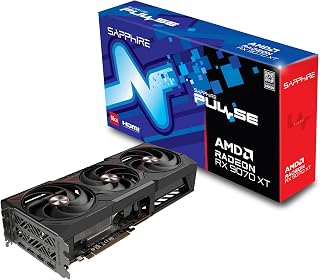
The Pulse model delivers 16GB of GDDR6 memory at 2970MHz, providing the headroom needed for high-refresh 1440p or entry-level 4K gaming that justifies choosing the 9070 over the 9060 XT. This configuration strikes a balance between the two chips, offering more memory bandwidth than most 9060 XT cards while maintaining competitive clock speeds. Its dual-output design ensures compatibility with multi-monitor setups common in 2026 workflows.
Pros
- Sustains ~3100MHz clocks with stable 60-120 FPS at 1440p ultra settings
- 16GB GDDR6 handles ultrawide and future-proofing demands the 9060 XT cannot
- Triple-fan cooling runs quietly with memory temps around 78C under load
- Idle power draw as low as 10-30W keeps system efficiency high
Cons
- Physically large card requires case clearance verification before purchase
- RDNA 4 driver maturity is still developing, with possible edge-case compatibility gaps
When the question is RX 9060 XT versus RX 9070, the Sapphire Pulse RX 9070 XT makes the case for stepping up by delivering a level of headroom the 9060 XT simply cannot match. The 16GB GDDR6 frame buffer removes any VRAM ceiling concerns at 1440p ultra or ultrawide resolutions, and the RDNA 4 architecture sustains clock speeds around 3100MHz under real gaming loads. Where the 9060 XT is adequate for 1080p and moderate 1440p, this card holds 60-120 FPS at 1440p ultra settings and maintains 60-plus FPS at demanding 5120x1440 in AAA titles. Ray tracing scales well across scenarios, giving it longevity the entry-level option lacks. The triple-fan cooling keeps memory temps near 78C under load with quiet operation, and idle draw sits at just 10-30W. At 2970MHz boost and a 7680x4320 maximum resolution output, it is clearly the card for anyone who has outgrown mid-range performance and wants a meaningful generational leap rather than a modest one.
Gaming Performance: 60-120 FPS at 1440p ultra settings with AAA titles. 180+ FPS possible in optimized games. Ultrawide support delivers 60+ FPS at 5120x1440 native resolution with quality settings maxed.
Thermal Performance: GPU core under 50C during sustained gaming, memory peaks at 78C. Idle temperatures around 32C. Consistent performance without throttling during extended sessions.
Clock Speeds: Stable overclocks to 3100MHz verified by users. Factory settings at 2970MHz provide reliable baseline performance with headroom for enthusiasts.
Power Efficiency: 10-30W idle, 140-250W gaming load at 1440p. Excellent power efficiency compared to competing high-end cards, reducing system power supply requirements.
Buy this if you are choosing between the 9060 XT and 9070 and want a card that handles 1440p ultra, ultrawide, and light 4K without compromise now or in the near future. It suits gamers upgrading from mid-range cards who want a clear performance jump. Skip it if your monitor tops out at 1080p or you want the most compact card possible, and verify case clearance before ordering given its larger-than-expected physical size.

This Gaming OC edition achieves a 3060MHz boost clock, making it one of the fastest factory-overclocked 9070 XT options for enthusiasts who want maximum frame rates without manual tuning. The 16GB GDDR6 buffer handles demanding textures at 4K resolution, directly addressing the performance gap between the 9060 XT and 9070 tiers. PCIe 5.0 support future-proofs the card for next-generation motherboard bandwidth.
Pros
- 3060MHz boost clock with 160-220 FPS reported at 1440p high settings
- PCIe 5.0 and 16GB GDDR6 provide headroom the 9060 XT tier lacks
- WINDFORCE Hawk fan cooling stays quiet and thermally controlled under load
- Capable at 4K medium-to-high settings, extending useful life beyond 1440p
Cons
- Requires a 750W power supply at minimum, so weaker PSUs need an upgrade
- RDNA 4 driver ecosystem is still maturing, which may affect some titles early on
In a head-to-head between the RX 9060 XT and the RX 9070, the GIGABYTE Radeon RX 9070 XT Gaming OC justifies the step up with a clock speed of 3060MHz, PCIe 5.0 support, and 16GB GDDR6 that collectively push well beyond what the 9060 XT tier offers. Users report 160-220 FPS in modern AAA titles at 1440p high settings, a ceiling the 9060 XT cannot reach consistently. The full 16GB frame buffer eliminates the VRAM squeeze that holds back entry-level cards in texture-heavy scenes, and PCIe 5.0 ensures the card stays relevant as platform bandwidth increases. It also steps into 4K at medium to high settings, giving it a credible upgrade path beyond 1440p. The WINDFORCE system with Hawk fans and server-grade thermal gel keeps temperatures controlled and acoustics low during extended sessions. At 11.34 inches long and 5.2 inches wide, it fits most contemporary cases without drama. For anyone genuinely torn between the two AMD tiers, this card demonstrates that the 9070 class is a materially different proposition, not just a modest bump.
Core Specifications
GPU: AMD Radeon RX 9070 XT
Memory: 16GB GDDR6
Memory Clock: 2600 GHz
GPU Clock: 3060 MHz
Interface: PCIe 5.0 x16
Max Resolution: 7680 x 4320 (8K)
Physical and Connectivity
Dimensions: 11.34 inches (L) x 5.2 inches (W)
Weight: 1.78 kg
Output: DisplayPort
Power Connectors: Dual 8-pin (750W+ PSU recommended)
Cooling: WINDFORCE system with Hawk fans and thermal gel
Warranty and Support
Manufacturer: GIGABYTE
Warranty: 3 years
Model: GV-R9070XTGAMING OC-16GD
Gaming Performance at Common Resolutions
1440p Gaming: 160-220fps on most modern AAA titles at high settings. Excellent for competitive gaming and high-refresh monitors.
4K Gaming: Playable at high settings on most titles, medium settings on demanding new releases. Solid for content creators monitoring in 4K.
Esports Titles: 300+ fps possible on optimized competitive games for ultra-high refresh gameplay.
Real-World Use Cases
Best suited for 1440p gaming at 144+ fps, 4K content creation workflows, professional 3D rendering, and VR gaming. Handles flight simulators like DCS at high settings with 4K head tracking. Eliminates VRAM constraints for media professionals working with large files.
Driver Recommendations
Run DDU (Display Driver Uninstaller) before installation if upgrading from another card. Install latest AMD drivers for maximum stability and performance. Update BIOS if required by your system for PCIe 5.0 compatibility.

This Prime OC model reaches 3030MHz with 16GB GDDR6, delivering strong factory overclocking that maximizes the 9070 XT's performance advantage over the 9060 series. Native DisplayPort 2.1a and HDMI 2.1b outputs provide full bandwidth for 4K high-refresh displays, a capability that matters when choosing the higher-tier GPU. The configuration justifies the 9070 selection for users prioritizing future display technology compatibility.
Pros
- Dual BIOS offers Quiet mode at 28-32C idle and Performance mode up to 3030MHz
- GPU temps stay under 60C during sustained loads with efficient 180-190W draw
- Three DisplayPort 2.1a outputs plus HDMI 2.1b support high-refresh and high-resolution setups
- Axial-tech dual-ball-bearing fans rated for double the lifespan of conventional designs
Cons
- 12.3-inch length requires careful case clearance check before purchasing
- Some users encountered initial driver issues, though these resolved with subsequent driver updates
Choosing between the RX 9060 XT and the RX 9070 often comes down to how much performance headroom you actually need, and the ASUS Prime RX 9070 XT makes a compelling argument for the higher tier. Its 3030MHz boost clock and 16GB GDDR6 deliver around 50% FPS gains over older mid-range cards, putting it decisively ahead of what the 9060 XT class can offer. The dual BIOS setup is a practical differentiator: Quiet mode holds idle temps at 28-32C with near-silent fans, while Performance mode unlocks full boost clocks without thermal throttling and keeps GPU temps under 60C even during sustained stress. Power draw of 180-190W typically runs 15-20W below comparable cards, which matters when comparing the efficiency profiles of the two AMD tiers. Three native DisplayPort 2.1a outputs and an HDMI 2.1b port cover high-refresh and high-resolution display needs the 9060 XT may struggle to serve. The Axial-tech fans use dual-ball bearings rated for extended lifespan, and the 2.5-slot compact form factor fits most modern cases. For the gamer deciding between these two AMD options, this card represents a well-rounded step up.
Memory and Bus: 16GB GDDR6, 256-bit interface, 3030 MHz memory clock
Architecture: AMD Radeon RX 9070 XT, PCIe 5.0 x16, 3030 MHz boost clock (OC mode), 2480 MHz game clock (OC mode)
Connectivity: 3x DisplayPort 2.1a, 1x HDMI 2.1b, maximum resolution 7680 x 4320
Cooling: 3x Axial-tech fans with dual-ball bearings, phase-change thermal pad, 0dB idle technology, 2.5-slot design
Software: Dual BIOS switch (Quiet and Performance profiles), GPU Tweak III for performance tuning and monitoring, ASUS GPU Guard protection
Dimensions and Power: 12.3 inches long, 5.1 inches wide, approximately 1500g, estimated 180-190W typical draw
Warranty: 3-year manufacturer coverage
Buy this if you are weighing the 9060 XT against the 9070 and want meaningful gains at 1440p plus the option to push 4K without paying for an ultra-flagship card. The dual BIOS makes it appealing to users who value quiet operation alongside peak performance. Skip it if you are building into a tight small-form-factor case, as the 12.3-inch length needs clearance, or if 1080p gaming fully covers your needs.
Buying Guide: What to Look For When Choosing Between These Two AMD GPU Tiers
Resolution and Performance Target
The RX 9060 XT is purpose-built for 1440p gaming. Cards like the GIGABYTE Radeon RX 9060 XT Gaming OC 16G Graphics and the ASRock Radeon RX 9060 XT Steel Legend 16GB GDDR6 deliver smooth, high-refresh performance at that resolution in most modern titles. If you game on a 1440p monitor and have no plans to upgrade to 4K, the 9060 XT tier is hard to beat.
The RX 9070 and especially the RX 9070 XT step up with more compute units, higher boost clocks, and wider memory buses that make a real difference at 4K or in more demanding ray-traced workloads. If you already own a 4K display or plan to buy one, the extra headroom from the 9070 tier is worth the investment.
VRAM and Memory Bandwidth
All RX 9060 XT cards in this roundup ship with 16GB of GDDR6, which is a generous allocation for the segment. The Yeston Sakura Radeon RX 9060 XT 16G GDDR6 Computer, for example, pairs that 16GB pool with a 128-bit memory interface running at 20 Gbps. That is enough for 1440p with headroom to spare, though the narrower bus does create a ceiling at higher resolutions.
The RX 9070 and 9070 XT move to a 256-bit interface, which noticeably increases memory bandwidth. Cards like the Sapphire 11348-03-20G Pulse AMD Radeon RX 9070 XT use this wider bus to sustain higher frame rates in memory-intensive scenes and large open-world environments.
Cooling Quality and Thermal Design
Thermal performance varies significantly across AIB partners, so cooling design should be a real factor in your decision. The ASUS Prime Radeon RX 9070 XT 16GB GDDR6 OC Edition uses Axial-Tech fans with a phase-change GPU thermal pad, which helps lower junction temperatures under sustained load. The ASUS Prime Radeon RX 9060 XT 16GB GDDR6 OC Edition brings the same dual-ball bearing fan design in a compact 2.5-slot footprint, making it a smart pick for smaller cases.
On the 9070 XT side, the XFX Mercury AMD Radeon RX 9070XT OC Magnetic Air uses a triple-fan magnetic air cooling solution with RGB, reaching boost clocks of up to 3100 MHz without thermal throttling. For the 9060 XT, the XFX Swift AMD Radeon RX 9060 XT OC White delivers a clean all-white aesthetic paired with a boost clock up to 3320 MHz, which is one of the highest in the 9060 XT segment.
Form Factor and Case Compatibility
Not every case can accommodate a triple-slot, 330mm-plus card. The ASUS Prime cards on both the 9060 XT and 9070 XT side use a 2.5-slot design that opens up compatibility for mid-tower and some smaller form factor builds. The ASRock Steel Legend and GIGABYTE Gaming OC cards are larger, triple-slot designs that prioritize cooling over compactness.
If you are building in a tighter case or working around a dense cable layout, measure your available clearance before committing. A card that runs cool on an open bench may throttle in a cramped airflow environment, which can offset the performance advantage you paid for.
Final Thoughts
For most 1440p gamers, the GIGABYTE Radeon RX 9060 XT Gaming OC 16G Graphics offers a well-rounded combination of RDNA 4 architecture, generous VRAM, and proven WINDFORCE cooling at an accessible entry point into the new AMD generation. If your sights are set on 4K or you want the highest sustained frame rates with full ray tracing enabled, the GIGABYTE Radeon RX 9070 XT Gaming OC 16G Graphics delivers the extra compute headroom and memory bandwidth to handle that workload with confidence.
Frequently Asked Questions
Is the RX 9060 XT good enough for 1440p gaming in 2026?
Yes, the RX 9060 XT is a strong 1440p GPU in 2026. With 32 compute units, RDNA 4 architecture, and 16GB of GDDR6 across all current AIB versions, it handles most modern titles at high to ultra settings with comfortable frame rates. For competitive titles at high refresh rates or esports-focused builds, it is an especially efficient choice.
What is the main difference between the RX 9060 XT and the RX 9070?
The core differences come down to compute unit count, memory bus width, and overall throughput. The RX 9060 XT uses a 128-bit memory interface while the RX 9070 steps up to 256-bit, which directly impacts bandwidth-sensitive workloads like 4K rasterization and ray tracing. The 9070 also carries more compute units, translating to a meaningful performance gap at higher resolutions and detail settings.
Does FSR 4 make a big difference on these cards?
AMD FidelityFX Super Resolution 4 is supported across all RDNA 4 cards, including every GPU in this comparison. FSR 4 uses machine learning-based upscaling rather than the spatial method from earlier versions, resulting in noticeably sharper image quality at performance and quality presets. For the RX 9060 XT in particular, FSR 4 is a practical tool for maintaining high frame rates in GPU-limited scenarios without a significant hit to visual fidelity.
Which RX 9060 XT or RX 9070 card is best for a compact build?
The ASUS Prime lineup on both sides is the standout choice for compact builds, thanks to their 2.5-slot designs and dual-ball bearing fans that balance size with sustained cooling. The ASUS Prime RX 9060 XT OC Edition is particularly well suited to mid-tower and smaller cases where a full triple-slot card would create clearance issues. If you are planning a tighter build, it is worth cross-referencing card dimensions against your case’s GPU length and slot clearance specs before purchasing.





Write Your Review
No reviews yet. Be the first to share your experience!