

You just picked up an NVIDIA GeForce RTX 5060 and now you need a CPU that keeps pace with it. Pair it with the wrong processor and you leave serious performance on the table, watching your GPU idle while a weak chip struggles to feed it frames. The right match unlocks smooth 1080p and 1440p gameplay, snappy streaming, and responsive multitasking without a single bottleneck in sight.
This guide covers the best CPU options for RTX 5060 builds in 2026, from budget-friendly six-core chips to high-end flagships, plus a handful of ready-to-go prebuilt systems. Whether you are building from scratch or shopping for a plug-and-play desktop, there is a strong option here for you.
Quick Comparison
| Model | Link | Rating | CPU Speed | CPU Socket | Secondary Cache |
|---|---|---|---|---|---|
| 1 AMD Ryzen 5 9600X 6-Core Zen 5 Processor, 5.4 GHz, Socket...Highest rated | Check price | 4.9 of 54,131 ratings | 3.9 GHz | Socket AM5 | 6 MB |
| 2 AMD Ryzen 5 7500F 6-Core Processor with 5.0 GHz Boost,... | Check price | 4.9 of 518 ratings | 3.7 GHz | Socket AM5 | 6 MB |
| 3 AMD Ryzen 9 5900XT 16-Core Processor: High-Performance... | Check price | 4.7 of 5683 ratings | 3.3 GHz | Socket AM4 | 8 MB |
| 4 AMD Ryzen 7 7800X3D 8-Core Processor 5nm Socket AM5 4.2GHzMost reviewed | Check price | 4.8 of 58,104 ratings | 4.2 GHz | Socket AM5 | n/a |
| 5 AMD Ryzen 5 8400F 6-Core 4.7GHz Socket AM5 Processor 65W... | Check price | 4.6 of 586 ratings | 4.7 GHz | Socket AM5 | 16 MB |
| 6 Intel Core i7-14700KF 14th Gen Gaming & Productivity...Fastest clock | Check price | 4.7 of 5791 ratings | 5.6 GHz | LGA 1700 | 33 MB |
Ratings reflect the most recent data pull. Check each listing for current price and availability.
Quick answer
This guide compares 6 picks, with AMD Ryzen 5 9600X 6-Core Zen 5 Processor, 5.4 GHz ranked first. AMD Ryzen 7 7800X3D 8-Core Processor 5nm Socket AM5 has the most customer reviews. Intel Core i7-14700KF 14th Gen Gaming & Productivity leads this list on clock speed.

The 6-core, 12-thread configuration delivers solid performance for gaming with the RTX 5060 without bottlenecking the GPU. Its 65-watt TDP means lower heat output and reduced cooling requirements, ideal for builders prioritizing efficiency in mid-range systems. The Socket AM5 platform provides upgrade flexibility for future CPU generations while maintaining strong frame rates in modern titles.
Pros
- 65W TDP keeps system power draw low, freeing headroom for the RTX 5060
- 5.4 GHz max boost clock minimizes CPU bottlenecking in GPU-limited games
- Socket AM5 with DDR5 and PCIe 5.0 support provides a modern, upgradeable platform
- Unlocked multiplier allows overclocking for extra performance headroom
Cons
- No cooler included, adding a required line item to the build budget
- Six cores can struggle under heavily multi-threaded professional workloads
Pairing the RTX 5060 with a CPU that can keep up without wasting watts is the core challenge for budget-conscious builders, and the Ryzen 5 9600X threads that needle well. Its six Zen 5 cores and 12 threads run at a 65W TDP, meaning the bulk of your power budget stays where it belongs: feeding the GPU. The 5.4 GHz max boost clock ensures the processor rarely becomes a bottleneck in the GPU-limited scenarios the RTX 5060 is built for. Socket AM5 brings DDR5 memory support and PCIe 5.0 connectivity on compatible boards, giving this pairing a forward-looking foundation. The unlocked multiplier lets enthusiasts push clocks further if they want to squeeze every frame out of the combination. No cooler is included, so factor that into your build plan, and the factory voltage runs slightly high, making a manual tune worthwhile for lower thermals.
Processor Details: AMD Ryzen 5 9600X, 6 cores, 12 threads, Zen 5 architecture, Socket AM5
Clock Speeds: Base 3.9 GHz, Max Boost 5.4 GHz, unlocked multiplier
Power and Thermal: 65W TDP, air cooling recommended, efficient thermal design
Memory and Cache: 38 MB total cache (6 MB L2), DDR5-5600 support
Platform: Socket AM5 compatible, PCIe 5.0 ready on select motherboards, Windows 11 optimized
Package: 3-year manufacturer warranty, cooler not included
Ideal for gamers building a compact or mid-tower system around the RTX 5060 who want strong single-threaded speed and low platform power draw. Also suits productivity users who game on the side. Skip it if your workload is dominated by heavily threaded tasks like 3D rendering or video encoding, where the six-core count will show its limits compared to higher-core-count options.

Pros
- Excellent price-to-performance ratio for budget-conscious builders and gamers
- Remarkably low 65-watt TDP means minimal cooling costs and system power draw
- AM5 socket future-proofs your build with compatibility for next-generation Ryzen processors
- Strong single-core and multi-core performance handles modern games at high settings
Cons
- No integrated graphics, requiring a dedicated graphics card for display output
- Slightly lower clock speeds compared to the Ryzen 5 7600X variant
- Limited appeal for heavy workloads like 4K video editing or 3D rendering due to core count
The AMD Ryzen 5 7500F is an entry-level desktop processor designed for budget-conscious gamers and productivity users who want reliable performance without breaking the bank. Built on the proven Zen 4 architecture, this 6-core, 12-thread chip offers a compelling foundation for a modern gaming PC or work machine. It's best suited for 1080p and 1440p gaming, office applications, and light content creation.
Performance-wise, the 7500F punches above its weight class with a 5.0 GHz max boost clock that handles demanding games smoothly. The Zen 4 architecture delivers excellent single-threaded performance, making it competitive with processors in higher price brackets. For gaming at moderate to high settings, paired with a capable GPU like an RTX 4060 or RX 7600, this CPU will keep up without bottlenecking. Multitasking and background applications run without stuttering thanks to the 12-thread configuration.
What truly sets the 7500F apart is its efficiency. At just 65 watts, this processor runs cool and quiet while consuming minimal power compared to high-end alternatives. The Socket AM5 platform offers genuine future-proofing, supporting DDR5 memory and allowing upgrades to next-generation Ryzen 8000 series processors without a motherboard swap. The unlocked multiplier appeals to enthusiasts wanting to experiment with overclocking for small performance gains.
The main limitation is the lack of integrated graphics, which is typical of the non-X variant. You'll need a dedicated graphics card, though this rarely concerns gaming-focused builds anyway. Additionally, the core count makes it less ideal for heavy workloads like 4K video rendering or professional simulation work, though it handles everyday content creation tasks competently.
The Ryzen 5 7500F represents solid engineering at an affordable price. It delivers the performance you need for modern gaming and productivity without unnecessary features. If you're building a dependable 1440p gaming rig or a capable work PC on a budget, this processor deserves serious consideration.
Cores and Threads: 6 cores, 12 processing threads
Architecture: AMD Zen 4
Base Clock: 3.7 GHz
Max Boost: 5.0 GHz
TDP: 65 watts
Socket: AM5
Cache: 38 MB total (6 MB L2, 32 MB L3)
Memory Support: DDR5
Manufacturing Process: 5nm
Warranty: 3 years manufacturer coverage
Included Cooler: None (Wraith Stealth cooler typically bundled separately)
Who Should Buy: The Ryzen 5 7500F is perfect for budget gamers, students, and first-time PC builders who want strong performance without paying premium prices. It's ideal if you're planning a 1440p gaming build, working with office applications, or running content creation software part-time.
Who Should Skip: If you need integrated graphics for everyday computing without a discrete GPU, look at the Ryzen 5 7600 instead. For professional workloads requiring 8+ cores (video editing, 3D rendering, streaming), consider the Ryzen 7 or 9 series. If you're on an extremely tight budget, the Ryzen 5 5600X offers similar gaming performance at lower cost.
Motherboard Pairing: You'll need an AM5 socket motherboard. The Asus Prime B850M-K or MSI MAG B850M EDGE WIFI offer solid budget options with good VRM for the 7500F. Aim for B850 or X870 chipsets to ensure compatibility and BIOS support out of the box.
Cooling: A budget tower cooler like the Thermalright Peerless Assassin or ID-Cooling SE-224-XT will handle the 65-watt TDP effortlessly. Even the stock cooler from older Ryzen systems will suffice for this low power draw.
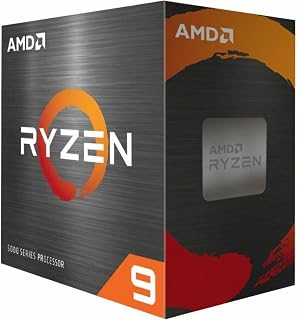
With 16 cores and 32 threads, this processor excels for builders who stream gameplay or run background applications while gaming on the RTX 5060. The 72 MB cache ensures smooth multitasking performance when encoding video or editing content alongside gaming sessions. Socket AM4 compatibility allows upgrading existing systems without motherboard replacement, making it practical for cost-conscious builders.
Pros
- 16 cores and 32 threads handle rendering, streaming, and simulation alongside gaming
- AM4 compatibility allows a targeted upgrade without replacing RAM or motherboard
- 72 MB cache supports responsive performance across varied demanding workloads
- PCIe 4.0 support future-proofs storage connectivity
Cons
- Split CCD design limits gaming performance compared to X3D variants at this core count
- Requires an adequate aftermarket cooler and possible BIOS update for full compatibility
The Ryzen 9 5900XT brings 16 cores and 32 threads to an RTX 5060 build, which is a unusual combination worth understanding before committing. The RTX 5060 is a mainstream GPU, and its gaming performance tops out before 16 Zen 3 cores become relevant, so the core count advantage surfaces mainly in parallel workloads running alongside gaming, such as streaming, rendering, or simulation. The 72 MB total cache and 4.8 GHz boost clock keep latency-sensitive tasks responsive, while the 105W TDP remains manageable with a proper aftermarket cooler. The real draw here is the AM4 socket: builders who already own DDR4 memory and an AM4 board can drop this processor in, pair it with an RTX 5060, and gain a capable hybrid machine for both creative work and gaming without rebuilding the entire platform. BIOS updates may be needed for full compatibility on some boards.
Best suited for creators or professionals who already own an AM4 system and want to add an RTX 5060 for GPU-accelerated work alongside multi-threaded CPU tasks. Also works for streamers who need spare cores for encoding. Skip it if you are building from scratch, since the AM4 platform lacks the DDR5 and PCIe 5 bandwidth that newer platforms offer the RTX 5060.
Core Configuration: 16 cores, 32 threads with Zen 3 architecture
Clock Speeds: 3.3 GHz base, 4.8 GHz max boost
Cache: 72 MB total (8 MB L2)
Socket: AM4 (DDR4-3200 support)
Power: 105W TDP
Features: Unlocked for overclocking, PCIe 4.0 support
Compatibility: Windows 11 and earlier, requires aftermarket cooling
Warranty: 3-year manufacturer coverage

The 8-core design with 4.2 GHz speed provides exceptional gaming performance that fully utilizes the RTX 5060's capabilities in high-refresh-rate scenarios. This processor excels at maintaining consistent frame times in competitive titles where smooth gameplay matters most. Socket AM5 compatibility ensures builders can upgrade to next-generation components as needed down the line.
Pros
- 96 MB L3 cache directly boosts frame rates in CPU-sensitive games paired with the RTX 5060
- Eight cores on a 5nm architecture handle current and upcoming game workloads without strain
- Socket AM5 with DDR5 and PCIe 5.0 matches the RTX 5060's modern platform requirements
- Cool thermal behavior reduces cooling complexity and system noise in gaming builds
Cons
- Requires a Socket AM5 motherboard, which adds cost for builders upgrading from older platforms
- Full performance potential depends on adequate cooling and strong power delivery from the board
For builders who want the RTX 5060 to perform at its ceiling in games rather than settle for average frame rates, the Ryzen 7 7800X3D is the standout CPU to consider. The 96 MB L3 cache enabled by AMD's 3D V-Cache technology dramatically reduces the latency between the processor and game data, which translates directly into higher and more consistent frame rates in modern titles. Eight cores and 16 threads on the 5nm architecture handle the demands of current and upcoming games comfortably, and the 4.2 GHz base clock provides a stable foundation. Socket AM5 means full compatibility with DDR5 memory and PCIe 5.0 storage, aligning with the RTX 5060's modern platform requirements. The processor's thermal ceiling of 89 degrees Celsius and generally cool operating behavior reduce cooler requirements, keeping noise levels reasonable in a typical gaming build.
Processor Specifications: The Ryzen 7 7800X3D features 8 CPU cores with 16 threads for efficient parallel processing. Clock speed reaches 4.2 GHz, with a maximum operating temperature of 89 degrees Celsius. The processor uses Socket AM5 for motherboard compatibility and employs a 5nm manufacturing process for superior efficiency.
Cache and Memory: This processor includes 8 MB of L2 cache and an impressive 96 MB of L3 cache, totaling 104 MB of high-speed memory. This substantial cache configuration significantly reduces memory latency and improves data throughput for demanding applications.
Graphics: Integrated AMD Radeon Graphics with a graphics frequency of 2200 MHz provides baseline graphics capability for general computing and light multimedia tasks without requiring a dedicated graphics card.
The top choice for gamers who want to extract maximum frame rates from their RTX 5060 in CPU-sensitive titles. Well matched to builders starting fresh on AM5 who plan to keep the platform for multiple GPU upgrade cycles. Less compelling for users focused primarily on content creation or other multi-threaded workloads, where a higher core count processor would better justify the investment.
Pros
- Excellent power efficiency at 65W total consumption
- Strong multi-threaded performance with 6 cores and 12 threads
- Affordable pricing for reliable everyday computing
- Socket AM5 platform offers upgrade path to newer CPUs
- Reliable and functional based on verified customer feedback
Cons
- OEM tray packaging lacks retail box and accessories
- No integrated graphics, requires discrete GPU for display output
- Entry-level Ryzen tier may struggle with demanding gaming or 3D workloads
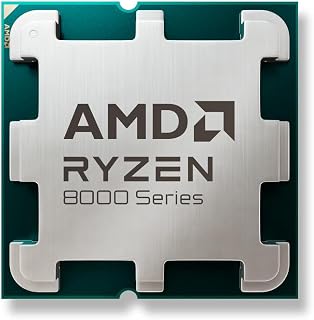
The AMD Ryzen 5 8400F is a capable 6-core processor designed for budget-conscious builders who prioritize efficiency and value. This OEM-spec CPU targets everyday computing, office workstations, content creation on a budget, and entry-level gaming systems where a discrete GPU is already planned.
Performance highlights include a 4.7 GHz boost frequency across 6 cores and 12 threads, paired with 16 MB of L3 cache. The 65W power envelope is remarkably efficient, reducing strain on power supplies and cooling solutions while still delivering consistent responsiveness for multitasking, web browsing, light video editing, and esports titles.
As an OEM tray processor, this chip arrives without retail packaging or bundled accessories. Customers report receiving it in foam packaging within a plain box, though verified buyers confirm it arrives functional and new. The straightforward, no-frills presentation aligns with its budget positioning.
The primary limitation is the lack of integrated graphics, requiring a discrete graphics card for any display output. Additionally, while capable for general computing, the 8400F targets mainstream workloads rather than extreme gaming or professional rendering at ultra settings.
For budget builders seeking a reliable, efficient CPU with proven performance, the Ryzen 5 8400F delivers solid returns on investment. Its low power draw, modern Socket AM5 foundation, and competitive pricing make it an excellent choice for productivity builds and value-oriented gaming systems.
Processor Details: AMD Ryzen 5 8400F, 6 cores, 12 threads, Socket AM5
Performance: Base/Boost frequencies up to 4.7 GHz, 16 MB L3 cache
Power: 65W TDP, energy-efficient design for lower cooling requirements
Platform Compatibility: Socket AM5 motherboards (B850, B750, X870, X970 chipsets and newer)
Package: OEM tray format, no retail box or accessories included
Ideal For: Budget-conscious builders, office workstations, light content creation, entry-level gaming with discrete GPU
Consider If You Need: Low power consumption, reliable multi-core performance, Socket AM5 compatibility, affordable upgrade path
Skip If You Need: Integrated graphics, extreme gaming performance, high-end workstation capabilities, retail packaging with warranty documentation
Pairing Advice: Pair with a mid-range GPU like RTX 4060 or RX 6600 for balanced gaming. Any Socket AM5 B-series or X-series motherboard works well. The low 65W draw pairs nicely with compact coolers or even passive systems.

Pros
- Outstanding core count (20 cores, 28 threads) crushes multithreaded workloads like video editing and 3D rendering
- Blazing fast single-core performance up to 5.6 GHz ideal for gaming frame rates and responsiveness
- Hybrid P-core and E-core architecture balances high-performance tasks with efficient background processing
- Excellent compatibility with both DDR4 and DDR5 memory for cost-effective builds or high-performance setups
- Strong real-world reliability reported by professional users managing enterprise-level databases and inventory systems
Cons
- High thermal output requires quality aftermarket cooling solutions, limiting appeal to budget-conscious builders
- No integrated graphics means discrete GPU required for any display output
- Potential stability concerns without latest BIOS microcode updates, requiring user diligence during setup
The Intel Core i7-14700KF is a flagship 14th generation processor engineered for creators, gamers, and power users who refuse to compromise on performance. With 20 cores (8 performance cores plus 12 efficiency cores) and 28 threads, this unlocked processor delivers the raw computing power needed for simultaneous 4K video editing, high-frame-rate gaming, complex database management, and intensive multitasking without slowdown.
Performance-wise, the i7-14700KF excels across the board. Its up to 5.6 GHz Turbo Boost Max Technology 3.0 ensures smooth gameplay and rapid responsiveness in demanding applications, while the hybrid core architecture intelligently allocates workloads between performance and efficiency cores. Real-world users report spectacular performance right out of the box, with professionals successfully running multiple high-resource applications simultaneously on custom builds, from point-of-sale systems to inventory management to video rendering.
Build quality and compatibility are solid. The processor uses the LGA 1700 socket and works with both Intel 600 and 700 series chipset motherboards (with potential BIOS updates for older boards). Support for both DDR4 and DDR5 memory, plus PCIe 5.0 and 4.0, gives builders flexibility in component selection and future-proofing. The 3-year warranty provides confidence in long-term reliability.
The primary trade-off is thermal management. This processor runs hot due to its 125W base power and high core density, demanding quality aftermarket cooling solutions to maintain stability and longevity. Additionally, there is no integrated graphics, so a discrete GPU is mandatory. User reports emphasize the importance of ensuring your motherboard BIOS includes the latest microcode updates before installation to avoid potential stability issues.
The i7-14700KF is the right choice if you need professional-grade multithreaded performance for content creation, database work, or gaming, and you can invest in adequate cooling. It represents exceptional value for productivity-focused builds while delivering world-class gaming performance, backed by strong real-world reliability from both enthusiast and professional users.
Processor Details: Intel Core i7 14th Generation (Raptor Lake Refresh), Model BX8071514700KF, 20 cores (8 P-cores + 12 E-cores), 28 threads, LGA 1700 socket, 5.6 GHz max boost frequency, 125W base power, 33 MB cache (8 MB L2 + 30 MB L3), unlocked multiplier.
Memory Support: DDR4 and DDR5 platforms supported with up to 192GB capacity, backward compatible with Intel 600 series chipsets (with BIOS update) and Intel 700 series chipsets including Z790, H770, and B770 boards.
Advanced Features: PCIe 5.0 and PCIe 4.0 support, Intel Turbo Boost Max Technology 3.0, Intel Virtualization Technology (VT-x), AES-NI encryption, 14nm manufacturing process. Discrete GPU required as this variant includes no integrated graphics.
Who Should Buy: Content creators using professional software like Adobe Premiere Pro and After Effects, 3D artists and animators, database administrators and IT professionals, high-end PC gamers seeking maximum frame rates, streaming enthusiasts running simultaneous applications, and enthusiasts who enjoy overclocking and system optimization.
Setup Requirements: Purchase a compatible LGA 1700 motherboard (Intel 700 series preferred, or 600 series with BIOS update), plan for high-performance cooling solutions (360mm AIO or premium air coolers recommended given thermal output), select a discrete graphics card for display output, and ensure your power supply has adequate capacity (850W+ recommended for full system). Update your motherboard BIOS to the latest version before installation to ensure stability and access the latest microcode updates.
Budget Considerations: This is a premium processor best paired with quality components. Factor in investment for aftermarket cooling, modern DDR5 memory, and a capable discrete GPU. The performance justifies the total system cost for professionals or power users whose work depends on processing speed.
What to Look for When Choosing a CPU for Your RTX 5060
Not every CPU is created equal, and the RTX 5060 deserves a processor that keeps up with its GDDR7 memory bandwidth and DLSS 4 capabilities. Below are the four criteria that matter most when narrowing down your choice.
Core Count and Threading
For gaming focused on the RTX 5060, six to eight cores is the sweet spot. The AMD Ryzen™ 5 9600X 6-Core delivers exactly that with its Zen 5 architecture, hitting up to 5.4 GHz boost for clean, stutter-free frame delivery. Eight-core chips like the AMD Ryzen 7 7800X3D 8-Core push further with 3D V-Cache technology, making them exceptional for CPU-bound titles.
If you also stream or run creative software alongside gaming, leaning toward a higher thread count prevents the game from competing for resources with background workloads.
Platform and Socket Compatibility
Your CPU choice locks you into a specific motherboard platform. AMD AM5 chips like the AMD Ryzen™ 5 7500F and AMD Ryzen™ 5 9600X 6-Core support PCIe 5.0 on select boards, which future-proofs your storage slot. AM4 chips like the AMD Ryzen™ 9 5900XT 16-Core offer a more affordable platform entry point with PCIe 4.0 support, which is still plenty for the RTX 5060.
Intel LGA1700 chips like the Intel® Core™ i7-14700KF New Gaming Desktop support both DDR4 and DDR5, giving you flexibility depending on your budget and memory preferences.
Clock Speed and Boost Performance
Single-core clock speed directly affects how many frames your CPU can feed the RTX 5060 each second. The Intel® Core™ i7-14700KF New Gaming Desktop reaches up to 5.6 GHz with Turbo Boost Max Technology 3.0, making it a strong contender for high-refresh-rate gaming. The AMD Ryzen 5 8000 8400F Hexa-core [6 Core] sits at a more modest 4.7 GHz maximum but remains a capable and efficient option for budget builders on AM5.
Higher boost clocks matter most in open-world titles and competitive games where frames per second scale directly with single-threaded throughput. Always check the chip’s sustained all-core frequency, not just its peak boost figure.
Prebuilt vs. DIY: Which Route Is Right for You?
If building from scratch feels daunting, a prebuilt system removes all the guesswork. The KOTIN Prebuilt Gaming PC, Ryzen 5 9600X pairs the Zen 5 chip with a B850M motherboard and comes fully assembled with Windows 11 Home. The LXZ Gaming PC Desktop Ryzen 7 5700X and YAWYORE Gaming PC, AMD Ryzen 7 5700X are solid alternatives that ship with the RTX 5060 already installed, ready to connect and play.
Prebuilt systems save time and reduce compatibility risk, but custom builds typically allow more targeted upgrades down the road. Consider how much you value convenience versus long-term flexibility before committing.
Final Thoughts
For most gamers in 2026, the AMD Ryzen™ 5 9600X 6-Core is the sharpest pairing for an RTX 5060 build, offering Zen 5 efficiency and a high boost clock that keeps the GPU fully fed in virtually every title. If you want a no-fuss, out-of-the-box experience, the Dell Tower Desktop Computer Intel Ultra 7 265F RTX combines a 20-core Intel Ultra 7 processor with the RTX 5060 in a polished, warranty-backed package that is genuinely ready to work or game from the moment you unbox it.
Frequently Asked Questions
Does the RTX 5060 get bottlenecked by older CPUs?
Yes, older quad-core or low-clock processors can create a bottleneck, especially at 1080p where the CPU does proportionally more work per frame. AMD Ryzen 5000 series chips like the AMD Ryzen™ 9 5900XT 16-Core still hold up well for 1080p and 1440p gaming, but pairing the RTX 5060 with a modern Zen 5 or 14th Gen Intel chip will consistently deliver better results. Aim for at least a six-core chip with a 4.5 GHz or higher boost frequency.
Is the AMD Ryzen 7 7800X3D a good match for the RTX 5060?
The AMD Ryzen 7 7800X3D 8-Core is one of the best gaming CPUs available for the RTX 5060, particularly in titles that benefit from its massive 96MB L3 cache via 3D V-Cache technology. The extra cache dramatically reduces latency in open-world and CPU-intensive games, giving the GPU a steady, uninterrupted stream of draw calls. It is a premium choice that will not hold back the RTX 5060 in 2026 or beyond.
Should I use DDR4 or DDR5 RAM with an RTX 5060 build?
DDR5 is the preferred choice for new builds in 2026, especially when pairing with AM5 platform chips like the Ryzen 5 9600X or Ryzen 5 7500F. DDR5 offers higher bandwidth and lower latency at comparable speeds, which can lift GPU-fed frame rates by a meaningful margin. That said, DDR4 platforms like AM4 and Intel 600-series remain competitive, so if you already have DDR4 memory, it is not a reason to scrap an otherwise solid build.
What resolution is the RTX 5060 designed for?
The RTX 5060 is engineered primarily for 1080p and 1440p gaming, where DLSS 4 Multi Frame Generation and ray tracing shine most noticeably. With a strong CPU alongside it, you can consistently hit high frame rates in modern AAA titles at both resolutions. The GPU’s GDDR7 memory interface also ensures smooth performance in bandwidth-heavy workloads like streaming and light content creation.


Write Your Review
No reviews yet. Be the first to share your experience!