

Every millisecond counts when you’re in the middle of a ranked match or streaming to thousands of viewers. A standard router struggles to prioritize your gaming traffic, leading to lag spikes, disconnections, and frustrating packet loss. This guide walks you through 10 gaming routers that handle high-bandwidth demands while keeping latency low across multiple connected devices.
We’ve evaluated routers across different price ranges and WiFi standards, from budget-friendly WiFi 6 models to cutting-edge WiFi 7 hardware. Whether you need robust VPN performance, multi-gig ethernet ports, or mesh capabilities for larger homes, you’ll find detailed breakdowns of what each router delivers. If you’re also upgrading other parts of your setup, check out our guide to laptops for demanding workloads.
Quick answer
This guide compares 10 picks, with ASUS ROG Rapture GT-BE98 PRO WiFi 7 Gaming Router ranked first. GL.iNet Flint 2 Wi-Fi 6 Gaming Router with Dual 2.5G holds the highest customer rating among them. TP-Link Archer AX21 AX1800 WiFi 6 Dual-Band Router has the most customer reviews.

Pros
- Blazing-fast WiFi 7 performance with 320MHz channels provides exceptional throughput for gaming and 4K streaming
- Dual 10G ports and quad 2.5G ports offer maximum wired connectivity flexibility for high-bandwidth devices
- Triple-level Game Acceleration and Open NAT support create optimal conditions for competitive online gaming
- Rock-solid 5GHz and 6GHz performance with excellent range thanks to advanced antenna design
- AiMesh support enables seamless mesh expansion for whole-home coverage
Cons
- Renewed condition means it comes with limited 90-day warranty rather than manufacturer's full coverage
- Intermittent 2.4GHz stability issues reported with certain smart home devices requiring occasional manual reconnection
- Premium pricing reflects cutting-edge technology, making it less accessible for budget-conscious buyers
The ASUS ROG Rapture GT-BE98 PRO represents the pinnacle of consumer WiFi 7 gaming routers, engineered specifically for competitive gamers, content creators, and power users who demand maximum performance. This quad-band powerhouse delivers up to 30 Gbps throughput, making it capable of handling demanding online gaming, 4K streaming, and large file transfers simultaneously without breaking a sweat.
What sets this router apart is its purpose-built gaming architecture. The Triple-level Game Acceleration system prioritizes gaming traffic from your PC all the way to game servers, while Mobile Game Mode optimizes wireless performance for smartphone gaming. The dual 10G ports and quad 2.5G ports provide exceptional wired connectivity options for devices that benefit from hardwired connections. Multi-link Operation ensures your devices connect to multiple bands simultaneously, maintaining stable connections even under heavy load.
The hardware design is enterprise-grade, featuring external dual-feeding antennas that boost coverage and signal strength significantly. WiFi 7 support with 320MHz channels and 4096-QAM technology maximizes data throughput, while the quad-band architecture prevents congestion. Security is handled comprehensively with WPA3 protocol, subscription-free network security, and full VPN capabilities, giving you peace of mind without recurring fees.
One consideration: this is a renewed unit with a 90-day limited warranty rather than full manufacturer coverage. A small number of users have reported occasional 2.4GHz stability issues with certain smart home devices, though 5GHz and 6GHz performance has proven rock-solid. Buyers with extensive smart home setups should factor this into their decision, though most users report flawless operation.
The ASUS ROG Rapture GT-BE98 PRO justifies its premium positioning as the router you'll need for the next decade. For serious gamers and power users, the investment in WiFi 7 technology and gaming-specific optimization delivers tangible performance gains that matter in competitive environments.
Connectivity: WiFi 7 (802.11be) quad-band, dual 10G Ethernet ports, quad 2.5G Ethernet ports, USB connectivity, backup WAN support.
Performance: Maximum data transfer rate 30 Gbps, upstream data transfer rate 1920 Mbps, 320MHz channel support in 6GHz band, 4096-QAM modulation.
Coverage: Dual external fixed antennas with high-efficiency feeding design, extended WiFi 7 coverage with enhanced signal strength.
Security: WPA3 protocol, subscription-free network security, comprehensive VPN features, parental controls, guest mode, QoS.
Features: Triple-level Game Acceleration, Mobile Game Mode, Open NAT, AiMesh support, Access Point mode, Internet Security, App-based control.
Compatibility: Windows, Mac OS, Linux, iOS, Android. Compatible with gaming consoles and all WiFi 7 devices.
Ideal For: Competitive online gamers who prioritize latency and throughput, content creators handling large 4K video files, households with multiple simultaneous high-bandwidth users, gamers using external gaming consoles, anyone seeking future-proof WiFi technology.
Consider Alternatives If: You need full manufacturer warranty (this is renewed), you have extensive 2.4GHz smart home ecosystems and require guaranteed stability, your budget is under $400, you primarily use WiFi for basic browsing and email.
Best Renewal Value: This renewed GT-BE98 PRO offers enterprise-level gaming performance at significant savings compared to new units, making it excellent for users willing to accept a shorter warranty in exchange for cutting-edge technology at a better price point.
Pros
- Exceptional value for the feature set, especially dual 2.5G ports typically found in premium routers
- Open-source OpenWrt foundation allows customization that consumer routers cannot match
- Consistent 5-star reviews praising real-world performance, reliability, and range
- Straightforward setup with web interface and firmware updates that dramatically improve performance
- VPN support (WireGuard and OpenVPN) comes built-in without extra subscriptions
Cons
- Firmware update required on initial setup for optimal performance, adding an extra step for new users
- Boxy, plain design may not appeal to users prioritizing aesthetics over functionality
- Advanced features and customization options have a steeper learning curve for casual users
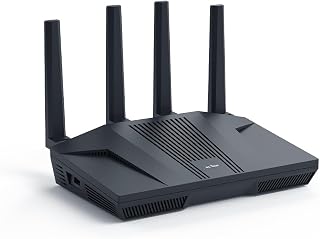
The GL.iNet Flint 2 (MT6000) is a Wi-Fi 6 gaming router designed for serious users who demand both performance and control. It's built for gamers, IT professionals, and home users with fiber internet looking to maximize their bandwidth investment.
Performance is the standout here. The 8-stream Wi-Fi 6 engine delivers up to 6 Gbps total throughput with ultra-low latency for responsive gaming and 4K streaming. The dual 2.5G multi-gig ports are a game-changer for wired connections, pulling true multi-gigabit speeds that standard routers simply cannot handle. Real-world testing confirms reliable coverage across homes without dead zones and stable simultaneous performance for gaming, streaming, and video calls.
What sets this router apart is the pre-installed OpenWrt firmware. Unlike closed consumer routers, you get access to advanced networking features, ad-blocking via AdGuard Home, DFS frequency support, and the ability to install custom plugins. VPN speeds are impressive: 900Mbps on WireGuard and 880Mbps on OpenVPN. The interface is intuitive but powerful, with smart band-switching that automatically optimizes connections.
The only real friction point is the mandatory firmware update on first setup, which takes time but measurably improves performance. The device prioritizes function over form with a plain, utilitarian design. Setup requires a web browser connection, though the process is straightforward. Advanced customization demands some networking knowledge.
For the price, this is exceptional value. Users report it's the best networking investment they've made in years. If you have high-speed fiber, game seriously, or want true control over your network, the Flint 2 delivers professional-grade performance without the enterprise price tag.
This router is perfect for fiber internet users who want to maximize their speed investment. Gamers benefit from ultra-low latency and consistent performance during intense multiplayer sessions. IT professionals and power users appreciate the open-source foundation and advanced customization options that aren't available in standard consumer routers.
Home users with multiple devices and demanding networking needs also get strong value here. If you run local game streaming, need VPN access, want ad-blocking, or simply demand reliability and range, the Flint 2 delivers. The 2-year warranty and active community support make it a solid long-term choice.
It's less ideal for casual users who prefer plug-and-play simplicity without firmware updates or customization. If design is a priority or you're uncomfortable with tech setup, this router's utilitarian approach may not suit your taste.
Connectivity: Wi-Fi 6 (802.11ax), dual-band, 6 Gbps total throughput, 8-stream technology, 1148 Mbps on 2.4GHz, 4804 Mbps on 5GHz. Supports 802.11b, g, n, ac, and ax standards.
Ports: Dual 2.5G multi-gig ports, four 1G Gigabit ports, six ports total. Hybrid router with Multi-WAN support for redundancy and failover.
Hardware: MT6000 chipset, 1GB DDR4 RAM, 8GB eMMC storage, retractable antennas. Linux-based operating system with WPA3 security protocol.
VPN Performance: WireGuard up to 900Mbps, OpenVPN up to 880Mbps. Built-in ad-blocking with AdGuard Home support. Supports access point mode, guest networks, QoS, and internet security features.
Included: GL-MT6000 router, power adapter (US plug), Ethernet cable, user manual, and 2-year warranty. Connects 100+ devices simultaneously.

Pros
- Excellent value for WiFi 6 technology at under $60
- Reliable dual-band performance with strong signal strength from beamforming technology
- Handles multiple connected devices smoothly without performance drops
- VPN server built-in for added network security
- Compatible with all major ISPs including Comcast, Verizon, AT&T, and Charter
Cons
- Dual-band only design does not support the newer 6 GHz band available on higher-end WiFi 6E routers
- Requires a separate modem and actual speeds depend on distance, obstacles, and environmental conditions
- May not be sufficient for very large homes or properties needing extensive multi-floor coverage
The TP-Link Archer AX21 is an affordable entry point into WiFi 6 technology for households looking to upgrade aging routers. This dual-band router targets users who stream video, game online, or manage multiple connected devices without wanting to spend premium prices. It delivers the performance bump you need at a fraction of flagship router costs.
The standout feature is its WiFi 6 performance paired with realistic pricing. At 1.8 Gbps total bandwidth, you get noticeable improvements in streaming stability and gaming responsiveness compared to WiFi 5 routers. The OFDMA technology and beamforming work together to manage multiple devices efficiently, which matters when your household connects smartphones, tablets, laptops, and smart home devices simultaneously.
Build quality is straightforward and functional. The router includes 4 high-gain antennas and uses a front-end module chipset to improve signal strength and coverage. Setup is simple with the Tether app, and TP-Link's support team is available if you hit snags. The inclusion of a VPN server adds a security layer that competitors often reserve for pricier models.
The main drawback is that this is a dual-band only router without 6 GHz support, which means it's not future-proofed for the latest WiFi 6E standard. Real-world performance also depends heavily on your environment, with walls and distance reducing actual speeds from the advertised maximums. For large homes, you may need multiple units or a mesh system.
The Archer AX21 is a smart choice if you want WiFi 6 performance without premium pricing. It excels for typical home use with streaming, gaming, and smart home devices. Skip it if you need cutting-edge WiFi 6E or have demanding requirements like home offices needing absolute maximum coverage.
Model: TP-Link Archer AX21 V5
WiFi Standard: 802.11ax (WiFi 6), 802.11ac, 802.11n, 802.11g, 802.11b
Total Bandwidth: AX1800 with 1200 Mbps on 5 GHz and 574 Mbps on 2.4 GHz
Antenna Configuration: 4 high-gain antennas with beamforming technology
Technology: OFDMA, Beamforming, CISA Secure-by-Design certified
Security: VPN Server support (OpenVPN and PPTP)
Connectivity: WiFi and Ethernet, compatible with Gaming Consoles, PCs, Smartphones, and Tablets
Included: Power Adapter, Quick Installation Guide, RJ45 Ethernet Cable
Color: Black

Pros
- 10G port future-proofs your network for next-gen fiber internet speeds
- Excellent for both gaming and home labs with versatile high-speed port options
- WiFi 6 standard provides faster speeds and better efficiency than older generations
- Compatible with Merlin firmware for advanced networking controls and security features
- Tri-band design reduces congestion and improves overall network stability
Cons
- Large physical footprint may require dedicated space in your setup
- Setup requires networking knowledge, as included documentation is limited for complex configurations
- Renewed condition means no original factory packaging, though the unit itself performs as new
The ASUS ROG Rapture GT-AX11000 Pro is a tri-band WiFi 6 gaming router built for users who demand both wireless performance and wired speed. It's designed for competitive gamers, content creators, and network enthusiasts upgrading fiber or gigabit internet connections. The router balances professional networking capabilities with gaming optimizations that appeal to power users.
The standout feature is the combination of a 10G port and 2.5G port alongside standard gigabit connectivity. For gamers, the triple-level game acceleration minimizes latency and prioritizes traffic. The six fixed antennas with 160 MHz frequency support deliver extensive coverage for large homes, while the tri-band design keeps gaming traffic separated from general browsing to reduce congestion and maintain performance.
Build quality matches ASUS ROG standards. The unit weighs 4.8 pounds and feels substantial, though its size requires dedicated shelf or cabinet space. The touch control method offers convenient access to settings, and the included components provide everything needed for setup, including a Power Adapter, RJ-45 cable, and Quick Start Guide.
The main drawback is setup complexity. Users report that the limited documentation and non-functional QR code installation guide create friction during initial configuration. However, those willing to spend time on setup or familiar with router administration find the ASUSWRT interface rewarding, especially when paired with Merlin custom firmware for advanced VLAN, VPN, and security options.
This renewed router delivers enterprise-grade features at a practical price point. For fiber ISP customers, home lab builders, and serious gamers who understand network configuration, the GT-AX11000 Pro is an excellent investment that performs beyond expectations.
Wireless Standard: WiFi 6 (802.11ax), Tri-Band configuration
Antennas: 6 fixed antennas, 160 MHz frequency band
Ports: 8 total ports including one 10G port, one 2.5G port, and six 1 Gbps ports
Data Transfer: Maximum 1000 Mbps upstream, 1000 Mbps LAN bandwidth
Connectivity: WiFi, Ethernet, WPS support
Operating System: ASUSWRT
Coverage: Extensive coverage designed for large homes and gaming environments
Power: 240 volts
Dimensions: 4.8 pounds
Warranty: 90 days limited warranty
Ideal Users: This router is built for fiber internet subscribers, home lab technicians, and competitive gamers who need high-performance wired and wireless connectivity. If you recently upgraded to a fiber ISP with 2.5Gbps or higher speeds, the dual high-speed ports make maximum use of your connection. Home lab users appreciate the 10G port for server connectivity and the advanced networking features available through ASUS firmware.
Gaming Performance: The triple-level game acceleration targets online gamers seeking competitive advantages. Tri-band WiFi ensures gaming traffic stays isolated from household browsing, reducing lag and improving response times during ranked play or streaming.
Not Ideal For: Users seeking plug-and-play simplicity with minimal configuration should consider routers with more intuitive setup flows. Those with standard gigabit internet speeds may not fully utilize the premium ports, though the WiFi 6 performance remains valuable.
Pros
- Exceptional VPN performance maintains fast speeds without compromising security
- Multiple 2.5G ethernet ports provide future-proof wired connectivity far beyond standard gigabit
- Advanced MLO technology and 6GHz band reduce congestion and latency in dense environments
- Extensive customization options with plugin support attract technical users and DIY enthusiasts
- Strong parental controls and ad-blocking built in without additional subscriptions
Cons
- High price point targets professional users and tech enthusiasts rather than casual buyers
- Requires firmware update immediately after setup to achieve full performance and stability
- VPN speeds may vary significantly based on ISP, server location, and VPN provider selection
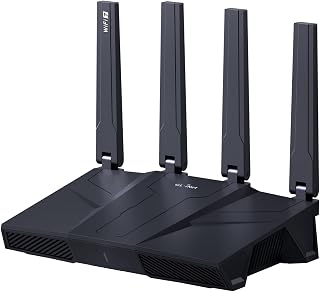
The GL-BE9300 Flint 3 is a premium Wi-Fi 7 router designed for users who demand both speed and privacy. It caters to home office professionals, gaming enthusiasts, content creators, and privacy-conscious households that need reliable VPN connectivity alongside high-performance wireless networking.
The standout feature is its 680 Mbps VPN throughput, delivering near-native internet speeds even through encrypted tunnels. The tri-band Wi-Fi 7 system reaches up to 9 Gbps total bandwidth, while MLO technology and enhanced OFDMA reduce latency in congested environments. Real-world performance benefits include smooth 8K streaming, lag-free gaming, and stable video conferencing even with 100+ connected devices.
Build quality is solid with four retractable antennas, five 2.5 Gbps ethernet ports, and enterprise-grade security protocols including WPA3. The 1GB DDR4 RAM and 8GB storage allow custom plugin installation, appealing to advanced users. Design is compact and professional with business, gaming, and home environments equally in mind.
The main drawback is the price, which positions this router well above mainstream options. Additionally, firmware must be updated on initial setup to unlock full performance, and actual VPN speeds depend heavily on external factors like your ISP and chosen VPN provider. These are acceptable tradeoffs for users prioritizing performance and control.
The Flint 3 earns strong consideration for anyone willing to invest in a premium router that delivers on VPN speed, device capacity, and next-generation Wi-Fi 7 technology. The built-in AdGuard Home and Bark parental controls add real value without subscription fees. This router genuinely serves power users and tech-savvy households seeking reliability and flexibility.
Network and Connectivity: Wi-Fi 7 (802.11be) tri-band router with 2.4 GHz, 5 GHz, and 6 GHz bands. Maximum data transfer rate 12.5 gigabits per second. Five 2.5 Gbps ethernet ports plus one WAN port. Supports 802.11ac, 802.11ax, 802.11g, and 802.11n backward compatibility.
Processing and Storage: DDR4 1GB RAM, 8GB eMMC storage. Linux operating system. Supports 100+ simultaneous device connections with plugin installation capability.
Antennas and Coverage: Four retractable antennas with MLO, enhanced OFDMA, 4K QAM, and preamble puncturing technology. Coverage range extends to 2,000 square feet. Designed for home, gaming, and business environments.
Security and Control: WPA2-PSK, WPA3, WPA2-Enterprise, WPA-Enterprise, and WPS security protocols. High-level router firewall. Supports remote access. App control and push button functionality. Integrated AdGuard Home DNS filtering and Bark parental controls.
VPN Performance: OpenVPN and Wireguard protocols both achieve up to 680 Mbps throughput. Physical specifications: 0.85 kg weight, black color. Includes ethernet cable, power adapter, and user manual. 2-year manufacturer warranty.
Who Should Buy: Professionals working from home, gamers, content creators, privacy advocates, and tech enthusiasts who need VPN reliability and Wi-Fi 7 performance. Ideal for households with 50+ devices or those requiring wired gigabit+ connections for multiple systems simultaneously.
Who Should Skip: Budget-conscious buyers, casual users with basic internet needs, and those without technical knowledge. Standard households with fewer than 20 devices may find simpler routers sufficient. Users unconcerned with VPN functionality or ad-blocking features.
Setup and Performance: Initial firmware update is mandatory for optimal performance, so plan 30 minutes for setup and updates beyond basic unboxing. Connect via ethernet for admin panel access during configuration. VPN speeds will reflect your ISP speed and selected VPN provider, typically delivering 680 Mbps if your base connection supports it.
Value Consideration: Premium pricing reflects Wi-Fi 7 technology, five 2.5G ports, and built-in VPN and privacy tools. Compare against budget routers lacking VPN support or multi-gig ports. The 2-year warranty and extensive feature set justify the investment for power users but represent overkill for casual browsing and streaming only.

Pros
- WiFi 6E technology with 6 GHz band delivers cutting-edge performance for the next generation of connected devices
- Exceptional value for a tri-band router with premium specs including 512 MB RAM and 1.0 GHz dual-core processor
- Superior network management with EasyMesh compatibility for whole-home coverage without dead zones
- Comprehensive security features including VPN client/server, WPA3 protocol, and HomeShield protection
- Reliable 2-year warranty and 24/7 technical support demonstrate strong manufacturer commitment
Cons
- Requires a modem connection for most internet service providers, adding to total setup cost
- 8 fixed antennas may present placement challenges in compact spaces or aesthetic-sensitive environments
- Advanced WiFi 6E benefits require compatible devices to fully leverage the new 6 GHz band capabilities
The TP-Link Archer AXE75 is a next-generation WiFi 6E router engineered for households and gamers demanding premium wireless performance. This tri-band system is ideal for power users who stream 4K content, play competitive online games, or maintain large networks of smart home devices simultaneously.
The standout feature is the new 6 GHz band, which brings dramatically more bandwidth and near-zero latency compared to traditional dual-band routers. Paired with 5400 Mbps total throughput across three bands (2402 Mbps on both 6 GHz and 5 GHz, plus 574 Mbps on 2.4 GHz), the Archer AXE75 excels at handling multiple simultaneous high-demand activities. OFDMA technology increases network capacity by 4x, meaning your devices won't compete for bandwidth.
Build quality is solid with thoughtful design choices like optimized heat dissipation, a 1.0 GHz dual-core CPU, and 512 MB of high-speed RAM. The eight fixed antennas and EasyMesh compatibility make it easy to extend coverage and eliminate dead zones. Security is comprehensive with VPN support, WPA3 encryption, and HomeShield protection for your network and connected devices.
The main considerations are that this router requires a separate modem for most ISPs, and true WiFi 6E benefits depend on having compatible devices. The fixed antennas may require strategic placement for optimal coverage, and the advanced features assume some comfort with networking concepts.
This is an excellent choice for performance-focused users seeking future-proof WiFi 6E technology at a reasonable price. Combined with the 2-year warranty and 24/7 support, the Archer AXE75 offers strong value for gaming, streaming, and multi-device households.
Wireless Performance: WiFi 6E, 5400 Mbps total (6 GHz: 2402 Mbps, 5 GHz: 2402 Mbps, 2.4 GHz: 574 Mbps)
Connectivity: Tri-band 802.11ax, 8 fixed antennas, 5 Gigabit ports, WAN/LAN connectivity
Processing Power: 1.0 GHz dual-core CPU, 512 MB RAM
Security: WPA2, WPA2-Enterprise, WPA3, VPN Server/Client support (OpenVPN, PPTP, L2TP), HomeShield protection, High-level firewall
Features: EasyMesh compatibility, Beamforming, QoS, Parental Controls, Alexa Compatible, App control
Warranty: 2-year manufacturer warranty, 24/7 technical support
Best For: Gamers requiring low-latency connections, streamers running multiple 4K streams, tech enthusiasts wanting WiFi 6E adoption, households with 20+ connected smart devices, those prioritizing network security and privacy through VPN support.
Consider If: You have multiple users simultaneously gaming, streaming, and working from home, you need whole-home coverage and plan to add mesh nodes, you want enterprise-grade security without paying enterprise prices, your ISP provides gigabit or higher speeds worth maximizing.
May Not Be Ideal If: You're seeking a budget router under $75, you live in a very small space where antenna placement is impossible, you prefer mesh systems with built-in nodes, you don't have devices that support WiFi 6E yet.
Pros
- WiFi 7 technology provides significant speed advantage over WiFi 6, with 1.2x faster performance
- Generous device capacity of 50 connected items prevents slowdowns in multi-device households
- 2.5 Gig WAN port future-proofs your network for emerging gigabit internet services
- Intuitive mobile app makes setup and ongoing management accessible to non-technical users
- Strong security features included out of the box with no additional setup required
Cons
- Coverage limited to 2,000 sq ft, requiring mesh systems for larger or multi-story homes
- Requires separate modem or gateway; some gateway and combo units may need bridge mode configuration
- Real-world speeds depend on device compatibility and internet plan, not guaranteed speeds
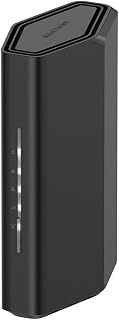
The NETGEAR Nighthawk RS90 is a standalone WiFi 7 router designed for households where multiple family members stream, game, work from home, and run smart home devices simultaneously. This router bridges the gap between basic models and expensive mesh systems, offering strong performance for typical single-story homes or smaller multi-story properties.
The standout feature is its WiFi 7 dual-band architecture delivering up to 3.6 Gbps across 2.4 GHz and 5 GHz bands. MU-MIMO and OFDMA technology ensure that devices send and receive data simultaneously without competing for bandwidth, meaning your 4K streaming won't lag when someone else is gaming. The router handles up to 50 connected devices, a capacity that handles even tech-heavy homes with security cameras, smart speakers, phones, tablets, and gaming consoles.
Build quality reflects NETGEAR's 30+ years of networking experience. The device includes four fixed antennas, a quad-core 2.0 GHz processor, and dual ethernet options: a 2.5 Gigabit WAN port for connecting to modern internet services and four standard Gigabit LAN ports for wired devices. The free Nighthawk app eliminates setup complexity with guided configuration and lets you manage your network remotely, pause specific devices, and run speed tests.
Limitations exist for larger homes. The 2,000 sq ft range works well for most single-story residences but may require positioning in central locations for multi-story homes or spaces with numerous walls. You'll need a separate modem or gateway with an RJ45 port, and some combo units require bridge mode. Real-world speeds depend on your actual devices and internet plan, not just the router's capabilities.
The Nighthawk RS90 delivers excellent value for families needing modern WiFi 7 performance without mesh system complexity or cost. It's a reliable upgrade for households moving from older routers or WiFi 6 systems, with security and ease of use built in from day one.
Wireless Technology: WiFi 7 (802.11be) Dual-Band
Maximum Speed: 3.6 Gbps (BE3600)
Frequency Bands: 2.4 GHz and 5 GHz
Coverage Area: 2,000 square feet
Connected Devices: Up to 50 devices
Processor: Quad-core 2.0 GHz
Connectivity: 1x 2.5 Gigabit WAN port, 4x 1 Gigabit LAN ports
Antennas: 4 fixed antennas
Security: WPA2, WPA3 protocols, Advanced Router Protection, automatic firmware updates
Power: 12V/1.5A adapter
Control: Nighthawk mobile app (iOS and Android)
Warranty: 1 Year Limited
In the Box: RS90 router, 2.5A power adapter, 2-meter ethernet cable, quick start guide
Model: RS90-100NAS
Ideal Buyers: Families and households where multiple people stream 4K video, game online, or work from home simultaneously. This router suits homes up to 2,000 sq ft, including most single-story residences and smaller multi-story properties. If you have 20+ connected smart home devices and want modern WiFi 7 performance without mesh system complexity, this is a good fit.
Upgrade Candidates: Anyone currently using WiFi 6 or older routers experiencing bandwidth congestion or slow speeds. If your current router struggles with 4K streaming, online gaming lag, or too many device connections, the Nighthawk RS90 directly addresses these pain points with its higher bandwidth and device capacity.
Not the Best Fit: Users with very large homes (over 2,500 sq ft) or complex multi-story layouts will benefit more from NETGEAR's Orbi mesh system. If you require maximum customization and technical control, the mobile app's simplicity may feel limiting compared to web-based admin panels in professional-grade routers.
Pros
- Excellent 6GHz band performance and among the most affordable WiFi 6E options available
- Impressive coverage throughout large homes, especially in older buildings with thick walls
- Reliable stability and strong performance for both gaming and work-from-home applications
- Straightforward setup process and responsive customer support with regular firmware updates
- Good value for the price with robust feature set including AI QoS and RGB customization
Cons
- 5GHz band limited to 2 streams, resulting in mediocre speeds on devices that primarily use that band
- Router configuration app and MSI Center software can be tedious to navigate and set up
- Not ideal for advanced users seeking extensive port forwarding or complex network security controls
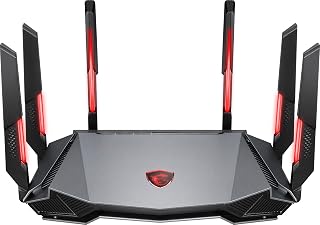
The MSI Radix AXE6600 is a WiFi 6E tri-band router designed for gamers, content creators, and professionals who demand reliable high-speed connectivity. It targets users with larger homes or challenging layouts who need better coverage than standard routers provide, particularly those with fiber or gigabit internet connections ready to take advantage of faster speeds.
Where this router truly shines is its 6GHz band performance with 4-stream support, making it one of the most affordable entry points into WiFi 6E technology. The AI QoS system intelligently prioritizes traffic based on activity type, keeping gaming and streaming smooth even when multiple devices are active. The 1.8GHz quad-core processor handles this load reliably, and customers report stable connections throughout multi-story homes and challenging spaces like older buildings with plaster walls.
Build quality is solid with an aggressive gaming-focused design and RGB lighting that looks more imposing than marketing photos suggest. The 6-antenna design with wide coverage positioning delivers practical improvements over mesh systems for many users. Setup is generally straightforward for most users, typically completed within an hour with basic networking knowledge.
The main limitation is the 5GHz band, which operates with only 2 streams and delivers more modest speeds since most current devices still rely on that band. The router configuration interface can feel cumbersome compared to modern competitor apps, and the MSI Center software has limited utility. These trade-offs are acceptable for the price point, but experienced users may find the feature set basic.
The Radix AXE6600 offers genuine value for gamers and remote workers willing to invest in better coverage. It performs exceptionally well with 6GHz-capable devices and delivers the promised stability for gaming and productivity tasks. For users prioritizing 6GHz performance and willing to overlook modest 5GHz speeds, this router delivers compelling performance at a competitive price.
6GHz Performance: The standout feature. With 4-stream support at 6GHz, this router delivers excellent speeds for compatible devices like the Meta Quest 3 with Virtual Desktop streaming. Early adopters of 6GHz-capable devices will experience notably better performance than competitors in this price range.
5GHz Performance: Adequate but not impressive. The 2-stream limitation means speeds are moderate, suitable for basic streaming and web browsing but not ideal as a primary band. Most devices currently default to 5GHz, so this is a practical consideration for typical daily use.
Coverage and Stability: Real-world testing shows reliable coverage throughout large homes and buildings with challenging layouts. The wide-coverage antenna positioning effectively penetrates obstacles like plaster walls and hardwood floors. Firmware updates have resolved initial connection dropping issues, resulting in stable, consistent performance.
Gaming and Streaming: AI QoS successfully prioritizes gaming and streaming traffic, preventing bandwidth hogging from other devices. Multiplayer gaming remains smooth with multiple connected devices, and 4K streaming is handled without buffering on capable internet connections.
Best For: Gamers with fiber or gigabit internet, professionals working from home, users in large homes or challenging network environments, early adopters of 6GHz devices like Meta Quest 3, and anyone seeking WiFi 6E capability at an accessible price point.
Consider Alternatives If: You primarily need 5GHz performance (this router's weakness), you have advanced networking requirements and need extensive configuration options, you prefer simple plug-and-play setup without app configuration, or your home is small and standard routers already provide adequate coverage.
Setup Expectations: Plan 30-60 minutes for initial configuration depending on experience level. The app-based setup is functional but less intuitive than leading competitors. Skip the MSI Center software and manage the router through the web interface instead for better results.
Value Assessment: At this price point, the Radix AXE6600 offers excellent value if you want WiFi 6E capability and strong 6GHz performance. The 5GHz limitation is a realistic trade-off for the cost. The 3-year warranty and regular firmware updates provide good long-term support and confidence.

Pros
- Exceptionally fast performance with real-world speeds significantly exceeding previous router generations
- Easy setup and intuitive app-based management suitable for non-technical users
- Excellent coverage throughout multi-room homes with minimal dead zones
- Premium build quality and reliability backed by 30+ years of NETGEAR networking expertise
- Multi-gigabit ports maximize performance for fiber and high-speed cable internet subscribers
Cons
- May require periodic reboots in some rural or high-interference environments, though performance remains strong when connected
- Requires separate modem or gateway, not a standalone internet solution
- NETGEAR Armor security subscription required after 30-day trial period
The NETGEAR Nighthawk BE9300 is a premium standalone WiFi 7 router designed for households where multiple family members stream, game, attend video calls, and run smart home devices simultaneously. It pairs with existing modems via ethernet and works with cable, fiber, DSL, and satellite providers, making it a versatile upgrade for most internet setups.
The standout feature is its tri-band WiFi 7 architecture delivering 9.3 Gbps across 2.4 GHz, 5 GHz, and 6 GHz bands. The dedicated 6 GHz band acts as a high-speed lane for compatible devices, preventing congestion and maintaining responsiveness even when dozens of devices connect. Real-world testing confirms significantly faster speeds than WiFi 6 routers, with seamless 4K and 8K streaming, responsive gaming, and stable video conferencing across all connected devices.
Build quality feels premium with a quad-core 2.0 GHz processor, 2 GB RAM, and thoughtfully designed connectivity including two 2.5 Gbps ports and two gigabit ethernet ports. The mobile app streamlines setup and ongoing management, automatically optimizing channels and allowing parental controls and guest networks from anywhere. Coverage extends reliably to 2,500 sq ft with capacity for up to 100 devices without noticeable degradation.
Some users in rural areas report occasional connectivity issues requiring reboots every couple weeks, though performance remains strong when the connection is stable. This appears environment-dependent rather than a systemic flaw. Additionally, the router requires a separate modem and ongoing NETGEAR Armor subscription after the trial period for comprehensive protection.
The NETGEAR Nighthawk BE9300 represents a compelling investment for households ready to leverage WiFi 7 speeds and reliability. It delivers measurable performance improvements over previous generations, intuitive usability, and future-proof capability at a reasonable price point for the feature set.
Connectivity: WiFi 7 tri-band (2.4 GHz, 5 GHz, 6 GHz), 802.11be standard, WPA3 security protocol. Ports include 1x 2.5 Gbps WAN, 2x 2.5 Gbps LAN, 2x 1 Gbps LAN, plus USB 3.0.
Performance: Total throughput 9,300 Mbps, 2.0 GHz quad-core processor, 2 GB RAM, 4 antennas. Coverage up to 2,500 sq ft supporting up to 100 connected devices simultaneously.
Physical: Model BE9300-1AZPAS, black color, 4 pounds weight. Includes 12V/3.5A power adapter, 2m ethernet cable, and quick start guide. 1-year limited warranty.
Ideal buyers: Tech-forward homeowners with multi-story homes or large properties, families with numerous connected devices, gamers and content creators needing reliable high-speed connections, and anyone with fiber or high-speed cable plans looking to maximize internet investment.
May not be ideal for: Apartment dwellers needing coverage under 1,000 sq ft may overpay for unneeded capacity. Users in areas with severe wireless interference or those seeking mesh coverage for very large homes should consider NETGEAR Orbi systems instead.

ASUS ROG Rapture GT-AXE16000 WiFi 6E Gaming Router
Pros
- Cutting-edge WiFi 6E technology with dedicated 6 GHz band eliminates interference from legacy devices
- Dual 10G ports and 2.5G WAN port handle ultra-high-speed fiber connections without bottlenecks
- Triple-level game acceleration with QoS prioritization ensures smooth gameplay under heavy load
- Extensive device compatibility across PCs, gaming consoles, smartphones, and smart home devices
- 3-year warranty and Alexa integration add long-term value and smart home convenience
Cons
- Premium pricing reflects enterprise-grade features, making it overkill for casual home users
- Large footprint (13.94 x 13.94 x 7.6 inches) requires dedicated shelf space and careful placement
- WiFi 6E coverage depends heavily on client device support, limiting real-world speed gains for older devices
The ASUS ROG Rapture GT-AXE16000 stands as a landmark product for serious gamers, content creators, and network professionals. As the world's first quad-band WiFi 6E gaming router, it harnesses four distinct frequency bands to deliver exceptional speed and stability. This router targets users with fiber internet connections, high-bandwidth demands, and performance-critical applications like competitive gaming and 4K streaming.
The standout feature is the new 6 GHz band, which operates independently from congested 2.4 and 5 GHz spectrums. Combined with two 5 GHz bands and legacy 2.4 GHz support, this creates four non-overlapping channels that virtually eliminate interference. Real-world performance shines when multiple devices demand bandwidth simultaneously. Dual 10G ports and a 2.5G WAN port ensure your network backbone never becomes the bottleneck, even with multi-gigabit fiber connections.
Build quality reflects ASUS ROG gaming pedigree. The router features 12 high-performance antennas in a bold black chassis, though the substantial 5.4-pound form factor requires thoughtful placement. The 2GB RAM and advanced chipset deliver stable performance under heavy load. Web GUI, app control, and touch button options provide flexible management, while AiMesh support enables seamless expansion with compatible ASUS nodes.
Key drawbacks include the premium price point and power consumption, making it impractical for budget-conscious buyers or those with modest internet speeds. WiFi 6E benefits only materialize with compatible client devices, meaning older phones and laptops won't unlock full potential. Installation and optimization can be complex for non-technical users, though the quick start guide eases basic setup.
Verdict: The GT-AXE16000 delivers uncompromising performance for users who need it. If you operate fiber internet, game competitively, or run bandwidth-intensive workloads, this router eliminates network bottlenecks and future-proofs your infrastructure. For typical households with standard connections, older gaming routers provide better value.
Core Performance: WiFi 6E (802.11ax) quad-band router, 16000 Mbps total throughput, 6 GHz band support with 2.4 GHz and dual 5 GHz bands. 12 fixed antennas with extended coverage via RangeBoost Plus technology.
Connectivity: 6 total ports including dual 10 Gbps WAN/LAN ports, single 2.5 Gbps WAN port, 4 additional Gigabit LAN ports, 2 USB ports. Supports Ethernet, USB, and WiFi connectivity across multiple wireless standards including 802.11a, 802.11g, 802.11n, 802.11ac, and 802.11ax.
Hardware: 2GB RAM, 19V/3.42A power supply with 110V-240V input (50-60Hz). Item weight 5.4 pounds, dimensions 13.94 x 13.94 x 7.6 inches. Available in black finish.
Security and Control: WPA3-Personal and WPA2-Enterprise encryption, WPS support, high-level firewall protection, guest mode, parental controls, and internet security. Web GUI, mobile app, and push-button control options. Compatible with Alexa voice control.
Device Compatibility: Works with gaming consoles, PCs, smart TVs, smartphones, tablets, and all major operating systems including Windows, Mac OS, and Linux. 3-year manufacturer warranty included.
Who Should Buy: This router targets serious gamers seeking competitive advantage, remote professionals handling large file transfers, content creators managing 4K workflows, and early adopters investing in future-proof infrastructure. If you have fiber internet or multi-gigabit speeds, the GT-AXE16000 justifies the investment by eliminating WiFi as a performance limiting factor.
Who Should Skip: Casual internet users with standard broadband speeds (under 100 Mbps) won't see meaningful benefits. Budget-conscious buyers can achieve excellent results with mid-range WiFi 6 routers at half the price. Users in small apartments or with primarily older devices should consider entry-level WiFi 6E options.
Setup Tips: Place the router centrally in your space for optimal signal distribution. Position antennas at varied angles to enhance coverage. Use the mobile app to configure game acceleration profiles and QoS rules tailored to your devices. Enable WPA3 security immediately after setup. Consider connecting bandwidth-heavy devices directly to 10G ports for maximum performance.
Long-Term Value: The 3-year warranty and WiFi 6E standard provide future-proofing as devices gradually adopt newer standards. AiMesh compatibility lets you expand coverage without replacing the router. Lifetime internet security subscriptions reduce total cost of ownership for security-conscious users.
Buying Guide: What to Look for in a Gaming Router
WiFi Standard and Speed
WiFi 6E and WiFi 7 routers provide dedicated 6 GHz bands that reduce interference from neighboring networks and older devices. The GL.iNet GL-MT6000 Flint 2 Wi-Fi 6 Gaming Router delivers up to 6 Gbps with WiFi 6 technology, while the GL.iNet GL-BE9300 Flint 3 Tri-Band Wi-Fi 7 Router pushes speeds to 9 Gbps across three bands.
Higher speeds matter when multiple devices compete for bandwidth. If you stream while gaming, or share your network with family members who stream 4K content, a tri-band router with a dedicated gaming band prevents congestion. The ASUS ROG Rapture GT-BE98 PRO First Quad-Band WiFi offers four bands and 320 MHz channels for maximum throughput.
Ethernet Ports and Wired Connectivity
Wired connections eliminate WiFi variability for your gaming PC or console. Multi-gig ethernet ports unlock faster speeds if your internet plan supports it. The ASUS ROG Rapture WiFi 6E Gaming Router includes dual 10G ports plus a 2.5G WAN port, ideal for fiber connections that exceed gigabit speeds.
Even if your current plan doesn’t require multi-gig ports, having them future-proofs your setup. The NETGEAR Nighthawk WiFi 7 Router combines a 2.5 Gig WAN port with multiple high-speed LAN ports, giving you flexibility to connect gaming rigs, NAS drives, and streaming devices without bottlenecks. For users building complete workstations, our engineering laptop guide covers complementary hardware considerations.
Quality of Service and Traffic Prioritization
QoS features let you assign priority to gaming traffic over background downloads or streaming. The MSI Radix AXE6600 WiFi 6E Tri-Band Gaming Router uses AI QoS to automatically optimize traffic based on activity type, switching between gaming, streaming, and work-from-home modes without manual configuration.
Triple-level game acceleration takes this further by prioritizing packets from your PC all the way to the game server. The ASUS ROG Rapture GT-AX11000 Pro Tri-Band WiFi 6 offers this advanced prioritization alongside dedicated gaming ports that bypass standard traffic management entirely.
VPN Performance and Privacy Features
Routing your gaming traffic through a VPN traditionally kills speed, but modern gaming routers handle encryption more efficiently. Both GL.iNet routers in this lineup deliver impressive VPN throughput: the GL.iNet GL-MT6000 Flint 2 Wi-Fi 6 Gaming Router reaches 900 Mbps with WireGuard, while the GL.iNet GL-BE9300 Flint 3 Tri-Band Wi-Fi 7 Router achieves 680 Mbps with both WireGuard and OpenVPN.
VPN capabilities matter if you access region-locked servers, protect your connection on public networks, or want to mask your gaming activity from your ISP. The TP-Link AXE5400 Tri-Band WiFi 6E Router supports both VPN server and client modes, letting you create secure remote access to your home network or connect your entire network to an external VPN service. Students working remotely may also benefit from our work-from-home laptop recommendations.
Final Thoughts
Your router choice depends on whether you prioritize raw speed, advanced features, or budget efficiency. For gamers who want WiFi 7 performance without the premium price tag, the NETGEAR Nighthawk WiFi 7 Router RS90 delivers solid dual-band speeds and handles up to 50 devices reliably. If you need robust VPN performance and open-source flexibility, the GL.iNet GL-MT6000 Flint 2 Wi-Fi 6 Gaming Router offers exceptional throughput alongside advanced customization options that let you fine-tune every aspect of your network.
Frequently Asked Questions
Do I need WiFi 7 for gaming in 2026?
WiFi 7 provides lower latency and higher speeds than WiFi 6, but you’ll only benefit if your gaming device supports WiFi 7. Most gaming laptops and consoles still use WiFi 6 or WiFi 6E. WiFi 7 routers do offer better performance when multiple devices connect simultaneously, making them a smart choice if you share your network or plan to keep your router for several years.
Should I use wired or wireless for competitive gaming?
Wired ethernet connections deliver more consistent latency and eliminate interference from walls, other networks, and wireless devices. If you play competitive multiplayer games where milliseconds matter, connect your gaming PC or console directly to your router via ethernet. WiFi works well for casual gaming or when a wired connection isn’t practical, especially with modern WiFi 6E or WiFi 7 routers that reduce wireless latency.
What coverage area do I need from a gaming router?
Coverage depends on your home size and construction materials. Single-floor apartments under 1,500 square feet typically work fine with any modern router. Multi-story homes or spaces with concrete walls may need mesh systems or routers with high-gain antennas. The NETGEAR Nighthawk WiFi 7 Router covers up to 2,500 square feet, while the NETGEAR Nighthawk WiFi 7 Router RS90 handles 2,000 square feet reliably. For professionals managing complex setups, our freelancer laptop guide addresses similar connectivity considerations.
Can a gaming router reduce ping in online games?
Your router can minimize local network delays by prioritizing gaming traffic and reducing interference from other devices, but it cannot reduce the physical distance between you and the game server. QoS features and gaming acceleration ensure your packets get priority treatment within your home network. If you experience high ping, verify that no background downloads are running, consider a wired connection, or choose a game server closer to your geographic location.
Common questions
What is the best router for gaming in 2026?
The best router for gaming depends on your budget and needs. For high-end performance, WiFi 7 routers like the NETGEAR Nighthawk RS90 offer cutting-edge speed and low latency. Mid-range WiFi 6E options like the TP-Link AXE5400 provide excellent tri-band performance with dedicated 6GHz channels for less interference. Budget-conscious gamers can still get solid performance from WiFi 6 routers like the TP-Link Archer AX21, which handles most gaming needs at a lower price point.



Write Your Review
No reviews yet. Be the first to share your experience!