

One delayed flick or blurred peek through a dark corridor can decide a Valorant round. Your monitor cannot replace aim or game sense, but a responsive panel with clear motion can help you follow opponents, react to utility, and keep crosshair placement more consistent during hectic fights.
This guide covers the best monitor for Valorant across high-refresh FHD, sharp QHD, and premium OLED options. It is built for ranked players who want practical guidance on speed, clarity, comfort, and GPU pairing, while our competitive FPS monitor guide offers a wider look at displays for fast multiplayer games.
Quick Comparison
Ratings reflect the most recent data pull. Check each listing for current price and availability.
Quick answer
This guide compares 10 picks, with Dell SE2426HG 24 inch 240Hz Gaming Monitor - FHD IPS ranked first. Samsung 27 Odyssey G5 QHD 1440P 180Hz Gaming Monitor holds the highest customer rating among them. Acer KB272 G0bi 27in FHD 120Hz Gaming Monitor has the most customer reviews.

The 240Hz refresh rate delivers exceptionally smooth motion for tracking fast strafing opponents and executing precise flicks. At 1080p on 23.8 inches, pixel density remains sharp while maximizing frame rates on mid-range hardware. The IPS panel ensures consistent viewing angles, and AMD FreeSync Premium eliminates tearing during action spikes. The smaller screen size allows players to see the entire display without excessive head movement during intense rounds.
Pros
- 240Hz and 0.5ms response time for maximum fluidity
- TÜV 3-star eye comfort reduces strain during long sessions
- 99% sRGB color accuracy keeps visuals vibrant
- Lightweight build and dual HDMI plus DisplayPort connectivity
Cons
- 1920x1080 resolution feels soft for non-gaming use
- 1000:1 contrast ratio typical for IPS, not exceptional
Valorant is a game where frame time consistency and input lag matter more than pixel density, and the Dell SE2426HG is engineered exactly for that priority. The 240Hz refresh rate paired with 0.5ms response time gives you the smoothest possible Sheriff flicks and Vandal sprays on a fast IPS panel. AMD FreeSync Premium keeps frame pacing stable even when your FPS dips during ability-heavy site executes. The 24-inch 1920x1080 resolution is the competitive standard, offering enough clarity to distinguish heads from shoulders without demanding excessive GPU horsepower that would compromise your frame rate. The 99% sRGB color gamut ensures agent outlines and ability effects remain vivid without oversaturation. TÜV Rheinland 3-star eye comfort certification reduces blue light during long ranked grinds without washing out colors, a genuine benefit for players logging extended practice hours. The matte finish eliminates reflections, and the lightweight 7.4-pound build makes repositioning easy. Dual HDMI and DisplayPort connectivity supports multi-device setups for console crossplay or capture card workflows. The 1000:1 contrast ratio is typical for IPS but sufficient for Valorant's stylized art direction.
Display: 24-inch FHD IPS, 1920x1080 native resolution, 16:9 aspect ratio, 93 pixel pitch, 1000:1 contrast ratio, 178-degree viewing angles, 300 nits brightness, 99% sRGB color gamut
Performance: 240Hz refresh rate, 0.5ms response time, AMD FreeSync Premium, HDMI VRR support, TÜV Rheinland 3-star blue light reduction
Connectivity: 2x HDMI 2.0, 1x DisplayPort 1.4, Power input
Physical: 21.21 inches wide, 16.23 inches tall, 7.04 inches deep, 7.4 pounds, black matte finish, desk mount with tilt adjustment
Power and Warranty: 14 watts typical consumption, 240V AC input, 1-year advanced exchange service, includes HDMI cable, stand, power cable, and documentation
Competitive Valorant players who value refresh rate and motion clarity above resolution will benefit from the 240Hz performance and 0.5ms response time. Esports athletes practicing for tournaments or climbing Radiant will appreciate the low input lag and eye comfort features. Skip this if you play single-player games or need higher resolution for productivity work; the 1920x1080 panel feels soft for non-gaming tasks. Also pass if you prefer darker, moodier visuals, as the IPS contrast is adequate but not exceptional.
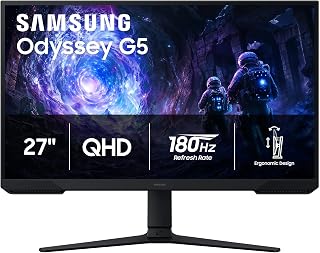
The 180Hz refresh rate delivers smooth tracking during fast-paced gunfights, while the VA panel's 3000:1 contrast ratio helps spot enemies in darker corners and shadowed angles. The 1440p resolution at 27 inches provides sharp visibility without demanding the GPU overhead of 4K, leaving more performance headroom for higher frame rates. Matte finish reduces glare during long sessions, and the 16:9 aspect ratio matches the game's native format without stretching or cropping.
Pros
- 180Hz and 1ms response time reduce motion blur for tracking targets
- Black Equalizer brightens dark corners without washing out the image
- QHD resolution balances sharpness with GPU performance
- 3000:1 VA contrast helps read darker maps clearly
Cons
- Requires capable GPU to reach 180fps at 1440p
- VA viewing angles narrower than IPS panels
Valorant rewards players who can track heads through smokes and react to pixel-wide peeks, and the 27-inch Odyssey G5 delivers the clarity and speed that competitive advantage demands. The 180Hz refresh rate cuts motion blur significantly compared to standard 60Hz panels, letting you track strafing opponents with less judder. Pair that with the 1ms response time and AMD FreeSync support, and you get fluid, tear-free frames that help you land headshots in those critical 1v1 duels. The QHD 1440p resolution is a sweet spot for Valorant: sharp enough to spot distant enemies on long sightlines without demanding the GPU horsepower that 4K requires. The Black Equalizer feature is particularly valuable here, brightening shadowy corners where enemies might be holding angles without washing out the overall image. The VA panel delivers strong 3000:1 contrast, making darker maps easier to read. The matte finish cuts down glare during marathon ranked sessions, and the adjustable stand lets you dial in the perfect height and tilt for crosshair placement. Setup is simple with dual HDMI and DisplayPort options.
Display: 27-inch QHD VA panel, 2560 x 1440 resolution, 16:9 aspect ratio, 178-degree viewing angles
Performance: 180Hz refresh rate, 1ms response time (MPRT), 300 cd/m brightness, 3000:1 contrast ratio
Features: HDR10, AMD FreeSync, Black Equalizer, matte screen finish
Connectivity: 2x HDMI, 1x DisplayPort, 1x power connector
Design: Adjustable stand with tilt, pivot, and height settings, desk mount, flat panel shape
Dimensions: 24.34 inches wide, 9.22 inches deep, 20.5 inches tall, 10.1 pounds
Power: 35 watts consumption, 240 volts
Warranty: 1-year manufacturer coverage

The 144Hz refresh rate provides noticeably smoother motion than standard displays, helping with consistent crosshair tracking during spray patterns. The 1ms response time reduces motion blur when snapping between targets, while the IPS panel maintains accurate color for distinguishing player models. At 24 inches with 1080p resolution, the display offers high pixel density and fits comfortably on smaller desks. The slim bezel design minimizes distractions during focused play.
Pros
- 144Hz and 1ms response time at budget-friendly positioning
- TÜV flicker-free and low blue light for eye comfort
- 102% color gamut and IPS viewing angles
- VESA mount and tilt adjustment for ergonomic flexibility
Cons
- Single HDMI port limits multi-device setups
- 1920x1080 resolution offers lower pixel density than 27-inch alternatives
Valorant thrives on high refresh rates and low response times, and the MSI PRO MP243L E14 brings both to players on tighter budgets. The 144Hz refresh rate provides noticeably smoother crosshair tracking and peeking compared to standard 60Hz displays, while the 1ms response time keeps pixel transitions sharp during spray transfers and counter-strafing. FreeSync eliminates screen tearing when your frame rate fluctuates, maintaining visual consistency across rounds. The IPS panel delivers 178-degree viewing angles and 102% color gamut coverage, ensuring agent silhouettes remain distinct against map textures without color shifting. At 24 inches with 1920x1080 resolution, the display hits the competitive sweet spot for clarity without demanding excessive GPU resources that would tank your frame rate. TÜV-certified flicker-free technology and low blue light reduction address eye strain during extended ranked sessions, backed by MSI's Eye-Q Check tool for display tuning. The matte finish cuts glare in bright rooms, and the tilt-adjustable stand offers minus 5 to plus 20 degrees of range. VESA 100x100mm compatibility supports monitor arms for ergonomic setups. The single HDMI port limits multi-device convenience, and the legacy VGA port feels dated but ensures compatibility with older systems.
Budget-conscious Valorant players who need high refresh performance without premium pricing will find the 144Hz and 1ms response time sufficient for ranked play. Students or casual gamers balancing school, work, and gaming benefit from the eye comfort features and productivity-friendly IPS panel. Skip this if you compete at high ranks or in tournaments where 240Hz+ refresh rates provide measurable advantages. Also pass if you connect multiple devices simultaneously, as the single HDMI port requires cable swapping.

The 120Hz refresh rate offers a meaningful upgrade from 60Hz displays for smoother gunplay and movement tracking. The IPS panel delivers consistent color accuracy to help spot enemies against complex backgrounds, while the 1080p resolution at 27 inches maintains performance on budget systems. The matte finish reduces glare, and the display provides a larger viewing area than 24-inch options while remaining affordable for players prioritizing refresh rate over extreme specs.
Pros
- 120Hz and 1ms response time improve target tracking and reaction speed
- IPS panel delivers better colors and viewing angles than TN alternatives
- FreeSync eliminates screen tearing during intense firefights
- Frameless bezel design maximizes usable screen space
Cons
- 1080p on 27 inches results in lower pixel density than smaller screens
- 250 nits brightness struggles in brightly lit environments
For Valorant players looking to upgrade from a standard 60Hz display without breaking the bank, the Acer KB272 G0bi delivers the core performance needed to track enemies smoothly and react faster in gunfights. The 120Hz refresh rate paired with 1ms response time ensures your crosshair follows targets cleanly through smokes and tight angles, while FreeSync keeps frames synchronized to eliminate distracting tearing during spray transfers. The IPS panel maintains strong color consistency and viewing angles, helping you spot enemy silhouettes against varied map backgrounds more reliably than cheaper TN alternatives. At 27 inches with 1920x1080 resolution, you get a larger view of the battlefield compared to 24-inch competitors, though pixel density sits at around 82 PPI. The matte finish reduces glare during long ranked sessions, and the frameless bezel design keeps visual distractions minimal. Connectivity covers HDMI and VGA, handling most gaming PC setups without issue. While 250 nits brightness is adequate for indoor gaming, it won't overpower sunlit rooms. Build quality is straightforward plastic construction focused on function rather than premium materials.
Display: 27-inch IPS LCD, 1920x1080 Full HD, 16:9 aspect ratio, 250 nits brightness, 100,000,000:1 contrast ratio, 99% color gamut
Performance: 120Hz refresh rate, 1ms VRB response time, FreeSync adaptive sync support, matte screen finish
Connectivity: 1x HDMI, 1x VGA, 1x audio jack
Physical: 24.07 inches wide, 17.44 inches tall, 8.27 inches deep, 4.99 kg weight, tilt adjustment, wall mount compatible
Power & Warranty: 18 watts power consumption, 3-year full parts and labor warranty included
Best suited for budget-conscious Valorant players upgrading from 60Hz who want smoother tracking and better responsiveness without spending on high-end gear. The 120Hz refresh rate offers a meaningful competitive edge in tactical shooters where precise crosshair placement matters. Skip this if you already have a 144Hz or faster display, need 1440p clarity for multi-purpose use, or game in bright rooms where 250 nits may feel dim. Also not ideal if you require DisplayPort connectivity or premium build materials.

The Fast IPS panel combines 180Hz refresh with minimal ghosting, ensuring crisp motion clarity when tracking opponents through smokes and tight corridors. G-SYNC eliminates screen tearing during frame rate fluctuations, keeping aim smooth across varied map locations. The 1440p resolution at 27 inches balances visual detail with performance, and the matte surface prevents environmental glare from interfering with precise crosshair placement during competitive matches.
Pros
- 180Hz and 1ms response time with G-SYNC for tear-free aiming
- Fast IPS balances speed with color accuracy and viewing angles
- QHD resolution delivers sharp visuals without 4K performance cost
- 95% DCI-P3 and DisplayHDR 400 enhance Valorant's art style
Cons
- Requires mid-range or better GPU to hit 180fps at 1440p
- Some players may notice pixel grid at 1440p on 27 inches
Valorant's precise gunplay and ability timing demand a display that can keep up with your reactions, and the Alienware AW2725DM balances speed, clarity, and color accuracy without requiring a top-tier GPU. The 180Hz refresh rate paired with 1ms gray-to-gray response time produces smooth, responsive motion that helps you track strafing duelists and adjust crosshair placement mid-spray. NVIDIA G-SYNC ensures frames stay synchronized with your GPU, eliminating the tearing and stuttering that can throw off your aim during critical rounds. The QHD 1440p resolution on a 27-inch fast IPS panel delivers sharp agent models and map details while remaining easier to drive than 4K, making it accessible for mid-range gaming rigs. The fast IPS technology preserves color accuracy and wide viewing angles, useful for reviewing VODs or streaming ranked gameplay. With 95% DCI-P3 coverage and DisplayHDR 400 certification, the display handles Valorant's vibrant art style convincingly while adding depth to darker corners and angles. The matte finish resists glare during long sessions, and Alienware's build quality ensures the stand stays stable through aggressive mouse swipes. VESA mounting support offers flexibility for arm setups.
Display: 27-inch QHD (2560 x 1440) IPS panel, 16:9 aspect ratio, matte finish
Refresh Rate: 180Hz
Response Time: 1ms gray-to-gray
Color Gamut: 95% DCI-P3
HDR: DisplayHDR 400 certified
Sync Technology: NVIDIA G-SYNC
Additional Features: Console mode, hardware blue light filter, VESA mountable
Brand: Alienware (Dell)
This monitor suits competitive Valorant players seeking a responsive QHD display with accurate colors, especially those running mid-range GPUs like RTX 4070 or equivalent that can push 180fps consistently. The fast IPS panel appeals to players who also create content or play story-driven games alongside ranked grinds. Skip this if you already own a 240Hz or 360Hz panel and notice the difference, or if you prefer TN panels for absolute lowest response times. Also pass if your budget or GPU limits you to 1080p.

The QD-OLED panel delivers true blacks and instantaneous 0.03ms response time, eliminating motion blur and revealing enemies hiding in dark corners with perfect clarity. The 240Hz refresh rate ensures buttery-smooth tracking, while the 1440p resolution balances detail with performance. The 1,500,000:1 contrast ratio provides unmatched visibility across varied lighting conditions. HDMI 2.1 support future-proofs the display, and height adjustment helps achieve optimal ergonomic positioning for extended sessions.
Pros
- 0.03ms response time with VESA ClearMR 13000 for unmatched motion clarity
- Quantum Dot OLED with 99% DCI-P3 and 1.5M:1 contrast improves enemy visibility
- 240Hz at 1440p balances competitive smoothness with sharp image detail
- Silent passive cooling and 4-way adjustable stand for optimal setup
Cons
- OLED panel requires burn-in management with static HUD elements
- Glossy finish reflects ambient light in bright environments
When milliseconds separate winning duels from losing rounds in Valorant, the MSI MAG 274QP QD-OLED X24 delivers the fastest response time available. Its 0.03ms Grey-to-Grey speed achieves VESA ClearMR 13000, the highest motion clarity rating possible, ensuring crosshair precision stays locked even during rapid spray transfers or instant flicks. The 240Hz refresh rate turns micro-corrections into fluid motion, while the Quantum Dot OLED panel produces true blacks and vibrant colors that make enemy outlines pop against any background. With 99% DCI-P3 coverage and a native 1.5 million to one contrast ratio, spotting opponents in shadowed corners or backlit doorways becomes noticeably easier. The 2560x1440 resolution on 27 inches sharpens text and UI elements without sacrificing competitive frame rates on modern GPUs. Adaptive-Sync handles variable frame rates smoothly, and dual HDMI 2.1 plus DisplayPort 1.4a support both high-end PCs and consoles at full resolution and refresh rate. The passive graphene heatsink operates silently while keeping the panel cool, and the 4-way adjustable stand allows precise ergonomic positioning. OLED Care 2.0 software actively manages burn-in prevention through pixel shifting. The glossy finish enhances color vibrancy but can reflect room lighting.
Display Panel: 27-inch Quantum Dot OLED, 2560x1440 (WQHD), 16:9 aspect ratio, 178-degree viewing angles
Performance: 240Hz refresh rate, 0.03ms response time (Grey-to-Grey), VESA ClearMR 13000 rating, 1.07 billion colors (10-bit), 99% DCI-P3 color gamut
Brightness and Contrast: 400 nits peak brightness, 1.5M:1 native contrast ratio, HDR support
Connectivity: DisplayPort 1.4a, dual HDMI 2.1 with CEC, compatible with PC, Mac, and gaming consoles
Design: 4-way adjustable stand (height, tilt, swivel, pivot), VESA 100mm wall mount compatible, passive graphene heatsink, 20.7 lbs, glossy screen finish
Software: Gaming Intelligence with OLED Care 2.0 burn-in prevention, AI Crosshair, console modes, game assistance
Warranty: 3-year manufacturer coverage
Built for serious Valorant competitors and high-level players who demand the absolute fastest response time and best image quality to maximize their performance edge. The combination of 0.03ms response, 240Hz, and OLED contrast gives tangible advantages in spotting and tracking enemies. Worth considering if you also create content and need professional color accuracy. Skip this if you're on a tight budget, have concerns about OLED longevity with static UI elements, or game in bright rooms where the glossy screen may cause reflections.
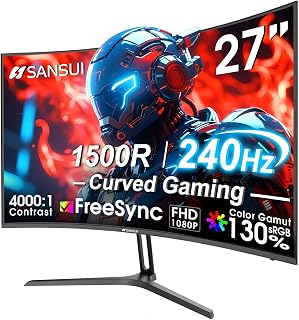
The 240Hz refresh rate ensures ultra-smooth motion during rapid crosshair adjustments and tracking moving targets. The 1500R curve wraps the display around your peripheral vision, creating a more immersive field of view without distortion. The 4000:1 contrast ratio helps distinguish enemies in shadowed positions, while the 1ms MPRT response time minimizes ghosting during fast movements. The 1080p resolution maximizes frame rates on mid-tier hardware without sacrificing competitive responsiveness.
Pros
- 240Hz refresh rate and 1ms response deliver exceptional smoothness for flicks and tracking
- 1500R curve enhances peripheral awareness and reduces eye strain
- 130% sRGB and HDR improve enemy visibility across varied map lighting
- Metal stand with tilt adjustment and VESA mounting adds setup flexibility
Cons
- 1080p resolution less sharp than higher-res alternatives
- Limited viewing angles require centered positioning
Valorant rewards fast inputs and clear enemy visibility, and the SANSUI ES-G27C1 PRO addresses both with a 240Hz refresh rate that turns micro-adjustments and flicks into smooth, precise movements. The 1ms MPRT response time eliminates ghosting when peeking corners or tracking strafing opponents, while FreeSync keeps gameplay fluid even when frame rates fluctuate during smoke-heavy retakes. The 1500R curve wraps the display around your field of view, making peripheral awareness more natural when holding angles or checking minimap callouts. With 130% sRGB and 95% DCI-P3 coverage, enemy models stand out clearly against map textures, and HDR support adds depth to lighting contrasts without washing out dark corners. The matte finish cuts reflections during extended ranked grinds, and low blue light filtering plus flicker-free technology reduce eye fatigue across multi-hour sessions. The metal stand provides stable tilt adjustment and VESA compatibility for arm mounts. Connectivity includes DisplayPort 1.4 and HDMI with a 3.5mm audio jack for flexible peripheral routing. At 1920x1080, it prioritizes frame rate over resolution, which suits Valorant's competitive focus. Viewing angles require head-on positioning for optimal image quality.
Display: 27-inch curved LED, 1920x1080 FHD resolution, 16:9 aspect ratio, 1500R curvature
Performance: 240Hz refresh rate, 1ms MPRT response time, 4000:1 contrast ratio, 300 nits brightness
Color: 130% sRGB, 95% DCI-P3 color gamut, HDR support
Features: FreeSync adaptive sync, anti-flicker, low blue light, anti-glare matte finish, black level adjustment, game modes, crosshair overlay
Connectivity: DisplayPort 1.4, HDMI, 3.5mm audio jack
Design: Metal stand with tilt adjustment -5 to +15 degrees, VESA 100x100mm compatible
Dimensions: 24.13"W x 17.84"H x 7.66"D, weighs 7.3 lbs
Warranty: 1-year manufacturer warranty with 30-day money-back guarantee and lifetime technical support
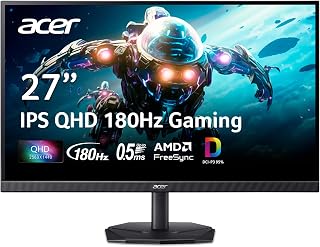
The 180Hz refresh rate provides responsive motion handling for quick flicks and spray control, while the IPS panel delivers accurate color reproduction to distinguish enemy outlines against varied map backgrounds. The 1440p resolution offers sharper detail than 1080p without the performance penalty of 4K, helping with long-range duels. The matte finish reduces distractions from ambient lighting, and the 1000:1 contrast ratio maintains visibility in both bright and dark areas.
Pros
- 180Hz and 0.5ms response time for sharp motion clarity
- 2560x1440 resolution improves target visibility at range
- DCI-P3 95% color accuracy for content work
- Zero-frame bezel supports clean multi-monitor setups
Cons
- Stand stability feels basic compared to premium models
- HDMI limited to 120Hz, DisplayPort required for 180Hz
Valorant rewards pixel clarity and motion precision, and the Acer Nitro KG271U delivers both through its 2560x1440 QHD resolution and 180Hz refresh rate. The 0.5ms response time keeps crosshair tracking crisp during spray transfers and flick shots, while AMD FreeSync eliminates the tearing that disrupts aim consistency. The IPS panel maintains 178-degree viewing angles with DCI-P3 95% color coverage, ensuring enemy outlines remain distinct against complex map backgrounds. At 27 inches, the QHD resolution provides enough screen real estate to spot distant angles without forcing you to squint, yet stays sharp enough for close-range duels. The matte finish cuts glare during long ranked sessions, and the zero-frame bezel works well in multi-monitor setups for streaming or VOD review. DisplayPort connectivity unlocks the full 180Hz capability, though HDMI caps at 120Hz. The included stand offers basic tilt but may feel less stable than premium alternatives. For Valorant players climbing ranked or practicing lineups, this monitor balances competitive refresh rates with the clarity needed to track heads across Haven or Ascent.
Display: 27 inches, IPS LCD, 2560x1440 (QHD), 16:9 aspect ratio, matte finish
Performance: 180Hz refresh rate, 0.5ms response time (GTG), 1000:1 contrast ratio, 250 nits brightness
Color: DCI-P3 95%, HDR 10 support, 178-degree viewing angles
Connectivity: DisplayPort (1), HDMI (2), built-in speakers
Physical: 24.2" W x 18.14" H x 8.28" D, 5.5 kg, tilt adjustment, wall mount compatible
Power & Warranty: 26W power consumption, 3-year parts and labor warranty
Included: Display, DisplayPort cable, power cord, stand
Valorant players seeking QHD clarity alongside high refresh rates will appreciate the 180Hz performance and 0.5ms response time for precise crosshair placement. Content creators who stream or review gameplay benefit from the DCI-P3 95% color accuracy and multi-monitor compatibility. Skip this if you prioritize pure refresh rate over resolution; 1080p 240Hz or 360Hz monitors deliver faster motion at lower fidelity. Also pass if desk space is tight, as the stand footprint is larger than compact 24-inch alternatives.
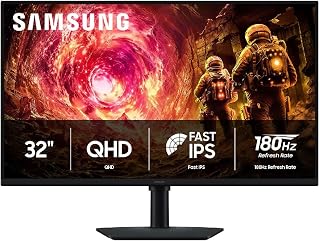
At 32 inches with 1440p resolution, this display offers a wider field of view for tracking multiple angles without sacrificing clarity. The IPS panel ensures consistent color and visibility from off-center viewing positions, while the 180Hz refresh rate keeps motion fluid during rapid crosshair adjustments. The larger screen size helps with target acquisition at range, and the matte finish minimizes reflections that could obscure enemy movement in bright scenes.
Pros
- 32-inch size improves minimap and HUD visibility without head movement
- 180Hz and 1ms response time support fast flicks and tracking
- IPS panel maintains color accuracy at wide viewing angles
- Black Equalizer brightens dark areas for better enemy spotting
Cons
- Lower pixel density than 27-inch 1440p alternatives
- Larger size requires deeper desk setup for optimal viewing distance
Valorant's tactical gameplay benefits from screen real estate that lets you monitor minimap, utility, and sightlines without constantly swiveling your eyes, and the 32-inch Odyssey G5 provides that extra space while maintaining competitive speed. The 180Hz refresh rate and 1ms response time deliver the smoothness needed for flick shots and tracking through sprays, while G-SYNC compatibility keeps frames synced to eliminate tearing during clutch moments. At 1440p, the QHD resolution keeps agent models and map details sharp across the larger panel without the performance cost of 4K. The IPS technology offers wide 178-degree viewing angles and consistent colors, useful when reviewing demos or streaming gameplay. The Black Equalizer feature lets you brighten dark angles and corners where opponents might be lurking, giving you a visibility edge in post-plant situations. HDR10 support adds contrast depth, though Valorant's stylized visuals don't rely on it heavily. The ergonomic stand provides full height adjustment, multiple tilt positions, and 90-degree swivel, letting you position the display for optimal crosshair alignment and posture during long ranked grinds. Cable management is clean, and the matte finish reduces reflections.
Display: 32 inches, QHD (2560 x 1440), IPS panel, 16:9 aspect ratio, matte finish
Performance: 180Hz refresh rate, 1ms response time (GtG), 300 cd/m² brightness, 1000:1 contrast ratio
Color: 99% color gamut, HDR10 support, 178-degree viewing angle
Adaptive Sync: G-Sync compatible, FreeSync support
Connections: 1x DisplayPort, 1x HDMI
Adjustments: Height, tilt, and swivel ergonomic stand
Dimensions: 28.1" W x 24.6" H x 9.9" D
Weight: 10.8 lbs
Warranty: 1-year manufacturer coverage
This monitor is ideal for Valorant players who want more screen space for better situational awareness and prefer a larger display for immersion and comfort during extended sessions. The 32-inch size suits players with deeper desks who can sit back slightly and still see the entire screen. Skip this if you sit very close to your monitor or prioritize the sharpest possible pixel density, as 27-inch 1440p panels offer tighter pixel pitch. Also pass if your GPU can't consistently deliver high frame rates at 1440p in Valorant.

The QD-OLED technology provides instantaneous pixel response and infinite contrast, making enemy silhouettes pop against any background while eliminating motion blur entirely. The 240Hz refresh rate at 1440p delivers exceptional smoothness for competitive play, and the 1,500,000:1 contrast ratio ensures visibility in both bright and dark map areas. NVIDIA G-SYNC Compatible support prevents tearing, while the 27-inch size offers an ideal balance between immersion and maintaining full peripheral awareness.
Pros
- 0.03ms response eliminates motion blur in fast peeks and sprays
- QHD resolution balances clarity and frame rate for competitive play
- QD OLED contrast and color help spot enemies in shadows
- Full ergonomic stand adjusts for perfect aim positioning
Cons
- Glossy screen reflects light in bright setups
- Single HDMI port limits multi-device flexibility
Valorant rewards fast reflexes and precise crosshair placement, and the AOC Q27GAZD delivers exactly what competitive players need. The 240Hz refresh rate paired with a 0.03ms response time ensures every movement registers instantly, giving you the edge in clutch duels and retakes. QHD resolution at 27 inches strikes the perfect balance for tactical shooters: sharp enough to spot enemies at distance without the frame rate cost of 4K. The QD OLED panel brings exceptional color vibrancy and contrast, making it easier to distinguish opponents against complex backgrounds on maps like Bind or Ascent. The 1,500,000:1 contrast ratio means deep blacks and brilliant highlights coexist without washing out details. Build quality includes full ergonomic adjustment (tilt, swivel, pivot, height), so you can dial in your perfect viewing angle for long ranked sessions. Connectivity covers DisplayPort 1.4 and HDMI 2.0 with USB 3.2 hubs for peripherals. NVIDIA G-SYNC compatibility keeps tearing at bay. The glossy finish delivers stunning image quality but works best in controlled lighting to avoid reflections during clutch rounds.
Display: 27-inch QHD (2560x1440), QD OLED, 16:9 aspect ratio, 178-degree viewing angles
Performance: 240Hz refresh rate, 0.03ms (GtG) response time, 1,500,000:1 contrast ratio, HDR400 True Black
Color: 147.6% sRGB, 110.2% DCI-P3 color gamut coverage, Quantum Dot OLED technology
Connectivity: 1x DisplayPort 1.4, 1x HDMI 2.0, USB 3.2, 3.5mm audio jack
Design: Fully adjustable stand (tilt, swivel, pivot, height), VESA mount compatible, 23.99"W x 17.89"H x 7.5"D, weighs 8.03 kg
Additional Features: G-SYNC Compatible, Adaptive-Sync, anti-glare, flicker-free, eye care, frameless design
Warranty: 3-year manufacturer warranty
Buy this if you're a dedicated Valorant player with a mid to high-end GPU who wants tournament-level responsiveness and color clarity for spotting enemies faster. It's ideal for ranked grinders, aspiring pros, and anyone who values both speed and visual precision. Skip it if you game in a bright room where the glossy OLED will reflect ambient light, if you're on a tight budget, or if you need multiple HDMI inputs for consoles alongside your PC. Budget IPS panels offer decent speed at lower cost.
How to Choose a Monitor for Valorant
Refresh Rate and Motion Clarity
For Valorant, 144Hz is a solid starting point, while 180Hz and 240Hz make tracking quick strafes and wide swings feel more immediate. The Dell SE2426HG combines a 240Hz Fast IPS panel with a 0.5ms response claim, and the SANSUI 27 Inch Curved 240Hz Gaming Monitor FHD gives players another 240Hz route with FreeSync, shadow controls, and an on-screen crosshair.
A 240Hz display makes the most sense when your PC can maintain suitably high frame rates at your chosen settings. The MSI MAG 274QP QD-OLED X24 and AOC Q27GAZD both pair 240Hz with a 0.03ms gray-to-gray response rating, offering exceptionally clean motion for players chasing a premium competitive setup; see our guide to 500Hz monitors for competitive gamers if absolute refresh speed is your primary goal.
Choose Resolution Around Your Hardware
FHD is still a smart choice for Valorant because it is easier for many systems to drive at very high frame rates. The Acer KB272 G0bi is a straightforward 27-inch 120Hz IPS option, while the MSI PRO MP243L E14 brings 144Hz, FreeSync, and a compact 23.8-inch FHD format that suits players who prefer a closer viewing distance.
QHD adds noticeably finer detail, which can make distant models, map textures, and desktop use look cleaner without demanding the same GPU power as 4K. The Samsung Odyssey G5 (G51F), Alienware AW2725DM, and Acer Nitro KG271U each combine 27-inch QHD screens with 180Hz performance, making them compelling middle-ground choices; our budget 1440p monitor picks can help you compare more QHD-focused setups.
Panel Type, Contrast, and Enemy Visibility
Fast IPS panels remain an excellent fit for Valorant because they deliver broad viewing angles, reliable color, and quick pixel transitions. The Alienware AW2725DM adds 95% DCI-P3 coverage and DisplayHDR 400, while the Samsung Odyssey G5 (G51F) includes HDR10 and Black Equalizer controls that can help you tailor darker areas without washing out the entire image.
QD-OLED models elevate contrast dramatically, with deep blacks and vibrant color that make dark scenes look more dimensional. The MSI MAG 274QP QD-OLED X24 includes OLED Care features and a fanless graphene heatsink, while the AOC Q27GAZD offers HDR400 True Black and Adaptive-Sync; players interested in higher-resolution flagship displays can also compare our 4K 240Hz monitor recommendations.
Screen Size, Ergonomics, and Connections
A 24-inch FHD monitor keeps the entire HUD and play area comfortably within your central vision, which is why it remains popular for tactical shooters. A 27-inch screen gives you more workspace and stronger immersion, but FHD at that size appears less dense than QHD, so sit a little farther back or prioritize QHD if crisp text and detailed visuals matter to you.
Do not overlook stand adjustment when you play for several hours at a time. The Samsung 32-inch Odyssey G5 (G50F) offers height, pivot, tilt, and swivel adjustment alongside a spacious QHD IPS screen, whereas the SANSUI model has tilt adjustment and VESA support for an arm; use our 32-inch monitor guide for more perspective on larger-screen desk setups.
Final Thoughts
For a focused FHD competitive setup, the Dell 24 240Hz Gaming Monitor – SE2426HG delivers the refresh rate and compact size many Valorant players want. If you want richer contrast, QHD detail, and elite pixel response for both matches and cinematic games, the AOC 27" Gaming Monitor QHD 240Hz QD OLED NVIDIA is the more premium direction.
Frequently Asked Questions
Is 240Hz worth it for Valorant in 2026?
Yes, 240Hz is worthwhile if your PC can regularly produce high frame rates in Valorant. Compared with 144Hz, it provides more frequent visual updates, which can make rapid opponent movement look smoother and reduce the gap between what happens in-game and what reaches your eyes.
However, stable performance matters more than chasing a refresh-rate label. A well-configured 144Hz or 180Hz monitor with consistent frame delivery is often a better experience than a 240Hz screen paired with fluctuating performance.
Should I use 1080p or 1440p for Valorant?
Choose 1080p if your priority is reaching very high frame rates with less GPU demand, especially on a 24-inch display. It is the traditional competitive choice because it keeps motion fluid and makes it easier to sustain the output needed by 240Hz panels.
Choose 1440p if your graphics card can handle it and you also use your monitor for work, media, or single-player games. QHD is especially appealing at 27 inches, where the added pixel density creates sharper text, cleaner map detail, and a more polished all-purpose image.
Is an OLED monitor good for competitive Valorant?
OLED is excellent for competitive play when you want near-instant pixel response, striking contrast, and vivid colors. Fast OLED panels can reduce visible smearing during sudden movement, helping the scene retain definition when you track an opponent across the screen.
You should still consider your daily routine before choosing OLED. Players who leave static desktop elements on screen for long stretches should use the panel-care tools provided and vary content when possible, while IPS remains a dependable, flexible alternative for mixed use.
Can a gaming monitor reduce Valorant input lag?
A high-refresh monitor can lower display-side delay because it updates the image more frequently, but it is only one part of the responsiveness chain. Your frame rate, graphics settings, mouse, CPU performance, and in-game latency all influence how responsive Valorant feels.
A display cannot solve connection problems such as packet loss or unstable wireless coverage. For the network side of a responsive setup, review these WiFi extenders for gaming and prioritize a reliable connection alongside your monitor upgrade.






Write Your Review
No reviews yet. Be the first to share your experience!