

You’re mid-game, OBS is running, and your stream keeps dropping frames. The culprit is almost always your CPU, and specifically whether you have enough cores to handle the simultaneous load of gaming, encoding, and managing your broadcast software. Understanding how many cores you need for streaming is the first step toward a setup that never holds you back.
This guide covers the best desktop processors for streaming in 2026, whether you’re a weekend hobbyist or a creator running back-to-back sessions. If you’re also building out the rest of your rig, our breakdown of the best GPU for Baldur’s gate 3 pairs well with the CPU picks below.
Quick Comparison
Ratings reflect the most recent data pull. Check each listing for current price and availability.
Quick answer
This guide compares 10 picks, with AMD Ryzen 5 9600X 6-Core Zen 5 Processor, 5.4 GHz ranked first. AMD Ryzen 5 5500 6-Core Processor with Cooler, 4.2GHz has the most customer reviews. Intel Core i7-14700KF 14th Gen Gaming & Productivity leads this list on clock speed.

For streamers who just need a dedicated encoding chip alongside a capture box, 6 cores and 12 threads at 3.9 GHz covers OBS overhead without overspending. The 65 watt draw keeps thermals manageable in compact streaming rigs, and Socket AM5 means a straightforward upgrade path once multi-platform simulcasting demands more threads.
Pros
- 65W power draw keeps heat and noise low for long sessions
- 5.4 GHz boost supports smooth gameplay while encoding
- AM5 platform allows DDR5 and PCIe 5.0 for future upgrades
- Unlocked multiplier for overclocking headroom
Cons
- No cooler included in the box
- 6 cores may limit heavier multi-app streaming setups
For a streaming rig in 2026, the question isn't raw horsepower, it's whether a chip can juggle game, encoder, and chat overlay without choking. The Ryzen 5 9600X answers that with 6 cores and 12 threads at a 3.9 GHz base, climbing to 5.4 GHz boost, which is enough headroom for most games to hit 100+ FPS while a background encode runs. Running at just 65 watts keeps heat and noise down, something worth caring about if your streaming setup lives in a closed room for hours at a time. It sits on Socket AM5, so you get DDR5 memory and PCIe 5.0 support on the right board, meaning this build has room to grow as your streaming demands do. For creators who are mostly single-game streaming rather than running OBS alongside heavy multitasking, 6 cores is a sensible, efficient starting point rather than overkill.
Processor Details: AMD Ryzen 5 9600X, 6 cores, 12 threads, Zen 5 architecture, Socket AM5
Clock Speeds: Base 3.9 GHz, Max Boost 5.4 GHz, unlocked multiplier
Power and Thermal: 65W TDP, air cooling recommended, efficient thermal design
Memory and Cache: 38 MB total cache (6 MB L2), DDR5-5600 support
Platform: Socket AM5 compatible, PCIe 5.0 ready on select motherboards, Windows 11 optimized
Package: 3-year manufacturer warranty, cooler not included
Buy this if you're streaming a single game at a time and want an efficient, cool-running chip that won't demand an expensive cooler or power supply. Skip it if you plan to run multiple encoders, heavy chat bots, or simultaneous recording and editing, since 6 cores can get stretched thin under that load. No cooler is included, so budget for one separately.

With 12 cores, 24 threads, and a 4.4 GHz clock, this processor is suited to streamers running game capture, scene switching, and real time encoding simultaneously without stutter. The 76 MB cache helps absorb the extra overhead multi-app streaming setups create, making it a solid pick for anyone scaling past basic single-game broadcasts.
Pros
- 12 cores and 24 threads handle game plus encoding simultaneously
- 5.6 GHz boost keeps gameplay smooth under streaming load
- Socket AM5 platform is mature with wide motherboard support
- Extra threads help with VOD editing between streams
Cons
- Runs hot under sustained load, needs quality aftermarket cooling
- Older AM5 boards may need a BIOS update for full compatibility
Streaming setups in 2026 increasingly mean one PC handling capture, encoding, scene switching, and the game itself, and that's where 12 cores and 24 threads earn their keep. The Ryzen 9 9900X gives you enough thread headroom to run OBS or similar software alongside chat overlays, browser sources, and the game without starving any single task. At 4.4 GHz base and 5.6 GHz boost on Socket AM5, it handles the encoding overhead that single-PC streaming demands while still keeping frame rates high in the game itself. The 120 watt rating is reasonable for a chip this capable, though it does run warm under sustained load, so plan for solid cooling if you're streaming for hours at a time. For anyone building a dedicated streaming and gaming rig rather than a pure gaming box, this is a sensible core count to land on. It also leaves room to grow into video editing or VOD production work between streams, since the extra threads translate directly into faster exports.
Buy this if you're streaming from a single PC and need cores free for encoding, chat, and overlays while gaming. It also suits streamers who edit VODs or highlight reels afterward. Skip it if you stream from a dedicated second PC or capture card setup, where fewer cores and a gaming-focused chip would do the job just as well, or if you're not ready to invest in proper cooling.
Processor Core Specs: 12 cores, 24 threads, Zen 5 architecture, base clock 4.4 GHz, max boost 5.6 GHz, 76 MB total cache (12 MB L2 + 64 MB L3).
Platform & Memory: Socket AM5, DDR5-5600 support, PCIe 5.0 capable on select motherboards, 120-watt TDP.
Compatibility: Windows 11 and Linux compatible, unlocked for overclocking, requires Socket AM5 motherboard (700/800 series recommended).
Package: Processor only, cooler not included, 3-year manufacturer warranty included.

This chip's 8 cores and 16 threads paired with a large cache favor the gaming side of streaming, keeping frame rates high while leaving enough headroom for a software encoder running in the background. Anyone prioritizing smooth gameplay over juggling a dozen background apps gets a CPU built for exactly that balance.
Pros
- 8 cores and 16 threads balance gaming and background streaming tasks
- 96 MB L3 cache reduces stutter under load
- 89 degree max operating temperature keeps cooling needs reasonable
- Integrated Radeon graphics as a basic fallback
Cons
- Requires an AM5 motherboard, which may mean a platform upgrade
- Needs adequate cooling and power delivery to perform as intended
A streaming setup lives or dies on how smoothly the game runs while something else, usually an encoder or capture software, works in the background. The Ryzen 7 7800X3D is built for exactly that kind of pressure, pairing 8 cores and 16 threads with a 4.2 GHz clock and 96 MB of L3 cache, which keeps frame rates high and reduces the stutters that can show up on stream when a system is under load. That large cache is particularly useful for streaming, since it helps data move quickly between the game and whatever capture or encoding tool is running alongside it. Thermal behavior is reasonable, with a peak operating temperature of 89 degrees, so cooling demands stay in check relative to its performance tier. Integrated Radeon graphics offer a basic fallback, though a dedicated GPU is what you'll actually want for both gaming and encoding quality on stream. The catch is platform cost, since it requires an AM5 motherboard and solid power delivery to perform as intended.
Processor Specifications: The Ryzen 7 7800X3D features 8 CPU cores with 16 threads for efficient parallel processing. Clock speed reaches 4.2 GHz, with a maximum operating temperature of 89 degrees Celsius. The processor uses Socket AM5 for motherboard compatibility and employs a 5nm manufacturing process for superior efficiency.
Cache and Memory: This processor includes 8 MB of L2 cache and an impressive 96 MB of L3 cache, totaling 104 MB of high-speed memory. This substantial cache configuration significantly reduces memory latency and improves data throughput for demanding applications.
Graphics: Integrated AMD Radeon Graphics with a graphics frequency of 2200 MHz provides baseline graphics capability for general computing and light multimedia tasks without requiring a dedicated graphics card.
Buy this if you want strong, consistent frame rates while running capture and encoding software on the same machine, and you're fine investing in an AM5 motherboard. Skip it if you're on a tight budget or already have an AM4 system you want to keep using, since the platform jump adds cost beyond the chip itself.

Streamers who want their gameplay itself to feel flawless will appreciate the 4.7 GHz clock speed on 8 cores and 16 threads, since gaming performance leans heavily on fast single core response. It still has enough threads to handle a software encoder running alongside, making it a strong fit for stream quality that depends on game smoothness first.
Pros
- 96MB 3D V-Cache delivers consistent frame times for stream quality
- Strong 1% lows reduce visible stutter on camera
- Manageable 140 watt power draw with aftermarket cooling
- Drop-in compatible with existing AM5 motherboards
Cons
- Fewer threads than Ryzen 9 options limit single-PC streaming headroom
- CPU cooler not included and must be bought separately
For a streaming build, the question isn't just how many cores you need, it's whether those cores keep gameplay smooth once encoding is layered on top. The Ryzen 7 9800X3D's 96MB of 3D V-Cache is built exactly for that kind of consistency, delivering stable frame times and strong 1% lows that matter when viewers are watching every stutter in real time. Its 8 cores and 16 threads are fewer than the Ryzen 9 options, so this chip suits streamers who offload encoding to a second PC or a capture card rather than running everything on one machine. In that setup, this is one of the strongest gaming CPUs available, and the saved headroom goes straight into frame rate rather than background tasks. At 140 watts it's manageable with a good aftermarket cooler, and the AM5 platform makes it a drop-in upgrade for existing systems. If your streaming workflow is single-PC with heavy encoding demands, this isn't the right core count, but as a dedicated gaming half of a two-PC streaming setup, it's hard to beat.
Cores and Threads: 8 cores, 16 threads
Architecture: Zen 5 with 3D V-Cache
Base Clock: 4.7 GHz
Boost Clock: Up to 5.2 GHz
Cache Memory: 96MB L3 cache, 8MB secondary cache
Socket: AM5
Power Consumption: 140 watts
Manufacturing Process: Advanced node (Zen 5)
Compatibility: Windows 11, requires external cooler
Best For: This CPU excels for competitive gamers, esports players, AAA gaming enthusiasts, content creators, and anyone building a high-performance workstation. If you play demanding games, edit video, stream, or multitask heavily, the 9800X3D delivers performance that justifies the investment.
Consider If: You own an older CPU from the Ryzen 5000 or 7000 series and want the fastest gaming performance available. The generational jump offers meaningful real-world improvements in frame consistency and 1% lows across modern games.
Skip If: You primarily game at 1440p or lower resolutions on a mid-range GPU, where CPU performance is rarely the limiting factor. Also reconsider if you already own a 7800X3D, as the upgrade benefits are incremental unless you're targeting high-resolution content creation.
For creators running the heaviest streaming setups, think multi-camera capture, real time encoding, and simultaneous recording, 16 cores and 32 threads with a 16 MB secondary cache give enough headroom to avoid dropped frames under full load. This fits anyone building a rig meant to handle demanding multi-platform streaming without compromise.
Pros
- 16 cores and 32 threads cover gaming, encoding, and overlays at once
- Efficient idle power scaling keeps thermals in check during lighter loads
- PCIe 5.0 support on select AM5 boards future-proofs capture hardware
- Backed by a 3-year manufacturer warranty
Cons
- Runs hot near 200W under full load, requiring a quality liquid cooler
- More core count and power draw than casual streamers need
If you want one PC to do everything, game at high frame rates while encoding your stream, running chat, and overlays, the core count conversation points toward the Ryzen 9 9950X. Its 16 cores and 32 threads give streaming software a generous allotment of dedicated threads without touching what the game itself needs, which matters once your scene setup grows beyond a basic webcam overlay. The chip is efficient about it too, idling around 40W and scaling up only when the workload demands it, so you're not paying a thermal penalty during lighter moments of a stream. Socket AM5 with PCIe 5.0 support on select boards means the platform has room to grow as capture cards and storage get faster. The tradeoff is heat and power under full load, nearing 200W, so this build needs a quality liquid cooler and a case with real airflow. For streamers running demanding games alongside heavy encoding and multiple scene sources, this is the core count that gives the most breathing room.
Processor: AMD Ryzen 9 9950X
Cores/Threads: 16 cores, 32 threads
Architecture: Zen 5
Base/Boost Clock: 4.3 GHz base, 5.7 GHz max boost
Socket: Socket AM5 (AM5 platform)
TDP: 170 watts
Cache: 80 MB total (16 MB L2)
Memory Support: DDR5-5600
Platform Features: PCIe 5.0 support on select motherboards
Warranty: 3-year manufacturer warranty
Unlocked: Yes, for overclocking
Buy this if you're building a single-PC streaming rig for demanding games with heavy scene complexity, multiple overlays, or simultaneous recording and streaming. The thread count is also useful if you edit stream highlights afterward. Skip it if your streaming needs are modest, such as a single webcam and basic overlay, where this much core count goes unused.
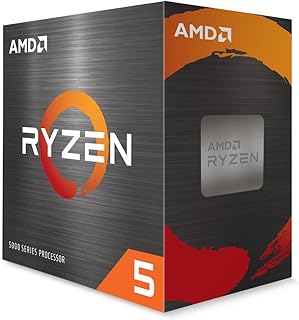
For anyone easing into streaming without a huge budget, 6 cores and 12 threads at a 4.2 GHz clock handle a game plus a lightweight encoder without choking. The included cooler simplifies the build, and Socket AM4 keeps this an accessible entry point for first time streamers testing their setup before upgrading further.
Pros
- Includes Wraith Stealth cooler for quiet, low-temperature operation
- Low 65W TDP suits small form factor and efficiency-focused builds
- 4.2 GHz boost clock handles 1080p gaming smoothly
- AM4 platform offers affordable backward compatibility
Cons
- 6 cores may feel constraining once encoding and chat run alongside gaming
- No PCIe 4.0 support, limiting high-end NVMe storage options
For a streaming setup, core count determines how much you can do at once, and the Ryzen 5 5500's 6 cores and 12 threads set a practical floor for what that looks like. This is a budget chip meant for 1080p gaming and light productivity, and streaming adds a layer of demand that pushes those 6 cores closer to their limit, especially once encoding, chat, and overlays run alongside the game. It can work for casual or occasional streaming at lower bitrates, particularly if a GPU-based hardware encoder offloads the encoding work rather than relying on the CPU. The included Wraith Stealth cooler keeps the 65W chip quiet and cool, which suits small form factor builds where thermal headroom is limited. AM4 compatibility also makes it an affordable way to get into streaming if you already own compatible motherboards or memory. The real question for this title is whether 6 cores is enough margin, and for serious or multi-source streaming setups, it likely isn't.
Core Architecture: 6 cores, 12 threads, Zen 3, Cezanne variant
Clock Speed: 3.6GHz base, 4.2GHz max boost
Cache: 19MB (16MB L3 + 3MB L2)
Socket: Socket AM4
TDP: 65 watts
Memory Support: DDR4-3200
PCIe Support: PCIe 3.0
Cooling: Wraith Stealth (included)
Warranty: 3 years
Overclocking: Unlocked multiplier
Consider this only if your streaming plans are casual, low-bitrate, or rely on a GPU encoder to offload work from the CPU. It suits budget builds and small form factor systems where efficiency matters more than headroom. Skip it if you plan to stream with multiple overlays, high bitrates, or CPU-based encoding, since the 6-core count was flagged as constraining for exactly those multithreaded workloads.

Pros
- Efficient hybrid architecture balances performance and power efficiency for mixed workloads
- Excellent value proposition with strong multi-core performance at a mid-range price point
- Low thermal footprint makes it suitable for compact or budget-friendly cooling solutions
- Modern connectivity standards ensure compatibility with current and upcoming hardware
- Integrated graphics handles everyday tasks and light gaming without discrete GPU investment
Cons
- No dedicated thermal solution included despite 65W rating means you'll need to purchase a compatible cooler separately
- LGA1851 socket limits compatibility to newer Intel 800-series motherboards, excluding older platforms
- Integrated graphics cannot match dedicated GPUs for demanding gaming titles or professional 3D work
The Intel Core Ultra 5 225 is a mid-range desktop processor designed for users seeking reliable performance in gaming, content creation, and everyday productivity. With its hybrid architecture combining 6 performance cores and 4 efficiency cores, this processor intelligently distributes workloads to maximize responsiveness while minimizing power draw. It's an excellent fit for budget-conscious builders who want modern features without premium pricing.
Performance-wise, the Core Ultra 5 225 handles most gaming titles smoothly at 1440p with moderate to high settings, while also managing video editing, streaming, and multitasking without lag. The up to 4.9 GHz boost speed kicks in when needed, and the 22 MB cache keeps frequently accessed data readily available. PCIe 5.0 support future-proofs your system for high-speed NVMe storage and graphics cards, while DDR5 compatibility maximizes memory performance for demanding applications.
The build quality is straightforward and functional. At just 65W thermal design power, this processor runs cool and quiet, making it ideal for smaller cases or systems with modest cooling budgets. The included Intel Laminar RM2 cooler provides adequate thermal management for standard use, though enthusiasts may prefer upgrading to a beefier solution for quieter operation during sustained loads.
The main limitation is the LGA1851 socket, which locks you into Intel's newer 800-series chipset motherboards. Additionally, the integrated graphics, while capable for everyday tasks and light gaming, won't match dedicated GPUs for demanding 3D work or high-refresh gaming experiences.
Overall, the Intel Core Ultra 5 225 delivers solid value as a capable mid-range processor for builders prioritizing efficiency, modern features, and balanced performance without paying flagship prices.
Processor Details: Intel Core Ultra 5 Series, Model 225, LGA1851 socket, 10 cores (6 P-cores + 4 E-cores), 14 threads, 22 MB cache, 4.4 GHz base clock, up to 4.9 GHz boost, 65W TDP.
Connectivity and Memory: PCIe 5.0 and 4.0 support, DDR5 memory compatible, Intel Optane Memory support enabled, integrated Intel Graphics.
Compatibility: Works exclusively with Intel 800-series chipset motherboards. Includes Intel Laminar RM2 thermal solution. 3-year limited warranty included.
Who Should Buy: Gamers on a budget, content creators working with 1080p to 1440p projects, system builders wanting modern platform features without high power bills, and users seeking reliable multitasking performance for productivity software.
Who Should Skip: Hardcore gamers targeting 4K high-refresh gaming, professional video editors working with 4K and above, data center applications requiring server-class processors, and users with existing Intel 700-series or AMD platforms looking to upgrade.
Platform Consideration: Ensure your motherboard uses the Intel 800-series chipset (not 700-series). Budget for DDR5 RAM compatibility to unlock full performance potential. Consider your cooling needs based on workload intensity, as the included cooler handles standard use but may struggle during heavy sustained loads.
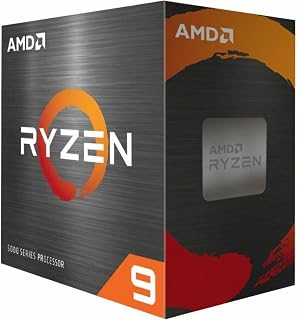
Streamers juggling game, encoder, chat overlay, and a browser full of alerts benefit from 16 cores and 32 threads splitting that load cleanly. The 72 MB combined cache helps keep frame-heavy encoding smooth while gaming, and running on the mature AM4 socket makes this a budget-friendly way to add serious thread count to an existing build.
Pros
- 16 cores and 32 threads handle heavy multitasking during streams
- 4.8 GHz boost and 72 MB cache keep workloads responsive
- Reuses existing AM4 and DDR4 hardware to save on a platform change
- PCIe 4.0 support for modern storage
Cons
- Requires an aftermarket cooler, not included
- Split CCD design is less ideal for pure gaming performance than X3D chips
Streaming in 2026 increasingly means running the game, the encoder, scene switching software, and often a second task like recording or chatting with viewers, all at once. That's where thread count starts to matter more than clock speed, and the Ryzen 9 5900XT brings 16 cores and 32 threads to the table, built on Zen 3 with a 4.8 GHz boost clock and 72 MB of cache. For streamers who also edit VODs, run complex overlays, or want to encode at higher bitrates without stealing performance from the game itself, this core count gives real breathing room. It runs on the mature AM4 platform, which matters for anyone with existing DDR4 memory and an AM4 board looking to upgrade a streaming PC without a full platform change. At 105W it needs a proper aftermarket cooler, but thermals are manageable with the right setup. The split CCD design means it isn't the top pick for pure gaming frame rates, but for the multitasking demands of a serious streaming setup, the extra threads pay off.
Buy this if your stream setup involves heavy multitasking, like simultaneous encoding, recording, and chat tools, and you already have an AM4 board and DDR4 memory to reuse. Skip it if you want the best possible gaming frame rates or you're starting fresh on a new platform, since AM4 is an older generation and X3D chips favor gaming more directly.
Core Configuration: 16 cores, 32 threads with Zen 3 architecture
Clock Speeds: 3.3 GHz base, 4.8 GHz max boost
Cache: 72 MB total (8 MB L2)
Socket: AM4 (DDR4-3200 support)
Power: 105W TDP
Features: Unlocked for overclocking, PCIe 4.0 support
Compatibility: Windows 11 and earlier, requires aftermarket cooling
Warranty: 3-year manufacturer coverage

The hybrid design of 8 performance cores plus 12 efficiency cores suits streamers who want gaming threads prioritized while background tasks like chat bots or recording get offloaded elsewhere. A 5.6 GHz peak speed keeps gameplay responsive, and the 20 total cores give streaming software plenty of room to work without starving the game.
Pros
- 20 cores and 28 threads handle game plus encoding plus chat simultaneously
- Up to 5.6 GHz keeps gameplay smooth under multitasking load
- DDR4/DDR5 and PCIe 5.0/4.0 support leave upgrade paths open
- 3-year warranty backs long-term reliability
Cons
- Runs hot and needs quality aftermarket cooling
- No integrated graphics, so a discrete GPU is required
Streaming in 2026 usually means more than one task running at once: the game itself, encoding software like OBS, a browser with chat and alerts, and maybe Discord in the background. That workload pattern is exactly where core count matters more than raw clock speed, and the i7-14700KF brings 20 cores (8 performance, 12 efficiency) and 28 threads to split that load intelligently. The performance cores can carry the game while efficiency cores handle encoding and chat overlays without eating into frame rate. Up to 5.6 GHz turbo keeps gameplay responsive even while those background processes run. For streamers planning a single-PC setup rather than a dedicated capture rig, this amount of headroom means fewer dropped frames and smoother broadcasts during demanding scenes. LGA 1700 compatibility with DDR4 or DDR5 and PCIe 5.0 or 4.0 also means the platform can grow alongside future capture cards or storage upgrades. The tradeoff is heat and the need for a discrete GPU, both manageable with proper planning.
Processor Details: Intel Core i7 14th Generation (Raptor Lake Refresh), Model BX8071514700KF, 20 cores (8 P-cores + 12 E-cores), 28 threads, LGA 1700 socket, 5.6 GHz max boost frequency, 125W base power, 33 MB cache (8 MB L2 + 30 MB L3), unlocked multiplier.
Memory Support: DDR4 and DDR5 platforms supported with up to 192GB capacity, backward compatible with Intel 600 series chipsets (with BIOS update) and Intel 700 series chipsets including Z790, H770, and B770 boards.
Advanced Features: PCIe 5.0 and PCIe 4.0 support, Intel Turbo Boost Max Technology 3.0, Intel Virtualization Technology (VT-x), AES-NI encryption, 14nm manufacturing process. Discrete GPU required as this variant includes no integrated graphics.
Buy this if you stream with a single PC and need the processor to handle encoding, chat, and overlays while gaming without hurting frame rate. Also fits creators who stream and edit footage afterward. Skip it if you use a separate capture PC or dedicated hardware encoder, since you won't need this much multitasking headroom, or if you're not ready to invest in aftermarket cooling and a discrete GPU.

Entry level streamers testing the waters will find 10 cores split across 6 performance and 4 efficiency cores enough to run a game and a basic encoding setup together. Clock speeds up to 4.7 GHz keep gameplay feeling responsive, making this a practical starting point before committing to a higher core count build.
Pros
- 10 cores and 16 threads balance gaming and encoding well
- Includes Laminar RM1 cooler, no immediate aftermarket cooling needed
- PCIe 5.0 support and 20MB cache keep it relevant longer
- Works with both 600-series and 700-series motherboards
Cons
- No integrated graphics, so a discrete GPU is required
- Older 600-series boards may need a BIOS update first
Not every streamer needs a flagship chip, and the i5-14400F is built for the setup most people are actually running: a single game plus OBS plus a browser, not a dozen background apps. Its 10 cores (6 performance, 4 efficiency) and 16 threads give the hybrid architecture enough room to keep the game on performance cores while encoding and chat run on efficiency cores. Reported temperatures around 60°C in gaming and 75°C under heavy load suggest it stays manageable even when streaming adds extra demand. The 20MB cache and PCIe 5.0 support mean the platform won't feel outdated as streaming software gets more resource-hungry. It also ships with Intel's Laminar RM1 cooler, so there's no immediate need to budget for aftermarket thermal solutions just to get started. For anyone building a first streaming PC or upgrading from an older non-hybrid chip, this is enough processor to stream comfortably at 1080p or 1440p without reaching for a higher core count than the task calls for.
Core Configuration: 10 cores total, 6 Performance cores plus 4 Efficiency cores, 16 threads for parallel processing.
Clock Speeds: Base frequency of 2.5 GHz with boost capability up to 4.7 GHz. 20MB smart cache optimizes frequently accessed data retrieval.
Platform Support: Socket LGA1700 compatible with Intel 600 and 700 Series chipsets. Supports both DDR4 and DDR5 memory standards plus PCIe 5.0 and 4.0 connectivity for maximum flexibility.
Thermal Efficiency: 65W processor base power with 148W max thermal design point. Includes Laminar RM1 cooler in box for immediate use.
Good fit for streamers who want solid encode-while-gaming performance without needing extreme multitasking headroom, especially first-time builders. Also works for creators who stream occasionally and edit video on the side. Skip it if you plan to run many simultaneous background apps, multiple capture sources, or heavy real-time video processing, where a higher core count chip would hold up better.
What to Look for in a Streaming CPU
Core Count: The Foundation of Smooth Streaming
For light streaming with minimal background apps, six cores is generally the entry point. The fast storage access you get from a solid build matters here too, but the CPU carries the heaviest load when encoding in real time.
If you game and stream simultaneously, eight cores is the sweet spot. Processors like the AMD Ryzen™ 5 9600X 6-Core handle light-to-moderate streaming well, while the AMD Ryzen 7 7800X3D 8-Core and AMD RYZEN 7 9800X3D 8-Core give you more headroom for demanding titles alongside OBS or Streamlabs.
Single-Core Speed vs. Multi-Core Throughput
Games are still largely single-threaded workloads, so raw clock speed matters for frame rates. Encoding, however, benefits from distributing work across multiple cores. You want a CPU that excels at both.
The AMD Ryzen™ 9 9900X 12-Core with its 5.6 GHz max boost and 12 cores handles gaming and software encoding with room to spare. The Intel Core i5-14400F Desktop Processor 10 cores is a practical hybrid-architecture option that splits workloads between performance and efficiency cores, keeping your stream stable without overloading any single thread.
Hardware Encoding vs. Software Encoding
If your GPU handles encoding via NVENC or AMD’s equivalent, your CPU demand drops significantly. In that case, six to eight cores may be perfectly sufficient even for high-quality 1080p60 streams.
Software encoding, used when you want maximum quality control through x264 or x265, puts far more pressure on your processor. Here, moving up to 12 or 16 cores makes a real difference. The AMD Ryzen™ 9 9950X 16-Core is built for exactly this kind of sustained, multi-threaded workload, and its 5.7 GHz max boost keeps gaming frame rates strong at the same time.
Platform Compatibility and Future-Proofing
The platform your CPU sits on determines upgrade paths and memory support. AM5 chips like the AMD RYZEN 7 9800X3D 8-Core support DDR5 and PCIe 5.0, giving your streaming PC room to grow. AM4 options like the AMD Ryzen 5 5500 6-Core, 12-Thread Unlocked are budget-friendly entry points on a mature, well-supported platform.
Intel’s 14th-gen lineup, including the Intel® Core™ i7-14700KF New Gaming Desktop with 20 cores, pairs with both DDR4 and DDR5 motherboards, which can simplify a budget build. The newer Intel® Core™ Ultra 5 Desktop Processor 225 10 targets Intel 800-series boards with integrated graphics and a power-efficient hybrid core layout. You can pair it alongside a strong discrete GPU for a lean, capable streaming rig. Speaking of storage that keeps up, a reliable setup also benefits from the right hard drive dock for backups to protect your VODs and recordings.
Final Thoughts
For most streamers who game and broadcast at the same time, eight cores from a chip like the AMD RYZEN 7 9800X3D 8-Core delivers the best blend of gaming performance and encoding headroom, while dedicated content creators who run complex production software alongside their streams will find the expanded core count of the AMD Ryzen™ 9 9950X 16-Core worth every bit of the upgrade.
Frequently Asked Questions
How many cores do you actually need for streaming in 2026?
For casual streaming without heavy gaming, six cores is a workable minimum. If you’re gaming and streaming at the same time, eight cores is the practical standard in 2026, and twelve or more becomes relevant when you run software encoding alongside demanding titles.
Is six cores enough for streaming on Twitch or YouTube?
Six cores can handle streaming on Twitch or YouTube if you’re using GPU-based encoding and not playing particularly CPU-heavy games. A chip like the AMD Ryzen™ 5 9600X 6-Core with its Zen 5 architecture and 5.4 GHz boost handles this well. For more demanding setups, stepping up to eight or more cores gives you a reliable buffer.
Does a higher core count always improve stream quality?
Not always. Stream quality also depends on your encoder settings, bitrate, internet upload speed, and GPU capabilities. More cores help specifically when you’re using software encoding or running resource-heavy applications alongside your stream. Beyond a certain point, adding cores provides diminishing returns compared to upgrading your encoder or network connection. If you’re building a complete content creation workstation, check out our guide on monitor picks for productivity setups to round out your workspace.
Can a budget CPU handle streaming without dropped frames?
Yes, with the right configuration. The AMD Ryzen 5 5500 6-Core, 12-Thread Unlocked is a well-reviewed budget option that handles streaming capably when paired with GPU encoding. Setting OBS to use NVENC or AMF instead of x264 significantly reduces the CPU overhead, letting a six-core processor punch above its weight for live broadcasting.


Write Your Review
No reviews yet. Be the first to share your experience!