

Staring at a single screen while juggling multiple windows feels cramped and inefficient. A dual monitor setup expands your digital workspace, letting you keep reference materials visible while you work, compare documents side by side, or dedicate one screen to communication tools while the other handles focused tasks.
This guide walks you through the best dual monitor setups for 2026, covering complete monitor pairs, versatile mounting arms, and ultrawide alternatives. Whether you’re setting up a home office, upgrading a gaming station, or outfitting a professional workspace, you’ll find options that match your desk space, budget, and workflow needs. For broader device recommendations, check out our guide to best laptops for working from home.
Quick Comparison
Ratings reflect the most recent data pull. Check each listing for current price and availability.
Quick answer
This guide compares 10 picks, with HP 24" FHD 100Hz VA Monitor 2-Pack with Dual Mount ranked first. Kado 27" Curved Dual Monitor 2-Pack 1080p 75Hz Gaming & holds the highest customer rating among them. HUANUO Dual Monitor Stand, Fully Adjustable 13-32in Arm has the most customer reviews. Kado 27" 165Hz 1ms Dual Gaming Monitor 2-Pack leads this list on refresh rate.

Pros
- Exceptional value as a 2-pack bundle with professional mount and hub accessories
- Flicker-free display with integrated low-blue light filter protects eye health
- Wide viewing angles maintain color accuracy from multiple perspectives
- Easy ergonomic adjustments reduce neck and back strain
- Responsive 5ms response time and 100Hz refresh suitable for multitasking and light gaming
Cons
- Single HDMI 1.4 port may require additional adapters for some modern graphics cards
- FHD resolution at 24 inches offers less screen real estate than QHD alternatives
- Brightness limited to 250 nits, which may struggle in very bright environments
The HP 24-inch Series 3 Pro Monitor Bundle is a practical solution for professionals and remote workers seeking a dual-monitor setup without the typical high cost. This 2-pack arrives with a professional ergonomic mount and dockztorm hub, making it ready to deploy out of the box for immediate productivity gains.
The 100Hz refresh rate and 3000:1 contrast ratio deliver noticeably sharp visuals for document work, spreadsheets, and creative applications. The VA panel technology combined with 178-degree viewing angles ensures consistent color accuracy whether you're sitting directly in front or viewing from the side, making these monitors ideal for collaborative spaces.
Design and build quality reflect HP's professional monitor heritage. The slim micro-edge bezels create a near-seamless visual experience when paired side-by-side, while the tilt-adjustable stand and VESA mount compatibility allow for extensive ergonomic customization. Flicker-free technology and hardware-based low-blue light filtering reduce eye strain during extended work sessions without compromising color accuracy.
The main limitation is the FHD resolution, which provides less screen real estate than higher resolutions at the same size, and connectivity relies on HDMI 1.4 and VGA, potentially requiring adapters for the latest graphics cards. Additionally, the 250-nit brightness may fall short in very brightly lit environments.
For dual-monitor office setups, remote work configurations, or content creation workflows where budget matters, this bundle represents genuine value. The included mount and hub eliminate separate purchasing, and the solid image quality with ergonomic features makes this a smart productivity investment.
This monitor bundle is best suited for professionals setting up a dual-monitor workspace on a budget. If you spend most of your day in office applications, video conferencing, or content creation requiring extended screen real estate, the 24-inch FHD resolution across two displays provides excellent value without the premium price of larger or higher-resolution alternatives.
The included ErgoFlexy dual mount is a significant advantage if you lack desk space or need flexible monitor positioning. The bundle's completeness, with dockztorm hub connectivity and all necessary cables included, eliminates the need to purchase additional accessories, saving both money and setup time.
Avoid this bundle if you require precise color grading for professional photography or video work, need high refresh rates for gaming, or work in bright outdoor environments where higher brightness output is essential. The single HDMI port may also be limiting if you frequently switch between multiple source devices.

Pros
- Excellent value for a dual-monitor gaming and work setup at this price point
- 1500R curved design provides genuine comfort advantage for long sessions
- Fast 3ms response time suitable for competitive gaming
- Wide 170-degree viewing angle and 98% sRGB gamut for creative professionals
- Built-in speakers and multiple connectivity options add practical convenience
Cons
- 75Hz refresh rate is modest compared to modern gaming monitors, may feel limiting for competitive shooters
- 1080p resolution on 27-inch screens results in lower pixel density than 1440p alternatives
- No USB hub or additional modern connectivity features beyond HDMI
The Kado 27-inch curved dual monitor pack is designed for gamers and professionals seeking an affordable multi-screen setup without sacrificing comfort or performance. This 2-pack delivers exactly what it promises: two identically curved displays that work seamlessly together for gaming, work, content creation, and general productivity.
The standout feature is the 1500R curvature, which genuinely reduces eye strain and neck fatigue during extended use. Paired with the 3ms response time and 75Hz refresh rate, these monitors handle gaming competently, though the refresh rate won't satisfy hardcore competitive players. The 98% sRGB color gamut and eye care technologies make these surprisingly capable for photo editing and creative work, while built-in speakers provide decent audio for casual listening without cluttering your desk.
Build quality is solid, with a matte finish that minimizes glare and reduces reflections in various lighting conditions. The 1920x1080 resolution is crisp enough at 27 inches for most work, though some users accustomed to higher pixel densities may notice the difference. FreeSync support ensures smooth visuals when paired with compatible graphics cards, adding real value for AMD users.
The main drawbacks are the 75Hz refresh rate, which feels dated compared to modern 144Hz+ standards, and the 1080p resolution on a 27-inch screen. Additionally, connectivity is limited to basic HDMI ports without USB hubs or more advanced options found on premium monitors.
Overall, this dual-monitor setup offers genuine value for professionals needing multiple screens, casual gamers prioritizing comfort over performance, and anyone seeking an affordable entry into curved monitor technology. It won't replace high-end gaming monitors, but it delivers reliable performance and ergonomic benefits at an accessible price.
Display Specs: 27-inch curved LCD with 1500R radius, 1920x1080 FHD resolution, 16:9 aspect ratio, 75Hz refresh rate, 3ms response time, 170-degree viewing angle, 2000:1 contrast ratio.
Color & Image: 98% sRGB color gamut, matte screen finish, flicker-free technology, blue light filter, color enhancement, eye care technologies.
Connectivity & Audio: 2 HDMI ports, 4 component outputs, FreeSync adaptive sync, built-in speakers.
Design & Mounting: Curved black monitors, wall mount compatible, dimensions 24.46"W x 14.56"H x 2.83"D per unit, 11 pounds per monitor.
Warranty & Support: 1-year full manufacturer warranty from Kado.
Best For: This dual-monitor pack suits professionals needing multiple screens for work (spreadsheets, video editing, design), casual gamers prioritizing comfort over competitive edge, streamers requiring secondary displays, and anyone new to curved monitors wanting to try the technology affordably.
Who Should Skip: Competitive FPS gamers needing 144Hz+ performance, users requiring 1440p or 4K resolution, professionals demanding premium color accuracy (consider 100% sRGB alternatives), and those seeking advanced connectivity like USB hubs or DisplayPort.
Gaming Performance: The 75Hz refresh rate and 3ms response time deliver smooth gameplay for most titles. You'll notice stuttering only in fast-paced competitive games where 144Hz+ becomes noticeably advantageous. FreeSync technology helps smooth visuals with compatible AMD graphics cards.
Productivity Value: The dual setup, curved design, and comfortable viewing angles make these excellent for all-day work. Color accuracy with 98% sRGB supports photo and video editing reasonably well, though professionals may want higher gamut coverage.

The FlowLift's 13 to 32 inch range covers the most common dual monitor combinations, while its full motion VESA compatibility lets you tilt, swivel, and rotate each screen independently for ergonomic alignment. The C-clamp and grommet mounting options work with most desks, and the 4.4 to 19.8 lb per-arm capacity handles everything from lightweight office displays to heavier gaming panels without sagging.
Pros
- Gas-powered arms hold position with zero wobble or drift
- 15.75 inch height adjustment with full tilt, swivel, and rotation
- Dual C-clamp and reinforced base for rock-solid stability
- Integrated cable management and quick assembly
Cons
- Tilt mechanism favors forward and downward movement over lateral swing
- Desk thickness must fall between 0.59 and 3.54 inches
A dual monitor setup demands a mount that eliminates wobble, adjusts without constant tweaking, and frees up desk space for peripherals and workflow essentials. The HUANUO FlowLift delivers on all three with gas-powered arms that hold position precisely once you set them, even with 32 inch displays at the upper weight limit of 19.8 pounds per arm. The dual C-clamp system paired with a reinforced platform locks the entire assembly firmly to desks between 0.59 and 3.54 inches thick, ensuring zero drift during typing or accidental bumps. Full-motion articulation gives you 15.75 inches of height travel, 85 degree tilt, 90 degree swivel, and 360 degree rotation, so you can align both screens exactly where your eyes naturally land and eliminate the neck strain that comes from fixed positioning. Cable management clips integrated into each arm keep wires organized and out of sight, turning two floating monitors into a clean, intentional workspace. The alloy steel construction feels substantial in hand, and assembly wraps up in minutes with straightforward hardware. For anyone building a serious two-screen workstation, this mount clears the desk surface while giving you the flexibility to adapt screen placement throughout the day.
Mounting: Dual C-clamp or optional grommet base for wooden desks between 0.59 and 3.54 inches thick
Compatibility: Monitors 13 to 32 inches, 4.4 to 19.8 lbs each, with VESA 75x75mm or 100x100mm mounting holes
Adjustment Range: Height up to 15.75 inches, tilt +85 degrees forward to -50 degrees back, 90 degree swivel, 360 degree rotation
Construction: Alloy steel arms and base with integrated cable management guides
Weight: 2.2 pounds, designed to support up to 19.8 lbs per monitor arm
Installation: No-drill C-clamp option available, grommet drilling option for permanent mounting
Warranty: 5 year manufacturer coverage included
Best for gamers, remote workers, and creatives who need a stable, height-adjustable dual monitor platform and have desks between 0.59 and 3.54 inches thick. Your monitors must weigh between 4.4 and 19.8 pounds each and feature VESA 75x75mm or 100x100mm mount patterns. Skip it if your desk is outside that thickness range, your monitors lack VESA compatibility, or you need lateral swing capability beyond the tilt-forward bias of the adjustment mechanism.
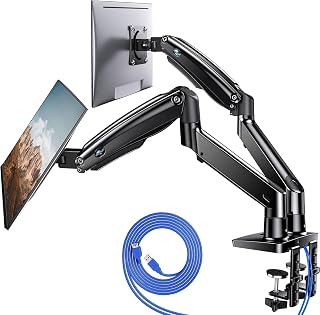
This mount's 13 to 40 inch span accommodates mismatched monitor sizes, making it ideal if you're pairing a widescreen primary with a smaller secondary display. The built-in USB hub keeps peripherals accessible without reaching under the desk, and the 26.4 lb per-arm capacity supports even ultra-wide or curved gaming monitors. Height adjustment ensures both screens align at eye level for comfortable extended use.
Pros
- Exceptional stability and weight capacity handles premium ultrawide and large format monitors with zero wobble
- Extensive adjustability ensures ergonomic positioning for any height or desk configuration
- Aluminum construction is lightweight yet durable, reducing arm fatigue over time
- Dual USB ports add practical functionality without requiring additional power strips or adapters
- Clean aesthetic design complements modern office and gaming setups while maximizing usable desk space
Cons
- Grommet hole diameter requirement of 0.39 to 1.97 inches may not accommodate all desk mounting styles
- Learning the full range of adjustment options requires some initial setup time to achieve optimal positioning
- Assembly involves multiple components and careful balancing, particularly when mounting heavier monitors
The HUANUO HNDS7 dual monitor stand is engineered for professionals, remote workers, content creators, and gamers who demand stability and flexibility in their multi-monitor setups. It addresses the core problem of monitor clutter taking up valuable desk real estate by mounting two screens securely on adjustable aluminum arms.
What sets this stand apart is its combination of raw weight capacity (26.4 lbs per arm) and extensive range of motion. The 180-degree swivel, 115-degree tilt, and 360-degree rotation give you precise control over screen positioning. Height adjustment up to 21.1 inches plus extension to 25.59 inches means this mount adapts to deep desks and varying user heights without compromise.
Build quality is solid throughout. The aluminum frame feels premium and stable, while the dual C-clamp design distributes pressure evenly across your desk surface. The mounting system supports both C-clamp and grommet bolt-through options, making it flexible enough for most desk types up to 3.54 inches thick. Cable management channels keep your workspace organized, and the integrated USB charging ports add genuine practical value.
The main friction point is setup complexity. Getting both arms balanced and positioned optimally takes patience, especially with heavier monitors. The grommet hole requirements are also specific, so verify compatibility before purchase if you prefer bolt-through mounting.
For anyone serious about multi-monitor productivity or gaming, this stand delivers exceptional stability and adjustability at a reasonable price point. The 5-year warranty provides confidence in long-term reliability.
Mounting and Compatibility
Screen Size Support: 13 to 40 inches per monitor
Weight Capacity: 26.4 lbs per arm
VESA Compatibility: 75x75mm or 100x100mm
Mounting Types: C-clamp and bolt-through grommet
Desk Thickness: Up to 3.54 inches
Grommet Hole Diameter: 0.39 to 1.97 inches
Adjustment Range
Height Adjustment: Up to 21.1 inches
Extension: Up to 25.59 inches
Swivel: -90 to +90 degrees
Tilt: -30 to +85 degrees
Rotation: 360 degrees
Construction
Material: Premium aluminum alloy
Color: Black
Movement Type: Articulating
Additional Features: Dual USB ports with 5.25 ft cable, integrated cable management
Warranty
Manufacturer Warranty: 5 years
Is This Stand Right For You
Choose the HUANUO HNDS7 if you use two monitors regularly and want to free up desk space while maintaining stable, ergonomic viewing angles. It's especially valuable if you work with larger screens (27 inches and above) or ultrawide monitors that need robust support.
Desk Compatibility Check
Before ordering, measure your desk thickness (must be 3.54 inches or less) and determine whether you prefer C-clamp or grommet mounting. If using grommet, verify your mounting hole diameter falls within 0.39 to 1.97 inches. The C-clamp option works on most desk edges without drilling.
Monitor Compatibility Check
Confirm your monitors are between 13 and 40 inches and weigh no more than 26.4 lbs each. Check that your monitor's VESA mounting pattern matches 75x75mm or 100x100mm standard.
Setup Tips
Allow extra time for initial assembly and balancing, particularly if mounting two larger or asymmetrical monitors. Start with both arms in a neutral position, then gradually adjust one monitor at a time. Use the cable management channels during setup to avoid rearranging cables later.
Pros
- Curved 1500R design noticeably reduces eye strain during extended work sessions
- Vibrant colors and crisp 1920x1080 resolution provide excellent image quality for the price
- Easy setup with straightforward connectivity and responsive customer support
- Matte finish minimizes glare, ideal for both office and gaming environments
- 75Hz refresh rate with 3ms response time delivers smooth performance for competitive gaming
Cons
- Built-in speakers have limited audio quality and may require external speakers for serious audio work
- Monitors require manual power control, no automatic sleep mode when CPU powers down
- Limited gaming features compared to premium monitors, best suited for casual to mid-level gamers
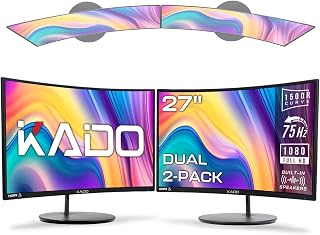
The Kado 27-inch Curved Dual Monitor 2-Pack delivers an outstanding value proposition for professionals, content creators, and gamers seeking an immersive multi-monitor experience. This bundle provides everything needed to expand workspace productivity or enhance gaming immersion without a substantial investment.
The standout feature is the 1500R curved design, which creates a natural field of view that reduces peripheral distortion and eye strain during long sessions. The 1920x1080 resolution, paired with 98% sRGB color accuracy, ensures vibrant and true-to-life colors suitable for detailed work, photo editing, and entertainment. The 75Hz refresh rate and 3ms response time handle fast-paced gaming smoothly, while FreeSync adaptive sync prevents screen tearing. Built-in speakers add convenience, though they are modest in quality.
Build quality is solid with a matte screen finish that cuts glare effectively in both office and gaming settings. The curved form factor feels modern and the monitors are lightweight at 11 pounds each, making setup straightforward. Customer feedback consistently praises the easy installation, vibrant image quality, and responsive support team that handles issues promptly.
Minor drawbacks include the basic speaker quality and lack of automatic sleep mode, requiring manual power-off management. The monitor lacks some premium gaming features found in high-end alternatives, positioning it as an excellent choice for mainstream users rather than esports professionals.
For anyone building a dual-monitor workstation or upgrading to curved displays on a budget, this Kado 2-pack offers excellent performance, smart ergonomic design, and reliable build quality. It strikes the right balance between features and affordability for work-from-home professionals and casual gamers alike.
Work from Home: The curved design and dual-monitor setup create an expansive workspace that reduces fatigue during long work days. Users report significantly less eye and neck strain compared to flat monitors.
Casual Gaming: The 75Hz refresh rate, FreeSync support, and 3ms response time provide responsive gameplay for competitive shooters and strategy games without premium pricing.
Content Creation: The 98% sRGB color gamut ensures accurate color representation for photo editing, video review, and design work. The dual setup lets creators maintain reference materials while working.
Budget-Conscious Multi-Monitor Users: At under $200 per monitor, this 2-pack offers exceptional value compared to similarly-specced alternatives, making dual-display setups affordable.
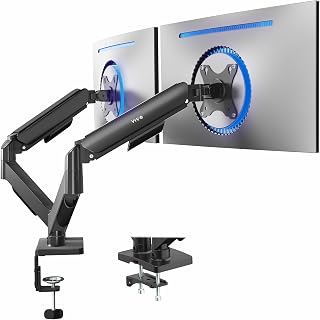
The mechanical spring arms offer smooth, tool-free repositioning across the 17 to 32 inch range, letting you shift monitors between landscape and portrait or pull them closer for focused work. VESA 75x75 and 100x100 compatibility fits nearly every modern display, and the 19.8 lb per-arm limit handles standard office and gaming monitors with stable articulation throughout the day.
Pros
- Exceptional value for dual-monitor setup without compromising on build quality or adjustability
- Superior stability with mechanical spring system that holds position reliably after adjustment
- Versatile mounting options and wide adjustment range accommodate various desk configurations and ergonomic needs
- Quick assembly process with clear instructions and included tools makes setup straightforward
Cons
- Mounting arms extend backward past desk edge, requiring adequate clearance behind workspace
- Maximum height may be limited for users needing monitors positioned significantly above laptop screens
The VIVO Dual Monitor Stand is a practical solution for professionals, remote workers, and gamers who need to maximize screen real estate without sacrificing desk space. This articulating mount elevates two monitors independently, creating a more ergonomic and productive viewing environment while keeping your work surface clean and organized.
What sets this stand apart is its reliable mechanical spring system that maintains perfect balance after you position each monitor. The full range of motion, including 90-degree tilt, 180-degree swivel, and 360-degree rotation, lets you fine-tune viewing angles for comfort and reduces eye strain during extended work sessions. The universal VESA compatibility ensures it works with most modern displays from 17 to 32 inches, and the toolless slide-on VESA plates make installation straightforward.
Build quality is solid throughout. The alloy steel construction feels durable, and reviewers consistently praise how the stand resists sagging or unwanted drift after positioning. Assembly takes about 15-20 minutes with the provided tools and clear instructions. The flexible mounting options, whether using the heavy-duty C-clamp or optional bolt-through grommet, adapt to different desk types and thicknesses.
The main limitation is that the arms extend backward beyond your desk edge, so you'll need adequate clearance behind your workspace. Some users also note the arms don't elevate quite as high as desired if you're positioning monitors above a laptop screen. These are minor concerns that won't affect most setups.
For the price, the VIVO Dual Monitor Stand delivers impressive value. It combines robust engineering, genuine adjustability, and reliability that justifies its place among top-rated monitor arms. Whether upgrading a home office or gaming setup, this stand offers the stability and flexibility needed for multi-monitor productivity.
Compatibility: Flat and curved monitors 17-32 inches, 4.4-19.8 lbs per monitor, VESA 75x75mm and 100x100mm patterns
Adjustment Range: Tilt from +90 to -90 degrees, 180-degree swivel, 360-degree rotation
Material: Alloy steel construction
Mounting: C-clamp (fits desks up to 3.1 inches) or optional bolt-through grommet (fits desks up to 1.9 inches)
Base Footprint: Approximately 2 inches forward into desk
Warranty: 3-year manufacturer warranty
Model Number: STAND-V002O
Best For: Home offices, gaming setups, content creation workstations, and any workspace requiring dual-monitor productivity with space-saving mounting.
Installation Considerations: Measure your desk depth to ensure adequate clearance behind the workspace for arm extension. Verify your desk thickness falls within the C-clamp range (up to 3.1 inches) or plan for the optional grommet mount. Check that your monitors have VESA mounting points matching the 75x75mm or 100x100mm standard.
Setup Tips: Use the included tools and follow step-by-step instructions for assembly. Start with one arm before attaching the second to simplify the process. Adjust each monitor to your preferred angle while sitting in your normal work position to achieve optimal ergonomics.
Who Should Buy: Anyone seeking a cost-effective, reliable dual-monitor solution that combines stability with extensive adjustability. Perfect for those upgrading from single-monitor setups who want proven quality without premium pricing.

Pros
- Exceptional value for a 2-pack of gaming-grade monitors
- 165Hz refresh rate and 1ms response time deliver competitive gaming performance
- FreeSync Premium technology prevents tearing for fluid gameplay
- VESA-ready design simplifies mounting and cable organization
- Versatile connectivity with both HDMI and DisplayPort inputs
Cons
- 1920x1080 resolution is entry-level; higher resolutions available at similar price points for single monitors
- Built-in speakers are basic and suitable only for background audio, not primary listening
- Limited color gamut at 99 percent may disappoint photo and video professionals
The Kado 2-Pack 27-inch gaming monitor is a dual-display solution designed for gamers, streamers, and productivity-focused users who want an immersive multi-screen setup without breaking the bank. Each 27-inch panel offers a 1920x1080 resolution, providing a practical balance between screen real estate and affordability. This setup shines for fast-paced titles like shooters and racing games where panoramic awareness matters.
The standout feature is the combination of 165Hz refresh rate and 1ms response time, delivering smooth, responsive gameplay that competitive players demand. AMD FreeSync Premium technology actively eliminates screen tearing and stuttering, creating a more fluid visual experience across both monitors. Whether you're chasing frame rates in Valorant or enjoying cinematic moments in story-driven RPGs, these panels keep up without the visual artifacts that plague standard 60Hz displays.
Build quality is straightforward and functional. The matte screen finish reduces reflections and glare, while integrated blue light filtering helps reduce eye strain during marathon gaming or work sessions. The flat design, modest bezels, and VESA mounting support allow both monitors to sit neatly side-by-side without taking over your desk. Flexible connectivity via HDMI and DisplayPort makes pairing with gaming PCs, laptops, and consoles effortless.
The primary limitation is the 1920x1080 resolution, which is native to the 27-inch format but represents entry-level visuals compared to 1440p or 4K alternatives. Built-in speakers are present but basic, best treated as a bonus rather than a primary audio solution. The 99 percent color gamut indicates these monitors prioritize gaming performance over color accuracy for professional creative work.
This is an excellent choice for gamers and multitaskers seeking dual high-refresh displays at an accessible price. Recommended for esports enthusiasts, content creators managing multiple windows, and anyone wanting an affordable entry point into multi-monitor gaming without compromise on responsiveness.
Display: Dual 27-inch IPS panels, 1920x1080 FHD resolution, 16:9 aspect ratio, matte finish
Performance: 165Hz refresh rate, 1ms response time, 1000:1 contrast ratio, 99 percent color gamut, flicker-free technology
Connectivity: 2x HDMI ports, DisplayPort input per monitor, built-in stereo speakers
Mounting: VESA-compatible (100x100mm), arm and wall mount capable, adjustable stand included
Additional Features: AMD FreeSync Premium, blue light filter, adaptive sync, compatible with desktop and laptop devices
Physical Dimensions: Each monitor measures 24.56 inches wide by 14.45 inches high by 1.7 inches deep; each unit weighs 8.8 pounds
Warranty: 1-year manufacturer limited warranty covering defects and hardware failures

Pros
- Bright 300 nits display with 1000:1 contrast ratio delivers crisp, vibrant images
- FreeSync technology and 75Hz refresh rate provide smooth motion for multimedia
- Low blue light mode effectively reduces eye fatigue for long workdays
- Compact 22-inch size works well for focused work and space-conscious desks
- Easy setup with straightforward on-screen controls and HP Display Center software
Cons
- Limited 75Hz refresh rate and 5ms response time not suitable for competitive gaming
- No VESA mount support restricts mounting flexibility for wall installation
- VGA and HDMI 1.4 connectivity is basic compared to modern standards like DisplayPort
The HP 22-inch 1080P Monitor 2-Pack is a productivity-focused display solution designed for home office professionals, students, and anyone needing a reliable dual-monitor workspace. The bundle format makes it easy to scale up your setup without shopping separately, and the silver and black aesthetic fits most modern office environments.
What sets this monitor apart is its thoughtful feature set for extended work: AMD FreeSync technology eliminates screen tearing and stuttering, while the 75Hz refresh rate handles everyday content smoothly. The standout feature is the low blue light mode, which shifts the color temperature to reduce eye strain during long work sessions. The IPS panel with 178-degree viewing angles ensures colors remain accurate whether you're sitting directly in front or viewing from the side, critical for multi-monitor setups.
The design emphasizes functionality and organization. The 3-sided micro-edge bezel maximizes your viewing area on the compact 22-inch screen, making it feel larger than it is. Cable management through the stand keeps wires tidy, and the included Dockztorm USB hub with 5Gbps data sync adds unexpected value for connecting peripherals. The adjustable tilt stand accommodates different postures and desk heights without adding bulk.
Real limitations exist: this monitor lacks VESA mount support, so wall mounting isn't an option, and the connectivity is basic with just VGA and HDMI 1.4. The 75Hz refresh rate and 5ms response time rule out gaming or fast-paced work. Brightness at 300 nits is good for indoor use but won't handle bright rooms as well as premium models.
For home offices and productivity workflows, this 2-pack delivers genuine value. The combination of low blue light technology, smooth FreeSync visuals, and practical design features makes it a solid choice for desk workers prioritizing comfort and organization over gaming performance or high-end specifications.
Display: 21.5-inch IPS FHD (1920 x 1080) at 75Hz, 16:9 aspect ratio, 5ms GtG response time, 300 nits brightness, 1000:1 contrast ratio, 178-degree viewing angles
Features: AMD FreeSync, low blue light mode, anti-glare screen, 3-sided micro-edge bezel, adjustable tilt stand, on-screen controls
Connectivity: 1 HDMI 1.4 port, 1 VGA port, AC power cord included
Software: HP Display Center for customizable display settings and screen partitioning
Physical: Dimensions 19.11 x 6.97 x 12.51 inches, weight 4.85 lbs with stand, not VESA compatible
Bundle Includes: 2 monitors, HDMI cables, Dockztorm USB hub (5Gbps data sync), AC power cords, documentation
Best For: Home office professionals, students, remote workers, and anyone building a dual-monitor productivity setup. The low blue light technology makes it particularly suitable for people working 8+ hour days at their desk.
Consider This Monitor If: You prioritize eye comfort during long work sessions, want an organized dual-monitor workspace, need reliable FreeSync performance for smooth visuals, and prefer a compact footprint. The included USB hub adds practical value if you have multiple peripherals.
Skip This If: You game competitively (need 144Hz+), require wall mounting (no VESA support), need modern connectivity like DisplayPort, work in very bright environments where 300 nits feels dim, or want a single larger display instead of the 2-pack bundle.
Setup Tip: Use HP Display Center software to partition your dual screens efficiently, enabling window snapping and multi-window management. Enable low blue light mode in afternoon hours to transition your eyes and reduce evening brightness exposure.

The 34 inch ultra-wide's 21:9 aspect ratio replaces two separate 16:9 displays with a single seamless workspace, eliminating the center bezel gap that disrupts workflow. Its 100Hz refresh rate and AMD FreeSync keep motion smooth during content creation or casual gaming, while PIP and PBP modes let you view two input sources side by side, mimicking a true dual monitor setup without the mounting hardware.
Pros
- 34 inch ultra-wide with 21:9 aspect ratio and Ultra-WQHD resolution
- PIP and PBP modes for simultaneous multi-source viewing
- TUV-certified eye care with flicker reduction and blue light filter
- HDR10, 100Hz refresh, and AMD FreeSync for smooth visuals
Cons
- 100Hz refresh may not satisfy competitive gamers
- Single ultra-wide may limit independent window arrangement compared to two separate panels
When you're assembling a dual monitor setup, the second screen needs to match your primary display in quality, color accuracy, and ergonomic flexibility. The Samsung ViewFinity S50GC brings a 34 inch ultra-wide panel with 21:9 aspect ratio and Ultra-WQHD resolution, giving you the horizontal real estate of two standard monitors in a single borderless frame. The 100Hz refresh rate and AMD FreeSync support keep motion fluid whether you're scrolling through spreadsheets, editing timelines, or playing lighter games between tasks. HDR10 expands contrast and color depth, while the 3000:1 contrast ratio and 72 percent color gamut deliver visuals that stay consistent across long sessions. TUV-certified Intelligent Eye Care reduces flicker and blue light without washing out colors, a meaningful advantage during extended work hours. Picture-in-Picture and Picture-by-Picture modes let you view inputs from two sources simultaneously, so you can monitor a video feed while working in another application or reference a laptop screen alongside your main desktop. The matte finish minimizes glare from overhead lighting or windows, and the 178 degree viewing angle ensures color accuracy even when you're seated off-center. For a dual monitor configuration where one ultra-wide anchors your workflow, this display consolidates space and simplifies cable management without sacrificing screen area.
Display Specifications: 34-inch ultrawide LCD, 3440x1440 native resolution, 21:9 aspect ratio, 100Hz refresh rate, 5ms response time, 3000:1 contrast ratio, 300cd/m2 brightness, 178-degree viewing angle, matte finish.
Color and Image Technology: 72% color gamut, HDR10 support, AMD FreeSync adaptive sync, TUV-certified Intelligent Eye Care with ambient light sensor, Eye Saver Mode, Flicker Free technology.
Connectivity: 1x DisplayPort 1.2, 2x HDMI 2.2, 1x 3.5mm headphone jack. Includes DisplayPort and HDMI cables.
Physical Dimensions: 32.1 inches wide, 18 inches tall, 8.7 inches deep. Weight: 10.8 pounds. Wall mount compatible.
Power and Warranty: 50 watts power consumption at 110 volts. 1-year manufacturer warranty. Model: LS34C502GANXZA.
Ideal for professionals and content creators who want ultra-wide horizontal space and the flexibility to run multiple inputs through PIP or PBP modes. Works well if you need flicker-free eye care, HDR10 support, and a borderless design that pairs cleanly with a second monitor. Skip it if you need higher than 100Hz refresh for competitive gaming or prefer two separate 16:9 panels for independent window management.
Pros
- Exceptional color accuracy with 99% sRGB gamut for creative work
- Dual-pack setup provides immediate multi-monitor productivity boost
- Built-in speakers eliminate need for external audio equipment
- IPS panel delivers wide viewing angles and consistent colors
- Gaming-specific modes tailor performance for different game genres
Cons
- 75Hz refresh rate is modest compared to 144Hz+ gaming monitors
- Limited information on input options and connectivity ports
- Response time specifications not clearly stated in product data
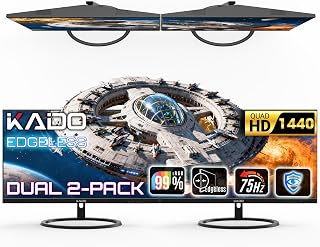
The Kado 27-inch QHD monitor 2-pack targets users who need dual-screen setups for productivity or gaming without premium pricing. Each 2560x1440 display offers substantial screen real estate with crisp, detailed visuals perfect for content creators, professionals, and casual gamers alike.
Color performance stands out with 99% sRGB accuracy, making these monitors suitable for photo editing, video work, and general creative tasks. The fast response time keeps ghosting to a minimum during gaming, while custom FPS and RTS modes optimize performance for specific game types. Built-in speakers add practical convenience for desk-bound work and casual entertainment.
The IPS panel technology ensures colors remain vibrant and consistent from wide viewing angles, while the matte finish reduces reflections and eye strain during extended use. The flat 16:9 aspect ratio and 27-inch diagonal provide an excellent balance between immersion and desktop real estate without excessive bezels.
The 75Hz refresh rate is the primary limitation, suitable for productivity and light gaming but behind modern 144Hz+ gaming standards. Response time specifications deserve clarification, though the fast response claim suggests minimal lag for most users.
For dual-monitor setups prioritizing color accuracy and everyday performance over cutting-edge refresh rates, these Kado monitors deliver solid value. They excel for professionals, creators, and gamers seeking reliable productivity displays or a casual gaming experience.
Display: 27-inch IPS flat panel, 2560x1440 (QHD), 16:9 aspect ratio, matte finish
Performance: 75Hz refresh rate, fast response time, 99% sRGB color gamut
Features: Built-in speakers, custom gaming modes (FPS/RTS optimized), dual-pack configuration
Design: Reduced peripheral distortion in dual setup, space-saving built-in audio
Buying Guide: Choosing Your Dual Monitor Setup
Screen Size and Resolution
The 24 to 27-inch range offers the sweet spot for dual setups, fitting comfortably on most desks without overwhelming your field of view. Smaller 22-inch displays like the HP 22 1080P FreeSync Monitor work well in compact spaces, while 27-inch panels provide more breathing room for spreadsheets and design work.
Resolution determines how much detail you see and how many windows you can comfortably tile. Full HD (1920×1080) remains practical for general productivity and keeps hardware requirements modest. The Kado 2-Pack 27-inch Flat Screen 2560×1440 QHD IPS steps up to QHD resolution, offering 77% more pixels for sharper text and more visible workspace. Professionals handling detailed graphics or video editing will appreciate the extra clarity.
Curved vs Flat Panels
Flat screens maintain consistent geometry across the display, making them ideal when you need precise alignment for design work or when matching existing monitors. The parallel edges also create cleaner visual continuity in multi-monitor arrays.
Curved displays like the Kado Dual Monitor 2-Pack 27″ Curved 1500R wrap slightly around your peripheral vision, reducing the need to turn your head as much when scanning between screens. The 1500R curvature matches the natural arc of human vision, which can reduce eye strain during extended sessions. However, curved monitors cost slightly more and may create distortion if viewed from extreme angles, something to consider if multiple people share your workspace. Students managing research alongside writing might find our best laptops for computer science students helpful for mobile computing needs.
Mounting Solutions
Desk-mounted arms clear valuable surface area beneath your screens, creating room for notebooks, devices, or simply a less cluttered workspace. The HUANUO FlowLift™ Dual Monitor Stand uses a dual C-clamp base for rock-solid stability, while its full-motion arms let you adjust height, tilt, swivel, and rotation independently for each screen.
Check three compatibility factors before buying a mount. First, verify your monitors have VESA mounting holes (75x75mm or 100x100mm) on the back panel. Second, confirm each screen falls within the mount’s weight capacity; most handle 4.4 to 19.8 pounds per arm, but ultrawide or gaming monitors may exceed this. Third, measure your desk thickness; most mounts accommodate 0.59 to 3.54 inches, but desks with crossbars or integrated cable trays underneath can interfere with clamp installation. The HUANUO Dual Monitor Stand for 13″–40″ includes both C-clamp and grommet mounting options, plus built-in USB ports for convenient device charging.
Refresh Rate and Response Time
Refresh rate measures how many times per second your screen updates its image. Standard 60Hz displays suffice for documents and web browsing, but 75Hz and higher reduce motion blur when scrolling through long pages or watching video. Gamers benefit most from high refresh rates; the Kado 2-Pack 27″ 165Hz 1ms 1920×1080 Flat Screen delivers ultra-smooth motion in fast-paced titles, while its 1ms response time eliminates ghosting during rapid camera movements.
AMD FreeSync synchronizes your monitor’s refresh rate with your graphics card’s output, preventing screen tearing when frame rates fluctuate. This matters primarily for gaming, but also smooths out video playback and animations. If you’re building a setup for gaming alongside work, pairing high-refresh monitors with adaptive sync creates a more polished experience across all your activities. Legal professionals balancing document review with portable work may want to explore our best laptops for law students for courtroom-ready mobility.
Final Thoughts
A thoughtfully configured dual monitor setup transforms how you interact with your digital workspace, whether you’re managing complex projects, immersing yourself in gaming sessions, or simply reducing the constant window-switching that fragments your focus. The Kado Dual Monitor 2-Pack 27″ Curved 1500R delivers ergonomic comfort and immersive visuals for extended work sessions, while the HUANUO FlowLift™ Dual Monitor Stand provides the flexibility to mount any compatible screens exactly where you need them, freeing up desk space and enabling precise positioning adjustments throughout your day.
Frequently Asked Questions
Do I need two identical monitors for a dual setup?
Matching monitors create the most visually cohesive setup, ensuring consistent color accuracy, brightness, and bezel alignment. However, mixing sizes or resolutions works perfectly fine for productivity if you assign different roles to each screen; using a larger display for primary work and a smaller one for reference materials or communication tools. Just be aware that mismatched refresh rates can create slight visual inconsistency when dragging windows between screens.
What graphics card do I need for dual monitors in 2026?
Most modern graphics cards, even entry-level models, support dual displays through their multiple video outputs. Standard office work requires minimal GPU power, integrated graphics on recent processors handle two Full HD monitors without issue. Gaming across dual screens or running graphics-intensive applications demands more horsepower; check that your GPU has the necessary ports (HDMI, DisplayPort, or USB-C) and sufficient VRAM for your combined resolution. Engineering students running CAD software might benefit from our guide to best laptops for engineering students for portable rendering power.
How far should dual monitors be from my eyes?
Position monitors at arm’s length (roughly 20 to 40 inches away) so you can read text comfortably without leaning forward or squinting. The top edge of each screen should sit at or slightly below eye level, allowing your gaze to angle naturally downward. Angle the displays inward slightly to create a gentle curve around your sitting position, reducing how far your eyes travel when shifting between screens and minimizing neck rotation.
Should I choose a single ultrawide instead of two monitors?
Ultrawide monitors like the SAMSUNG 34″ ViewFinity S50GC Series Ultra-WQHD eliminate the center bezel gap and simplify cable management, offering seamless workspace across a single 21:9 panel. Dual monitors provide more flexibility for positioning; you can angle each independently, adjust heights separately, or dedicate one screen to portrait orientation for reading long documents. Ultrawides excel for immersive gaming and cinematic content, while dual setups give you more control over how you organize your workspace. Freelancers juggling multiple clients might pair either configuration with insights from our best laptops for freelancers for on-the-go flexibility.
Common questions
What is the best monitor for multitasking in a dual setup?
An ultrawide monitor like the Samsung 34" ViewFinity S50GC with its 21:9 aspect ratio and 3440x1440 resolution offers excellent multitasking in a dual setup, giving you enough screen real estate to run multiple windows side by side on each display. The 100Hz refresh rate keeps motion smooth when switching between tasks, and features like PIP (picture-in-picture) and PBP (picture-by-picture) let you view content from multiple sources simultaneously. Pair it with a fully adjustable dual monitor mount like the HUANUO HNDS7 or VIVO STAND-V002O to position both screens at the optimal height and angle for productivity.






Write Your Review
No reviews yet. Be the first to share your experience!