

Staring at code for eight hours straight reveals what most people miss about monitors. That slight eye strain at 3 PM becomes a headache by 5. The screen that looked fine in the store now feels cramped when you’re juggling an IDE, terminal, documentation, and Slack. Programming demands more from a display than casual use, and the right monitor makes the difference between productivity and frustration.
This guide evaluates displays built for developers who spend their days writing, reviewing, and debugging code. We’ve focused on screen real estate, text clarity, ergonomic adjustability, and eye comfort features that matter during extended sessions. Whether you need vertical space for long files or horizontal width for side-by-side comparisons, you’ll find options that fit your workflow. If you’re also evaluating portable setups for computer science work, these monitors pair well with modern development machines.
Quick Comparison
Ratings reflect the most recent data pull. Check each listing for current price and availability.
Quick answer
This guide compares 10 picks, with LG 34" UltraWide Curved Monitor 3440x1440 120Hz VA ranked first. MSI PRO MP275 27 inch 1080p IPS Monitor 100Hz Gaming holds the highest customer rating among them. ASUS ProArt PA278QV 27 Inch 1440p Professional Monitor has the most customer reviews.
Pros
- Expansive ultrawide display eliminates window snapping and multi-monitor headaches
- Excellent color accuracy and HDR performance make it perfect for photo and video professionals
- Smooth 120Hz performance combined with 5ms response time handles both work and entertainment
- Comprehensive ergonomic adjustments ensure comfortable viewing for any body type or desk setup
- Anti-glare coating and Reader Mode minimize eye fatigue during extended use
Cons
- Limited to single HDMI and DisplayPort connectivity, which may require adapters for some setups
- 120Hz refresh rate, while smooth, falls short of gaming-focused 144Hz+ monitors for competitive gamers
- Higher cost compared to standard 16:9 monitors means it's best suited for professionals justifying the investment
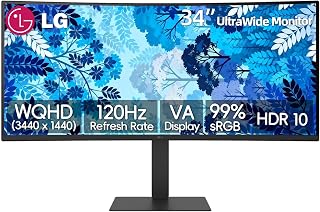
The LG 34-inch UltraWide curved monitor is a game-changing display for professionals, creatives, and power users who demand expansive screen real estate. The ultrawide 21:9 aspect ratio and 3440x1440 resolution provide the equivalent workspace of two traditional 27-inch monitors without bezel interruption, making it perfect for productivity-focused workflows.
Performance and display quality are standout strengths. The 120Hz refresh rate ensures silky-smooth scrolling and dynamic content rendering, while the 99% sRGB color gamut with HDR10 support delivers vibrant, accurate colors essential for content creation and photo editing. The VA panel's 3000:1 contrast ratio produces deep blacks and impressive image depth that rival more expensive premium displays.
Build quality and ergonomics are well-executed. The slim three-sided micro-bezel design creates a minimalist aesthetic that complements modern workspaces. The fully adjustable stand offers height, tilt, and swivel adjustment, allowing users to dial in the perfect viewing angle. The curved 1800R screen geometry adds immersion without being gimmicky.
Drawbacks are relatively minor but worth noting. Connectivity is limited to single HDMI and DisplayPort inputs, which may require adapters depending on your setup. Additionally, while 120Hz is smooth, competitive gamers may prefer 144Hz or higher refresh rates. The premium pricing is justified by the ultrawide format and professional-grade features but remains an investment.
The LG 34UW63-W is an excellent ultrawide monitor that delivers genuine productivity gains, stunning image quality, and reliable performance. Recommended for anyone serious about multitasking, content creation, or upgrading from dual-monitor setups.
Professional Content Creators: The 99% sRGB coverage and HDR10 support make this ideal for photo editors, video producers, and graphic designers who need color-accurate displays.
Productivity Power Users: The ultrawide format eliminates window management frustration and provides instant access to multiple applications simultaneously, perfect for traders, programmers, and analysts.
Remote Workers: The expansive workspace reduces the need for expensive multi-monitor setups while maintaining a clean desk aesthetic with the minimalist bezel design.
Entertainment Enthusiasts: The 120Hz refresh rate, curved design, and HDR support create an immersive viewing experience for streaming, movies, and casual gaming.
Display Specifications: 34-inch ultrawide curved display, 3440x1440 WQHD resolution, 21:9 aspect ratio, 120Hz refresh rate, 5ms response time, 300 nits brightness, 3000:1 contrast ratio, 1800R curvature.
Color Performance: 99% sRGB gamut coverage, HDR10 support, anti-glare coating, Reader Mode for reduced eye strain.
Connectivity: 1x HDMI, 1x DisplayPort, built-in speakers, VESA 100x100mm mount compatible.
Ergonomics: Full height adjustment, tilt, and swivel capability. Dimensions: 31.9in W x 21in H x 9.1in D. Weight: 18.5 lbs.
Features: LG Switch multitasking app, split-screen functionality, anti-glare screen, curved design for immersive viewing.

Pros
- Excellent color accuracy and clarity thanks to IPS panel technology with wide viewing angles
- Fast 1ms response time combined with FreeSync adaptive sync creates smooth gaming and scrolling
- Eye-protective features including TÜV certification and anti-flicker make it ideal for long work sessions
- Intuitive joystick-style menu control and simple assembly with no tools required
- Includes all necessary cables and VESA mounting adapter for immediate setup
Cons
- 1920x1080 resolution on a 27-inch screen results in lower pixel density compared to 1440p alternatives
- Glossy screen finish may produce glare in brightly lit environments
- 100Hz refresh rate is adequate but not ideal for competitive gaming compared to 144Hz+ monitors
The MSI PRO MP275 is a 27-inch 1080p IPS monitor designed for professionals, remote workers, and casual gamers who want a quality display without breaking the bank. Its 100Hz refresh rate, 1ms response time, and color-accurate IPS panel make it equally suitable for coding, design work, video conferencing, and light gaming sessions.
The standout features center on eye health and everyday usability. The TÜV-certified display with MSI EyesErgo anti-flicker technology significantly reduces eye strain during extended work sessions. The wide 178-degree IPS viewing angles ensure consistent color and clarity whether you're viewing directly or at an angle. Built-in speakers provide basic audio functionality, eliminating the need for external speakers in office or casual home setups.
Build and design are straightforward and practical. The monitor ships fully assembled with a sturdy stand that includes a convenient phone slot for desk organization. VESA mounting support (100x100mm) offers flexibility for wall or arm mounting, while the joystick-style control menu is intuitive and responsive. Setup is genuinely plug-and-play, with included HDMI and VGA cables getting you running in minutes.
The main limitation is resolution density. At 1920x1080 on a 27-inch screen, pixel pitch is noticeably lower than 1440p alternatives, meaning fine text and graphics may appear slightly soft at typical viewing distances. The glossy screen, while enhancing color vibrancy, can cause glare in bright rooms. Additionally, 100Hz is smooth for productivity but lags behind 144Hz+ gaming monitors for competitive play.
Verdict: The MSI PRO MP275 delivers exceptional value for professionals seeking an all-purpose monitor with excellent color accuracy, ergonomic design, and reliable performance. It excels in office environments, creative workflows, and casual gaming, backed by a 3-year warranty. If you demand high pixel density or extreme refresh rates, look elsewhere, but for general-purpose work and play at this price point, it is genuinely hard to beat.
Display: 27-inch IPS LCD, 1920x1080 (FHD), 16:9 aspect ratio, 250 nits brightness, 1000:1 contrast ratio, glossy finish, 178-degree viewing angle
Performance: 100Hz refresh rate, 1ms response time (MPRT), 4ms (GTG), FreeSync adaptive sync support
Connectivity: 1x HDMI, 1x VGA, 2x 3.5mm audio jacks, built-in speakers
Design: VESA 100x100mm mounting, tilt adjustment, includes VESA adapter, dimensions 27W x 17.6H x 5D inches, weight 11.4 lbs
Features: TÜV certified, MSI EyesErgo technology, anti-flicker display, cable routing bracket, phone slot in stand
Warranty: 3-year manufacturer warranty
Pros
- Exceptional text clarity and readability that significantly reduces eye fatigue, especially beneficial for those with eye sensitivity or post-surgery recovery
- 3:2 aspect ratio and 28-inch size provide ample vertical workspace without the neck strain of ultra-wide monitors
- Thoughtfully engineered for developers with built-in productivity profiles and intuitive controls that save setup time
- Robust build quality with adjustable stand offering elevation, tilt, and rotation for ergonomic customization
- Excellent Linux compatibility and cross-platform reliability praised by multi-OS users
Cons
- KVM functionality has reported limitations that may not meet all multi-computer workflow requirements
- Specialized 3:2 aspect ratio suits productivity work but may feel cramped for media consumption or gaming
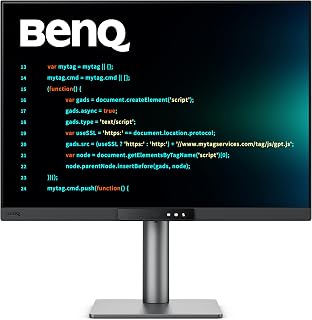
The BenQ RD280UG is a meticulously engineered monitor designed for programmers, software developers, and productivity professionals who spend hours reading and writing code. This 28.2-inch 4K+ display addresses the real pain points of knowledge workers by combining vertical screen real estate with specialized software tuning.
The standout technical achievement is the combination of the 3:2 aspect ratio, 120Hz refresh rate, and coding-specific display modes. Unlike standard 16:9 monitors that waste horizontal space, the taller 3:2 format lets you view more lines of code, documentation, and logs simultaneously. The 120Hz refresh rate transforms everyday interactions like scrolling between files or moving between windows into a visibly smoother experience. Real users report that text rendering appears noticeably crisper than traditional 60Hz displays.
The Nano Matte panel eliminates reflections and distractions, while the MoonHalo backlight provides balanced illumination that reviewers specifically credit with reducing eye strain during extended work sessions. The display achieves 2000:1 contrast with 1ms response time, delivering both text clarity and responsive cursor feedback. Build quality is exceptional, with a sturdy adjustable stand offering full ergonomic customization without requiring additional mounting hardware.
Connectivity options are comprehensive, including USB-C, dual HDMI, and multiple USB ports with integrated KVM switching. Linux users particularly praise this monitor for its superior performance compared to Windows, a rare advantage in the monitor market. Some users note limitations with the KVM functionality in certain multi-computer setups, and the specialized 3:2 ratio is optimized for productivity rather than general entertainment.
The BenQ RD280UG justifies its investment for professional developers and knowledge workers who value eye comfort and productivity. If your work involves reading and writing code for extended periods, the specialized features and meticulous tuning make this monitor a compelling choice that pays dividends in daily comfort and efficiency.
Most monitors use 16:9 widescreen ratios optimized for movies and entertainment, leaving developers with excessive horizontal space and insufficient vertical room. The 3:2 ratio on the RD280UG restores the vertical workspace that was standard on older displays, letting you see more lines of code and documentation simultaneously.
At 28.2 inches with 3:2 proportions, this monitor provides approximately 35 percent more vertical pixels than an equivalent 27-inch 16:9 display. Developers consistently report reduced neck strain from fewer scrolling actions and better workflow efficiency. The wider viewing area for documentation, logs, and IDE panels transforms how productive your day can be.
Extended coding sessions demand display technology that prioritizes eye health. The BenQ RD280UG combines multiple features addressing digital eye strain: the Nano Matte surface eliminates glare-induced fatigue, the MoonHalo backlight provides balanced illumination without harsh hot spots, and the specialized coding modes tune color temperature and brightness for code readability.
Multiple reviewers with documented eye sensitivity or post-surgery recovery specifically praised how this monitor enables comfortable, multi-hour work sessions. The combination of matte finish, backlight engineering, and color tuning creates a cohesive approach to eye comfort that generic high-brightness displays cannot match.
Pros
- Excellent value with premium features like 144Hz refresh rate and adjustable ergonomic stand at budget-friendly pricing
- True ergonomic design with full-range height adjustment, tilt, swivel, and pivot options for personalized viewing angles
- Integrated speakers and built-in eye care technology reduce desk clutter and support healthier viewing habits
- Fast 1ms response time and FreeSync support make this monitor capable for gaming and competitive use
- Sleek ash white finish and thin bezel design create a modern, professional aesthetic
Cons
- Some users report the stand's height adjustment range may not reach ideal eye level for taller individuals without a monitor riser
- Response time spec of 8ms listed in full specifications differs from the 1ms MPRT marketing claim, which may affect competitive gaming performance
- Limited to HDMI connectivity without DisplayPort or USB-C options for modern laptops and workstations
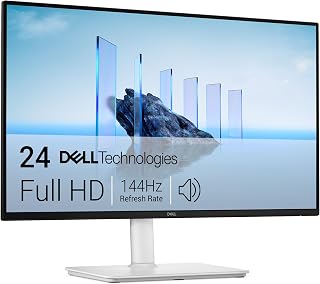
The Dell 24 Plus Monitor (S2425HSM) is a 24-inch FHD display engineered for users who want smooth performance without breaking the bank. It targets home office workers, casual gamers, content creators, and students who need a reliable secondary or primary display with modern gaming-oriented specs like 144Hz refresh rate and adaptive sync technology.
The standout features deliver real-world benefits. The 144Hz refresh rate combined with 1ms MPRT response time creates noticeably fluid motion, particularly when scrolling through documents or watching fast-paced content. AMD FreeSync eliminates screen tearing for compatible graphics cards. The TUV 4-star certified display reduces blue light emissions while maintaining the sRGB color gamut needed for design work, making it genuinely useful for productivity without eye strain during long sessions.
Build quality and design reflect Dell's attention to practical ergonomics. The fully adjustable stand offers height, tilt, pivot, and swivel adjustments, allowing users to dial in the perfect viewing angle. The matte screen finish minimizes glare in bright environments. Dual 3W speakers are integrated, eliminating the need for separate audio equipment. The ash white color and thin bezels create a modern, clean aesthetic that works in professional or gaming environments.
One realistic drawback emerges from user feedback: the stand's height adjustment range may not extend high enough for taller users to achieve proper eye-level positioning, potentially requiring a monitor riser depending on desk height. Additionally, connectivity is HDMI-only without DisplayPort or USB-C, which limits compatibility with newer laptops and workstations.
The Dell S2425HSM delivers strong value as an entry-level gaming and productivity monitor. It excels for users upgrading from aging displays or those building budget-conscious setups. The combination of high refresh rate, ergonomic adjustability, eye care technology, and integrated audio makes it a practical all-around choice for work, gaming, and entertainment without premium pricing.
This monitor is ideal for work-from-home professionals who want smooth scrolling and adjustable ergonomics without premium pricing. The blue light reduction and flicker-free technology support healthy viewing during 8-10 hour workdays.
Casual and competitive gamers benefit from the 144Hz refresh rate and AMD FreeSync support, though serious esports players may prefer monitors with faster traditional response times and higher refresh rates. The smooth performance suits most modern games at FHD resolution.
Content creators appreciate the accurate colors (99 percent color gamut) and adjustable stand, making it practical for photo editing, video work, or graphic design on a budget. The 24-inch size balances screen real estate with desk space efficiency.
Students and home office users get reliable, no-nonsense performance with enough features to justify the investment without the premium markup of gaming-branded displays.
Display Specs: 23.8-inch FHD (1920x1080) LCD, 144Hz refresh rate, 1500:1 contrast ratio, 300 nits brightness, 178-degree viewing angles, matte finish, 99 percent color gamut.
Performance: 1ms Moving Picture Response Time (MPRT), AMD FreeSync adaptive sync, TUV 4-star eye care certification with blue light reduction and flicker-free technology.
Design & Connectivity: Ash white color, 7.55 inches deep, 21.17 inches wide, 13.66 inches tall, 11.1 pounds. Fully adjustable stand (height, tilt, pivot, swivel). Dual HDMI ports, integrated dual 3W speakers, power consumption 14.3 watts.
Warranty & Package: 1-year Advanced Exchange Service with premium panel replacement. Includes monitor with stand, HDMI 1.4 cable, power cable, and documentation.
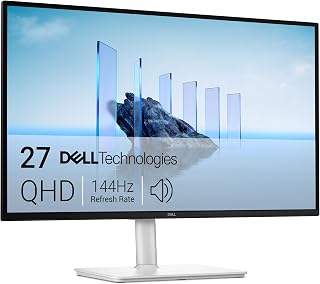
The 27-inch QHD resolution delivers 2560x1440 pixels, giving you 77% more screen real estate than standard 1080p for viewing more code without scrolling. The IPS panel ensures accurate color reproduction and wide viewing angles, critical when reviewing UI work or collaborating over screen shares. Height, tilt, pivot, and swivel adjustability let you position the display ergonomically for long coding sessions, reducing neck and eye strain during extended development work.
Pros
- TUV certified eye comfort features reduce strain during long coding sessions
- Full ergonomic adjustment including portrait pivot for vertical code viewing
- QHD resolution balances screen space with system performance
- Matte finish eliminates glare without sacrificing clarity
Cons
- Limited to two video inputs for multi-device setups
- No 4K resolution for pixel-dense design work
Programming demands hours of sustained focus, and the Dell S2725DSM addresses this through its TUV 4-star eye comfort certification. Flicker-free technology and blue light reduction work together to minimize fatigue during marathon coding sessions. The 2560x1440 QHD resolution provides ample screen real estate for side-by-side code editors, terminal windows, and documentation without the GPU overhead of 4K. The matte finish eliminates distracting reflections when reference materials or bright windows sit behind your desk. IPS panel technology with 178-degree viewing angles maintains color accuracy and text clarity even when you shift posture throughout the day. Full ergonomic adjustability covers height, tilt, pivot, and swivel, letting you position the display exactly where your neck and eyes need it. Portrait mode becomes practical for long configuration files or full-page code reviews. The dual 3W speakers handle video calls and background audio competently, reducing desktop clutter. At 14.1 pounds with a compact footprint, it fits multi-monitor setups without demanding excessive desk space. The 144Hz refresh rate and 1ms response time matter less for development work but keep UI animations smooth.
Best suited for developers who value ergonomic flexibility and sustained eye comfort over extended work sessions. The QHD resolution works well for those running multiple IDEs, terminals, and browser windows simultaneously. The portrait pivot feature particularly benefits developers reviewing long code files or working with mobile layouts. Skip this if you need four or more video inputs for complex multi-device workflows, as the single HDMI 2.1 and one DisplayPort may prove limiting. Also pass if 4K resolution is non-negotiable for your specific development environment.
Pros
- Pre-calibrated out of the box with professional-grade color accuracy, eliminating the need for expensive calibration tools
- Spacious 27-inch display with 2560 x 1440 resolution and 178-degree viewing angles allows efficient multitasking and detail work
- Comprehensive ergonomic adjustments and eye care features support long creative working sessions without fatigue
- Multiple connectivity options and integrated USB hub create a cleaner, more organized workspace
- Excellent build quality with matte anti-glare coating and solid construction backed by 5-year warranty
Cons
- 75Hz refresh rate limits gaming performance compared to high-refresh alternatives, though suitable for design work
- No built-in calibration tool means recalibration over time requires external equipment or professional service
- Premium price point reflects professional-grade specifications, making it a significant investment for hobbyists
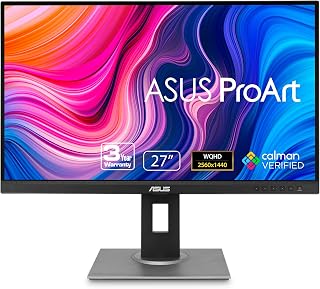
The ASUS ProArt PA278QV is a professional-grade 27-inch monitor built specifically for creative professionals including photographers, video editors, motion graphics designers, and digital artists. Its factory-calibrated color accuracy and comprehensive feature set make it an ideal centerpiece for any serious creative workstation.
The standout feature is its Calman-verified Delta E < 2 color accuracy paired with 100% sRGB and Rec. 709 color gamut coverage. This means your designs, photos, and videos will display with precise color fidelity right out of the box, ensuring what you create matches what clients and audiences see. The ASUS ProArt Palette software adds another layer of customization for fine-tuning display settings to match specific project requirements.
Design and build quality are excellent. The 27-inch IPS panel delivers sharp 1440p visuals across a wide 178-degree viewing angle, the matte finish eliminates glare, and the ergonomic stand offers extensive adjustment options for pivot, swivel, height, and tilt. ASUS Eye Care technology including flicker-free backlighting and blue light filtering reduces fatigue during marathon work sessions. Connectivity is comprehensive with DisplayPort, HDMI, Mini-DP, and DVI-D ports, plus an integrated USB 3.2 hub.
The main drawback is the 75Hz refresh rate, which is adequate for creative work but limited if gaming is part of your workflow. Additionally, maintaining color accuracy over time requires external calibration tools, and the professional specifications come with a premium price tag that justifies investment for serious creatives but may exceed hobbyist budgets.
The ASUS ProArt PA278QV delivers professional color accuracy, thoughtful ergonomic design, and reliable construction. Coupled with the included 3-month Adobe Creative Cloud subscription and 5-year warranty, this monitor represents a solid investment for creative professionals prioritizing color precision and long-term reliability.
Display Specifications: 27-inch IPS panel with 2560 x 1440 (QHD) resolution, 16:9 aspect ratio, 100,000,000:1 contrast ratio, 350 nits brightness, 178-degree viewing angles, and matte anti-glare finish.
Color Accuracy: Factory-calibrated with Delta E < 2, 100% sRGB gamut, 100% Rec. 709 gamut, Calman verified, includes color pre-calibration report.
Connectivity: DisplayPort, HDMI, Mini-DisplayPort, DVI-D, plus 4x USB 3.2 Gen 1 Type-A ports integrated hub for peripheral connections.
Design: Fully adjustable ergonomic stand supports height, tilt, pivot, and swivel adjustments. Dimensions 24.21 x 15.04 x 8.9 inches, weighs 17 pounds. VESA wall mount compatible.
Additional Features: Flicker-free technology, blue light filter, built-in speakers, FreeSync adaptive sync support. Power consumption 12.5 watts. 3-year standard warranty, extendable to 5 years with online registration.
Ideal For: Professional photographers, video editors, motion graphics designers, digital artists, and anyone requiring accurate color reproduction for creative work. Also suitable for serious content creators who stream or produce digital media.
Not Ideal For: Casual gamers seeking high refresh rates, budget-conscious consumers, or those with minimal color accuracy needs. Users requiring HDR support or higher refresh rates should explore alternatives.
Best Use Cases: Photo editing and color grading workflows, video editing and color correction, graphic design and UI work, digital illustration and painting, content creation and streaming where color accuracy matters, professional design workstations.

Pros
- Exceptional value for a 34-inch ultrawide at this price point, outperforming dual monitor setups
- USB-C connectivity simplifies desk setup by consolidating power, video, and data into one cable
- Curved screen reduces eye strain and creates a more immersive viewing experience across the wide format
- Sharp WQHD resolution maintains text clarity and detail across the expansive display
- Versatile connectivity with HDMI, DisplayPort, and USB ensures compatibility with any device
Cons
- No built-in speakers, requiring external audio solution for multimedia use
- 100Hz refresh rate is adequate for work but not ideal for fast-paced competitive gaming
- Requires OnScreen Control software installation for full feature access including display splitting
The LG 34WR55QK-B is a professional-grade ultrawide monitor designed for productivity-focused users who demand expansive screen real estate. With its 3440x1440 resolution across a 21:9 aspect ratio, this 34-inch curved display replaces dual monitor setups while maintaining a clean, streamlined desk aesthetic. It's built for content creators, financial professionals, video editors, and anyone managing complex multitasking workflows.
The standout feature is the USB Type-C connectivity with 65W power delivery, which transforms your desk setup by eliminating separate power and video cables. The curved VA panel with HDR10 support delivers vibrant colors and excellent contrast for both work and entertainment, while the 99% sRGB color gamut ensures accurate color reproduction. The 100Hz refresh rate and 5ms response time provide responsive performance for everyday tasks and light gaming, though serious gamers may want higher refresh rates.
Build quality reflects LG's reputation for durability, with a substantial yet relatively lightweight aluminum stand offering height and tilt adjustments for ergonomic positioning. The three-sided virtually borderless design creates visual immersion without the distracting bezels of older ultrawide monitors. The matte finish reduces glare, making extended work sessions more comfortable, and Reader Mode further eases eye strain during prolonged use.
The main limitation is the absence of built-in speakers, requiring external audio for multimedia. Additionally, the OnScreen Control software requires installation to unlock advanced features like Picture-by-Picture mode. For the price point, these trade-offs represent solid value.
The LG 34WR55QK-B delivers professional-grade ultrawide performance at a compelling price, earning its place as a top choice for productivity-minded buyers seeking superior workspace efficiency without premium pricing.
Display Specs: 34-inch curved VA panel, 3440x1440 (WQHD) resolution, 21:9 aspect ratio, 100Hz refresh rate, 5ms response time, 3000:1 contrast ratio, 99% sRGB color gamut, HDR10 support, 300 cd/m2 brightness, 178-degree viewing angles
Connectivity: USB Type-C with 65W power delivery, 2x HDMI 2.0, DisplayPort 1.4, 2x USB 3.0 ports, 3.5mm audio jack
Physical: 31.9 inches wide, 22.4 inches tall, 10.2 inches deep, 15.2 pounds, curved black design with height and tilt adjustment
Additional Features: Reader Mode for blue light reduction, Picture-by-Picture mode, OnScreen Control software, FreeSync adaptive sync, matte screen finish, 1-year manufacturer warranty
Perfect For: Financial professionals managing spreadsheets, video and photo editors needing expanded canvas space, software developers working with multiple code windows, content creators streaming multiple apps, graphic designers requiring color accuracy, traders monitoring multiple data sources simultaneously
Also Good For: Remote workers wanting productivity improvements, streamers combining game and chat windows, students juggling multiple research sources, anyone replacing aging dual monitor setups
May Not Be Ideal For: Competitive gamers prioritizing 144Hz+ refresh rates, users with limited desk space, those requiring premium gaming-specific features like variable refresh rates above 100Hz

Pros
- Purpose-built for developers with intelligent coding modes that highlight syntax patterns
- Exceptional ergonomic design with adjustable stand reduces neck and back strain during marathon coding sessions
- High resolution 4K display paired with the unusual 3:2 ratio maximizes vertical workspace for document side-by-side viewing
- Comprehensive eye-care features including nano matte coating and dynamic brightness adjustment
- Versatile connectivity with USB-C hub functionality simplifies workspace organization
Cons
- Premium pricing reflects its specialized niche, making it a significant investment compared to general-purpose monitors
- The 3:2 aspect ratio, while excellent for productivity, may feel unusual for users accustomed to standard 16:9 or 16:10 displays
- Limited gaming performance potential due to design optimization for productivity rather than high refresh rates
The BenQ RD280U is a specialized productivity monitor designed specifically for software developers, architects, and technical professionals who spend long hours reading and writing code. Unlike conventional office monitors, this 28.2-inch display features a distinctive 3:2 aspect ratio that provides significantly more vertical screen real estate, allowing developers to view more lines of code simultaneously without excessive scrolling.
What truly sets this monitor apart are its developer-centric features. The advanced coding modes intelligently differentiate syntax elements through carefully tuned color palettes, making code structure more immediately obvious to the human eye. Combined with the nano matte panel's anti-glare properties and the innovative MoonHalo backlight system, the RD280U creates an environment where extended coding sessions feel less taxing on your eyes and focus remains sharp for hours.
The 4K resolution at 3840x2560 delivers crisp text rendering and detailed graphics, while the included USB-C hub with 90W power delivery eliminates the typical desktop cable mess. The built-in KVM switch lets you control multiple machines from a single keyboard and mouse setup, streamlining workflows for developers juggling laptops and workstations.
As a renewed unit, buyers should expect full functionality with potential cosmetic wear. The main drawback is the price point, which reflects the specialized nature of this monitor. The 3:2 ratio also represents a departure from standard displays, requiring an adjustment period for users accustomed to traditional aspect ratios.
For professional developers and technical workers seeking to optimize their workspace and protect their vision during intensive work, the BenQ RD280U delivers measurable productivity gains and genuine comfort improvements that justify its premium positioning.
Display: 28.2 inches, 4K UHD 2560x3840 resolution, 3:2 aspect ratio, nano matte anti-glare panel
Connectivity: USB-C (90W power delivery), HDMI, DisplayPort, USB 3.0 hub, KVM switch
Features: Brightness Intelligence Gen2, Night Hours Protection, advanced coding modes, MoonHalo backlight, VESA mount compatible
Design: Adjustable stand for ergonomic positioning, professional color accuracy calibration
Ideal Users: Software developers, full-stack engineers, data analysts, technical writers, architects, and anyone whose work revolves around reading and writing extended text or code.
Use Cases: Primary monitor for desktop development workstations, multi-monitor setups where vertical space is prioritized, environments requiring extended focus periods with minimal eye strain, professional teams standardizing on ergonomic productivity hardware.
Not Ideal For: Casual users seeking an affordable general-purpose monitor, gamers prioritizing high refresh rates, creative professionals requiring standard aspect ratios for media work.

Pros
- Exceptional screen real estate with 3440x1440 resolution eliminates constant window switching
- Smooth gaming and video playback thanks to 100Hz refresh rate and FreeSync synchronization
- Comprehensive eye protection with ambient light sensor and flicker-free technology
- Multiple connectivity options including DisplayPort and dual HDMI inputs for flexible setups
- Energy efficient at only 50 watts with excellent build quality and warranty support
Cons
- Premium price point may be steep for casual users or those with basic computing needs
- Ultrawide format requires compatible graphics cards and software to fully utilize the resolution
- Matte screen finish can reduce color vibrancy compared to glossy alternatives in optimal lighting
The Samsung ViewFinity S50GC is a professional-grade 34-inch ultrawide monitor designed for productivity-focused professionals, creative workers, and serious gamers. Its 21:9 aspect ratio and 3440x1440 resolution transform the typical computing experience by providing substantially more visible workspace than standard monitors, making it ideal for video editors, financial analysts, and multitasking professionals.
The monitor excels in visual performance with HDR10 support delivering over 1 billion colors compared to standard SDR's 16.7 million. Combined with a 100Hz refresh rate and AMD FreeSync, content renders smoothly whether you are editing video, playing competitive games, or watching high-quality media. The 5ms response time ensures minimal lag during fast-paced activities, and the 3000:1 contrast ratio produces deep blacks and bright highlights as intended by content creators.
Design and build quality are solid, with a sturdy stand, minimal bezels for distraction-free viewing, and a slim profile. At 32.1 inches wide and 10.8 pounds, it commands desktop real estate but remains manageable. Connectivity includes DisplayPort 1.2, dual HDMI 2.2 inputs, and headphone audio, with included cables for hassle-free setup.
Notable limitations include compatibility requirements for fully utilizing ultrawide content, premium pricing that exceeds budget monitors by a significant margin, and the matte finish which prioritizes reduced glare over color vibrancy. Power consumption at 50 watts is reasonable for the size, and the 1-year manufacturer warranty provides standard coverage.
The ViewFinity S50GC stands out as a well-engineered ultrawide monitor that justifies its cost through superior productivity gains, reliable eye care technology, and versatile gaming capabilities. It is best suited for professionals and enthusiasts willing to invest in expanded workspace and premium display quality.
Display Specifications: 34-inch ultrawide LCD, 3440x1440 native resolution, 21:9 aspect ratio, 100Hz refresh rate, 5ms response time, 3000:1 contrast ratio, 300cd/m2 brightness, 178-degree viewing angle, matte finish.
Color and Image Technology: 72% color gamut, HDR10 support, AMD FreeSync adaptive sync, TUV-certified Intelligent Eye Care with ambient light sensor, Eye Saver Mode, Flicker Free technology.
Connectivity: 1x DisplayPort 1.2, 2x HDMI 2.2, 1x 3.5mm headphone jack. Includes DisplayPort and HDMI cables.
Physical Dimensions: 32.1 inches wide, 18 inches tall, 8.7 inches deep. Weight: 10.8 pounds. Wall mount compatible.
Power and Warranty: 50 watts power consumption at 110 volts. 1-year manufacturer warranty. Model: LS34C502GANXZA.
Best For: Video and photo editors, graphic designers, software developers, financial analysts, content creators, and competitive gamers seeking maximum screen real estate and smooth visual performance.
Consider If: You spend extended hours at your computer and value productivity gains from expanded workspace, need comfortable eye care features for all-day use, or want gaming performance with minimal motion blur and screen tearing.
May Not Be Ideal If: You have limited desk space, use older graphics hardware that struggles with ultrawide resolution, prefer glossy displays for color accuracy, or need basic monitoring without premium features. Budget-conscious buyers may find standard 1080p or 1440p monitors more practical.

Pros
- Exceptional value for a 32-inch 4K display with professional-grade color accuracy
- Zero-flicker technology and matte finish reduce eye strain during extended use
- Versatile connectivity with dual HDMI and DisplayPort inputs
- Wall-mountable design and compact footprint work in multi-monitor setups
- Reliable build quality with no reported dead pixels or defects in top reviews
Cons
- Built-in speakers are adequate but basic, with limited audio quality for serious content consumers
- 60Hz refresh rate may feel limiting for competitive gaming compared to newer high-refresh displays
- Requires OnScreen Control software installation for full customization features
The LG 32UR500K-B is a 32-inch 4K UHD monitor designed for professionals and enthusiasts who need a large, color-accurate display without premium pricing. It excels as a primary monitor for creative work, content creation, gaming, and multimedia consumption where screen real estate and visual quality matter.
The standout feature is the HDR10 support combined with 90% DCI-P3 color gamut coverage, delivering vibrant, lifelike colors that bring movies, games, and creative projects to life. The 4K resolution at 3840x2160 ensures sharp text and detailed imagery across the expansive 32-inch panel. Gaming-specific features like Dynamic Action Sync and Black Stabilizer provide practical advantages for competitive play, while the 4ms response time keeps motion smooth and responsive.
Build quality is solid with an adjustable ergonomic stand, borderless design, and sturdy VESA mount compatibility. The matte finish and flicker-free technology reduce eye fatigue, making this suitable for extended work sessions. Dual HDMI and DisplayPort connectivity provide flexibility for various setups, and the compact 8.8-inch depth works well in space-constrained environments.
The built-in stereo speakers powered by Waves MaxxAudio are convenient for everyday use but lack the depth and power serious audio enthusiasts would prefer. The 60Hz refresh rate is suitable for most content but may disappoint competitive gamers accustomed to higher refresh displays. Some users noted the OnScreen Control software requirement adds a minor setup step.
Overall, this is a well-rounded 4K monitor that delivers impressive color accuracy, gaming performance, and build quality at a compelling price. It's an excellent choice for content creators, designers, gamers, and professionals seeking a reliable, large-format display.
Display: 32-inch 4K UHD LED VA panel, 3840x2160 native resolution, 16:9 aspect ratio, 178-degree viewing angle
Color and Brightness: 90% DCI-P3 color gamut, 250 nits brightness, 1000:1 contrast ratio, HDR10 support
Performance: 4ms response time, 60Hz refresh rate, FreeSync adaptive sync, 0.18mm pixel pitch
Connectivity: 2x HDMI, 1x DisplayPort, 1x headphone jack
Audio: Dual stereo speakers with Waves MaxxAudio technology
Build: Matte screen finish, borderless design, adjustable ergonomic tilt stand, VESA wall mount compatible
Power and Warranty: 31.5W consumption, 1-year manufacturer warranty, includes monitor and power adapter
Buying Guide: What to Look for in a Programming Monitor
Screen Size and Aspect Ratio
Screen dimensions directly affect how much code you can see without scrolling. Standard 16:9 displays work fine, but ultrawide 21:9 monitors let you place your editor, terminal, and browser side by side without window switching. The LG 34 Inch UltraWide Curved Monitor and LG 34WR55QK-B 34-inch UltraWide WQHD (3440 x 1440) both offer this horizontal space, which proves valuable when comparing code changes or monitoring build output while writing.
The 3:2 aspect ratio presents a different advantage. Monitors like the BenQ Programming Monitor RD280UG 28.2″ 4K provide extra vertical pixels, reducing the scrolling needed to review long functions or configuration files. This ratio mimics a sheet of paper turned upright, which feels natural when reading documentation or reviewing pull requests. For developers who work primarily in text editors rather than multiple windows, vertical space often matters more than width.
Resolution and Text Clarity
Higher pixel density makes text sharper, which reduces eye strain during marathon coding sessions. QHD resolution (2560×1440) offers a noticeable upgrade over standard 1080p displays, giving you more workspace without sacrificing readability. The Dell 27 Plus QHD Monitor – S2725DSM and ASUS ProArt PA278QV 27 Inch 1440p QHD both deliver this resolution at a size where individual pixels remain invisible from normal viewing distances.
4K displays push clarity further, rendering tiny fonts and detailed UI elements with precision. The LG 32UR500K-B Ultrafine 32-inch 4K UHD (3840×2160) provides this resolution across a larger screen, letting you scale your interface up for comfort while maintaining crisp edges. For those setting up remote work environments or freelance developer stations, 4K resolution ensures your display keeps pace with laptop screens that increasingly ship with high-DPI panels.
Refresh Rate and Response Time
While programmers don’t need gaming-grade specs, higher refresh rates make everyday interactions smoother. Scrolling through code at 120Hz or 144Hz feels more fluid than standard 60Hz displays, and your cursor tracks more precisely across the screen. The Dell 24 Plus Monitor – S2425HSM includes a 144Hz panel that eliminates the slight lag you might not have noticed until it disappeared.
Response time matters less for static text than moving visuals, but faster panels reduce ghosting when you’re rapidly switching between files or dragging windows. Most modern IPS panels offer 4-5ms response times, which proves sufficient for development work. The msi PRO MP275 27-inch IPS 1920 x 1080 (FHD) balances affordability with a 100Hz refresh rate and reasonable response time, making it a practical choice for developers who want smoother motion without premium pricing.
Eye Comfort and Ergonomics
Long coding sessions demand displays that minimize fatigue. Flicker-free backlighting and blue light reduction features help prevent the eye strain that accumulates over hours of screen time. TÜV certification indicates validated eye comfort, and several monitors in this category carry this designation. Reader modes warm the color temperature and adjust contrast specifically for text-heavy work, which many developers activate during afternoon sessions.
Physical adjustability matters just as much as display technology. Height, tilt, swivel, and pivot adjustments let you position the screen at eye level and rotate it to portrait orientation when reviewing long files. The BenQ RD280U 28.2″ 4K 3840×2560 3:2 Programming includes a fully adjustable stand and specialized coding modes that optimize syntax highlighting visibility. Anti-glare coatings reduce reflections from windows and overhead lights, which becomes critical in office environments where you can’t control the lighting. Similar considerations apply when choosing displays for technical students who split time between labs and dorm rooms with varying light conditions.
Connectivity and Desk Integration
Modern programming workflows often involve multiple machines or frequent laptop switching. USB-C connectivity with power delivery lets you connect your laptop with a single cable that charges the device while transmitting video and data. The LG 34WR55QK-B 34-inch UltraWide WQHD (3440 x 1440) includes 65W USB-C power delivery, eliminating cable clutter on your desk.
DisplayPort and HDMI inputs give you flexibility to connect desktop workstations, docking stations, or multiple computers simultaneously. Picture-by-picture modes let you view two input sources side by side, which proves useful when you’re developing on one machine while monitoring builds or deployments on another. The SAMSUNG 34″ ViewFinity S50GC Series Ultra-WQHD supports this workflow with multiple input options and split-screen functionality built into the monitor’s controls.
Final Thoughts
The right programming monitor adapts to how you actually code rather than forcing you to adapt to its limitations. If you prioritize horizontal workspace for multiple windows, the LG 34 Inch UltraWide Curved Monitor delivers the screen real estate that makes side-by-side work effortless. For developers who value vertical space and specialized coding modes, the BenQ Programming Monitor RD280UG offers a purpose-built solution with features designed specifically for reading and writing code. Both approaches work, the choice depends on whether your workflow benefits more from width or height.
Frequently Asked Questions
What monitor size is ideal for programming?
Most developers find 27 to 34 inches provides the optimal balance between screen real estate and desk space. Smaller displays require more window switching, while larger screens can strain your neck if positioned incorrectly. Ultrawide 34-inch monitors offer horizontal space without the vertical bulk of dual displays, which many programmers prefer for their clean desk aesthetic and seamless workflow.
Is 4K resolution necessary for coding?
4K resolution improves text sharpness but isn’t mandatory for productive programming. QHD (2560×1440) delivers excellent clarity at 27 inches and requires less GPU power than 4K. However, 4K becomes more valuable on larger displays or when you need to fit multiple windows at readable sizes. The extra pixels also help when reviewing detailed designs or high-resolution mockups alongside your code.
Should I choose an ultrawide or dual monitor setup?
Ultrawide monitors eliminate the bezel gap that interrupts your view across dual displays and simplify cable management with a single screen. They work well for developers who primarily need horizontal space. Dual monitors offer more flexibility if you frequently reference documentation while coding, since you can dedicate one entire screen to your IDE and another to browsers or terminals. Similar setup considerations apply when configuring workstations for business applications that involve spreadsheets and multiple document windows.
What refresh rate do programmers need in 2026?
While 60Hz remains functional for coding, 100Hz or higher makes scrolling and window movement noticeably smoother during daily work. You don’t need the 240Hz refresh rates gamers chase, but 120-144Hz displays have become affordable enough that the improved responsiveness justifies choosing them over standard 60Hz panels. The difference becomes apparent when you’re rapidly navigating large codebases or switching between multiple applications throughout your workday.
Common questions
What is the best monitor for coding in 2026?
The best monitor for coding depends on your workflow and budget. Ultrawide monitors like the LG 34WR55QK-B (3440x1440, 100Hz) excel at multitasking with side-by-side code and documentation, while 4K displays like the LG 32UR500K-B (3840x2160) offer sharper text and more vertical space for long files. Curved ultrawides reduce eye strain during extended sessions. For budget-conscious developers, the Dell S2425HSM (1920x1080, 144Hz) delivers smooth scrolling and ergonomic adjustability at an accessible price point.






Write Your Review
No reviews yet. Be the first to share your experience!